
AllProWebTools vs. HubSpot Marketing Hub
AllProWebTools vs. HubSpot Marketing Hub
| Product | Rating | Most Used By | Product Summary | Starting Price |
|---|---|---|---|---|
 AllProWebTools | Small Businesses (1-50 employees) | AllProWebTools aims to offer a single platform for managing and growing a small business. Capabilities range from employee management and website SEO all the way to marketing and marketing analytics. Specific features include: customer tracking, order process tracking, newsletters, drip campaigns, order management, easy shopping cart processes, certified experts for support, real time system editing for websites and email blasts. The… | $10 per installation | |
 HubSpot Marketing Hub | N/A | HubSpot's Marketing Hub is an all-in-one inbound marketing engine that includes tools for email marketing, landing page creation, social media marketing, content management, reporting & analytics, search engine optimization (SEO), and more. | $15 per month per seat |
| AllProWebTools | HubSpot Marketing Hub | |||||||||||||||
|---|---|---|---|---|---|---|---|---|---|---|---|---|---|---|---|---|
| Editions & Modules |
|
| ||||||||||||||
| Offerings |
| |||||||||||||||
| Entry-level Setup Fee | $195 per installation | Required | ||||||||||||||
| Additional Details | Starting price of $10/month for unlimited user accounts. Provides website hosting, task manager, blogging, password manager, office chat, and the WorkFlow Timeline. Setup fee covers up to 10 hours of personal training and data import from other software programs. | — | ||||||||||||||
| More Pricing Information | ||||||||||||||||
| AllProWebTools | HubSpot Marketing Hub |
|---|
| AllProWebTools | HubSpot Marketing Hub | ||||||||||||||||||||||||||||||
|---|---|---|---|---|---|---|---|---|---|---|---|---|---|---|---|---|---|---|---|---|---|---|---|---|---|---|---|---|---|---|---|
| Sales Force Automation |
| ||||||||||||||||||||||||||||||
| Marketing Automation |
| ||||||||||||||||||||||||||||||
| CRM Project Management |
| ||||||||||||||||||||||||||||||
| Customization |
| ||||||||||||||||||||||||||||||
| Platform |
| ||||||||||||||||||||||||||||||
| Email & Online Marketing |
| ||||||||||||||||||||||||||||||
| Lead Management |
| ||||||||||||||||||||||||||||||
| Campaign Management |
| ||||||||||||||||||||||||||||||
| Social Media Marketing |
| ||||||||||||||||||||||||||||||
| Reporting & Analytics |
| ||||||||||||||||||||||||||||||
| Platform & Infrastructure |
|
| AllProWebTools | HubSpot Marketing Hub | |
|---|---|---|
| Small Businesses |  Salesmate Score 10.0 out of 10 |  Vbout Score 10.0 out of 10 |
| Medium-sized Companies |  Creatio Score 9.1 out of 10 |  PFL Direct Mail Platform Score 9.0 out of 10 |
| Enterprises | Creatio Score 9.1 out of 10 | PFL Direct Mail Platform Score 9.0 out of 10 |
| All Alternatives | View all alternatives | View all alternatives |
| AllProWebTools | HubSpot Marketing Hub | |
|---|---|---|
| Likelihood to Recommend | 9.1 (1 ratings) | 8.1 (668 ratings) |
| Likelihood to Renew | - (0 ratings) | 6.0 (372 ratings) |
| Usability | - (0 ratings) | 8.0 (119 ratings) |
| Availability | - (0 ratings) | 9.1 (25 ratings) |
| Performance | - (0 ratings) | 8.9 (17 ratings) |
| Support Rating | - (0 ratings) | 8.4 (88 ratings) |
| In-Person Training | - (0 ratings) | 9.1 (8 ratings) |
| Online Training | - (0 ratings) | 9.1 (26 ratings) |
| Implementation Rating | - (0 ratings) | 7.3 (48 ratings) |
| Configurability | - (0 ratings) | 7.3 (2 ratings) |
| Ease of integration | - (0 ratings) | 8.9 (5 ratings) |
| Product Scalability | - (0 ratings) | 7.3 (7 ratings) |
| Vendor post-sale | - (0 ratings) | 9.1 (3 ratings) |
| Vendor pre-sale | - (0 ratings) | 9.1 (3 ratings) |
| AllProWebTools | HubSpot Marketing Hub | |
|---|---|---|
| Likelihood to Recommend |  AllProWebTools
 Trisha Thiel Personal Chef |  HubSpot
 Catalina GARDESCU, CMP Manager Sales |
| Pros | AllProWebTools
Trisha Thiel Personal Chef | HubSpot
 Joe Kevens Director of Demand Generation |
| Cons | AllProWebTools
Trisha Thiel Personal Chef | HubSpot
 Chris Gomez, SPHR Senior Product Marketing Manager |
| Likelihood to Renew | AllProWebTools No answers on this topic | HubSpot
 Arun C Devan Managing Director |
| Usability | AllProWebTools No answers on this topic | HubSpot
|
| Reliability and Availability | AllProWebTools No answers on this topic | HubSpot
 Joe Rando CEO |
| Performance | AllProWebTools No answers on this topic | HubSpot
 Carah Counts Digital Marketing Strategist |
| Support Rating | AllProWebTools No answers on this topic | HubSpot
 David Pye Director of Search |
| In-Person Training | AllProWebTools No answers on this topic | HubSpot
Carah Counts Digital Marketing Strategist |
| Online Training | AllProWebTools No answers on this topic | HubSpot
 Tom Smith Strategist | Digital | Analytics | Marketing Automation | Content Marketing | Integrated Marketing | |
| Implementation Rating | AllProWebTools No answers on this topic | HubSpot
 Andrew Driscoll Marketing Analyst |
| Alternatives Considered | AllProWebTools
Trisha Thiel Personal Chef | HubSpot
 Arcoma L. Lambert Business Development Manager |
| Scalability | AllProWebTools No answers on this topic | HubSpot
 Jessica McCann Digital Media Specialist |
| Return on Investment | AllProWebTools
Trisha Thiel Personal Chef | HubSpot
 Heather Robinette, MBA Marketing Manger |
| ScreenShots | AllProWebTools Screenshots    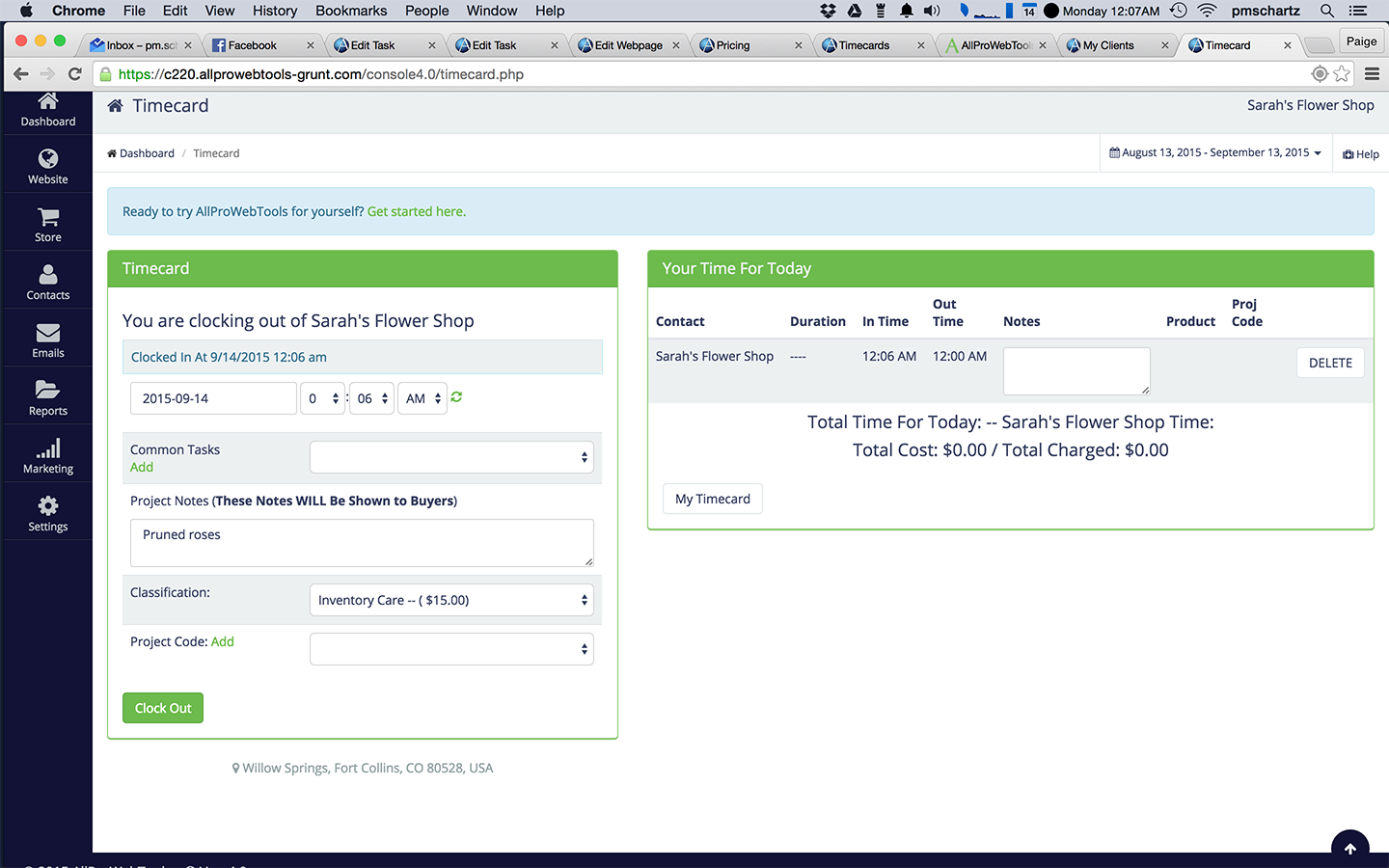 | HubSpot Marketing Hub Screenshots      |