Anaplan is a scenario planning and analysis platform designed to optimize decision-making in complex business environments so that enterprises can outpace their competition and the market. By building connections and collaboration across organizational silos, the Anaplan platform surfaces key insights.
N/A
IBM Cognos Analytics
Score 7.5 out of 10
N/A
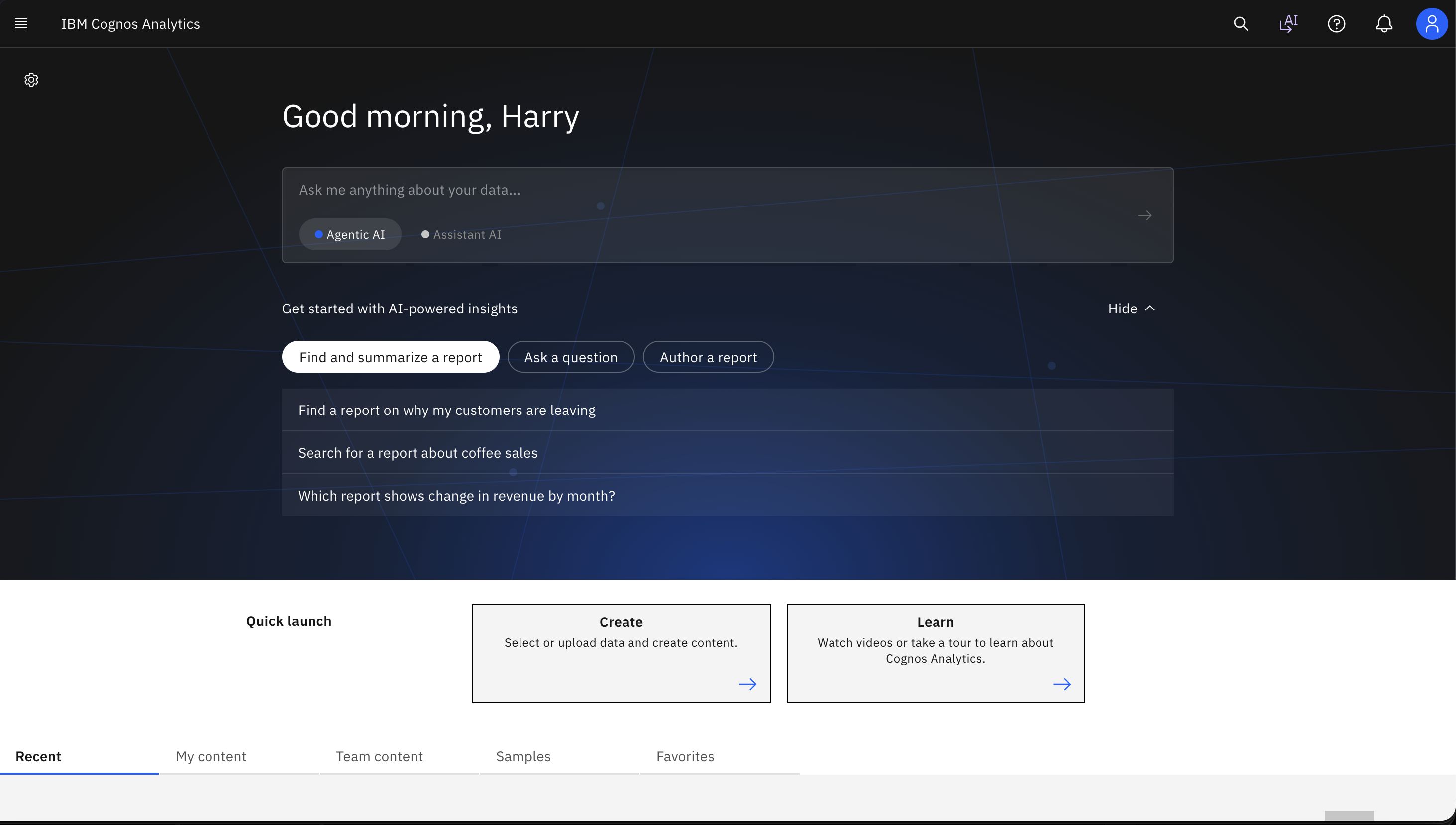
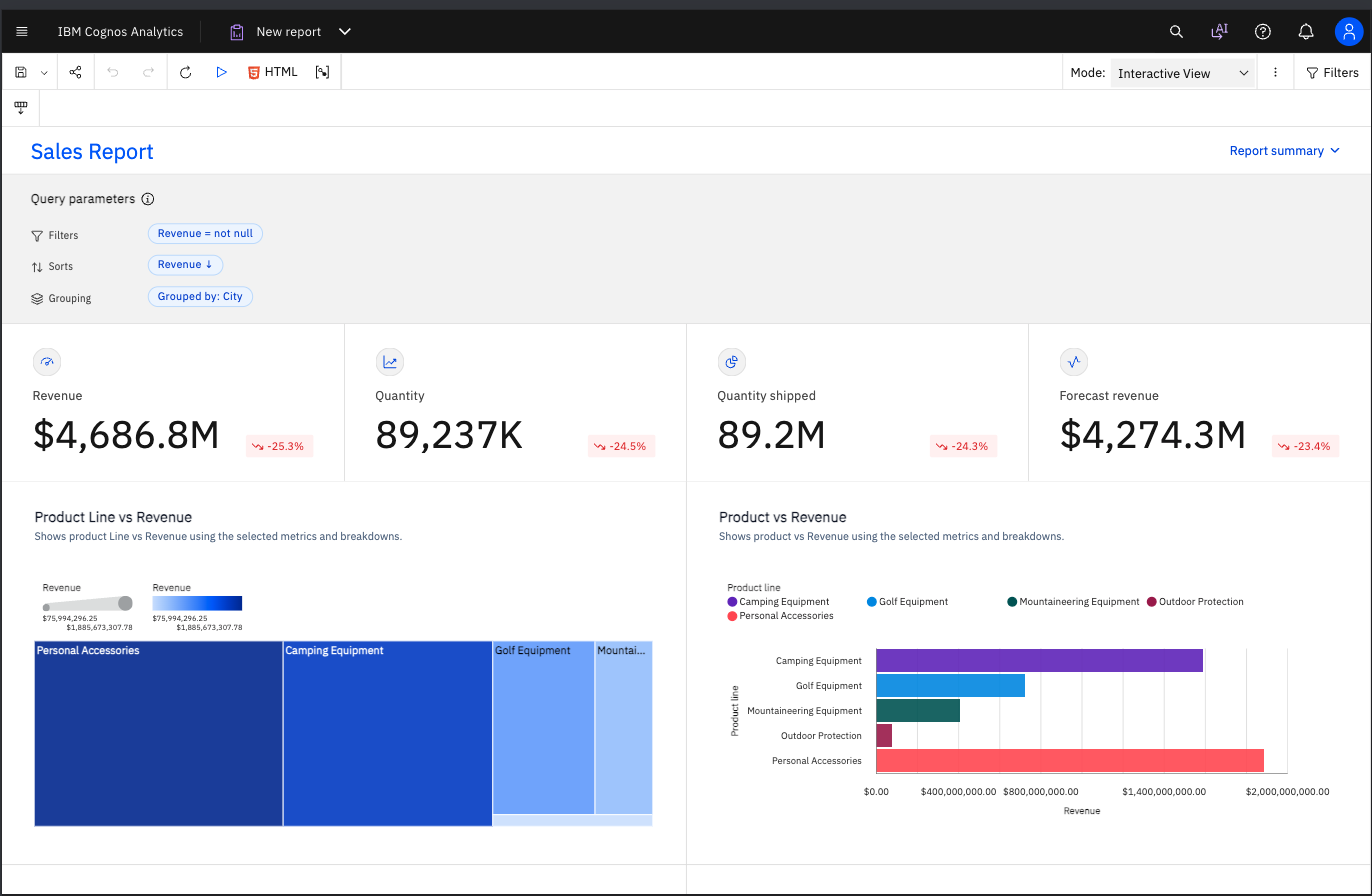
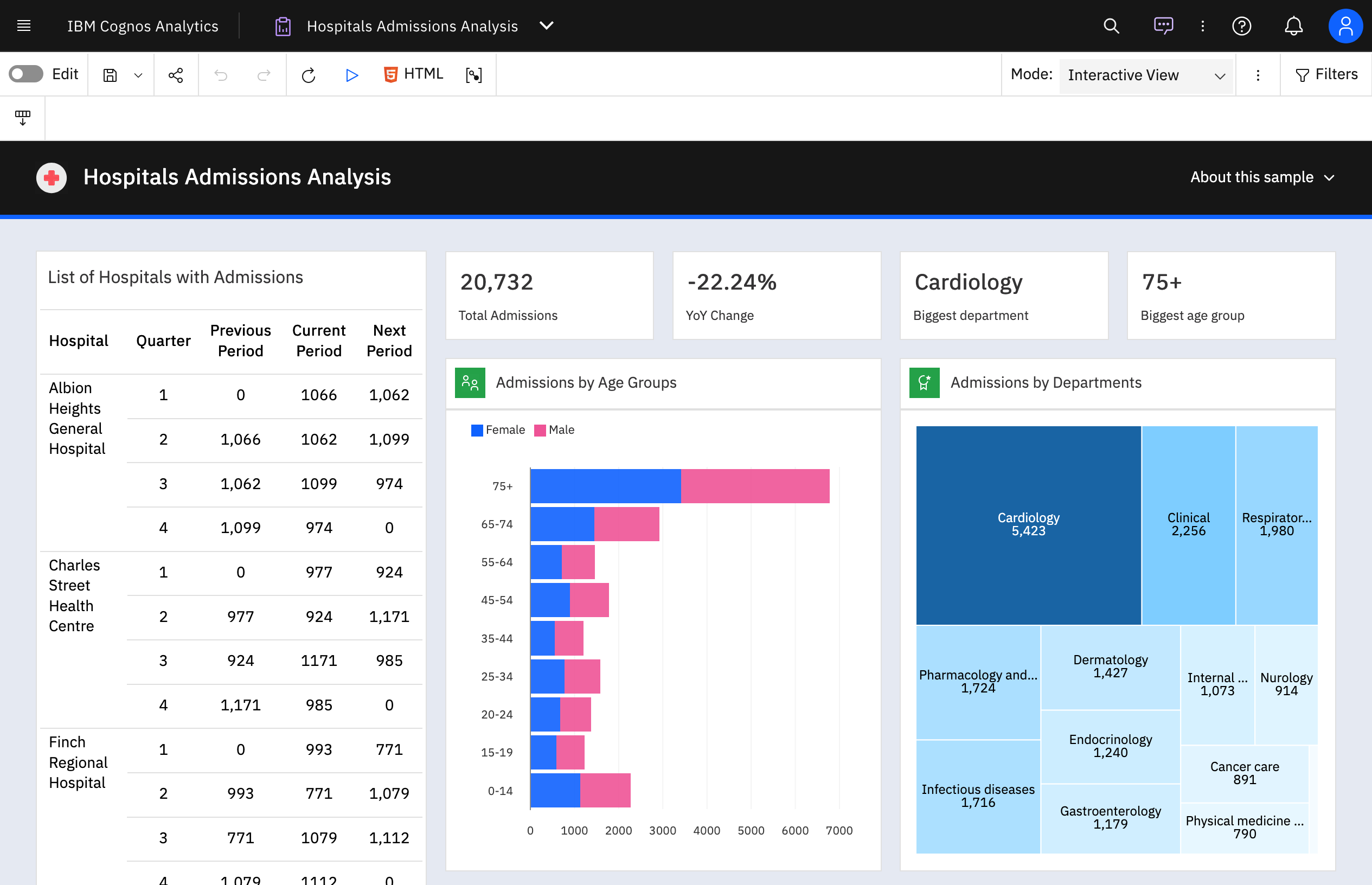
IBM Cognos is a full-featured business intelligence suite by IBM, designed for larger deployments. It comprises Query Studio, Reporting Studio, Analysis Studio and Event Studio, and Cognos Administration along with tools for Microsoft Office integration, full-text search, and dashboards.
$11.25
per month per user
Planful
Score 8.1 out of 10
Enterprise companies (1,001+ employees)
Planful is a cloud-based enterprise performance management (EPM) suite. It includes financial applications for modeling, planning, consolidation, reporting and analytics.
N/A
Pricing
Anaplan
IBM Cognos Analytics
Planful
Editions & Modules
No answers on this topic
On Demand - Standard
USD 11.25
per month per user
On Demand - Premium
USD 44.90
per month per user
No answers on this topic
Offerings
Pricing Offerings
Anaplan
IBM Cognos Analytics
Planful
Free Trial
No
Yes
No
Free/Freemium Version
No
No
No
Premium Consulting/Integration Services
Yes
Yes
Yes
Entry-level Setup Fee
Optional
Optional
Required
Additional Details
—
—
Pricing is highly dependent on the complexity and scope of the implementation.
Anaplan is more mature than those other platforms. It is great for larger organizations who have established planning processes with many users. It has a strong calculation engine for large data sets and advanced scenario modeling. Anaplan does come with a steeper learning …
Verified User
Director
Chose Anaplan
We like Anaplan for its flexibility, out-of-the-box starting apps, speed to deploy, and ability to maintain long-term.
Verified User
Manager
Chose Anaplan
Definitely a leader in the space. Far ahead in terms of capabilities. On the high end in terms of end user experience.
Verified User
Consultant
Chose Anaplan
Anaplan provided a much more flexible backend that allows for modeling out any use case.
Verified User
Manager
Chose Anaplan
I feel that Anaplan really has no competition when it comes to implementing connected planning. The biggest reason being that with other solutions, you need consultants to develop. If you know how to develop in Excel and understand the concept of dimensions, then you can …
Verified User
Manager
Chose Anaplan
Ease of use, intuitive design, business user friendly, quick implementation time
Verified User
Director
Chose Anaplan
The only platform with the flexibility that matches Anaplan is Excel. However, excel is not scalable. There are also many great point solutions out there that can do one thing well, but I have not seen anything else that can do as much as Anaplan can, and do it well.
Verified User
Manager
Chose Anaplan
Anaplan has the advantage of multidimensionality and fast calculation engine which is lacking in most of the above. Scenario planning is easier using Anaplan. Anaplan is not an off the shelf tool like most softwares that have been prebuilt to address specific problems/ issues. …
Verified User
Consultant
Chose Anaplan
Anaplan is much more advanced and robust tool compared to its competitors
Verified User
Professional
Chose Anaplan
I used other competitors, and I think, overall, Anaplan is a much better solution. It's younger and not a result of older generation solutions that have been adapted over the years and that are much more difficult to learn and customise.
Verified User
C-Level Executive
Chose Anaplan
Anaplan works well where you have a requirement for complete flexibility, such as in business structure, or in calculation methodology that is bespoke. You can tailor the system to your exact requirements, whereas some products come with pre-built modules that you might …
We selected Anaplan for its intuitive design and our desire to get away from excel. It also enabled us a sandbox of usability to tailor the experience directly to our needs. Other systems compartmentalized areas into one format and did not allow us as much customization.
Planful offers a great solution, however, they have significantly underperformed on their annual growth rate. The solution has a lot to offer, however, it is split across two solutions and is not True connected planning. OneStream is growing on a fast trajectory and has an …
Anaplan logic and formula is easier to understand by end users so they can be more independent when they started to use the tool. Also the self training courses are detailed and practical enough to give end users a better understanding of the functions and what they can achieve …
Verified User
Director
Chose Anaplan
Flexibility in modeling capability sets Anaplan apart from other competitors. You are tied to cookie cutter solution, which needed to be customized for others. Once customized, it does not change as business changes. It requires them to come in and changes. We needed a …
Anaplan is one of the better cloud-based EPM solutions out there. While it doesn't come with a lot of features/modules out of the box, once you get it up and running it's really powerful. There is a steeper learning curve than some other EPM tools out there which are …
Honestly, having implemented Anaplan at another company, I knew it would suit our needs here and convinced management to get the tool on that basis. We already use a mix of Cognos BI, Tableau, and Excel ... but our need was something apart from what those can provide.
Anaplan handles use cases that involves hierarchy in a much more efficient manner compared to any platform. It is also simple to use and doesn't involve much to do with coding or configuration. From a scalability standpoint, Anaplan exceeds expectations in many ways compared to …
QlikView, I do admit, put complete power into the builder's hands. However it was really complex and script heavy. We just didn't have the expertise to deploy properly and it didn't seem as Finance friendly as it still relied heavily on servers sitting behind IT barriers. Qli…
We believed that Anaplan gave us much greater flexibility while still providing a source of data that we can trust. We were looking for not only a data warehouse with retrieve functionality, but a tool to help us calculate and report. We needed something more robust, so these …
I have used all of the above tools in previous companies. I have seen the limitations and what makes each tool shine. I have seen exactly why Anaplan beat the competition, and why the tool is critical for any FP&A team. From the things I mentioned previously, there is no reason …
Host is a lot more user friendly to build out models. We do all of our model building in-house whereas when my company was using Anaplan, we were required to hire outside consultants to build out or even modify various models that we needed built. Host allows for a lot more …
Verified User
Consultant
Chose Planful
I have very very very little experience (approximately 1 hour) with Anaplan.
Planful solved our problem (avoid manual data entry) with competitive pricing. Data rails and Anaplan were expensive for a pre-revenue biopharma company.
Most financial folks user-friendly less technical support needed; most efficient and automated; data host in US; most automated with both the core application and excel spotlight in sync, you can view and sync in web or excel. Process time is fast.
Planful is winning in user experience. More intuitive design and very user friendly. I do expect more flexibility in terms of system confirgurations like higher hierarchy limit
Planful scored high in multiple areas (such planning, reporting, Workforce controlling) and based on our assessment criteria Planful receive the highest value/cost ratio. At the same time, we were confident that Planful was able to scale together with the business and manage …
They all have pretty similar functionality, I liked Planful because it was all cloud-based and we didn't have to buy a bunch of hardware. Spotlight dynamic planning I felt was the most versatile available at the time, not sure if it still is, and I liked the idea of building …
We decided on Planful because while all of these products had some of what we need, and maybe a bit more advanced, none had all of the items on our wish list except for Planful. We are very happy with our decision because the importance of having all of the company data …
Planful (formerly Host Analytics) can be quick to implement and does not require an army to administer. It's multi-dimensional technology also allows for a lot more flexibility in it's design and use. It's reporting suite is the most intuitive that I have seen in the industry. …
We selected Host Analytics due to (i) strong out of the box feature set, (ii) best excel integration among cloud tools, (iii) no model size limit, (iv) simple pricing, (v) solid customer references
Host offers by far the best trade-off between investment and return, compared to similar solutions in the market.
Verified User
Analyst
Chose Planful
I was not a decision maker. Host lacks language capabilities for large global companies. Host also lacks planning or reporting capability for any time increments less than one month.
While searching for a solution we looked at OutlookSoft (subsequently bought by SAP), Hyperion and Cognos. Hyperion and Cognos appeared to require a fairly high level of customization and requirement definition before and during implementation. While the systems seemed robust, …
With its versions and native time features Anaplan is well suited for all activities around planning in time and scenarios. Tasks involving calculating across multiple dimensions make Anaplan shine - the easiness to build complex calculation and present results on customizable pages. With its access restrictions it's well suited also for working with sensitive data (employee and customers personal data).
Well suited: Financial reporting - It can handle complex, pixel perfect, muti-page reports with scheduled delivery to stakeholders (like sales report by region on quarterly periodicity) Operational dashboard across departments - It can combine multiple data sources (ERP, CRM, excels etc) with filters, and embedded AI insights Less appropriate: Live dashboards - As stated earlier as well, IBM Cognos Analytics doesn't suit well for live dashboards or event driven data. For ex: live web traffic data or IOT device data, etc Data science - Although IBM Cognos Analytics is great tool for data exploration but it should not be used as a substitute for Python or R, which has edge over advanced modelling and stats based workflows like predictive modelling or clustering
There are still times that I find myself thinking that "I would have been done with this already" in Excel. Most (possibly all) the colleagues I know in our industry haven't outgrown using Excel yet... Overall, now that I feel I (mostly) "know what I'm doing" and am thru the learning stage the system I'm seeing benefit...however also feel like I haven't 'scratched the surface' of what it's capable of. Dynamic Planning, Predict/Signals, AI ...I feel we have a huge learning curve still ahead. I've explored Signals and AI Analyst and haven't been able to get reliable results to drive me to use it more...which leads me to believe we have core implementation related issues.
Anaplan removes the time consuming process of integrating the results of individual spreadsheets.
Anaplan facilitates the standardization of assumptions across all sub-processes
Anaplan provides full transparency of the calculations and source inputs
Anaplan allows us to automate certain planning processes that would have been impossible when relying on the computational capabilities of an individual computer.
IBM Cognos Analytics enables customer data segmentation, which is essential for marketing, improving and streamlining purchasing behavior and preferences. This helps companies create more targeted and effective marketing campaigns.
Our clients Through data analysis, we can identify and observe trends in the behavior of other clients, allowing us to anticipate needs and adjust strategies to avoid consequences.
Anaplan is a very strong multi-dimensional modeling tool that provides a calculation engine to empower a complex planning process. It is fairly easy to learn for those with experience in similar tools, or excel. It forces structure and auditability that spread sheets do not have, along with extensive security capabilities
For an existing solution, renewing licenses does provide a good return on investment. Additionally, while rolling out scorecards and dashboards with little adhoc capabilities, to end users, cognos is very easily scalable. It also allows to create a solution that has a mix of OLAP and relational data-sources, which is a limitation with other tools. Synchronizing with existing security setup is easy too.
Our new Comptroller understands the value of Planful, and we plan to utilize it further in the organization to enhance external reporting. Strangely enough, Planful had not previously been embraced by the former CFO, who argued that we were running two sets of books (of course, we were not). Fortunately, the before mentioned reconciliation of EBITDA to Net Income demonstrated that to the banks.
Anaplan's usability is dependent on who is implementing the project and how clear business processes are at the beginning of the implementation. Complex business processes with many inputs and reviews will still be complicated in Anaplan; however, the UX is very flexible in how to help people through the process and there are also other items such as Workflow that can help people move through the system.
We have a strong user base (3500 users) that are highly utilizing this tool. Basic users are able to consume content within the applied security model. We have a set of advanced users that really push the limits of Cognos with Report and Query Studio. These users have created a lot of personal content and stored it in 'My Reports'. Users enjoy this flexibility.
The tool is extremely adaptable, and it enables very quick querying to give us opportunity to gain live insights into the business. Given its adaptability, we are also able to create scenario analyses very quickly in rapidly changing environments. The formatting also enables us to provide this information in a very consumable manner.
There are very few outages. Maintenance is scheduled on two or three Saturdays per month, so as not to affect businesses. When there is an outage, users are kept informed of progress to restore the platform and typically this takes no more than an hour. Anaplan customer support is very responsive if we ever have questions about platform issues
Reports can typically be viewed through any browser that can access the server, so the availability is ultimately up to what the company utilizing it is comfortable with allowing, though report development tends to be more picky about browsers and settings as mentioned above. It also has an optional iPad app and general mobile browsing support, but dashboards lack the mobile compatibility. What keeps it from getting a higher score is the desktop tools that are vital to the development process. The compatibility with only Windows when the server has a wide range of compatibility can be a real sore point for a company that outfits its employees exclusively with Mac or Linux machines. Of course, if they are planning on outsourcing the development anyways, it's a rather moot point
I only give a 9 rating rather than a 10 rating because it seems that every day around 2pm we see a slowdown in the use of Planful. I have requested our internal IT department verify that it is not an internal issue and have been assured it is the tool. We have not yet reached out to Planful to do extensive research to solve this issue.
Everything is calculated in memory in the cloud. It's nearly instantaneous updates when you make changes. The only time things get a little slow is when you have a massive model with very intricate calculations...but "slow" for Anaplan is not what I would call "slow" for something like Hyperion. We used to have Hyperion calcs that ran for 60 mins before you could use data. The equivalent would be 60 seconds in Anaplan.
Overall no major complaints but it doesn't handle DMR (Dimensionally Modeled for Relational) very well. DMR modelling is a capability that IBM Cognos Framework Manager provides allowing you to specify dimensional information for relational metadata and allows for OLAP-style queries. However, the capability is not very efficient and, for example, if I'm using only 2 columns on a 20-column model, the software is not smart enough to exclude 18 columns and the query side gets progressively larger and larger until it's effectively unusable.
Again, the system is very reliable and, for the most part, runs very quick and smooth. When running larger queries, it does take some time, and during budgeting season our users experienced slower loading times, but nothing that raises concerns outside of normal network issues. Occasionally, as with any software we use, it will crash and you have to restart, but that does not happen very often.
Support quality has dropped since Thoma Bravo has taken over. I think some serious re-focus needs to happen here -- part of the beauty of being in the Anaplan community was how involved you felt in it before. Before I didn't dread sending a support ticket, now I am starting to.
Why is their web application not working as fast as you think it should? They never know, and it is always a a bunch of shots in the dark to find out. Trying to download software from them is like trying to find a book at the library before computers were invented.
Sometimes we get great help when using Planful's support team and other times we don't. In particular, there is one person that often responds to our support tickets who is less than helpful, hence the reason for the 5 out of 10 rating. As a result, most of the time we reach out to our Planful consulting group as they provide faster and better support
In my opinion, in-person training is always the best if you have the option to do so. This allows real-time interactions with the instructions, whereas the online training I took required me to write-down questions, email them, and wait for responses. This slows down the process, as you can imagine. That said, in-person training is an extra cost and it likely isn't needed for everyone. I would suggest selecting a small number of people to take in-person training and then having them act as mentors to the rest of your team. That way, as the rest of the team takes the online training, they have a resource to help them in real time.
Onsite training provided by IBM Cognos was effective and as expected. They did not perform training with our data which was a bit difficult for our end-users.
My team has attended training offered several times before/during the Planful Perform conference. This training has been extremely useful and we always learn something we didn't know prior to the training. The trainers are always very knowledgeable and more than willing to help each and every user after the training with specific questions regarding their environment. Planful also offers training and certifications on their training hub. I have completed a couple of the certifications. The courses are easy to follow along with and very informative. Additionally, Planful schedules webinars pretty regularly. They'll email their customers and allow you to register to participate live. They also record these sessions so you can refer back to them at a later date or if you are unable to attend at the time the webinar is offered, you can register anyway and get access to the recording. Their training has improved year over year!
Anaplan training materials are clear, simple, easy to understand and to follow. Visuals are excellent. The vendor is good at updating training materials in a timely manner and encouraging users and administrators to keep coming back to Academy site for refresher courses or new feature courses. I really like their interactive diagrams
The online courses they offer are thorough and presented in such a way that someone who isn't already familiar with the general design methodologies used in this field will be capable of making a good design. The training environments are provided as a fully self contained virtual machine with everything needed already to create the environments. We've had some persisting issues with the environments becoming unavailable, but support has been responsive when these issues arise and straightening them out for us
Planful provides a lot of online training support. There's so many options for training. Admin Learning Courses, User Learning Courses. Plus they have several webinars devoted to the tool and the new features they release. New Releases can be practiced in a Sandbox Environment prior to going live in Production
One key insight from implementing Anaplan is that success comes from focusing on designing the process, not just building the model. Anaplan is extremely flexible—there are very few planning scenarios it cannot support—but that flexibility means the project needs strong governance, clear ownership of requirements, and a well-defined data model. When those foundations are in place, implementations are fast, iterations are easy, and users can quickly see value. In our projects, both Financial Planning and Integrated Business Planning models were adopted smoothly because we involved business users early, kept the model design intuitive, and leveraged Anaplan’s Excel-like syntax and user-friendly dashboards. The result was more efficient day-to-day work, reduced manual tasks, and increased collaboration across teams. In short: when you combine Anaplan’s flexibility with a structured implementation approach, adoption and value realization happen quickly.
Make sure that any custom tables that you have, are built into your metadata packages. You can still access them via SQL queries in Cognos, but it is much easier to have them as a part of the available metadata packages.
After going through the initial implementation with Host Analytics and a re-implementation with Cervello (due to an ERP change, not due to a poor initial implementation), I've learned that you really must rely on your internal staff to bear most of the implementation burden. Use the vendor or partners for ideas and best-practice suggestions, and some of the easy-but-time-consuming work. Since you will ultimately be using and maintaining the application, you should be able to do most of it yourself.
Anaplan is more powerful than Pigment considering that it is an Enterprise class system and is able to manage bigger data sets. Anaplan allows for advanced scenario modeling and formula capabilities along with custom reporting functionalities. Anaplan has proven its capabilities and stability across various use cases and across bigger enterprises when compared to Pigment which is still in earlier phases of its development
Power BI is stronger for quick ad-hoc analysis and dashboards, but IBM Cognos Analytics is better when consistency, precision, and mass distribution matter. Tableau is best for interactive analysis, while IBM Cognos Analytics is better for standardized, repeatable enterprise reporting. Sigma shines for customizable dashboards and drill-down analysis while IBM Cognos Analytics holds an edge in data discovery and visualization.
Prior to joining the company, we tried to implement Vena but were unsuccessful. There we're a few reasons it didn't work out, but a lot of it related to the implementation team they provided. In just the first week with Planful, we achieved more progress than we did in several months with Vena.
We have managed to leverage Anaplan for financial planning and forecasting across the business. It is now used by almost every department, with more than 50 users (but I know of companies that have hundreds of users) and still the platform is quick and reliable. It is easy to make changes to divisions and departments or add users and apply different user settings - the core part of the model is not affected and end users can continue their work without any disruption
The Cognos architecture is well suited for scalability. However, the architecture must be designed with scalability in mind from day one of the implementation. We recently upgraded from 10.1 to 10.2.1 and took the opportunity to revamp our architecture. It is now poised for future growth and scalability.
From our experience, Planful is only used in 2 overhead departments in our organization. We easily added another overhead department, but they decided against using Planful for their workforce and financial planning. Removing them from our environment was extremely easy.
Anaplan's implementation led to a significant reduction in planning cycle errors and bugs, streamlining processes and improving overall accuracy in data inputs
Standardizing the planning process and enabling cross-functional collaboration through Anaplan enhanced our ability to adapt swiftly to changing business needs, resulting in improved agility in decision-making
The platform's capabilities, especially in Demand Planning and Supply Chain, positively impacted our ROI by optimizing resource allocation and solving complex business problems efficiently across multiple functions