Asana is a web and mobile project management app. With tasks, projects, conversations, and dashboards, Asana lets an entire team know who's doing what by when, enabling workload balancing. Users can also add integrations for GANTT charts, time tracking and more.
$13.49
per month per user
Pivotal Tracker
Score 5.0 out of 10
N/A
Pivotal Tracker is a project management program primarily for software developers. It is built from the ground up to facilitate the agile development cycle, and is optimized for structuring projects in sprints, or “stories.”
The solution is now owned and supported by VMware, and is part of the Pivotal / Tanzu product line up.
N/A
Planview AdaptiveWork
Score 8.4 out of 10
N/A
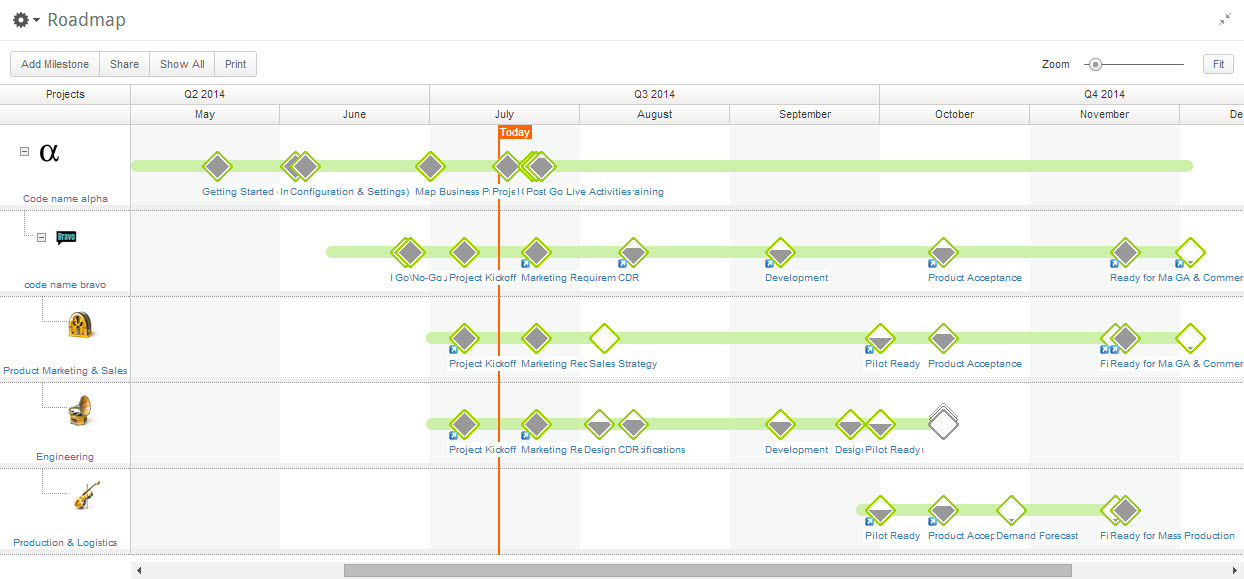
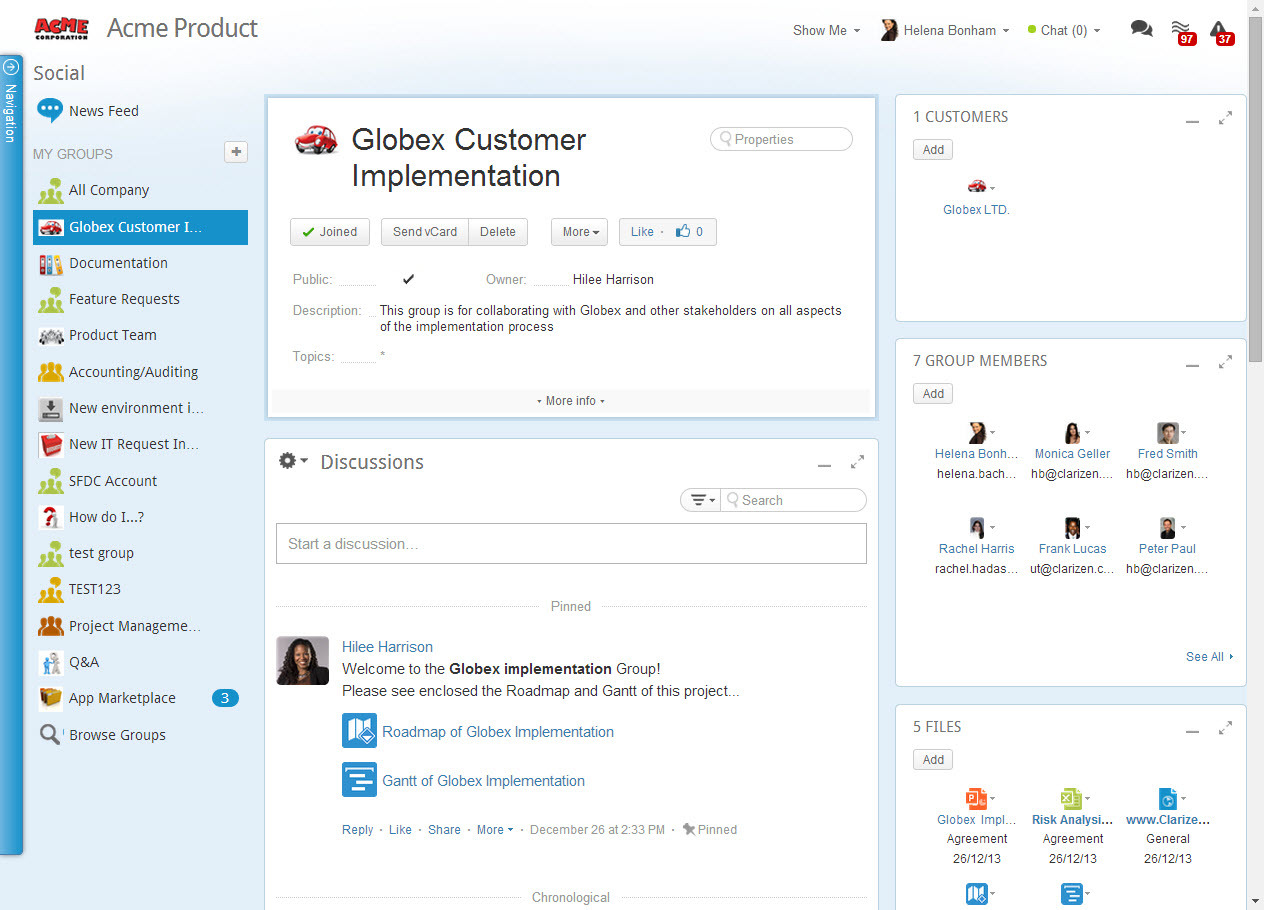
Planview AdaptiveWork is a web-based collaborative work management software. Planview AdaptiveWork enables users to connect employees and partners and create documents, reports and specialized workflow automation. Planview AdaptiveWork is designed to work across multiple teams to enable cross-company task, project, and resource management.
Asana is a highly effective instrument for managing teams and projects. The paid edition provides a multitude of features that can be tailored and used in accordance with the organisation's specific requirements.
Email integration facilitates notifications that remind team …
Overall for the money Asana brings a lot of value for organizations who want to do more with less and need a task and project management solution as a small company is growing and scaling to get to the next level. In the space when we evaluated didn't find a lot of other …
Against Jira it offers a more modern experience with less complex user interfaces. The admin and setup experience is also way faster with less (or no) legacy complexity.
Against other modern players like Linear and Basecamp it offers way more integrations so we can pull in data …
Asana is a top-tier project management software that helps us organize and track projects from start to finish. It allows us to apply tasks/to-dos to multiple projects without duplication, divide complex projects into smaller tasks, and track project progress. It also helps us …
Asana provides a mix of features between notion and Jira. Unlike Notion, it helps ease up the collaboration on vast projects and between multiple teams. Jira proved to be a little expensive with similar set of features if not more and which is why we thought of going with Asana.
I believe that Asana is more professional than Trello. I used Trello a long time ago, but it looked more suitable for a student project rather than for a professional team or business environment. I believe it has great features to help companies in different stages and of …
Since I have tried the two applications and saw their advantages and disadvantages, I see that Asana is much better in terms of dealing with files, ease of use, and the many features and characteristics that it has. Also, I noticed that it does not consume much space on my …
Side by side with the other two Asana by far beats Monday.com and is comparable and slightly better than ClickUp. Monday is completely browser-based and is hard to navigate and figure out how to set up. Asana and ClickUp are the exact opposite. Both are easy to set up and …
I like how extensive the capabilities are for Asana. With other softwares it seems there are many things lacking. I feel like Asana is also a very user friendly platform and aesthetically pleasing which is important in a modern office. We have many young people entering our …
Asana compared to Jira is certainly better in terms of user experience, since most of the people can start using it basically without having any kind of training or previous explanation, which makes it really useful not only for people already used to project management but …
Asana is amazing for a remote team, that we are currently as its accessible seamlessly to all our team member no matter where they are in the world. Its very easy to onboard new members to this platform as its very intuitive and easy for new people to get a hang of it. It has …
Basecamp was a great tool, but it was paid and things like recurring tasks and opening new projects was a pain. Asana, as a free tool, has been better for our organization as it serves the basic functions very well and is not complicated otherwise. I really like the …
For my organization's needs, other tools such as AirTable, JIRA, and Asana have definitely been better. These tools provide more project management capabilities and configurability, so we are able to customize them to meet the team's needs. However, that also comes with a steep …
JIRA is very user friendly. It's ideal for people new to the software development lifecycle and the tracking of the work. They have simply nailed the intuitiveness. Pivotal Tracker might be the better long-term tool because of the flexibility that comes with it. But as …
I have used a number of systems like Pivotal Tracker over the last 15 years. I have had several occasions to use Wrike separate from and alongside Pivotal Tracker. Wrike was more difficult to use and seems to either be locked down by permissions, so I had to "fight" to do my …
The only thing that PT compares to is Salesforce and we now utilize both platforms - Salesforce is a bit more organized in its automated task flow and allows us to connect our other platforms to it for efficient data transfer and data consistency.
I haven't used dev-specific tools other than Pivotal Tracker but it's useful because it is built for a specific use case. The simplicity of an Asana or Trello is great and they have their advantages, but the additional functionality mentioned was worthwhile and a compelling …
It's not necessarily a matter of better vs. worse when it comes to all of these different tools. They all serve a different purpose to different sized teams. I found Pivotal Tracker and monday.com to be a matter of preference while serving a similar purpose. Good for smaller …
Pivotal Tracker keeps users 'close' to the software project(s) by allowing users to understand, in plain words, the tasks and expectations of each software release, whereas other tools are either way too close to the source code or require an extensive amount of maintenance. …
JIRA allows teams to tailor the application workflow to meet their needs, while "opinionated" Pivotal Tracker enforces a consistent workflow approach on all team members. While I, personally, may prefer to have a system configured to my particular habits and desires as a …
We selected Pivotal Tracker because it is highly opinionated about the process. It worked quite well for what we were expecting from it. Other software we tried were much more flexible, so we could implement our own process there.
Pivotal Tracker, Asana and Trello all have free versions making them ideal for smaller companies to try out. All of them blast Kannan boards and issue tracking capabilities. While Trello and Asana are great products in themselves, Pivotal Tracker edges them out with its wealth …
I've used Jira ages ago, and it was still a young product in its initial iterations. The UI was a clunky and was missing a lot of ease with drag and drop for individual stories, uploads, etc. Management of users was useable, but not as ideal as it could be.
We selected Pivotal Tracker because of its simple, elegant workflow. This is the ideal; it's where we want to be. So we continue to improve, and as we get better, we get more out of the software.
The other software products we evaluated were too complex, and we found that …
We have had employees in the past look at Drupal, and other open source project management tools to assist in our needs. Unfortunately each solution took too much time to implement, design and configure that we could not stop the work we were doing for clients to complete a …
We were using JIRA and found it lacking in their UI and some of their services, especially communication. PT communicates much easier with simple links to tasks for execution and QA review.
Basecamp is just really a super note taking and asset depot. I would not consider true …
Compared to other task management tools, Pivotal Tracker has the best blend of functionality and cost. When you need something simpler than Jira, and not solely focused on code or UI related tasks like BugHerd, and have a more direct approach to completing tasks than Trello - I …
Pivotal Tracker, for better or worse, provides a more structured and rigid workflow than most. That makes it easy to get started, but if you have your own workflow you want to integrate into it, it could mean it'll take longer to get used to or customize. It's still more …
Our organization actually does not exclusively use Pivotal. We also have teams on solutions like Trello and LeanKit. It's all preference, those who buy into all the agile features that pivotal provides, love it. Those who do not need all the overhead, simply use a different …
Rally is too complicated - there are far too many fields that all have the same meaning. It's a better agile tool in my opinion since it it was designed purely as an agile tool, but since the CA technologies acquisition, the tool has become more complicated and there are far …
Compared to Rally the tool seems more accessible because or the suite of apps available. It also feels more polished and stable than Rally. It definitely has more tools and features but again it can be overkill for a smaller team or project.
Overall I have found that I prefer using Pivotal over all the competitors I've tried. There are certain aspects of the other products which I do like but as a whole Pivotal does a better job. My one request is that I feel it is very much a web app and the other products have …
I have also used Trello and Jira. A small company with only a couple of projects may be best suited with Trello due to its cost and simplicity, whereas Jira may be better suited for a large company that can afford a dedicated Jira manager, due to its complex configurations and …
Jira is very complex, while tracker is more straightforward to use. Tracker requires less micromanagement and upkeep. Asana is pretty but not useful for product and engineering build. It is more geared towards design projects.
It's about the same. It should be noted that Planview AdaptiveWork was not our first choice. We selected Planview PPM Pro & ProjectPlace based on capabilities and roadmap. There were roadmap items that were going to solve several business problems and allow us to leverage …
Planview AdaptiveWork is able to handle the volume of resourcing that we do as well as forecasting out multiple years where other systems were not able to do so.
I like that Planview AdaptiveWork is the full gamot for project, program and portfolio management. Building project plans, tracking tasks risks and issues, and being able to roll all of it up into comprehensive reports and dashboards is awesome. All of the new integrations …
We felt that Planview AdaptiveWork had the most potential to grow into the system and really liked that we could add on other Planview products if needed in the future. The system also felt more approachable for colleagues who might be less familiar with project, program, and …
We also evaluated Kantana. Ultimately decided on Planview AdaptiveWork because of cost, ease of GUI, ease of configuration, reporting capabilities and integration capabilities.
Planview AdaptiveWork was the right size, at the right price point that fit our customization and integration flexibility. It is intuitive to use but allowed us to add complexity as our needs grew
We moved from ConnectWise Manage to Planview AdaptiveWork. AdaptiveWork is so much more user friendly. Reporting is so much easier. Capacity planner is better.
As an IT professional in the field for over 15 years I have used multiple platforms to track projects and migrate resource data for analysis as well as creating dashboards for better leadership visualization. Planview is one of the best ones I have used as it has a lot of …
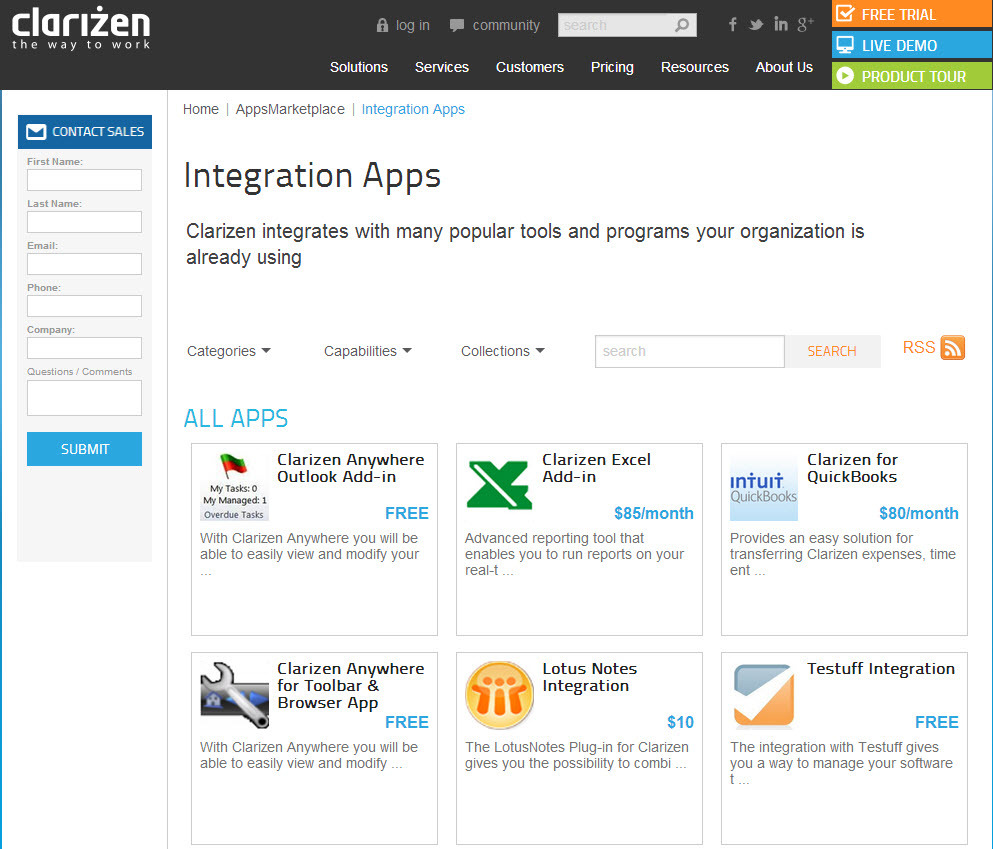
Planview Clarizen empowers us to spend less time aggregating on and more time acting on the data get a clear picture of the current and future requirements and visualize the portfolio and pivot quickly with changing business needs. Great product that empowers teams to reach …
Clarizen has a cleaner, easier-to-use UI than both Wrike and Microsoft Project in my opinion. Clarizen is overall pretty intuitive and you can use it on a daily basis to manage your projects without it taking up an exorbitant amount of time. Although I would say Wrike is …
It stacks up well to many other products. It is lightweight and intuitive to use. However, if you are a heavy Project user, or are considering a Project at the enterprise level, this might not be as sophisticated/ heavyweight as those kinds of products. However, for all but …
We are working on a Fixed work basis and have been using Clarizen for quite a long time. Clarizen helped us to track our project, requests, and billing in one shot, so we planned to stay with Clarizen.
Clarizen's ease of use, ease of setup, out-of-the-box delivery, project management, and time management were the factors for choosing Clarizen. All were good products but we are happy to have selected Clarizen.
The usability of Asana is broad since it's available in a variety of platforms that are widely used nowadays. I think that it would be great for people who are constantly on the move and switching devices, since it has allowed me to work from my phone, too. I also think that Asana has proven itself to handle a large quantity of work
The UI of the Pivotal tracker is really beautiful and amazing, which looks trivial, but we have it open all the time, so it's nice for us. In Pivotal tracker for me its very Easy to create tasks or stories anytime without facing any problems. Pivotal tracker provides us a ton of features to track the tasks and manage a team and the projects. Pivotal tracker allows for a entire team to be on the same page of the tool in regards to where is the project right now, right status of every task, what is being worked on and by whom.
I've been an AdaptiveWork (Clarizen) admin for the past 14 years, so I've seen much improvement since I started working with the product. I'm very happy we can utilize the hybrid mode by using the cards, I think this was long overdue but it works very well.
Pivotal Tracker helps our team visualize our projects in the form of stories (virtual cards) moving through our workflow. This encourages us to break down projects into manageable chunks and have important conversations about deliverables and scope.
The forced-prioritization allows our team to have a shared understanding about what is most important and make collective decisions about what our team will work on next.
By dividing future iterations by our team's velocity, Pivotal Tracker accurately predicts when we will complete future work.
Many ways to acclimate to the system; documentation, videos, community, and contacts.
Planview provides scalable customization options tailored to the unique needs of each business unit or department. Easily add or remove fields in the system. As the admin, it was easy to learn how to configure.
Offers flexibility to adapt to existing systems and align with organizational workflows and processes. There are multiple ways to customize each part of the system to meet our needs.
Used to have a newsfeed-type feature with all the updates from the previous day. They removed it. I liked getting a snapchat of what changed from before.
When signing up for email alerts, can be inundated with emails for every change to the status of a story.
Communication on stories through the comment section can be a little difficult, and not very organized.
Planview AdaptiveWork's ability to create relations between work estimates, resources, and time is one of its strengths but also one of its drawbacks. The average user is a little less considerate of the way these things interact with each and the automatic way in which Planview AdaptiveWork will affect one or the other can occasionally create a confusing scenario if the user is unaware of how changing one will affect the other
I just can't see us getting it off of Asana any time soon, despite the many headaches it has caused us. We have too much data in there, too much time & training invested into it, too much at stake to move. If we were just starting out today, fresh, I don't know for certain that I would absolutely go the same direction, but I *think* I still would. I just haven't seen anything better yet. Maybe if Podio's support staff hadn't treated me like a worthless nuisance to them, I might feel differently, but the fact is that their task management is simply inferior to Asana's. That can't be denied, and in fact Podio said it themselves: "Tasks are a simple function. They cannot be customized. Tasks in Podio can be used for quick to-do's for you and your team members." In our operation, however, prompt task completion is a big deal; one task can't be completed until another one is done first, and closing the gaps between those tasks is critical in meeting deadlines and servicing our customers. Asana gets us there, the others don't.
I give my renewal of this product a 9. It's only because we never know what product may come out next and how other factors in our office political environment may cause impact upon this. If I always had my way, this is what we'd settle on as our de facto project management system.
It is very user-friendly. Takes a new employee an hour to start figuring out how the system works. That's an important factor. You don't want to encounter the issue where employees need a week to understand how the system works. For example, JIRA, I tried using it for a week and I still don't understand the complicated layout. Asana has a simple interface. Once you see it, you get it type of program.
It was generally easy to use once you got the hang of it. The searching and tagging of tickets was fine, commenting worked well, and release planning was good. However, it wasn't the most intuitive tool in the beginning. The UI is pretty outdated and could have used upgrades over time.
It is easy to configure, intuitive. The customization process is in some ways better than Salesforce.com. It has a great UI. It does however depend on how it's implemented.
The design of it is generally fine, however the ability to data upload people from a spreadsheet is an obvious miss.
Sometimes it is slow when everyone is entering their time on Fridays or Mondays but other than that we rarely see downtime and maintenance notifications are well in advance.
Most Ancillary Pages: Quick to Reasonable (By "ancillary" I mean lesser used/master data maintenance pages - e.g. People, Customers, Individual Tasks, Milestones, etc.)
Work Plan (with 100 sub items): Reasonable to Slow
I haven't had to use their support so I can't rate it. The fact that I haven't needed them reflects the ease of use of the product. I would recommend that any new users schedule a complete demo of the product to ensure that they are using it to it's fullest (there's a lot of useful features).
We've never had to request support in the 5 years I have been using it. A solid solution! Everything I have had questions about is on the website. New features are in their newsletter with more details on their website. Often I am using the new features within a few minutes of reading the article.
It's a good experience overall. Clarizen was useful when needed. It's mostly needed for advice on how to do more sophisticated actions or how to change something that was set up administratively. It's seldom used otherwise. The product consistently works, the documentation is acceptable, and the generally intuitive product is easy enough for most staff to pick up without much issue.
• We worked with a Project Manager on their side. He was very good about developing a project plan to hit our goal. I think we had weekly or twice weekly calls – very steady cadence over 3 month period. • Their PM skills were great – kept us on task. For the last week, they sent 2 people on site and they did training for power users. After that a couple of them revisited here
It's easy to access and frequently offered. Often I'm amongst only a few people on the call and get virtually individual attention. I also learn and share with the other attendees and we can see how we've each solved similar challenges.
We have been able to implement AdaptiveWork pretty easily but it requires updating of resource availability and continuous training as roles change and new people join the company. Other documentation is used such as spreadsheets for longer range planning and project approval
Asana is a top-tier project management software that helps us organize and track projects from start to finish. It allows us to apply tasks/to-dos to multiple projects without duplication, divide complex projects into smaller tasks, and track project progress. It also helps us organize work on Kanban boards or linear lists. It stands out from the crowd in a big way compared to the competition.
Pivotal Tracker, Asana and Trello all have free versions making them ideal for smaller companies to try out. All of them blast Kannan boards and issue tracking capabilities. While Trello and Asana are great products in themselves, Pivotal Tracker edges them out with its wealth of features including trackability of epics, burndowns, better reporting, and analytics. JIRA, on the other hand, is way more customizable, has more reporting capabilities and more features than Pivotal Tracker but is more expensive too. At the end of the day, it comes down to what you're looking for in an agile project management tool as well as how much you're willing to pay for it.
Planview AdaptiveWork was the right size, at the right price point that fit our customization and integration flexibility. It is intuitive to use but allowed us to add complexity as our needs grew
Pivotal Tracker has been a cost-effective solution for what we need. It has allowed our ROI to be greater than if we went with another system.
Learning curve; with this easy to use tool, it has been a shorter learning curve for new hires to find what they need to accomplish their task.
Flexibility; we are right now stuck at 4 levels of classification; project; Story, Task, Comments. If we were able to expand on this, we would be able to role this out faster to other departments within our business.
Planview AdaptiveWork allows us to report out on the status of our real estate projects on a regular basis. We have internal objectives that need to be met for on-time delivery and Planview AdaptiveWork provides us the data to be able to show how the teams are tracking on delivery.