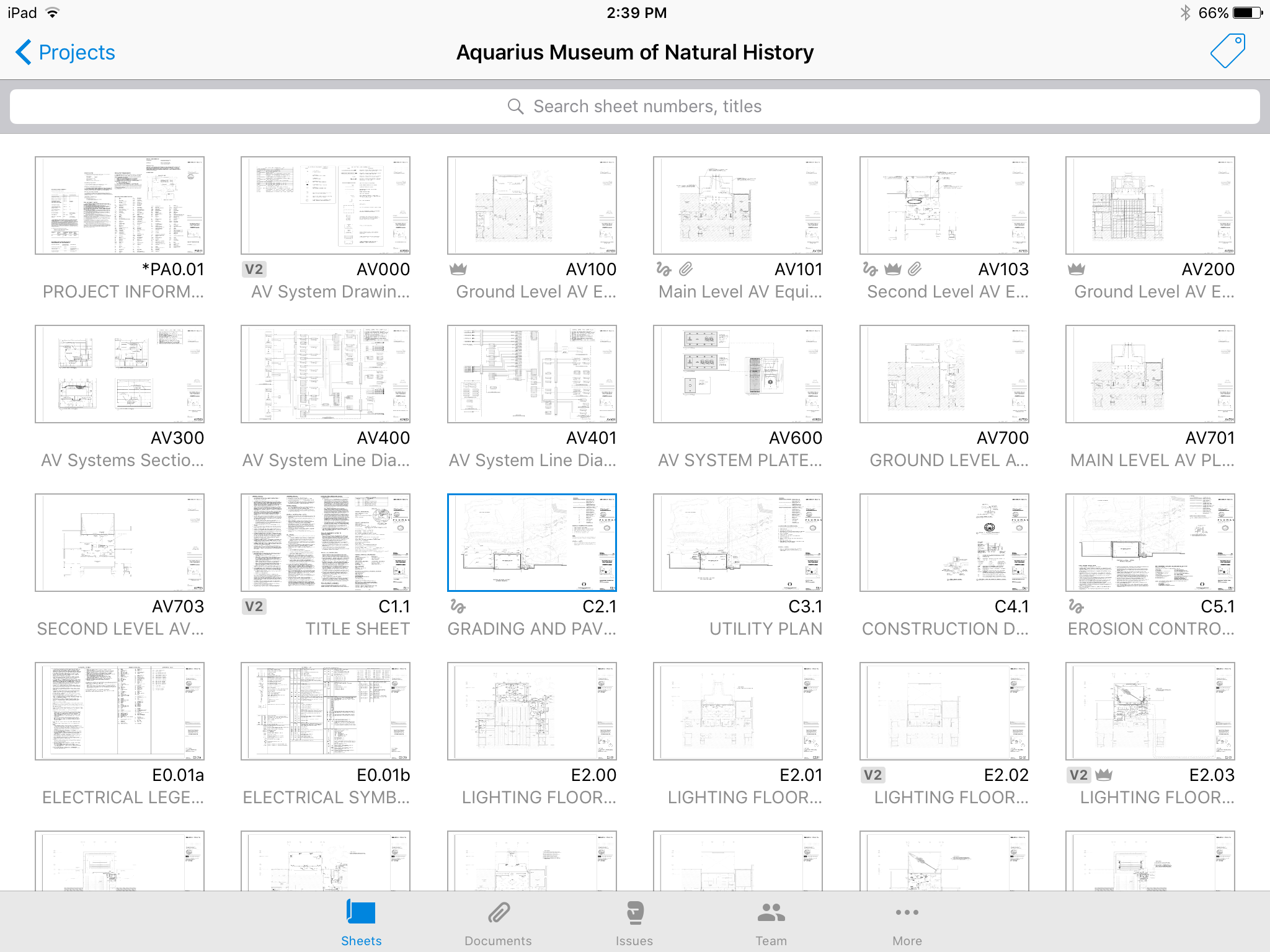
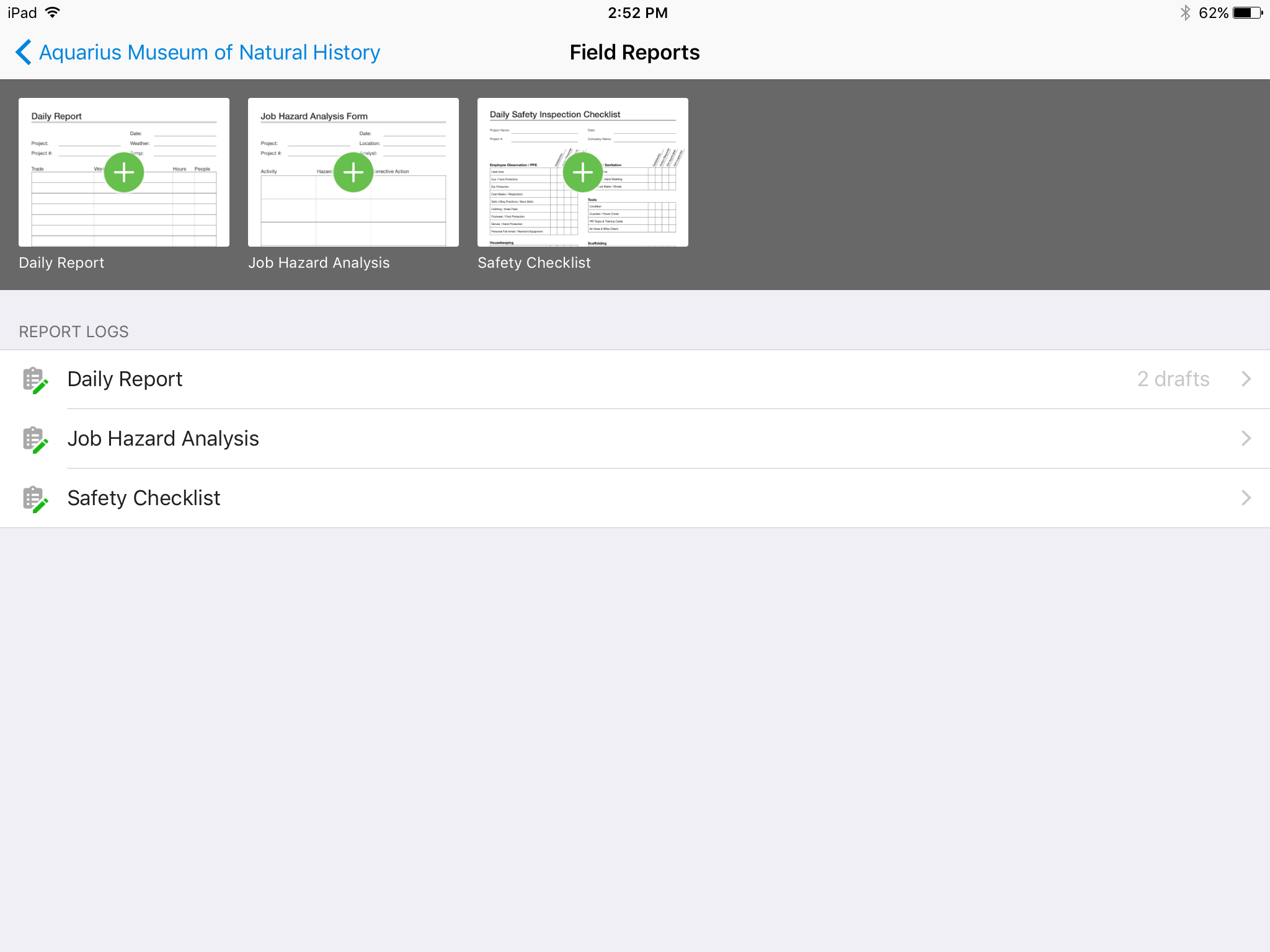
Autodesk Build, based on the former PlanGrid, is construction productivity software. It includes tools to collaborate, collect, and manage project information throughout the project’s construction and operations lifespan. It enables document centralization and tracking.
$39
user per month
Bluebeam
Score8.9 out of 10
N/A
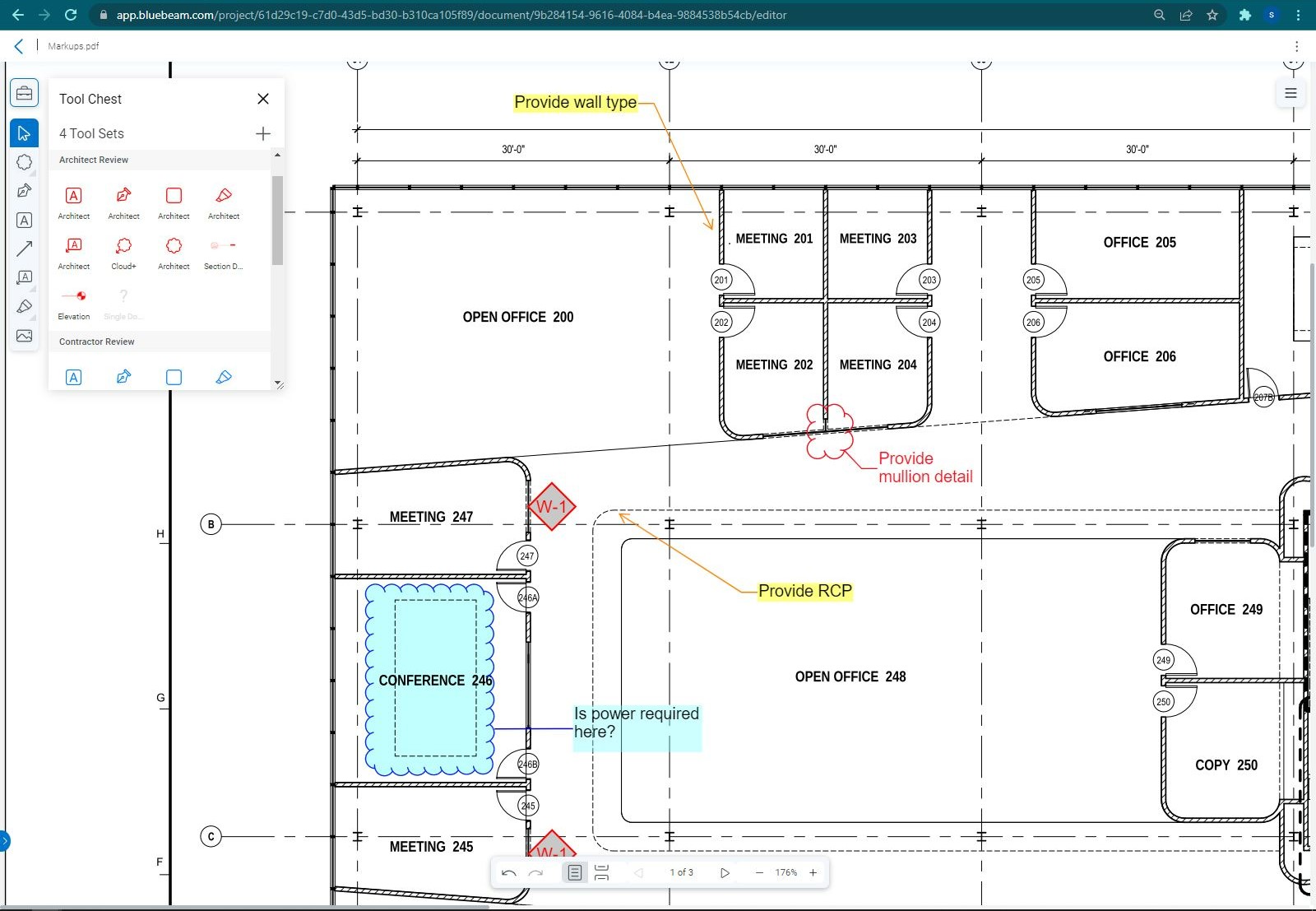
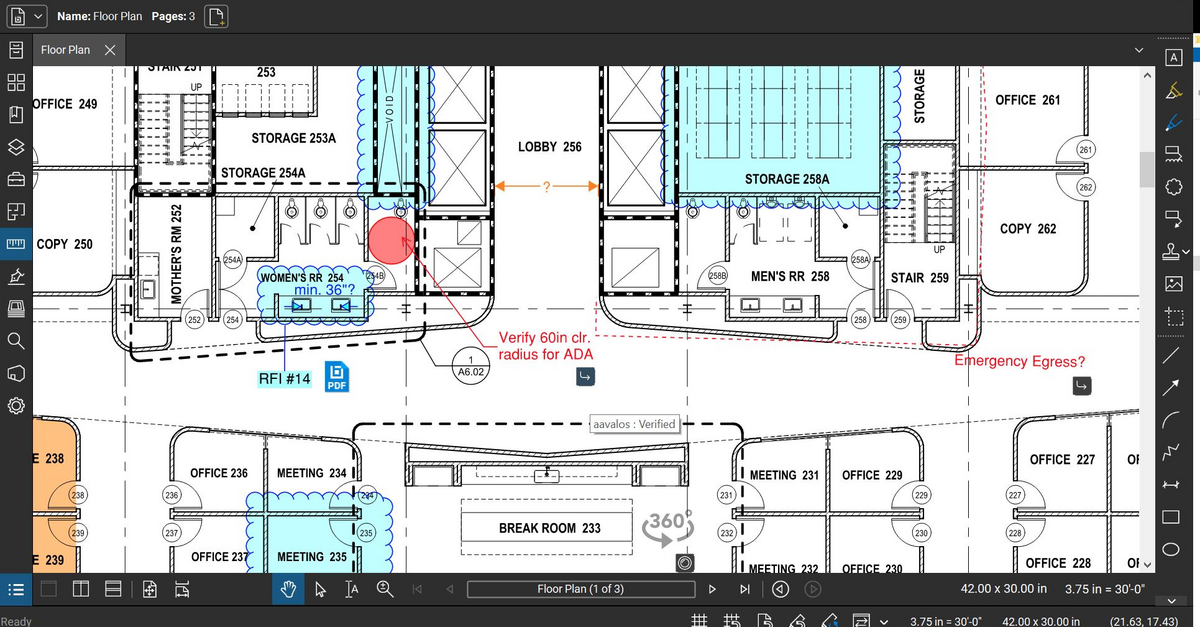
Bluebeam Revu is a PDF management, control, and editing tool. It enables collaboration and markup within shared documents across projects’ life cycles and has takeoff and bid creation capabilities.
$260
per year per user
CMiC Construction Platform
Score7.5 out of 10
Mid-Size Companies (51-1,000 employees)
CMiC Project Management is a construction project collaboration and management solution. It centralizes project-related communications and documents onto one platform, and connects the job site with the back-end office.
A de minimis incentive was given to thank the reviewer for their time. The incentive was not used to bias or drive a particular response, nor was the incentive contingent on a positive endorsement. More Info
A de minimis incentive was given to thank the reviewer for their time. The incentive was not used to bias or drive a particular response, nor was the incentive contingent on a positive endorsement. More Info
Verified User
Chose Autodesk Build
I'm not going to lie, I still use Bluebeam Revu on the computer. There is still a big gap on what they are able to do. But on the iPad I use PlanGrid and enjoy it better. Being able to move through drawings is way easier on PlanGrid
A de minimis incentive was given to thank the reviewer for their time. The incentive was not used to bias or drive a particular response, nor was the incentive contingent on a positive endorsement. More Info
Verified User
Chose Autodesk Build
PlanGrid doesn't have all the capabilities that Bluebeam Revu offers. However, it makes up for that in its ease to use of the capabilities it does offer with regards to documentation, reviewing, and sharing of drawings.
A de minimis incentive was given to thank the reviewer for their time. The incentive was not used to bias or drive a particular response, nor was the incentive contingent on a positive endorsement. More Info
Verified User
Chose Autodesk Build
We currently use both Bluebeam and Adobe in our environment, but PlanGrid makes it much easier to view and do quick markups and annotations.
A de minimis incentive was given to thank the reviewer for their time. The incentive was not used to bias or drive a particular response, nor was the incentive contingent on a positive endorsement. More Info
Verified User
Chose Autodesk Build
PlanGrid is very similar to Procore but offers a slightly more straightforward user interface and seems not to be loaded with extra options that rarely would get used like Procore. PlanGrid is a much smoother software than Submittal Exchange or CMiC due to that same interface. …
A de minimis incentive was given to thank the reviewer for their time. The incentive was not used to bias or drive a particular response, nor was the incentive contingent on a positive endorsement. More Info
Verified User
Chose Autodesk Build
Compared on pricing, PlanGrid was best. Procore does submittals and pay apps, but GoBridgit was completely unrealistic in price for us to consider them. The overall use of PlanGrid along with current pricing makes it worthwhile for us. If pricing goes up, it would no longer be …
A de minimis incentive was given to thank the reviewer for their time. The incentive was not used to bias or drive a particular response, nor was the incentive contingent on a positive endorsement. More Info
Senior Estimator in Sales at Spacecon Specialty Contractors, LLC. (Construction, 51-200 employees)
Chose Autodesk Build
BlueBeam is a program that some of our customers use as their management tool. It is a little more cumbersome than Plan Grid. We would certainly prefer using PlanGrid over other products that we have tried. Our field staff prefers to have a consistent platform to share the …
A de minimis incentive was given to thank the reviewer for their time. The incentive was not used to bias or drive a particular response, nor was the incentive contingent on a positive endorsement. More Info
A de minimis incentive was given to thank the reviewer for their time. The incentive was not used to bias or drive a particular response, nor was the incentive contingent on a positive endorsement. More Info
Engineer in Engineering at Clark Construction Group, LLC (Construction, 1001-5000 employees)
Chose Autodesk Build
The programs are not exactly parallel, however, we formerly posted RFIs on Bluebeam and by owner request we are now using Plangrid. I have found that this feature on Plangrid is slightly more intuitive and the interface is more user-friendly. Bluebeam, on the other hand, has …
A de minimis incentive was given to thank the reviewer for their time. The incentive was not used to bias or drive a particular response, nor was the incentive contingent on a positive endorsement. More Info
Project Engineer at The Whiting-Turner Contracting Company (Construction, 1001-5000 employees)
Chose Autodesk Build
PlanGrid is great for quickly communicating information within the field, however, its office capabilities are more limited compared to some alternative software I have used.
A de minimis incentive was given to thank the reviewer for their time. The incentive was not used to bias or drive a particular response, nor was the incentive contingent on a positive endorsement. More Info
Project Manager in Corporate at Lease Crutcher Lewis (Construction, 201-500 employees)
Chose Autodesk Build
I feel that Plangrid does a good job at combining most of the best attributes of the above programs into one solid software. Finishline seems to be a bit stronger punchlist tool but it doesnt have any other features, can't be used a doc control, etc.
A de minimis incentive was given to thank the reviewer for their time. The incentive was not used to bias or drive a particular response, nor was the incentive contingent on a positive endorsement. More Info
A de minimis incentive was given to thank the reviewer for their time. The incentive was not used to bias or drive a particular response, nor was the incentive contingent on a positive endorsement. More Info
Verified User
Chose Autodesk Build
Bluebeam is easier to use for plan markups, but the punch list function of PlanGrid is far better.
A de minimis incentive was given to thank the reviewer for their time. The incentive was not used to bias or drive a particular response, nor was the incentive contingent on a positive endorsement. More Info
A de minimis incentive was given to thank the reviewer for their time. The incentive was not used to bias or drive a particular response, nor was the incentive contingent on a positive endorsement. More Info
Field Services Dept. Manager in Professional Services at Matern Professional Engineering, Inc. (Architecture & Planning, 51-200 employees)
Chose Autodesk Build
We use Bluebeam and PlanGrid on a daily basis for different purposes. Bluebeam does some things better than PlanGrid, but these are things that PlanGrid was not really designed to do. However, Plangrid is the best when it come to punchlists, and no other product that I have …
A de minimis incentive was given to thank the reviewer for their time. The incentive was not used to bias or drive a particular response, nor was the incentive contingent on a positive endorsement. More Info
Project Manager in Professional Services at Sprig Electric (Construction, 501-1000 employees)
Chose Autodesk Build
Bluebeam and PlanGrid work great together, not sure one could replace the other. Bluebeam is really great for more detailed markups, better than PlanGrid in that respect. When you zoom out on the markups for PlanGrid, markups get really thick and unreadable.
A de minimis incentive was given to thank the reviewer for their time. The incentive was not used to bias or drive a particular response, nor was the incentive contingent on a positive endorsement. More Info
A de minimis incentive was given to thank the reviewer for their time. The incentive was not used to bias or drive a particular response, nor was the incentive contingent on a positive endorsement. More Info
Verified User
Chose Autodesk Build
In comparison to other products, Plangrid excels for field documentation and management. There are other solutions on the market that are well suited for their niche as well, but for field management Plangrid has been the most robust and easiest to use. Have so many features …
A de minimis incentive was given to thank the reviewer for their time. The incentive was not used to bias or drive a particular response, nor was the incentive contingent on a positive endorsement. More Info
A de minimis incentive was given to thank the reviewer for their time. The incentive was not used to bias or drive a particular response, nor was the incentive contingent on a positive endorsement. More Info
Bluebeam
Verified User
Chose Bluebeam
Adobe is good for viewing PDFs, but as far as how PDFs are utilized in construction, Bluebeam is hands-down the best program I have used.
A de minimis incentive was given to thank the reviewer for their time. The incentive was not used to bias or drive a particular response, nor was the incentive contingent on a positive endorsement. More Info
Verified User
Chose Bluebeam
Bluebeam is a diverse program with many functions and tools, whereas competitive programs only specialize in one or few tasks. Although there are many tools within the program, users can still quickly learn how to use the program to best fit their needs. There is always a help …
A de minimis incentive was given to thank the reviewer for their time. The incentive was not used to bias or drive a particular response, nor was the incentive contingent on a positive endorsement. More Info
General Superintendent in Professional Services at On Site Builders Inc (Construction, 11-50 employees)
Chose Bluebeam
I personally like the tools that Bluebeam offers over Acrobat and feel that, for my company, Bluebeam was much better suited. Scaling tools, markups, as-builts, RFI’s, submittal approval, and detail creation all really show its strength.
A de minimis incentive was given to thank the reviewer for their time. The incentive was not used to bias or drive a particular response, nor was the incentive contingent on a positive endorsement. More Info
Assistant Account Manager in Product Management at CNR Group Inc. (Construction, 11-50 employees)
Chose Bluebeam
The only software I've ever used that even comes close to Revu is Adobe Acrobat Pro, which I find is most confusing and has a less attractive interface. Since Revu 2015 (the oldest version I've used), there's always been a dark mode Adobe does not have. PlanGrid and Procore, …
A de minimis incentive was given to thank the reviewer for their time. The incentive was not used to bias or drive a particular response, nor was the incentive contingent on a positive endorsement. More Info
Verified User
Chose Bluebeam
This program directly replaces our use of Adobe company wide. We have also phased out PlanGrid for the most part as the tools of Procore and Bluebeam both have been more user friendly for our teams.
A de minimis incentive was given to thank the reviewer for their time. The incentive was not used to bias or drive a particular response, nor was the incentive contingent on a positive endorsement. More Info
Project Engineer in Product Management at Mortenson (Construction, 5001-10,000 employees)
Chose Bluebeam
If Bluebeam can be compared to any other PDF editing software, the closest competitor would be Adobe Acrobat. Unfortunately, this really isn't a fair comparison because to tools available (and user interface) in Bluebeam FAR outweigh the ones available in Adobe Acrobat. This …
A de minimis incentive was given to thank the reviewer for their time. The incentive was not used to bias or drive a particular response, nor was the incentive contingent on a positive endorsement. More Info
Verified User
Chose Bluebeam
Bluebeam has more capabilities than both PlanGrid and Acrobat when using it to review and edit PDFs. It is not as intuitive to use as either since it does provide more abilities to markup files. It is not as easy to load and share files as PlanGrid, but it does provide access …
A de minimis incentive was given to thank the reviewer for their time. The incentive was not used to bias or drive a particular response, nor was the incentive contingent on a positive endorsement. More Info
A de minimis incentive was given to thank the reviewer for their time. The incentive was not used to bias or drive a particular response, nor was the incentive contingent on a positive endorsement. TR verified that a representative sample of customers was invited. More Info
Verified User
Chose CMiC Construction Platform
I believe Acumatica is a much more stable system with far better support, security, and reliability. Customization options are better in Acumatica as well. In my opinion, there is no competition. I believe CMiC Construction Platform will lose its client base to Acumatica in …
A de minimis incentive was given to thank the reviewer for their time. The incentive was not used to bias or drive a particular response, nor was the incentive contingent on a positive endorsement. More Info
Vice President of Construction and Field Operations in Corporate at Horizon Construction Group, Inc. (Construction, 51-200 employees)
Chose CMiC Construction Platform
CMiC Construction Platform is the best price point in the market. Others are revenue-based billings, and the annual fees reflect as such. CMiC Construction Platform support staff is generally amazing and offers real-time support on critical issues. The imaging and workflow …
A de minimis incentive was given to thank the reviewer for their time. The incentive was not used to bias or drive a particular response, nor was the incentive contingent on a positive endorsement. TR verified that a representative sample of customers was invited. More Info
Verified User
Chose CMiC Construction Platform
CMiC has far more capability than these other software platforms. We had to use all of the other software together to meet the same capability as CMiC alone.
A de minimis incentive was given to thank the reviewer for their time. The incentive was not used to bias or drive a particular response, nor was the incentive contingent on a positive endorsement. TR verified that a representative sample of customers was invited. More Info
Executive Assistant in Corporate at Mosaic Building Solutions (Construction, 11-50 employees)
Chose CMiC Construction Platform
CMiC incorporates more features and reduces the need to use additional software platforms. We found that Foundation Software is not as user-friendly and can be limited in the various types of reports that are available. PlanGrid and Procore both would have had to be partnered …
A de minimis incentive was given to thank the reviewer for their time. The incentive was not used to bias or drive a particular response, nor was the incentive contingent on a positive endorsement. TR verified that a representative sample of customers was invited. More Info
Verified User
Chose CMiC Construction Platform
The look and feel of CMiC is very similar to PlanGrid but when you get into the nitty-gritty of using CMiC for drawing management, it's lacking features our employees have pointed out. Submittal Exchange is much cleaner for submittal management. The interface is better. The …
A de minimis incentive was given to thank the reviewer for their time. The incentive was not used to bias or drive a particular response, nor was the incentive contingent on a positive endorsement. TR verified that a representative sample of customers was invited. More Info
Verified User
Chose CMiC Construction Platform
Worse than all 3. PlanGrid: Smoother use than CMiC. The way it is formatted and shows the plans in order is the best. CMiC shows plans in the order they were uploaded instead of plan order (A100, A101, etc.). Procore: Same reason as PlanGrid. It just feels as though CMiC's plan …
A de minimis incentive was given to thank the reviewer for their time. The incentive was not used to bias or drive a particular response, nor was the incentive contingent on a positive endorsement. TR verified that a representative sample of customers was invited. More Info
Site Superintendent at MARANT Construction (Construction, 51-200 employees)
Chose CMiC Construction Platform
In addition to PlanGrid, I have used a purpose-built in-house system, about 10 years ago. It was build using forms designed with Word & Excel. These forms were infilled, saved as signed PDFs, and uploaded to Google Cloud. The in-house user base was small and use was managed …
A de minimis incentive was given to thank the reviewer for their time. The incentive was not used to bias or drive a particular response, nor was the incentive contingent on a positive endorsement. More Info
Verified User
Chose CMiC Construction Platform
CMiC is not there yet in terms of usability when compared to PlanGrid. I have attended the conferences and have seen the plans to improve usability and look forward to these changes. Unfortunately, until it is at this point it does not compete in regards to construction plan …
A de minimis incentive was given to thank the reviewer for their time. The incentive was not used to bias or drive a particular response, nor was the incentive contingent on a positive endorsement. TR verified that a representative sample of customers was invited. More Info
Verified User
Chose CMiC Construction Platform
It can handle accounting, field operations, safety, and document control all in one place. I have not come across another software that is able to have so many applications all using one tool. The best part is that the technology advancement is never ending!
A de minimis incentive was given to thank the reviewer for their time. The incentive was not used to bias or drive a particular response, nor was the incentive contingent on a positive endorsement. More Info
Assistant Project Manager in Professional Services at Shawmut Design and Construction (Construction, 1001-5000 employees)
Chose CMiC Construction Platform
It doesn't. There are many other programs out there that offer similar services (Procore) that are much more user friendly and offer a collaborative environment for different entities (owner, architect, subcontractors). But the layout and interface is so layered and cumbersome …
A de minimis incentive was given to thank the reviewer for their time. The incentive was not used to bias or drive a particular response, nor was the incentive contingent on a positive endorsement. More Info
PlanGrid performs really well in all aspects of construction from the general to the sub/trade. The platform distributes and communicates project documentation in an extremely user-friendly manner. As with most software, it is cheaper the larger the scale of the project. In situations where the project is relatively small, and the trade contracts are also of relatively low dollar value, the product can be cost-prohibitive.
A de minimis incentive was given to thank the reviewer for their time. The incentive was not used to bias or drive a particular response, nor was the incentive contingent on a positive endorsement. More Info
The program is great for editing construction drawings, stamping/approving official documents and overlaying revised documents to see design changes. You can use it as an estimating takeoff tool, estimating database, document control, cloud document storage, the list goes on! Bluebeam poses many applications for the user to utilize for the desired needs. There may be some other software that has one specific function that can perform the specific task better, but Bluebeam is a holistic program with many tools for use.
A de minimis incentive was given to thank the reviewer for their time. The incentive was not used to bias or drive a particular response, nor was the incentive contingent on a positive endorsement. More Info
CMiC is a robust platform best suited for large companies with resources for implementation and management of the program. One analogy is CMiC is like a droid phone where the user must decide how to use all the features of the program (as opposed to an iPhone where most configuration decisions are made for the user). Smaller companies with limited resources can struggle with CMiC both with the expense and configuration.
A de minimis incentive was given to thank the reviewer for their time. The incentive was not used to bias or drive a particular response, nor was the incentive contingent on a positive endorsement. TR verified that a representative sample of customers was invited. More Info
Plangrid is the best SaaS I have seen for ease of uploading construction plans and automated organization of those plans.
For companies that are not using other products for mobile access, the Plangrid mobile apps are perfect to allow people on and off site to share and collaborate in many phases of construction project documentation.
Plangrid has a very responsive technical support team (although it is pretty much email only).
Plangrid's website layout is easy to use and understand and allows new users to jump right in and do basic to moderate tasks without little training.
A de minimis incentive was given to thank the reviewer for their time. The incentive was not used to bias or drive a particular response, nor was the incentive contingent on a positive endorsement. More Info
Once you set Bluebeam Revu as your default PDF handler, it launches immediately when clicking a PDF to open. The speed with which it opens documents is impressive.
Creating PDF's out of other documents, such as Word, Excel, JPG's, etc. is simple.
Digitally signing documents is a simple, secure process. You can keep your signature password-protected, yet still access it quickly.
The Bluebeam Revu mobile application ( I use the iOS version on an iPad Pro), is awesome. Not only does it handle PDF's like you would expect it to, it allows for effortless digital signing of documents on the fly. Nice to be able to quickly sign a document and email right back out from the tablet no matter where I am.
A de minimis incentive was given to thank the reviewer for their time. The incentive was not used to bias or drive a particular response, nor was the incentive contingent on a positive endorsement. More Info
The user interface is similar to that of other project management software applications so folks in our company that had previously used other applications have been able to switch over fairly easily.
I really like the software and it was much less expensive than other applications.
I like the mobile application so that our superintendents can view the documentation on their phones.
I really like the punch list capability mobile field, however, we have a hard time getting our superintendents to use it for some reason.
A de minimis incentive was given to thank the reviewer for their time. The incentive was not used to bias or drive a particular response, nor was the incentive contingent on a positive endorsement. TR verified that a representative sample of customers was invited. More Info
The photo attachment process is a bit complicated. In ProCore (another similar software I've used), you can upload photos directly into RFIs for your reference, or into e-mails. For PlanGrid, you have to first upload the photo into the documents tab, then link them into the RFI. It's not intuitive and can add confusion to the documents tab.
Photos can't be directly uploaded. Between different devices and colleagues, it's possible you'll get an important photo outside of the PlanGrid photo capture feature within its app. Again, it's complicated for users to use.
In their new drawings viewer, the icons for actions do not have icons available. I had to use them all in order to understand what they meant, and I'm fairly tech savvy. I'm not sure if a new person to PlanGrid will pick up on each icon's abilities very easily.
There's no all-in-one solution in CM, but PlanGrid is fairly barebones, and I don't believe it has any ability to connect to other software. There's no ability to take meeting munites; you can hack the field reports feature to accomplish this, but it's clear that was not the intent of the designers.
A de minimis incentive was given to thank the reviewer for their time. The incentive was not used to bias or drive a particular response, nor was the incentive contingent on a positive endorsement. More Info
If you have several tabs open and you try to drag one out for a side by side view then you do not have all the modification options and you have to combine them back together.
There is a lag time when hitting the print option.
There is also a lag time when opening files, sometimes I think the window is frozen.
I wish the basic version also had basic file editing, as in editing a document as Adobe does.
A de minimis incentive was given to thank the reviewer for their time. The incentive was not used to bias or drive a particular response, nor was the incentive contingent on a positive endorsement. More Info
Needs to be more user friendly on the mobile side of the platform. Ease of use is key here.
There is not much instruction or support in standing up some programs like deploying ECM for outlook, making Collaboration Gateway work, or setting up the system for getting Plans available on the mobile devices.
Security configuration is extremely detailed and spread throughout the system. It is extremely hard to make adjustments to a person's security unless you know exactly where to look, which requires years of experience but shouldn't.
A de minimis incentive was given to thank the reviewer for their time. The incentive was not used to bias or drive a particular response, nor was the incentive contingent on a positive endorsement. TR verified that a representative sample of customers was invited. More Info
We are at the point where we have shown our teams what is possible with this software. We cannot take it away and go back to the way we used to do things. I think that they would push back on us to give them access to something electronic. It is a good program that we will continue to use
A de minimis incentive was given to thank the reviewer for their time. The incentive was not used to bias or drive a particular response, nor was the incentive contingent on a positive endorsement. More Info
Bluebeam is a powerful PDF viewer and mark-up tool. We are more familiar with it than Adobe Acrobat Pro or other viewers, and it has more features geared towards construction document managers than Acrobat Pro does.
A de minimis incentive was given to thank the reviewer for their time. The incentive was not used to bias or drive a particular response, nor was the incentive contingent on a positive endorsement. More Info
This is a platform that would continue to be in the best interest for our company. I just hope that CMiC support removes the gaps between the enhancements that they create to better the system to what they currently have
A de minimis incentive was given to thank the reviewer for their time. The incentive was not used to bias or drive a particular response, nor was the incentive contingent on a positive endorsement. TR verified that a representative sample of customers was invited. More Info
Hard to get the hang of this software, but with time it become very repetitive and easier to navigate. I have used this software for over a year now and the constant updates by Autodesk have made the software better and better to use at work. This allows me to use this tool more effectively
A de minimis incentive was given to thank the reviewer for their time. The incentive was not used to bias or drive a particular response, nor was the incentive contingent on a positive endorsement. More Info
I'm constantly finding that Bluebeam Revu does more than I knew it could. And when I find something that it can't do, I've found that Bluebeam truly listens to its user base and will work to incorporate any good suggestion when feasible.
A de minimis incentive was given to thank the reviewer for their time. The incentive was not used to bias or drive a particular response, nor was the incentive contingent on a positive endorsement. More Info
I believe it isn't easy to use and is unintuitive. Undecipherable error messages appear throughout the application without indicating what is wrong or how to correct it, in my experience. The terminology on the screens is specific to Canada, which adds to the confusion.
A de minimis incentive was given to thank the reviewer for their time. The incentive was not used to bias or drive a particular response, nor was the incentive contingent on a positive endorsement. More Info
Sometimes since this is a cloud based product the system can become slow but we haven’t had any issues of availability without CMiC first letting us know it would be down
A de minimis incentive was given to thank the reviewer for their time. The incentive was not used to bias or drive a particular response, nor was the incentive contingent on a positive endorsement. TR verified that a representative sample of customers was invited. More Info
A de minimis incentive was given to thank the reviewer for their time. The incentive was not used to bias or drive a particular response, nor was the incentive contingent on a positive endorsement. TR verified that a representative sample of customers was invited. More Info
Online chat during business hours is extremely helpful. The Plangrid staff has gone above and beyond many times to help us. One time they even offered to completely rebuild our 900+ sheet project so I could slip sheet a few old drawing revisions! This undoubtedly would have taken hours on Plangrid's end. They are always responsive and are continually improving, listening to user feedback.
A de minimis incentive was given to thank the reviewer for their time. The incentive was not used to bias or drive a particular response, nor was the incentive contingent on a positive endorsement. More Info
Its hard for me to give a rating on this one as we rarely have to use the support feature for Bluebeam. However, when we have used it, they have been ultra supportive in helping us get exactly what we needed. I know another engineer was trying to figure out a feature and the rep gave a detailed tutorial on how to complete the task
A de minimis incentive was given to thank the reviewer for their time. The incentive was not used to bias or drive a particular response, nor was the incentive contingent on a positive endorsement. More Info
The support team [has] been in touch with our deployment team and has given them effective guidance up to completion. It has helped us in [the] best methods of resource allocation and secure record-keeping process. We have tracked all our billing information and made the right payments with documentation and avoided [unnecessary losses]. [The] support team has [to] lead our teams to the right channels and empowering our team with the right skills for maximum production.
A de minimis incentive was given to thank the reviewer for their time. The incentive was not used to bias or drive a particular response, nor was the incentive contingent on a positive endorsement. More Info
The training was on system functions and not really how best to use it for our business. It would have been nice to be provided recommendations for use rather than just a blank slate of functionality.
A de minimis incentive was given to thank the reviewer for their time. The incentive was not used to bias or drive a particular response, nor was the incentive contingent on a positive endorsement. TR verified that a representative sample of customers was invited. More Info
A de minimis incentive was given to thank the reviewer for their time. The incentive was not used to bias or drive a particular response, nor was the incentive contingent on a positive endorsement. TR verified that a representative sample of customers was invited. More Info
Lots of confusion between sales and implementation regarding what was included and not included...the security encountered a "bug" and made it extremely difficult to set up roles and individual responsibilities
A de minimis incentive was given to thank the reviewer for their time. The incentive was not used to bias or drive a particular response, nor was the incentive contingent on a positive endorsement. TR verified that a representative sample of customers was invited. More Info
Plangrid, while not serving the external document distribution function, is unrivaled for internal document distribution and sharing in the construction industry. The speed at which documents are navigatable, the ability to download your projects for viewing without an internet connection, and the document mark-up and photo tools place it head and shoulders above the competition.
A de minimis incentive was given to thank the reviewer for their time. The incentive was not used to bias or drive a particular response, nor was the incentive contingent on a positive endorsement. More Info
We feel there is not another program out there that would compare to Bluebeam at this current time. Some of the other programs out there do not include studio or the overlaying process which is one of our main uses. The ease of hyperlinking makes this product stand out the most.
A de minimis incentive was given to thank the reviewer for their time. The incentive was not used to bias or drive a particular response, nor was the incentive contingent on a positive endorsement. More Info
CMiC Construction Platform is the best price point in the market. Others are revenue-based billings, and the annual fees reflect as such. CMiC Construction Platform support staff is generally amazing and offers real-time support on critical issues. The imaging and workflow functions are real-time savers. CMiC Construction Platform is generally a smaller and in touch organization that treats your team like their own and stays with you after the purchase.
A de minimis incentive was given to thank the reviewer for their time. The incentive was not used to bias or drive a particular response, nor was the incentive contingent on a positive endorsement. TR verified that a representative sample of customers was invited. More Info
A de minimis incentive was given to thank the reviewer for their time. The incentive was not used to bias or drive a particular response, nor was the incentive contingent on a positive endorsement. TR verified that a representative sample of customers was invited. More Info
It helped us "wow" a joint commission survey in 2016 and have a successful survey because he loved how we could access plans on an iPad, check suite sizes, and didn't have to carry around huge, heavy sets of life safety plans.
A de minimis incentive was given to thank the reviewer for their time. The incentive was not used to bias or drive a particular response, nor was the incentive contingent on a positive endorsement. More Info
A major positive aspect is being able to take your computer home without taking the entire set of paper drawings. They have made it so easy to navigate a set of drawings that I can work at home using only the digital drawings.
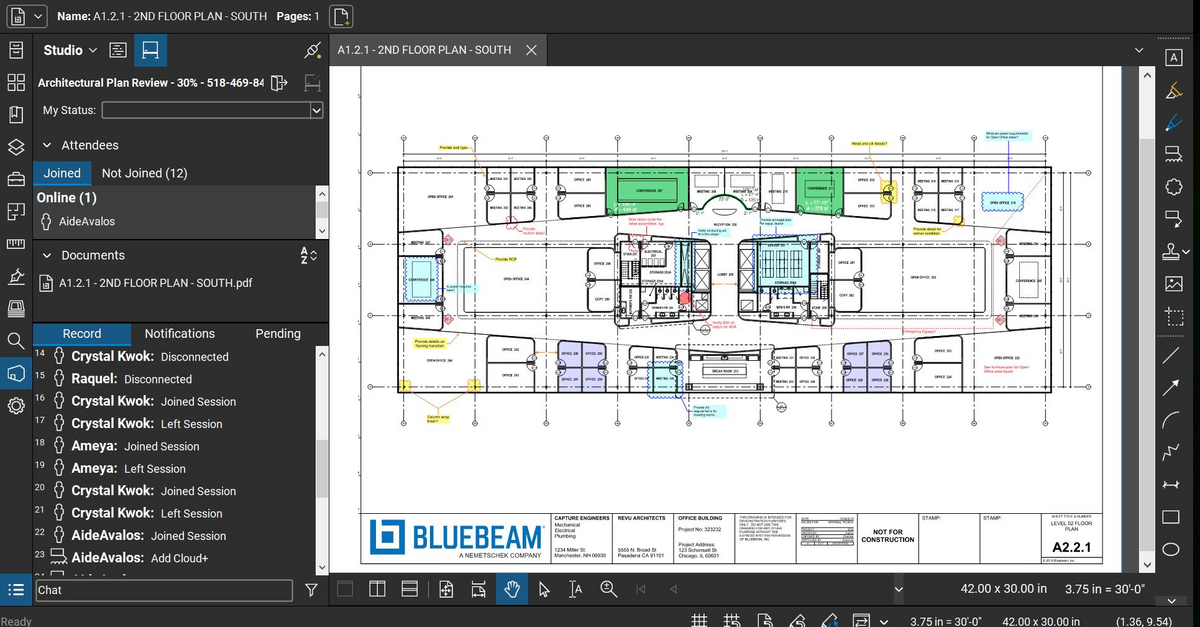
Collaboration with owners and architects has been a great feature. Setting up a Bluebeam studio and having everyone get in and mark things up, then having the architect be able to go in and see what markups have been added, has made the constructability review process much much better.
Even when not working on drawings, Bluebeam is a very good tool for working with standard PDF documents. The markup tools are very easy to use.
The negative aspect is the takeoff function because some people would like estimators to use the Bluebeam takeoff because it would make their job easier down the road; however, the actual act of doing a full scale takeoff in Bluebeam would require much more time.
A de minimis incentive was given to thank the reviewer for their time. The incentive was not used to bias or drive a particular response, nor was the incentive contingent on a positive endorsement. More Info
A de minimis incentive was given to thank the reviewer for their time. The incentive was not used to bias or drive a particular response, nor was the incentive contingent on a positive endorsement. TR verified that a representative sample of customers was invited. More Info