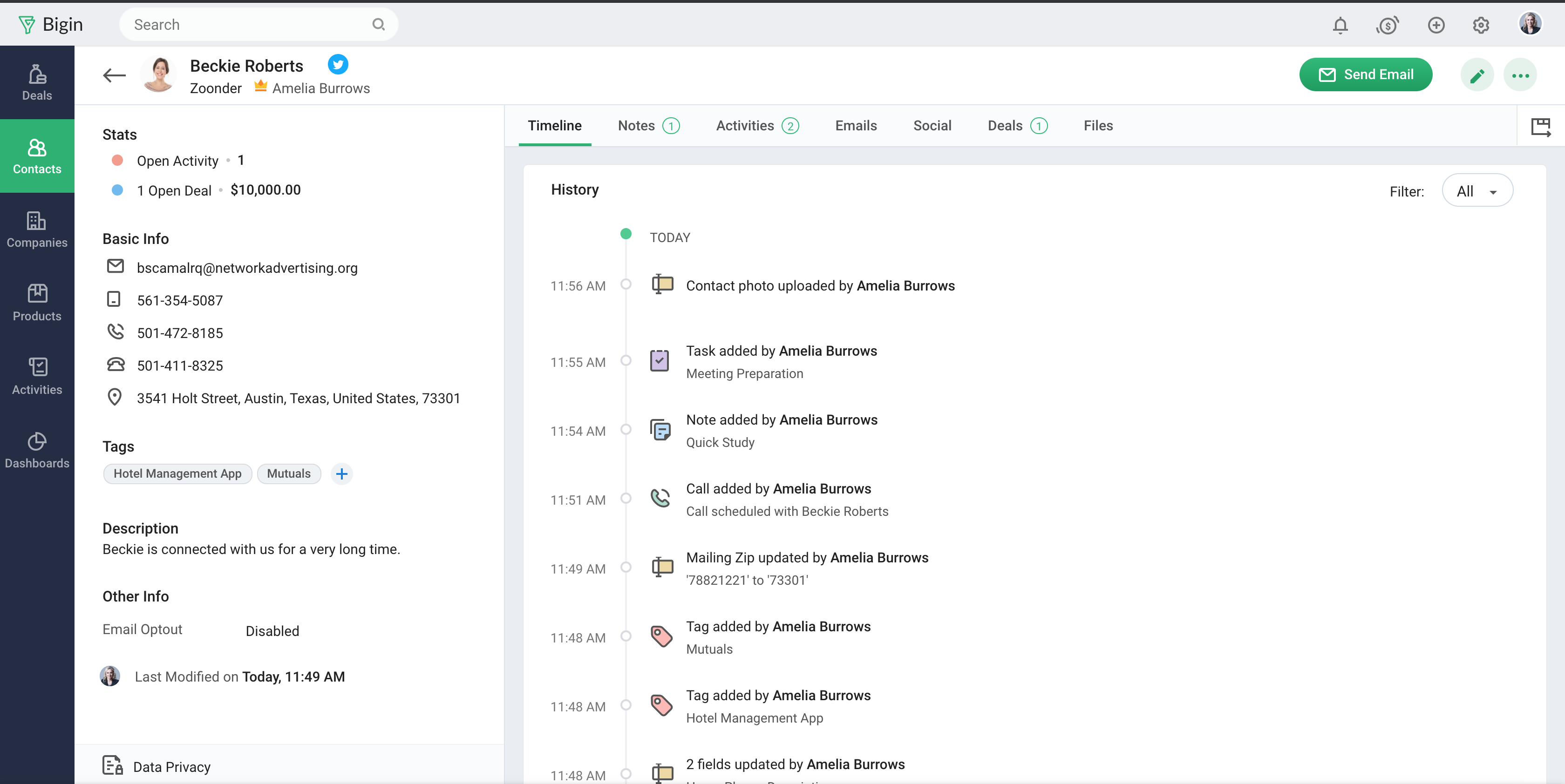
Bigin by Zoho CRM is a simplified customer relationship management (CRM) software designed specifically for small businesses, startups and teams. Bigin helps small businesses unify customer-facing operations— marketing, sales, onboarding, delivery, and support, and it offers features that help to manage these customer relationships effectively.
$9
per month per user
Pipedrive
Score8.6 out of 10
N/A
Pipedrive is a customer relationship management (CRM) software built to help small teams to drive sales.
$24
per month per seat
Pricing
Bigin by Zoho CRM
Pipedrive
Editions & Modules
Express
$9.00
per month per user
Premier
$15.00
per month
Bigin 360
$21
per month per user
Essential
$24
per month per seat
Advanced
$49
per month per seat
Professional
$69
per month per seat
Power
$79
per month per seat
Enterprise
$129
per month per seat
Offerings
Pricing Offerings
Bigin by Zoho CRM
Pipedrive
Free Trial
Yes
Yes
Free/Freemium Version
Yes
No
Premium Consulting/Integration Services
No
No
Entry-level Setup Fee
No setup fee
No setup fee
Additional Details
20% discount for annual pricing.
Monthly plans are available. The Essentials monthly plan at $24 per month.
More Pricing Information
Community Pulse
Bigin by Zoho CRM
Pipedrive
Considered Both Products
Zoho
Verified User
Chose Bigin by Zoho CRM
For Pipedrive, the setup is very similar and lets users start serious work right away. For Copper, I'm sure it's a good product for a certain market, but it's not serious enough for our needs.
A de minimis incentive was given to thank the reviewer for their time. The incentive was not used to bias or drive a particular response, nor was the incentive contingent on a positive endorsement. More Info
Verified User
Chose Bigin by Zoho CRM
Compared to HubSpot, I found Bigin by Zoho much more straightforward and less cumbersome for the needs of a small business. Compared to Pipedrive, Bigin by Zoho offers unbeatable value for money, including automation features. Why I chose Bigin: I chose Bigin primarily for its …
A de minimis incentive was given to thank the reviewer for their time. The incentive was not used to bias or drive a particular response, nor was the incentive contingent on a positive endorsement. More Info
Director in Corporate at Space Decisions (Real Estate, 1-10 employees)
Chose Bigin by Zoho CRM
Pipedrive was used but it was [...] expensive. Plus it was not physible when the team grows up. If their is a gap on usage it would make big hot on the monthly budget. Bigin by Zoho CRM is good. Bitrix is [...] complex. Odoo is good, but takes a toll on setup.
A de minimis incentive was given to thank the reviewer for their time. The incentive was not used to bias or drive a particular response, nor was the incentive contingent on a positive endorsement. More Info
Verified User
Chose Bigin by Zoho CRM
Bigin by Zoho CRM is similar to Pipedrive but more affordable. monday.com and ClickUp are task managements more so than CRMs, so not as suitabable for Sales/Lead management.
A de minimis incentive was given to thank the reviewer for their time. The incentive was not used to bias or drive a particular response, nor was the incentive contingent on a positive endorsement. More Info
Verified User
Chose Bigin by Zoho CRM
Its Simple, Easy To Use! Time Saming Boosts Productivity
A de minimis incentive was given to thank the reviewer for their time. The incentive was not used to bias or drive a particular response, nor was the incentive contingent on a positive endorsement. More Info
President in Corporate at Remoto (Entertainment, 11-50 employees)
Chose Bigin by Zoho CRM
Bigin by Zoho CRM had the best value proposition in terms of simplicity, cost, and features. We ran free trials with several competitors and Bigin by Zoho CRM stood out as the one most likely to be widely adopted by our sales team. It boils down to the product's look and feel, …
A de minimis incentive was given to thank the reviewer for their time. The incentive was not used to bias or drive a particular response, nor was the incentive contingent on a positive endorsement. More Info
A de minimis incentive was given to thank the reviewer for their time. The incentive was not used to bias or drive a particular response, nor was the incentive contingent on a positive endorsement. More Info
Verified User
Chose Bigin by Zoho CRM
Its cheaper, offers a good set of CRM tools and its easy to use
A de minimis incentive was given to thank the reviewer for their time. The incentive was not used to bias or drive a particular response, nor was the incentive contingent on a positive endorsement. More Info
A de minimis incentive was given to thank the reviewer for their time. The incentive was not used to bias or drive a particular response, nor was the incentive contingent on a positive endorsement. More Info
CEO in Corporate at Notato Digital (Information Technology & Services, 1-10 employees)
Chose Bigin by Zoho CRM
It is easier to set up and use than other systems on the market. I do not have advanced experience in configuring CRMs. And I managed to set up three pipelines and even automations on my own. In other CRMs I needed to ask the support team for help and even then I still had …
A de minimis incentive was given to thank the reviewer for their time. The incentive was not used to bias or drive a particular response, nor was the incentive contingent on a positive endorsement. More Info
CEO in Corporate at PlantaRem (Environmental Services, 1-10 employees)
Chose Bigin by Zoho CRM
The price is much more attractive than equivalent tools. Pipe drive is as good, but the cost is a big factor when you are a small company, especially at the beginning. So that is why we chose BIgin, and we are delighted with it. With five members, it saves a few hundreds of …
A de minimis incentive was given to thank the reviewer for their time. The incentive was not used to bias or drive a particular response, nor was the incentive contingent on a positive endorsement. More Info
- Multiple pipelines let me organize processes like sales, marketing, customer support, and assets clearly. - The forms builder allows me to gather leads, sign-ups, and customer requests from my website directly into the Bigin by Zoho CRM. - Integrations with Zapier and Make connect website orders and data from other sources smoothly. - Email templates make it easy to send professional, branded communications. - Automations handle repetitive tasks like managing customers, orders, and team tasks, saving me time.
Pipedrive is a fantastic tool to help monitor and track lead generation and referral sources. It helps maintain accountability with the sales team and helps ensure that we are doing appropriate marketing to maintain a steady influx of cases. The weekly and quarterly sales reports that it can generate are incredibly helpful and insightful. They help inform us of what we need to focus on each quarter/year.
A de minimis incentive was given to thank the reviewer for their time. The incentive was not used to bias or drive a particular response, nor was the incentive contingent on a positive endorsement. More Info
Manage big databases. We have a large database of contacts and partners (more than 5,000 contacts), which are updated day by day, as a result of our participation in conferences, webinars, etc. For this reason, we needed a platform that would allow us to always have our database up to date, and accessible and editable by any member of the company.
Pipelines. Pipelines are very necessary in our daily lives, since we present many service proposals to different clients, and until now we control the status very manually. With Bigin by Zoho CRM, we can have all this information centralized in a single place, and know at all times the status of the service proposals we present (sent, pending decision, lost, won...).
Product definition. The product definition block has allowed us to further structure our typologies of products and services. At least, it has allowed us to reflect on them and what is the best way to package the service offered.
Control panel. The control panel has been very useful for us to be able to quickly see the main indicators (offers presented, next actions to be taken, etc.).
Great visual visibility of the funnel plus easy to drag the deals across the stages
The email integration that collects all relevant communication (also through the possibility of adding a deal-specific Pipedrive address on BCC)
The integration with Pandadoc, which we use a lot, so that Pipedrive keeps a really handy overview of the documents we have sent out / which have been signed
The interface is clean, but I can see how, as we get into more complex workflows, it may be limited, whereas a heavier CRM may be necessary at that point.
Mobile app works pretty well, it isn't quite as smooth as the web app.
Reporting could be a little more robust, but it does what we need.
Showing the customers name on the pipeline page. Right now I can only get it to show the brand name twice. I wish it would replace the second brand name with the main point of contact.
Better reporting tools. Their reporting tools are not easy to pick up. I've spent time trying to figure it out and it isn't something I can pick up on quickly.
Better training options. I wish I had a personal trainer to walk me through the best way to use Pipedrive so I can get the most out of it.
A de minimis incentive was given to thank the reviewer for their time. The incentive was not used to bias or drive a particular response, nor was the incentive contingent on a positive endorsement. More Info
Sales Development Representative Account Executivessss sssssssssssssssss ss ssss s ss s ssssss ss s s ss sss sssssss sssss s ssssssss sssss sss sssssssssssssss ss ss sss sssss s ssss sssssss s s s s ssss sss s s ss ss ssss s s sssssss s ssssssssss sssss sss ss eads sd
A de minimis incentive was given to thank the reviewer for their time. The incentive was not used to bias or drive a particular response, nor was the incentive contingent on a positive endorsement. More Info
A de minimis incentive was given to thank the reviewer for their time. The incentive was not used to bias or drive a particular response, nor was the incentive contingent on a positive endorsement. More Info
Zoho Bigin has been almost perfect in almost every sense of the word. It has been very easy for us to use. Onboarding new staff has been a breeze, and we have never had to retrain them on how to use it, as they get the hang of it on the very first attempt. It has also saved us a lot of money compared to what it would have cost if we had used other CRM tools.
Pipedrive is easy to use and has a clean interface so we can follow up accurately. Its custom features help manage leads and evaluate team performance. It saves time and improves efficiency. Pipedrive is stable and supports integrations and automation.
A de minimis incentive was given to thank the reviewer for their time. The incentive was not used to bias or drive a particular response, nor was the incentive contingent on a positive endorsement. More Info
The support is all international and it takes a while to get support as you have to go through chats and set up times, not as easy to just call and get the support you need. They are very nice when you do finally connect with someone and they are knowledgeable, just challenging being international sometimes.
A de minimis incentive was given to thank the reviewer for their time. The incentive was not used to bias or drive a particular response, nor was the incentive contingent on a positive endorsement. More Info
Between quick video tutorials and having very quick feedback from their support teams, it is one of the main reasons I would recommend Pipedrive. It is critical, especially when setting up the platform to meet your companies needs, that a solid support team like Pipedrive has is there to make the transition easier.
A de minimis incentive was given to thank the reviewer for their time. The incentive was not used to bias or drive a particular response, nor was the incentive contingent on a positive endorsement. More Info
Simplicity Without Sacrificing Core Features Unlike full-scale CRMs that often feel overwhelming, Bigin by Zoho CRM provides a focused set of features that are perfect for managing deals, contacts, and activities. It’s not bloated, and that was exactly what we needed for a lean, fast-moving team.
I much prefer the interface of Pipedive when compared to Zoho. Much more user friendly and the team is always readily available when we need them. Pipedrive allowed for many custom integrations to be added, as Zoho was a tad more complicated to manipulate. We would not go back to Zoho in any case.
A de minimis incentive was given to thank the reviewer for their time. The incentive was not used to bias or drive a particular response, nor was the incentive contingent on a positive endorsement. More Info
A de minimis incentive was given to thank the reviewer for their time. The incentive was not used to bias or drive a particular response, nor was the incentive contingent on a positive endorsement. More Info
Great on setup which made our work easier and less technically equipped people can manage a lot of things(compared to SalesForce where you need to hire a developer to set it up)
We were able to integrate our calling system easily and get things going on the lead calling aspect.
Great multipipeline option where we were able to manage both organisations under one roof.
A de minimis incentive was given to thank the reviewer for their time. The incentive was not used to bias or drive a particular response, nor was the incentive contingent on a positive endorsement. More Info