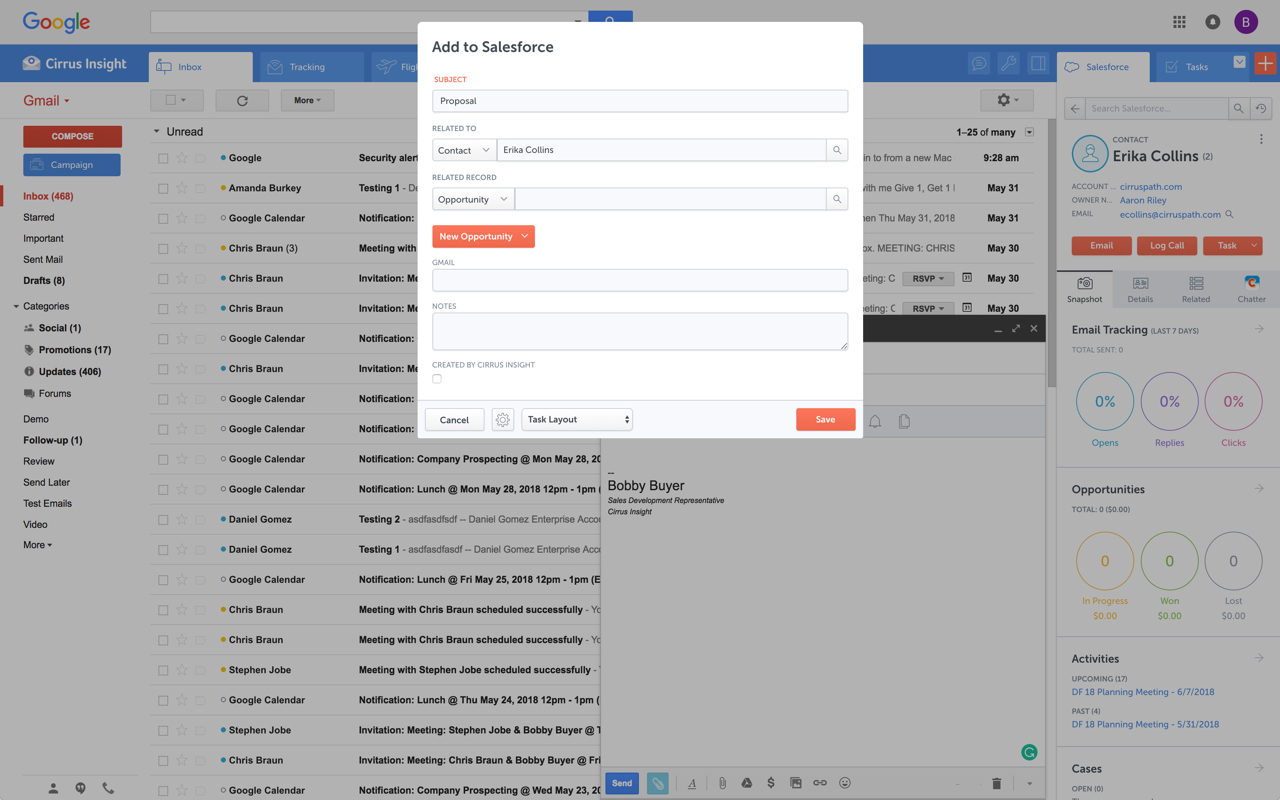
Cirrus Insight integrates Salesforce with Gmail, Google Calendar, and Google Contacts. Instantly View Contextual Salesforce Information in Your Inbox. Save Emails & Attachments to Salesforce with a Click. Sync Your Google & Salesforce Calendars. Create & Edit Salesforce Records on the Fly. Customize Your Salesforce Workflow in Gmail. Add Google Contacts to Salesforce. Salesforce Tasks Integration. Salesforce Templates Integrated with Gmail.
$15
per month
PersistIQ
Score5 out of 10
N/A
PersistIQ is a sales intelligence solution. The solution integrates with Salesforce as well as marketing automation platforms.
N/A
Pricing
Cirrus Insight
PersistIQ
Editions & Modules
Starter
$27
per user/month
Closer
$45
per user/month
Rainmaker
$72
per user/month
No answers on this topic
Offerings
Pricing Offerings
Cirrus Insight
PersistIQ
Free Trial
Yes
No
Free/Freemium Version
No
No
Premium Consulting/Integration Services
Yes
No
Entry-level Setup Fee
$500 per installation
No setup fee
Additional Details
Pricing based on annual billing.
—
More Pricing Information
Features
Cirrus Insight
PersistIQ
Prospecting
Comparison of Prospecting features of Cirrus Insight and PersistIQ
Feature
Cirrus Insight
-
Ratings
PersistIQ
1.0
13 Ratings
154% below category average
Advanced search
00 Ratings
1.09 Ratings
Identification of new leads
00 Ratings
1.07 Ratings
List quality
00 Ratings
1.07 Ratings
List upload/download
00 Ratings
1.013 Ratings
Ideal customer targeting
00 Ratings
1.06 Ratings
Load time/data access
00 Ratings
1.011 Ratings
Sales Intelligence Data Standards
Comparison of Sales Intelligence Data Standards features of Cirrus Insight and PersistIQ
Feature
Cirrus Insight
-
Ratings
PersistIQ
1.0
6 Ratings
154% below category average
Contact information
00 Ratings
1.06 Ratings
Company information
00 Ratings
1.06 Ratings
Industry information
00 Ratings
1.06 Ratings
Data Augmentation & Lead Qualification
Comparison of Data Augmentation & Lead Qualification features of Cirrus Insight and PersistIQ
Feature
Cirrus Insight
-
Ratings
PersistIQ
1.0
13 Ratings
153% below category average
Lead qualification process
00 Ratings
1.06 Ratings
Smart lists and recommendations
00 Ratings
1.05 Ratings
Salesforce integration
00 Ratings
1.05 Ratings
Company/business profiles
00 Ratings
1.05 Ratings
Alerts and reminders
00 Ratings
1.012 Ratings
Data hygiene
00 Ratings
1.07 Ratings
Automatic data refresh
00 Ratings
1.07 Ratings
Tags
00 Ratings
1.010 Ratings
Filters and segmentation
00 Ratings
1.010 Ratings
Sales Intelligence Email Features
Comparison of Sales Intelligence Email Features features of Cirrus Insight and PersistIQ
For someone who uses both Gmail and Salesforce as part of their main role, this software is an invaluable connector for them both. Some of the features are also not Salesforce specific - such as the Meeting Scheduler, which has proved invaluable to me, and I would recommend to any Gmail user who frequently set up meetings (either internally or externally).
A de minimis incentive was given to thank the reviewer for their time. The incentive was not used to bias or drive a particular response, nor was the incentive contingent on a positive endorsement. More Info
PersistIQ is well suited for outbound marketing. It's great for setting up sales and marketing campaigns to new and prospective clients. The fact that PersistIQ emails are basic (they look like normal personal emails) and easy to personalize, makes the whole process feel more genuine than, say, MailChimp. PersistIQ won't replace a bulk emailing tool or CRM. It serves a different purpose than, for example, Marketo or MailChimp, two products we also use
A de minimis incentive was given to thank the reviewer for their time. The incentive was not used to bias or drive a particular response, nor was the incentive contingent on a positive endorsement. More Info
Log email to Salesforce. You click one button and it logs for you. This is easier than adding the BCC email address that Salesforce provides as a way to log email.
Track views and engagement on these emails. It's nice to know if the email was opened and if links were clicked.
Update quick fields in Salesforce directly from their inbox using Cirrus. This prevented reps from needing to click into Salesforce, wait for it to load, then update fields like the phone number or name.
If the rep did need to open Salesforce, Cirrus provides a quick button to navigate to the Lead/Contact/Opportunity page quickly.
A de minimis incentive was given to thank the reviewer for their time. The incentive was not used to bias or drive a particular response, nor was the incentive contingent on a positive endorsement. More Info
A de minimis incentive was given to thank the reviewer for their time. The incentive was not used to bias or drive a particular response, nor was the incentive contingent on a positive endorsement. More Info
Outlook for Mac could use some work as an add-on because it's hard to read sometimes on my laptop. It's not a sidebar, like the Windows functionality, so it's harder to read.
Doesn't always find an opportunity, even though I know it's in our Salesforce system.
Randomly shuts down and doesn't log in properly at times. I've had to remove and re-download more than once.
A de minimis incentive was given to thank the reviewer for their time. The incentive was not used to bias or drive a particular response, nor was the incentive contingent on a positive endorsement. More Info
A de minimis incentive was given to thank the reviewer for their time. The incentive was not used to bias or drive a particular response, nor was the incentive contingent on a positive endorsement. More Info
It is the best google to salesforce integration on the market. support is incredibly responsive and very helpful. They are constantly adding new features, and the current feature set is well beyond anything else that is currently offered in the market
Very easy to use. Everything opens in a familiar interface right inside the google apps sidebar. It brings in salesforce records, so as long as you know google apps / gmail and salesforce you'll be all set. It's point and click.
The plugin is installed inside your internet browser as an extension/add-on. It can be found in most add on stores and is easy to install. Usually just a few clicks. It handles authorization for you once you sign in, and then takes care of all the rest. It couldn't be easier to get working right out of the box. You're up in running in less than 5 minutes.
Yesware regularly sent me alerts that my emails had been opened by someone who I hadn't sent them to, from locations they couldn't possibly have been. I also don't recall its Salesforce activity logging working as smoothly, though I last used Yesware more than 12 months ago so my memory isn't as fresh as it could be
A de minimis incentive was given to thank the reviewer for their time. The incentive was not used to bias or drive a particular response, nor was the incentive contingent on a positive endorsement. More Info
We decided on PersistIQ because it was cheaper than the incumbents and as we were starting we wanted to see if this would be helpful or relevant to us. We later discovered Apollo.io and we might switch to them as they are also cheap and look better, but we might also get back to manual emailing and Linkedin connecting.
A de minimis incentive was given to thank the reviewer for their time. The incentive was not used to bias or drive a particular response, nor was the incentive contingent on a positive endorsement. More Info
A de minimis incentive was given to thank the reviewer for their time. The incentive was not used to bias or drive a particular response, nor was the incentive contingent on a positive endorsement. More Info
A de minimis incentive was given to thank the reviewer for their time. The incentive was not used to bias or drive a particular response, nor was the incentive contingent on a positive endorsement. More Info