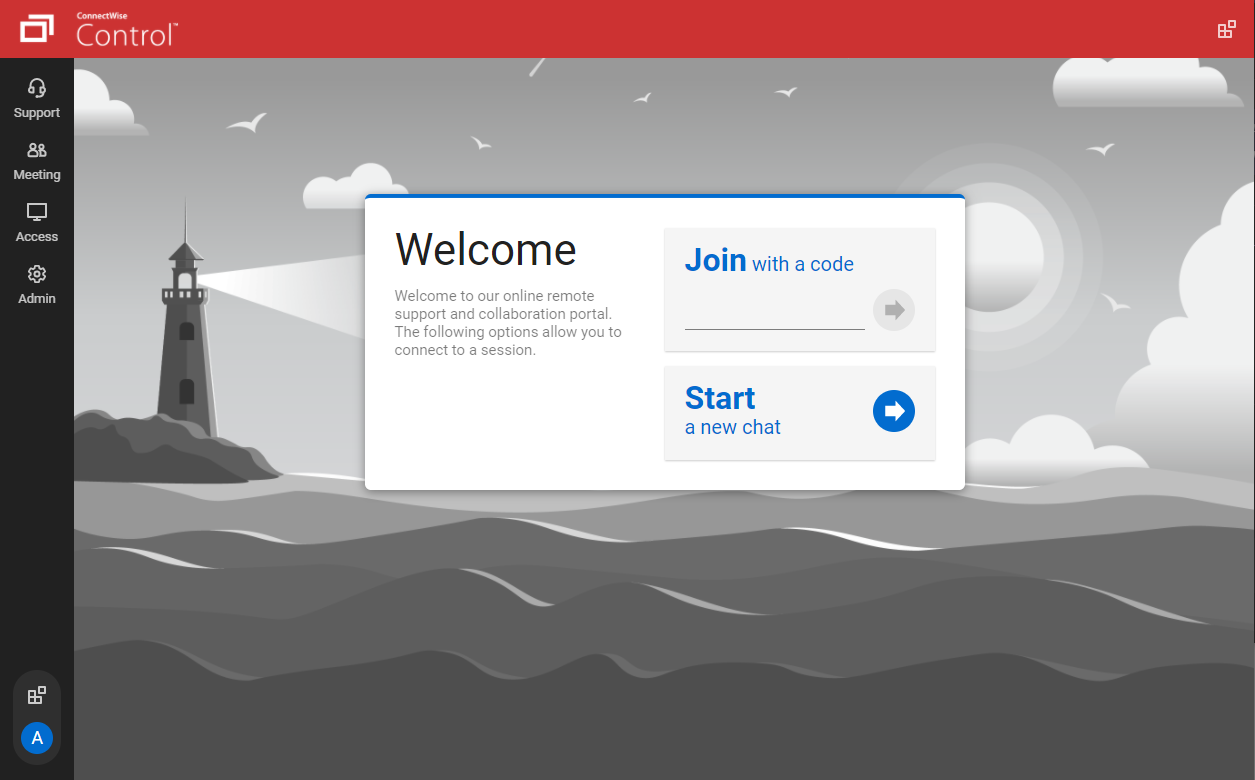
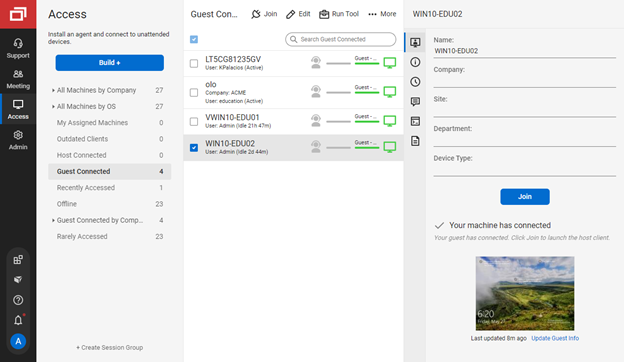
ConnectWise ScreenConnect is a remote support, access, and meeting solution. With it, users can utilize remote support and access to repair computers, provide updates, and manage machines. Users can also conduct online seminars and presentations using remote meetings.
$39
per month
Remote Desktop Services
Score 7.7 out of 10
N/A
Remote Desktop Services from Microsoft is virtual desktop and remote user session technology.
N/A
Oracle VirtualBox
Score 8.5 out of 10
N/A
Oracle VirtualBox is an open source, cross-platform, virtualization software, enables developers to deliver code faster by running multiple operating systems on a single device.
Windows Remote Desktop Services are great for connecting to one machine but it doesn't allow for administration and viewing of multiple computers. Plus, it only works on Windows computers and the session can't necessarily survive a restart. ConnectWise can be used on Macs or …
ConnectWise Control (formerly ScreenConnect) is way more secure that Microsoft Remote Desktop Services. Using Remote Desktop Services from the internet leaves you wide open to hackers. ConnectWise solved the security issue right out of the box and had great up-time/availabilty …
RDP is fine for what it is, but there's a lot you can't usually do like connect from outside the network without opening up the firewall. As for Kaseya, I can't recall what their remote options were, but they left a lot to be desired. One method was similar to an RDP session and …
ConnectWise Control is much cheaper for unattended access than LogMeIn Central, and allows access to multiple users. I still use RescueAssist as well as it is cost-effective for ad-hoc sessions.
ConnectWise was a better choice for us because it allowed us to better manage and organize access to our remote machines. It also added value because it provided the support and meeting sessions that we didn't have before.
We switched from using TeamViewer last year when we began using ConnectWise. We gained the ability to run scripts on remote computers which saves us time and site visits in some cases. This also allows us to more easily diagnose remote computers without interrupting the end …
ConnectWise Control (formerly ScreenConnect) is faster, renders screens better, is more reliable, runs smaller, scales better, and is more dependable than the competition.
ScreenConnect's speed of connection is the overriding factor for [our] choice of software. Also, the ability to easily see which machines are online at any one time is a great help, along with being able to see connectivity history and run commands, without having to start a …
RDP was simply too unpredictable and occasionally inaccessible to the end user. TeamViewer worked well, but the branding and continuous connections with ConnectWise Control make for a more professional experience and look.
Screen connect has the best features and multi platform support for the best price. It also does not require you purchase a version you will be stuck with for what could be a long time between budget cycles
Teamviewer and Logmein and UltraVNC were what we used before. Logmein pricing became ridiculous. Teamviewer has a per version cost which is probably comparable, but didn't have the centralized management compared to Connectwise. Ease of setup and installation and starting to …
We originally started using ConnectWise Control to save money over using LogMeIn Central which was getting expensive. Although LogMeIn Central does have an ad-hoc option for connecting to a remote user in the moment, it's much more cumbersome to use as well as to walk the …
I found the two products to be very similar. When I searched, ScreenConnect was cheaper than LogMeIn and hence the decision to go with ScreenConnect. In terms of using the actual product, I don't notice much difference between the two for what we use the product for (remote …
Better than all others! Being cloud-based and with such easy setup (for one-off support or ongoing computer access) but with the same abilities, it is the best of breed so far.
Tried many others over the last 20 years and settled on ScreenConnect.
ScreenConnect provides a level of customization, ease of access and installation that other software do not provide. It also proved to be a faster and easier solution, while using less resources than other alternatives. ScreenConnect is also more cost efficient than other …
We often need to create an ad-hoc session with a device that is not under our management. We find ourselves doing this more than ever in the COVID world. Many people are working from home on personal machines with their employer, our client's permission and we are facilitating more support for these personal machines. Connectwise Control [(formerly ScreenConnect)] gives us a robust resource to control the device, navigate anywhere we need, execute various commands, and engage in an on-screen chat with the client. The session is very simple to create and very user-friendly to initiate. We do not recommend it for Android, Apple, or Chromebook applications. There is little to no support for these platforms.
This is well-suited if you need to log in to a remote machine on occasion to make updates or change configurations. It is also good for a production environment or for environments where people need to log in to use common applications, so you don't need to install the application on each individual client.
It is best suited when you want to have different operating systems on your laptop or desktop. You can easily switch between operating systems without the need to uninstall one. In another scenario, if you expect some application to damage your device, it would be best to run the application on the VM such that the damage can only be done to the virtual machine. It is less appropriate when time synchronization is very important. At times the VMs run their own times differently from the host time and this may cause some losses if what you doing is critical. Another important thing to take note of is the licensing of the application you want to run your VM. Some licenses do not allow the applications to be run on virtual servers so it is not appropriate to use the VM at this time.
The interface is easy to use and makes sense. It's easy to understand how to organize a large number of machines involving multiple clients. But, it's also applicable for smaller set of machines too.
The connection speed is very quick. I've used solutions in the past that take a variable amount of time to connect, or they just take a long time every time. Control is quick every time. It doesn't get in the way of being able to support the machines on the other end.
The connections are reliable. I haven't experienced random disconnects throughout hundreds of instances. It was a breath of fresh air coming from the previous solution we used. I consider Control a gold standard for what a great remote connection solution can be.
When you connect with RDS, everything looks and feels (and is) exactly like you're sitting at that desktop. This is great for us and for users.
You can sign in with RDS and the desktop will be the same as when you left it (if you choose to set it up that way).
Although they take some setup, RemoteApps are a very handy way to let users access a program without requiring them to actually connect to a remote desktop on the server.
I'd like to see the ability to selectively log off the remote machine via a button on the toolbar. Currently it's a setting to always lock on disconnect, or never lock on disconnect, requiring the tech to manually lock the machine if called for at the end of a session. Its a small time save that would add up!
The chat feature could be expanded to be a lot more useful. Allowing clients to start conversations, and have conversations ping an email address if no one is monitoring the dashboard would be extremely valuable.
Some clarity on licensing when providing host-passes to guest technicians would be a boon, especially for one-off support sessions with vendors.
Remote Desktop Services currently does not support multiple monitors on the terminal server. Unlike other applications such as Teamviewer, there's no feature to toggle between multiple screens even if they were connected to the terminal server.
Remote Desktop Services should provide an option to scale up or down the screen size after a connection is established. Currently you can only adjust the screen size prior to a connection is established. So you'll have to take a best guess at what display screen resolution will fit best on your screen.
Remote Desktop Services should offer some kind of menu to send special key strokes like Ctrl+Alt+Del to the terminal server. Currently the substitute for that particular combination is Ctrl+Alt+End. But I have yet to discover a replacement for other combination keystrokes such as Alt+PrintScrn.
I have had issues in the past when it has come to resizing VM disk storage. The issue is entirely detailed here: https://www.virtualbox.org/ticket/9103 -- the problem was caused because of having existing snapshots (which error message output was not detailing). I haven't had to deal with the issue due to my dynamic disk sizes not being small from the start anymore (this is mostly an issue for my Windows VMs where the base disk may need significant size for the OS). It looks like, for a resize, that a merge of all snapshots has to occur first -- one user on that list details a workaround to maintain snapshots by cloning the VM. (Note: 5.2 was just released a few weeks ago, and looks like it should prevent the problem happening in the future by properly informing users that it isn't possible with snapshots).
Certain scenarios, like resizing disks, required dropping into a terminal as there were no options to previously do so via the GUI. According to some recent posts, I've seen that v5.2 has added disk management stuff like that to the GUI (or will be adding it). I'm comfortable with dropping into the terminal, but in a teaching scenario or when evaluating the learnability of the tools, it complicates things.
I would recommend this product for both internal remote control of end user workstations and remote access to other clients over the internet. It provides a secure and feature rich product that allows me to complete any necessary tasks without ever leaving the office. I will continue to renew as I'm eager to see what they do next. I would however wish the cloud service had a better API to work in conjunction with team collaboration or chat services to make it easier to connect with end users who use multiple workstations. (Slack or Stride provide this functionality)
On the whole SC is a very powerful tool that is a vital part of the IT service arsenal. On-site visits are an "emergency" only type of scenario. Just "showing your face" is not winning any browny points for me. If my client sees my face, it's usually just to upgrade hardware or to deal other aspects of business. SC provides me and my client the bulk of the info I need to get projects done.
The initial setup for Remote Desktop Services is complex, and licensing is costly. Each user connects to their virtual desktop hosted by a single server or group of servers, so a change or issue with servers quickly impacts every single user at the same time. Aside from that, users appreciate seeing their same personal desktop from any device or geographical location.
I love using the Graphical User Interface. The VirtualBox Manager is very easy to understand and use. You can quickly create, configure and manage all your virtual machines in one window. It makes operating virtual machines easy and simple. When using VBoxManage it gives the user comprehensive control over VirtualBox so that you can use automation and scripting at the command-line interface
It performs well. It also has full control over windows security and does not get hung up like GoToMeeting when trying to install remote software at the prompt to install as admin / override. I have used TeamViewer, WebEx, LogMeIn and GoToMeeting. This is by far the best at spontaneous, remote control. It is also very easy to get a novice user connected to the session.
There have been two times when something has went wrong and I needed immediate assistance in order to be able to use Screenconnect to be able to help clients and response has not been immediate. The response time has been within 24 hours. Both times if there had been easier to navigate self help I would have been able to help myself. With better self help and a speedier response it would definitely be a 10 as they always respond and help. Just a little more difficult or slow than it should be at times
As with any Microsoft Server product, support for Remote Desktop Services requires a paid support package. These are license-based and very costly, on top of the already costly product licensing. Microsoft's licensing is complicated to begin with, so setting up licensing alone essentially requires a licensing expert's counsel. There is community documentation and support available on Microsoft websites, as well as community websites.
I find ScreenConnect to be very simple and effective overall, with the main problem being that a number of my clients can't download the app due to existing firewalls and so on. Otherwise it does its job well, and I'm happy with it.
ConnectWise has done everything they could to help us in any situation. Great support team and their new updates are always providing features that we need. Its a simple solution that works the way we need it to. Their legacy pricing model is still much better than their subscription based model however it is still fair pricing
I have worked with Citrix, AnyDesk, LogMeIn, VNC Connect, and many others. I ultimately installed ConnectWise as a self-hosted solution, based on the incredible list of features and capabilities, and the pricing at the time. I continue to use the product as it is still one of the best solutions out there and is certainly capable of growing and expanding to meet the needs of my business.
We selected Remote Desktop Services based upon price alone. Other solutions on the market are significantly more expensive, but if your company can foot the bill you should seriously consider products that have been on the market for longer. The lack of an ability to easily upgrade farm servers has been a challenge for us - although it is still faster than updating an application on 2000+ machines. The lack of a centralized management console in 2008 R2 is also challenging, but you get by with the tools available to you. If you don't have the money to spend on Citrix or VMWare Horizon, Remote Desktop Services is a decent replacement.
VirutalBox is very similar to using Vmware with the slight difference in appearance and what might be considered a less polished look. However, what it lacks in polish and looks it makes up for in functionality, easy of use and the wide range of operating systems and features it supports without the need of buying the full professional edition
I have used multiple remote desktop support software in the past (Bomgar, Team Viewer, Logmein and Join.me) and this is far the easiest of the bunch to use. It is very easy to create a session and easy to maintain remote desktops from their access view (where you install the software and can get in at any time) I highly recommend this product from ConnectWise!
The only problem I have found is that the deployment is dependent and intrinsically linked to the Host OS. This is different from bare metal solutions which remove that dependency on a Host OS. The latter is more reliable and removes a layer of potential failure.
Instead of waiting 30+ seconds to initiate sessions, they initiate and display a desktop in two or three seconds. The amount of frustration this avoids is immeasurable.
Once installed it doesn't need more handholding, i.e., having the remote enter a username/password. It is always just there.
Minimal-to-no support needed from the DevOps team.
Provides a direct and an easy way to access multiple VMs inside the same machines which enables performing various testing and QA tasks without the need to switch hardware.
Automatic provisioning using tools (esp. Vagrant) which enables developing a base image once, and allows for exporting/importing anywhere across the developers team.
Very cost-effective (no fees or monthly subscriptions).