Secret Server (originally from Thycotic, now from Delinea since the 2021 Thycotic merger with Centrify) is an enterprise password management application, which is available with either a cloud-based or on-premise deployment which emphasizes fast deployment, scalability, and simplicity.
N/A
Microsoft Entra ID
Score 8.9 out of 10
N/A
Microsoft Entra ID (formerly Microsoft Azure Active Directory or Azure AD) is a cloud-based identity and access management (IAM) solution supporting restricted access to applications with Azure Multi-Factor Authentication (MFA) built-in, single sign-on (SSO), B2B collaboration controls, self-service password, and integration with Microsoft productivity and cloud storage (Office 365, OneDrive, etc) as well as 3rd party services.
$6
per user/per month
SAP Customer Data Solutions
Score 8.2 out of 10
N/A
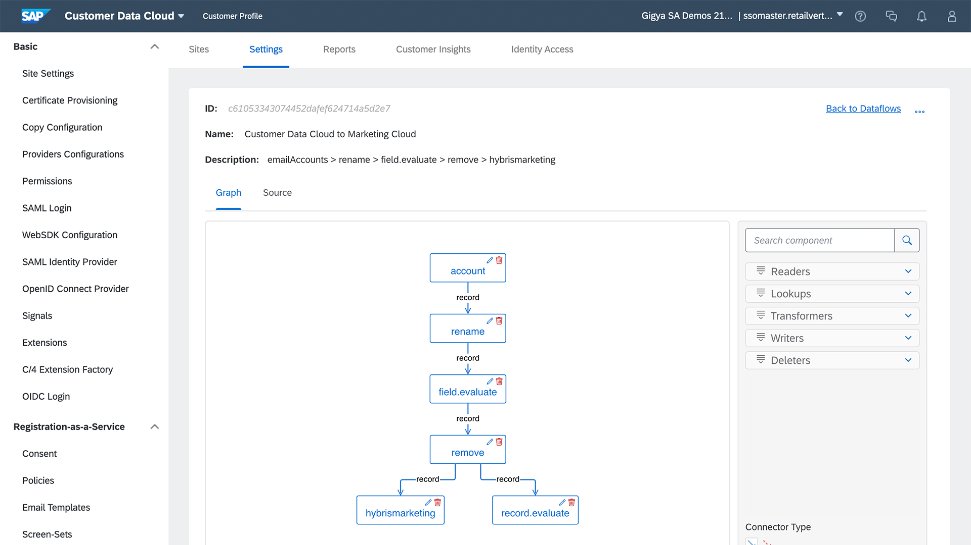
The SAP Customer Data Cloud, based on Gigya (acquired by SAP in 2017) is a product suite that allows users to identify consumers, business customers, or partners across devices and channels to drive registrations and engagement; manage access, permission, and consent; and transform data into unified customer profiles.
We carefully looked at different solutions to manage customer data and ultimately chose SAP Customer Data Solutions. What sets it apart is its complete management of customer data, robust analytics, and effortless integration with marketing tools. SAP's user-friendly interface …
I would recommend Delinea to any organization or colleague, as I have used it to support our shared services model, as well as a dedicated model for people support to customers, for privileged access management. Delinea has provided us with effective methods for handling unnecessary login attempts to the customer infrastructure. Additionally, the connection thread is available in the audit trail for review, which is a valuable feature to have.
Based on my experience, I think Microsoft Entra ID will suit it in the business environment. I enjoy how it interconnects with a lot of things. Most recently, we're moving away from Zoom and trying to do Teams phones. So I think the integration of Microsoft Entra ID with pretty much every system allows it to connect pretty seamlessly. I think from browsers to apps, all the way around to phones and mobile devices. So I do enjoy that.
It's best suited for business business to turn digital interaction in to richer and high value and experience that reach across computing platform also it offers a holistic and integrated approach to managing customer data and enhancing and personalized experience.it also draw actionable insights.because it offers wide range of products . perfect customer insight data solutions
Password Management: Its entire purpose, really. Secret Server stores passwords in an incredibly easy to use way. They can be organized in groups, they contain all the information about the site or system the password is used for (including URLs for websites), and even a notes field. You can set up specific policies for expirations and complexity, and Secret Server can even generate strong passwords for you. Using a password is simple, too, since you can just click a button to add it to your clipboard; you don't even have to unmask the password.
Security: The passwords are stored encrypted in a SQL database, and the application requires an authenticated login. This could be local, but we tie it into Active Directory. Each folder of passwords has groups assigned (in our case, again, AD, but you can make them local groups) with different permission levels, so we can compartmentalize passwords. Desktop technicians don't have access to network switch passwords, etc.
Easy Setup: It took me about an hour to get the server running, from spinning up the VM to importing our old password list. It took a little longer to organize the passwords into proper folders, and then assigning groups, but it was easy to do.
Personal Passwords: Each user also gets a personal folder, where they can keep their own, unshared passwords. This is nice for sites or systems with individualized logins (e.g., a firewall, VPN, etc.)
Favorites: Secret Server lets you tag passwords as "favorites" so you can easily find ones you use constantly. The search feature is nice, but this is nicer.
Single Sign-on helps ease the user experience, allowing users to avoid typing multiple passwords.
The identity and management are straightforward to use and easy to connect to other applications, as well as third-party applications.
The support of remote work. Nowadays, many people work from home and need to access their accounts. Microsoft Enterprise ID gives secure access to the company data.
SAP's Customer Data Solutions provide a comprehensive customer view by collecting detailed data, including age, web activity, and buying history.
The software's strong analytics features give valuable information about how customers use content and products, so we can enhance our strategies.
SAP Customer Data Solutions offers insights to create specific marketing campaigns that sort audiences by preferences, browsing, and purchase behavior.
I find the interface a bit complex and challenging to navigate. I remember having difficultly grasping it completely especially when I was new to the system. Simplifying the user experience would make it more accessible for everyone, making tasks quicker and more intuitive.
integrating it seamlessly with other software and platforms could enhance its functionality. I would really really love an integration between BenchMark email marketing tool.
MSFT Entra ID has been essential for managing our geographically dispersed team. We're confident that it will scale with us as grow, and we'll be able to take advantage of additional security and ID management features as they become necessary. Being able to centrally manage our user access from anywhere with a small support team is such a relief.
On the whole I am really impressed with SAP Customer Data Solutions and would highly recommend that other professionals look at this software to enhance their B2C and B2B sales
My rating is purely based on the configurational activities, as feature-wise delineation has all the features that are very beneficial for customers, though the implementation is a bit more manual work, which can be reduced with a low-code platform. Along with that, we can have a better UI to have intuitiveness and can manage the platform for shared customers in a better way. Overall, it is a very good tool for PAM.
Simply because of what I mentioned earlier, the feature set sort of keeps changing and they do a lot of, they integrated with a lot of the other tools and so for users who are not as well seasoned, it may be a little bit more complicated for them to begin working within the tool.
We mostly work with the API which is of very good quality and is well documented.However, some of our success is also due to having very talented developers on staff, and also understanding advanced gamification design. The tool supports a talented team! It won't actually do everything for you automatically.
Customer Data Solutions availability has been pretty good, anytime there has been any issues like I mentioned before, support staff has been quickly avialable to help trouble shoot things. Customer data solutions has had very few outages during out time using it as well and when they happen it's a quick resolution.
There are some latency issues. The 24 hour caching problem mentioned earlier is a problem. Sometimes the Gigya system makes two calls instead of a single call if we go directly to the social platform. For this reason, it's sometimes more efficient to go direct rather than use Gigya.
I have not needed to engage support for anything at this time. I have been able to find the answers either online or in a knowledgebase. I tried to skip the question but it would not let me, so I rated a 9 based on other interactions with Microsoft support I have had
We have had multiple instances of help from Gigya to get our custom implementation working, including detailed technical assistance to a third party. We have found Gigya to be thorough and timely in their responses to all queries, which are consistently excellent.
They trained me in a train the trainer model. I then trained the internal team. Total training was about two hours, with an additional two hours for system setup. Training was maybe a little thin, but the system was fairly easy to learn and this wasn't really a problem.
Make sure you use a good partner. Our implementation was a bit longer and more problematic than we expected. Our partner got it done, but, in my opinion, some of their inexperience and staffing issues were evident.
There was a bit of a learning curve in the beginning, and perhaps we were unclear on some of our requirements. Once they figured out what we wanted though, things went pretty smoothly. Just some minor hiccups in the beginning
There were not very many solutions that provided the entire package of taking an account from creation and deactivating it when no longer needed, as well as providing the discovery of unknown service accounts. Other solutions like RoboForm and LastPass did not offer the ability to manage your service accounts and added layers of complication to ensure security.
Microsoft Entra ID is not as stand-alone product as competitors like Okta. It may lack some of the features that competing products have but on the other hand it integrates both technically and license wise with other Microsoft cloud services and is easy to deploy. It is also the easiest way to extend identity management to the cloud if you already have Microsoft Active Directory in use.
There is a dedicated team for SAP setup that helps in providing specialized or customized services to the user. The platform's accessibility lets us obtain reports and information in real time so we reach clients at the proper moment by optimizing delivery time appealed to us the most.
Microsoft Professional Services' technical knowledge is appreciable as consultants design the solution as per customer requirements. Mapping of features per user specifications and assisting Customer IT engineers to implement so they can manage and administer the services.
I think it's had positive. It's enabled us to make authentication easier and more streamlined across the organization from frontline workers to back office workers.
It's allowed us to really adopt authentication policies and methods that suit that user and their work environment.