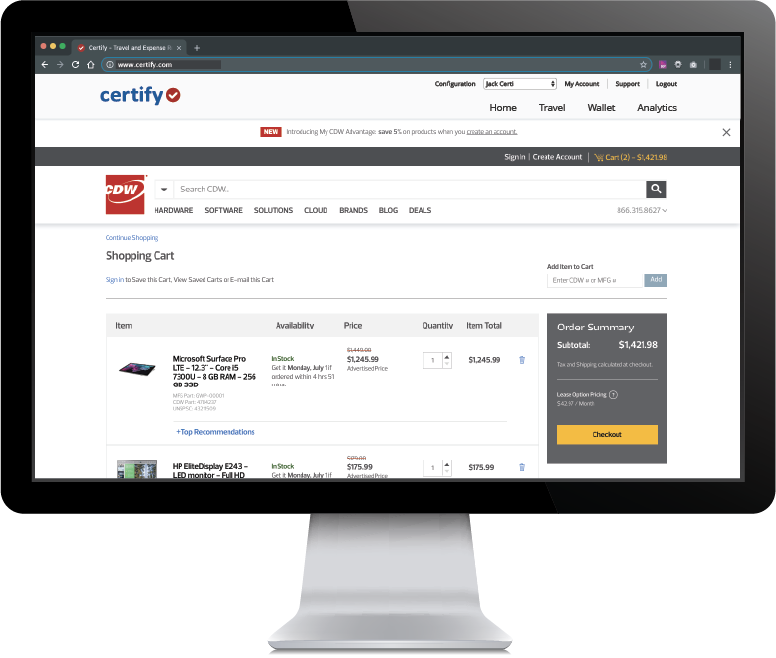
Certify is travel and expense management software developed by the company of the same name in Maine, which merged with Chrome River in 2019 to form Emburse.
N/A
OpenAir PSA
Score 5.5 out of 10
N/A
NetSuite OpenAir is a cloud-based Professional Service Automation (PSA) product which includes capabilities around project management, resource management, project accounting, etc.
N/A
Zoho Projects
Score 9.5 out of 10
N/A
Zoho Project is online project management and planning software that provides project teams with a web-based collaborative environment. Zoho Projects can also include a bug tracking module specifically design to support software development project. It is integrated with other Zoho products including Zoho CRM.
$0
Pricing
Emburse Certify
OpenAir PSA
Zoho Projects
Editions & Modules
No answers on this topic
Free
$0
Premium
$5
per month per user
Enterprise
$10
per month per user
Project Plus
Contact Sales
Offerings
Pricing Offerings
Emburse Certify
OpenAir PSA
Zoho Projects
Free Trial
Yes
No
Yes
Free/Freemium Version
No
No
Yes
Premium Consulting/Integration Services
No
No
No
Entry-level Setup Fee
$8 Expense report
No setup fee
Optional
Additional Details
Certify AP has volume based pricing based on processed invoices
—
Discount offered for annual billing.
More Pricing Information
Community Pulse
Emburse Certify
OpenAir PSA
Zoho Projects
Considered Multiple Products
Emburse Certify
Verified User
Anonymous
Chose Emburse Certify
All expenses were done on Excel worksheets before we got Certify.
They both are user friendly and easy to use. Both send emails to leaders or employees or things that need to be corrected prior to final submission. I would recommend either of these.
I was not involved in the selection process. I know we evaluated Emburse Certify against a manual reimbursement process (not using a specific product).
We used Concur prior to Certify. It cost 5x as much and was not worth the money. We also looked at Expensify, which had minor issues compared to what we are dealing with in Certify. Certify does not compare to Concur. The platforms are in two different leagues. Expensify is a …
The cost to implement [Emburse] Certify was lower than the primary competition (Concur), but the integration with our existing card programs simply did not work the way we expected it to and the way it was sold to us. Any money saved by going with Certify over Concur was lost …
Certify is similar to Expensify in terms of features and overall potential. Expensify, however, works exactly how I expected it to work when I first opened it. There was very little that I had to learn. Certify’s workflow and interface are a little different than I anticipated, …
The price is better and the support is better from what I have been told. I looked into them and never heard back from them when I sent in my info and Certify got in contact in mins to discuss my needs.
I think most of the functionality between the two products is similar and very competitive. I do not use the booking or research facilities of either product but I believe they are similar and have the same functionality. Overall I liked the interface a little bit better on …
I've only briefly looked at Concur as an expense platform and it came close to what Certify offers. The interfaces are similar, the functionality is basically the same, and a lot of companies use both systems. I think that it comes down often to price between the platforms. …
I believe for a large organization Certify is the least costly provider compared to other solutions. It is significantly better than using the likes of SAP's Concur ERP type platform. However, it is not as forward-thinking and cool to use like Expensify or Zoho. Again, you …
We narrowed our selection down to Certify and Expensify. I had our director of IT review both. He was extremely happy with the ease of use as well as the support we would receive through Certify. I believe his initial conversation was with "Mr. Happy. "Certify will know who …
To be honest we haven't even looked at Expensify ever since we switched full time to Certify. At the time when we compared the 2 platforms, Certify came out on top due to its flexibility of use and customer support. Every once in a while an employee brings up a comparison but I …
We evaluated and attempted to get started with Concur but found reporting with Concur to be lacking. Certify seemed a better fit for our organization and company size.
Bill.com allows for multiple approval chains and dollar limits. Generally not needed in a small organization, but very important in a larger organization.
OpenAir accurately reflects changes in real-time as well as lends itself to see where a draw is at, when payment is expected and what percentage of the contract has been billed or approved to date. This helps with project billing and tracking as well as cash flow. Quickbooks …
I wasn't involved in the initial purchase decision so I don't know what else we evaluated, but I imagine that we selected OA because we selected NetSuite and OA integrated well with it (same product family). We've been hearing a lot of good things with Mavenlink and will likely …
Previously we used a custom application running on top of Oracle ERP. One of the reasons we chose OpenAIR was because it was covering our requirements for time tracking and project/resource management, much better than the custom app. In addition we got other features like: …
Netsuite is a better and more scaleable solution for our agency as we have grown from just a few employees in 2001 to nearly 100 employees today. Netsuite helps us track expenses, time reporting, getting approvals on large purchases, project management from a personnel …
Our team found that OpenAir has better, increased functionality than other project management programs. Instead of using multiple softwares for time tracking, expense reports and project management, OpenAir combines all three into one. Using one tool instead of three saves us …
It was our goal to be on a single vendor solution for all aspects of our business: CRM, Project Management, and Finance. By choosing NetSuite with OpenAir PSA, we were able to eliminate the need for three other vendor solutions that required external integration among the …
We were handling concurrent project in multiple counties with multiple currencies. Netsuite handles multicurrency well. This was essential for our global operations. Because of this we chose OpenAir over Clarizen.
We came from a QuickArrow envirnoment, so going to OpenAir was the path of least resistance and it hit all the requirements. We looked at Financial Force and Changepoint. Financial Force was very intriguing because of the Salesforce platform, but not all our users are on …
Microsoft Project Server was a very complex solution and often unflexible. We needed something less complex but with power and chose OpenAir.
Verified User
Anonymous
Chose OpenAir PSA
I was not on the selection team that chose OpenAir. However, as I mentioned in my previous comments, I feel that OpenAir is a great stand alone PSA solution. For OpenSymmetry, we outgrew OpenAir and needed a solution that seemlessly integrated with Salesforce.com CRM data. …
Verified User
Anonymous
Chose OpenAir PSA
I have evaluated Clarity, ConnectWise, SAP, and Tenrox solutions. From my perspective, judging against our internal have-to-have and nice-to-have criteria, they do not offer the level of flexibility and detail our organization needed to continue to support our current service …
Verified User
Anonymous
Chose OpenAir PSA
OpenAir was the most complete solution and was strong in all areas.
Verified User
Anonymous
Chose OpenAir PSA
Oracle PAC professional services automation tool.
SAP PSA product
Zoho Projects
Verified User
Anonymous
Chose Zoho Projects
I won't say that Zoho Projects is the best in comparison to its competitors, however, it does exactly what we need it to do and we are saving on the monthly fees we are paying for its competitors. The pros outweigh the cons. I would say that it's also not the fastest in terms …
We decided on Zoho Projects since the integration with Google Workspace is easier to perform. Also, the way to create our project templates was faster to perform, and we could integrate our final customers on all of their tasks that need focus. Finally, the principal point is …
We use other project management tools in other departments, I personally like Zoho Projects best because of the customization in terms of automation and customized reports in Zoho Analytics. The dashboards and data that can be used for decision making, tracking and management …
I would choose Hubspot & Asana over Zoho because of their intuitive UIs and functionality. I would choose Zoho over Basecamp only when you are managing hundreds of projects.
I found it easier to work with Zoho Projects. While working with WorkZone, my system got stuck between my work, and it cost us time to restart all of it. I couldn't switch between my work on WorkZone and my teammate; we're also having the same problem as I did. So we switch to …
MSP - Windows based. Not collaborative. Complex UI. Cannot be shared with people outside the organization easily. Cannot set security levels for users to access projects based on the rights granted to them. Trello and Asana - Expensive subscription plan. Limited …
Zoho Projects is far superior as a project management tool compared to the simple ones we investigated. The pricing was very competitive to the market and the free trial helped out with our proof of concept. Compared to Workfront, you get similar functionality but at a …
We were testing out ASANA at the time we moved on to Zoho. Zoho seemed to have more features that met our needs. Asana was not quite developed to the point of our liking. Zoho has an awesome calendar function that I loved, which Asana did not.
Zoho Projects provides a more limited set of functionality and customization options than other task/bug trackers on the market, but what it lacks in functionality it makes up for in ease of use. It probably has 80-90% of the features of its competitors but takes about a third …
I used Zoho projects initially because it was easy to setup and gets going for FREE. The best thing you can get out of Zoho projects is that it needs zero setup time. It is also a great tool for manage projects, however not that suitable for product management, I believe. Jira …
I have tried other task management products before I signed up for Zoho. The primary difference is Zoho projects goes beyond tasking. And the second factor is the operational mechanism you have behind it. If your operational framework is right, Zoho project will be the single …
We haven't used any other PM type projects so I can't say how Zoho Projects is vs some others but we've always had lists of things to do on ruled pads and white boards and while it functioned, using Zoho Projects significantly made a huge difference to our entire team. Plus, if …
SmartSheet is less user-friendly and more like a spreadsheet tool. Community Building (in the case of SmartSheet) is not encouraged within a millennial staffed company.
The interface of Zoho Projects is so clean and modern compared to the others. The functions and abilities of this product outshone it competitors and the price is very reasonable and competitive. Finding and adding information in Zoho Projects is very easy even for a novice. …
Verified User
Anonymous
Chose Zoho Projects
We have also evaluated Clarizen and although it's a good product, we are not quite ready to scale up to this yet.
Features
Emburse Certify
OpenAir PSA
Zoho Projects
Expense Management
Comparison of Expense Management features of Product A and Product B
Emburse Certify
7.6
Ratings
9% below category average
OpenAir PSA
-
Ratings
Zoho Projects
-
Ratings
Employee Expense Reporting
8.20 Ratings
00 Ratings
00 Ratings
Corporate Card Reconciliation
7.00 Ratings
00 Ratings
00 Ratings
Payment Management
Comparison of Payment Management features of Product A and Product B
Emburse Certify
7.7
Ratings
4% below category average
OpenAir PSA
-
Ratings
Zoho Projects
-
Ratings
Customizable Approval Policies
9.00 Ratings
00 Ratings
00 Ratings
Financial Document Management
9.00 Ratings
00 Ratings
00 Ratings
Payment Status Tracking
9.20 Ratings
00 Ratings
00 Ratings
Payment Audit Trail
5.60 Ratings
00 Ratings
00 Ratings
Duplicate Bill Detection
7.30 Ratings
00 Ratings
00 Ratings
Advanced OCR
6.00 Ratings
00 Ratings
00 Ratings
Project Management
Comparison of Project Management features of Product A and Product B
Emburse Certify
-
Ratings
OpenAir PSA
7.3
Ratings
5% below category average
Zoho Projects
6.6
Ratings
15% below category average
Task Management
00 Ratings
8.00 Ratings
7.50 Ratings
Resource Management
00 Ratings
7.50 Ratings
7.00 Ratings
Gantt Charts
00 Ratings
8.00 Ratings
6.50 Ratings
Scheduling
00 Ratings
6.00 Ratings
5.50 Ratings
Workflow Automation
00 Ratings
6.00 Ratings
6.00 Ratings
Team Collaboration
00 Ratings
8.00 Ratings
7.50 Ratings
Support for Agile Methodology
00 Ratings
6.00 Ratings
6.30 Ratings
Support for Waterfall Methodology
00 Ratings
7.00 Ratings
8.00 Ratings
Document Management
00 Ratings
8.50 Ratings
6.00 Ratings
Email integration
00 Ratings
7.00 Ratings
6.00 Ratings
Mobile Access
00 Ratings
7.50 Ratings
5.00 Ratings
Timesheet Tracking
00 Ratings
7.00 Ratings
7.50 Ratings
Change request and Case Management
00 Ratings
8.00 Ratings
6.90 Ratings
Budget and Expense Management
00 Ratings
7.50 Ratings
6.00 Ratings
Professional Services Automation
Comparison of Professional Services Automation features of Product A and Product B
[Emburse] Certify seems to have been designed with large organizations in mind, particularly those with corporate card programs as opposed to "small business" cards. The integration with American Express Business accounts failed after less than a year, and was not reestablished before we pulled the plug on the whole project. Even worse, [Emburse] Certify's support team wasn't able to offer alternatives.
I would only recommend OpenAir if you are a company of 100+ with complex business processes and have a need to integrate into multiple external systems. I think most project managers find it cumbersome and irritating until they are trained on what not to use. It needs a more simplistic obvious approach rather than having every feature exposed all at once.
My work involves projects of 5-15 people with numerous projects running simultaneously. Prior to Zoho, I did not have a central location from which to view all project statuses at once. Zoho looks to provide this and also looks like it will deliver. I am anxious to see how our organization's use of it develops. At this time, I feel I am likely to recommend Zoho Projects because my organization has made great software decisions in the past so I have a level of trust already that the research has been done that Zoho is the best solution for our line of work.
Customer service/support: They have an incredible team. We are fans of the chat option and 99.9% of the time our issues are solved within a 5-minute window.
Listening to customers: they are always looking for ways to improve their product. They have free conferences sprinkled around various cities. They are worth trending. They provide "what's new in Certify" as well as round-table discussions specifically addressing how their customers are using the product and what they have learned along the way.
Keeping their product up to date: Certify takes back various suggestions from the conference to enhance their product. I have been at every conference they have had and have actually seen customer suggestions get implemented into the program.
We had a specific process down pat with QuickArrow and wanted similar functionality. It gave us that and more.
It has a lot more reporting functionality than QuickArrow. There are hundreds of options for layout, what is reported, etc. I haven’t played too much with those reports yet. We more or less just replicated reports I had in QuickArrow. We needed the professional services/transition team at NetSuite to help me. There are too many options at this point. I imagine we won’t use all of those reports. Quick Arrow had a lot less.
Mobile Capabilities – There wasn’t a mobile concept for QuickArrow. OpenAir has been beneficial for iPhone users for time sheet submissions. There is no app for Droid users yet. There are not a lot of users out there, who really know how to use it yet. Managers are not using the app for dashboards/reporting, etc. The field has been pretty quiet but they do really like the mobile app feature. They like not having to go to laptop to enter their time. That’s all we require of them – just time entry. We ran into some glitches - some of the time sheets submitted via iPhone did not get to the tool itself. That happened in one instance. I made QA aware of it. I am not sure what the resolution turned out to be.
Swiss Army Knife: The suite of Zoho projects can be tailored to fit the needs of any business. It's great to have a bunch of different software offerings that will work together seamlessly.
Task Customization: Zoho allows you to customize your tasks more than other platforms (add start dates, due dates, dependencies, subtasks...)
The ability to add a receipt after a report has been submitted would be helpful. This would simplify processing as opposed to disapproving the report and sending it back to the user for correction and re-submission.
Though not a fault of Certify, our users drive multiple destinations every day, rather than occasional trips from city A to city B. Therefore, capturing mileage is a time-consuming process for our users.
The UI of many parts of the system is really poorly designed. Inputting and updating forecasts is a very time-consuming and difficult process for our PMs and it doesn't allow any type of upload from a spreadsheet (which might be easiest in absence of a decent UI).
I have extensive experience with the reporting piece of OA and have a list of notes and improvements. The entire module is very inflexible at least pieces of it are not intuitive. Easy example: If you create a custom calc with a filter on Project Type to only include hours from our customer projects (Impl and MS), but then create a report with a filter to only show hours from MS, that custom calc won't work properly. The filter logic is unable to handle multiple filters on the same field.
Specific example of a ticket we've filed but not heard back on: When you close a project, any remaining forecasts from that project remain active and show as "committed hours" against those individuals which doesn't make sense on projects that are closed. Why would you not give an option to delete any remaining forecasts when closing a project as default behavior?
More flexibility on making the user interface more compact (like Excel or MSP). Current interface is well spaced, but some users may like a more compact view.
More simplified Gantt Charts that help us understand progress and dependencies.
Ability to export projects to Excel for sharing with others we can't/don't want to bring on to Zoho projects
We plan to continue our use of NetSuite OpenAir for the reasons cited already. Outside factors, behond our control, would be the only reason we would not renew -- such as an executive mandate to use the same platform going forward. If such were to happen, our Services processes would need to be revamped, as other PSA solutions do not support our current have-to-have criteria.
Zoho has been able to fit the needs of our Engineering organization. The employees and management that are using it have not found a 'catastrophic' reason to discontinue use. Although certain features and better support mechanisms would be much better, it has been able to keep with both basic needs and more advanced ones. A majority of the company has enjoyed the basic interface it offers, the apps it has for iPhone and Blackberry, the mobility of updating a project without needing to be connected to any type of server. There are still improvements that can be made in future releases but as the person who originally purchased the solution for our company, I have found it to be an excellently priced solution in the functionality it offers.
I am very used to Certify's components. But some users that I manage still have a hard time fixing their expense reports no matter how many times I try to teach them. The Editing expense Report and Adding Expense Report option sometimes gets confusing and causes some employees to enter transactions twice. There should be a better layout to make it easier for them to edit and finish their expense reports. I try to teach Certify as much as I can, but the usability should be a bit easier so it is less confusing.
In this day and age I should not have to read a manual to understand a product. It should be intuitive to administrate and perform basic tasks. It feels like a ton of intelligence was poured into making OpenAir feature rich but no where near as much attention was given to the user experience.
Zoho Projects is an easy project management tool to use. It provides all the functionality that we required for handling projects. We can easily create personal forms for projects and tasks, allowing us to add and report on our own desire. Apart from this we can create and edit documents in real time which saves our time. This allows us to share text docs, presentations, tables with the whole team and we can work on them together
The measure of support is how well they respond when you really need them, like when the system is not performing correctly. We have been on the platform less than a year, and there have been at least 2 instances, where the platform was down. The 2nd time was the day before out fiscal year end. And they need a development website. When they are making changes to your LIVE instance, and things go wrong, the client is the first to know about it! I've come to understand that Certify has tiers of support. Those in tier 1, barely know more about the software than the users. I sent a request for a report that shows expense reports currently pending approval and after 5 days of back and forth I was told to build it myself.
As an admin, I've had more contact with OA support than most. I've found their response to tickets typically timely and helpful, however many of the responses to tickets are "we will file an enhancement request" and then I never hear about it again. So not terrible, but not a very fulfilling experience.
Although it might lack intuitiveness, once you get a hang of how Zoho Projects works, you can do a LOT. The impact good project management has on profitability is huge, and it has helped not only improve communication and coordination when working on a project, but more importantly have adequate tracking of time, due dates and potential bottle necks
Very knowledgeable and able to articulate how other customers configured the solution to meet their needs as well as the best practices they recommended.
We did a 3 day online remote course back in April. NetSuite prefers training to occur before migration. We went over the functionality of tool and three months later we migrated. Personally, I didn’t find it that beneficial. Certain parts of it were beneficial as they applied to me – talked a lot about invoicing capabilities that didn’t apply to me. They also have knowledge base / e-learning assets, but I haven’t referred to them
It went fine. Everything came over the way we wanted. In addition to migrating the current projects we wanted to migrate historical data – did that seamlessly. The finished product looked pretty good – just needed to tweak – and they helped us with that
We used Concur prior to Certify. It cost 5x as much and was not worth the money. We also looked at Expensify, which had minor issues compared to what we are dealing with in Certify. Certify does not compare to Concur. The platforms are in two different leagues. Expensify is a good comparison and it is compatible with major ERPs like Sage Intacct. Nexonia, is actually also an Emburse product and likely would have been a better fit given it's integration capabilities with Sage Intacct.
It was our goal to be on a single vendor solution for all aspects of our business: CRM, Project Management, and Finance. By choosing NetSuite with OpenAir PSA, we were able to eliminate the need for three other vendor solutions that required external integration among the disparate systems (Salesforce.com for CRM, MS Project Server for Project Management, and MS Dynamics for finance).
Zoho Projects provides a more limited set of functionality and customization options than other task/bug trackers on the market, but what it lacks in functionality it makes up for in ease of use. It probably has 80-90% of the features of its competitors but takes about a third of the time to get up and running and realizing value.
Unfortunately, prior to creating Project Task Templates we'd occasionally miss a step and something that was necessary would be overlooked.
The creation of the Project Templates was a team collaborative effort to make sure that everyone had some input as different people was integral to specific projects.
It took a little while to learn some of the more tricked out features like task dependency but even starting out with the most basic of features was very significant.