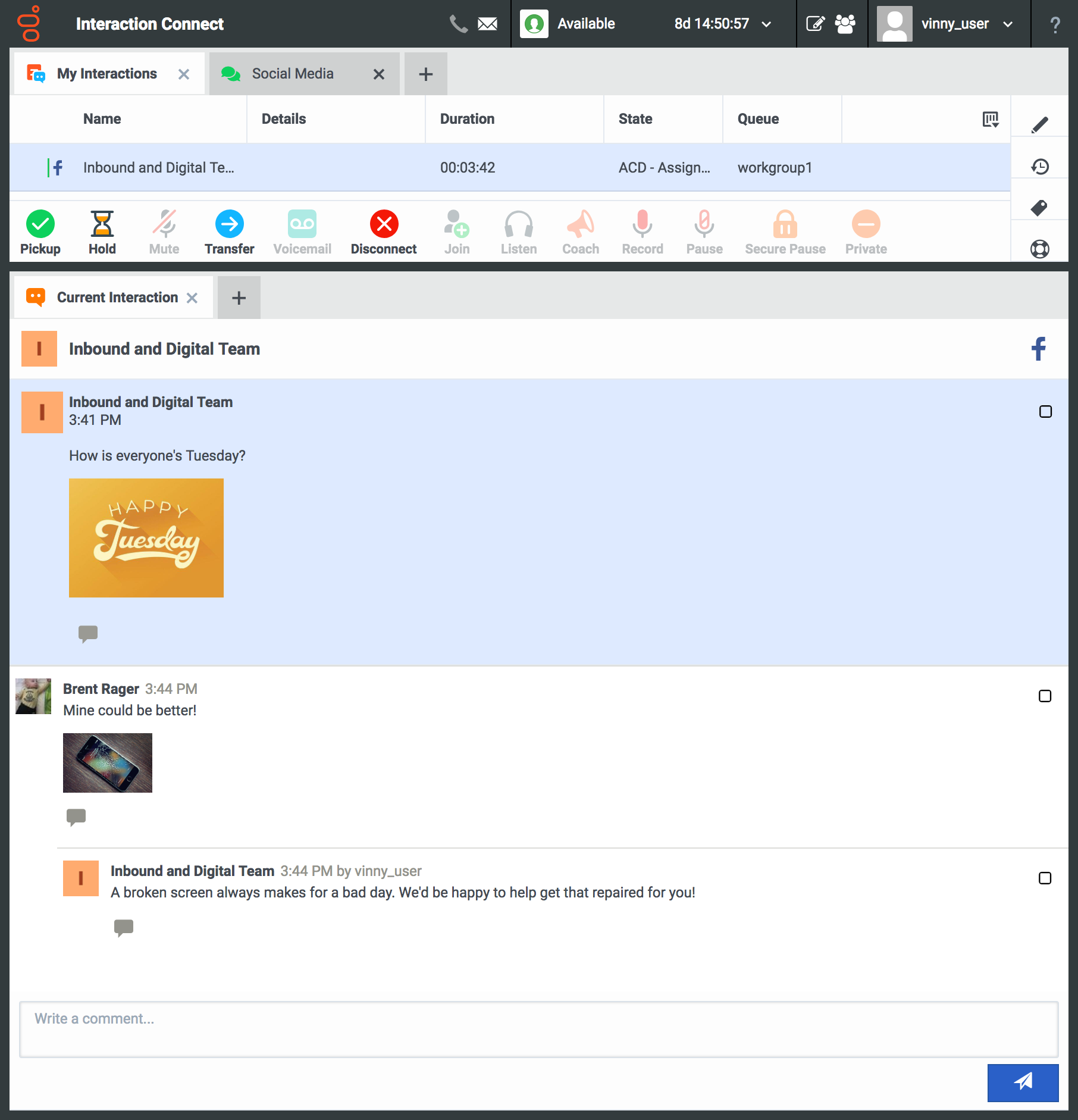
Genesys PureConnect was an omnichannel contact center platform that offered cloud-based or on-premise deployments. It featured a SIP-based architecture with VoIP capabilities, allowing companies to connect legacy voice systems and use existing phones. A legacy product, new users are encouraged to investigate Genesys Cloud.
N/A
GoTo Connect
Score 8.0 out of 10
N/A
GoToConnect, from GoTo, is a cloud-based business phone system with built-in web-based video conferencing solutions. It includes features such as call analytics, call recording, softphone, fax to email, voicemail to email, and desktop integration.
$27
per month per user
Zendesk Suite
Score 8.6 out of 10
N/A
Zendesk is a customer support solution with built-in ticketing, conversational messaging, and live chat, designed to help businesses of all sizes and industries deliver personalized service at scale. Zendesk's AI agents are trained in CX to help Service teams resolve customer issues faster and more accurately while still providing a human-centered experience. Zendesk ultimately aims to help businesses improve time to value, reduce effort per ticket, and keep costs low.
$69
per month per agent
Pricing
Genesys PureConnect (discontinued)
GoTo Connect
Zendesk Suite
Editions & Modules
No answers on this topic
Basic
Starting at $27
per month per user
Standard
Starting at $32
per month per user
Suite Team
$69
per month per agent
Suite Growth
$115
per month per agent
Suite Professional
$149
per month per agent
Suite Enterprise
Contact Sales
Offerings
Pricing Offerings
Genesys PureConnect (discontinued)
GoTo Connect
Zendesk Suite
Free Trial
No
Yes
Yes
Free/Freemium Version
No
No
No
Premium Consulting/Integration Services
No
Yes
Yes
Entry-level Setup Fee
No setup fee
No setup fee
Optional
Additional Details
—
No-obligation month-to-month account are available, or a long-term contract is available for better deals on service pricing and hardware. GoToConnect provides all features with unlimited use. Customer & Technical support is available 24/7 to resolve any issue. A dedicated onboarding team will help to the phone system set up for any plan.
GoToConnect is a great early tool for a startup business. As the business needs and support burdens grow you will eventually need to upgrade to a more robust platform if you are on the support side of things like myself. On our sales side of things, they continue to use …
CIC is best suited for business models that rely on heavily leverage Data Integration especially one like ours that require real-time and high-speed data access for billing and customer integration. CIC is not well suited for small organizations < 50 where they are only answering phones in the course of doing business VS. the business is the phone.
Go-To softphones have made my life as an IT manager significantly easier. Being able to take calls and listen to my voicemails on both my computer and mobile phone has been a game-changer. I also cannot recommend the "drag-and-drop" dial plan management system enough. It makes the entire process as easy as programming in Visual Basic and allows you to see exactly what is happening when someone dials into a line.
Being a customer support agent, I found it very good when it comes to send an email or call or chat- with the user. I can do all that from the one single platform which is so easy and time saving for you. It does not take much time to use this, We can chat- with the user and at the same time we can send an email to them as well.
Call reports: You can see and review calls received from the first receptor until the last who attend this call, also you can review all calls make and received by your teams
Voicemail options: Availability to create some voicemail with multiple receptors
Devices option: with several options to change on your devices
Audio library: Multiple option to create your own audio library with or without ambien music
Is there a way for AEs and CSMs to be informed in a weekly summary of all their accounts and any tickets? Example: Disney submitted a ticket on XYZ. Google has an urgent issue on X still unresolved.
Is there a way for CSMs or AEs to have a Dashboard that's specific to their accounts instead of seeing all the tickets in the queue that are not relevant to them?
We are so embedded on Pure Connect that we like to progress with it. For instance, we are looking into ways to provide different solutions to our customers, help our business to succeed, and work in a better CX.
One of the biggest advantages is that all is in one platform.
They are knocking it out of the park on all fronts. I love the service and support I am receiving and have no complaints. If they raised their prices substantially I would reconsider but I don't think that will happen anytime soon. They would have to mess up something consistently moving forward to make me want to move
Zendesk is an amazing tool for communicating with your customers easily. The communication tickets from sellers to us or from us to sellers are stored, and there are statuses used to make communication easy. We have internal conversations between departments, linked with useful software such as Zingtree, Talkdesk, and Webs.
The interface is only semi user-friendly on almost every front. Agent experience is lacking and we have found many limitations within the system. Workforce forecasting is not as robust as expected. Quality continues to be a struggle. Interaction searches are not robust.
Overall, it's a decent product for the price. It has the basic features our company needed when it was brand new and was not overly difficult to set up. As we've grown, it's become increasingly difficult to build out the features we want to implement within the PBX, and customer support can be less than helpful. Many of the more advanced features (dial plans, queues, etc.) take a lot of research to understand how to implement. Some of the features we paid for weren't even available when we were attempting to set them up.
Pros: The agent interface is sleek, contemporary, and relatively easy to learn compared to many other enterprise tools. For common tasks, admins are given point-and-click options- adding fields, modifying workflows, constructing macros. The knowledge base (Guide) editor is easy to use for non-developers. Drawbacks: Once you move past the initial things - complex automations, reporting/analytics in Explore, and/or customizations integrating the API, it requires much more advanced training to use successfully. Navigating between the different modules (Support, Explore, Chat, Guide) can feel very disconnected; often you are reminded that it really is a "suite" of products brought together -not really one unified platform. If you're using multiple brands managing simultaneous support tickets, or heavily customizing workflows to meet your brand, you may run into a bit of struggle with usability. So: it's a lot more user friendly than the palaces (Salesforce Service Cloud, ServiceNow), but is not used as quickly or with as much streamlined flow as a product made for a small shop. So if you are looking for a great balance, this is a good option if you are a net new organization or an organization on their way to scaling from 15 - 50 employee. Expect some elbow grease from the admin team once learning, adapting, and working efficiently once you move past the basics with your support tickets and initial customizations.
The application itself uses a hub and spoke model that can help isolate errors in one section of the application from the rest, creating a much more stable overall program. Of all of the outages that we've had with our contact center platform, I can count on one hand how often it was truly a Genesys issue rather than a network issue, server issue or issue with a platform relied upon for an integration (web services, db calls).
I have never experienced or heard of unplanned outages when it comes to GoTo Connect. Most of the time the unplanned outage is always local power at a site or internet service provider having an unplanned outage. GoTo's service has never failed any of our orgs yet that I know of.
Some of the client applications take a bit of time on initial load, but with the move towards web based applications that issue is alleviated. You can tell that effort really isn't putting into the desktop apps any longer and that the client development effort is being put into bringing Interaction Connect closer to feature parity with the desktop (and bringing wholly new features to Connect). As far as IVR operations, web service calls, database operations: they all operate reasonably.
There is no lag in phone calls. There is no background noise or static/fuzz. Calls are crystal clear. With other dialers and phone systems, I have experienced delays between dialogue or delays with the caller picking up the phone and then being able to hear you. We do not experience this with Go To Connect.
Some cases are resolved quickly others are taking longer and the reseller sometimes has to chase support several times and explain the issue seen several times. While being a direct customer before, I recognise this and it seems that when a case moves to another engineer they don’t read the previous case notes or don’t understand what has been done. This, from a customers perspective, slows down resolution times.
One of the MOST challenging things in tech support is that some of the offshore agents "don't speak Texan/English", and are really hard to understand. GoTo Connect's support is usually someone who is VERY easy to understand their US/English, and are very helpful. In dozens of interactions for our business & our clients, we've only had a few tickets that couldn't be resolved on the first call
We rarely need to contact their support team, but when we do they are responsive. However there have been notable times when communication between myself and the support rep was challenging despite me providing clear explanation of the issue, screenshots, and a thorough explanation of the goal we hope to achieve. It took several back and forth attempt, on a few occasions, to get resolution on an otherwise simple request
I liked the setup of the whole class. The instructor knew the topic well enough to answer questions from entry level to a more advanced one.
Instructor encouraged participation of the whole class and was able to engage every one. Also provided "real live" examples so everyone can relate to it.
The online training itself is good. You are provided resources and can self study to a certain point, but the pacing always felt off. Either snails pace or like trying to drink from a fire hose. I think this easily could have had to do with course material and my personal preparations, though. I would say my main gripe is that since the acquisition the team responsible for actually booking training is very unresponsive and often not knowledgeable about the courses they offer. Booking my last training was a real chore.
The training videos could be more in-depth. This would help our user base so that they can feel impowered to look up information that they need without having to ask our admins every time they have a question about the system. Online training videos are also inferior to an actual person explaining systems.
Zendesk has tons of available material for training - videos, webinars, articles, etc. The only reason this is not a 10 is because it can be hard to figure out how to navigate to these things and find what you are looking for.
Don't try to go the perfect solution as a first target. Work on answer the more needs with a simple solution. Then analyse and try again to answer the most needs with adding a bit if complexity only if require. No needs to customise straight from the beginning or deployment takes too long.
One big lesson we learned is that training the team well makes a huge difference. It was easier when we started with the fundamental features, such as the way calls are handled. Getting staff involved early helped us set it up the right way. So I would say my experience with implementation was straightforward.
I was very satisfied. They have a free trial for 30 days and I recommend you do that and use it. It is very easy to get started with the basics and the build on over time.
The only thing technically complex was single sign-on and integration to Salesforce.com required some tweaks – otherwise setting up system was very easy
Call Manager, you had to buy all the components that are out of the box for PureConnect. The licensing model is more expensive on the Cisco side vs the Genesys PureConnect side. Lastly was on the Cisco side since you have to connect/integrate all the components on the cisco side you have to have so many vendors to install those parts. This drives the cost up even more so it was not worth going that route for our organization.
Avaya IP Office was for us a complicated and inflexible on-prem solution. It could be made to do a great many things similar to GoTo, however it was not flexible and scalable in the same way as GoTo, which is to be expected of a cloud solution. In particular, as we aimed to build out a contact center, IP office could not do it in a work-from-anywhere environment, and the softphone provided almost no information to the agent. GoTo solved all of the problems we were encountering with IP office, with the added benefit of not needing continously upgrading licensing - as GoTo is a one-license solution.
The customisable reporting every time. Our leadership reply on me to run my team and want to know what customers are telling us so they can elevate our products. We have extensive custom reports that tie up all aspects of our product and customer journeys. I've not found another product that allows me as much freedom as Zendesk Suite explore does, so far.
Genesys PureConnect's core and adjunct model allows for fairly easy growth in satellite locations via off site session managers, remote located media servers, remote content servers, etc to allow you to spread the infrastructure out while not pushing as much network traffic to your core data centers.
Its not readily apparent to me, other than cost, where you would run into any issues with larger scale deployments. When we went live on the product, the Jive team was always willing to do mass updates for us on our extensions, users, etc. in the system, so we didn't have to do too much manual one-by-one updates.
We're improving our CX by optimizing our call centers, using additional attributes and keys to identify the best rep for the job.
We are also streamlining the journey of each individual customer by using PureConnect as the central interface for omnichannel interactions, allowing us to pick up the conversation where we left off.
Using additional attributes that start with the contact center interaction, we're able to track a student journey and proactively step in - increasing our individualized support to focus on the student outcome.
Cost Savings have been realized from reducing hardware .
We are all able to collaborate remotely and it has been seamless and easy to setup.
I'm able to pull reports, i wish there was improvement on the data analysis side. It has gotten better since LogMeIn, but something is a miss and can be improved.
Integrating other AI solutions for an organization with high volumes can cost about USD5000 monthly. With Zendesk AI and by building onto the same with AI powered apps built for Zendesk Suite we save a projected USD4000 monthly.
Robust Zendesk APIs have enabled us to integrate our internal system with a customized app saving us hundreds of hours every quarter spent loading customer profiles that are not loaded instantly from the app.
Plug and play apps like Round robin save us weeks of sprint delay timelines as they do not require additional coding or developer support to install and start using.