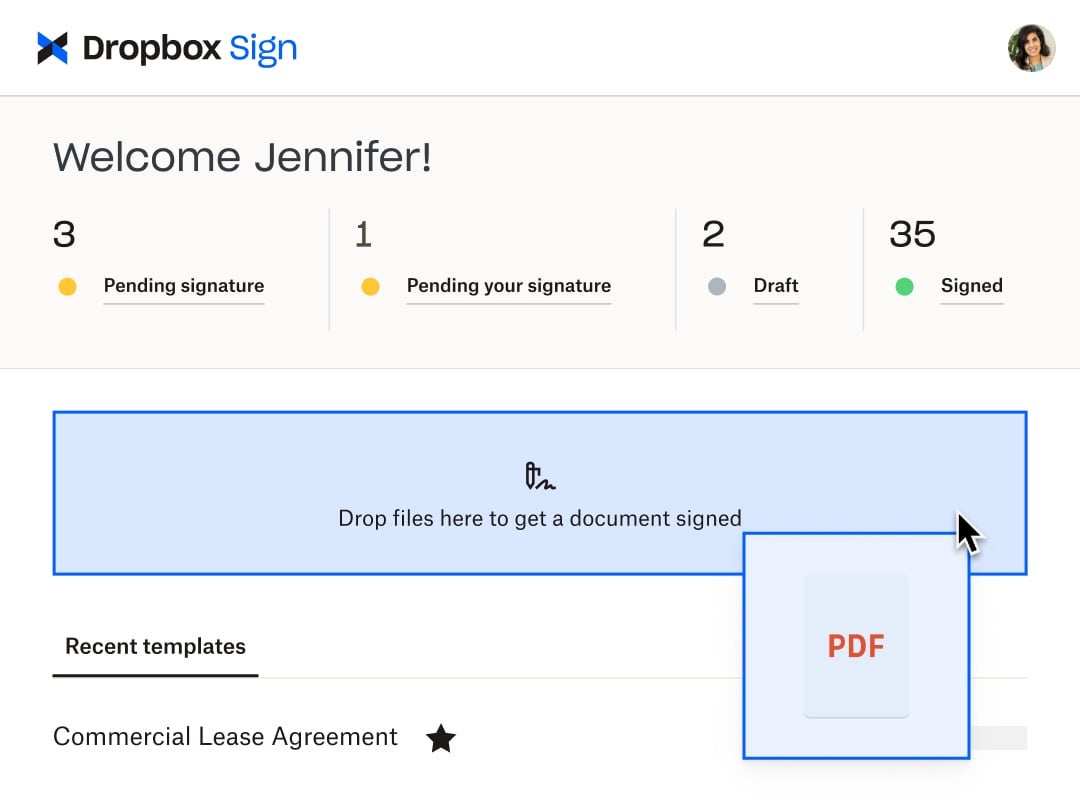
HelloSign is an electronic signature software offering acquired by Dropbox in early 2019. It includes features such as customization for businesses of any size and bank-level security.
$0
per month
Tungsten Power PDF
Score9.8 out of 10
Small Businesses (1-50 employees)
Tungsten Power PDF (formerly Kofax) is an easy-to-use, secure and inexpensive solution to manage PDFs for businesses
and individuals. Benefits:
Ease of Use: Works
like Office desktop products, so it's easier to learn
Compatibility: Works
across devices and platforms, share documents in a storage cloud
…
$129
one-time fee per license
Pricing
Dropbox Sign
Tungsten Power PDF
Editions & Modules
Free
$0
Essentials
$15
per month
Standard
$25
per month starting at two users, per user
Essentials API
$75
per month Starting at 50 signature requests / mo.
Standard API
$250
per month Starting at 100 signature requests / mo.
Premium
Custom
Custom
Power PDF Standard
$129
one-time fee per license
Power PDF for Mac
$129
one-time fee per license
Power PDF Advanced
$179
one-time fee per license
Power PDF Business
Get a Quote: Subscription and Perpetual available
per year per seat
Offerings
Pricing Offerings
Dropbox Sign
Tungsten Power PDF
Free Trial
Yes
Yes
Free/Freemium Version
Yes
No
Premium Consulting/Integration Services
No
Yes
Entry-level Setup Fee
Optional
No setup fee
Additional Details
Additional pricing available for HelloWorks and HelloFax
Desktop licenses are buy once, own forever. No subscription fees.
Business server licenses are term-based or perpetual with optional maintenance & support contract.
Volume and upgrade discounts available.
Someone who has never used Dropbox Sign before could quickly figure it out without needing a tutorial or guide. It is very useful in instantly collecting signatures and keeping others in the loop as well, even if they aren't signers. I love that there's an option to cc someone in basically and they'll be able to see the documents and when it's signed. It's also impossible to miss a document not being signed because it automatically sends reminders to signers if they do not sign and emails reminders daily, letting me know how many documents are pending signatures.
GREAT for combining documents into a single PDF. Great for working with a PDF. Not so great converting PDF to Word format. Would like to see more effort put into that development. Would like to see more effective testing of updates prior to pushing them out as well. Otherwise it is awesome.
A de minimis incentive was given to thank the reviewer for their time. The incentive was not used to bias or drive a particular response, nor was the incentive contingent on a positive endorsement. TR verified that a representative sample of customers was invited. More Info
A de minimis incentive was given to thank the reviewer for their time. The incentive was not used to bias or drive a particular response, nor was the incentive contingent on a positive endorsement. More Info
Typewriter functionality is great, although can take some time to load. This allows you to fill in text wherever applicable without turning the rest of the pdf into editable text.
Fast load times
Has autogenerated text feature so anything in the pdf can become editable
A de minimis incentive was given to thank the reviewer for their time. The incentive was not used to bias or drive a particular response, nor was the incentive contingent on a positive endorsement. More Info
It would be nice to be able to build a template for just the location of the signature boxes that would allow me to upload a document, and the boxes could be basically replaced. I have the exact same doc for each of my clients, but there are small changes here and there, and I have to fill in their personal info through another program, so it would be nice to be able to do a template this way instead of just tying a template to one document.
A de minimis incentive was given to thank the reviewer for their time. The incentive was not used to bias or drive a particular response, nor was the incentive contingent on a positive endorsement. More Info
I find that quickly editing text within a document or adding a line of text is clunky and can snowball into things popping out of place. I prefer to export text, and then work on it elsewhere.
Sometimes it seems that text recognition is trying too hard and throws me paper punches as "O"s and wrinkles as shapes, so I have to get rid of those artifacts.
The "Update Available" popup which is usually not an actual update announcement but rather an offer to sell me something is annoying.
A de minimis incentive was given to thank the reviewer for their time. The incentive was not used to bias or drive a particular response, nor was the incentive contingent on a positive endorsement. More Info
Because this product has been affordable which is so important for a non profit however it is also of good quality so its not like you get a cheap version of this you get a quality product at an affordable price and that is so important for a non profit
A de minimis incentive was given to thank the reviewer for their time. The incentive was not used to bias or drive a particular response, nor was the incentive contingent on a positive endorsement. More Info
Tungsten Power PDF is easy to use, the staff all like it, and there are no issues with it on any level. It is a more cost-effective solution to our PDF needs than other products currently available on the market. This product works as intended and it fits our business needs perfectly.
A de minimis incentive was given to thank the reviewer for their time. The incentive was not used to bias or drive a particular response, nor was the incentive contingent on a positive endorsement. TR verified that a representative sample of customers was invited. More Info
I found this to be super user-friendly and easy to teach other teammates how to use in 5 minutes. I use it frequently, and there was little to no learning curve with this product. I also find that document signers have no problem navigating the documents we need them to review.
A de minimis incentive was given to thank the reviewer for their time. The incentive was not used to bias or drive a particular response, nor was the incentive contingent on a positive endorsement. More Info
It is fast and easy to get the hang of. It really didn't take a lot of effort to learn how to use this program and I appreciated that it was pretty "plug and play" and there wasn't a long learning curve.
A de minimis incentive was given to thank the reviewer for their time. The incentive was not used to bias or drive a particular response, nor was the incentive contingent on a positive endorsement. More Info
I have not encountered this because it was so easy to use however just seeing how they created a community is great and shows that they are here for their users. I am going to say I am sure they are available and ready to assist when needed. The fact that we have not yet experienced an outage and issues says a lot though :)
A de minimis incentive was given to thank the reviewer for their time. The incentive was not used to bias or drive a particular response, nor was the incentive contingent on a positive endorsement. More Info
Other that a PDF partially disappearing if left up for a long period of time - no issues. (If you close it and reopen it, it is all there. We have some PDFs that are 400-600 pages long.)
A de minimis incentive was given to thank the reviewer for their time. The incentive was not used to bias or drive a particular response, nor was the incentive contingent on a positive endorsement. More Info
Again I cannot say it is enough this app is simple. We are preparing to be able to integrate with Salesforce and Sharepoint at a very small cost per user (these are the platforms we use) and it is great that they have the option to integrate these apps. We love this app
A de minimis incentive was given to thank the reviewer for their time. The incentive was not used to bias or drive a particular response, nor was the incentive contingent on a positive endorsement. More Info
Pages nearly always load at the expected rapid speed. Some documents that print quickly from Adobe Reader print much more slowly from Power PDF. I have never generated a report - that's a feature I didn't know existed until now and do not know what it's for
A de minimis incentive was given to thank the reviewer for their time. The incentive was not used to bias or drive a particular response, nor was the incentive contingent on a positive endorsement. More Info
Support is limited to email only (for our subscription level), which might be OK for a e-signing platform if support was relatively rapid. This is not the case with HelloSign. Since the issues first arose a week ago, we have made no discernible progress in solving the problem. No matter how quickly I respond to a follow-up email, we receive only 1 email a day from the support. The other issue, which is a true edge case situation, is their insistence on receiving email from the same email account as the HelloSign registration. We changed our organizational email recently, and I was still logging into HS using our old email address. This became a hard stop on further support, which doesn't make sense on a practical level. Why would someone write in for support with specific issues if they weren't a customer? And if they did, wouldn't that be a miniscule proportion of the support requests? So if you adopt a policy that stops providing support to anyone who isn't verified, regardless of the situation, isn't that using a blunt instrument to solve a very rare issue? Reflects the overall organizational values, in my opinion, which is not to value the small customer.
I have used it for 15 years and have only needed support once: a simple update that allowed me to use the software as intended. The support team was attentive and responsive, and I was on my way very quickly.
A de minimis incentive was given to thank the reviewer for their time. The incentive was not used to bias or drive a particular response, nor was the incentive contingent on a positive endorsement. TR verified that a representative sample of customers was invited. More Info
I got an overview of the product from my predecessor who was about to retire from the job I now hold. He did not go into very many of the features and probably only knew about the ones he used most frequently.
A de minimis incentive was given to thank the reviewer for their time. The incentive was not used to bias or drive a particular response, nor was the incentive contingent on a positive endorsement. More Info
We watched the training videos and tested out the features and functionality side by side. Some features are not used on a regular basis is it is convenient to go back and review training on that particular functionality when needed.
A de minimis incentive was given to thank the reviewer for their time. The incentive was not used to bias or drive a particular response, nor was the incentive contingent on a positive endorsement. More Info
I can not say it enough - this was the easiest implementation we have had with an application. I became an admin, I added the person who would be the back up admin, we moved forward with adding accounts and that was it. All the users we have were self sufficient enough to move forward with very little guidance and the guidance they received was in house.
A de minimis incentive was given to thank the reviewer for their time. The incentive was not used to bias or drive a particular response, nor was the incentive contingent on a positive endorsement. More Info
Easy and quick, with no problems or support needed. Worked as intended right out of the box. E-signing was the only area that implementation was dificult and required support
A de minimis incentive was given to thank the reviewer for their time. The incentive was not used to bias or drive a particular response, nor was the incentive contingent on a positive endorsement. More Info
Dropbox Sign seems a little more intuitive and user-friendly than DocuSign. DocuSign also has a limit to the number of documents that you can send for signature over a period of time. Dropbox Sign integrates with just as many applications and software as DocuSign does. I also think the amount of templates that they give you to use is more than adequate for most business applications and more than other services seem to give you.
A de minimis incentive was given to thank the reviewer for their time. The incentive was not used to bias or drive a particular response, nor was the incentive contingent on a positive endorsement. More Info
There is nothing to compare it to. Tungsten Power PDF is by far an easier and more efficient option. The one advantage of CutePDF is the functionality of overlay and underlay with headers and footers. The other functions in Tungsten Power PDF are much easier to use. Pricing is also an attractive option.
A de minimis incentive was given to thank the reviewer for their time. The incentive was not used to bias or drive a particular response, nor was the incentive contingent on a positive endorsement. TR verified that a representative sample of customers was invited. More Info
A de minimis incentive was given to thank the reviewer for their time. The incentive was not used to bias or drive a particular response, nor was the incentive contingent on a positive endorsement. More Info
Between the easy to use app, the pricing, and the team at dropbox. This app is hands down great! Easy to use. Anyone can start using it and if not I am sure the team at dropbox will guide you to implement. The cost especially for us as a nonprofit is sustainable which is great.
A de minimis incentive was given to thank the reviewer for their time. The incentive was not used to bias or drive a particular response, nor was the incentive contingent on a positive endorsement. More Info
Not really familiar since I'm the only person who uses it. But in the past it has been my understanding that Power PDF was offered only on a single-license basis, so it's been expensive for me to use it at home and at work because I had to pay for it on my own. In my current position management supports it so I at least only have to pay for it once.
A de minimis incentive was given to thank the reviewer for their time. The incentive was not used to bias or drive a particular response, nor was the incentive contingent on a positive endorsement. More Info
A de minimis incentive was given to thank the reviewer for their time. The incentive was not used to bias or drive a particular response, nor was the incentive contingent on a positive endorsement. More Info
Although it was expensive to get the program (just under $200), I found that it was nice that there was only that one time charge. If there were updating or annual fees, I think that would be a deal breaker. Thankfully there isn't, though!
A de minimis incentive was given to thank the reviewer for their time. The incentive was not used to bias or drive a particular response, nor was the incentive contingent on a positive endorsement. More Info