Overview
ProductRatingMost Used ByProduct SummaryStarting Price
HelpWire
Score 9.6 out of 10
N/A
HelpWire is remote access software for Windows, macOS, and Linux. IT teams and technicians can start sessions by sending a link, so the remote user clicks it and joins without creating an account or entering credentials. When follow-up is required, unattended access allows technicians to return to devices later without involving the remote user again. Sessions reconnect automatically after reboots. To keep remote access responsive, HelpWire uses direct…N/A
LogMeIn Resolve
Score 9.1 out of 10
N/A
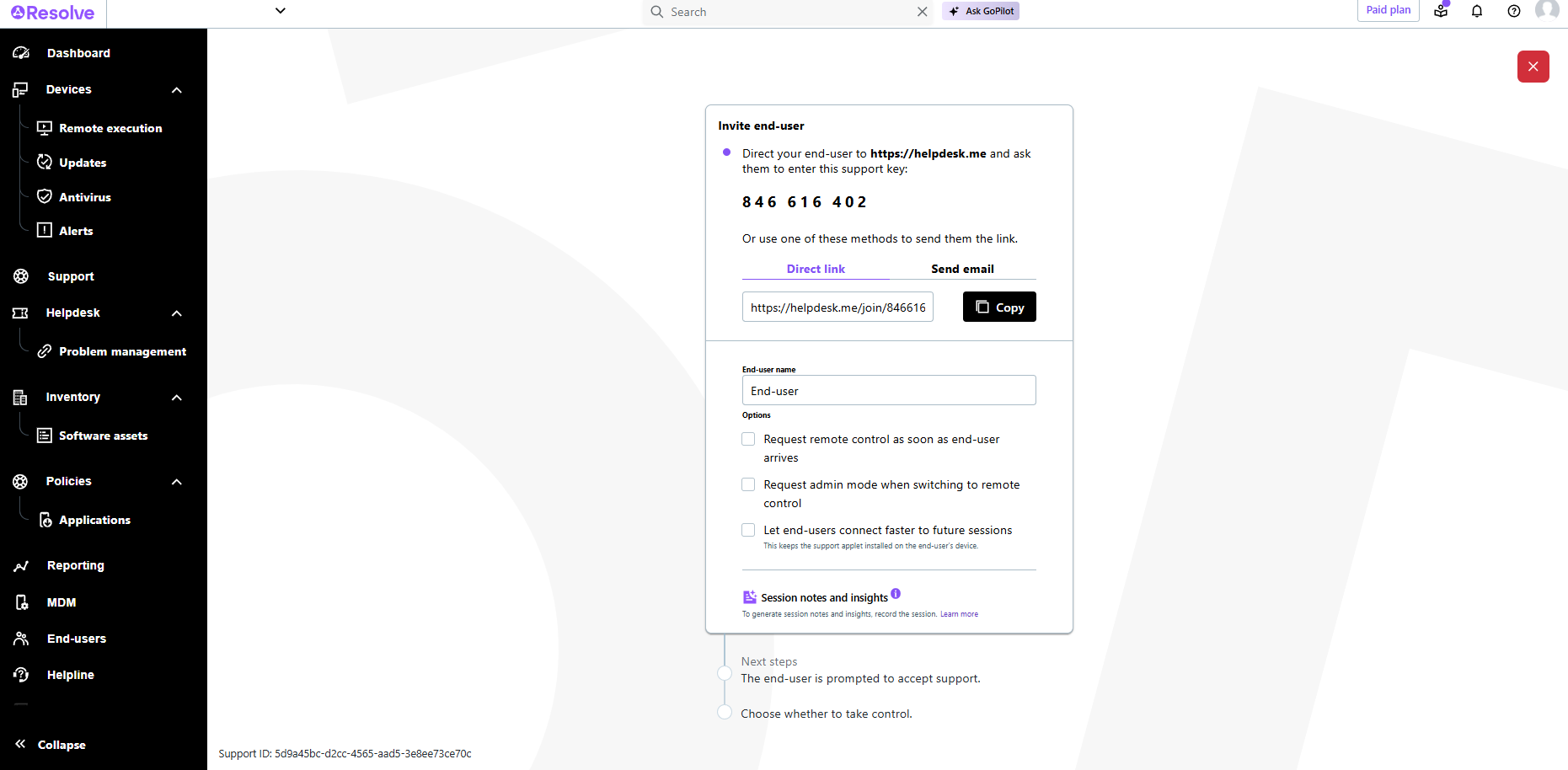
LogMeIn Resolve is an IT management and support solution designed to help organizations take control of their IT infrastructure. The platform combines features like remote monitoring, access, and support with tools such as ticketing, AI-assisted task automation, and patch management.
$29
per month
Pricing
HelpWireLogMeIn Resolve
Editions & Modules
No answers on this topic
Starter
$29
per month
Growth
$55
per month
Advanced
$78
per month
Premium Endpoint Management
$78
per month
Complete
$94
per month
Offerings
Pricing Offerings
HelpWireLogMeIn Resolve
Free Trial
YesYes
Free/Freemium Version
YesNo
Premium Consulting/Integration Services
NoNo
Entry-level Setup FeeOptionalNo setup fee
Additional DetailsThe product is free of charge, no Ads, no extra feesVolume discounts are available. MDM is available as a standalone or as an add-on. Discount available for annual billing.
More Pricing Information
Community Pulse
HelpWireLogMeIn Resolve
Considered Both Products
HelpWire
Chose HelpWire
I previously used AnyDesk, but I became concerned due to recent reports linking it to support scams that misuse its features for unauthorized access. Additionally, I experienced occasional crashes while using the application.
Chose HelpWire
A few years back, I was using TeamViewer and AnyDesk now and then, but they both started glitching, which was super frustrating. So, I switched to Splashtop, and while it was totally fine okay. When HelpWire came onto the market, I decided to give it a try, and I’m really happy …
Chose HelpWire
I used AnyDesk and Zoom for my work, and they were helpful, but Zoom is only good for communication with no remote access, and AnyDesk has started crashing more often.
Chose HelpWire
before this I used Teamviewer. Honestly, TeamViewer just wasn't cutting it anymore. While it used to be my go-to, a few things started to bug me. For one, the free version felt increasingly limited. There were times when I needed a feature that was locked behind a paywall, …
Chose HelpWire
We felt a lag in movement of mouse on Anydesk but on HelpWire we do not face any such issue. The movement of cursor and mouse is as smooth as working on your own system.
Chose HelpWire
With AnyDesk my biggest issue was the lag in mouse movement, and it was never a great experience. Most of the time I would just view the system and ask the person sitting on Remote machine to do as needed but with HelpWire it's like I am navigating my own system.
LogMeIn Resolve
Chose LogMeIn Resolve
It has been easier to use, compare to past jobs where Teamviewer what the tool to use
Chose LogMeIn Resolve
LogMeIn Pro by GoTo and GoTo Webinar
Chose LogMeIn Resolve
We choose LogMeIn resolve because it offers many features like IT ticketing, remote support and monitoring in single system.
Chose LogMeIn Resolve
We choose LogMeIn Resolve because unlike AnyDesk it offers helpdesk ticketing, remote monitoring and support in one place and reduces the need of juggling multiple tools.
Chose LogMeIn Resolve
Although the SolarWinds help desk worked well for our help desk and inventory purposes, it did not provide remote access ability or remote execution of executable files or scripts. We were looking for a product that integrated all of these tasks in order to simplify our day to …
Chose LogMeIn Resolve
GoTo Assist

Resolve feels like a 21st century version of Assist, but the reset connecton button is sorely missed
Chose LogMeIn Resolve
They are very compatible but I like that everything is in one place.
Chose LogMeIn Resolve
It seems to provide much more detailed information that saves time
Chose LogMeIn Resolve
We decided to go with LogMeIn Resolve due to its UEM solution. It offered us various features like remote support, ticketing, remote monitoring, etc. in a single system. It also allowed us to manage many devices from a single, centralized point.
Chose LogMeIn Resolve
Since ability to control a remote computer was removed from GoToMeeting, Resolve is only LogMeIn product that meets my needs.
Chose LogMeIn Resolve
It is better in every way. Intuitively designed, great UI, easy to install and go live, great out of box training videos and features are constantly being improved and supported
Chose LogMeIn Resolve
We looked at several alternatives but due to are small size we were not able to use their services. ConnectWise, AnyDesk, ect
Chose LogMeIn Resolve
LogMeln has one-stop solutions and reduces multiple tool needs. Integrations with 3rd party tools like Teams & Outlook.
Chose LogMeIn Resolve
LogMeIn Resolve represents a distilled and clean RMM and ticket management system. Autotask has a lot of great features that might be unnecessary for a smaller organization's internal use. Sometimes a team just needs to get in and have that higher overview without setting up a …
Chose LogMeIn Resolve
At the time that we tested and selected a remote access tool, GoTo was superior to the other options tested. Then came the issues with ctrl+key and shift+key combos which detracted from all of the things that made GoTo the best option. Until these are fixed GoTo will remain …
Chose LogMeIn Resolve
LogMeIn Resolve has a much cleaner interface to organize assets and initiate support sessions than other platforms used in the past.
Chose LogMeIn Resolve
We choose GoTo Resolve over Anydesk due to attractive pricing and All-in-one IT support feature.
Chose LogMeIn Resolve
We traditionally utilize all related products to support our end users in a remote environment. This requires that we have access to their systems, typically monitored, via a screen share session where we can use built in functionality such as file sharing. This allows us to …
Chose LogMeIn Resolve
GoTo resolve is less costly but not as feature based.
Chose LogMeIn Resolve
Go to offer all-in-one functionalities without compromising organizational security and policy. Go-to is versatile compared to other systems like JIRA and is suitable for medium organizations. It has all the support options required. Like web meetings, conversational ticketing, …
Chose LogMeIn Resolve
GoTo Resolve has more features that are easier to use.
Chose LogMeIn Resolve
Teamviewer is a lot simpler and quicker to use.
Features
HelpWireLogMeIn Resolve
Security
Comparison of Security features of Product A and Product B
HelpWire
9.3
Ratings
7% above category average
LogMeIn Resolve
-
Ratings
Role-based user permissions9.30 Ratings00 Ratings
Remote Administration
Comparison of Remote Administration features of Product A and Product B
HelpWire
8.7
Ratings
2% above category average
LogMeIn Resolve
-
Ratings
File transfer8.80 Ratings00 Ratings
Instant message8.60 Ratings00 Ratings
Remote Access
Comparison of Remote Access features of Product A and Product B
HelpWire
9.7
Ratings
19% above category average
LogMeIn Resolve
-
Ratings
Attended device access10.00 Ratings00 Ratings
Virtual device access10.00 Ratings00 Ratings
Multiple-display support9.50 Ratings00 Ratings
Multiple concurrent sessions9.30 Ratings00 Ratings
Best Alternatives
HelpWireLogMeIn Resolve
Small Businesses
Getscreen.me
Getscreen.me
Score 9.7 out of 10
Avast CloudCare
Avast CloudCare
Score 10.0 out of 10
Medium-sized Companies
Action1
Action1
Score 9.5 out of 10
KACE Systems Management Appliance
Score 8.5 out of 10
Enterprises
Remote Desktop Manager
Score 9.6 out of 10
KACE Systems Management Appliance
Score 8.5 out of 10
All AlternativesView all alternativesView all alternatives
User Ratings
HelpWireLogMeIn Resolve
Likelihood to Recommend
9.6
(0 ratings)
9.0
(0 ratings)
Likelihood to Renew
10.0
(0 ratings)
6.8
(0 ratings)
Usability
9.7
(0 ratings)
8.3
(0 ratings)
Availability
-
(0 ratings)
9.1
(0 ratings)
Performance
-
(0 ratings)
6.4
(0 ratings)
Support Rating
-
(0 ratings)
9.1
(0 ratings)
In-Person Training
-
(0 ratings)
9.1
(0 ratings)
Online Training
-
(0 ratings)
9.1
(0 ratings)
Implementation Rating
-
(0 ratings)
9.1
(0 ratings)
Configurability
-
(0 ratings)
9.1
(0 ratings)
Product Scalability
-
(0 ratings)
9.1
(0 ratings)
Vendor post-sale
-
(0 ratings)
9.1
(0 ratings)
Vendor pre-sale
-
(0 ratings)
9.1
(0 ratings)
User Testimonials
HelpWireLogMeIn Resolve
Likelihood to Recommend
Great for quick access to remote devices to check the software I need. Unattended access would be great to have, as it would make the testing process even easier for me.
Read full review
LogMeIn is well-suited for scenarios where remote support is needed. For example, a user submits a ticket about having an issue with Microsoft Word being unable to open documents on their PC. Since this is just a software issue on the device, LogMeIn is great for being able to fix the issue. Scenarios, I would say LogMeIn Resolve is not as well-suited for inventory management. But that's only because my organization has a proprietary system to manage assets.
Read full review
Pros
  • Easy and quick, set up and connection establishment.
  • No mouse or movement lag while connected with remote system
  • Workd equally well with Windows or Mac systems.
Read full review
  • Performs well for remote access in terms of speed - there isn't much lag on fast networks.
  • Provides an easy way to share files with the client which stramlines the support process.
  • GoTo Support has been responsive when I've needed help.
Read full review
Cons
  • UX/UI can be improved.
  • Sometimes the screen freezes but connection is not lost so we can close the window and open again.
  • It's an amazing App but most of the people I know have not heard about it. I think company should spend more on marketing.
Read full review
  • More flexibility with customizing the agent dashboard
  • Change the support interface to make simultaneous remote session a bit more accessible on the left-side menu
  • Include detailed instructions on the agent's screen when helping a Mac user run through all the necessary permissions needed to connect
Read full review
Likelihood to Renew
It's free, but I love their service, so I will buy their service if they introduce any paid program.
Read full review
To us, it just works. and it is what our users are comfortable with. It covers all the remote issues that we as an IT department encounter. We have grown to like it and we also have grown to like the Citrix product family. We really can't find anything that would keep us from renewing.
Read full review
Usability
I have no complaints about HelpWire’s usability. It’s quick to set up and easy to navigate, with a clear interface that avoids unnecessary buttons and input fields. It’s simple, which is perfect for my needs
Read full review
The interface is clean, intuitive, and easy to navigate. Common actions are easy to locate and exactly where I would expect them to be. Starting a remote session is quick and smooth, which reduces the time users need to wait before receiving support. I also appreciate the single-pane dashboard showing remote access, session details, and device information.
Read full review
Reliability and Availability
No answers on this topic
Usually available without a problem, although sometimes calls get dropped or users sit in empty meeting rooms while waiting for an admin to arrive, while the call is actually going on.
Read full review
Performance
No answers on this topic
If you are connected to someone with proper bandwidth, there are no issues at all. With all things, if you connect to someone with dial-up (yes, it still exists), the performance is terrible.
Read full review
Support Rating
No answers on this topic
The software runs well overall once installed. It is easy to use and very intuitive from both the technician standpoint and the customer standpoint. There are not a lot of problems or issues with the software, and it doesn't have a big effect on system resources once installed, or when running. It would not be a 10 since the cost of the licensing is one drawback
Read full review
In-Person Training
No answers on this topic
we did not have in person training
Read full review
Online Training
No answers on this topic
n/a - wasnt in attendance
Read full review
Implementation Rating
No answers on this topic
GoToAssist SeeIt was very easy to implement. As long as your techs have a basic understanding of most remote support tools they will be able to understand this product easily.
Read full review
Alternatives Considered
A few years back, I was using TeamViewer and AnyDesk now and then, but they both started glitching, which was super frustrating. So, I switched to Splashtop, and while it was totally fine okay. When HelpWire came onto the market, I decided to give it a try, and I’m really happy I made the switch. Reliable performance, ease of use, and strong security were key factors for me.
Read full review
Although the SolarWinds help desk worked well for our help desk and inventory purposes, it did not provide remote access ability or remote execution of executable files or scripts. We were looking for a product that integrated all of these tasks in order to simplify our day to day IT functions.
Read full review
Scalability
No answers on this topic
The system was implemented quite quickly and easily.
Read full review
Return on Investment
  • Available for every budget, as it free for commercial use, so I can save my expenses
  • Simple initiation of sessions, easy to explain to my clients how to use the app
Read full review
  • A positive ROI, the expansive remote abilities allow a minimum of 90% of our IT work without sending a technician to the location.
  • 10% of our technicians travel to locations while 90% are home-based. (Office or Home).
  • We used to have multiple techs attending one customer location physically (brainstorming does happen during a fire). We are now able to send multiple technicians to the same call 'virtually' without the cost of actually sending them.
Read full review
ScreenShots

HelpWire Screenshots

Screenshot of the HelpWire web interface, showing connected user's workstations with multiple displays and a live chat conversationScreenshot of the HelpWire Operator application window, with connected workstations and multi-display supportScreenshot of the HelpWire Operator application window, with opened chat side-panelScreenshot of the HelpWire Client application chat-window

LogMeIn Resolve Screenshots

Screenshot of LogMeIn Resolve Device QuickviewScreenshot of LogMeIn Resolve - DevicesScreenshot of LogMeIn Resolve - Guided Agent FlowScreenshot of LogMeIn Resolve MS Teams TicketingScreenshot of LogMeIn Resolve Support SessionScreenshot of LogMeIn Resolve Tickets Board