Highspot is a sales content management software solution offered by Highspot.
N/A
LinkPoint Connect
Score 9.0 out of 10
N/A
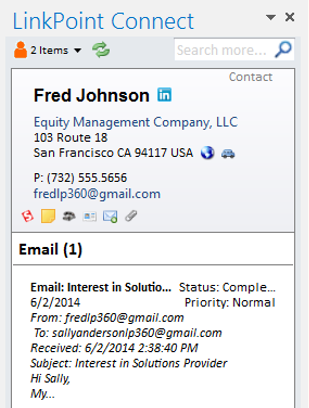
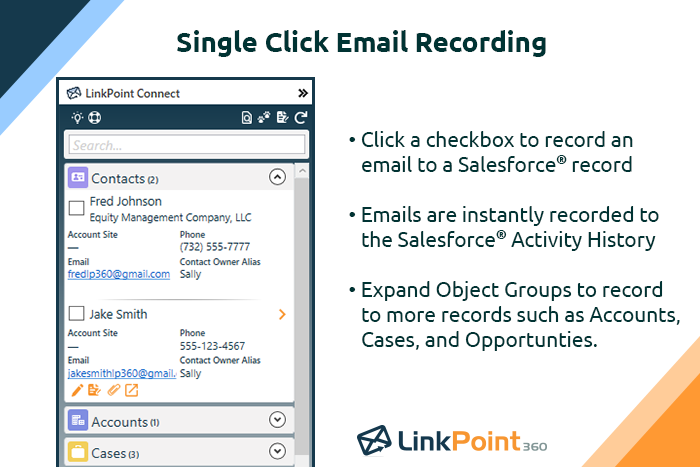
LinkPoint Connect promises to streamline data entry and access by enabling users to instantly view CRM data within their email client. This sales intelligence solution integrates Salesforce and Microsoft Dynamics CRM data in Outlook or IBM Notes. According to the vendor, key capabilities include: View real-time Salesforce data without ever leaving your email. Click on an email, and the LinkPoint Connect Side Panel instantly displays that contact’s information directly from…
$192
per user, per year
Mailtrack
Score 9.5 out of 10
N/A
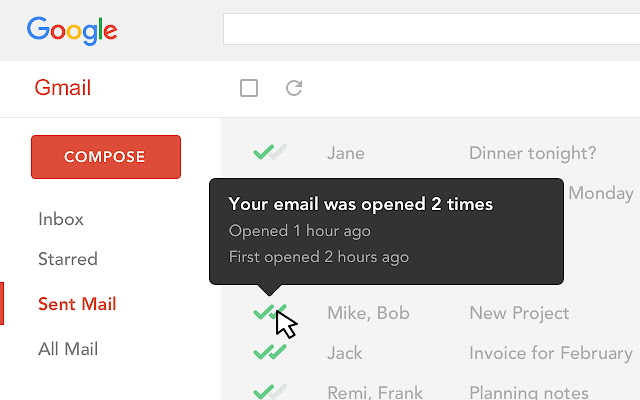
Mailtrack is a free email tracker for Gmail, boasting over 1,5 million active users. The vendor states users will Ffollow up with more accuracy, find out the moment emails have been read, track the…
N/A
Pricing
Highspot
LinkPoint Connect
Mailtrack
Editions & Modules
No answers on this topic
LinkPoint Connect for Outlook + Salesforce
$192
per user, per year
LinkPoint Connect for Outlook + Microsoft Dynamics CRM
$192
per user, per year
LinkPoint Connect for IBM Notes + Salesforce
$228
per user, per year
LinkPoint Connect for IBM Notes + Microsoft Dynamics CRM
$228
per user, per year
No answers on this topic
Offerings
Pricing Offerings
Highspot
LinkPoint Connect
Mailtrack
Free Trial
Yes
Yes
No
Free/Freemium Version
No
No
Yes
Premium Consulting/Integration Services
Yes
Yes
No
Entry-level Setup Fee
Optional
$16 per user per year
No setup fee
Additional Details
—
Subscriptions are billed annually. Discounts available for non-profits. Volume discounts available. LinkPoint Connect Solutions are available for Outlook and IBM Notes users. These include preconfigured implementations for Advologix, Apto, Apttus, FinancialForce.com, Jobscience, Navatar, Pardot, Salesforce Shield, and TaskRay.
Great for delivering insight on which personas are engaging with the material shared. If I've had multiple meetings with personas, but they have not engaged with my proposal, I'm now able to understand the priority of our partnership and how it ranks within their other initiatives.
LinkPoint is well suited to any situation where Outlook is used for email correspondence and calendar items and there is need to have a record of those items and/or perform connected actions (schedule tasks, follow up reminders, etc.) in Salesforce. Automating this process and removing as much duplication of work as possible is the primary goal and the primary benefit that LinkPoint provides. In addition to efficiency, automating the process also provides a pretty substantial increase in accuracy, removing ca. 50% of the chance for human error. It's pretty simple functionality in concept, but extremely valuable in execution.
Mailtrack is great for tracking emails if you do not want to pay for larger more complicated tools that do the same thing. If you already love your system but just want to add some convenient read tracking, that's exactly what this is for. If you have a system that doesn't work well, I would take the time to evaluate alternatives that also include read tracking (Salesforce for example). This also applies if you're trying to use this for large outbound sales emails - there are a lot of applications that have email tracking built in (Outreach.io is a great example) so it may just be worth switching your whole system.
From an admin perspective, the platform is very easy to navigate, build and launch new content and informational pages for our team.
The search feature within the platform is very accurate and does a great job of curating the top content based off of what our reps are looking for.
The ability for our reps to hit 'edit in word online' or 'edit in Excel online' is great because our reps don't have to download a doc, edit it and then re-upload into the system. Any changes they make are auto-saved and stored right in Highspot. They can then present straight from the platform.
I love Highspot, it saves me a ton of time every single day. I like how my correspondence looks professional and I know what I'm sending is accurate and company approved. I'm able to add it to an email template in seconds and choose multiple brochures if it fits the information the student wants or requested. I can also customize templates to make them company specific when appropriate
It is a very intuitive website with easy navigation. I am also able to search by market name alone to get all the information that I need within that market. It is only as good as the information you place into it, but the naming conventions should be standard across the board.
I would rate Mailtrack's overall usability as a ten out of ten. The reasons for this are actually quite simple. For now, only I have been using Mailtrack. However, looking at the rather easy to use characteristics Mailtrack has to offer, I would not hesitate to recommend it to the rest of my colleagues.
I have not needed any customer support until now, I guess this is because they work on a proactive maintenance of the platform. We have an internal team working with Highspot so if I need help I go to my internal team not directly to Highspot. I have never heard any complaints.
I didn't really need to use the customer support but the fact that they proactively make the installation process so easy by providing step by step instructions with videos and everything is kind of pro-active customer support that is needed. Good for them because at the end of the day, it's everyone's dream to use a product that they don't need support for.
Dropbox was sufficient for storing content in an easy to access space but, provided us no value beyond that. SharePoint actually made us less productive due to the amount of time our sales team had to spend searching for the right piece of content. Neither solution provided us any analytics as to what content was being used/engaged with.
Highspot provided us with intuitive content search and organization with the ability to tag keywords, search queries, and fine-tune categorization of all of our content. Highspot also provided us with direct feedback when our customer or prospective customers were viewing content which enabled us to follow-up at the perfect time and was directly attributed to several closed won opportunities. Their Outlook integration is the icing on the top as it allows our sales team to share content, access email templates, and link communication back to Salesforce without ever having to leave the email client. With these features combined Highspot has made me drastically more productive and efficient in my work.
Prior to our move to LinkPoint, we used the Salesforce add-in for Outlook. This required manual syncing of email and calendar items and no easy to use interface between the two programs. It was very cumbersome for me to use, to the point where I quit using it altogether some time ago. I found it far less frustrating to just switch back and forth between Outlook and Salesforce and manually perform the requisite actions, create tasks or other items, enter the required data, etc.
There's a free tier. Obviously, there are other things to love, like notifications about your email being read, the fact that if an email hasn't been responded to in some time it gets bumped up. The fact that if other people have Mailtrack you will actually get notified who read your email. But the fact that there is a free tier is HUGE.
I'm currently using the free version so my investment was time spent downloading the browser extension. I would say it's worth the investment because I can make more value through each email by finding the right time to send replies or know when is the exact time I should follow up.
Knowing when an email is read multiple times helps me know the importance of the content in my email.
The paid version allows Mailtrack to tell you which recipient read the email if there was more than 1.