Overview
ProductRatingMost Used ByProduct SummaryStarting Price
Hotjar
Score 7.8 out of 10
N/A
Hotjar is a conversion rate optimization tool for digital marketers. Features include heatmapping, visual session recording, conversion funnel analytics, form analytics, feedback polls and surveys, and usability testing. The tool is used by digital analysts, UX designers, web developers and product marketers. Hotjar was acquired by Contentsquare September 2021, and is now a Contentsquare brand.
$39
per month 100 daily sessions
Leadpages
Score 5.8 out of 10
Small Businesses (1-50 employees)
Leadpages is a landing page software that helps to grow small businesses without tech headaches. Leadpages can be used with or without WordPress, on Leadpages' servers or on the user's own. Leadpages aims to eliminate the high cost of website developers and freelancers when creating a company's most important marketing web pages. Included in all plans: Unlimited landing pages, pop-ups, and alert bars for lead generation and sales Website builder for a…
$49
per month
Intuit Mailchimp
Score 8.3 out of 10
N/A
Mailchimp is an email marketing and marketing automation platform. Beyond just tracking how campaigns perform, Mailchimp takes it a step further by analyzing data from over half a billion emails to show why campaigns perform, driving informed decisions.
$0
Pricing
HotjarLeadpagesIntuit Mailchimp
Editions & Modules
Hotjar Observe - Plus
$39
per month 100 daily sessions
Hotjar Ask - Plus
$59
per month 250 monthly responses
Hotjar Ask - Business
$79
per month Starting from 500 monthly responses
Hotjar Observe - Business
$99
per month Starting from 500 daily sessions
Hotjar Scale - Business
$213
per month Starting from 500 daily sessions
Hotjar Ask - Scale
Contact Sales
per month unlimited volume
Standard
$49
per month
Pro
$99
per month
Advanced
$399
per month
Standard Annual
$444
per year
Pro Annual
$888
per year
Free
$0
Essentials
starts at $13
per month
Standard
starts at $20
per month
Premium
starts at $350
per month
Offerings
Pricing Offerings
HotjarLeadpagesIntuit Mailchimp
Free Trial
YesYesYes
Free/Freemium Version
YesNoYes
Premium Consulting/Integration Services
NoNoNo
Entry-level Setup FeeNo setup feeNo setup feeNo setup fee
Additional DetailsDiscount available for annual pricing.Save 25% by choosing an annual plan (3 months free). Standard ($444), Pro ($888), Advanced (Call Us)
More Pricing Information
Community Pulse
HotjarLeadpagesIntuit Mailchimp
Considered Multiple Products
Hotjar
Chose Hotjar
Hotjar is the only tool like this that I've used. It is easy to use and beneficial. I would recommend it to anyone looking for this kind of tool.
Chose Hotjar
In my opinion, Hotjar is much easier to set up and use than Microsoft Clarity
Chose Hotjar
For surveys, I think Hotjar is better than Maze by a mile. The functionality is directly embedded in the SaaS or webapp which is a major plus.

Qualtrics is a survey powerhouse with many more functionalities for surveys as well as reports, but I think Hotjar has better UX and …
Chose Hotjar
Compared to Sprig and Usabilla, Hotjar has robust functionality. Again, as stated earlier, the ability to summarize rage clicks, trigger recordings for a/b experiments, and run intercept surveys on mobile is very useful. Hotjar is also noticeably more intuitive to use than …
Chose Hotjar
The fact that it has a trial period in which you can fully try each feature of the platform. The fact that is very intuitive for us to understand each feedback given by the users and to interpret how they move and what they observe on the pages we need to test.
Chose Hotjar
For us, Hotjar was really simple to implement and the user interface is really easy to use and get accustomed to. Some of the other products we evaluated didn't have as rich features and were way overpriced which made us choose Hotjar. Also, Hotjar allows you to capture …
Chose Hotjar
There was not something specific negative that we noticed in the other products, hotjar came in the discussion through a referral from one of our colleagues, was covering all the tickboxes that we had set and decided to move forwards with it
Chose Hotjar
Whatever software does, Hotjar does better. Integration and setup are really fast and you can have data to analyze in a few minutes. Also, the support team is very dedicated and there's a lot of documentation and examples you can follow.
Chose Hotjar
There are overlaps of a few features, but session recording is a unique feature of Hotjar.
Chose Hotjar
I have not used any other services and only used Hotjar so I cannot say how this service compares to others in their vertical. I have used Survey Monkey and I have found that their survey templates do not match that of Hotjar's. I also think that the reporting/tracking is more …
Chose Hotjar
Hotjar was significantly cheaper for us, and they’ve been brilliant at honouring their legacy pricing model which is much cheaper up until recently. We find that Hotjar also offers a wider range of tools that we would otherwise need to pay more for elsewhere like surveys. The …
Chose Hotjar
Cmparing with other products in the same vertical, we found the UX UI for Hotjar the best. It is easier to integrate with and has lot many more features as compared to its nearest competitors. We fount the product to be robust and accurate with lot of customizable options to …
Chose Hotjar
I liked the Hotjar User interface a little more and it seemed a little bit easier to set up. For some users with just the basic needs smart look was overly complicated. whereas in Hotjar everything you need is in one simple easy-to-view dashboard. Also, it offered more free …
Chose Hotjar
I test drove Lucky Orange and decided to keep Hotjar as the UI is easier to use. The competitor had no compelling features vs the ones offered by Hotjar. I also found the standard sound effects in Lucky Orange very overbearing and obnoxious.
Chose Hotjar
Hotjar was relatively more known to the team and they had past experience as well with the tool which made the adoption relatively easier. As such we didn’t find a lot of difference between the two tools when it comes fulfilling our use cases so for us specifically both were …
Chose Hotjar
They have a user-friendly website and product and the accuracy of the feature and also more development feature
Chose Hotjar
We used different tools but Hotjar combines several functionalities in one tool. So we used and are still using SurveyMonkey for bigger Surveys but it's handy to also have a tool where we can create short single questions surveys. We selected Hotjar because it is a good …
Chose Hotjar
Hotjar is the full deal and provides fantastic functionality and options for me to track my users on my website. The other software is good but I personally feel Hotjar is the best for purposes. I know it’s a little pricey, but if you use it right, it will ultimately help you …
Chose Hotjar
HotJars UX is much better Crazy egg has a bit more capabilities I.E. A/B testing.
Chose Hotjar
Hotjar has more robust functionality than CrazyEgg. Optimizely is a little more advanced and more expensive than what we needed.
Chose Hotjar
Google Analytics is a much more robust platform than Hotjar, but works great as a complement to Google Analytics - in other words, it was a matter of choosing both, not either/or. While there are workarounds for them on Google Analytics, heatmaps and screen recordings are much …
Chose Hotjar
Hotjar is better at taking screenshots from landing pages which help us better visualize clicks, scroll and mouse movements. With Hotjar, we can better see what users are doing on our landing pages. This way you'll have a much more accurate picture of how people arrive at …
Chose Hotjar
The thing is I never used another tool like Hotjar before
All my website analysis I made with Google Products before (Analytics, Tag Manager, Data Studio, etc..)
But Hotjar really helps a lot to understand what my website means to my potential customers and even more, It allows …
Chose Hotjar
I've really liked Hotjar for our web app and haven't had a need to look for other products. We've used Hotjar for three years and it gets us the answers we need for our web app UI changes or releases. I've really enjoyed using it.
Chose Hotjar
I just find Hotjar to be simpler, cleaner, easier, and more flexible. Lucky Orange was a tool that another client of my had installed and, while it 'worked' and did similar things, I found that Hotjar was simpler. I don't know if there are cost differences between the two …
Leadpages
Chose Leadpages
I have used Mailchimp for clients, and use ActiveCampaign personally for my email marketing and have used it for clients, but prefer Leadpages for the frontend of the opt-in process because of its analytics and performance metrics. Leadpages makes it super easy to see what's …
Chose Leadpages
I used Unbounce in 2012 for a year before Leadpages. Unbounce did not have the features I needed and was not very intuitive.

ClickFunnels is designed to be a full-funnel system but I have found the beginning part of a funnel (mainly the landing page) with ClickFunnels to be very …
Chose Leadpages
When I was choosing a software for landing pages there wasn't much competition. Now you can get the same thing done with many different solutions. The main problem is that when you create lots of funnels it will take a lot of time and work to move them somewhere else. This …
Chose Leadpages
Well, Drip is part of leadpages, however it is more of what the title means. It does drip campaigns, where they come in and it drips them all over the place finding out what they truly need. The other platforms are fairly good, but they do not have all the functions that …
Chose Leadpages
When test driving Leadpages we also took a look at Instapage which, though powerful in a variety of ways, was, in my opinion, overpriced for what you were getting. I will say during our Instapage trial I was impressed by the integration and reporting capabilities, however, they …
Chose Leadpages
Unbounce is a great product, but if you're new to landing page builders and running lead generation campaigns in general, then I would recommend Leadpages due to the pricing and scalability (unlimited pages). You'll soon find out how important landing page design is, and how …
Chose Leadpages
Marketo is great for lead management and automation, but their landing page creation tool is very lacking. Our team is small and often lack the time or resources to have custom-made landing pages, so Leadpages offers a great way to continuously to generate new content using a …
Chose Leadpages
Leadpages' and Unbounce's landing pages are both built using drag-and-drop editors, are mobile friendly (responsive), and feature a reasonable suite of integrations - including Wordpress. Both offer plans that feature A/B testing. The deciding factor for us in choosing …
Chose Leadpages
We selected Leadpages over Unbounce because Unbounce had awful analytics options - it was incredibly difficult to measure ROI on that platform. The builders are roughly the same, from the perspective of using a WYSIWYG editor.
Chose Leadpages
Leadpages is the market leader so it was easy to go with them. I also started using them in 2016, when there were far fewer products on the market. Since then the landscape has become much more competitive, but I signed a 2 year contract at a time when there seemed to be a …
Chose Leadpages
I have used Podcast Websites and Kajabi both with Leadpages and outside of LeadPages. I ended up leaving LeadPages because Kajabi and Podcast Websites have everything I need and the cost overall was less. LeadPages is a good starter program, so don't hesitate to get it if …
Chose Leadpages
While ClickFunnels offers some features that LeadPages does not, it is far more complex to use (when you really get into it) and their support is absolutely terrible in comparison.
Chose Leadpages
Leadpages is much more flexible, easier to use, and generally satisfying in delivering high-quality results. Compared to other page builders, it offers an experience that features a lot fewer moments of frustration or bewilderment. Although it represents a noteworthy financial …
Chose Leadpages
Infusionsoft has a new built in landing page builder as a part of their product. However, we still choose to use the Leadpages builder because it is simpler to use and has more options for types of elements to use on the page, like a countdown timer and progress bar. Leadpages …
Chose Leadpages
Better integration and drag and drop features.
Chose Leadpages
I believe that Leadpages is the most full-featured and reliable solution for hosting landing pages and creating forms. What it didn't offer until recently was the ability to manage email campaigns and customer lists. Their Drip product offers some of that functionality now. …
Chose Leadpages
Infusionsoft and Mailchimp both prohibit the ability to really do a lot in terms of easily customizing the landing page. Divi does allow for almost limitless customization but it is not time efficient and there are too many working parts to make sure are in place to confidently …
Chose Leadpages
Leadpages is less expensive, has options for WordPress import and also has a better support team in place in my opinion. I actually use both Leadpages and Unbounce depending on the goal of the page -- for speed, Leadpages wins but for custom and the drag/drop builder, Unbounce …
Chose Leadpages
I actually never used a lead page type program before but I heard from many sources that it was the BEST so I trusted that fact and bought the year subscription and never looked back. I think its the best on the market out there right now and I would recommend it to anyone.
Chose Leadpages
They crush Infusionsoft's landing pages which seem like a very low priority for Infusionsoft. It is a necessity to have Leadpages if you are making landing pages and using Leadpages.
Chose Leadpages
Generally found Leadpages to be more flexible for building content, to better match them to our branding and our website.
Chose Leadpages
Other than Leadpages, I also use Instapage for creating high quality landing pages for my business. While I like them both I tend to lean towards Leadpages because of Leadpages integration settings. I love how customization is so easy and flexible with Instapage but I found …
Intuit Mailchimp
Chose Intuit Mailchimp
More options and functionality
Chose Intuit Mailchimp
Mailchimp has the best deliverability of all the email marketing software I've used, and the most customizable design features.
Chose Intuit Mailchimp
These platforms have feature sets that are much better suited to B2B marketing than Intuit Mailchimp. In particular, the journey builders seem much better suited to long and complex business-to-business buying cycles like ours.
Chose Intuit Mailchimp
Intuit Mailchimp was far superior than Constant Contact. Also it was more affordable.

Afterwards, Intuit Mailchimp could not keep up with a full CRM like Highlevel.
Chose Intuit Mailchimp
When we switched long time ago from Constant Contact it was because Mailchimp demonstrated more innovative features to be adapted in our communications. At that time Constant Contact it was too limited and it was constructed mainly to send bulk emails. So when we saw what …
Chose Intuit Mailchimp
In some cases, Intuit Mailchimp is more user-friendly than some of these platforms. However, Intuit Mailchimp has been the most consistent. For example, some of these brands were acquired by larger companies and drastically changed their pricing models and offerings without …
Chose Intuit Mailchimp
I used Intuit Mailchimp, and I would say other software I used is equally good and competes with Intuit Mailchimp. Well, Intuit Mailchimp's reporting is better, and ActiveCampaign has more affordable pricing, so in the end, it all comes to what you need. What we needed was …
Chose Intuit Mailchimp
We did not select this as we are happy with Intuit Mailchimp and this platform did not seem to be an upgrade for us.
Chose Intuit Mailchimp
Mailchimp is the gold standard currently for email campaigns.
Chose Intuit Mailchimp
The pricing and features for Mailchimp beat constant contact hands-down.
Chose Intuit Mailchimp
Intuit Mailchimp is more affordable, scalable for all team sizes, has a shorter SMS registration approval timeframe, integrates with more platforms, and doesn't require training to get started.
Chose Intuit Mailchimp
Mailchimp's email marketing is vastly superior to Bloomerang CRM or Fundraising (formerly Qgiv) but Mailchimp will integrate seemlessly to Bloomerang, so every email sent to a constituent will be recorded as a transaction. The email design blocks are much cleaner and easier to …
Chose Intuit Mailchimp
Constant Contact was overpriced and Action Network worked poorly.
Chose Intuit Mailchimp
It's been years since I used Hootsuite and I used it to schedule posts on our social media channels. I do not need to use Intuit Mailchimp for this.
Chose Intuit Mailchimp
I think it’s so much nicer than Active Campaign on every level.
Chose Intuit Mailchimp
We went back to Flodesk due to their services being much more cost effective. We send emails to tens of thousands of people at a time, and we only pay $35/month for Flodesk
Chose Intuit Mailchimp
I used constant contact years ago like 15-20... so Im unusre, I did not take the time to learn Intuit Mailchimp I hired someone.
Chose Intuit Mailchimp
The user functionally is way better but we keep them on our list of CRM items due to the call features.
Chose Intuit Mailchimp
We ended up going with Intuit Mailchimp because of the templates and the pricing. While we didn’t actually use Constant Contact, just looking through it, Intuit Mailchimp seems much easier to use as well.
Chose Intuit Mailchimp
My business was not allowed on other SMS services. The ridiculous rules the others have to deal with make it difficult to send anything for tactical training. It is used by many other businesses I know, so it seemed trustworthy. I don't like using services I have never heard of.
Chose Intuit Mailchimp
We do not use other programs and have not used other programs for this.
Features
HotjarLeadpagesIntuit Mailchimp
SEO and Conversion Optimization
Comparison of SEO and Conversion Optimization features of Product A and Product B
Hotjar
-
Ratings
Leadpages
1.0
Ratings
143% below category average
Intuit Mailchimp
-
Ratings
Landing page A/B testing:00 Ratings1.00 Ratings00 Ratings
Real-time analytics dashboard00 Ratings1.00 Ratings00 Ratings
SEO tools00 Ratings1.00 Ratings00 Ratings
Optimization recommendations00 Ratings1.00 Ratings00 Ratings
Email & Online Marketing
Comparison of Email & Online Marketing features of Product A and Product B
Hotjar
-
Ratings
Leadpages
-
Ratings
Intuit Mailchimp
8.1
Ratings
6% above category average
WYSIWYG email editor00 Ratings00 Ratings8.30 Ratings
Dynamic content00 Ratings00 Ratings8.00 Ratings
Ability to test dynamic content00 Ratings00 Ratings8.00 Ratings
Landing pages00 Ratings00 Ratings8.30 Ratings
A/B testing00 Ratings00 Ratings7.70 Ratings
Mobile optimization00 Ratings00 Ratings8.10 Ratings
Email deliverability reporting00 Ratings00 Ratings8.70 Ratings
List management00 Ratings00 Ratings8.20 Ratings
Triggered drip sequences00 Ratings00 Ratings7.90 Ratings
Lead Management
Comparison of Lead Management features of Product A and Product B
Hotjar
-
Ratings
Leadpages
-
Ratings
Intuit Mailchimp
8.9
Ratings
13% above category average
Lead nurturing automation00 Ratings00 Ratings7.40 Ratings
Lead scoring and grading00 Ratings00 Ratings10.00 Ratings
Data quality management00 Ratings00 Ratings8.30 Ratings
Automated sales alerts and tasks00 Ratings00 Ratings10.00 Ratings
Campaign Management
Comparison of Campaign Management features of Product A and Product B
Hotjar
-
Ratings
Leadpages
-
Ratings
Intuit Mailchimp
8.0
Ratings
8% above category average
Calendaring00 Ratings00 Ratings7.50 Ratings
Event/webinar marketing00 Ratings00 Ratings8.50 Ratings
Social Media Marketing
Comparison of Social Media Marketing features of Product A and Product B
Hotjar
-
Ratings
Leadpages
-
Ratings
Intuit Mailchimp
8.2
Ratings
11% above category average
Social sharing and campaigns00 Ratings00 Ratings8.20 Ratings
Social profile integration00 Ratings00 Ratings8.20 Ratings
Reporting & Analytics
Comparison of Reporting & Analytics features of Product A and Product B
Hotjar
-
Ratings
Leadpages
-
Ratings
Intuit Mailchimp
8.3
Ratings
12% above category average
Dashboards00 Ratings00 Ratings8.50 Ratings
Standard reports00 Ratings00 Ratings8.50 Ratings
Custom reports00 Ratings00 Ratings7.80 Ratings
Platform & Infrastructure
Comparison of Platform & Infrastructure features of Product A and Product B
Hotjar
-
Ratings
Leadpages
-
Ratings
Intuit Mailchimp
7.8
Ratings
4% above category average
API00 Ratings00 Ratings7.90 Ratings
Role-based workflow & approvals00 Ratings00 Ratings8.20 Ratings
Customizability00 Ratings00 Ratings5.60 Ratings
Integration with Salesforce.com00 Ratings00 Ratings8.50 Ratings
Integration with Microsoft Dynamics CRM00 Ratings00 Ratings8.30 Ratings
Integration with SugarCRM00 Ratings00 Ratings8.10 Ratings
Third-party software integrations00 Ratings00 Ratings8.10 Ratings
Best Alternatives
HotjarLeadpagesIntuit Mailchimp
Small Businesses
Matomo Analytics
Matomo Analytics
Score 8.9 out of 10
Zoho LandingPage
Zoho LandingPage
Score 9.4 out of 10
Vbout
Vbout
Score 9.9 out of 10
Medium-sized Companies
Siteimprove
Siteimprove
Score 9.1 out of 10
LocaliQ
LocaliQ
Score 8.7 out of 10
PFL Direct Mail Platform
Score 9.0 out of 10
Enterprises
Contentsquare
Contentsquare
Score 7.4 out of 10
Adobe Marketo Engage
Score 8.1 out of 10
PFL Direct Mail Platform
Score 9.0 out of 10
All AlternativesView all alternativesView all alternativesView all alternatives
User Ratings
HotjarLeadpagesIntuit Mailchimp
Likelihood to Recommend
10.0
(0 ratings)
1.0
(0 ratings)
8.7
(0 ratings)
Likelihood to Renew
5.1
(0 ratings)
-
(0 ratings)
10.0
(0 ratings)
Usability
9.7
(0 ratings)
9.0
(0 ratings)
8.5
(0 ratings)
Availability
-
(0 ratings)
-
(0 ratings)
9.5
(0 ratings)
Performance
-
(0 ratings)
-
(0 ratings)
8.9
(0 ratings)
Support Rating
9.6
(0 ratings)
6.4
(0 ratings)
8.8
(0 ratings)
Implementation Rating
-
(0 ratings)
-
(0 ratings)
7.4
(0 ratings)
Configurability
-
(0 ratings)
-
(0 ratings)
10.0
(0 ratings)
Ease of integration
9.0
(0 ratings)
-
(0 ratings)
8.0
(0 ratings)
Product Scalability
-
(0 ratings)
-
(0 ratings)
9.5
(0 ratings)
Vendor post-sale
-
(0 ratings)
-
(0 ratings)
10.0
(0 ratings)
Vendor pre-sale
-
(0 ratings)
-
(0 ratings)
10.0
(0 ratings)
User Testimonials
HotjarLeadpagesIntuit Mailchimp
Likelihood to Recommend
Hotjar is well suite for organizations that want to get a good glimpse into user behavior on their websites. The tool is easily installed through Google Tag Manager, and then users simply select which pages or paths they want the tool to analyze. After a few days, users can start seeing patterns develop, helping them understand what areas of the user journey flow they need to test out and improve. Hotjar is primarily for web-based experiences, not for mobile applications and other non-web digital applications.
Read full review
If you are looking for a simple landing page builder that allows you to create professional landing pages quickly without having to involve a developer, then Leadpages can work for you. This is especially the case if you use a combination of the integrations I previously mentioned. I would also recommend subscribing to a high level than the standard version so you get access to good customer service. If you are wanting to get more creative and want flexibility with your landing pages, you want deeper reporting capabilities, or you don't use any of the integrations supported by Leadpages, I would recommend finding another landing page builder.
Read full review
It allows you to reach out to our customer base and discuss updates, sales, education, and much more. I am grateful to have reached out to them and to have gained brand loyalty in the process. It helps us truly connect, not just sell. I can segment my audiences and decide who I want to send communications to.
Read full review
Pros
  • Heat mapping is great on Hotjar. It is a good place to start when you are looking at the UX & CRO on your website. You can see the % of people clicking on elements on a page, how far they scroll, and mouse movements.
  • Hotjar is great for session recordings. These record the mouse movements, clicks, pages and scrolls of a user in video format. You can watch these to investigate what works well on a site and identify potential roadblocks and bugs.
  • Hotjar is great as it ensures that users details are anonymous; for instance, if you are watching a session recording, you cannot see what a user types in a form field, as Hotjar blanks this out.
  • Hotjar has a poll function, so you can have polls on your website.
Read full review
  • Leadpages has an easy-to-use inteface. Page-building elements are drag and drop, similar to some versions of Wordpress, so it's pretty easy for a newbie to pick up with little training.
  • Leadpages makes it easy to embed multimedia with simply an embed code. You don't have to know HTML to bring your pages to life with video, audio, etc.
Read full review
  • Mailchimp allows you to manage your mailing list really well. You can subscribe people, unsubscribe people manage the mailing list directly into segments, and what not.
  • Mailchimp has features where you can create campaigns based on your mailing lists and send out newsletters to your subscribers based on a multitude of parameters that you can setup. Such as send email daily, weekly, monthly and they also have event based mails that you can send out.
  • Mailchimp also has a feature where you can design your emails. The look and aesthetics are very important when sending emails to your subscribers and all those needs are addressed here.
Read full review
Cons
  • The video recording feature is very slow to use. I know there is a very powerful process going on (saving your CSS and the DOM movements you make) but anyway it's slow to use.
  • Hotjar itself is heavy and has effects on your load times. This is a very important issue and I hope they're working on that.
  • Adding more segmentation would be nice. For example, being able to connect your API or more information to show relevant polls or feedback buttons to certain users. Aggregated info is hard to process.
Read full review
  • The monthly payments are painful in the long run. Recently alternative solutions surfaced which have one time payments. Leadpages is good for quick testing, but long term it take from the profits.
  • I haven't seen new features for a good while.
Read full review
  • The pricing tiers do scale quickly so if you have a free newsletter it may get expensive
  • The pricing is based on total emails so if you have users who you only email rarely it might not make sense to use Intuit Mailchimp
  • Customer support can be a bit lacking at times and their docs aren't always the best
Read full review
Likelihood to Renew
Even though the heat maps and user recordings were useful, our website was significantly slowed down after we installed Hotjar, so much so, that it took over a minute for our blog to load. The data that we gathered was not worth the length that it took our website to load.
Read full review
No answers on this topic
We love the product. One thing we haven't mentioned yet is the human element. Recently, MailChimp re-structured their plans/pricing based on the feedback they had received. They listened to a pain their users were experiencing, then strategized a solution, and implemented it fairly. The updated pricing strategy was intended to save subscribers money, and they did a great job of communicating it to their users. I would be surprised if anyone reacted negatively to the change.
Read full review
Usability
So easy and simple to use! Straightforward anyone in the team is able to easily go in and set up anything in Hotjar. The UI is really simple. Whenever you give feedback to Hotjar they continously take on board the feedback and improve the tool.
Read full review
I would give it a 10, for me, I love all the features. For the average person, the number of choices on a landing page could create a decision paradox. Thankfully the pre-designed landing page templates do not require a lot of decisions for a landing page newbie.
Read full review
It's very easy to use - I could quickly explain how to use Mailchimp to someone not in marketing and feel confident they'd be able to use basic skills to figure it out. Plus, we use it beyond just email marketing now for subscriber welcomes, forms, and nurture sequences.
Read full review
Reliability and Availability
No answers on this topic
I have, in the 4+ years that I've used Mailchimp, never seen an issue that restricted the use of their software/tools. I don't know of a single time when they're system crashed or went down. I could be wrong, but I honestly haven't experienced any issues with outages, errors or unplanned downtime
Read full review
Performance
No answers on this topic
I haven't noticed any slow speeds from Mailchimp or their tools. I think the landing pages load quickly and look nice. The email reports and editing operates smoothly and doesn't take time to load. Additionally, when I use Mailchimp in conjunction with Zapier + Hubspot I don't notice any drag between any of these tools
Read full review
Support Rating
Hotjar is a SaaS-based company, and as such has a good support service. Users can quickly submit support tickets through Hotjar's online portal. Enterprise customers get access to additional support members and have SLAs to support their larger, more complex needs. Overall, Hotjar is extremely reliable and I've never had to reach out to customer support.
Read full review
It's by far the best support experience I've ever had with any company. Many staff members know my name and my business, I'm treated as a real person with genuine concerns, and I feel constantly rewarded by working with this company. In dealing with support, I feel like I'm dealing with trusted friends who honestly care about the results I'm getting.
Read full review
Any time we needed their help or support they responded promptly, friendly, and straightforwardly. It's a great feature to have multi-language support as we are a diverse team, and anyone can reach out to receive help. We've always solved our inquires
Read full review
Implementation Rating
No answers on this topic
I am little satisfied with the MailChimp implementation process, since although it has been a bit complicated and we have had various complications that tried to affect our performance, with a little general effort, we take full advantage and currently It is out main marketing and advertising campaign platform.
Read full review
Alternatives Considered
Compared to Sprig and Usabilla, Hotjar has robust functionality. Again, as stated earlier, the ability to summarize rage clicks, trigger recordings for a/b experiments, and run intercept surveys on mobile is very useful. Hotjar is also noticeably more intuitive to use than Usabilla, with a cleaner interface and navigation.
Read full review
Leadpages is much more flexible, easier to use, and generally satisfying in delivering high-quality results. Compared to other page builders, it offers an experience that features a lot fewer moments of frustration or bewilderment. Although it represents a noteworthy financial commitment on our part, we have discovered that it's ultimately more cost-effective than other alternatives.
Read full review
I used Intuit Mailchimp, and I would say other software I used is equally good and competes with Intuit Mailchimp. Well, Intuit Mailchimp's reporting is better, and ActiveCampaign has more affordable pricing, so in the end, it all comes to what you need. What we needed was available in cheaper price in other software as well. But I would definitely say Intuit Mailchimp has its own advantages too.
Read full review
Scalability
No answers on this topic
Mailchimp over the years I've used it has grown in leaps and bounds. They have added so many additional features than were previously available. They are truly an all-in-one marketing platform now. If you're a small operation and just want to add email to your marketing efforts, they're there for you. If you're a larger operation and want to start sending postcard advertisements, they can do that. If you'd good with that and want to kick up your marketing by going social, you can do that on their platform. They are truly able to be as small as you need, but also get quite large in whatever it is you'd like to do through their system.
Read full review
Return on Investment
  • Our UX team can now use hard data to back up and validate design decisions that we make. Our role as usability experts is becoming more respected and integral to business objectives because we now have data that can back up our field of study and prove that our roles are demonstrably useful and necessary.
  • HotJar allows our small team of 3 UX designers to get research data as if we were a much larger team. Instead of painstakingly using our time to do guerrilla research, endless user observations, and other types of manual testing, we can now get a significant portion of our data from HotJar.
  • Using HotJar is actually giving our team a sense of excitement and enjoyment in our day-to-day usability work. Instead of seeing UX as a chore, HotJar is making data gathering and analyzing more fun, because we can see tangible results from a much larger pool of user/user-data than we could in the past.
Read full review
  • I was able to test content with a cold audience and really see what resonated
  • I pivoted based on actual data, not guessing what my audience would like
  • I was able to test a product's viability and do a beta launch all with Leadpages, without having to integrate any other platform
Read full review
  • One of my retail web store clients was sending out email specials and notices about once a month. After clicking the send button, we would watch Google Analytics and the current site users would light up immediately. Often, the current site visitors would pop up to 20, 30 or more after the email was sent. On a normal day, seeing 1 or 2 online users would be OK.
  • Pretty much in all cases, we could see an uptick in positive activity after sending out a Intuit Mailchimp email to a list.
Read full review
ScreenShots

Leadpages Screenshots

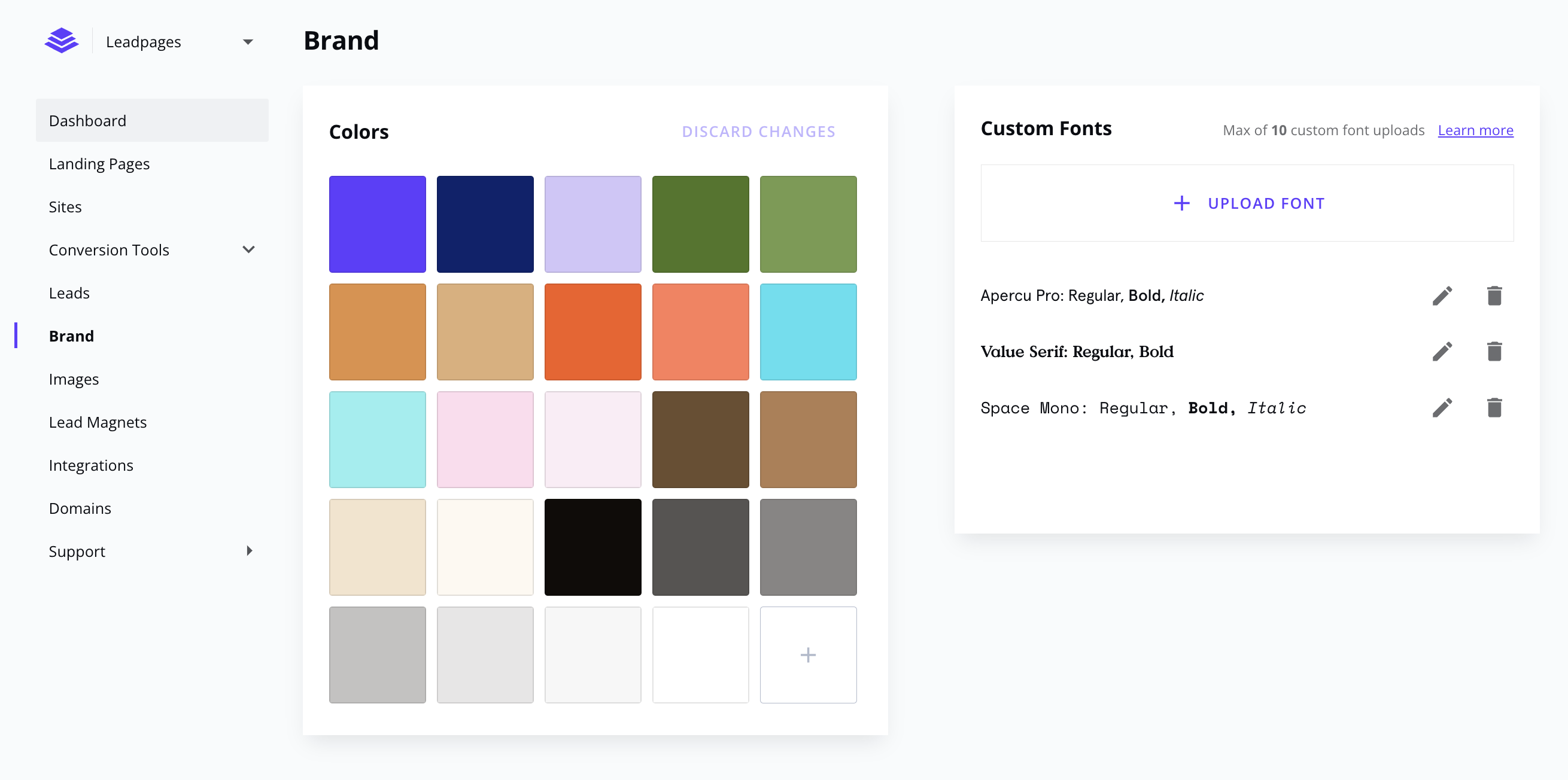
Screenshot of Create your next marketing campaign the same day you think about it. Start with a landing page template, and customize it with drag and drop ease. Mobile responsive, fast loading, and conversion-focused.Screenshot of Keep your look consistent with brand colors and custom fonts.Screenshot of Build your marketing website with Leadpages. No need to work with unreliable freelancers or wait for developer delays.Screenshot of Publish faster with page and section templates. Copy sections between Leadpages assets — websites, landing pages, and pop-ups.Screenshot of Forget the complexities of WordPress and other website builders. Stay focused on what matters, and let us handle the technical side of websites.Screenshot of Connect your marketing efforts to the tools you love — direct integrations with major ESPs, CRMs, and payments included (or via Zapier).

Intuit Mailchimp Screenshots

Screenshot of Mailchimp's advanced analytics and reporting tools. These are used to monitor trends, track performance, and get actionable insights that help users to create better campaigns and drive customer engagement.Screenshot of Mailchimp's precise audience segmentation. Its AI simplifies the workflow by generating complex customer segments for highly personalized campaigns.Screenshot of omnichannel marketing. Campaigns can be built across multiple channels, and then managed from one convenient place.Screenshot of marketing automations with the Customer Journey Builder. This is used to reach the right people with the right message at exactly the right time, which helps to drive more repeat business, increase customer retention, and see more orders.Screenshot of Mailchimp's SMS marketing. SMS can be integrated into email, automations, and social campaigns.Screenshot of Mailchimp's AI, used to deliver relevant content faster. It can generate professionally written, on-brand marketing emails with the press of a button. The user only needs to review, edit, and send.