IBM Robotic Process Automation with Automation Anywhere is a robotic process automation solution combining business process management tools from IBM with Automation Anywhere's bots and automation capabilities.
$840
per month
Pega Platform
Score 8.4 out of 10
N/A
Pega Platform is a combined business process management and robotic process automation (RPA) platform with advanced workforce analytics from Pegasystems.
$35
per month per user* (or $0.45 per case**)
Projector PSA
Score 7.0 out of 10
N/A
Projector's cloud-based Professional Services Automation (PSA) software helps project-based services organizations track time and expenses, invoice clients, schedule resources, and manage projects. Its three modules span a more comprehensive set of uses than typical project management software. The Accounting module helps the user track time and expenses and manage invoices and billing. Also it syncs with the company's accounting systems as a sub-ledger. The Resource Scheduling module matches…
$15
per user
Pricing
IBM Robotic Process Automation
Pega Platform
Projector PSA
Editions & Modules
IBM RPA On premises
Platform starter pack, starting at USD 840.00 per month
per month
IBM RPA Software as a service (SaaS)
Platform starter pack, starting at USD 840.00 per month
per month
Low-code Factory Edition
$35
per month per user* (or $0.45 per case**)
Standard Edition
$90
per month per user* (or $0.80 per case**)
Enterprise Edition
Custom Quote
Team Edition
$15
per user
Professional Edition
$25
per user
Enterprise Edition
$30
per user
Offerings
Pricing Offerings
IBM Robotic Process Automation
Pega Platform
Projector PSA
Free Trial
Yes
Yes
Yes
Free/Freemium Version
No
No
No
Premium Consulting/Integration Services
Yes
No
Yes
Entry-level Setup Fee
Optional
No setup fee
No setup fee
Additional Details
—
*500 named user minimum. Additional users available in blocks of 100. Billed annually. Based on a 3-year term.
**350,000 cases / year minimum. Additional cases available in blocks of 150,000.
—
More Pricing Information
Community Pulse
IBM Robotic Process Automation
Pega Platform
Projector PSA
Features
IBM Robotic Process Automation
Pega Platform
Projector PSA
Reporting & Analytics
Comparison of Reporting & Analytics features of Product A and Product B
IBM Robotic Process Automation
-
Ratings
Pega Platform
5.3
63 Ratings
38% below category average
Projector PSA
-
Ratings
Dashboards
00 Ratings
4.062 Ratings
00 Ratings
Standard reports
00 Ratings
6.062 Ratings
00 Ratings
Custom reports
00 Ratings
6.061 Ratings
00 Ratings
Process Engine
Comparison of Process Engine features of Product A and Product B
IBM Robotic Process Automation
-
Ratings
Pega Platform
8.0
66 Ratings
4% below category average
Projector PSA
-
Ratings
Process designer
00 Ratings
8.965 Ratings
00 Ratings
Process simulation
00 Ratings
7.757 Ratings
00 Ratings
Business rules engine
00 Ratings
9.965 Ratings
00 Ratings
SOA support
00 Ratings
7.351 Ratings
00 Ratings
Process player
00 Ratings
7.048 Ratings
00 Ratings
Support for modeling languages
00 Ratings
5.46 Ratings
00 Ratings
Form builder
00 Ratings
9.059 Ratings
00 Ratings
Model execution
00 Ratings
8.656 Ratings
00 Ratings
Collaboration
Comparison of Collaboration features of Product A and Product B
IBM Robotic Process Automation
-
Ratings
Pega Platform
9.0
50 Ratings
7% above category average
Projector PSA
-
Ratings
Social collaboration tools
00 Ratings
9.050 Ratings
00 Ratings
Content Management Capabilties
Comparison of Content Management Capabilties features of Product A and Product B
IBM Robotic Process Automation
-
Ratings
Pega Platform
4.4
9 Ratings
59% below category average
Projector PSA
-
Ratings
Content management
00 Ratings
4.49 Ratings
00 Ratings
Project Management
Comparison of Project Management features of Product A and Product B
IBM Robotic Process Automation
-
Ratings
Pega Platform
-
Ratings
Projector PSA
7.4
11 Ratings
5% below category average
Task Management
00 Ratings
00 Ratings
9.510 Ratings
Resource Management
00 Ratings
00 Ratings
9.510 Ratings
Gantt Charts
00 Ratings
00 Ratings
6.03 Ratings
Scheduling
00 Ratings
00 Ratings
8.511 Ratings
Workflow Automation
00 Ratings
00 Ratings
9.07 Ratings
Team Collaboration
00 Ratings
00 Ratings
7.57 Ratings
Support for Agile Methodology
00 Ratings
00 Ratings
5.82 Ratings
Support for Waterfall Methodology
00 Ratings
00 Ratings
5.23 Ratings
Document Management
00 Ratings
00 Ratings
8.57 Ratings
Email integration
00 Ratings
00 Ratings
7.65 Ratings
Mobile Access
00 Ratings
00 Ratings
3.77 Ratings
Timesheet Tracking
00 Ratings
00 Ratings
9.511 Ratings
Change request and Case Management
00 Ratings
00 Ratings
5.23 Ratings
Budget and Expense Management
00 Ratings
00 Ratings
8.19 Ratings
Professional Services Automation
Comparison of Professional Services Automation features of Product A and Product B
While it can be applied to various scenarios, its suitability can depend on the specific requirements of a given task or process. Here are some scenarios where IBM RPA is well-suited and scenarios where it may be less appropriate: Well suited: 1.Data Entry and Data Migration: RPA can efficiently automate data entry tasks, such as copying information from one system to another or migrating data between databases, reducing the risk of human error 2. Report Generation: RPA can generate routine reports by extracting data from various sources, formatting it, and delivering the reports to the relevant stakeholders, saving time and effort. 3. Email and Message Handling: RPA can help manage and categorize emails and messages, such as routing customer inquiries to the right department or processing routine email requests.Less suited for: 1. Cases where there is High Variability: RPA may struggle with tasks that have a high degree of variability, where each case is unique and difficult to standardize. 2. For Complex Decision-Making: RPA is rule-based and not designed for complex decision-making processes. It cannot replace the judgment and decision-making capabilities of humans. 3.Tasks Requiring Creativity: RPA is not suitable for tasks that require creativity, innovation, or problem-solving skills, as it operates based on predefined rules and logic.
Pega Platform has introduced the low code feature, using app studio seasonal and professional developer can develop application easily and quickly. The initial application can be build by Business analyst and product owner who has less knowledge of Pega Platform, further application can be enhanced/extended by professional developer. We can develop end to end application and promote to higher environment. Easily we can perform parallel development using branch.
We think Projector PSA is a great tool to track and manage people in a professional service environment like management consulting. This system is easy to set up, easy to understand and should easily suit the needs of smaller and medium sized firms. It may be less appropriate for firms that rely very heavily on project management through another system (like MS Project) or firms that rely very heavily on a sales pipeline tracking system. While still very much possible to use, you would (I believe) have to do some re-keying between systems
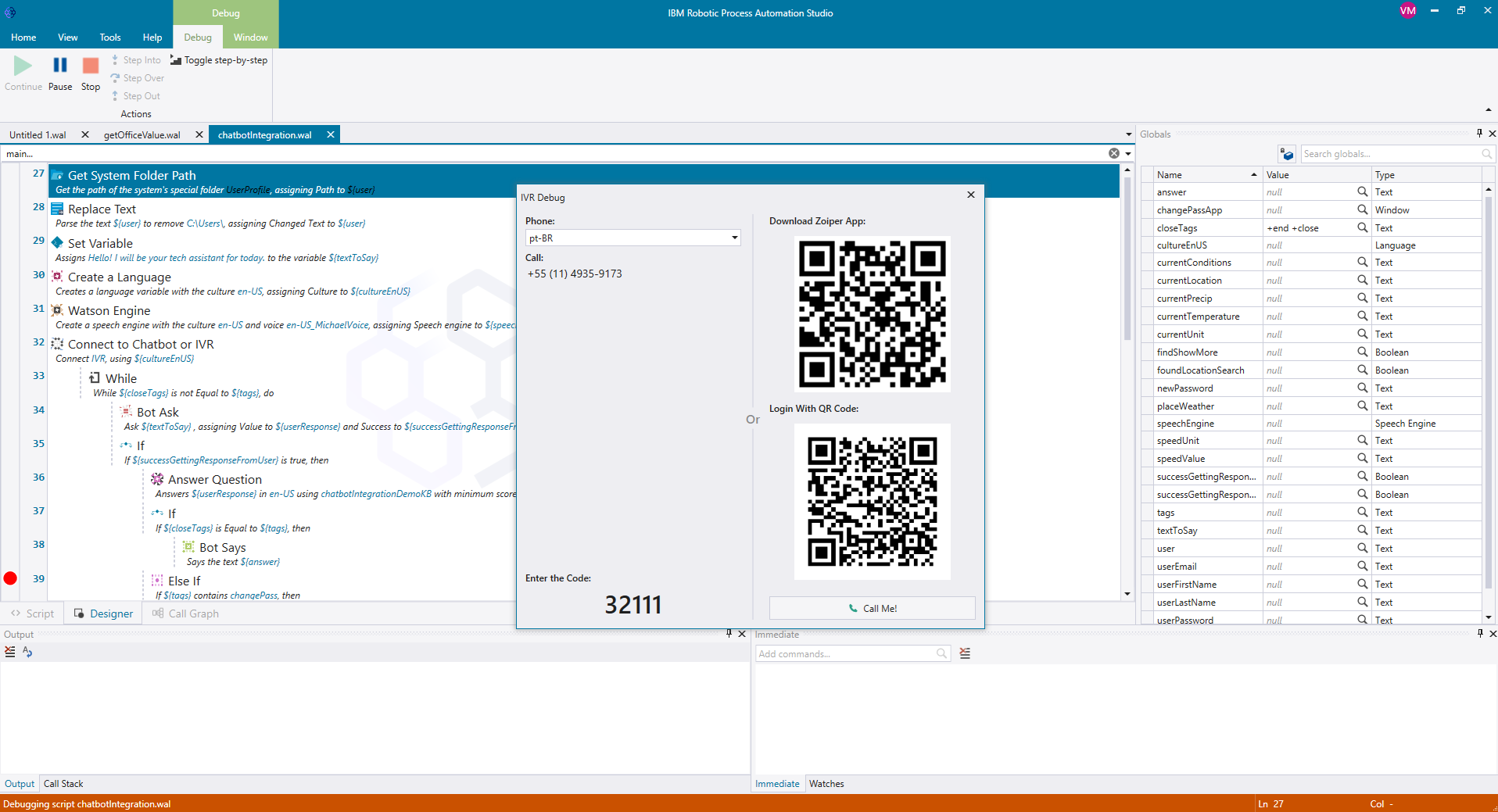
It was programmed to navigate to the web page requiring reCAPTCHA verification, locate the reCAPTCHA challenge, and generate a screenshot or other data to present to a user for manual input.
It was programmed to extract employee data from emails or forms, update the employee record in Workday, and send automated notifications.
Quick development time. Much of the Pega "rules" are easy to configure and implement.
Visually friendly and modern. Much of the UI/UX elements in the system are continuously supported and updated, giving a nice feel to the apps.
Many of the configurations and rules Pega gives to the developers can also be delegated to business users. The organization and structure of the client's business can easily be adapted in the Pega platform.
Projector is a very well designed tool for project management. It has allowed us to eliminate a number of auxiliary tools for project timelines and WBS for the vast majority of our projects.
Time and expense entry is intuitive and quick for our staff.
Our forecasting and resource management capability has improved greatly with Projector and allows us to grow our team efficiently with minimal additional administrative burden.
Reporting is extremely robust. It does require some time to really get a handle on the full functionality of the reporting tool, but once you do, you can get almost any kind of report you want out of the system!
Security and data privacy: IBM RPA may not have the strongest security features, which can leave sensitive data vulnerable to breaches or hacking.
Scalability: IBM RPA may not scale well to accommodate larger businesses and more complex processes, which can lead to performance issues and increased costs.
Customization: IBM RPA may not provide as much customization options as some users would like, making it difficult to tailor the software to specific business needs.
Release management process needs to be improved. Currently no facility is provided to test the impact of new releases in a sand-box. This introduces business risk if there are interfaces into Projector PSA as part of it's use in the business.
By implementing IBM Robotic Process Automation, we realized that they are digital robots with a great impact on our manual tasks, generating good automation capabilities that are beneficial to the entire company.
Pegasystems has continued to demonstrate a strong partnership with our organization and investment in their product that aligns with our overall vision and need. Pegasystems has engaged us at every level, with the assistance of minor defects to the overall roadmap planning and alignment of our goals
We have been using this tool for a year now and find our use of it continually evolves and broadens. We are also very excited about the overhaul that's under way and feel many of the improvements being put in place will help make us that much more effective and efficient. The Projector team is also very responsive and collaborative in terms of user feedback and improvement suggestions, which helps us know they will work hard to help us get what we need out of the tool.
IBM RPA is a very powerful tool, it has almost all the features that are necessary to build, implement and manage highly functional robots. The learning curve is very fast, so excellent skills are acquired. It is not necessary to have strong programming knowledge because its use is very easy. It is just drag and drop commands. By adding rules and logic, wonderful robots can be achieved.
Pega Platform is enhancing its product and launching new features day by day which help to achieve customers needs. If I talk about the earlier version of Pega Platform (i.e. pega v5 and 6.3) there were many numbers of limitations in Pega Platform and if we need to do some customization then needed to write custom java and jave scripts to achieve the functionally. Now I can say Pega Platform is running with market trends and demand. Pega Platform is giving all the options which support the current technologies like decisioning capabilities, real time processing, mashup, process fabrics etc..
IBM has done a great job with enablement for the product. There is documentation for use-cases, development videos for beginners, and a community forum that has proven useful for getting started with the application. Although the resources cannot solve every problem a developer comes across, they have been very beneficial to our technical team.
It’s very slow sometimes, but that may be our servers. Also the Knowledge Library needs some work - again, not sure if it’s our setup or what- but I’m unable to search the body of an article for content, so I have to be very intentional with tagging, but it’s not ideal.
I am main developer of the this implementation. I have faced many chanllenges in implementation as IBM RPA not provided direct commands to automate Excel. I enjoyed in finding solution and best approach for the implementation
I've always had excellent service and had no trouble communicating. It has aided in my understanding of how I can continue to use the bots. Reading peer assessments reveals that while IBM RPA demands a substantial initial financial commitment, it justifies its cost, unlike Blue Prism RPA, which does not.
We did evaluate multiple products offerings with Pega Platform capabilities and observed that Pega PRPC rules engine and case management capabilities are better over so many BPM Tools. We also conducted a detailed study with developers to identify the best products out of Suite of BPM products. It's observed that Rules engines integration is very streamlined with forms in Pega whereas other tools multiple have powerful data model capabilities but lacks the ease of creating business rules.
We did pursue Quick Arrow another tool that was similar. We found that be in inflexible in use. Projector allows a lot of flexibility in setup. Our organization has very specific business processes and we were able to set up Projector to work with those processes. Several other systems we tried were not as flexible in allowing set up to our needs.
IBM Robotic Process Automation has helped save on cost and time as it is able to automate tasks that are repetitive and routine tasks.
IBM Robotic Process Automation has helped us increase productivity. This is because it is able to perform tasks with a high degree of accuracy and speed.
It has enhanced compliance as it is able to automate compliance-related tasks. This has helped us improve our reputation.
For one of the applications we worked on, we were able to reduce the processing time on a case from 2 days to 20 minutes by utilizing Pega
We were able to resolve the issue of the routing of cases to users based on a specific algorithm by use of Pega
Pega case management feature was extensively used in one of the application to establish a parent-child relationship which was very helpful for all the business users
Even in the small time that I stayed to see Projector PSA reporting I saw ROI projections become more realistic. There was real data to analyze that proved we were spending way too much and charging way too less on some projects.
Although employees were not used at entering their hours, this single reporting improved operations management and validated employees concerns that more people were needed to manage workload
Project proposals were more realistic because they were driven by real data.
Decision making overall for the department became more efficient and effective