
Chose Lansweeper
Kantata PSA vs. Lansweeper vs. N-able MSP Manager
Kantata PSA vs. Lansweeper vs. N-able MSP Manager
| Product | Rating | Most Used By | Product Summary | Starting Price |
|---|---|---|---|---|
 Kantata PSA | Mid-Size Companies (51-1,000 employees) | Kantata Cloud (formerly Mavenlink + Kimble) provides project management and collaboration software for small to mid-sized professional services companies. Features include resource management, project dependencies, time and expense tracking, file sharing, versatile user permissions, private messaging, planning and reporting. | N/A | |
 Lansweeper | N/A | Lansweeper helps organizations see, understand, and make confident decisions about their technology estate across IT, OT, IoT, and Cloud. Lansweeper automatically discovers and inventories every asset: hardware, software, and user—then connects that data to insights about usage, lifecycle, and risk. This is to create what the vendor describes as Technology Asset Intelligence (TAI): a trusted foundation of knowledge that turns raw inventory data into clear, actionable… | $2,868 per year (includes 2000 assets) | |
 N-able MSP Manager | N/A | N-able™ MSP Manager (formerly Solarwinds MSP Manager) is a cloud-based help desk and billing software for IT service providers, which includes a ticketing system, customer portal, technician mobile apps, billing tools, and reporting dashboards. MSP Manager offers a lightweight ticketing system with a quick entry feature that allows users to capture essential information such as customer name, service items, and issue details from any screen. Tickets can also be… | N/A |
| Kantata PSA | Lansweeper | N-able MSP Manager | ||||||||||||||||||||||
|---|---|---|---|---|---|---|---|---|---|---|---|---|---|---|---|---|---|---|---|---|---|---|---|---|
| Editions & Modules |
|
| No answers on this topic | |||||||||||||||||||||
| Offerings |
| |||||||||||||||||||||||
| Entry-level Setup Fee | Required | No setup fee | No setup fee | |||||||||||||||||||||
| Additional Details | — | — | — | |||||||||||||||||||||
| More Pricing Information | ||||||||||||||||||||||||
| Kantata PSA | Lansweeper | N-able MSP Manager | |
|---|---|---|---|
| Considered Multiple Products |  Kantata PSA No answer on this topic | Lansweeper | N-able MSP Manager No answer on this topic |
| Kantata PSA | Lansweeper | N-able MSP Manager | |||||||||||||||||||
|---|---|---|---|---|---|---|---|---|---|---|---|---|---|---|---|---|---|---|---|---|---|
| IT Asset Management |
|
| Kantata PSA | Lansweeper | N-able MSP Manager | |
|---|---|---|---|
| Small Businesses |  HaloPSA Score 8.1 out of 10 |  Atera Score 8.5 out of 10 | HaloPSA Score 8.1 out of 10 |
| Medium-sized Companies |  Planview AdaptiveWork Score 8.4 out of 10 |  KACE Systems Management Appliance Score 8.5 out of 10 | Planview AdaptiveWork Score 8.4 out of 10 |
| Enterprises | Planview AdaptiveWork Score 8.4 out of 10 | KACE Systems Management Appliance Score 8.5 out of 10 | Planview AdaptiveWork Score 8.4 out of 10 |
| All Alternatives | View all alternatives | View all alternatives | View all alternatives |
| Kantata PSA | Lansweeper | N-able MSP Manager | |
|---|---|---|---|
| Likelihood to Recommend | 9.1 (50 ratings) | 9.0 (18 ratings) | 4.0 (4 ratings) |
| Likelihood to Renew | 9.0 (6 ratings) | 10.0 (2 ratings) | - (0 ratings) |
| Usability | 8.0 (8 ratings) | 9.0 (4 ratings) | - (0 ratings) |
| Availability | 9.0 (2 ratings) | - (0 ratings) | - (0 ratings) |
| Performance | 7.0 (3 ratings) | - (0 ratings) | - (0 ratings) |
| Support Rating | 9.0 (8 ratings) | 9.9 (3 ratings) | 3.9 (2 ratings) |
| In-Person Training | 9.0 (2 ratings) | - (0 ratings) | - (0 ratings) |
| Online Training | 9.0 (2 ratings) | - (0 ratings) | - (0 ratings) |
| Implementation Rating | 9.0 (5 ratings) | - (0 ratings) | - (0 ratings) |
| Configurability | 8.2 (1 ratings) | - (0 ratings) | - (0 ratings) |
| Ease of integration | 8.2 (1 ratings) | - (0 ratings) | - (0 ratings) |
| Product Scalability | 9.0 (2 ratings) | - (0 ratings) | - (0 ratings) |
| Vendor post-sale | 9.0 (2 ratings) | - (0 ratings) | - (0 ratings) |
| Vendor pre-sale | 9.0 (2 ratings) | - (0 ratings) | - (0 ratings) |
| Kantata PSA | Lansweeper | N-able MSP Manager | |
|---|---|---|---|
| Likelihood to Recommend | Kantata (Kimble + Mavenlink)
| Lansweeper
 Brandon Patton Manager, Information Technology | N-able
 Tamara Ham Secretary |
| Pros | Kantata (Kimble + Mavenlink)
 Maryam Abbott Saldivia Software Development Engineer | Lansweeper
 Michael Metalios I.T. Administrator | N-able
|
| Cons | Kantata (Kimble + Mavenlink)
| Lansweeper
| N-able
 Les Klassen Hamm Owner |
| Likelihood to Renew | Kantata (Kimble + Mavenlink)
 Eric Adams IT Systems Manager | Lansweeper
| N-able No answers on this topic |
| Usability | Kantata (Kimble + Mavenlink)
 Rachel Stantliff Director of Operations | Lansweeper
| N-able No answers on this topic |
| Reliability and Availability | Kantata (Kimble + Mavenlink)
 Micquella Anthony Senior Web Project Manager | Lansweeper No answers on this topic | N-able No answers on this topic |
| Performance | Kantata (Kimble + Mavenlink)
 Steve Goldsmith VP Marketing | Lansweeper No answers on this topic | N-able No answers on this topic |
| Support Rating | Kantata (Kimble + Mavenlink)
Rachel Stantliff Director of Operations | Lansweeper
 Mike Bursack Technical Operations Manager | N-able
Tamara Ham Secretary |
| In-Person Training | Kantata (Kimble + Mavenlink)
Micquella Anthony Senior Web Project Manager | Lansweeper No answers on this topic | N-able No answers on this topic |
| Online Training | Kantata (Kimble + Mavenlink)
Micquella Anthony Senior Web Project Manager | Lansweeper No answers on this topic | N-able No answers on this topic |
| Implementation Rating | Kantata (Kimble + Mavenlink)
Micquella Anthony Senior Web Project Manager | Lansweeper No answers on this topic | N-able No answers on this topic |
| Alternatives Considered | Kantata (Kimble + Mavenlink)
| Lansweeper
| N-able
|
| Scalability | Kantata (Kimble + Mavenlink)
Micquella Anthony Senior Web Project Manager | Lansweeper No answers on this topic | N-able No answers on this topic |
| Return on Investment | Kantata (Kimble + Mavenlink)
 Andrew Saldivia Agile Development Software | Lansweeper
 Jean-François Hallée Analyste en informatique | N-able
|
| ScreenShots | Kantata PSA Screenshots     | Lansweeper Screenshots     | N-able MSP Manager Screenshots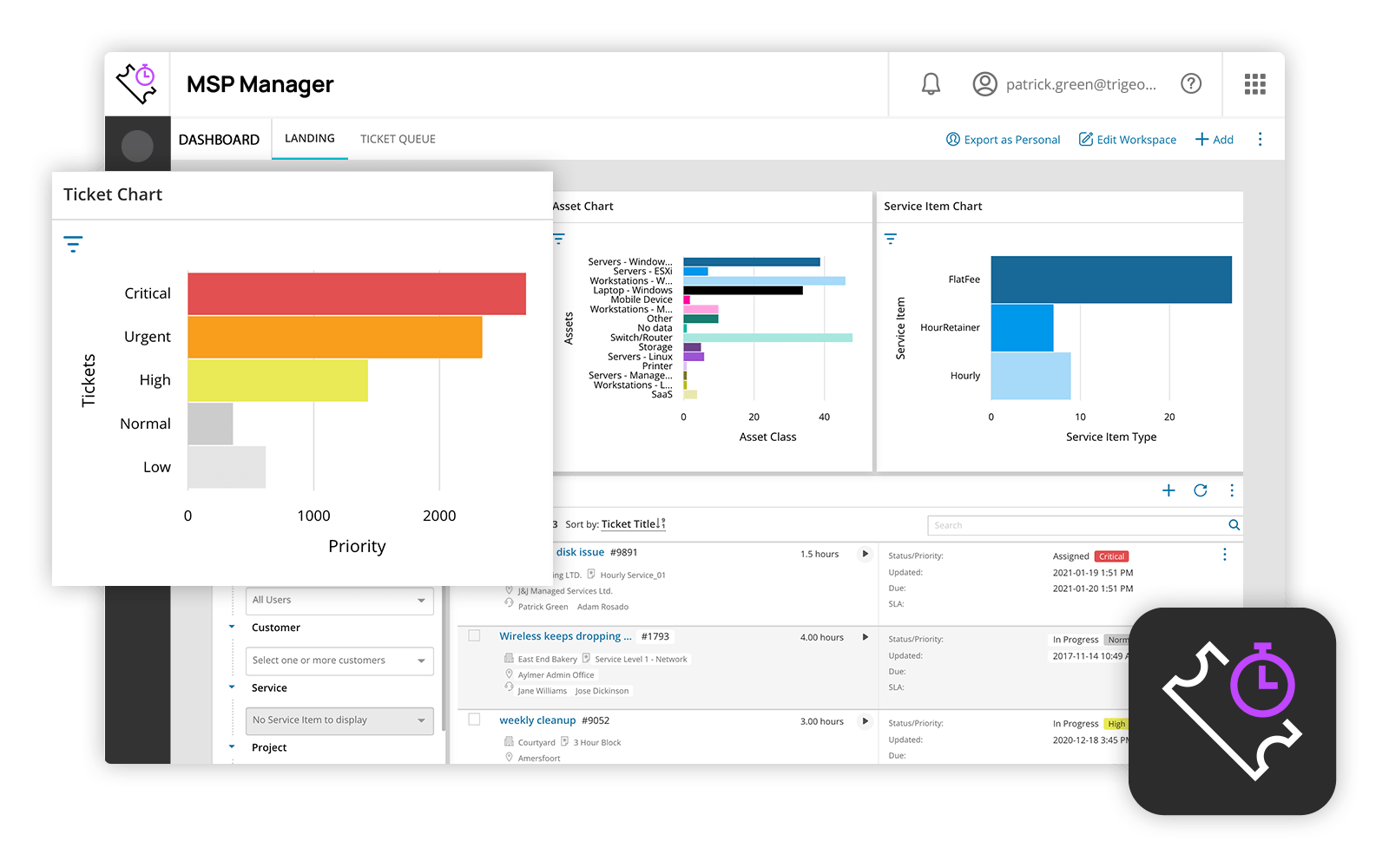 |