Chose Logi Symphony
The feature set is richer, and price is reasonable. We felt we were paying more for Tableau's name than their features, as updates are slow.

| Product | Rating | Most Used By | Product Summary | Starting Price |
|---|---|---|---|---|
 Logi Symphony | N/A | Logi Symphony is a business intelligence and data visualization software that includes customizable dashboards, reporting, and visual data analytics. It can be integrated into users’ existing business applications and its visualization and reporting tools can be customized. | N/A | |
 SharePoint | N/A | Microsoft's SharePoint is an Intranet solution that enables users to share and manage content, knowledge, and applications to empower teamwork, quickly find information, and collaborate across the organization. | $5 Per User Per Month | |
 Oracle Analytics | N/A | Oracle Analytics is a solution used to visually explore data to create and share compelling stories. Oracle Analytics Cloud is a cloud native service, and Oracle Analytics Server is the on-premise option. | N/A |
| Logi Symphony | Microsoft SharePoint | Oracle Analytics | ||||||||||||||||||||||
|---|---|---|---|---|---|---|---|---|---|---|---|---|---|---|---|---|---|---|---|---|---|---|---|---|
| Editions & Modules | No answers on this topic |
| No answers on this topic | |||||||||||||||||||||
| Offerings |
| |||||||||||||||||||||||
| Entry-level Setup Fee | No setup fee | No setup fee | No setup fee | |||||||||||||||||||||
| Additional Details | — | — | Must contact sales team for pricing. | |||||||||||||||||||||
| More Pricing Information | ||||||||||||||||||||||||
| Logi Symphony | Microsoft SharePoint | Oracle Analytics | |
|---|---|---|---|
| Considered Multiple Products |  Logi Symphony  George Robbins Integration/Analytics Consultant Chose Logi Symphony Per dollar spent, it offers the widest range of features of the tools that we evaluated. It offers lots of options for how to configure your environment, though they are not always intuitive to figure out. Having an ETL layer was a must have for us, as well as the ability to …  Joseph R. Sweeney Senior Analyst Chose Logi Symphony We were comparing Dundas BI against several other programs and eventually decided to go with Oracle as we were already using a host of their other products. Dundas was just as robust, we were just using more Oracle products and they all fit together very smoothly.  Andy Carita Manager - Business Intelligence & Data Architecture Chose Logi Symphony We were a user of Dundas Dashboard previously. We had explored other tools, but we ended up upgrading to Dundas BI because of the HTML 5 compliance (no more Silverlight requirement), ease of use and time to market. The other tools could do the job, but they were not as flexible … |  SharePoint  Jesse Brand Strategic Sourcing Analyst Chose Microsoft SharePoint MS SharePoint works similarly to JIRA. However, with a bit more patience and some understanding of how MS SharePoint works, MS SharePoint has more capabilities than JIRA Software. Because MS SharePoint can be customized to meet your needs, the software is basically limitless. … | Oracle Analytics  Daniel J. Lewis System Administrator Chose Oracle Analytics Oracle is a solid company with solid products. There support has been better then others (depending on service plans) however still very good. There are other options out there such as Salesforce, AutoTask, Sharepoint even PRTG. However they are not as detailed and visually … |
| Logi Symphony | Microsoft SharePoint | Oracle Analytics | |||||||||||||||||||||||||||
|---|---|---|---|---|---|---|---|---|---|---|---|---|---|---|---|---|---|---|---|---|---|---|---|---|---|---|---|---|---|
| BI Standard Reporting |
| ||||||||||||||||||||||||||||
| Ad-hoc Reporting |
| ||||||||||||||||||||||||||||
| Report Output and Scheduling |
| ||||||||||||||||||||||||||||
| Data Discovery and Visualization |
| ||||||||||||||||||||||||||||
| Access Control and Security |
| ||||||||||||||||||||||||||||
| Mobile Capabilities |
| ||||||||||||||||||||||||||||
| Application Program Interfaces (APIs) / Embedding |
|
| Logi Symphony | Microsoft SharePoint | Oracle Analytics | |
|---|---|---|---|
| Small Businesses |  Yellowfin Score 8.7 out of 10 |  HCL Connections Score 9.0 out of 10 | Yellowfin Score 8.7 out of 10 |
| Medium-sized Companies |  Reveal Score 10.0 out of 10 |  RWS Tridion Sites Score 9.0 out of 10 | Reveal Score 10.0 out of 10 |
| Enterprises |  Kyvos Semantic Layer Score 9.5 out of 10 | RWS Tridion Sites Score 9.0 out of 10 | Kyvos Semantic Layer Score 9.5 out of 10 |
| All Alternatives | View all alternatives | View all alternatives | View all alternatives |
| Logi Symphony | Microsoft SharePoint | Oracle Analytics | |
|---|---|---|---|
| Likelihood to Recommend | 8.3 (52 ratings) | 7.9 (269 ratings) | 8.2 (76 ratings) |
| Likelihood to Renew | 7.0 (1 ratings) | 9.8 (26 ratings) | 9.1 (8 ratings) |
| Usability | 8.0 (6 ratings) | 8.2 (31 ratings) | 8.2 (6 ratings) |
| Availability | - (0 ratings) | - (0 ratings) | 9.1 (1 ratings) |
| Performance | - (0 ratings) | - (0 ratings) | 9.1 (1 ratings) |
| Support Rating | 8.8 (11 ratings) | 8.8 (13 ratings) | 9.1 (4 ratings) |
| In-Person Training | - (0 ratings) | 4.5 (1 ratings) | 9.0 (1 ratings) |
| Online Training | - (0 ratings) | 6.4 (1 ratings) | 9.1 (1 ratings) |
| Implementation Rating | 7.3 (1 ratings) | 6.0 (5 ratings) | 9.1 (3 ratings) |
| Configurability | - (0 ratings) | - (0 ratings) | 9.1 (1 ratings) |
| Ease of integration | - (0 ratings) | - (0 ratings) | 8.2 (1 ratings) |
| Product Scalability | - (0 ratings) | - (0 ratings) | 9.1 (1 ratings) |
| Logi Symphony | Microsoft SharePoint | Oracle Analytics | |
|---|---|---|---|
| Likelihood to Recommend | Insightsoftware, Inc
| Microsoft
| Oracle
|
| Pros | Insightsoftware, Inc
 James Davis System Architect | Microsoft
| Oracle
|
| Cons | Insightsoftware, Inc
 Ric Ravier Cloud Advisor | Microsoft
 Jimmy Harrell IT Manager | Oracle
|
| Likelihood to Renew | Insightsoftware, Inc No answers on this topic | Microsoft
| Oracle
 Satyendra Yenugula Director of Business Intelligence |
| Usability | Insightsoftware, Inc
| Microsoft
| Oracle
|
| Reliability and Availability | Insightsoftware, Inc No answers on this topic | Microsoft No answers on this topic | Oracle
|
| Performance | Insightsoftware, Inc No answers on this topic | Microsoft No answers on this topic | Oracle
|
| Support Rating | Insightsoftware, Inc
| Microsoft
| Oracle
|
| In-Person Training | Insightsoftware, Inc No answers on this topic | Microsoft
| Oracle
 Tom Jaskula Manager - Business Analytics |
| Online Training | Insightsoftware, Inc No answers on this topic | Microsoft
| Oracle
|
| Implementation Rating | Insightsoftware, Inc
 Luis Silva BI developer and consultant | Microsoft
 Christopher Corbett Database Administrator | Oracle
Tom Jaskula Manager - Business Analytics |
| Alternatives Considered | Insightsoftware, Inc
George Robbins Integration/Analytics Consultant | Microsoft
 Helmi Tatanaki Data Management Consultant | Oracle
 Ali Kazempour Information Technology Adviser |
| Scalability | Insightsoftware, Inc No answers on this topic | Microsoft No answers on this topic | Oracle
|
| Return on Investment | Insightsoftware, Inc
| Microsoft
 RIDWAN AHAMMAD Training Manager | Oracle
 Mary BrowningSmith Project Leader - Strategic Leverage Platforms |
| ScreenShots | Logi Symphony Screenshots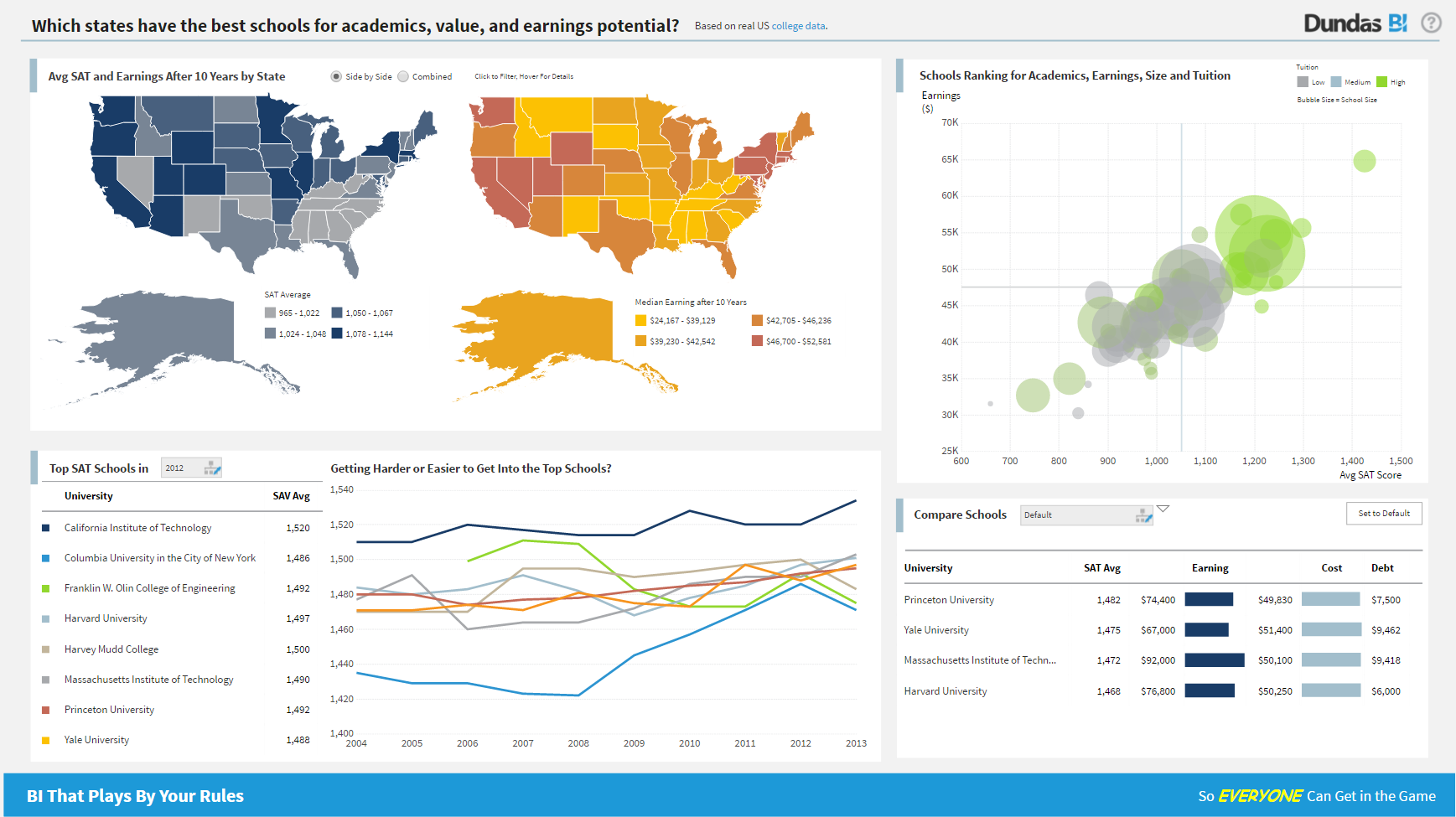 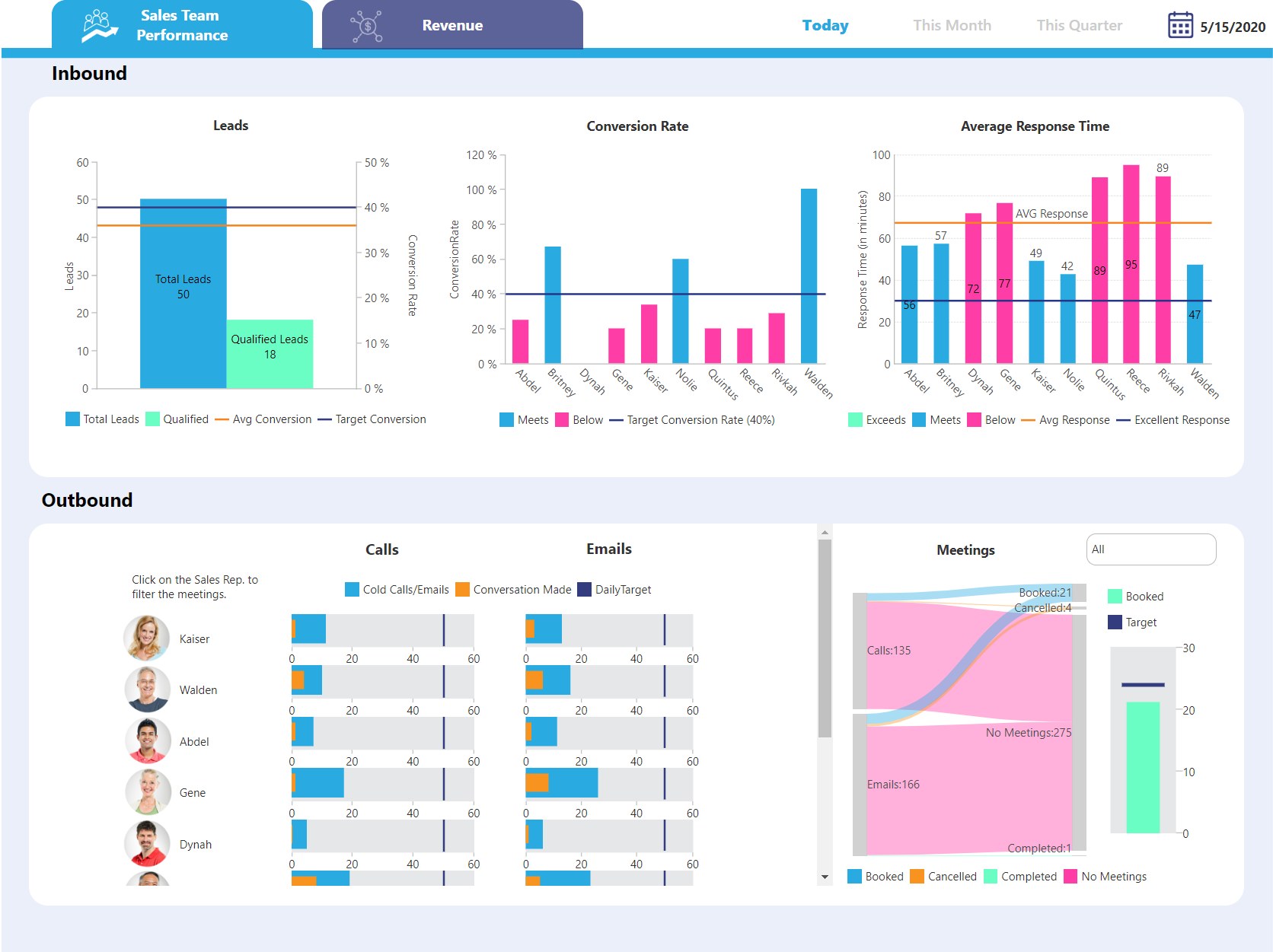  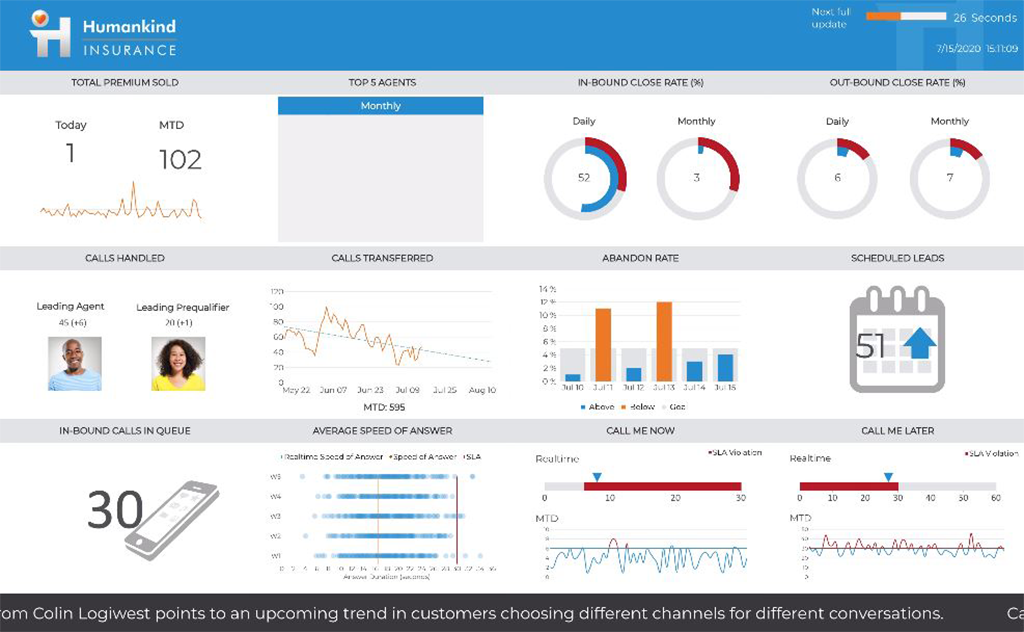   |