LogMeIn Rescue vs. Remote Desktop Services vs. Parallels Remote Application Server (Parallels RAS)

Overview
ProductRatingMost Used ByProduct SummaryStarting Price
LogMeIn Rescue
Score 7.4 out of 10
N/A
LogMeIn Rescue is a remote support solution for PCs, Macs, and mobile devices. LogMeIn Rescue is designed to help IT teams to offer fast technical support and ensure a secure remote support session for both the IT professional and the end user. From small teams of IT helpdesk technicians to enterprise-level organizations, LogMeIn Rescue…
$149
per month
Remote Desktop Services
Score 7.7 out of 10
N/A
Remote Desktop Services from Microsoft is virtual desktop and remote user session technology.N/A
Parallels RAS
Score 9.4 out of 10
N/A
Parallels Remote Application Server (Parallels RAS, formerly 2X RAS), is application virtualization technology, billed as a solution to extend the life of legacy OS (like Windows XP) with its virtual desktop for any device. Maltese company 2X Software developed the technology, but was acquired by Parallels (in Seattle, WA) in February, 2015 to extend their cross-platform support solutions.
$120
per year per user
Pricing
LogMeIn RescueRemote Desktop ServicesParallels Remote Application Server (Parallels RAS)
Editions & Modules
No answers on this topic
Offerings
Pricing Offerings
LogMeIn RescueRemote Desktop ServicesParallels RAS
Free Trial
YesNoYes
Free/Freemium Version
NoNoNo
Premium Consulting/Integration Services
NoNoNo
Entry-level Setup FeeNo setup feeNo setup feeNo setup fee
Additional DetailsDiscount available for annual pricing. Contact sales for Enterprise pricing.
More Pricing Information
Community Pulse
LogMeIn RescueRemote Desktop ServicesParallels Remote Application Server (Parallels RAS)
Considered Multiple Products
LogMeIn Rescue
Chose LogMeIn Rescue
LogMeIn Rescue by GoTo stacks up very well against all these. The features, speed, security, ease of use are all comparable if not better than these other services. I would continue to use LogMeIn Rescue by GoTo for ease of use.
Chose LogMeIn Rescue
LogMeIn Rescue is a more complete tool with lots of tools and possibilities. It is always a dedicated software that is more complete than the native software in other systems.
Chose LogMeIn Rescue
LogMeIn works better than Teams I think it works the same as GoTo Meeting and TeamViewer. Connectwise and Dameware works the best for me even over LogMeIn Rescue but this company doesn't use these products. I still believe LogMeIn is a good product and tool to have to help …
Chose LogMeIn Rescue
Compared to the on-board remote desktop tool offered in Windows, LogMeIn Rescue provides more features and the ability to "see what the user sees" through their own login rather than requiring me to log out the user and log in with my own credentials. It also allows me to chat …
Chose LogMeIn Rescue
LogMeIn Rescue is a more secure way to connect to the remote system. If a remote desktop is not required but we only need to do a file transfer, the file transfer feature can be used without connecting to the remote session.
Remote Desktop Services
Chose Remote Desktop Services
Overall, remote desktop is so much easier to use if you are OK with the limited tools that it offers. If you're just looking to simply connect to another computer and make some quick changes, it is the way to go and the fastest way to do it. It is very simple and no frills!
Chose Remote Desktop Services
Mainly licensing optimization, as Remote Desktop Services CALs are needed anyway for other products.
Parallels RAS
Chose Parallels Remote Application Server (Parallels RAS)
Parallels Remote Application Server has been easier and less expensive to implement for our clients than VMware Horizon and offers a better experience than Microsoft Remote Desktop Services. All three of these can accomplish similar end results, but when looking at the overall …
Chose Parallels Remote Application Server (Parallels RAS)
faster, leaner and more comfortable at the same time cheaper than Citrix, and in relation to the benefits to native RDS good price/performance ratio
Chose Parallels Remote Application Server (Parallels RAS)
Parallels is easy since it only allow me to connect and work from the Application needed.
Chose Parallels Remote Application Server (Parallels RAS)
RDS has few options when publishing apps outside of the organisation vs RAS along with a limited and (since Server 2012) completely bizarre admin GUI. RAS is very simply administrated from locally installed client along with pre-defined admin use permissions.

There are also …
Chose Parallels Remote Application Server (Parallels RAS)
Sassafras, Labstats were also considered. RDS can only provide 1:1 connections
Chose Parallels Remote Application Server (Parallels RAS)
Easy to deploy with good scalability and infrastructure requirements.
Chose Parallels Remote Application Server (Parallels RAS)
Parallels is far superior to basic RDS and is comparable to Citrix at less cost and hassle.
Chose Parallels Remote Application Server (Parallels RAS)
Was simpler to set up and use, at a better price point.
Chose Parallels Remote Application Server (Parallels RAS)
First and foremost, Parallels Remote Application Server is a game changer in price performance compared to Citrix. In addition, the security and flexibility compared to a traditional Microsoft RDS solution is night and day better both in terms of security and configuration …
Chose Parallels Remote Application Server (Parallels RAS)
Parallels Remote Application Server is easier to set up. It's easier to manage and, in my opinion, it's more secure.
Chose Parallels Remote Application Server (Parallels RAS)
Users were formerly using unmanaged remote access programs to bypass the firewall. Previously I had used RemoteApp when the source of users was predictable (and traffic could be limited to a single site).
Chose Parallels Remote Application Server (Parallels RAS)
Set-up is many times faster especially for remote/external access. It takes hours with Parallels instead of the days it takes with other alternatives.
Features
LogMeIn RescueRemote Desktop ServicesParallels Remote Application Server (Parallels RAS)
Remote Administration
Comparison of Remote Administration features of Product A and Product B
LogMeIn Rescue
8.4
205 Ratings
0% above category average
Remote Desktop Services
4.5
5 Ratings
55% below category average
Parallels Remote Application Server (Parallels RAS)
-
Ratings
File transfer8.6187 Ratings4.45 Ratings00 Ratings
Instant message8.4125 Ratings1.01 Ratings00 Ratings
Access to sleeping/powered-off computers8.863 Ratings1.22 Ratings00 Ratings
Session record9.3142 Ratings2.53 Ratings00 Ratings
Annotations9.264 Ratings00 Ratings00 Ratings
Screen sharing00 Ratings7.85 Ratings00 Ratings
Secure remote access with Smart Card authentication00 Ratings6.12 Ratings00 Ratings
Over-the-Internet remote session00 Ratings6.05 Ratings00 Ratings
Initiate remote control from mobile00 Ratings3.44 Ratings00 Ratings
Remote management of servers & workstations00 Ratings7.84 Ratings00 Ratings
Remote Active Directory® management00 Ratings8.24 Ratings00 Ratings
Centralized management dashboard00 Ratings2.43 Ratings00 Ratings
Monitoring and Alerts00 Ratings3.33 Ratings00 Ratings
Best Alternatives
LogMeIn RescueRemote Desktop ServicesParallels Remote Application Server (Parallels RAS)
Small Businesses
Getscreen.me
Getscreen.me
Score 9.7 out of 10
Getscreen.me
Getscreen.me
Score 9.7 out of 10
VMware Fusion
VMware Fusion
Score 7.2 out of 10
Medium-sized Companies
Action1
Action1
Score 9.5 out of 10
Remote Desktop Manager
Score 9.5 out of 10
VMware Fusion
VMware Fusion
Score 7.2 out of 10
Enterprises
Remote Desktop Manager
Score 9.5 out of 10
Remote Desktop Manager
Score 9.5 out of 10
VMware Fusion
VMware Fusion
Score 7.2 out of 10
All AlternativesView all alternativesView all alternativesView all alternatives
User Ratings
LogMeIn RescueRemote Desktop ServicesParallels Remote Application Server (Parallels RAS)
Likelihood to Recommend
8.1
(219 ratings)
7.6
(19 ratings)
9.7
(152 ratings)
Likelihood to Renew
6.7
(23 ratings)
6.0
(1 ratings)
8.4
(22 ratings)
Usability
8.5
(74 ratings)
7.1
(4 ratings)
8.4
(31 ratings)
Availability
9.1
(1 ratings)
-
(0 ratings)
9.1
(4 ratings)
Performance
9.1
(1 ratings)
5.0
(1 ratings)
4.5
(4 ratings)
Support Rating
9.1
(39 ratings)
3.0
(1 ratings)
7.7
(129 ratings)
Online Training
-
(0 ratings)
-
(0 ratings)
7.3
(2 ratings)
Implementation Rating
9.0
(3 ratings)
-
(0 ratings)
7.3
(12 ratings)
Configurability
8.2
(1 ratings)
-
(0 ratings)
7.3
(4 ratings)
Ease of integration
-
(0 ratings)
5.0
(1 ratings)
4.5
(3 ratings)
Product Scalability
9.1
(1 ratings)
-
(0 ratings)
7.3
(3 ratings)
Vendor post-sale
-
(0 ratings)
-
(0 ratings)
9.1
(4 ratings)
Vendor pre-sale
-
(0 ratings)
-
(0 ratings)
9.1
(4 ratings)
User Testimonials
LogMeIn RescueRemote Desktop ServicesParallels Remote Application Server (Parallels RAS)
Likelihood to Recommend
GoTo formerly LogMeIn
Most of the time it is great. Sometimes with iPads it is not great or too expensive for orgs to pay for an option to allow iPads to be logged into along with computers and windows computer tablets. When needing to view something a client is talking about. It is great to use login to understand the issue and possibly fix any issues we need.
Read full review
Microsoft
This is well-suited if you need to log in to a remote machine on occasion to make updates or change configurations. It is also good for a production environment or for environments where people need to log in to use common applications, so you don't need to install the application on each individual client.
Read full review
Parallels
Scenarios where time is a factor in having a solution in place and up and running safely and securely. Where there are older devices that ordinarily wouldn't be up to the task of running modern apps and services. Where users need to work away from the network, and security is a concern.
Read full review
Pros
GoTo formerly LogMeIn
  • LogMeIn Rescue does a great job of allowing access to our clients computer screens.
  • LogMeIn Rescue does a great job of allowing me as an admin to monitor my technicians.
  • LogMeIn Rescue does a great job of allowing me as an admin to pull daily, weekly and monthly stat reports.
  • LogMeIn Rescue does a great job of allowing me as an admin to view my technician's chat logs.
Read full review
Microsoft
  • When you connect with RDS, everything looks and feels (and is) exactly like you're sitting at that desktop. This is great for us and for users.
  • You can sign in with RDS and the desktop will be the same as when you left it (if you choose to set it up that way).
  • Although they take some setup, RemoteApps are a very handy way to let users access a program without requiring them to actually connect to a remote desktop on the server.
Read full review
Parallels
  • The printing driver is quite excellent, both in the Parallels Client and on the HTML5 client.
  • Setup is incredibly easy; the default setup is very functional, and adding features is a breeze.
  • Speed is very acceptable in general for end-users, the clients adapt quite well to the amount of bandwidth available, and features are available to adjust further.
  • Automation through PowerShell is great.
  • Support is usually quite fast and efficient.
Read full review
Cons
GoTo formerly LogMeIn
  • one of the prompt in windows users is not vissible, somethimes users missed it and you must start from scratch
  • more documentation for apple users
  • never could record a session, all the time was a permissions issue, don't know how to do it
Read full review
Microsoft
  • Remote Desktop Services currently does not support multiple monitors on the terminal server. Unlike other applications such as Teamviewer, there's no feature to toggle between multiple screens even if they were connected to the terminal server.
  • Remote Desktop Services should provide an option to scale up or down the screen size after a connection is established. Currently you can only adjust the screen size prior to a connection is established. So you'll have to take a best guess at what display screen resolution will fit best on your screen.
  • Remote Desktop Services should offer some kind of menu to send special key strokes like Ctrl+Alt+Del to the terminal server. Currently the substitute for that particular combination is Ctrl+Alt+End. But I have yet to discover a replacement for other combination keystrokes such as Alt+PrintScrn.
Read full review
Parallels
  • Parallels Remote Application Server (Parallels RAS) continually improves the product but has broken some features recently. For example the web management portal lost the ability to manage user sessions after a major update. That issue was fixed in a later release
  • Multi-monitor support beyond 4 monitors (It does handle up to 4 -1080 monitors well)
  • More options around connection security and MFA. current options are sufficient but limited
  • We've noticed some performance issues with Windows Server 2019 and 2022. I'd like to see more robust support for remote applications running from those platforms.
Read full review
Likelihood to Renew
GoTo formerly LogMeIn
It may not be used often in our smaller organization but it really is the only option with a remote workforce. We do not want to learn a new product so it is much better to keep with what we know works well and our staff is used to utilizing
Read full review
Microsoft
No answers on this topic
Parallels
We have been using Parallels since it was called 2X - it is a major part of how we do business. It is fairly simple to use and maintain - staff like it, we like it. It is a product that makes a promise - and it keeps it. As Parallels evolves, and clean bandwidth becomes more readily available everywhere - it just makes sense to continue to use Parallels in our environment
Read full review
Usability
GoTo formerly LogMeIn
I believe that LogMeIn Rescue is extremely suitable for users of all levels of technical prowess. The user interaction is minimal, and the agent is available to take over at every step of the way. From problem resolution to training, LogMeIn Rescue can take care of it all. LogMeIn Rescue makes the user support process easier and faster so the user can have the issues resolved in a timely manner.
Read full review
Microsoft
The initial setup for Remote Desktop Services is complex, and licensing is costly. Each user connects to their virtual desktop hosted by a single server or group of servers, so a change or issue with servers quickly impacts every single user at the same time. Aside from that, users appreciate seeing their same personal desktop from any device or geographical location.
Read full review
Parallels
Parallels RAS was easy to setup, with great admin guides and resources. We especially liked the included Visio templates which made diagramming much easier. The reference deployment diagrams also simplified our deployment process. Our end users love Parallels RAS. Apps launch faster than Citrix, and the Parallels RAS client is far more reliable than Workspace.
Read full review
Reliability and Availability
GoTo formerly LogMeIn
Log me in has never failed me
Read full review
Microsoft
No answers on this topic
Parallels
If there are any issues with Parallels - they are usually more about the server operating systems than Parallels itself. It would be rare for us to have any reason to take Parallels offline - we schedule a reboot on the servers at 3am to keep the O/S itself fresh, but again - it is not a Parallels issue. If individual users have any issues we ask them to completely log out of parallels - which ends their session - and then back in - and that typically resolves the issue right away.
Read full review
Performance
GoTo formerly LogMeIn
no complaints
Read full review
Microsoft
There are some third party tools available that allow you to manage multiple connections.
Read full review
Parallels
I am giving Parallels 9/10 on this one because the only application that sometimes seems slow or has issues - is Microsoft Outlook. It is sometimes the result of a pop-up that may not show up in the published application (vs full desktop). Other than that - pages load very quickly - and it does not seem to slow down other applications that are running at the same time. Most of our users run Outlook, softphone and Teams locally - and published applications for everything else. When they do that - it is very solid.
Read full review
Support Rating
GoTo formerly LogMeIn
I'd say support for LogMeIn is ideal because I haven't ever been in a situation where additional support was necessary. The program runs so efficiently and simply that nothing was needed beyond initial training that was provided by my company. I am saying this as a user that strictly uses the technician console
Read full review
Microsoft
As with any Microsoft Server product, support for Remote Desktop Services requires a paid support package. These are license-based and very costly, on top of the already costly product licensing. Microsoft's licensing is complicated to begin with, so setting up licensing alone essentially requires a licensing expert's counsel. There is community documentation and support available on Microsoft websites, as well as community websites.
Read full review
Parallels
Good support in place if required, very helpful when it comes to upgrades or any issues faced. The support team is knowledgeable, friendly, and quick to respond to issues The company also provides a range of online resources, including a
knowledge base, documentation, and forums, which can be helpful before raising a ticket
Read full review
Online Training
GoTo formerly LogMeIn
No answers on this topic
Microsoft
No answers on this topic
Parallels
Documentation is fair but sometimes a little difficult to follow
Read full review
Implementation Rating
GoTo formerly LogMeIn
Make sure you have your LogMeIn Rescue account sign-in details handy when installing on multiple support systems.
Read full review
Microsoft
No answers on this topic
Parallels
Overall, it was pretty simple compared to most other projects. Again, we had a strong familarity with the product so there was not much of a learning curve. Our 'biggest' issue is the end-user understanding of a 'local' application and a published application. For example - Online meetings need to run locally for camera/video to work smoothly so opening a link to a meeting from a published application continues to be an occasional issue.
Read full review
Alternatives Considered
GoTo formerly LogMeIn
Truth be told, Rescue is the first and so far only solution from LogMeIn I started to use. However since it offers a wide range of tools specifically designed for remote support, it is highly effective for resolving technical issues. Additionally, Rescue provides various connection methods and customizable interfaces, allowing support teams like mine to tailor the experience to specific needs.
Read full review
Microsoft
We selected Remote Desktop Services based upon price alone. Other solutions on the market are significantly more expensive, but if your company can foot the bill you should seriously consider products that have been on the market for longer. The lack of an ability to easily upgrade farm servers has been a challenge for us - although it is still faster than updating an application on 2000+ machines. The lack of a centralized management console in 2008 R2 is also challenging, but you get by with the tools available to you. If you don't have the money to spend on Citrix or VMWare Horizon, Remote Desktop Services is a decent replacement.
Read full review
Parallels
Parallels Remote Application Server (Parallels RAS) provides the finest end user experience while being cost-effective and reducing administrative and support man hours.
Parallels Remote Application Server (Parallels RAS) is platform agnostic; it works with various kinds of devices (computers, phones, tablets) and several operating systems (Windows, Linux, Apple, etc.), allowing users to access it on gadgets of their choice.
Read full review
Scalability
GoTo formerly LogMeIn
it's perfect
Read full review
Microsoft
No answers on this topic
Parallels
We added our Integrated Services Staff to parallels, with filtered, published applications - in a single afternoon. We added licensing and installed the desktop client software on multiple platforms both in the office and at remote sites all on the same day - and got remote users that had never used the product up and running - very quickly.
Read full review
Return on Investment
GoTo formerly LogMeIn
  • It helps us to increase our remote resolution from offshore personnel, so you can redeploy the activity of a local resource at your facility to specifically address more of the hardware or physical IT problems.
  • Increase FCR "First Call Resolution" if you have this within your SLA
  • Improve end user experience, Non IT personnel doesn't have to struggle explaining an issue, it makes it very easy once you get on the affected user computer.
Read full review
Microsoft
  • Allowed remote users access from home
  • Shared file access for multipolar users from a centralized location
  • Cost to add additional users when maxed out
  • Purchase multiple licenses for programs to run in virtual machines. Or unable to run on a virtual machine
Read full review
Parallels
  • Our customers have had dramatic cost decreases due to no longer needing IT departments to work with our software.
  • We've been able to charge more for our hosting services due to our customers saving money in the long run. Parallels Remote Application Server has more than paid for itself, and the increased income has gone right back into the business.
  • Both our customers and our company have benefited from this transition.
Read full review
ScreenShots

LogMeIn Rescue Screenshots

Screenshot of Technician Group Configuration - Where users can create technician groups and subgroups with granular agent permissionsScreenshot of The console where repetitive tasks automated by running pre written scripts in the background, without disturbing end usersScreenshot of A smartphone camera being used to troubleshoot offline computers and hardwareScreenshot of Remote control of Macs, PCs and Linux/AndroidScreenshot of Reboot sessions and automationScreenshot of The central dashboard where common mobile device issues on iPhone and Android can be identified and addressed without the need to navigate the end user's device.

Parallels RAS Screenshots

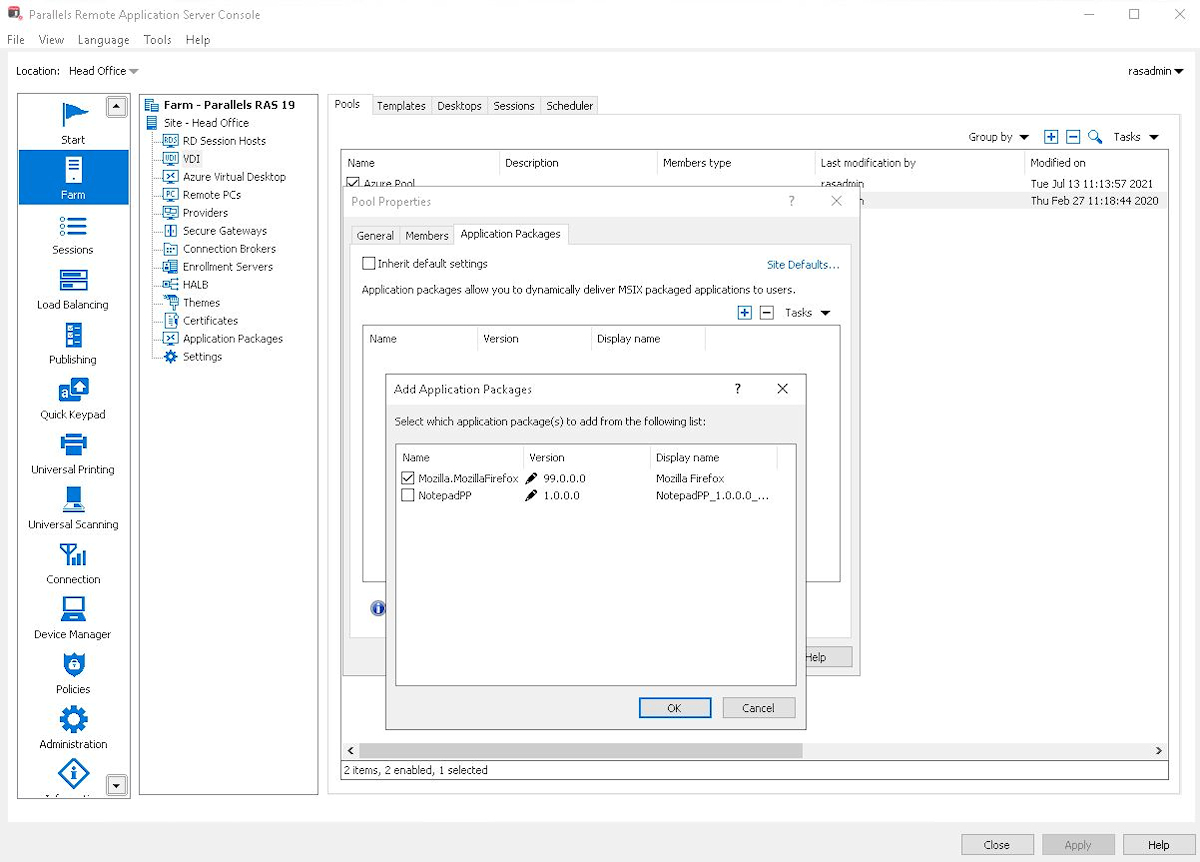
Screenshot of the console interface, showing Parallels RAS' support for on-premises, private and public cloud providers, including Azure and AWS.Screenshot of the Parallels Web Client, which is accessible from any HTML5 browser or choose one of the many local clients.Screenshot of Parallels RAS' integration with MSIX app attach for modern, dynamic app delivery.Screenshot of Parallels RAS' support for multiple MFAs for security and flexibility.Screenshot of the integrated Let's Encrypt security certificates, to issue and manage certificates in Parallels RAS.Screenshot of expression-based filtering which makes it easier to set policies in the Parallels RAS.