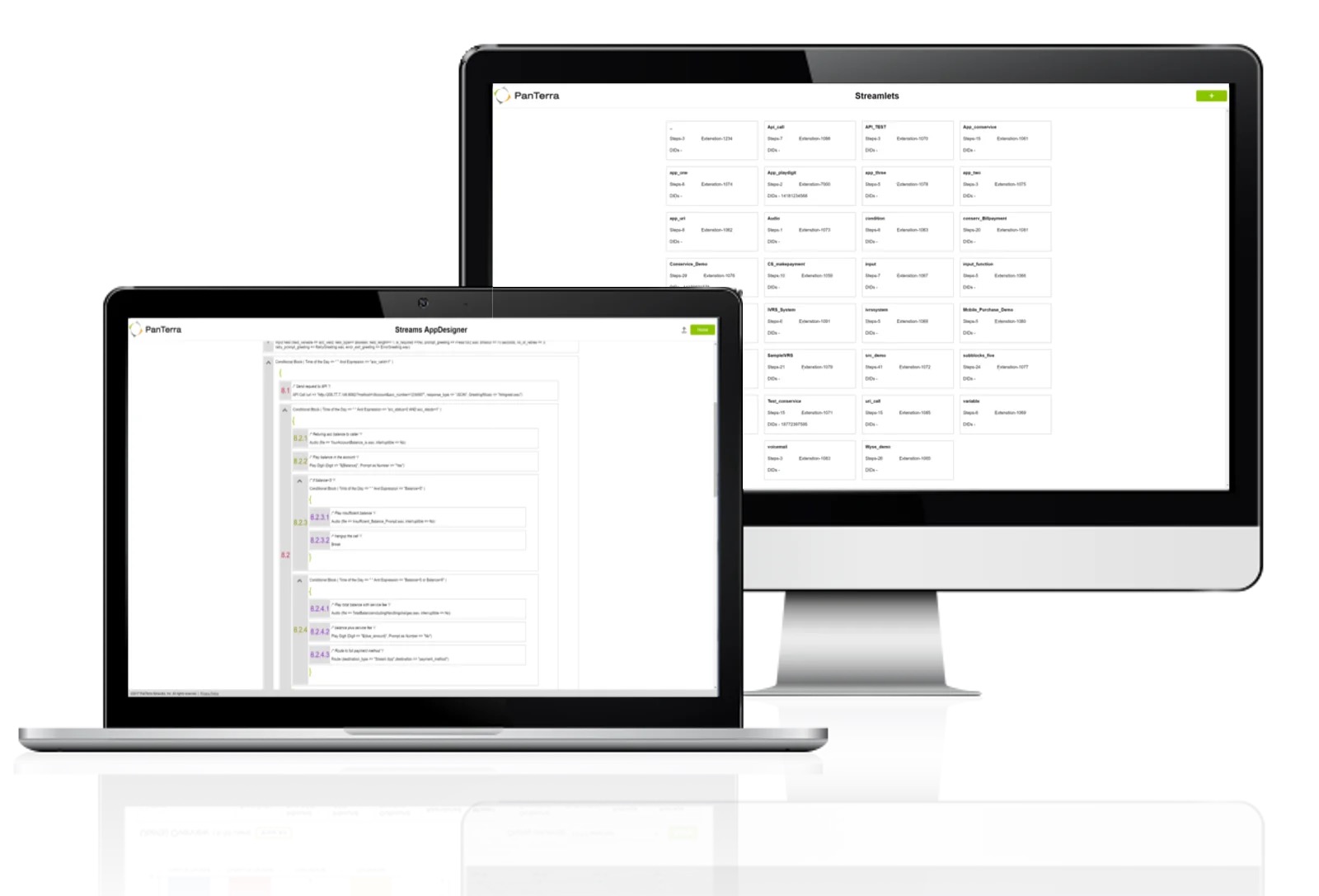
PanTerra is a provider of unified cloud-based services for communications, enterprise file sharing and mobility solutions for mid-market enterprises (MME), headquartered in Santa Clara. The Company's Streams service provides - Unified Communications and SmartBox - Communications-Enabled Content Management solutions which are delivered securely from the cloud through a browser-based client as well as mobile apps for smartphones and tablets, are designed to eliminate any on-premises deployed…
$17.95
per month per seat
TeamViewer
Score8.6 out of 10
N/A
Teamviewer offers secure remote access, IT support and device management on a scalable platform. It speeds up problem resolution, reduces downtime and enhances control through automation, unattended access and complete visibility of every device and location.
$299
per year
Pricing
Streams.AI by PanTerra
TeamViewer
Editions & Modules
Business Basic
$17.95
per month per seat
Business Plus
$24.95
per month per seat
Professional
$29.95
per month per seat
Call Center
$44.95
per month per seat
Remote Access
$24.90
per month (billed annually) 1 Licensed User
Business
$50.90
per month (billed annually) 1 Licensed User
Premium
$102.90
per month (billed annually) 15 Licensed Users
Corporate
$206.90
per month (billed annually) 30 Licensed Users
Offerings
Pricing Offerings
Streams.AI by PanTerra
TeamViewer
Free Trial
No
Yes
Free/Freemium Version
No
Yes
Premium Consulting/Integration Services
Yes
Yes
Entry-level Setup Fee
Optional
Optional
Additional Details
All plans are eligible for volume and term-based discounts.
One of the main draws of PanTerra Networks Streams is the unlimited calling, which was very enticing. We chose the platform over other models (per-call for example) because they simplified billing. While the video conferencing and messaging feel bare-bones or underdeveloped in comparison to other players in the market, the fact that the messaging is seamlessly integrated into the PBX makes it easy to use. The call routing systems are especially robust, which in the collections world is very important to be able to segment calls to different users.
A de minimis incentive was given to thank the reviewer for their time. The incentive was not used to bias or drive a particular response, nor was the incentive contingent on a positive endorsement. TR verified that a representative sample of customers was invited. More Info
I would definitely recommend it, and that's why I've stuck with it so long: continuous improvement. Now AI has fully embraced it to help with faster monitoring and Troubleshooting, saving me a huge amount of time and effort. Affordable to use for both personal and Professional work to assist colleagues from different workstations.
A de minimis incentive was given to thank the reviewer for their time. The incentive was not used to bias or drive a particular response, nor was the incentive contingent on a positive endorsement. More Info
A de minimis incentive was given to thank the reviewer for their time. The incentive was not used to bias or drive a particular response, nor was the incentive contingent on a positive endorsement. TR verified that a representative sample of customers was invited. More Info
A de minimis incentive was given to thank the reviewer for their time. The incentive was not used to bias or drive a particular response, nor was the incentive contingent on a positive endorsement. More Info
MFA could be a lot better when connecting to the remote device. If a phone is added to security for the remote worker, then the admin cannot use Easy Access to access the device without interaction with the remote worker. Admins should have access to remote devices via other MFA methods.
App updates sometimes cause unstable status and computer must be restarted.
OS updates often require additional user interaction before completing the sign-in process, leaving TeamViewer in an incomplete startup state and preventing the Remote Worker from accessing the device. An admin then has to remote into the device using another remote desktop access tool (Apple Remote Desktop, for instance) and bypass the user interaction screens, which allows the login process to complete and TeamViewer to start up fully. It would be best if the TeamViewer Host could connect even when the OS is prompting for user interaction (e.g., clicking OK on modal dialog boxes post-update).
A de minimis incentive was given to thank the reviewer for their time. The incentive was not used to bias or drive a particular response, nor was the incentive contingent on a positive endorsement. TR verified that a representative sample of customers was invited. More Info
In all likelihood, we will remain Panterra customers for many years. VoIP phone and messaging is a rapidly expanding and evolving market, however, and its possible a better solution will come along, but for now, Panterra Streams offers a compelling solution combining leading features, great customer service, and affordable pricing.
A de minimis incentive was given to thank the reviewer for their time. The incentive was not used to bias or drive a particular response, nor was the incentive contingent on a positive endorsement. More Info
We need this tool in our day to day business. It is what we do all day remoting into clients devices. In this day and age we can access devices all over the world as long as we have secure internet connection. It certainly saves money in gas, and even if you are away you can help.
A de minimis incentive was given to thank the reviewer for their time. The incentive was not used to bias or drive a particular response, nor was the incentive contingent on a positive endorsement. TR verified that a representative sample of customers was invited. More Info
Streams.AI by PanTerra is a great reliable service and that's what I want it to be. It's accessible wherever I am or however I am working - which is perfect. I would rate Streams.AI by PanTerra more highly if it required less steps and operated more functions in the background. I don't need any extra windows to do anything if it's working in my phone or connected to my email. So fewer steps and faster usage would improve my rating.
A de minimis incentive was given to thank the reviewer for their time. The incentive was not used to bias or drive a particular response, nor was the incentive contingent on a positive endorsement. More Info
TeamViewer is a reliable and really strong tool for accessing remote IT platforms secure and fast. We don't know any product that provide us such strong functionality to make our life as a internationally recognized MES provider with DIAMES with an international clientele so easy. We look forward for any new TeamViewer functionality that supports us even more.
A de minimis incentive was given to thank the reviewer for their time. The incentive was not used to bias or drive a particular response, nor was the incentive contingent on a positive endorsement. More Info
A de minimis incentive was given to thank the reviewer for their time. The incentive was not used to bias or drive a particular response, nor was the incentive contingent on a positive endorsement. More Info
TeamViewer has always been available when we needed to use it. We have not noticed any outages or periods where the software functions were unavailable.
A de minimis incentive was given to thank the reviewer for their time. The incentive was not used to bias or drive a particular response, nor was the incentive contingent on a positive endorsement. More Info
A de minimis incentive was given to thank the reviewer for their time. The incentive was not used to bias or drive a particular response, nor was the incentive contingent on a positive endorsement. More Info
TeamViewer performance has always been very good. Pages load quickly and we can see what the remote engineers are doing on the computer in real time. This is very beneficial for our own technicians and engineers and helps their learning curve. Troubleshooting is much easier with TeamViewer. We have not noticed and lagging of our computers while using TeamViewer.
A de minimis incentive was given to thank the reviewer for their time. The incentive was not used to bias or drive a particular response, nor was the incentive contingent on a positive endorsement. More Info
Support was always very helpful when we called them. If they didn't know the answer right then, you can bet they were either going to either find the answer or find someone who knows the answer. We were never left hanging or had an unsatisfactory experience when contacting support.
A de minimis incentive was given to thank the reviewer for their time. The incentive was not used to bias or drive a particular response, nor was the incentive contingent on a positive endorsement. TR verified that a representative sample of customers was invited. More Info
the few times i have had to contact teamviewer support, they were very responsive and give me quick answers and seemed to understand my problems quickly and easily. I did not have to sit on the phone for hours on hold or get passed around to multiple phone support techs before finding a solution to my issues, so i would rate their support very highly.
A de minimis incentive was given to thank the reviewer for their time. The incentive was not used to bias or drive a particular response, nor was the incentive contingent on a positive endorsement. More Info
As expected without any problem! Alternate in-person training is another efficient way to learn how a product works. There are many third party supporters for TeamViewer courses available that can give additional ideas how to use TeamViewer for specific functions and features as we did require in respect of our usage.
A de minimis incentive was given to thank the reviewer for their time. The incentive was not used to bias or drive a particular response, nor was the incentive contingent on a positive endorsement. More Info
Everything was fantastic. Training was sufficient and everything was easy to use. It was provided on our schedule and was very clear. I did the training myself. Training person was very knowledgeable. We are very happy. Only two users. very happy very happy very happy very happy very happy very happy
A de minimis incentive was given to thank the reviewer for their time. The incentive was not used to bias or drive a particular response, nor was the incentive contingent on a positive endorsement. More Info
I have never used the online training either. I have watched a few informational videos that were helpful when learning how to do a specific procedure within TeamViewer and get the most out of the software by utilizing one of the many features that are available with the software. Again, 5 if for neutral.
The implementation was relatively quick and easy. We did have to wait to have someone assigned which took longer that I was hoping. We were able to get the phone system up and running within a day. So there was no disruption or too many voicemails to answer
A de minimis incentive was given to thank the reviewer for their time. The incentive was not used to bias or drive a particular response, nor was the incentive contingent on a positive endorsement. More Info
TeamViewer installation and deployment to other devices is pretty straightforward and does not require much technical know-how. This makes ease of use attractive when supporting both new and existing clients with limited technical knowledge. I think ease of use is a huge factor in getting new clients. TeamViewer handles that extremely well.
A de minimis incentive was given to thank the reviewer for their time. The incentive was not used to bias or drive a particular response, nor was the incentive contingent on a positive endorsement. TR verified that a representative sample of customers was invited. More Info
PanTerra Networks is viewed as more competitive, and close enough to win. Those other companies do offer more integrations off the shelve, and do have a more user friendly portal. Panterra does give the client a more personalized experience when it comes to the presentation, so the customer feels like they're getting a more personalized experience.
A de minimis incentive was given to thank the reviewer for their time. The incentive was not used to bias or drive a particular response, nor was the incentive contingent on a positive endorsement. More Info
TeamViewer's cost is much lower than that of other solutions, and its security is far superior to RemotePC's. TeamViewer is also a request-based remote session manager, unlike other software that allows indefinite connection time. TeamViewer's free version makes it even better for one end of the group to find support, while the other end has the paid version.
A de minimis incentive was given to thank the reviewer for their time. The incentive was not used to bias or drive a particular response, nor was the incentive contingent on a positive endorsement. TR verified that a representative sample of customers was invited. More Info
A de minimis incentive was given to thank the reviewer for their time. The incentive was not used to bias or drive a particular response, nor was the incentive contingent on a positive endorsement. More Info
A de minimis incentive was given to thank the reviewer for their time. The incentive was not used to bias or drive a particular response, nor was the incentive contingent on a positive endorsement. More Info
A de minimis incentive was given to thank the reviewer for their time. The incentive was not used to bias or drive a particular response, nor was the incentive contingent on a positive endorsement. More Info
Very reliable. We make hundreds of calls outbound and there has never been a connectivity issue or otherwise
We decreased our monthly expense for reliable service by several hundred dollars
The onboarding support was the best we've ever experienced. They were on the phone while we hooked up every phone, tested, and got it all set up with ease.
Any changes needed after onboarding were difficult to accomplish without a call to customer service. Some of those calls to customer service made things more confusing
A de minimis incentive was given to thank the reviewer for their time. The incentive was not used to bias or drive a particular response, nor was the incentive contingent on a positive endorsement. More Info
A de minimis incentive was given to thank the reviewer for their time. The incentive was not used to bias or drive a particular response, nor was the incentive contingent on a positive endorsement. TR verified that a representative sample of customers was invited. More Info