Overview
ProductRatingMost Used ByProduct SummaryStarting Price
Paycom
Score 8.5 out of 10
N/A
Paycom is an automated HCM platform, built on a single database that eliminates redundant data entry through automation. A payroll and HR software solution, Paycom is used by organizations of all sizes to access employee data without navigating multiple systems.N/A
QuickBooks Desktop Pro
Score 8.1 out of 10
N/A
Quickbooks Desktop Pro is accounting software from Intuit, Inc. It includes core accounting features, plus analytics and exportable reports. It is offered in on-premise and SaaS forms.N/A
Pricing
PaycomQuickBooks Desktop Pro
Editions & Modules
No answers on this topic
Offerings
Pricing Offerings
PaycomQuickBooks Desktop Pro
Free Trial
NoNo
Free/Freemium Version
NoNo
Premium Consulting/Integration Services
NoNo
Entry-level Setup FeeNo setup feeNo setup fee
Additional Details
More Pricing Information
Community Pulse
PaycomQuickBooks Desktop Pro
Considered Both Products
Paycom
Chose Paycom
ADP is too complex, too many people to go through to get what you need, as you need it. I can only say that I don't want to ever have to go back to using ADP again., Wherever my career leads me - I will lead them to PAYCOM!!
Chose Paycom
We have always been extremely happy with the service we have received from Paycom and have never felt it necessary to research alternate vendors.
Chose Paycom
Paycom has more features and better integration from BenefitMall PayFocus. I used BenefitMall at another agency for several years and found the reporting feature very limited. The time and attendance were a separate portal. The integration of benefits into payroll required …
Chose Paycom
We selected Paycom because of the people who work there. From our sales representative to our direct specialist, every single person in between has our best interest at heart. We also loved the packages we were getting for the price we paid and the fact that we would have …
QuickBooks Desktop Pro
Chose QuickBooks Desktop Pro
We use Compeat for our restaurant based entities and that works pretty well for restaurant management as it does have an integrated inventory count, that QB does not offer. To me, those are completely different system and it is difficult to compare, for our franchisor company …
Features
PaycomQuickBooks Desktop Pro
Human Resource Management
Comparison of Human Resource Management features of Product A and Product B
Paycom
7.9
459 Ratings
3% below category average
QuickBooks Desktop Pro
-
Ratings
Employee demographic data8.9416 Ratings00 Ratings
Employment history7.8400 Ratings00 Ratings
Job profiles and administration8.0403 Ratings00 Ratings
Workflow for transfers, promotions, pay raises, etc.7.5403 Ratings00 Ratings
Organizational charting7.3316 Ratings00 Ratings
Organization and location management7.6354 Ratings00 Ratings
Compliance data (COBRA, OSHA, etc.)8.3336 Ratings00 Ratings
Payroll Management
Comparison of Payroll Management features of Product A and Product B
Paycom
8.2
467 Ratings
1% above category average
QuickBooks Desktop Pro
6.8
69 Ratings
11% below category average
Pay calculation8.7454 Ratings6.564 Ratings
Support for external payroll vendors6.447 Ratings00 Ratings
Off-cycle/On-Demand payment8.421 Ratings00 Ratings
Benefit plan administration8.2395 Ratings6.538 Ratings
Direct deposit files9.3454 Ratings6.956 Ratings
Salary revision and increment management8.2379 Ratings6.552 Ratings
Reimbursement management8.4259 Ratings7.554 Ratings
Leave and Attendance Management
Comparison of Leave and Attendance Management features of Product A and Product B
Paycom
8.4
410 Ratings
3% above category average
QuickBooks Desktop Pro
-
Ratings
Approval workflow8.6391 Ratings00 Ratings
Balance details8.2390 Ratings00 Ratings
Annual carry-forward and encashment8.5325 Ratings00 Ratings
Employee Self Service
Comparison of Employee Self Service features of Product A and Product B
Paycom
8.5
468 Ratings
4% above category average
QuickBooks Desktop Pro
-
Ratings
View and generate pay and benefit information9.0459 Ratings00 Ratings
Update personal information8.8464 Ratings00 Ratings
View company policy documentation7.9412 Ratings00 Ratings
Employee recognition8.7225 Ratings00 Ratings
View job history7.8373 Ratings00 Ratings
Asset Management
Comparison of Asset Management features of Product A and Product B
Paycom
4.9
26 Ratings
49% below category average
QuickBooks Desktop Pro
-
Ratings
Tracking of all physical assets4.926 Ratings00 Ratings
HR Reporting
Comparison of HR Reporting features of Product A and Product B
Paycom
7.1
406 Ratings
6% below category average
QuickBooks Desktop Pro
-
Ratings
Report builder7.8399 Ratings00 Ratings
Pre-built reports7.8396 Ratings00 Ratings
Ability to combine HR data with external data5.855 Ratings00 Ratings
Onboarding
Comparison of Onboarding features of Product A and Product B
Paycom
8.1
403 Ratings
2% above category average
QuickBooks Desktop Pro
-
Ratings
New hire portal8.1400 Ratings00 Ratings
Manager tracking tools8.1348 Ratings00 Ratings
Performance and Goals
Comparison of Performance and Goals features of Product A and Product B
Paycom
6.1
236 Ratings
27% below category average
QuickBooks Desktop Pro
-
Ratings
Corporate goal setting4.236 Ratings00 Ratings
Individual goal setting7.8219 Ratings00 Ratings
Line-of sight-visibility4.835 Ratings00 Ratings
Performance tracking7.6231 Ratings00 Ratings
Performance Management
Comparison of Performance Management features of Product A and Product B
Paycom
7.6
293 Ratings
4% below category average
QuickBooks Desktop Pro
-
Ratings
Performance plans7.7272 Ratings00 Ratings
Performance improvement plans7.4256 Ratings00 Ratings
Review status tracking7.8264 Ratings00 Ratings
Review reminders7.8270 Ratings00 Ratings
Multiple review frequency7.4242 Ratings00 Ratings
Succession Planning
Comparison of Succession Planning features of Product A and Product B
Paycom
8.7
48 Ratings
11% above category average
QuickBooks Desktop Pro
-
Ratings
Create succession plans/pools9.127 Ratings00 Ratings
Candidate ranking9.133 Ratings00 Ratings
Candidate search8.546 Ratings00 Ratings
Candidate development8.343 Ratings00 Ratings
Recruiting / ATS
Comparison of Recruiting / ATS features of Product A and Product B
Paycom
7.0
291 Ratings
10% below category average
QuickBooks Desktop Pro
-
Ratings
Job Requisition Management7.3260 Ratings00 Ratings
Company Website Posting7.0255 Ratings00 Ratings
Publish to Social Media6.4201 Ratings00 Ratings
Job Search Site Posting6.9237 Ratings00 Ratings
Duplicate Candidate Prevention6.8224 Ratings00 Ratings
Applicant Tracking7.0265 Ratings00 Ratings
Notifications and Alerts7.9274 Ratings00 Ratings
Customization
Comparison of Customization features of Product A and Product B
Paycom
-
Ratings
QuickBooks Desktop Pro
5.9
43 Ratings
25% below category average
API for custom integration00 Ratings6.635 Ratings
Plug-ins00 Ratings5.239 Ratings
Security
Comparison of Security features of Product A and Product B
Paycom
-
Ratings
QuickBooks Desktop Pro
8.3
101 Ratings
1% above category average
Single sign-on capability00 Ratings8.282 Ratings
Role-based user permissions00 Ratings8.495 Ratings
Reporting & Analytics
Comparison of Reporting & Analytics features of Product A and Product B
Paycom
-
Ratings
QuickBooks Desktop Pro
8.5
117 Ratings
8% above category average
Dashboards00 Ratings8.4100 Ratings
Standard reports00 Ratings8.8117 Ratings
Custom reports00 Ratings8.3114 Ratings
General Ledger and Configurable Accounting
Comparison of General Ledger and Configurable Accounting features of Product A and Product B
Paycom
-
Ratings
QuickBooks Desktop Pro
7.6
124 Ratings
0% below category average
Accounts payable00 Ratings9.2119 Ratings
Accounts receivable00 Ratings9.2121 Ratings
Cash management00 Ratings9.1107 Ratings
Bank reconciliation00 Ratings9.6119 Ratings
Expense management00 Ratings9.3108 Ratings
Time tracking00 Ratings7.551 Ratings
Fixed asset management00 Ratings5.869 Ratings
Multi-currency support00 Ratings7.231 Ratings
Multi-division support00 Ratings8.858 Ratings
Regulations compliance00 Ratings8.142 Ratings
Electronic tax filing00 Ratings8.355 Ratings
Self-service portal00 Ratings6.241 Ratings
Global Financial Support00 Ratings4.417 Ratings
Primary and Secondary Ledgers00 Ratings6.840 Ratings
Intercompany Accounting00 Ratings8.243 Ratings
Localizations00 Ratings4.419 Ratings
Journals and Reconciliations00 Ratings8.776 Ratings
Enterprise Accounting00 Ratings6.938 Ratings
Configurable Accounting00 Ratings7.547 Ratings
Centralized Rules Framework00 Ratings6.027 Ratings
Standardized Processes00 Ratings8.455 Ratings
Inventory Management
Comparison of Inventory Management features of Product A and Product B
Paycom
-
Ratings
QuickBooks Desktop Pro
6.0
59 Ratings
20% below category average
Inventory tracking00 Ratings6.256 Ratings
Automatic reordering00 Ratings6.235 Ratings
Location management00 Ratings6.232 Ratings
Manufacturing module00 Ratings5.418 Ratings
Order Management
Comparison of Order Management features of Product A and Product B
Paycom
-
Ratings
QuickBooks Desktop Pro
7.0
77 Ratings
7% below category average
Pricing00 Ratings7.655 Ratings
Order entry00 Ratings8.555 Ratings
Credit card processing00 Ratings7.551 Ratings
Cost of goods sold00 Ratings8.263 Ratings
Order Orchestration00 Ratings5.420 Ratings
End-to-end order visibility00 Ratings6.323 Ratings
Order exception Resolution00 Ratings5.418 Ratings
Best Alternatives
PaycomQuickBooks Desktop Pro
Small Businesses
Dayforce Powerpay
Dayforce Powerpay
Score 9.3 out of 10
QuickBooks Self-Employed (discontinued)
Score 6.0 out of 10
Medium-sized Companies
Paypro Workforce Management
Score 9.1 out of 10
Zoho Books
Zoho Books
Score 9.1 out of 10
Enterprises
PeopleStrong
PeopleStrong
Score 10.0 out of 10
Oracle Fusion Cloud Enterprise Performance Management
Score 7.5 out of 10
All AlternativesView all alternativesView all alternatives
User Ratings
PaycomQuickBooks Desktop Pro
Likelihood to Recommend
8.7
(562 ratings)
8.5
(135 ratings)
Likelihood to Renew
7.2
(24 ratings)
8.0
(19 ratings)
Usability
9.0
(86 ratings)
9.1
(42 ratings)
Availability
9.1
(2 ratings)
8.3
(2 ratings)
Performance
9.1
(2 ratings)
-
(0 ratings)
Support Rating
9.1
(52 ratings)
1.2
(29 ratings)
In-Person Training
6.4
(1 ratings)
10.0
(1 ratings)
Online Training
3.7
(3 ratings)
-
(0 ratings)
Implementation Rating
8.2
(7 ratings)
9.0
(6 ratings)
Configurability
9.1
(2 ratings)
-
(0 ratings)
Ease of integration
5.5
(1 ratings)
-
(0 ratings)
Product Scalability
9.1
(2 ratings)
8.0
(1 ratings)
Vendor post-sale
9.0
(4 ratings)
-
(0 ratings)
Vendor pre-sale
9.0
(4 ratings)
-
(0 ratings)
User Testimonials
PaycomQuickBooks Desktop Pro
Likelihood to Recommend
Paycom
I've implemented at least 7 HRMS and/or performance suites over the years. I have no true complaints about the platform. We have found that for one of our client codes, the scheduling functionality doesn't accommodate the constant scheduling adjustments our transportation company requires. That said, our routes can change more than once an hour and start/end times often change with routes. We have found that managing the full employee life cycle is even more streamlined with the recent Position Seat updates. We also value that the platform is a native build - so no lagging API integrations to navigate.
Read full review
Intuit
For a small business, QuickBooks Desktop Pro is great! For a larger, more complex business, another system may be more beneficial. We actually run multiple businesses on QuickBooks Desktop Pro, but all are very small. The help feature is sometimes so beneficial, and sometimes it seems like you just can't get the right answer and need to find a workaround - but this is usually for more complex issues.
Read full review
Pros
Paycom
  • Before Paycom we were using Paylocity and in about six months of running payroll with Paylocity, we never once had 100% accuracy from a payroll standpoint. So we had disgruntled employees because either their time was off or their pay was off. With Paycom, we've never had a case where our payroll was not 100% accurate.
Read full review
Intuit
  • It is easy to manage and adjust inventory on hand.
  • It is easy to make reports and customize them to your needs.
  • We also use it to pay our employees directly.
  • It is easy to make year-to-year comparisons to see where we can make improvements and the current financial situation.
Read full review
Cons
Paycom
  • I think that when we do need a response back, which is very unlikely from the contact about something that's happening or going on, it can take a little long to get back to us. Longer than we would like because obviously it's an emergency to us, but we understand they have tons of emergencies they have to solve. But I think that's the only aspect.
  • I know from a payroll standpoint, which I'm not really privy to because I don't work on the payroll side, there have been some little hiccups that about certain formulas used, certain credits being issued that we've already filed for tax credits that we filed for. So I know that my CFO's already on top of it and pay comes on top of it as well and it's getting resolved, but obviously that's a big issue that needs some work there.
Read full review
Intuit
  • QuickBooks Desktop Pro has been around for a few years and after an update[,] they force you to look at the changes/updates before you can use [them] after updating.
  • QuickBooks Desktop Pro does not have 2FA.
  • QuickBooks Desktop Pro should offer a way to store backups to a personal cloud without having to map a local network drive.
Read full review
Likelihood to Renew
Paycom
we are having no problems with how the system works and our support system at paycom is the best - we are learning more and using the system in more ways all the time the only thing that could be better is pricing on some things
Read full review
Intuit
I'd love to keep using it, and do intend to - though we've not been pleased with price increases over the past several years. In fact, we used to subscribe to the payroll service, but QuickBooks priced themselves out of reach for us, so we discontinued that. Currently, pricing would be the primary reason for NOT renewing, if we didn't.
Read full review
Usability
Paycom
The interface is very intuitive, you can navigate it pretty well. Everything's pretty much spelled out and the features just flow really well. They make it easy for you to go back and forth with the UX/UI type of interface. So I think it was built pretty well.
Read full review
Intuit
The set up was quite easy. I took some online training causes, and figured our the rest pretty quickly. The only issue I had during the implementation process was it was very hard to change some of the GL Account name to reflect the needs of a non-profit organization, such as Net Assets. At the end I had to scratch what I did, and used the existing formats that the third-party bookkeeping firm shared. Everything else is simple and easy to manage and implement.
Read full review
Reliability and Availability
Paycom
They are very dependable and I have never experience any outages
Read full review
Intuit
I haven't experienced a time when QuickBooks Pro was unavailable when I needed it in the entire 20 years of using the software
Read full review
Performance
Paycom
Yes, Paycom's performance is excellent, no issues.
Read full review
Intuit
No answers on this topic
Support Rating
Paycom
Have been bounced around alot in our 3 years of partnership. Wanted a dedicated rep but that did not provide us the care and attention we required. Work with a team first and then get to your representative. Sometimes an issue with time differences - representative working on different timebelt and not accessible, or we had to wait a day to move an issue along
Read full review
Intuit
They are awful. Intuit doesn't spend real money on support. They appear to have typically said, first-level script readers who are sending messages to the senior people for anything even a little bit difficult. Many of them don't speak particularly good English. Considering that they recently doubled (or, if you are paying annually, tripled) their pricing, and touted as one of the benefits that it includes [..] support, it's a real ripoff. However, we have to use the product because it is ubiquitous. I look forward to the day a competitor comes up with something good enough, which has excellent support, that matches all the features QuickBooks Desktop Pro currently has [...] or at least gives us a way to have all the functionality we currently have without excessive sacrifice [...] so that we can switch. I was very satisfied with QuickBooks for many years. This latest [rise] in price, and their sheer gall at touting the benefit of the 100 to 200% increase as being [the] inclusion of support, is what turned me so far against them.
Read full review
In-Person Training
Paycom
They were a sales person and not really a good trainer.
Read full review
Intuit
Best thing I ever did was to attend a two day training seminar on QuickBooks, I learned an immense amount in a short time with hands on training by experts. I strongly recommend such training for anyone using any part of the software. It will pay for itself in the first month.
Read full review
Online Training
Paycom
All the online training modules were short and straight to the point. Every module teach you how to use the system. If there is one thing they know how to do is training. We did implementation during the pandemic so all had to be done online or via zoom meetings.
Read full review
Intuit
No answers on this topic
Implementation Rating
Paycom
Not at all satisfied it was a nightmare we spent over 8 months with the implementation team having issues after issues all related to the Puerto Rico regulations (half my employees are in Puerto Rico) and at the end we were moved over from the implementation team to the production team without all the issues being resolved
Read full review
Intuit
We implemented the software ourselves. The training we received on the software was done by taking a community course teaching us how to use QuickBooks. It allowed me to get started with some basics of how to use the program and have not needed much assistance since completing the course work.
Read full review
Alternatives Considered
Paycom
We really only had Paychecks and that was our biggest problem is that with several different companies, it was very hard If you had a salary employee and didn't terminate them in the prior company, they get paid twice, so this has really been definitely a big help for us.
Read full review
Intuit
We tried switching from QuickBooks Desktop Pro to QuickBooks Online, but there were a lot of issues and bugs so we ultimately decided to stay with Desktop Pro. Unfortunately, we are losing a lot of Online Banking capabilities on 5/31 as we have an older version of QB, but we plan to stick with Desktop Pro. In terms of invoicing, SaaSOptics beats QuickBooks in almost all aspects as it's all automated and takes seconds to create and send invoices. However, SaaSOptics is not really a full ERP program so it wouldn't serve us as a main bookkeeping software like QB.
Read full review
Scalability
Paycom
They are not able to meet our current needs
Read full review
Intuit
No answers on this topic
Return on Investment
Paycom
  • I would think the most time would come from applicant tracking and I don't think that's a Paycom issue necessarily. I think it was a training issue during implementation. I would say that that has improved now that we had onsite training. But initially the applicant tracking piece can be difficult when you're used to just using an ATS. That's specifically for talent acquisition because there's a lot of nuances that goes into the system that Paycom bills.
Read full review
Intuit
  • Training time is low compared to other accounting packages
  • It was difficult to adapt to DCAA requirements, [which] required [the] hiring of [a] special consultant for that
  • QuickBooks Desktop Pro is a standard for small companies and makes it easy to hire bookkeepers
Read full review
ScreenShots

Paycom Screenshots

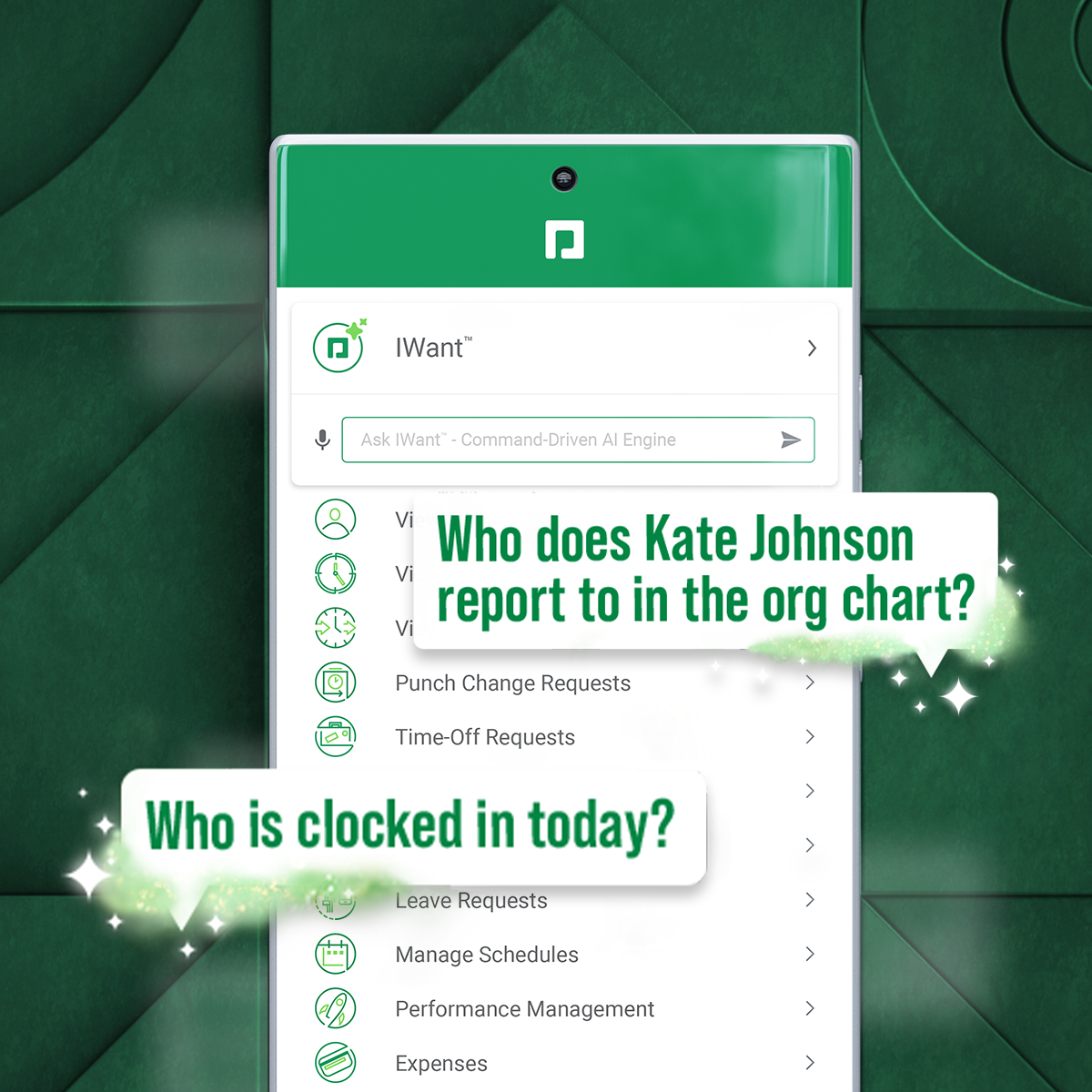
Screenshot of a new study that reveals that for a composite organization representative of interviewed clients, unifying HR and payroll in a single-database software with automation and streamlined workflows achieved a three-year 362% ROI and resulted in: $1.4M net present value*; over 45% total time saved by HR; 80% time saved on compliance work.Screenshot of IWant, which is a command-driven AI engine in a single database, for instant access to employee data.Screenshot of Direct Data Exchange®, which takes a detailed pulse of how employees interact with Paycom. It automatically assigns a dollar value of savings based on Ernst & Young research.