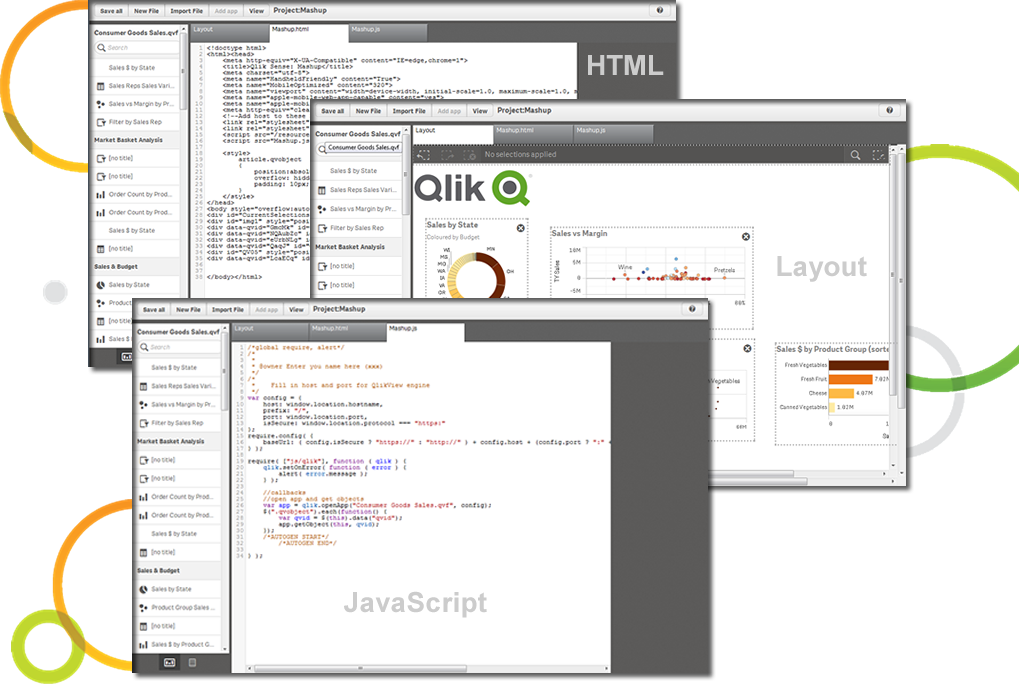
Qlik Sense® is a self-service BI platform for data discovery and visualization. It supports a full range of analytics use cases—data governance, pixel-perfect reporting, and collaboration. Its Associative Engine indexes and connects relationships between data points for creating actionable insights.
$200
per month
SAP Analytics Cloud
Score 8.2 out of 10
N/A
The SAP Analytics Cloud solution brings together analytics and planning with integration to SAP applications and access to heterogenous data sources. As the analytics and planning solution within SAP Business Technology Platform, SAP Analytics Cloud supports trusted insights and integrated planning processes enterprise-wide to help make decisions without doubt.
$36
per month per user
Workday Adaptive Planning
Score 7.7 out of 10
Mid-Size Companies (51-1,000 employees)
Workday Adaptive Planning streamlines planning workflows, using AI and real-time data integration to improve collaboration and provide predictive forecasts for better strategic analysis.
N/A
Pricing
Qlik Cloud Analytics (Qlik Sense)
SAP Analytics Cloud
Workday Adaptive Planning
Editions & Modules
Starter
$200
per month
Standard
$825
per month
Premium
$2750
per month
Qlik Sense (On-Premise)
Contact Sales
SAP Analytics Cloud for Business Intelligence
$36.00
per month per user
SAP Analytics Cloud for Planning
Price upon request
per month per user
No answers on this topic
Offerings
Pricing Offerings
Qlik Cloud Analytics (Qlik Sense)
SAP Analytics Cloud
Workday Adaptive Planning
Free Trial
No
Yes
Yes
Free/Freemium Version
No
No
No
Premium Consulting/Integration Services
Yes
No
Yes
Entry-level Setup Fee
No setup fee
No setup fee
Optional
Additional Details
—
A 30-day trial with SAP Analytics Cloud is available, supporting analytics enterprise-wide. A trial can be extended up to 90 days on request.
Other vendors products evaluated (in some cases used by other divisions within our corporation): ** SAP Analytics Cloud - stacks up quite well against Qlik Sense but the differences are subtle but important. Sometimes SAC has it over Qlik and sometimes Qlik has it over SAC so …
Qlik Sense can easily integrate multiple data models to
visualize customer data. Tableau is easy to use—perhaps more manageable than Qlik—but
expensive. Microsoft BI was chosen because it was similar to previously used
Qlik Sense was more fully-featured and scaled better on price. The ability to customize and extend functionality is helpful to tweak the product for our specific needs. It has truly helped scale our user community and their maturity/ability to do more with data without also …
Compared to the other three products, the data prep and mobile BI are two areas that we see Qlik stands out and that is why we designated the Qlik use cases.
Compared to Qlik Sense, I enjoy the functionality and feel of SAP Analytics cloud much better. The addition of the smart insights within SAP Analytics Cloud helps to identify root cause issues much quicker than the Qlik product. Additionally, with end-user deployment, SAP …
Qlik Sense is too expensive, much more complicated to use for users (especially new variables or other complex calculations) and requires you to buy too many extra functionalities to have the same options as SAP Analytics Cloud can offer.
SAP Analytics Cloud runs jobs and provides reports quickly. Other competitors take more time to generate [the] same reports with similar logic. The visualization features in SAP Analytics Cloud are superior when compared to Qlik Sense. In areas like DevOps, this gives a …
True SaaS solution built from ground level up. Ability to combine planning, BI and predictive functions in one tool. Digital boardroom add-on that truly impresses the business leaders and users.
Integration with SAP is the key feature to go for SAC with perks of SAP IQ etc offered from SAP. Usability is quite eased in SAC - makes it easy for users to use and develop their own dashboarding. Cloud is one more feature which enables to the cloud world from SAP and probable …
The two products, SAP Analytics Cloud and Microsoft PowerBI, are very similar data presentation tools. The strength of SAC SAP Analytics Cloud is in direct connections when the sources are SAP. On the other hand, Microsoft PowerBI, in its version, has strong integration with …
Power BI has some unique selling features like bookmarks and DAX functionality. However, a lot of emphasis has to be given to data security and authorization. One has to manually enable row-based authorization or model-based authorization to share a lot of confidential data, …
SAP Analytics Cloud enables non-technical users to do analysis intuitively with the drag-and-drop functions. We loved also the convenience of accessing SAP Analytics Cloud dashboards on the go via mobile, allowing us to ask and answer questions during meetings. With more …
Adopted SAP Analytics Cloud with simple and rapid implementation in two months, three times faster than other competitive solutions. The business intelligence software had the ability to rapidly collect, better organize and manage great quantities of data in real-time, and …
This platform is powered by artificial intelligence and helps businesses of all types explore what-if possibilities based on historical data so that they make decisions with confidence.
For its current market maturity, SAC stacks up well against its competitors. There may be specific use cases for certain planning/analytic scenarios where it still lacks the functionality but generally speaking it is already a good reporting tool. SAC can still improve when it …
The solution very powerful, very interactive, designer is very good. Features like linked analysis, hierarchies are vey useful while analysing the data. The data wrangling options available in SAP Analytics cloud are also very powerful and they have very rich set of functions …
This tool does not match up to its competitors like microstrategy and Tableau when it comes to data visualization. It takes more time and effort creating dashboards and building schema objects in this tool. It is not as easy to learn as other competitive tools. Implementation …
In this particular case, the choice did not depend on my opinion as I was collaborating throughout the process. Their choice was primarily guided by the fact that the company we were advising was already on the SAP platform so Analytics Cloud was directly linked, thanks to the …
It doesn't have the same standard fulfillment modeling as the true workforce planning products, it equals the other core HCM systems and beats them on ease of use.
Adaptive has a much better interface and usability compared to all these systems. It is also less complex, easy to configure and install, and easy to teach. Adaptive is more affordable, both short and long term.
Adaptive Suite gave us what we needed and fit our use case perfectly. We did short list Host Analytics and they were neck and neck with Adaptive and it was a win/win for us and we would have been successful with either tool. My familiarity with Adaptive, the simplicity of …
We evaluated Host along with Adaptive, and chose Adaptive. We felt Adaptive was a better solution for our needs, which was primarily forecasting, and we thought Adaptive better handled our significant dimensionality all while maintaining a more user friendly interface. Our …
Adaptive was more flexible, able to be maintained without heavy IT involvement, cost effective, had no additional hardware requirements, and since it is a cloud platform, updates are automatic.
Large Stack Vendors Compared with financial planning and reporting offerings from IBM Cognos TM1, SAP BPM and Oracle BPM Suite / Hyperion, the Adaptive Suite offers most of the capability but deploys in around 10-30% of the time and provides total cost of ownership savings of …
Verified User
Manager
Chose Workday Adaptive Planning
I've implemented Host Analytics at a previous company. We performed an extensive vendor selection process and Adaptive Insights came out on top. Adaptive Insights allowing us to use a demo helped prove the functionality of the software. Since we've started implementation there …
Qlik Sense is a program whose purpose is to greatly improve all your operations and use of all data in an organic way. The mission will always be to increase the economic and commercial processes of the company in a short time. I recommended it for its high technology, which was Created for this area, the results are successful. We have noticed how it has increased relationships with our clients thanks to the credibility and security that we provide.
>> Using SAC predictive analytics capabilities for inventory management in a Production line setup has helped generate Purchase Requisitions and Purchase Orders for raw or semi-finished goods without much head-banging into Demand management rules. It does it beautifully with seamless integration with HANA core MM and PP modules, along with BI integration. It has resulted in 30% greater warehouse storage capacity, thereby saving revenue from piled-up inventory and associated manpower costs. >> SAC sometimes shows latency in working out a large data set, thus giving a poor user experience compared to its competition. Also, it may occasionally show misinterpretations when embedding data from 3rd-party systems into the HANA core dataset.
We're a mid-size organization working with a shoestring budget and an IT skeleton crew...not much room to dedicate resources to a platform like this fully. Having it SaaS based is helpful for system management through their Helpdesk system, and a single platform also helps streamline the knowledge needed by our developers when integrating other business aspects to Workday.
It makes it easier yo analyse order and related records easily.
We can easily maintain and track the performance of employees in organisation.
Can easily track various aspects for the growth of an organisation thus allowing real time analysis and tracking of organisation's growth and performance.
It helps create dynamic plans for finances, operations and various functional units in an organization all under one platform
It helps in scenario modeling to help analyze various business events and report by any number of business dimensions including channel, customer or product
It can be integrated with any system including ERP, BI or CRM
SAC supports various data sources, but improvements in the ease of connecting to and integrating with certain data repositories, especially non-SAP databases, would enhance the platform's versatility and integration capabilities.
An offline mode for SAC could be valuable for users who need to access and analyze data without an internet connection. Additionally, optimizing performance for large datasets and complex visualizations would contribute to a smoother user experience.
Dashboards are not the best for graphs/charts. However, I have heard of companies using the dashboards for forecasting/budgeting. I would like to see Workday Adaptive Planning demonstrate this part of the feature.
Better security or locks to prevent deleting Actuals data - you are literally one click away from doing this.
On the web-based reports, better functionality when needing to reverse the sign in calculations - right now it is only available for revenue vs. expenses.
Qlik Sense is a constantly improving it's software and working with its' users to make it better. They are great at keeping their users informed of progress and care about delivering a quality product
We are planning to review the licensing as we have issues with SAC dealing with huge datasets. Analytics area is good for import models but when we have live connections in place that's when we have issue with SAC dealing with huge datasets in live be it BW or be it HANA models in the backend.
For one we're in way too deep to not move forward with Adaptive. We're integrated with Workday, we do a ton of reporting with Adaptive, and it's working very well for planning and forecasting. No reason to look back or change course.
Qlik Sense has a better and easy to learn user interface compared with other analytics tool which always help us to create regular and adhoc reports within the stipulated time frame and can be easily refreshed at a scheduled time and sent to multiple stakeholders for timely update regarding the Key metrics indicator.
I landed on a 7 out of 10 for a few key reasons. The tool is flexible in the sense that we are using very very very (very) little off the shelf solutions and customizing to our needs. Users enjoy having the customized data actions, key variance calculations, and easy to use headcount/salary planning in the same tool. One downside is that users are hard to please when they are used to excel. SAP Analytics Cloud simply is not excel, and the flexibility of excel in a crunch is not there.
It is overwhelming at first, but once you really get to know it, you realize it is fairly simple and customizable, and then it has a lot more limitations than you first thought. Realizing those limitations and finding workarounds is when you know you've mastered the software.
I would rate SAP Analytics Cloud an 8 out of 10 for scalability. It offers a flexible, cloud-based architecture that supports expansion across departments and geographies. The platform adapts well to growing data volumes and user needs, making it a strong choice for organizations looking to scale analytics capabilities efficiently.
There haven't been any lately. The only one issue I can think of is when there was an update in Adaptive that altered our reports. Before I realized there was an issue, Adaptive reached out to let me know, so that it could be fixed.
I would rate SAP Analytics Cloud’s performance an 8 out of 10. Pages generally load quickly, and reports run within a reasonable time frame, even with complex datasets. Integration with other systems is smooth and doesn’t noticeably affect performance. Overall, it’s a responsive and efficient tool for business analytics. But
All aspects of Adaptive Insights perform well. One area that I wish was quicker was integration. When importing data from Intacct our accounting ERP platform, it can sometimes take 4 hours for the import to process. The earlier imports are done, the quicker they complete. My estimate for a quick upload is about two hours.
Qlik is great for companies with lots of business domains and departments because it scales well, especially if data that is reported is saved in SQL and similar structures. Its ease of use and good UI enables business units to create and manage their own reports. That removes a great burden of creating and managing/modifying these pages from the IT team. Overall, it's a win-win for both IT and business units.
Since the implementation stage, the support team has been very helpful and assisting. Even in the later stages, the tech team had quite a rapid response. In general, SAP has provided us with great customer support, let it be for a specific product of SAP or for integration of different modules.
Whenever we have had any questions, issues, or concerns, the support has been quick and thorough. [This] allow[s] us to be able to fully resolve any issues, or be connected with the right group quickly to attain the result we were after; be it from simple formatting to adding new detailed reporting.
This was extremely helpful so that they could walk you through the model and teach you more about the complexity of various areas. It is most helpful when it is specific to your organization's model. The larger in-person trainings were helpful but they tended to be more generic and entry level. The trainings that are more tailored to your specific needs are the most helpful.
In hindsight, it would have been easier to have someone there in person. Questions were answered, but with 11 participants, it got a bit chaotic online
They often times tended to be way too generic or entry level. They would also become sales pitches to upgrade or get new Adaptive Planning products. The questions in the training would be very niche and specific to other organizations. They were rarely helpful to the group at large.
SAC is a simple solution ad it works fine when connecting it to other SAP tools. On the other hand, connecting it to third party solutions brings difficulties when there's no previous design and the objetives are not clear. It is really important to integrate Business users from the start to provide with valuable business insights
Trust the expertise of very strong 3rd party implementers. Having deployed Adaptive at a separate company before, I thought I knew it all (hubris, I know). Fortunately, I began to (very quickly) trust the judgment of our Carlson implementation team, and they provided invaluable insights and best-in-class processes that have benefitted me and my team greatly.
The customization of the platform opens up plenty of other options depending on the use cases. The API layer is incredibly rich and makes integration of Qlik based visualization into web pages a simple and effective pattern. It's been very easy to use with a great community made up of professionals. Qlik Sense has introduces artificial Intelligence into my data visualization and reporting activity.
SAP Analytics Cloud and Power BI are both tools that help businesses understand their data, but they have some differences. SAC, made by SAP, works well if your company already uses other SAP products. It's in the cloud, easy to use, and has features for analyzing data, getting insights, and planning for the future. Power BI, made by Microsoft, can be used in the cloud or on your own computers. It fits well with Microsoft tools, is easy to use, and can do advanced data analysis. SAC has built-in planning tools, while Power BI needs extra tools for detailed planning
Workday became our choice because it is fully web-based and easily integrates with other systems. The learning curve for Workday was shorter than that of Dynamics. The reporting tools in Workday are more user-friendly than that of Dynamics. However Workday did not have Check Printing tools which are available in Dynamics. The organization started a project to digitize all financial transactions so it was not a priority feature. When it comes to scaling up the functionalities of Workday it was much easier than Dynamics.
Is good for use across multiple locations. It allows users to access data and reports from anywhere, regardless of their location. Can consolidate data from various sources, including different SAP systems and external sources, which facilitates cross-location analysis. SAC enables access to data and models from SAP Datasphere to create new stories. Detailed permissions can be defined for cross-departmental use.
We went from 2 users to 70+ users over a 2 year period of time. The application scaled wonderfully. 65 of those users were non-finance users so they were able to quickly learn the software and prepare budgets quickly and efficiently. That is the power of Adaptive and its ability to scale
Many manual data manipulations and exports in Excel have been replaced by the tool, providing management with improved insight into the amount of time spent at each stage of an invoice's lifetime, allowing bottlenecks to be discovered.
We now have more insight into the data, and people with little technical experience can easily build stories.
It's facilitated a better financial literacy and management by the non-financial managers in the company, giving them a much better ability to see what they're spending, control it, and plan better in the future.
It's hard to quantify the ease of model and version management, but we could never do what we're doing now with our current staff. It would take a small army to replicate anything close to what Adaptive pulls off using Excel, if it's even possible.