Salesforce Starter vs. SAP Sales Cloud

Overview
ProductRatingMost Used ByProduct SummaryStarting Price
Salesforce Starter
Score 9.0 out of 10
Small Businesses (1-50 employees)
Salesforce Starter (formerly Salesforce Essentials) is a small business CRM that replaces the former SalesforceIQ product. It is priced at $35 per user, on a monthly basis, or at $25 per month for if billed annually ($300) and can be tried free for 14 days on a trial.
$35
per month per user
SAP Sales Cloud
Score 8.7 out of 10
N/A
SAP Sales Cloud (formerly SAP Cloud for Sales) is a cloud sales application with sales automation, enterprise resource planning (ERP) integration, and collaboration capabilities.N/A
Pricing
Salesforce StarterSAP Sales Cloud
Editions & Modules
No answers on this topic
Offerings
Pricing Offerings
Salesforce StarterSAP Sales Cloud
Free Trial
YesNo
Free/Freemium Version
NoNo
Premium Consulting/Integration Services
YesNo
Entry-level Setup FeeNo setup feeNo setup fee
Additional Details
More Pricing Information
Community Pulse
Salesforce StarterSAP Sales Cloud
Considered Both Products
Salesforce Starter

No answer on this topic

SAP Sales Cloud
Chose SAP Sales Cloud
Since the business model was complex, it was easy to single out the products that missed any of the critical feature or extent of the customization of the need for the industry we work in and is implementing internally. The other product lagged behind the scalability to which …
Features
Salesforce StarterSAP Sales Cloud
Sales Force Automation
Comparison of Sales Force Automation features of Product A and Product B
Salesforce Starter
8.7
7 Ratings
10% above category average
SAP Sales Cloud
8.5
153 Ratings
8% above category average
Customer data management / contact management7.37 Ratings8.3145 Ratings
Territory management7.57 Ratings8.2131 Ratings
Opportunity management9.07 Ratings9.0143 Ratings
Integration with email client (e.g., Outlook or Gmail)9.56 Ratings8.2137 Ratings
Quote & order management9.55 Ratings8.7134 Ratings
Interaction tracking8.46 Ratings8.9138 Ratings
Channel / partner relationship management9.75 Ratings8.5132 Ratings
Workflow management00 Ratings8.7147 Ratings
Contract management00 Ratings7.9134 Ratings
Marketing Automation
Comparison of Marketing Automation features of Product A and Product B
Salesforce Starter
7.3
6 Ratings
6% below category average
SAP Sales Cloud
8.1
132 Ratings
5% above category average
Lead management7.36 Ratings8.1131 Ratings
Email marketing00 Ratings8.1113 Ratings
CRM Project Management
Comparison of CRM Project Management features of Product A and Product B
Salesforce Starter
8.2
5 Ratings
6% above category average
SAP Sales Cloud
8.3
144 Ratings
8% above category average
Task management9.65 Ratings8.4136 Ratings
Billing and invoicing management6.45 Ratings8.4114 Ratings
Reporting8.65 Ratings8.2132 Ratings
CRM Reporting & Analytics
Comparison of CRM Reporting & Analytics features of Product A and Product B
Salesforce Starter
9.0
5 Ratings
16% above category average
SAP Sales Cloud
8.4
142 Ratings
9% above category average
Forecasting9.05 Ratings8.1132 Ratings
Pipeline visualization8.85 Ratings9.0133 Ratings
Customizable reports9.25 Ratings8.1137 Ratings
Customization
Comparison of Customization features of Product A and Product B
Salesforce Starter
6.8
6 Ratings
12% below category average
SAP Sales Cloud
8.2
139 Ratings
7% above category average
Custom fields7.06 Ratings7.9139 Ratings
Custom objects7.05 Ratings7.9132 Ratings
Scripting environment5.75 Ratings8.6115 Ratings
API for custom integration7.35 Ratings8.2124 Ratings
Security
Comparison of Security features of Product A and Product B
Salesforce Starter
8.6
6 Ratings
2% above category average
SAP Sales Cloud
9.2
142 Ratings
9% above category average
Single sign-on capability8.66 Ratings9.3136 Ratings
Role-based user permissions8.66 Ratings9.1136 Ratings
Social CRM
Comparison of Social CRM features of Product A and Product B
Salesforce Starter
8.6
5 Ratings
14% above category average
SAP Sales Cloud
9.1
99 Ratings
19% above category average
Social engagement8.65 Ratings9.495 Ratings
Social data00 Ratings8.799 Ratings
Integrations with 3rd-party Software
Comparison of Integrations with 3rd-party Software features of Product A and Product B
Salesforce Starter
8.2
5 Ratings
8% above category average
SAP Sales Cloud
8.5
118 Ratings
12% above category average
Marketing automation8.35 Ratings8.3114 Ratings
Compensation management8.15 Ratings8.794 Ratings
Platform
Comparison of Platform features of Product A and Product B
Salesforce Starter
8.3
6 Ratings
9% above category average
SAP Sales Cloud
8.2
123 Ratings
7% above category average
Mobile access8.36 Ratings8.2123 Ratings
Customer Service & Support
Comparison of Customer Service & Support features of Product A and Product B
Salesforce Starter
-
Ratings
SAP Sales Cloud
8.9
131 Ratings
14% above category average
Case management00 Ratings8.8126 Ratings
Call center management00 Ratings9.2115 Ratings
Help desk management00 Ratings8.9116 Ratings
Best Alternatives
Salesforce StarterSAP Sales Cloud
Small Businesses
Salesflare
Salesflare
Score 10.0 out of 10
Salesflare
Salesflare
Score 10.0 out of 10
Medium-sized Companies
Kintone
Kintone
Score 9.7 out of 10
Kintone
Kintone
Score 9.7 out of 10
Enterprises
Creatio
Creatio
Score 9.3 out of 10
Creatio
Creatio
Score 9.3 out of 10
All AlternativesView all alternativesView all alternatives
User Ratings
Salesforce StarterSAP Sales Cloud
Likelihood to Recommend
9.0
(7 ratings)
8.5
(164 ratings)
Likelihood to Renew
4.0
(1 ratings)
8.1
(15 ratings)
Usability
8.4
(4 ratings)
7.0
(10 ratings)
Availability
-
(0 ratings)
9.1
(2 ratings)
Performance
-
(0 ratings)
9.1
(2 ratings)
Support Rating
-
(0 ratings)
5.8
(13 ratings)
Online Training
-
(0 ratings)
9.1
(3 ratings)
Implementation Rating
-
(0 ratings)
7.6
(4 ratings)
Configurability
-
(0 ratings)
9.1
(1 ratings)
Contract Terms and Pricing Model
-
(0 ratings)
9.1
(1 ratings)
Ease of integration
-
(0 ratings)
9.1
(1 ratings)
Product Scalability
-
(0 ratings)
8.6
(124 ratings)
Professional Services
-
(0 ratings)
9.1
(1 ratings)
Vendor post-sale
-
(0 ratings)
8.2
(1 ratings)
Vendor pre-sale
-
(0 ratings)
9.1
(1 ratings)
User Testimonials
Salesforce StarterSAP Sales Cloud
Likelihood to Recommend
Salesforce
If you own a business that has complex selling processes or requires integrations with 3rd party tools/systems, you should look at Professional, Enterprise, or Unlimited editions. Salesforce operates very well across pretty much every industry, but not all sales, marketing, and operational processes are created equal. If your marketing process requires a long list of sendable contacts then I would recommend adding on Pardot or Hubspot. Always start small and scale up, to avoid boxing yourself in down the road.
Read full review
SAP
SAP Sales Cloud is highly suited for manufacturing and distribution enterprises and especially for people and companies who are already into SAP architecture. It is also great for industries which are consumer-packaged goods oriented, and it is highly structured for B2B sales which has predictive pipelines. I would say it is less suited for hyper growth or newer startups, especially people who are not familiar with the SAP ERP. It is multi-dimensional and has complex matrix structures, so it is a bit difficult to learn, and it might be daunting for new people.
Read full review
Pros
Salesforce
  • Tracking phone calls is extremely easy when using the app on the iphone. After a phone call is complete it prompts the user to enter in call details.
  • SalesforceIQ also automatically logs emails for us. This has saved us time from entering in information manually.
  • SalesforceIQ was easy to set up and allowed us customization for fields that were relevant to our business.
Read full review
SAP
  • I love its ability to automate the entire sales process for us.
  • Another thing I love is how it combines data from different touchpoints to provide a 360-degree view of the customer.
  • What I like best about SAP Sales Cloud is the real-time analytics it provides for my organization.
Read full review
Cons
Salesforce
  • Table views can be sorted by column. Filters can be applied, but only to one column. Multi-column filtering like Excel allows would be extremely useful and a big improvement.
  • The ability to quick copy data in a table view would also be helpful, like (ctrl ') in excel.
Read full review
SAP
  • One area of concern is the many data silos that are present within SAP sales cloud
  • While creating filters for accessing sales lead reports, the accuracy is missing sometimes.
  • The product is quite vast and a lot more learning material and knowledge base documents are required.
Read full review
Likelihood to Renew
Salesforce
No answers on this topic
SAP
SAP sales enables organizations to manage their sales activities, such as inquiries, quotations, orders, deliveries, billing, and payments. Also integrates with other SAP modules, such as finance, logistics, and marketing, to provide a comprehensive solution for managing the entire sales cycle. thats makes SAP a good choice
Read full review
Usability
Salesforce
The system is very user-friendly on a desktop but lacks mobile friendliness. The Customer relationship manager disappears after the deal is signed. We struggled to get the system in a usable format, which was not cost-effective. The CRM system on desktop was great but way more complicated than it should be.
Read full review
SAP
In short, SAP CRM is a complete service that will help improve marketing strategy and productivity. It covers various topics, from big data analytics to resource management and housing sales data. SAP CRM has a long list of features and can do them all.
Read full review
Reliability and Availability
Salesforce
No answers on this topic
SAP
Product was mostly available. A couple accessibility issues did exist when sending API calls, and there was either no response, or a delayed response.
Read full review
Support Rating
Salesforce
No answers on this topic
SAP
SAP's customer service is quick and efficient, with a response time of fewer than some minutes. In either case, you'll get instant help from the vendor or online forums. In addition, the vendor provides excellent global support for this tool. Like Salesforce, SugarCRM, etc., it's probably fine as a standalone CRM option.
Read full review
Online Training
Salesforce
No answers on this topic
SAP
Training was mostly completed over a couple conference calls, and reading the API documentation. Our developers were able to implement quickly after reading the documentation.
Read full review
Implementation Rating
Salesforce
No answers on this topic
SAP
I would rate the implementation a 7. While the process overall was successful, there were challenges related to data migration, integration with other systems, and initial user adoption. However, the support from SAP during the implementation phase was helpful, and we were able to resolve the major issues as the process progressed.
Read full review
Alternatives Considered
Salesforce
more expensive but as an industry leader and go, the learning curve pays for itself in ROI in lost time in onboarding
Read full review
SAP
These other products are not fully focused on sales. Of course you can create a workflow for your employees but they have too much info that youll probably won't end Up using. Also their AI assistance is not that accurate when you need some advice or personalized Insights. That's why we swapped to another software that was focused on the sales funnel.
Read full review
Scalability
Salesforce
No answers on this topic
SAP
1. It much needed to the end-user like sales person and marketing team to read the real time analysis for better decision making and deal closing. 2. Cost calculation and tracking becomes easier on go. 3. HR department, sales and marketing teams are getting insights for further improvement of the process of sales and conversion rate. 4. Easier to know customer behavior and taste.
Read full review
Return on Investment
Salesforce
  • It made the job more efficient for staff so they can spend time doing other tasks rather than configuring and maintaining Salesforce Starter.
Read full review
SAP
  • Integration with additional sales tools, such as LinkedIn Sales Navigator, greatly improves the speed and efficiency of our entire process.
  • Standard templates facilitate easy and efficient lead interaction.
  • The time is reduced and representative job productivity increases when SAP Sales Cloud is used.
Read full review
ScreenShots

Salesforce Starter Screenshots

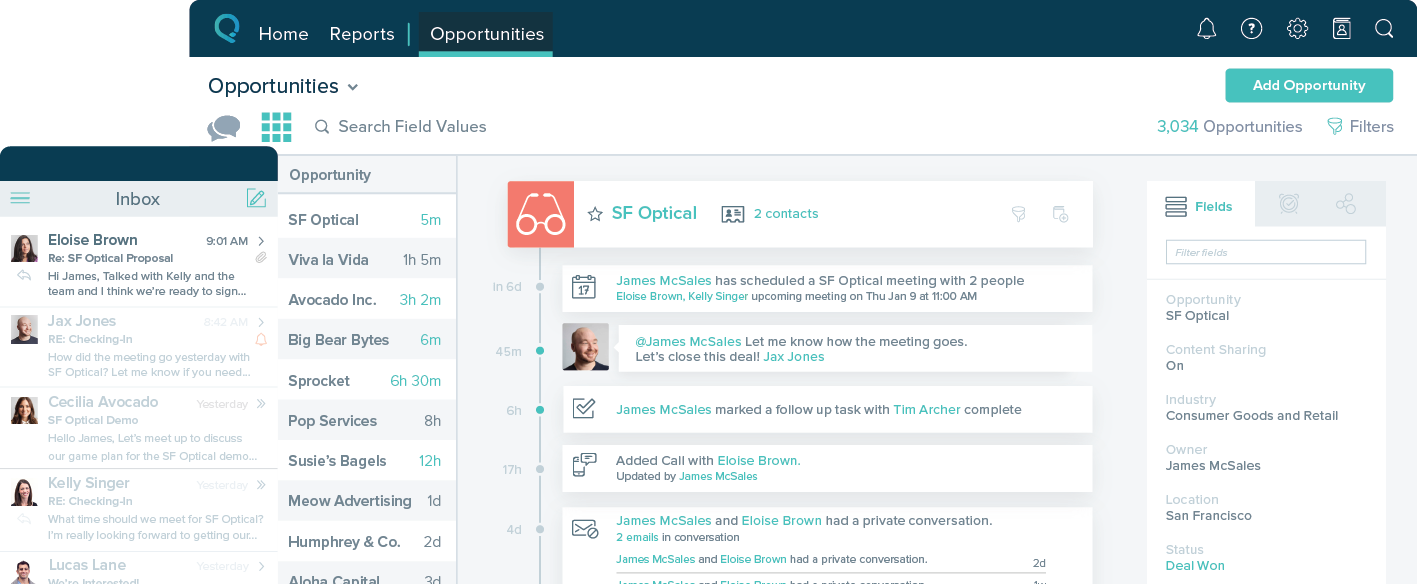
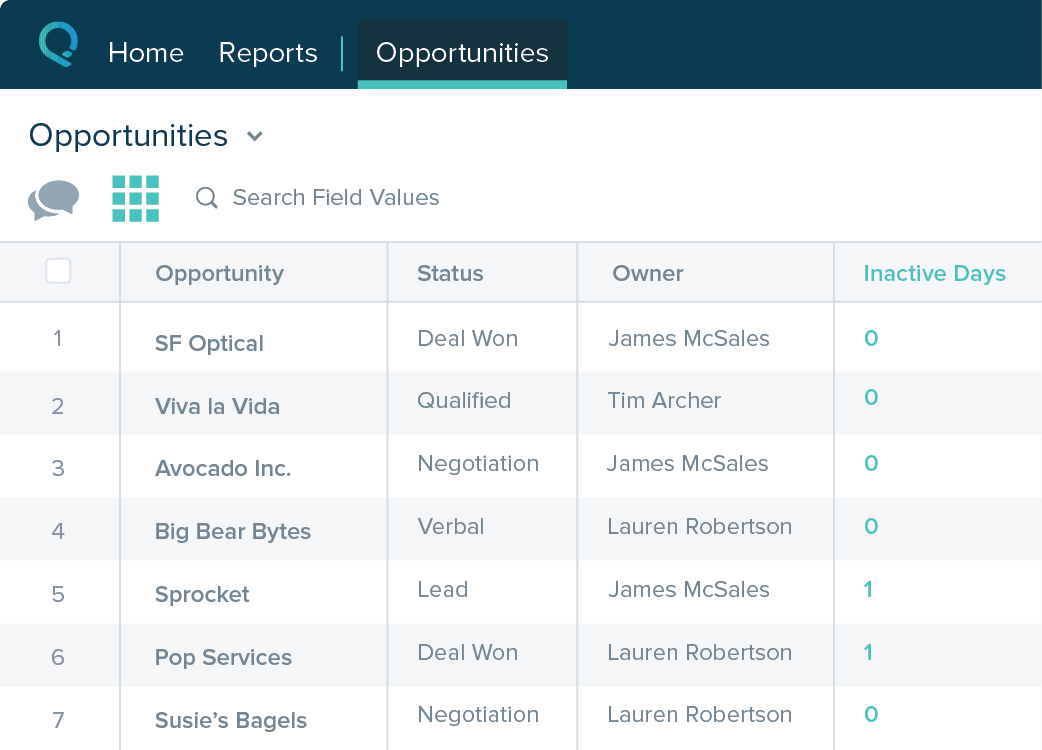
Screenshot of Screenshot of Screenshot of Screenshot of

SAP Sales Cloud Screenshots

Screenshot of the SAP Sales Cloud dashboard, where users can can automate critical selling processes and give sellers AI-based recommendations. The dashboard features:
Cloud deployment
A unified view of customers
An optimised mobile selling experience
AI-driven insights, recommendations, and analytics
Embedded generative AI highlights and summarization