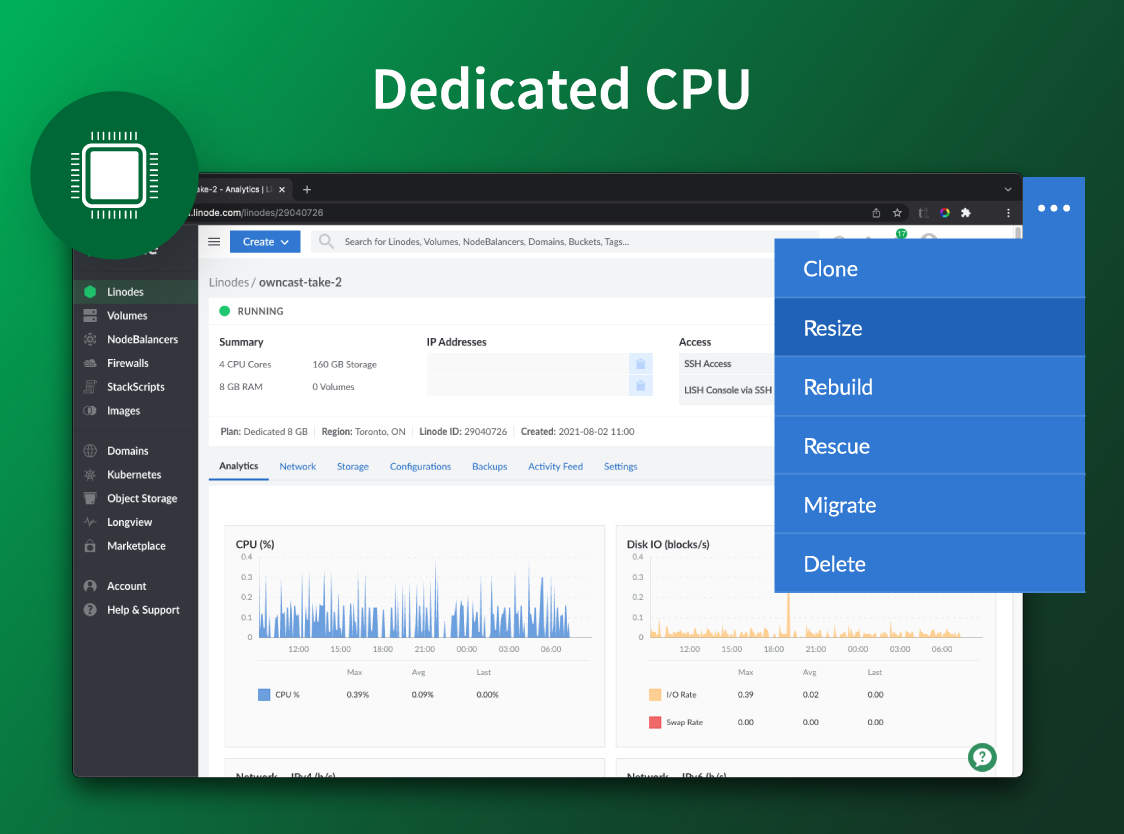
Akamai Cloud Computing (formerly Linode) include scalable and accessible Linux cloud solutions and services. These products and services support developers and enterprises as they build, deploy, secure, and scale applications.
$5
per month
Amazon S3
Score 8.7 out of 10
N/A
Amazon S3 is a cloud-based object storage service from Amazon Web Services. It's key features are storage management and monitoring, access management and security, data querying, and data transfer.
N/A
Dropbox
Score 8.6 out of 10
N/A
Dropbox is a cloud storage solution, equipped with features that help users to save time, improve productivity, and collaborate with others. Users can edit PDFs, share videos, sign documents, and collaborate with stakeholders without leaving Dropbox.
$9.99
per month
Pricing
Akamai Cloud Computing
Amazon S3 (Simple Storage Service)
Dropbox
Editions & Modules
No answers on this topic
No answers on this topic
Plus
$9.99
per month
Essentials
$18
per month
Business
$20
per month per user
Business Plus
$26
per month per user
Basic
Free
Offerings
Pricing Offerings
Akamai Cloud Computing
Amazon S3
Dropbox
Free Trial
Yes
No
No
Free/Freemium Version
No
No
No
Premium Consulting/Integration Services
Yes
No
No
Entry-level Setup Fee
Optional
No setup fee
No setup fee
Additional Details
CPU, transfer, storage, and RAM are bundled into one price. Storage capacity can be increased with additional Block Storage or S3-compatible Object Storage. Instant Backups can be added with complete independence to the stack. Linode NodeBalancers ensure applications are available.
AWS is more expensive and less predictable. I get the feeling AWS might scale better for huge sites but cannot say for certain. DigitalOcean Droplets seems to be on a par with Linode, and cost-wise they are very similar. I've tried using Thema few times but always come …
Linode offers a fairly specialized subset of cloud services, which makes the dashboard interface a million times easier to use than both GCP and AWS. In addition, their VPS offerings give you a broader range of control with (thankfully) fewer options. This makes it easier to …
We migrated away from EC2 and S3 and onto Linode's instances and block storage. The reliability and speed is comparable, but Linode's price is cheaper and their customer service is far faster and better. I also prefer Linode's dashboard - particularly their DNS management, …
In the past we have used Amazon’s AWS and Elastic Beanstalk with EC2 instances as a web hosting platform. We found Linode to be simpler and more straightforward to set up. Linode’s costs were also more predictable, making it easier to budget and resell to our clients.
Most of my knowledge of competing products is secondhand. Linode has never given me much reason to look elsewhere—they’ve been so competitive on price and performance. The main competitor has been on-premises or collocated servers, but those are obviously completely different …
I have used Amazon Web Services (AWS) before this and both are reliable. AWS is just as easy to use, but the costs are harder to understand, because they are not fixed, they are dependent on usage. If you have a low usage but an abnormal process the costs can spiral without …
Completely prefer Linode to AWS. Currently still have some legacy services there but Linode is above and beyond better in the way you can manage your instance and with the predictable cost.
I chose Linode over Amazon mainly because it was a better fit for my business, and was cheaper, but also because I enjoy backing smaller Linux-driven companies over "big tech" companies, many of whom are already degrading our country with their corporate policies and pay-outs …
One of our clients was previously hosted on Rackspace, then Google Cloud Services. Their Rackspace services were very expensive and provided little in the way of migration or management. After re-engineering their deployment, we migrated them to Google Cloud Services (GCS) …
I haven't been personally involved in the decision to use S3, but in comparison to Dropbox or Google Drive, this offers a less robust UI to modify things, while being a cheaper storage mechanism over the rest.
Several issues with Dropbox where it was hard to set up in the application I was using and once it was set up it would work fine but then become disconnected for really no reason and the support from Dropbox was not that great. The one time that I had to bring back a backup it …
Amazon S3 compared to all of these has the worst user interface. Drive and Dropbox as everyone knows is simpler and used for shared work files with a user-friendly interface. Google Cloud Storage and Amazon S3 are both in the same boat for large application files and great for …
More robust and feature rich. Also more cost effective. However, the other options do lend themselves to be better at user friendliness. But if your technological and willing to look up help in the support knowledgebase you will do just fine and get a better product at …
Amazon S3 has so much other functionality than it's competitors with so many more use cases. We use One Drive, Drop Box, Teams, Google Drive and other products for basic file sharing while working with partners and clients but that's kind of the extent of those products. S3 …
S3 is still being used within our org but we have dialed it back heavily due to the inexpensive competing product CloudFlare offers. CloudFlare is basically free for the same functionality and the company has matured to the point where it is reliable and scalable, plus CDN …
The main differences are that S3 files can be accessed publicly without having an account on the service so it is suitable for website assets, but the other services have desktop hard drive syncing applications so they are more suitable for sharing files to other staff in the …
Since we use other AWS products, and since AWS and S3 are more familiar to developers, it is easier for us to stick with Amazon S3 over a similar solution like Google Cloud Storage.
Amazon S3 comes with all other services of AWS, all other services are very quick and secure with S3 storage, which is the best option for any application. Again, compared to other services like Azure or GCP, AWS provides more configuration and functions to host multi nature …
I already answered this on the last question. Sorry.
Verified User
Executive
Chose Dropbox
Google Drive's interface is slow and clunky. Downloads take forever just to zip before you can download, and they unreliably tend to fail. Wasabi didn't seem trustworthy, and the price was too good to be true. Amazon was unintuitive and was going to require too much of a …
Verified User
Director
Chose Dropbox
Dropbox seemed to be broader and provided more storage than its counterparts. However, when compared with WeTransfer, the ability to send a very large file with a time limit would be nice, even if the recipient doesn't have Dropbox. The link feature helps, but by default, …
Drives poor ability to integrate shared folders and documents with your own documents, as well as its terrible starring feature, make Dropbox immediately superior from a basic file management standpoint. Dropbox sticks with the well-known filesystem representation of data, …
Features
Akamai Cloud Computing
Amazon S3 (Simple Storage Service)
Dropbox
Data Center Backup
Comparison of Data Center Backup features of Product A and Product B
Akamai Cloud Computing
-
Ratings
Amazon S3 (Simple Storage Service)
8.7
11 Ratings
1% above category average
Dropbox
-
Ratings
Universal recovery
00 Ratings
8.510 Ratings
00 Ratings
Instant recovery
00 Ratings
8.310 Ratings
00 Ratings
Recovery verification
00 Ratings
8.47 Ratings
00 Ratings
Business application protection
00 Ratings
8.57 Ratings
00 Ratings
Multiple backup destinations
00 Ratings
8.310 Ratings
00 Ratings
Incremental backup identification
00 Ratings
9.14 Ratings
00 Ratings
Backup to the cloud
00 Ratings
8.611 Ratings
00 Ratings
Deduplication and file compression
00 Ratings
8.95 Ratings
00 Ratings
Snapshots
00 Ratings
8.77 Ratings
00 Ratings
Flexible deployment
00 Ratings
9.011 Ratings
00 Ratings
Management dashboard
00 Ratings
7.710 Ratings
00 Ratings
Platform support
00 Ratings
8.610 Ratings
00 Ratings
Retention options
00 Ratings
9.27 Ratings
00 Ratings
Encryption
00 Ratings
9.68 Ratings
00 Ratings
Enterprise Backup
Comparison of Enterprise Backup features of Product A and Product B
Akamai Cloud Computing
-
Ratings
Amazon S3 (Simple Storage Service)
8.5
11 Ratings
0% below category average
Dropbox
-
Ratings
Continuous data protection
00 Ratings
9.510 Ratings
00 Ratings
Replication
00 Ratings
8.510 Ratings
00 Ratings
Operational reporting and analytics
00 Ratings
7.811 Ratings
00 Ratings
Malware protection
00 Ratings
8.94 Ratings
00 Ratings
Multi-location capabilities
00 Ratings
8.611 Ratings
00 Ratings
Ransomware Recovery
00 Ratings
8.01 Ratings
00 Ratings
File Sharing & Management
Comparison of File Sharing & Management features of Product A and Product B
Akamai Cloud Computing
-
Ratings
Amazon S3 (Simple Storage Service)
-
Ratings
Dropbox
8.3
1366 Ratings
1% below category average
Versioning
00 Ratings
00 Ratings
8.51137 Ratings
Video files
00 Ratings
00 Ratings
8.21115 Ratings
Audio files
00 Ratings
00 Ratings
8.61011 Ratings
Document collaboration
00 Ratings
00 Ratings
8.31187 Ratings
Access control
00 Ratings
00 Ratings
8.71263 Ratings
File search
00 Ratings
00 Ratings
7.81309 Ratings
Device sync
00 Ratings
00 Ratings
8.41256 Ratings
Cloud Storage Security & Administration
Comparison of Cloud Storage Security & Administration features of Product A and Product B
Akamai Cloud Computing
-
Ratings
Amazon S3 (Simple Storage Service)
-
Ratings
Dropbox
8.6
1295 Ratings
0% below category average
User and role management
00 Ratings
00 Ratings
8.21154 Ratings
File organization
00 Ratings
00 Ratings
9.01276 Ratings
Device management
00 Ratings
00 Ratings
8.71135 Ratings
Cloud Storage Platform
Comparison of Cloud Storage Platform features of Product A and Product B
Akamai Connected Cloud Linode would be a good service to host a content delivery network (CDN) because of its edge network but I'd prefer not to use Akamai Connected Cloud Linode for tasks that need GPU power such as Machine Learning or Artificial Intelligence (AI) because Akamai Connected Cloud Linode lacks deep GPU compute compared to AWS or Google Cloud or Microsoft Azure
Amazon S3 is a great service to safely backup your data where redundancy is guaranteed and the cost is fair. We use Amazon S3 for data that we backup and hope we never need to access but in the case of a catastrophic or even small slip of the finger with the delete command we know our data and our client's data is safely backed up by Amazon S3. Transferring data into Amazon S3 is free but transferring data out has an associated, albeit low, cost per GB. This needs to be kept in mind if you plan on transferring out a lot of data frequently. There may be other cost effective options although Amazon S3 prices are really low per GB. Transferring 150TB would cost approximately $50 per month.
Dropbox is well suited for sending File Requests to clients to upload documents, and for me to send File Transfers to clients with documents for them to download. I can create separate files for each client, and also create files within files, which is very convenient and useful for my business purposes. In Dropbox I can also see all of the File Requests that I have sent and it shows me how many times they've accessed it and how many files they uploaded. I can also see all of the File Transfers that I have made and whether how many times the client has accessed it and how many documents were downloaded. It also sends me notifications if the clients haven't downloaded their files yet so I can remind them. Dropbox Sign has been very easy to use, and I have already stated what could be changed with it
Fantastic developer API, including AWS command line and library utilities.
Strong integration with the AWS ecosystem, especially with regards to access permissions.
It's astoundingly stable- you can trust it'll stay online and available for anywhere in the world.
Its static website hosting feature is a hidden gem-- it provides perhaps the cheapest, most stable, most high-performing static web hosting available in PaaS.
I can make projects available to editors so that they can do their work.
Dropbox is a place where I can store files that I can access from anywhere, even if I don't have my laptop with me at the time.
I have an old friend who is an acting professor in Tokyo. He loves the dialogue that I write in my novels. He converts chapters into scenework for his acting students. They get very excited when there's new material!
Web console can be very confusing and challenging to use, especially for new users
Bucket policies are very flexible, but the composability of the security rules can be very confusing to get right, often leading to security rules in use on buckets other than what you believe they are
I've been with them a long time. They provide me with the capabilities I need coupled with knowledgeable support that's not pay-for-extra. However, if I move to a non-Linux OS, the level of support by necessity will drop off. I can still ask questions about the infrastructure but I my ability to ask about OS features will decrease.
Dropbox is a user-friendly, easy tool which requires little to no skill and they offer a free version with a good amount of storage available. There are other file sharing tools available however at a cost. Dropbox free version I have used for years and it serves every purpose I need.
Simple and clear, no BS interface. From a design perspective it's no Apple or Stripe, but it does what it needs without making me want to stick a fork in my eyes, like when being forced to use Azure, AWS or GCP.
It is tricky to get it all set up correctly with policies and getting the IAM settings right. There is also a lot of lifecycle config you can do in terms of moving data to cold/glacier storage. It is also not to be confused with being a OneDrive or SharePoint replacement, they each have their own place in our environment, and S3 is used more by the IT team and accessed by our PHP applications. It is not necessarily used by an average everyday user for storing their pictures or documents, etc.
It works extremely well, and we have never had any issues with connecting or sharing files. It's very easy to use, and any team member can share, add, and delete files to a virtual drive. This is extremely helpful, and it's an amazing tool to use, ensuring everyone can connect and work together effectively.
There is very little planned downtime. Whenever planned downtime is necessary I'm always given lots of advanced notice and an explanation that I can pass along to my users that they'll understand. I really appreciate that Linode appreciates my commitment to reliable service to my users. It shows that they believe they've been successful when I'm successful.
I really recommend the product for the Dropbox availability is a great having very very less downtimes, they errors are less I have been faced yet, due to connectivity sometimes we are getting errors. Only sometimes the limitations of some features show some errors.
Servers are well dimensioned and price performant. Of course one always wants more, so if they were to upgrade their hardware for the same price I'd consider moving more workloads. Networking - never had an issue. Hardware speeds - disks are fast and can grow to great size.
Dropbox is really useful, you can access any file from anywhere and you can upload and even edit files online, but, sometimes it can be slow. Downloading, uploading, and syncing is a bit slow, it can take several minutes. Furthermore, the search engine for large amounts of data can be slow too and it is not powerful.
Support was excellent and fast. The documentation is extensive and helpful. I learned many things from their online documentation. I did not contact them by phone, but email took a day or less. Complex problems would probably need a service contract. I liked the friendly and polite tone of the support.
AWS has always been quick to resolve any support ticket raised. S3 is no exception. We have only ever used it once to get a clarification regarding the costs involved when data is transferred between S3 and other AWS services or the public internet. We got a response from AWS support team within a day.
They immediately responded like in an example that I gave where one of our staff members accidentally deleted the whole Special Hope Network Dropbox, we immediately contacted Dropbox they walked us through the steps of how to retrieve the information and luckily enough we were able to retrieve the entire Dropbox and we have had back and forth with Dropbox on what to do when an employee leaves how to remove them how to add another employee.
The person for corporate product dealing and knowledge of the product explore and better and secure use are properly handover to us. Also provide full software and tool training from the basic to the pro level with each and every possible explanation. Provide many sessions regarding every doubt. Also Guide better suitable options for our business to migrate and integrate for the expansion in all places employee smoothly.
We got kick started with an initial walkthrough along with some free credits. The initial walkthrough helped us to understand Linode's ecosystem and start our hands on with Linode. We tried out some apps from Marketplace initially with the free credits, which not only helped us understand Linode better, but also those apps. We had implemented many such apps to our customers with Linode
I did not personally take any training for Dropbox so I am self taught but I know when our Vice President selected Dropbox, he personally did do some training modules on it and I'm assuming it was very easy and simple to understand since he now acts like he is a pro at it!
We're a small organization. The implementation of our Linode solution was trivial. Once I justified a cloud server to my bosses over a co-location -- the co-lo wasn't as fast as our linode server in load tests -- it was a matter of moving one Linux implementation to another. Trivial.
I needed to stay current in improving my daily operations. Dropbox was suggested to me by a former colleague two-years ago and I've been using it just fine ever since.
We switched to Linode from Namecheap due to poor uptime, and never had any issues with stability ever again after switching. We also cut our costs in half by switching. We compared Linode to DigitalOcean and Vultr, with the primary factor that caused us to go with Linode initially being their documentation. After using Linode for 3 years, their amazing support is another reason why we wouldn't consider anyone else at this point.
Overall, we found that Amazon S3 provided a lot of backend features Google Cloud Storage (GCS) simply couldn't compare to. GCS was way more expensive and really did not live up to it. In terms of setup, Google Cloud Storage may have Amazon S3 beat, however, as it is more of a pseudo advanced version of Google Drive, that was not a hard feat for it to achieve. Overall, evaluating GCS, in comparison to S3, was an utter disappointment.
I prefer the layout and visual aspect of Dropbox as it mirrors my files on my computer. I feel that I am more organized, and it's easier to find my files in Dropbox than it was with Google Drive.
I would recommend to this product directly to the sales team of Dropbox for the best deal provide to my referred person and provide the best service to them.
Although I use only a fraction of their product offerings, the total set makes scalability an easy goal to shoot for. As I said, I have a few customers that use the services my Linode provides...and I like it that way. However, should I need to scale up, I can...without incurring any more cost than I need to.
It's easy to integrate with the systems of Windows and Linux, easy to have web versions accessible, which provide the web login credentials. Also, it can be installed for individuals for the best autosync features.
It practically eliminated some real heavy storage servers from our premises and reduced maintenance cost.
The excellent durability and reliability make sure the return of money you invested in.
If the objects which are not active or stale, one needs to remove them. Those objects keep adding cost to each billing cycle. If you are handling a really big infrastructure, sometimes this creates quite a huge bill for preserving un-necessary objects/documents.
When it works (usually if a client already has Dropbox, so they don't get the solicitation to sign up), it works flawlessly.
I've had multiple clients not see the "continue with download only" at the bottom and email me to resend the media another way because they don't have a Dropbox account.