
Mario Estrella-Carvajal
US & Border Crossing Ops GM
Chose AppSheet
- Entry-level pricing is much affordable with AppSheet
- Data modeling is much better than other solutions
- Google Sheets as a data backend for prototype is great

| Product | Rating | Most Used By | Product Summary | Starting Price |
|---|---|---|---|---|
 AppSheet | N/A | Acquired by Google in Spring 2020, AppSheet is an intelligent, no-code app platform for everyone. Users can create apps to transform the workplace. Common use cases include field service, transportation, customer surveys, incident reports, field data capture, compliance reports, delivery tracking, and property surveys. Used by the Fortune 500 & Industry Leaders Customers include Clearlink, Enterprise Holdings, ESPN, Pepsi, the University of Michigan, and the State of… | $5 per user/per month | |
 Microsoft Access | N/A | Microsoft Access is a database management system from Microsoft that combines the relational Microsoft Jet Database Engine with a graphical user interface and software-development tools. | $139.99 per PC | |
 Quickbase | N/A | Quickbase helps users tackle any project, no matter how complex. Quickbase helps customers see, connect and control complex projects. Whether it’s raising a skyscraper or coordinating vaccine rollouts, the no-code software platform allows business users to custom fit solutions to the way they work – using information from across the systems they already have. | $700 per month |
| AppSheet | Microsoft Access | Quickbase | ||||||||||||||||||||||
|---|---|---|---|---|---|---|---|---|---|---|---|---|---|---|---|---|---|---|---|---|---|---|---|---|
| Editions & Modules |
|
|
| |||||||||||||||||||||
| Offerings |
| |||||||||||||||||||||||
| Entry-level Setup Fee | No setup fee | No setup fee | Optional | |||||||||||||||||||||
| Additional Details | Personal apps and prototype are always free to build. Don't pay until you're ready to deploy. What can I do for free? Use the complete set of AppSheet features for free while building one or many app prototypes (for as long as you like). Invite up to 10 users for free to use your apps & share feedback. How do Business Subscription pricing work? Business Subscriptions enable a suite of performance & management features for organizations with cross-departmental app creators, and pricing is based on each unique requirements. Connect with the AppSheet team at solutions.appsheet.com/contact to learn more. | — | Quickbase offers three key plans, with feature distinction, simple and consistent entitlements, and a flexible licensing model, giving users the option of either user based or usage based licensing across all 3 plans. | |||||||||||||||||||||
| More Pricing Information | ||||||||||||||||||||||||
| AppSheet | Microsoft Access | Quickbase | |
|---|---|---|---|
| Considered Multiple Products | AppSheet Mario Estrella-Carvajal US & Border Crossing Ops GM Chose AppSheet
 Michael King Business Development Chose AppSheet I have done a lot of software development and have made several programs that can input data into Microsoft Excel and then process the data for integration into ERP solutions. In doing this IT development work I have made several web sites and updated several others. I also … |  Microsoft Access |  Quickbase  Jesse Guardado Project Manager Chose Quickbase We enjoyed the cloud-based set up of Quick Base. Microsoft Access also required more detailed database knowledge. Microsoft Project required expensive user licensing. We also need a program that would run it easily on Apple iPads.  Aylin Nazlim Manager, PMO Global Value Creation Chose Quickbase Quick Base is 1000 times more intuitive and does a lot of the work for you. Microsoft Access is very much for users that actually do know how to code-if you ask me.  Brian Perry Business Analyst Chose Quickbase Before using quickbase we primarily used Microsoft Access databases for our quick turn around projects, and QuickBase's secure web based platform resolved a lot of our access on our corporate server issues.  Rich Rinaldi Business Analyst Chose Quickbase Quickbase is what Microsoft Access always dreamed to be. It is cloud based and much more intuitive than Access.  Marc Packard CEO (Chief Executive Officer) Chose Quickbase Quickbase offered more flexibility, integrations, and performance better than any of the solutions we used or evaluated. While every solution has its merits, when you step back and look at the ROI and time to implement, Quickbase was a good fit for our organization. When you …  Stephen E. Arnold Digital Media Specialist Chose Quickbase This is so much better than Access.  Alexander Kennedy Director of U.S. Operations Chose Quickbase QuickBase is adaptable, easy to use and can scale quickly. With either option for a simple drag and drop solution or a more complex code written for a specific application, QuickBase is clearly the winner here.  Lorri Brandvold Operations Analyst/Project Accountant Chose Quickbase Quick Base is much more flexible and robust. It's like comparing VisiCalc to today's Excel  Kenneth Holsey Application Development Analyst Chose Quickbase We was so impressed by the quickbase demo that we didn't look anywhere else  Meredith Moore Creative Operations - Brand Marketing - Business Solutions & International Chose Quickbase Quick Base was MUCH more flexible and utilitarian. It did not restrict us, or make us conform our processes to their software, as many other solutions do. It has back ups, security, and support so that we are not alone. The community forums are great too. Lots of learning …  Frances Rampey LCMS Administrator Chose Quickbase Quick Base is easier to build and customize than Access and Oracle. It also scales better than Access.  Janet Plumley Business Analyst and Rapid Application Development Manager Chose Quickbase More flexibility, more user friendly, more everything! |
| AppSheet | Microsoft Access | Quickbase | |||||||||||||||||||||||||||||||
|---|---|---|---|---|---|---|---|---|---|---|---|---|---|---|---|---|---|---|---|---|---|---|---|---|---|---|---|---|---|---|---|---|---|
| Low-Code Development |
| ||||||||||||||||||||||||||||||||
| Relational Databases |
|
| AppSheet | Microsoft Access | Quickbase | |
|---|---|---|---|
| Small Businesses |  Creatio Score 9.1 out of 10 |  InterSystems IRIS Score 8.0 out of 10 |  monday.com Score 8.3 out of 10 |
| Medium-sized Companies |  Quixy Score 9.9 out of 10 | InterSystems IRIS Score 8.0 out of 10 |  Planview PPM Pro Score 9.0 out of 10 |
| Enterprises | Creatio Score 9.1 out of 10 |  SAP IQ Score 10.0 out of 10 | Planview PPM Pro Score 9.0 out of 10 |
| All Alternatives | View all alternatives | View all alternatives | View all alternatives |
| AppSheet | Microsoft Access | Quickbase | |
|---|---|---|---|
| Likelihood to Recommend | 9.0 (66 ratings) | 5.0 (99 ratings) | 8.4 (521 ratings) |
| Likelihood to Renew | 9.1 (3 ratings) | 10.0 (15 ratings) | 9.9 (54 ratings) |
| Usability | 7.9 (6 ratings) | 7.0 (5 ratings) | 8.4 (40 ratings) |
| Availability | - (0 ratings) | 8.0 (1 ratings) | 9.0 (16 ratings) |
| Performance | - (0 ratings) | - (0 ratings) | 9.0 (15 ratings) |
| Support Rating | 6.4 (15 ratings) | 6.4 (5 ratings) | 7.4 (44 ratings) |
| In-Person Training | - (0 ratings) | - (0 ratings) | 9.9 (4 ratings) |
| Online Training | - (0 ratings) | - (0 ratings) | 10.0 (5 ratings) |
| Implementation Rating | 9.1 (1 ratings) | 10.0 (1 ratings) | 9.8 (22 ratings) |
| Configurability | - (0 ratings) | - (0 ratings) | 9.0 (10 ratings) |
| Contract Terms and Pricing Model | - (0 ratings) | - (0 ratings) | 9.0 (1 ratings) |
| Ease of integration | - (0 ratings) | 8.0 (1 ratings) | 8.4 (10 ratings) |
| Product Scalability | - (0 ratings) | 5.0 (1 ratings) | 9.0 (15 ratings) |
| Professional Services | - (0 ratings) | - (0 ratings) | 9.0 (1 ratings) |
| Vendor post-sale | - (0 ratings) | - (0 ratings) | 9.0 (10 ratings) |
| Vendor pre-sale | - (0 ratings) | - (0 ratings) | 9.0 (10 ratings) |
| AppSheet | Microsoft Access | Quickbase | |
|---|---|---|---|
| Likelihood to Recommend | Google
 Gaston Barcia Advisor | Microsoft
| Quickbase
|
| Pros | Google
 David Hopkins Quality Assurance Analyst | Microsoft
| Quickbase
 Brian Seymour Web Developer |
| Cons | Google
| Microsoft
 Peggi Wolfe Global Programs Specialist | Quickbase
 Letty Kaleycik Project Manager |
| Likelihood to Renew | Google
| Microsoft
 Alyssa Moy, MBA, PMP IT Project Manager/Systems Analyst Sr | Quickbase
|
| Usability | Google
 Ivan Rularte Consultant | Microsoft
| Quickbase
 Beth Hilleke Information Content, Design, and Delivery |
| Reliability and Availability | Google No answers on this topic | Microsoft
| Quickbase
 Richard (Ric) Hazel Senior Project/Process Analyst |
| Performance | Google No answers on this topic | Microsoft No answers on this topic | Quickbase
|
| Support Rating | Google
 David Dutton Owner | Microsoft
| Quickbase
 Tammie King Applications Analyst |
| In-Person Training | Google No answers on this topic | Microsoft No answers on this topic | Quickbase
 Krunal Thakkar Finance Executive |
| Online Training | Google No answers on this topic | Microsoft No answers on this topic | Quickbase
Krunal Thakkar Finance Executive |
| Implementation Rating | Google
| Microsoft
 Thairy Ollarves Analista Corporativo CFG/FCI | Quickbase
|
| Alternatives Considered | Google
 Miguel Ángel Engracia Zambrano Maintenance Supervisor | Microsoft
| Quickbase
|
| Scalability | Google No answers on this topic | Microsoft No answers on this topic | Quickbase
|
| Professional Services | Google No answers on this topic | Microsoft No answers on this topic | Quickbase
|
| Return on Investment | Google
 Ivan Marquez Consultor. | Microsoft
 Scott Herring Database Support Specialist | Quickbase
|
| ScreenShots | AppSheet Screenshots 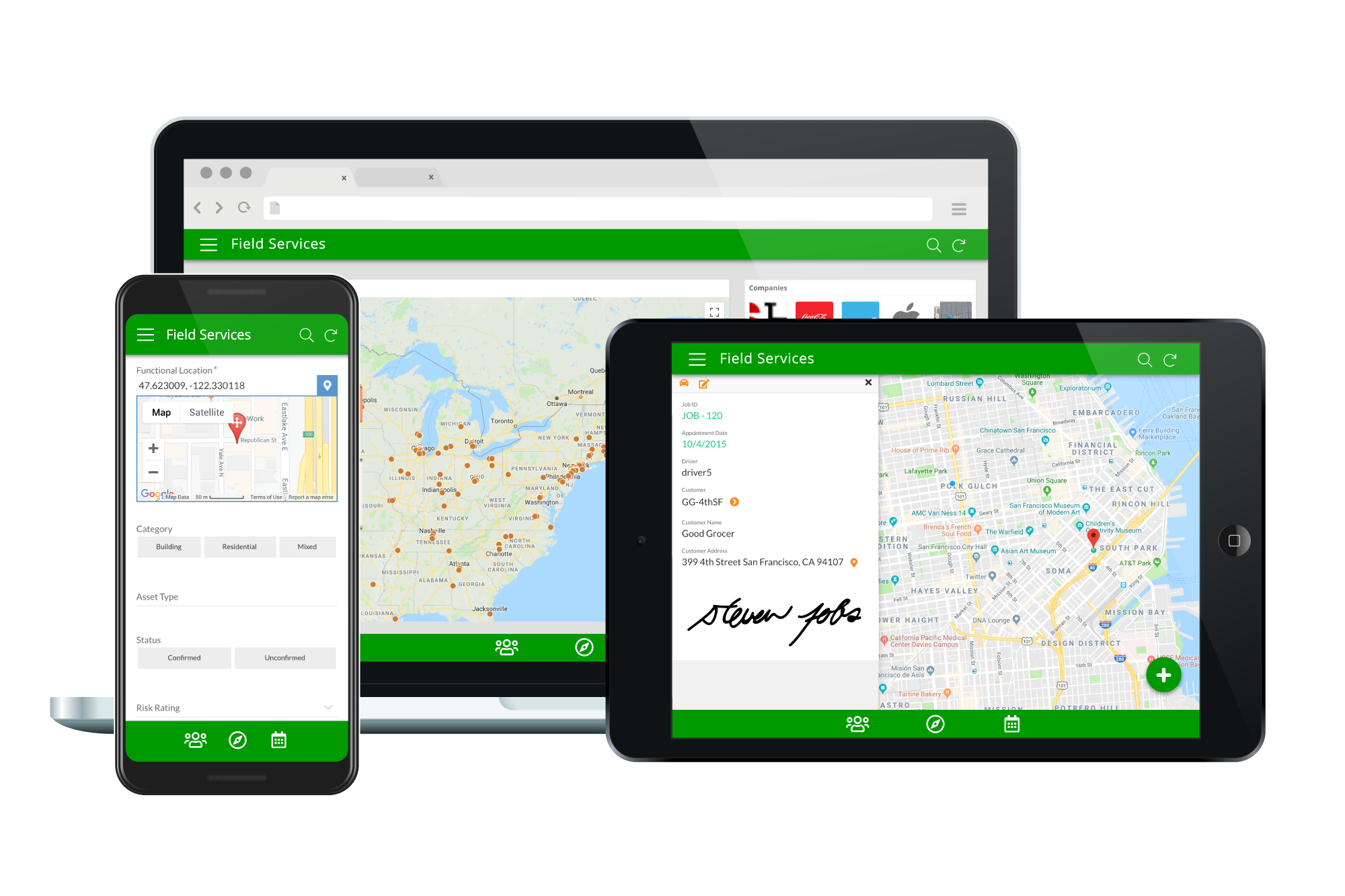   |
