Aptean Intuitive ERP is an enterprise resource planning solution. It is built specifically for manufacturers who build products in regulated industries, such as aviation, electronics, and medical devices. It includes features such as product configuration, component serial number traceability, and engineering change management.
N/A
Keap
Score 6.3 out of 10
N/A
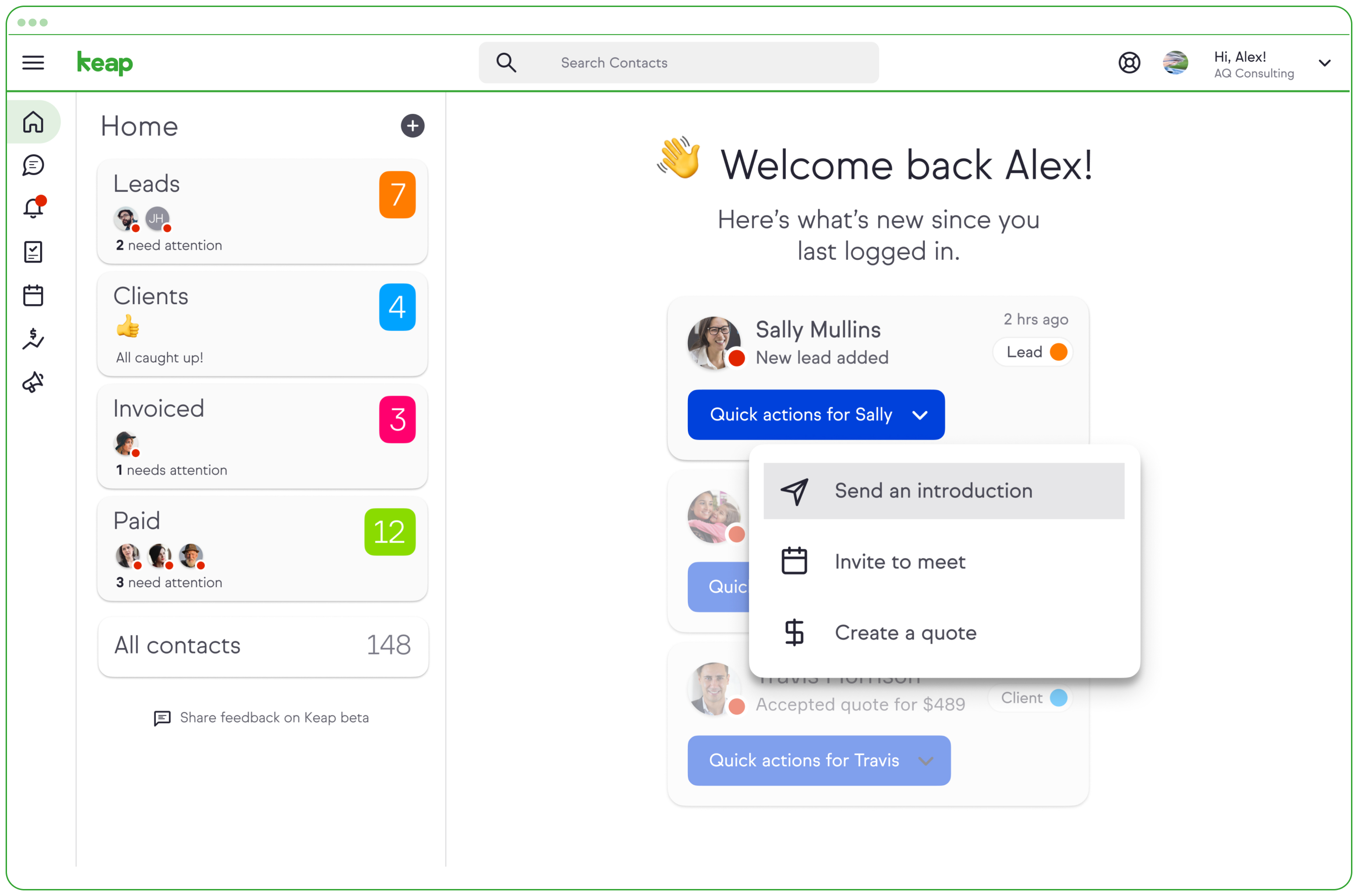
Keap is a small business-focused, comprehensive sales and marketing platform which combines basic contact management, CRM, marketing automation, and e-commerce capabilities into a single, subscription-based SaaS product.
$199
per month
Intuit Mailchimp
Score 8.3 out of 10
N/A
Mailchimp is an email marketing and marketing automation platform. Beyond just tracking how campaigns perform, Mailchimp takes it a step further by analyzing data from over half a billion emails to show why campaigns perform, driving informed decisions.
$0
Pricing
Aptean Intuitive ERP
Keap
Intuit Mailchimp
Editions & Modules
No answers on this topic
Pro
$199.00
per month
Max
$289.00
per month
Max Classic
Contact Us
per year
Free
$0
Essentials
starts at $13
per month
Standard
starts at $20
per month
Premium
starts at $350
per month
Offerings
Pricing Offerings
Aptean Intuitive ERP
Keap
Intuit Mailchimp
Free Trial
No
Yes
Yes
Free/Freemium Version
No
No
Yes
Premium Consulting/Integration Services
No
No
No
Entry-level Setup Fee
No setup fee
Optional
No setup fee
Additional Details
—
All plans with 1 user and 500 contacts. The price is $30.00 for each additional user.
We select Aptean 19 years ago, most of the other SMB packages back then no longer exist. While we have discussed whether to consider other ERP systems here an there over the years we have always come back to the fact that our existing ERP system is well established and easy …
KEAP is far more simple. It’s made for the small business audience and it’s feature set caters well to that. HubSpot seems to be more intricate and have more bells and whistles than most small businesses need. Good news about KEAP, you don’t have to have what you don’t need as …
Much better ESP over Keap. Intuitive with simplicity in setting up flows, segmentation, etc. Also, we're paying much less than we did for Keap. Overall, way better product.
When choosing which CRM was right for our business, we looked at ActiveCampaign and Keap, as they are both greeat with automation campaigns. We decided that Keap was a better fit for our business, because Keap has a business phone line and native texting. Being able to accept …
Keap is fast. The learning curve is shorter and they have an academy for learning with videos quite extensive that explain a lot of different scenarios, specially when you need to customize scenarios of automations and segments. Is cheaper if you consider that this services CRM …
Systeme IO is a great software with a much lower cost, but it isn't nearly as robust and it doesn't meet HIPAA standards which are essential to our business.
Go High Level on the other hand is a powerful software that is limited by design and oversimplified. It really just cuts …
Keap is much more affordable than HubSpot, and while it perhaps does not provide quite as much detail, you can get all the detail you really need for a small to medium-sized business with Keap. It provides so many more options as a CRM than Constant Contact or MailChimp did …
Keap, compared to MailChimp, Aweber, and Sendfox, is a complete solution. The latter 3 are primarily for email and don't have the same flexibility by themselves for a campaign or email automation. Keap, compared to Typeform, is similar, but Typeform does form building better. …
HighLevel has a learning curve as well but it is way easier to get started than keap. It's definitely a Keap competitor and depending on business size, HighLevel can be a better alternative as compared to Keap on both a cost and application standpoint.
Out of all the products we use I feel like Keap is the most feature-rich and most robust with the most tools out of the gate which allowed us to customize our campaigns more than ever, this also came with added difficulty in using keap which is something most businesses need to …
Keap is an all-in-one platform for sending bulk emails, managing contacts, tasks management, creating workflows in email marketing, actions-based tasks, creating task reminders, managing tasks with team members, and better reporting with the analytics used in Keap. The landing …
Outlook is great for those we contact every day for more decisive purposes, but not for marketing and specials we have. It is a more professional look to the market to our consumers and a great way to let our contacts know when we will be attending a trade show or offering new …
Keap stacks up well against similar software I've used. They are definitely the most user-friendly platform I've encountered, but not at the loss of good functionality. All the processes we need to work on/automate are available to us in Keap, it has been a wonderful growth …
Not as productive in tracking and creating large lists of emails to have sent out at a single time or for a certain group. I like that Keap continues to give insight into who is responding and who is not, without having to flag every email which was sent out.
AWeber was too simple, and Salesforce was overkill and too expensive. To be fair, Salesforce is more oriented toward salespeople (which makes sense from the name). AWeber didn't have as robust of an API as Keap.
I prefer Keap over Mailchimp for email marketing because I found it to be way more user-friendly. I'm not sure if I was just using an older and outdated version of Mailchimp at a prior company but I didn't like the software. All of my email campaigns were just in a list or …
Keap is a cost-effective, powerful CRM and marketing automation tool for those who have the time and resources to learn all of its intricacies. For any other system, you will be paying for a better user interface, better reporting and visualizations, more intuitive everything, …
Leadpages still has the best and easiest landing page integration. The landing page interface on Keap is clunky and outdated. Infusionsoft crushes against Active campaign and Mail chimp regarding campaign building, reporting, and emailing as well as making changes down the …
These platforms have feature sets that are much better suited to B2B marketing than Intuit Mailchimp. In particular, the journey builders seem much better suited to long and complex business-to-business buying cycles like ours.
When we switched long time ago from Constant Contact it was because Mailchimp demonstrated more innovative features to be adapted in our communications. At that time Constant Contact it was too limited and it was constructed mainly to send bulk emails. So when we saw what …
In some cases, Intuit Mailchimp is more user-friendly than some of these platforms. However, Intuit Mailchimp has been the most consistent. For example, some of these brands were acquired by larger companies and drastically changed their pricing models and offerings without …
I used Intuit Mailchimp, and I would say other software I used is equally good and competes with Intuit Mailchimp. Well, Intuit Mailchimp's reporting is better, and ActiveCampaign has more affordable pricing, so in the end, it all comes to what you need. What we needed was …
Intuit Mailchimp is more affordable, scalable for all team sizes, has a shorter SMS registration approval timeframe, integrates with more platforms, and doesn't require training to get started.
Mailchimp's email marketing is vastly superior to Bloomerang CRM or Fundraising (formerly Qgiv) but Mailchimp will integrate seemlessly to Bloomerang, so every email sent to a constituent will be recorded as a transaction. The email design blocks are much cleaner and easier to …
We went back to Flodesk due to their services being much more cost effective. We send emails to tens of thousands of people at a time, and we only pay $35/month for Flodesk
We ended up going with Intuit Mailchimp because of the templates and the pricing. While we didn’t actually use Constant Contact, just looking through it, Intuit Mailchimp seems much easier to use as well.
My business was not allowed on other SMS services. The ridiculous rules the others have to deal with make it difficult to send anything for tactical training. It is used by many other businesses I know, so it seemed trustworthy. I don't like using services I have never heard of.
Intuitive ERP is particularly well suited to be used for small to mid-sized manufacturers. It has enough complexity to handle most any business process yet is simple enough to not be cumbersome. It is probably not appropriate for a very large organization or enterprise, or to non-manufacturing related businesses
Keap is very good at contact management and automation creation but weaker at email campaign creation. I was particularly interested in a function where when manually entering a new contact, you are then able to email that contact using a premade HTML template. It will currently not do this. There is a workaround, but it is unnecessarily ponderous.
It allows you to reach out to our customer base and discuss updates, sales, education, and much more. I am grateful to have reached out to them and to have gained brand loyalty in the process. It helps us truly connect, not just sell. I can segment my audiences and decide who I want to send communications to.
Easily allows adding fields to the database. The data manager reads all fields, so just adding a field automatically brings it over.
Optionally purchasing a tool called "Form Wizard" allows non-programmers to add new fields to a form and move around existing fields freeing up the developer to work on other things.
They have a wrapper for the DevXpress grid which allows individual users to add and remove columns pertinent to their specific job.
Mailchimp allows you to manage your mailing list really well. You can subscribe people, unsubscribe people manage the mailing list directly into segments, and what not.
Mailchimp has features where you can create campaigns based on your mailing lists and send out newsletters to your subscribers based on a multitude of parameters that you can setup. Such as send email daily, weekly, monthly and they also have event based mails that you can send out.
Mailchimp also has a feature where you can design your emails. The look and aesthetics are very important when sending emails to your subscribers and all those needs are addressed here.
More articles and videos on how to use the various functions of Keap
Having representatives designated to certain regions or companies for a point of contact when help is needed
More options when building the emails. While the click and drop options can be a plus, they can also be negative because you are limited to image and text sizing and positions
We have invested a lot into Infusionsoft and are using it to automate our processes and marketing. Changing CRMs would have a HUGE cost for us and based on our evaluations, the grass isn't greener elsewhere. Infusiosoft fits most of our needs and is slowly getting better each year. Their support is great and we will continue to use them until something much better comes around or our company outgrows a small business CRM.
We love the product. One thing we haven't mentioned yet is the human element. Recently, MailChimp re-structured their plans/pricing based on the feedback they had received. They listened to a pain their users were experiencing, then strategized a solution, and implemented it fairly. The updated pricing strategy was intended to save subscribers money, and they did a great job of communicating it to their users. I would be surprised if anyone reacted negatively to the change.
You do need to spend some time on-boarding and implementing the software in order to have full functionality. We were lucky - we had colleagues at the university with experience with Keap and then hired an intern familiar with the software to get us set up and ready to use it. We've had some functionality issues with it along the way and that has frustrated myself and the other uses in our department.
It's very easy to use - I could quickly explain how to use Mailchimp to someone not in marketing and feel confident they'd be able to use basic skills to figure it out. Plus, we use it beyond just email marketing now for subscriber welcomes, forms, and nurture sequences.
I have, in the 4+ years that I've used Mailchimp, never seen an issue that restricted the use of their software/tools. I don't know of a single time when they're system crashed or went down. I could be wrong, but I honestly haven't experienced any issues with outages, errors or unplanned downtime
I haven't noticed any slow speeds from Mailchimp or their tools. I think the landing pages load quickly and look nice. The email reports and editing operates smoothly and doesn't take time to load. Additionally, when I use Mailchimp in conjunction with Zapier + Hubspot I don't notice any drag between any of these tools
Generally, very responsive support for even our more complicated issues. We do have some open issues that we need resolutions on and that I understand are complicated and will take longer to resolve but the open issues are significantly impacting to our business.
Any time we needed their help or support they responded promptly, friendly, and straightforwardly. It's a great feature to have multi-language support as we are a diverse team, and anyone can reach out to receive help. We've always solved our inquires
This training is taught often to the lowest common denominator so as to help as many customers of theirs as possible. We do the training and coaching and implementations for our clients. But clients who I know who have been to their training get trained well. The gap that can exist lies in you doing your part and really investing in using and building out the application. The training and education is only as good as your willingness to apply it.
The results of training online are often based on how people learn. The training was great but with feature updates, you just have to get in there sometimes and do it! The training definitely lays a firm enough foundation for you to be successful even if its can't be updated with every feature update.
If you do this by yourself it will likely take you 6-9 months to get it entirely set up, unless you have a full-time dedicated person handling it. I recommend hiring a prof service company to implement it for you. They should be able to do it all in 90 days or less.
I am little satisfied with the MailChimp implementation process, since although it has been a bit complicated and we have had various complications that tried to affect our performance, with a little general effort, we take full advantage and currently It is out main marketing and advertising campaign platform.
We select Aptean 19 years ago, most of the other SMB packages back then no longer exist. While we have discussed whether to consider other ERP systems here an there over the years we have always come back to the fact that our existing ERP system is well established and easy enough to maintain, and is cost effective
Keap is fast. The learning curve is shorter and they have an academy for learning with videos quite extensive that explain a lot of different scenarios, specially when you need to customize scenarios of automations and segments. Is cheaper if you consider that this services CRM + Mailing don´t come often in one package and the realiability to send mails is quite good.
I used Intuit Mailchimp, and I would say other software I used is equally good and competes with Intuit Mailchimp. Well, Intuit Mailchimp's reporting is better, and ActiveCampaign has more affordable pricing, so in the end, it all comes to what you need. What we needed was available in cheaper price in other software as well. But I would definitely say Intuit Mailchimp has its own advantages too.
You get a lot of features included, but you don't need to use them all at once to start seeing an effect. When you are ready to use them, they are there. It also scales without costing too much money.
Mailchimp over the years I've used it has grown in leaps and bounds. They have added so many additional features than were previously available. They are truly an all-in-one marketing platform now. If you're a small operation and just want to add email to your marketing efforts, they're there for you. If you're a larger operation and want to start sending postcard advertisements, they can do that. If you'd good with that and want to kick up your marketing by going social, you can do that on their platform. They are truly able to be as small as you need, but also get quite large in whatever it is you'd like to do through their system.
Automation has allowed us to be more engaged and invested in our customers by reminding us about birthdays and other important events in their lives so that we can celebrate with them.
We lacked the manpower to sell and distribute orders online before setting up the payments and automation features. We now collect $5k+ a week in lost sales through online ordering.
List cleaning functionality and engagment settings have allowed us to run a 40-50% email open rate that allows us to create an engaged community around local events and opportunities as well as sales and special offerings.
One of my retail web store clients was sending out email specials and notices about once a month. After clicking the send button, we would watch Google Analytics and the current site users would light up immediately. Often, the current site visitors would pop up to 20, 30 or more after the email was sent. On a normal day, seeing 1 or 2 online users would be OK.
Pretty much in all cases, we could see an uptick in positive activity after sending out a Intuit Mailchimp email to a list.