Overview
ProductRatingMost Used ByProduct SummaryStarting Price
Asana
Score 8.5 out of 10
N/A
Asana is a web and mobile project management app. With tasks, projects, conversations, and dashboards, Asana lets an entire team know who's doing what by when, enabling workload balancing. Users can also add integrations for GANTT charts, time tracking and more.
$13.49
per month per user
Avaza
Score 8.1 out of 10
Mid-Size Companies (51-1,000 employees)
Avaza is a software suite targeted for all business sizes. It includes modules for project management and collaboration, resource scheduling, team chat, time tracking, expense management, quoting and invoicing. Depending on their business needs, companies can use as many, or as few, of the modules as they need. Avaza offers reporting functionality, and the project management module is designed with both list view and Kanban style task management, so users can choose…
$0
MethodCRM
Score 9.2 out of 10
N/A
Method:crm is a QuickBooks-integrated, cloud-based CRM platform.
$35
per month per user
Pricing
AsanaAvazaMethodCRM
Editions & Modules
Starter
$13.49
per month per user
Advanced
$30.49
per month per user
Enterprise
Contact Sales
Personal
Free
Free Plan
$0
Unlimited Project Collaborators, 1 Admin, 1 Timesheet/ Expense User, 1 Resource Scheduling User
Startup Plan
$11.95
per month
Basic Plan
$23.95
per month
Business Plan
$47.95
per month
CRM Quick Start
$35
per month per user
CRM Pro
$59
per month per user
CRM Enterprise
$97
per month per user
CRM Multi-Entity
Custom Quote
Offerings
Pricing Offerings
AsanaAvazaMethodCRM
Free Trial
YesYesYes
Free/Freemium Version
YesYesNo
Premium Consulting/Integration Services
YesYesYes
Entry-level Setup FeeOptionalOptionalNo setup fee
Additional DetailsA discount is offered for annual billing.Discount available for annual billing.
More Pricing Information
Community Pulse
AsanaAvazaMethodCRM
Considered Multiple Products
Asana

No answer on this topic

Avaza
Chose Avaza
Avaza takes the easy of Asana and adds the invoicing and bookkeeping capabilities you need all in one place.
MethodCRM
Chose MethodCRM
Method is by far the easiest of all platforms. It brings a lot of great features that Salesforce has as well as email campaign features like constant contact, all in one. The only thing I would add would be more reporting and custom report capability.
Features
AsanaAvazaMethodCRM
Project Management
Comparison of Project Management features of Product A and Product B
Asana
8.3
179 Ratings
7% above category average
Avaza
8.0
7 Ratings
3% above category average
MethodCRM
-
Ratings
Task Management9.2179 Ratings10.07 Ratings00 Ratings
Resource Management8.0152 Ratings7.05 Ratings00 Ratings
Gantt Charts9.061 Ratings7.04 Ratings00 Ratings
Scheduling8.4162 Ratings8.06 Ratings00 Ratings
Workflow Automation9.0132 Ratings00 Ratings00 Ratings
Team Collaboration9.4178 Ratings10.07 Ratings00 Ratings
Support for Agile Methodology8.57 Ratings7.01 Ratings00 Ratings
Support for Waterfall Methodology8.57 Ratings7.01 Ratings00 Ratings
Document Management8.3150 Ratings9.01 Ratings00 Ratings
Email integration8.3142 Ratings8.03 Ratings00 Ratings
Mobile Access8.7149 Ratings8.05 Ratings00 Ratings
Timesheet Tracking6.16 Ratings7.07 Ratings00 Ratings
Change request and Case Management8.44 Ratings00 Ratings00 Ratings
Budget and Expense Management7.077 Ratings8.05 Ratings00 Ratings
Professional Services Automation
Comparison of Professional Services Automation features of Product A and Product B
Asana
6.5
48 Ratings
17% below category average
Avaza
10.0
4 Ratings
25% above category average
MethodCRM
-
Ratings
Project & financial reporting5.51 Ratings10.04 Ratings00 Ratings
Integration with accounting software7.647 Ratings10.01 Ratings00 Ratings
Quotes/estimates00 Ratings10.04 Ratings00 Ratings
Invoicing00 Ratings10.04 Ratings00 Ratings
Sales Force Automation
Comparison of Sales Force Automation features of Product A and Product B
Asana
-
Ratings
Avaza
-
Ratings
MethodCRM
8.1
22 Ratings
3% above category average
Customer data management / contact management00 Ratings00 Ratings8.422 Ratings
Workflow management00 Ratings00 Ratings8.420 Ratings
Territory management00 Ratings00 Ratings1.81 Ratings
Opportunity management00 Ratings00 Ratings8.420 Ratings
Integration with email client (e.g., Outlook or Gmail)00 Ratings00 Ratings8.820 Ratings
Contract management00 Ratings00 Ratings8.711 Ratings
Quote & order management00 Ratings00 Ratings9.218 Ratings
Interaction tracking00 Ratings00 Ratings9.019 Ratings
Channel / partner relationship management00 Ratings00 Ratings10.012 Ratings
Customer Service & Support
Comparison of Customer Service & Support features of Product A and Product B
Asana
-
Ratings
Avaza
-
Ratings
MethodCRM
10.0
2 Ratings
26% above category average
Case management00 Ratings00 Ratings10.01 Ratings
Call center management00 Ratings00 Ratings9.92 Ratings
Help desk management00 Ratings00 Ratings10.01 Ratings
Marketing Automation
Comparison of Marketing Automation features of Product A and Product B
Asana
-
Ratings
Avaza
-
Ratings
MethodCRM
8.9
19 Ratings
14% above category average
Lead management00 Ratings00 Ratings8.817 Ratings
Email marketing00 Ratings00 Ratings9.014 Ratings
CRM Project Management
Comparison of CRM Project Management features of Product A and Product B
Asana
-
Ratings
Avaza
-
Ratings
MethodCRM
7.6
20 Ratings
1% below category average
Task management00 Ratings00 Ratings9.218 Ratings
Billing and invoicing management00 Ratings00 Ratings10.015 Ratings
Reporting00 Ratings00 Ratings3.617 Ratings
CRM Reporting & Analytics
Comparison of CRM Reporting & Analytics features of Product A and Product B
Asana
-
Ratings
Avaza
-
Ratings
MethodCRM
7.7
18 Ratings
0% above category average
Forecasting00 Ratings00 Ratings8.09 Ratings
Pipeline visualization00 Ratings00 Ratings9.017 Ratings
Customizable reports00 Ratings00 Ratings6.017 Ratings
Customization
Comparison of Customization features of Product A and Product B
Asana
-
Ratings
Avaza
-
Ratings
MethodCRM
7.6
19 Ratings
1% below category average
Custom fields00 Ratings00 Ratings6.619 Ratings
Custom objects00 Ratings00 Ratings6.618 Ratings
Scripting environment00 Ratings00 Ratings9.212 Ratings
API for custom integration00 Ratings00 Ratings8.014 Ratings
Security
Comparison of Security features of Product A and Product B
Asana
-
Ratings
Avaza
-
Ratings
MethodCRM
8.3
19 Ratings
1% below category average
Single sign-on capability00 Ratings00 Ratings8.217 Ratings
Role-based user permissions00 Ratings00 Ratings8.419 Ratings
Integrations with 3rd-party Software
Comparison of Integrations with 3rd-party Software features of Product A and Product B
Asana
-
Ratings
Avaza
-
Ratings
MethodCRM
10.0
2 Ratings
29% above category average
Marketing automation00 Ratings00 Ratings10.02 Ratings
Compensation management00 Ratings00 Ratings10.02 Ratings
Platform
Comparison of Platform features of Product A and Product B
Asana
-
Ratings
Avaza
-
Ratings
MethodCRM
7.6
15 Ratings
0% above category average
Mobile access00 Ratings00 Ratings7.615 Ratings
Best Alternatives
AsanaAvazaMethodCRM
Small Businesses
Stackby
Stackby
Score 8.9 out of 10
Stackby
Stackby
Score 8.9 out of 10
Salesmate
Salesmate
Score 10.0 out of 10
Medium-sized Companies
InEight
InEight
Score 8.3 out of 10
InEight
InEight
Score 8.3 out of 10
Creatio
Creatio
Score 9.0 out of 10
Enterprises
InEight
InEight
Score 8.3 out of 10
InEight
InEight
Score 8.3 out of 10
Creatio
Creatio
Score 9.0 out of 10
All AlternativesView all alternativesView all alternativesView all alternatives
User Ratings
AsanaAvazaMethodCRM
Likelihood to Recommend
9.0
(208 ratings)
10.0
(7 ratings)
8.4
(24 ratings)
Likelihood to Renew
9.6
(34 ratings)
10.0
(1 ratings)
10.0
(3 ratings)
Usability
8.3
(36 ratings)
9.0
(1 ratings)
9.0
(18 ratings)
Availability
8.4
(2 ratings)
-
(0 ratings)
-
(0 ratings)
Support Rating
5.0
(42 ratings)
10.0
(1 ratings)
10.0
(19 ratings)
Implementation Rating
-
(0 ratings)
-
(0 ratings)
9.0
(1 ratings)
Ease of integration
-
(0 ratings)
-
(0 ratings)
9.0
(1 ratings)
Product Scalability
8.2
(1 ratings)
-
(0 ratings)
-
(0 ratings)
User Testimonials
AsanaAvazaMethodCRM
Likelihood to Recommend
Asana
The usability of Asana is broad since it's available in a variety of platforms that are widely used nowadays. I think that it would be great for people who are constantly on the move and switching devices, since it has allowed me to work from my phone, too. I also think that Asana has proven itself to handle a large quantity of work
Read full review
Avaza Limited
We are a pretty unique business because we deal with bookkeeping, marketing, and HR and across all 3 departments, we have been able to successfully use the tool. Other software we have tried usually caters to one industry at a time.
Read full review
Method Integration Inc.
Method[:CRM] is well suited when you have a large company that needs to keep track of customers. It also connects with Quickbooks and that has really been nice for our organization. Our company is small so this really helps us stay on track and build our data base of customers.
Read full review
Pros
Asana
  • Through it, we were able to communicate and cooperate with the rest of the team to complete the work in the required manner and at the appropriate time.
  • Available for free on Android and iPhone.
  • Asana has a simple and easy user interface
Read full review
Avaza Limited
  • It switches between Kanban view, List view, and Gantt charts which fits varying preferences!
  • It helps us work smart by creating dependencies and linking tasks to calendars
  • It has a clean, intuitive dashboard that's very easy to navigate
Read full review
Method Integration Inc.
  • The customization team is brilliant!
  • The various integrations, QBO & Gmail, help me keep track of all customer interactions.
  • The more organized I am, the more time I have to take care of my clients!
  • I have nothing but praise for the support team and the rest of the crew at Method.
Read full review
Cons
Asana
  • Asana is not really a project management tool, it is good for simple projects only
  • UI has some glitches (doesn't save preferences, etc.)
  • Integration with other tools (Office 365, MS Project)
  • No reminders if the working period you entered is on holidays
Read full review
Avaza Limited
  • The interface and taxonomy could use an update, sometimes it's hard to figure out where things logically are or should be.
Read full review
Method Integration Inc.
  • It would be great if we could attach files to a lead or account in general and not just in an activity or opportunity.
  • All custom fields do not show up as options for a view when searching for leads or customers within certain parameters.
Read full review
Likelihood to Renew
Asana
  • Mobile + Desktop capabilities - Able to use it anywhere, anytime.
  • Task management - Easy to view projects and their progress.
  • Time management - Easy to see what elements require time / how they interrelate and manage the project on an overall basis.
  • Company management - Be able to see from a master dashboard perspective where each project is in its stages of completion.
  • Clear communication - It's visually documented who is doing what at what time so that the whole project gets done.
Read full review
Avaza Limited
Because it has been amazing and easy to work with.
Read full review
Method Integration Inc.
The things Method does well - QuickBooks data integration and extreme customization - it does very, very well. If you are looking for a CRM product or any business process automation software that integrates with QuickBooks, you have to look at Method CRM
Read full review
Usability
Asana
It is very user-friendly. Takes a new employee an hour to start figuring out how the system works. That's an important factor. You don't want to encounter the issue where employees need a week to understand how the system works. For example, JIRA, I tried using it for a week and I still don't understand the complicated layout. Asana has a simple interface. Once you see it, you get it type of program.
Read full review
Avaza Limited
Avaza is very easy to use, but the mobile app needs work.
Read full review
Method Integration Inc.
Method has a great overall "usability". Once we started using the software; it did not take long before we were able to start editing our own web lead forms, email templates, etc. I think there is a learning curve however the learning curve is not bad. Anyone looking for a cloud CRM should start here
Read full review
Reliability and Availability
Asana
Working with Asana on a daily basis
Read full review
Avaza Limited
No answers on this topic
Method Integration Inc.
No answers on this topic
Support Rating
Asana
I haven't had to use their support so I can't rate it. The fact that I haven't needed them reflects the ease of use of the product. I would recommend that any new users schedule a complete demo of the product to ensure that they are using it to it's fullest (there's a lot of useful features).
Read full review
Avaza Limited
They are always available and open to doing a call or a shared screen to walk through the issues.
Read full review
Method Integration Inc.
The Customer Support of this app is fantastic. If you ever have any questions they are there to answer you or fix whatever issue that you are having. The FAQ pages are also extremely helpful when you want to learn about the more in-depth qualities this program has to offer.
Read full review
Implementation Rating
Asana
No answers on this topic
Avaza Limited
No answers on this topic
Method Integration Inc.
Be available to learn! There is a huge learning curve to this program. You have to be willing to take it all in. Be available to the Method expert and be patient.
Read full review
Alternatives Considered
Asana
Asana is a top-tier project management software that helps us organize and track projects from start to finish. It allows us to apply tasks/to-dos to multiple projects without duplication, divide complex projects into smaller tasks, and track project progress. It also helps us organize work on Kanban boards or linear lists. It stands out from the crowd in a big way compared to the competition.
Read full review
Avaza Limited
Avaza takes the easy of Asana and adds the invoicing and bookkeeping capabilities you need all in one place.
Read full review
Method Integration Inc.
We chose Method:CRM for the QuickBooks integration. It was important for us to have integrations that allowed us to view payments, organize our contacts, and manage our sales force. There were some learning curves, however, such as creating activities, leads, customers and making sure our payments were being logged appropriately. I do wish that payments would be added to the calendar automatically so that the sales rep could view and make a phone call letting them know their invoice is due.
Read full review
Scalability
Asana
I used this tool on a daily basis at work and it runs as a solid rock
Read full review
Avaza Limited
No answers on this topic
Method Integration Inc.
No answers on this topic
Return on Investment
Asana
  • Productivity - Most of all, it allows me to be more productive and have a good sense of where I am with projects and deadlines.
  • Easy to use - I can make the most of my time to get up (and stay) up and running.
  • Project coordination - Allows me to assign tasks to my interns and communicate directly within the platform to keep the work train moving.
Read full review
Avaza Limited
  • Avaza has made it easier to see how long I spend on certain types of projects and where I could be spending more time.
Read full review
Method Integration Inc.
  • Method:CRM has probably saved me about 6-10 hours per week over the past few years.
  • It has likely saved our company several hundred hours in the last 10 years.
  • It has specifically saved us countless hours with better data management vs. having separate spreadsheets for keeping track of things.
Read full review
ScreenShots

Asana Screenshots

Screenshot of Product HomepageScreenshot of Team ConversationsScreenshot of Project CalendarsScreenshot of InboxScreenshot of List ProjectScreenshot of Portfolios

Avaza Screenshots

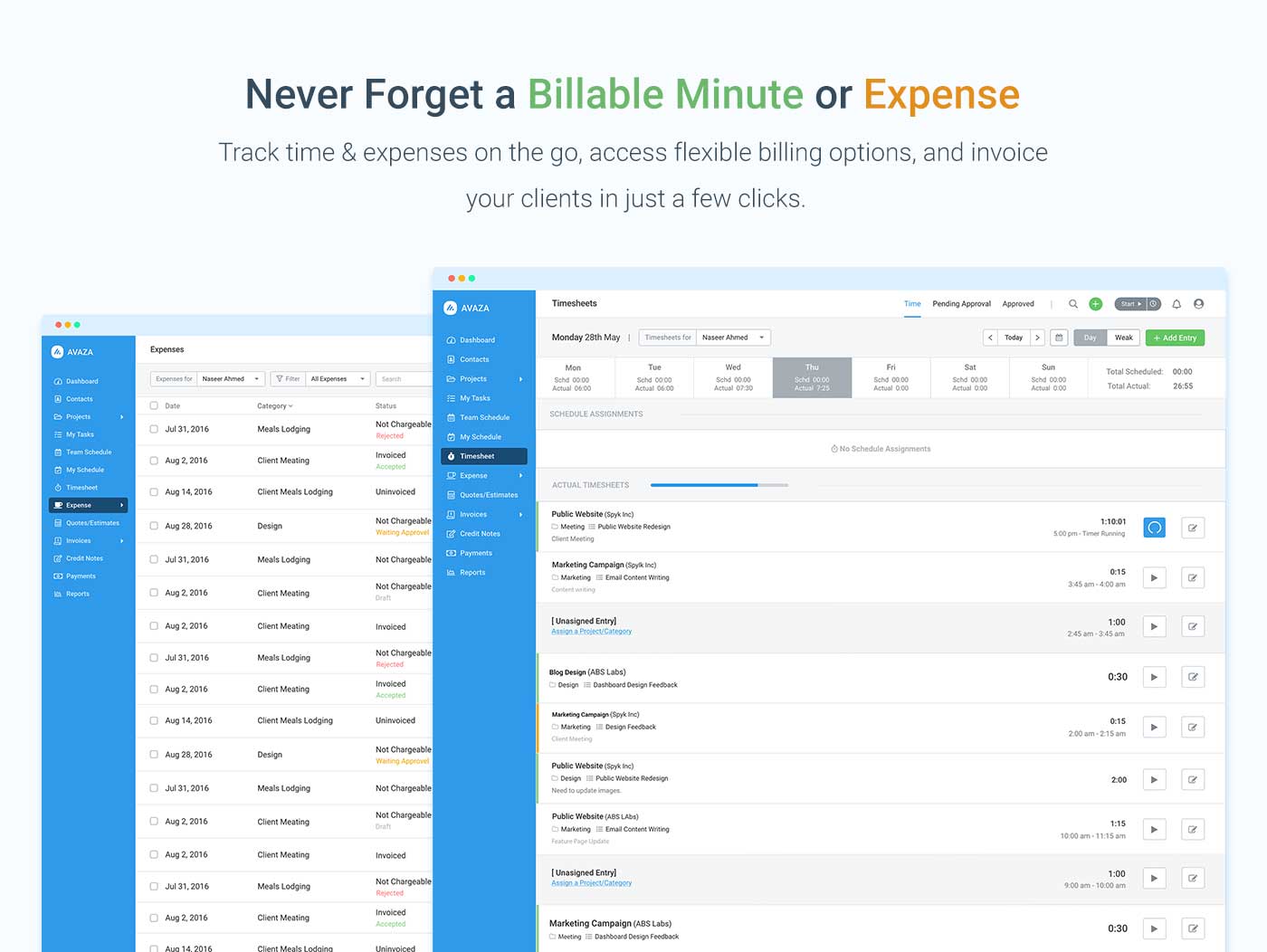
Screenshot of avaza, appearing across platformsScreenshot of visual project resource scheduling for teamsScreenshot of time and expense trackingScreenshot of team chatScreenshot of time trackingScreenshot of the expense management interface

MethodCRM Screenshots

Screenshot of a shared customer list.Screenshot of a customer profile.Screenshot of activity logging.Screenshot of a workflow visualization.Screenshot of the automated sales process.Screenshot of a testimonial.