Basecamp is a web-based project-management tool. Basecamp offers features standard to project management platforms, as well as mobile accessibility, unlimited users, and 3rd party integrations. Basecamp is priced by space requirements and concurrent projects.
$15
per month per user
Bitrix24
Score 7.1 out of 10
N/A
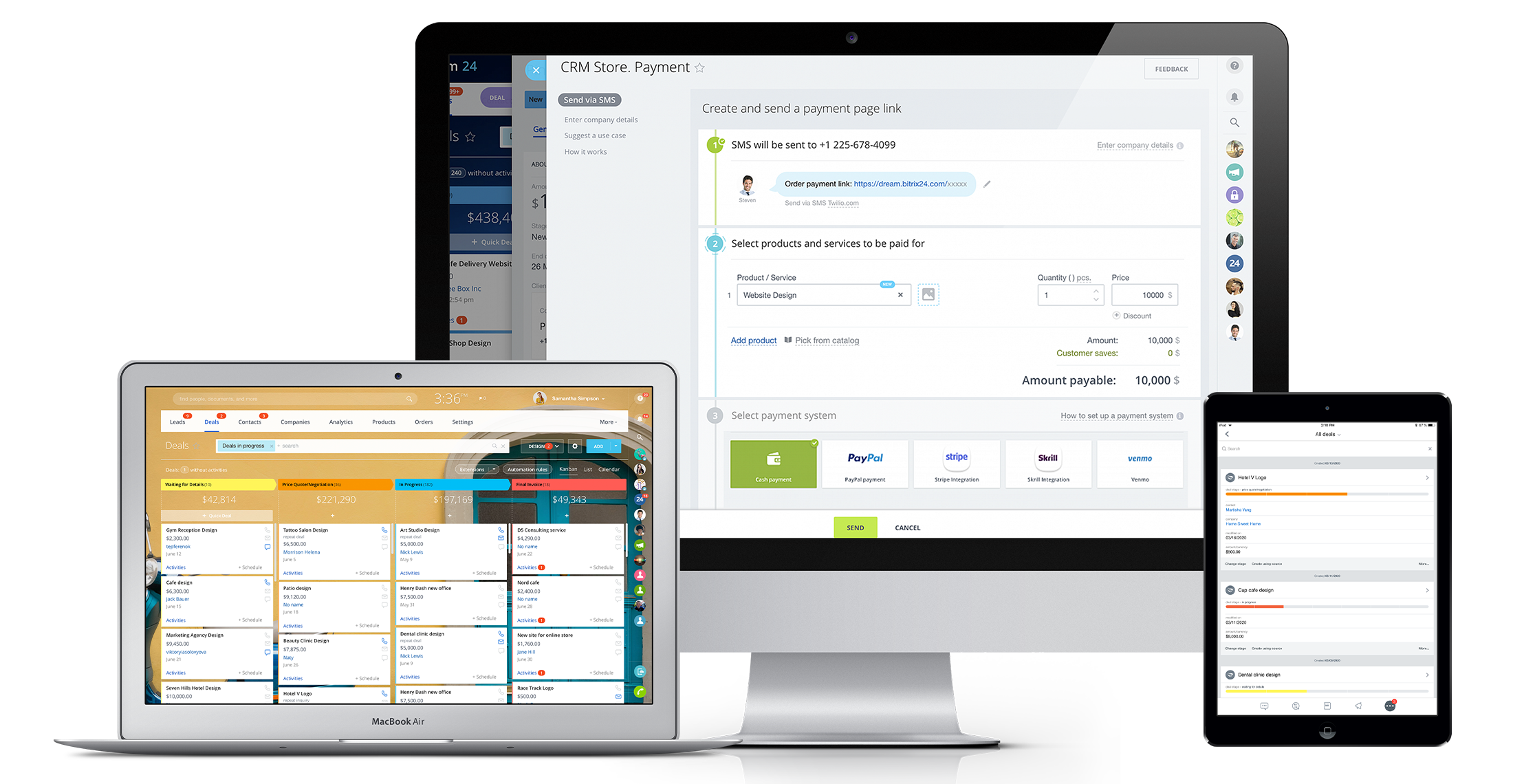
Bitrix24 is a local-hosted or cloud-based social intranet and project management platform that also contains core HR (HRMS) and CRM features. Bitrix24 also provides time management services and employee self-service.
$61
per month up to 5 users
Google Workspace Essentials
Score 9.4 out of 10
N/A
Google now offers Google Workspace Essentials (formerly G Suite Essentials), providing a solution for users of Outlook or Office whose teams want to use Google Meet and Google Apps without needing to involve a personal gmail account. Google Workspace Essentails includes Google Slides, Sheets, and Docs, as well as Google Meet, Google Drive, Forms, Sites, and Keep, in a bundle minus a gmail account.
Basic Essentials supports (via Meet) meetings with up to 150 participants, and Google Drive with…
$8
per month per user
Pricing
Basecamp
Bitrix24
Google Workspace Essentials
Editions & Modules
Basecamp Plus
$15
per month per user
Basecamp Pro Unlimited
$299
per month (billed annually)
Basecamp Free
Free
Limited Capabilities
Basic
$61
per month up to 5 users
Standard
$124
per month up to 50 users
Professional
$249
per month up to 100 users
Enterprise 250
$399.00
per month 250 Users
Enterprise
$499
per month up to 250 Users
Enterprise 500
$639.00
per month 500 Users
Enterprise 1000
$799.00
per month 1000 Users
No answers on this topic
Offerings
Pricing Offerings
Basecamp
Bitrix24
Google Workspace Essentials
Free Trial
Yes
Yes
No
Free/Freemium Version
Yes
No
No
Premium Consulting/Integration Services
No
Yes
No
Entry-level Setup Fee
No setup fee
No setup fee
No setup fee
Additional Details
—
Price per month when paying for 1 year.
—
More Pricing Information
Community Pulse
Basecamp
Bitrix24
Google Workspace Essentials
Considered Multiple Products
Basecamp
No answer on this topic
Bitrix24
Verified User
Manager
Chose Bitrix24
I've attempted various task administration/joint effort apparatuses including Asana, Basecamp, Wrike, Wunderlist, Zoho, Salesforce, and so on. I can't address the client support of Bitrix, as I haven't reached them. Up until now, the framework has been genuinely dependable. The …
Basecamp is a wonderful tool for teams of varying degrees of technical knowledge, teams managing lots of different types of "agifall" and waterfall projects, and teams that are remotely distributed. It's probably less useful for more strictly agile-focused development teams, compared to other more flexible software applications like Jira and Asana.
Bitrix24 is highly beneficial for teams that are geographically dispersed or working remotely. Its real-time communication tools, including instant messaging and video conferencing, enable seamless collaboration regardless of physical location. The centralized document management feature ensures that team members can easily access and collaborate on shared documents from anywhere, facilitating efficient teamwork in a remote or distributed environment.
Well-suited for: Fast-paced drafting ideas, docs, charts, sheets, etc. Love it for client calls as well. Google Meet runs in a web browser; you don't need to download any special software. Shared Drives are great for sharing information; the ability to add a Google Notebook to them is the icing on the cake. It is less appropriate when Wi-Fi or the internet is spotty, or when you need heavy-duty Excel macro data crunching.
Task management - It is very easy to add, organize and discuss tasks within Basecamp's interface.
The "Campfire" function is great for communicating when you just have a quick question for someone on the team.
Notifications - Basecamp lets you decide how often and about what you'd like to be notified. The ability to respond to messages in Basecamp directly via email saves a lot of time.
High Learning Curve. It's true that it can be easy to use, but to use well and effectively takes some time to learn. It's recommended to have an agreed-upon system in your team of what tools to use and when.
Notification Overload. If people aren't careful they could send a notification to everyone when only a couple people were meant to be prompted. And since emails are sent by default, you could have your mailbox overloaded with unnecessary updates. This is where it takes a bit of training in your team to have an agreed-upon system.
Lack of organization with Archived Projects. I will often need to reference an archived project to make a new one, but there is only a list of archived projects in alphabetical order, with no way to organize by archive date, or even search.
It's user interface can use some work. Although it doesn't take as long as some other software to learn, there is still a bit of a learning curve when it comes to day to day usage.
Bitrix offers a lot of features. It would be nice to have those features laid out in an easier-to-read layout, versus the long list at the side of the page.
It's mobile app functionality is quite limited. It can be difficult to work with other team members, solely off of their mobile app.
When I bring new people onto a project, it's immediately obvious how to use Basecamp. I don't have to worry about teaching them the features or walking them through it, it's just incredibly user-friendly. For this reason, I'll continue to renew my subscription even as new people are brought onto production jobs or the client changes.
It has become the central nervous system of the business and has constantly proven to be of value. We are not just renewing but might even upgrade to advanced Bitrix24 plans and will be adding more user licenses in the next 3 months. Bitrix24 has a sharper learning curve initially. However once it is surpassed, it opens doors to a range of creative deployment strategies
Now that our department has used G Suite Essentials for close to 2 years, I can't imagine not using it. It has proven to be a very practical tool for sharing files / folders on a shared drive. It also makes it easy to modify and update content. It is user friendly and the interface is simple.
It is easy to use, even for clients who have no experience with the platform. It can only get a little cumbersome to ensure that a client can't see certain documents you might want to keep in the Docs & Files folders. And sometimes, getting a client to actually use an unfamiliar platform can be a challenge.
It is a time-saving CRM that will help save time by using one application for all your business needs. Our brain sees colors, images, drawings, it is very visual, and so is Bitrix24. You can plan visually and easily see how everything is progressing. It has tasks, projects management, chat and video, CRM (as you know), visual staff structure, calendar, shared drive, mobile app. You can't ask for anything better out on the market for what you get with their free version and also their step-up plan is $20/month, all the way up to $200, they have a plan for your business. Get your free account and try it out for a few weeks.
It is so easy to use, very intuitive and the site looks nice. There is no hint of the old DOS days in the look and functionality. Let's be real, Google Workspace Essentials is attractive and easy on the eyes and even offers a dark mode if you want to rest your eyes a bit or are in a mood for such
I've never experienced downtime while using Basecamp, or been unable to access it when I needed it. That's not to say they've never had downtime, but I've been lucky enough not to encounter any, and I work odd hours, including late nights when maintenance is often undertaken.
I can't recall any instance of unplanned outages over the past 1 year of use. Likewise for application errors. However note that, advanced users will have a learning curve
For the many reasons I've given, Basecamp is a very strong program. There are a few features I can imagine that might make it even better, but I don't have a basis for comparison to be able to say that there is definitely a better one out there. I've noticed that Basecamp has evolved a bit from the time I started using it until now, so that makes me think that the producer of this program values it and believes in continuous improvement. If you could use the features offered by Basecamp, I would think you could use it with confidence.
The absolute worst! Your only contact method is via the paid version and via a chat window. They will take days to answer and when they finally do answer, they will provide nothing but a half baked canned help file.
Overall the training was very comprehensive. The trainer did provider necessary additional reading materials as well. However the general approach at Bitrix24 is to divert users to self-help documentation and videos. It is recommended that atleast 1-2 personnel in the organization be "Bitrix24 experts" so that lower phases of training requirements are covered internally itself. Also the best part about Bitrix24 is that not all users need to go very deep while using it. We have multiple counsellors who started using it on day 2 without any major hiccups
Decide the process before implementation - i.e. when it's due 8/9 does that mean 8am, noon, 5pm, 11:59pm? Check your to-do list frequently Set-up templates - just not with the dates (they can be funky)
Pretty good, but [Basecamp] has its drawbacks. Honestly I find the interface non-intuitive and sometimes have trouble figuring out how to change the status of a task. Perhaps it has something to do with the way it was originally set up by the admin, but I'm not sure. I liked Jira's drag and drop obvious functionality, but the project management side of the software was lacking. Smartsheet has excellent project management functionality, but the task management isn't as good.
In fact, I use both, but in different ways, monday to control the internal agenda, Bitrix for all other parts within the company, such as task control, chat with employees and with calendar also for control in two systems. Bitrix is more complete and has many more features, but its purpose is also different from monday.
Google Workspace Essentials is more robust than Dropbox with the other features that are available. Google Workspace Essentials is very comparable to Microsoft 365, and we ultimately went with Google because at the time, it was free/priced better than MS, and now we have lots of legacy files already stored on Google servers, so a switch would be too time-consuming. We went with Google Workspace Essentials over OpenOffice because of the email features of using Google.
The scalability and reliability is almost 9.5/10 to be honest. We istarted with Bitrix24 for just 2 functions and now have expanded its usage to 2 more. In terms of users, every full-time employee (FTE) now uses Bitrix24 without fail. We are also working on giving limited/partial access to external service providers
It has saved me time when having to get the same message out to multiple restaurants
It has helped us make smarter operational decisions because we can all collaborate on an answer in a shorter amount of time (instead of calling a meeting!!!)
The calendar function allows us to plot out our marketing agenda for the month and add/change it together as needed. The chef will post his recipe, the managers will cost it out, the social media manager will post pictures on it, and ultimately we will get that information out on an info sheet to the staff by printing the page.