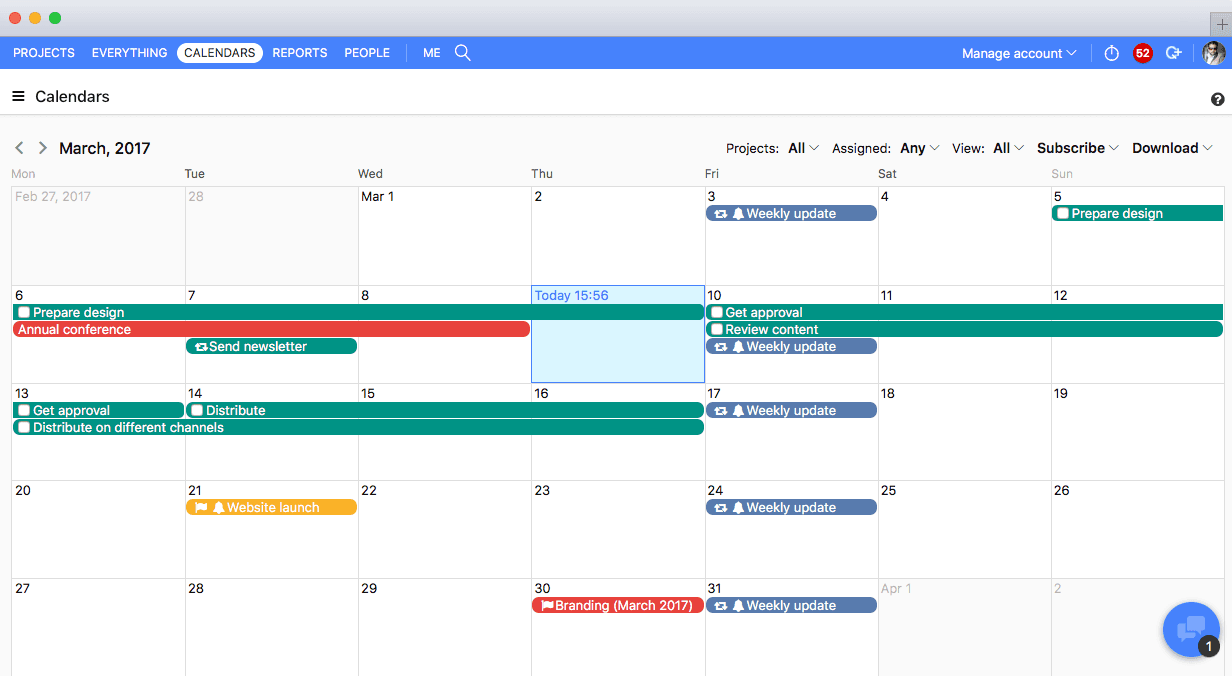
Basecamp is a web-based project-management tool. Basecamp offers features standard to project management platforms, as well as mobile accessibility, unlimited users, and 3rd party integrations. Basecamp is priced by space requirements and concurrent projects.
$15
per month per user
ProofHub
Score 9.2 out of 10
N/A
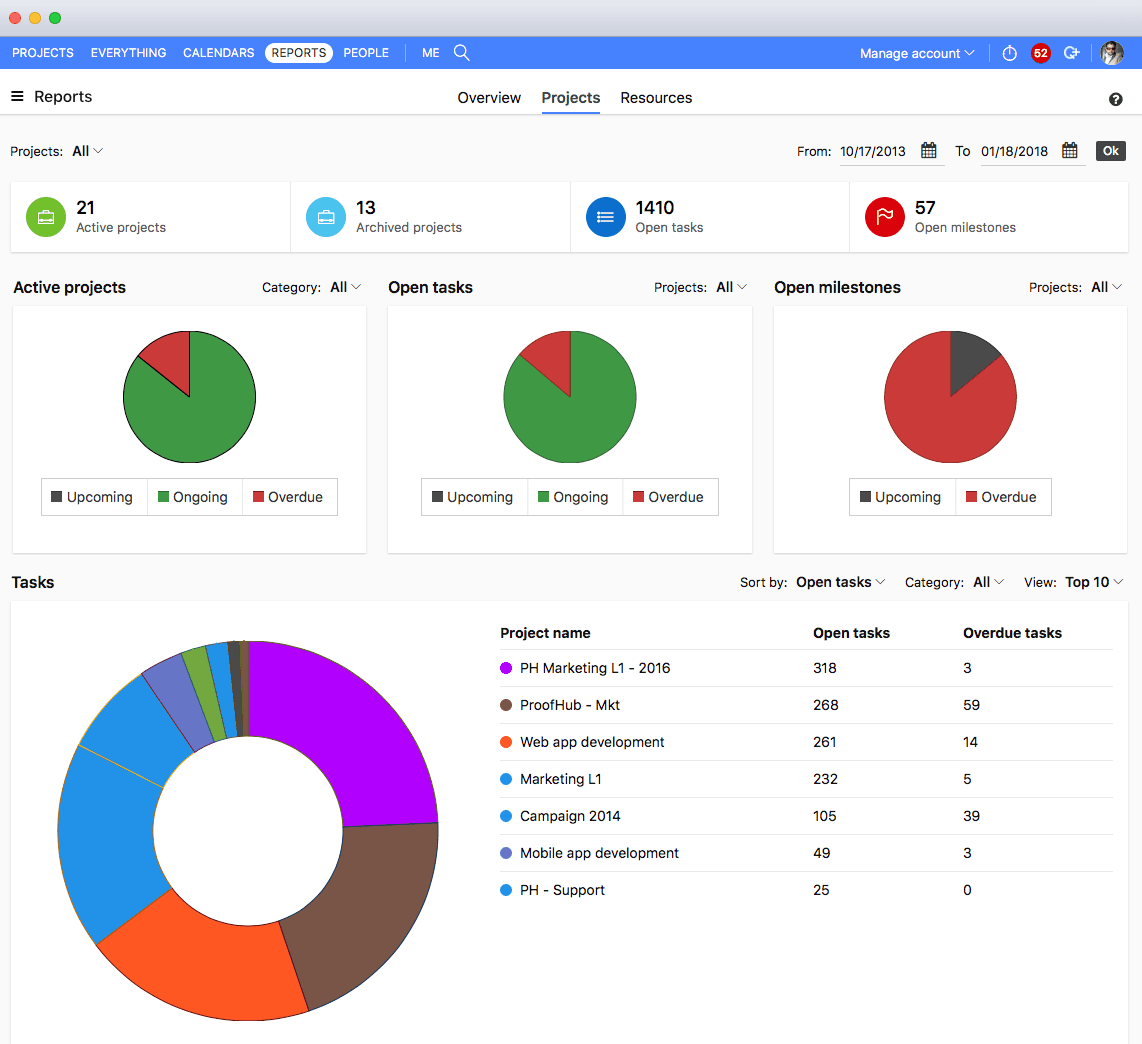
ProofHub is a SaaS based project management software from ProofHub LLC in Walnut, CA. It is an online project management and collaboration tool that comes with integrated Group chat, quick Discussions on projects, Workflows and boards, Project reports, among other features. Document (e.g. Excel, Powerpoint) uploading and sharing is supported, along with an integrated an Online proofing tool to aid in image and document review. ProofHub aims to enable teams to…
$50
per month
ProContractor
Score 3.6 out of 10
N/A
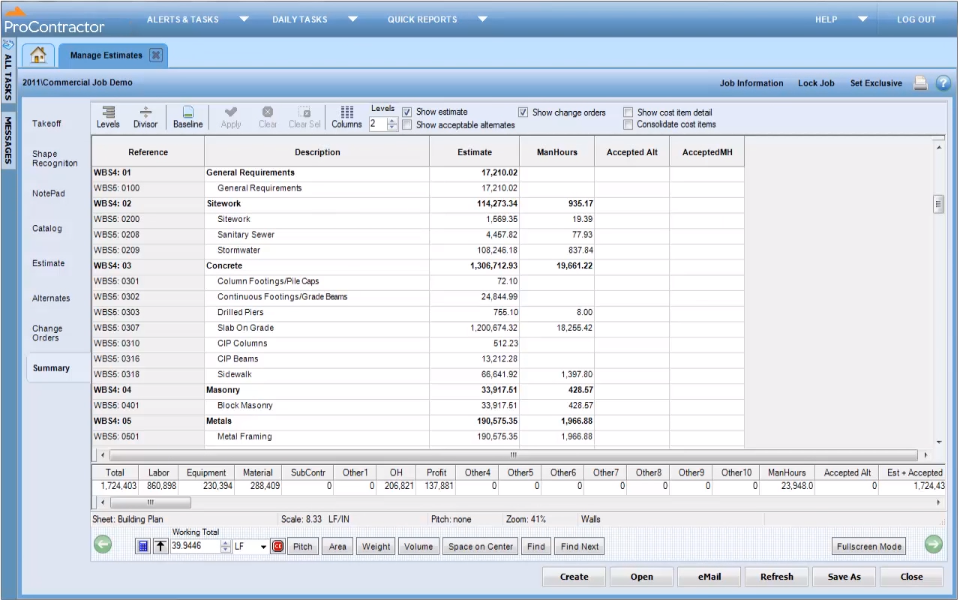
ProContractor is a Cloud-Based Solution for Estimating, Project Management, and Accounting. Designed to improve visibility and profitability across construction businesses, ProContractor™ by Viewpoint is a cloud-based software solution for estimating, project management, and accounting. The user can manage the entire project lifecycle from bid to cash in a single solution. Built to be flexible and scalable, ProContractor allows users to go all-in-one, or build a complete solution…
We used Basecamp in the past, but we did encounter some problems while working with it. But these concerns have been better addressed in ProofHub. It has a simple interface which is so easy to operate and this was not the case in Basecamp. ProofHub lets us quickly chat with our …
Verified User
Project Manager
Chose ProofHub
We had to make a quick decision, someone on our team used it in a previous company and really enjoyed it. We went on reputation.
ProofHub helps me in collaborating easily with my clients. Everybody is so well connected to each other, that you just don’t have to spend extra bucks on one more tool or application to make things happen.
ProContractor
No answer on this topic
Features
Basecamp
ProofHub
Viewpoint ProContractor
Project Management
Comparison of Project Management features of Product A and Product B
Basecamp
8.9
124 Ratings
14% above category average
ProofHub
10.0
5 Ratings
25% above category average
Viewpoint ProContractor
-
Ratings
Task Management
9.3123 Ratings
10.05 Ratings
00 Ratings
Resource Management
9.1103 Ratings
10.05 Ratings
00 Ratings
Gantt Charts
6.843 Ratings
10.05 Ratings
00 Ratings
Scheduling
8.599 Ratings
10.05 Ratings
00 Ratings
Workflow Automation
8.672 Ratings
10.05 Ratings
00 Ratings
Team Collaboration
9.7123 Ratings
10.05 Ratings
00 Ratings
Support for Agile Methodology
9.451 Ratings
10.05 Ratings
00 Ratings
Support for Waterfall Methodology
8.748 Ratings
00 Ratings
00 Ratings
Document Management
9.6115 Ratings
10.05 Ratings
00 Ratings
Email integration
8.4101 Ratings
10.05 Ratings
00 Ratings
Mobile Access
8.8100 Ratings
10.05 Ratings
00 Ratings
Timesheet Tracking
9.248 Ratings
10.05 Ratings
00 Ratings
Change request and Case Management
9.458 Ratings
00 Ratings
00 Ratings
Budget and Expense Management
8.342 Ratings
00 Ratings
00 Ratings
Professional Services Automation
Comparison of Professional Services Automation features of Product A and Product B
Basecamp
8.0
42 Ratings
3% above category average
ProofHub
10.0
3 Ratings
25% above category average
Viewpoint ProContractor
-
Ratings
Quotes/estimates
10.030 Ratings
10.03 Ratings
00 Ratings
Invoicing
10.026 Ratings
10.03 Ratings
00 Ratings
Project & financial reporting
8.034 Ratings
10.03 Ratings
00 Ratings
Integration with accounting software
4.028 Ratings
10.03 Ratings
00 Ratings
Human Resource Management
Comparison of Human Resource Management features of Product A and Product B
Basecamp
-
Ratings
ProofHub
-
Ratings
Viewpoint ProContractor
9.1
5 Ratings
26% above category average
Employee demographic data
00 Ratings
00 Ratings
10.04 Ratings
Employment history
00 Ratings
00 Ratings
10.04 Ratings
Job profiles and administration
00 Ratings
00 Ratings
10.04 Ratings
Workflow for transfers, promotions, pay raises, etc.
00 Ratings
00 Ratings
7.83 Ratings
Organizational charting
00 Ratings
00 Ratings
9.12 Ratings
Organization and location management
00 Ratings
00 Ratings
7.84 Ratings
Compliance data (COBRA, OSHA, etc.)
00 Ratings
00 Ratings
9.12 Ratings
Payroll Management
Comparison of Payroll Management features of Product A and Product B
Basecamp
-
Ratings
ProofHub
-
Ratings
Viewpoint ProContractor
8.7
5 Ratings
25% above category average
Pay calculation
00 Ratings
00 Ratings
9.05 Ratings
Support for external payroll vendors
00 Ratings
00 Ratings
6.03 Ratings
Off-cycle/On-Demand payment
00 Ratings
00 Ratings
7.83 Ratings
Benefit plan administration
00 Ratings
00 Ratings
8.04 Ratings
Direct deposit files
00 Ratings
00 Ratings
10.05 Ratings
Salary revision and increment management
00 Ratings
00 Ratings
10.04 Ratings
Reimbursement management
00 Ratings
00 Ratings
10.05 Ratings
Asset Management
Comparison of Asset Management features of Product A and Product B
Basecamp
-
Ratings
ProofHub
-
Ratings
Viewpoint ProContractor
5.0
5 Ratings
31% below category average
Tracking of all physical assets
00 Ratings
00 Ratings
5.05 Ratings
Reporting & Analytics
Comparison of Reporting & Analytics features of Product A and Product B
Basecamp
-
Ratings
ProofHub
-
Ratings
Viewpoint ProContractor
6.8
5 Ratings
12% below category average
Dashboards
00 Ratings
00 Ratings
9.14 Ratings
Standard reports
00 Ratings
00 Ratings
7.04 Ratings
Custom reports
00 Ratings
00 Ratings
5.04 Ratings
Data exportability
00 Ratings
00 Ratings
6.15 Ratings
Construction Project & Field Management
Comparison of Construction Project & Field Management features of Product A and Product B
Basecamp
-
Ratings
ProofHub
-
Ratings
Viewpoint ProContractor
7.2
6 Ratings
3% below category average
Plan distribution & viewing
00 Ratings
00 Ratings
6.53 Ratings
Plan markups & sharing
00 Ratings
00 Ratings
6.53 Ratings
Issue tracking & punchlists
00 Ratings
00 Ratings
7.85 Ratings
Photo documentation
00 Ratings
00 Ratings
7.85 Ratings
Jobsite reports
00 Ratings
00 Ratings
5.05 Ratings
Document sharing
00 Ratings
00 Ratings
2.16 Ratings
RFI tools
00 Ratings
00 Ratings
7.84 Ratings
Collaboration & approvals
00 Ratings
00 Ratings
7.44 Ratings
As-built drawings
00 Ratings
00 Ratings
9.12 Ratings
Mobile app
00 Ratings
00 Ratings
7.84 Ratings
Submittal design and management
00 Ratings
00 Ratings
9.13 Ratings
Checklists
00 Ratings
00 Ratings
7.82 Ratings
Meeting Minutes
00 Ratings
00 Ratings
7.82 Ratings
Specifications
00 Ratings
00 Ratings
9.12 Ratings
Change orders
00 Ratings
00 Ratings
7.05 Ratings
Estimating
Comparison of Estimating features of Product A and Product B
Basecamp is a wonderful tool for teams of varying degrees of technical knowledge, teams managing lots of different types of "agifall" and waterfall projects, and teams that are remotely distributed. It's probably less useful for more strictly agile-focused development teams, compared to other more flexible software applications like Jira and Asana.
It suits well for those businesses who want to operate on a global level without investing too much over creating infrastructure. A business can easily reach out to various clients, customers, partners and other stakeholders and communicate and collaborate with them in a fast and transparent manner and can effectively tap any opportunities coming its way. Such opportunities if properly implemented can lead to gains for the parties involved.
It is appropriate for the size and scale of my company - 150 projects a year that has a lot going on a multiple lines with each project. However there are many features and things that go unused with the software, because of how tinkery it can be. For example - our company needs a positive pay file, however we had to employ an outside service provide to create the file within the system. Same with a Backlog - the system kind of has a report but then again it has to be manipulated in order for it be of use. It gets the job done and has the reports needed to submit for certified payroll to the state, which was why we purchased Viewpoint ProContractor, however its ease of use is one of its biggest downfalls.
Task management - It is very easy to add, organize and discuss tasks within Basecamp's interface.
The "Campfire" function is great for communicating when you just have a quick question for someone on the team.
Notifications - Basecamp lets you decide how often and about what you'd like to be notified. The ability to respond to messages in Basecamp directly via email saves a lot of time.
The obvious, proofing! We need something in-house that can do this instead of hiring one person for this job. Each person on our marketing team knows how to use it.
High Learning Curve. It's true that it can be easy to use, but to use well and effectively takes some time to learn. It's recommended to have an agreed-upon system in your team of what tools to use and when.
Notification Overload. If people aren't careful they could send a notification to everyone when only a couple people were meant to be prompted. And since emails are sent by default, you could have your mailbox overloaded with unnecessary updates. This is where it takes a bit of training in your team to have an agreed-upon system.
Lack of organization with Archived Projects. I will often need to reference an archived project to make a new one, but there is only a list of archived projects in alphabetical order, with no way to organize by archive date, or even search.
Proofhub can improve a bit in areas of helping people customize their accounts a bit more. That makes managing work even more easier, when you have things just the way you want them to be.
When I bring new people onto a project, it's immediately obvious how to use Basecamp. I don't have to worry about teaching them the features or walking them through it, it's just incredibly user-friendly. For this reason, I'll continue to renew my subscription even as new people are brought onto production jobs or the client changes.
With an array of useful features available that solve all our work issues, each department has an access to it. Each one knows what’s going on with different teams. This makes collaboration easier, as different teams just need one tool to come together and get things done. I think this is a great product! it has really helped my company get MUCH better organized.
It is easy to use, even for clients who have no experience with the platform. It can only get a little cumbersome to ensure that a client can't see certain documents you might want to keep in the Docs & Files folders. And sometimes, getting a client to actually use an unfamiliar platform can be a challenge.
I give Viewpoint ProContractor a 10 out of 10. This system is user friendly to help keep me organized on a daily basis. I can find everything I need daily with this system. I am able to look up our subcontactors, vendors and clients I need to find quickly. I am able to see bills that I need to pay as well as invoices that I need to send out.
I've never experienced downtime while using Basecamp, or been unable to access it when I needed it. That's not to say they've never had downtime, but I've been lucky enough not to encounter any, and I work odd hours, including late nights when maintenance is often undertaken.
For the many reasons I've given, Basecamp is a very strong program. There are a few features I can imagine that might make it even better, but I don't have a basis for comparison to be able to say that there is definitely a better one out there. I've noticed that Basecamp has evolved a bit from the time I started using it until now, so that makes me think that the producer of this program values it and believes in continuous improvement. If you could use the features offered by Basecamp, I would think you could use it with confidence.
Great support website and had reps follow up multiple times in our trial process. Getting started was very straightforward and adding people is easy too.
When something isn't working, you can contact support who will gladly remote into your system and try and work out a solution. Though several of the issues we encountered, they were not able to fix and had to submit for further review. While some were eventually rectified in updates, it takes time for these to be addressed and implemented.
Decide the process before implementation - i.e. when it's due 8/9 does that mean 8am, noon, 5pm, 11:59pm? Check your to-do list frequently Set-up templates - just not with the dates (they can be funky)
Pretty good, but [Basecamp] has its drawbacks. Honestly I find the interface non-intuitive and sometimes have trouble figuring out how to change the status of a task. Perhaps it has something to do with the way it was originally set up by the admin, but I'm not sure. I liked Jira's drag and drop obvious functionality, but the project management side of the software was lacking. Smartsheet has excellent project management functionality, but the task management isn't as good.
We used Basecamp in the past, but we did encounter some problems while working with it. But these concerns have been better addressed in ProofHub. It has a simple interface which is so easy to operate and this was not the case in Basecamp. ProofHub lets us quickly chat with our team members over various work matters through its inbuilt chat feature and resolve them fast while Basecamp provides this feature through a third-party tool which added to our expenses and it was not a very convenient affair. ProofHub has got an inbuilt proofing tool which allows us to get quality feedback over designs instantly saving our time and costs, whereas Basecamp enables proofing through a third party tool which again was not convenient for us. ProofHub’s casper mode feature helps us to protect privacy and secrecy over confidential issues but Basecamp lacks such an important feature. So ProofHub has more to offer and better too in comparison to Basecamp. (answer to Describe how ProofHub stacks up against them and why you selected ProofHub.
Procore beats Viewpoint hands down but can integrate well with Viewpoint Vista accounting software. I think that if the Viewpoint software was more flexible if they were more interested in patches, updates, and hearing customer feedback in the way the Procore does, that they would actually have the opportunity to corner the market.
It has saved me time when having to get the same message out to multiple restaurants
It has helped us make smarter operational decisions because we can all collaborate on an answer in a shorter amount of time (instead of calling a meeting!!!)
The calendar function allows us to plot out our marketing agenda for the month and add/change it together as needed. The chef will post his recipe, the managers will cost it out, the social media manager will post pictures on it, and ultimately we will get that information out on an info sheet to the staff by printing the page.
Proofhub has a great impact on our ROI. Due to a systematic approach of handling each clients’ project, we have been able to double the number of clients we had prior to signing up for Proofhub.
Overall it allowed us to go electronic for certified payroll allowing us to be more accurate in reporting which was a giant win for the company
It's viewable pay estimates with dates and records of payment are crucial to a company like ours that relies on a general contractor and the state for payment of EADA quantites
Negatively training is not the easiest for the company and therefore onboarding new employees with no experience with the software is time consuming and difficult.