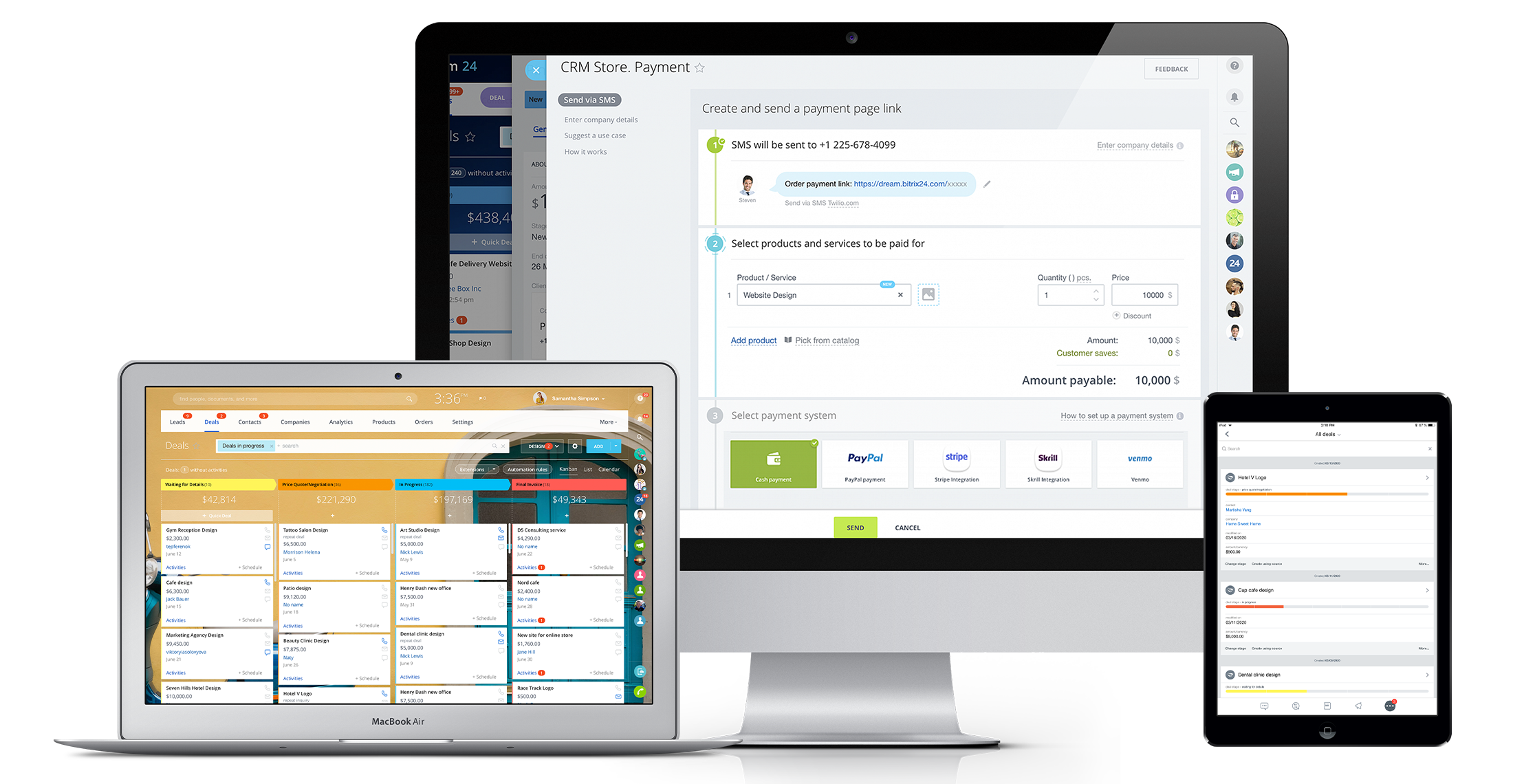
Bitrix24 is a local-hosted or cloud-based social intranet and project management platform that also contains core HR (HRMS) and CRM features. Bitrix24 also provides time management services and employee self-service.
$61
per month up to 5 users
Podio
Score 8.7 out of 10
N/A
Podio is a cloud-based platform for organizing team communication, business processes, and reporting in project management workspaces; also it may be used as a light CRM platform. It enables workflow automation and integrations. It includes a free version and paid packages with additional features.
$14
per month per user
Zoho CRM
Score 8.5 out of 10
N/A
Zoho CRM is a simple, very low-cost CRM option for the smaller end of the SMB segment.
The product has several useful integrations with other products, including QuickBooks, and Google Apps and Google Docs.
The product also has an integrated project management module.
We use Zoho for our own firm and Bitrix24 for our client's firm. Overall, the key differences noted, so far, are 1. the user interface for Bitrix24 is much more visual 2. It has much better privacy and access controls 3. Customer service is faster 4. the mobile app is easier …
These other CRMs are very modular and this implies that each module has an additional cost associated with it, unlike Bitrix24 that has all the tools in one with a single annual or monthly payment.
Verified User
C-Level Executive
Chose Bitrix24
We went with Bitrix because it avoided the per seat cost of large sales teams. We discovered you get what you pay for. We wasted $800 given their no refund policy, but more importantly lost 3 months of quality sales management.
Verified User
Executive
Chose Bitrix24
It is easy to use and flexible to use in our company.
Podio is decent for task management. We selected Podio to learn about the product and how to work with the product going forward. It feels like more of a project management tool than a CRM. The limited reporting and contact management features leave much to be desired. There …
I started with Infusionsoft (now Keap) years ago. Quite expensive to on-board ($2K+ in training) plus monthly fee was $179. Abandoned after 8 months because it could not allow me to invoice clients by the hour.
Zoho offers a very comprehensive suite but Bitrix24 trumps the ROI on teams exceeding 10users. Bitrix24 also offers many more tools not found under Zoho CRM, albeit Zoho offers a similar array of tools but additional to the CRM.
The Zoho CRM seemed to stack up great against the other software products we looked at from a price and functionality perspective. We really liked the fact that Zoho was simple and easy. A lot of the other CRM products we encountered had a ton of additional features which were …
Bitrix24 is a unified platform with all features in one place. It has a smooth deployment and implementation process. The software boosts teams' productivity and ensures flawless collaboration. Pricing of the software is incredibly affordable. It is highly customizable and a scalable CRM solution.
[Citrix Podios's] customer support is very quick and they provide you an option to convert your project into small tasks so that you can better assist your team and extract maximum work out of them hence I will totally recommend its usage. I could not think that keeping track of tasks could be this much easier and smart. It is a fully customizable tool that manages my tasks efficiently and deal with them effectively.
Interfacing with our target clients at the correct minute is crucial in today's society. Another valuable include is its capacity to coordinated with other programs. It helps me in keeping track of the every day work emails I send to my colleagues or get. Zoho CRM makes it straightforward to consequence or send out information agreeing to our needs. Zoho makes a difference keep in mind individuals by means of e-mail and pop-ups, which dispenses with the issue of overlooking follow-ups and reminders. This not as it were helps within the organization of this incredible instrument but moreover within the execution of data.
Real-Time Collaboration: Bitrix24 facilitates instant communication through features like instant messaging, group chats, and video conferencing. This enables teams to connect and share information in real time, promoting effective collaboration and timely decision-making.
Task Management: Bitrix24 offers comprehensive task management capabilities, allowing teams to assign tasks, establish deadlines, and monitor progress. This ensures that team members are aligned, promoting organization and focus on project objectives.
Social Intranet: Bitrix24 provides a social intranet platform that serves as a centralized space for employees to interact, exchange updates, and collaborate on projects. This fosters a collaborative environment, promotes knowledge sharing, and enhances teamwork across the organization.
Very easy for people without coding or technical skills to set up and maintain information in "Apps".
Platform is very easy to learn and adopt--it's intuitive.
Project management potential is awesome--instead of having to fit your projects into a structure that is industry specific, you can build an app that tracks what you want, in the order you want it.
Has a "relationship" field that allows you to relate an individual item or record to a record in another app. It effectively gives some of the functionality of a relational database.
Very useful for information sharing when staff members are in different regions or places.
It's user interface can use some work. Although it doesn't take as long as some other software to learn, there is still a bit of a learning curve when it comes to day to day usage.
Bitrix offers a lot of features. It would be nice to have those features laid out in an easier-to-read layout, versus the long list at the side of the page.
It's mobile app functionality is quite limited. It can be difficult to work with other team members, solely off of their mobile app.
A customizable profile status – would love to work with Podio in silent mode (logged in while working, but "not available" for requests when in heavy work mode)
Need some way to switch a field type without losing the pre-existing data.
The settings controls should be broken out differently - I don't like that I can't keep some users from exporting all contact records (i.e., the entire Contacts module) because if the export function is turned off, the export function of Reports for those same modules is also blocked.
Frustrating that only 3 custom lookup fields are allowed per module in our license.
It has become the central nervous system of the business and has constantly proven to be of value. We are not just renewing but might even upgrade to advanced Bitrix24 plans and will be adding more user licenses in the next 3 months. Bitrix24 has a sharper learning curve initially. However once it is surpassed, it opens doors to a range of creative deployment strategies
Podio customer service is great. The cloud and mobile service is fast (almost instant, continuous syncing). With a solid user base, and backed by Citrix, this is a serious business solution. They're also constantly working on improving and making it more powerful. I anticipate it only getting better
i have already renewed my subscription twice. I am in the 3rd Year now. I have been using it for a while and have been recommending to my friends as well.. have attended ZOHOLICs the annual program of zoho and it gave me new insights of managing the crm solutoin.
It is a time-saving CRM that will help save time by using one application for all your business needs. Our brain sees colors, images, drawings, it is very visual, and so is Bitrix24. You can plan visually and easily see how everything is progressing. It has tasks, projects management, chat and video, CRM (as you know), visual staff structure, calendar, shared drive, mobile app. You can't ask for anything better out on the market for what you get with their free version and also their step-up plan is $20/month, all the way up to $200, they have a plan for your business. Get your free account and try it out for a few weeks.
It takes a while to understand how to wield the power of 'relationship' fields and unlocking the flow of data across Podio apps and workspaces. Once the lightbulb comes on, the options and builds are effortless and limitless. Because of the unrestrained customization, you truly start with a blank slate and must endure a potentially frustrating learning curve to crack to (no)code. But once you get it, all the power is readily at your fingertips.
The methodology of the 'out of the box' user interface is fairly easy to learn. In some cases however, the interface is not consistent throughout the software. Upgrades to the interface has certainly improved some of this--- but now we are seeing the same kinds of inconsistencies across Zoho apps, particularly those more recently added to their platform. This issue is not major in that everybody on staff seems able to learn how to work the programs--- it's just annoying and less than efficient when inconsistent user interfaces or inconsistent terms are used in the programs and/or the requisite documentation.
I can't recall any instance of unplanned outages over the past 1 year of use. Likewise for application errors. However note that, advanced users will have a learning curve
In my many years using Zoho, I think there were only 1 or 2 days when there was something happening and I was not able to log in. Sure, it wasn't fun and we all panicked a bit, but right after that, all was well and work-life continued. Being cloud based, I'm never worried about losing my iPhone, iPad or Laptop as I know I can log in anywhere on any device and workflow won't stop.
I don't recall every having any issues with a page not loading due to it being a Zoho issue. Anytime I've had any issues with something being wonky, I clear cache and that has always solved the problem. Or a simply computer reboot and we're back, hard at work. Look, I don't expect any product to delivery 100%, 100% of the time but if I had any consistent ongoing issues, I would have left many years ago. I still keep my eyes open to what is new but after a quick evaluation, I know Zoho will long be my home.
The absolute worst! Your only contact method is via the paid version and via a chat window. They will take days to answer and when they finally do answer, they will provide nothing but a half baked canned help file.
Podio support was always responsive and very quick to provide answers and assistance during the history of using this product, their support team has always been top notch. There have been several cases where calling podio support a feature was not available and they provided either workaround solutions or added the features straight into their roadmap.
We did the training and that was a huge waste of money. The information provided was basic and the instructor was sloppy (he even forgot to turn off his mic when he used the restroom - no one should ever hear what we heard). I offered up a 9 because we were able to find what we needed on your website.
I attended a Zoho-Holics event in Austin, TX, several years ago, and it blew my mind. So many industries were represented using Zoho in so many different ways. It was unbelievable all that I learned from that experience, as there were features that I wasn't aware of that I immediately started using. Best of all, the trainers were patient and knowledgeable
Overall the training was very comprehensive. The trainer did provider necessary additional reading materials as well. However the general approach at Bitrix24 is to divert users to self-help documentation and videos. It is recommended that atleast 1-2 personnel in the organization be "Bitrix24 experts" so that lower phases of training requirements are covered internally itself. Also the best part about Bitrix24 is that not all users need to go very deep while using it. We have multiple counsellors who started using it on day 2 without any major hiccups
There is an endless supply of YouTube videos from Zoho and the many Zoho partners/consultants. Plus, Zoho has it's own library of training videos and webinars to learn from plus an entire community at the ready to answer any questions. While Zoho has been available for many years, there are constantly new training videos and webinars available for the novice and the experienced users.
When you switch CRMs, you can automatically assume everything isn’t going to match up correctly. We had used Salesforce for 10+ years and had a ton of data and customizations. It was not a clean transfer, but we were able to sort it all out. The only issue that really bothered me was Zoho support. Even simple questions couldn’t be answered over chat, and we would have some team members try for hours to find the right answer
The choice of the B24 was prompted by the fact that in 2012 the company had a box version, but without the CMR. The license was expired, the version was no longer supported by B24. In the stages, the company's directorate drove the employees into tasks for B24, but with different success. However, most of the B24 was still familiar.
I have not yet found a permanent solution that meets all of our needs. We continue to use different tools across our different departments, and none of our tools really communicate with one another to our satisfaction. We remain optimistic, however, that a company will emerge that embraces an abstract, highly customizable interface and also provides exceptional customer service with an open-minded development team that does not simply say no to everything by default.
Free user access was one reason to use it more than any other software. Also, for a mid-size organization, the Salesforce cost was a little higher, and Pipedrive was almost similar to Zoho. As we were already using Zoho, we found no urgency to switch.
I think Zoho CRM is priced at a reasonable amount. Simply put, you get what you pay for and Zoho does not disappoint. My organization is comfortable with what we pay and pleased with continually renewing the software. The billing frequency is just right. There are no complaints on our end
The scalability and reliability is almost 9.5/10 to be honest. We istarted with Bitrix24 for just 2 functions and now have expanded its usage to 2 more. In terms of users, every full-time employee (FTE) now uses Bitrix24 without fail. We are also working on giving limited/partial access to external service providers
We're still in the early stages of scaling this across departments. We have high aspirations of doing this, but it takes time to migrate to the new system and to help people get acquainted of doing their work in a different way thru Zoho.
In addition to being a user of Zoho CRM, we are a reseller as well. Often, at times our Partners request for on-boarding the platform configuration for them. During such requirements, we have utilized the Professional services team directly from the Zoho CRM team. Our partner feedback was quite positive, throughout.
Podio is great for task assignment and tracking. The ability to enter and assign tasks from mobile and track their completion saves me several phone calls a day.
Podio outdoes email as my go to place to search for information. The ability to forward emails into the system, organize by projects and contacts, and search it all saves considerable time and confusion.
Podio has considerable potential to reduce overall admin time spent organizing information (filing, tracking, etc) The ability to keep a single record of a given piece of information without being tied to email vs file structure works very well.