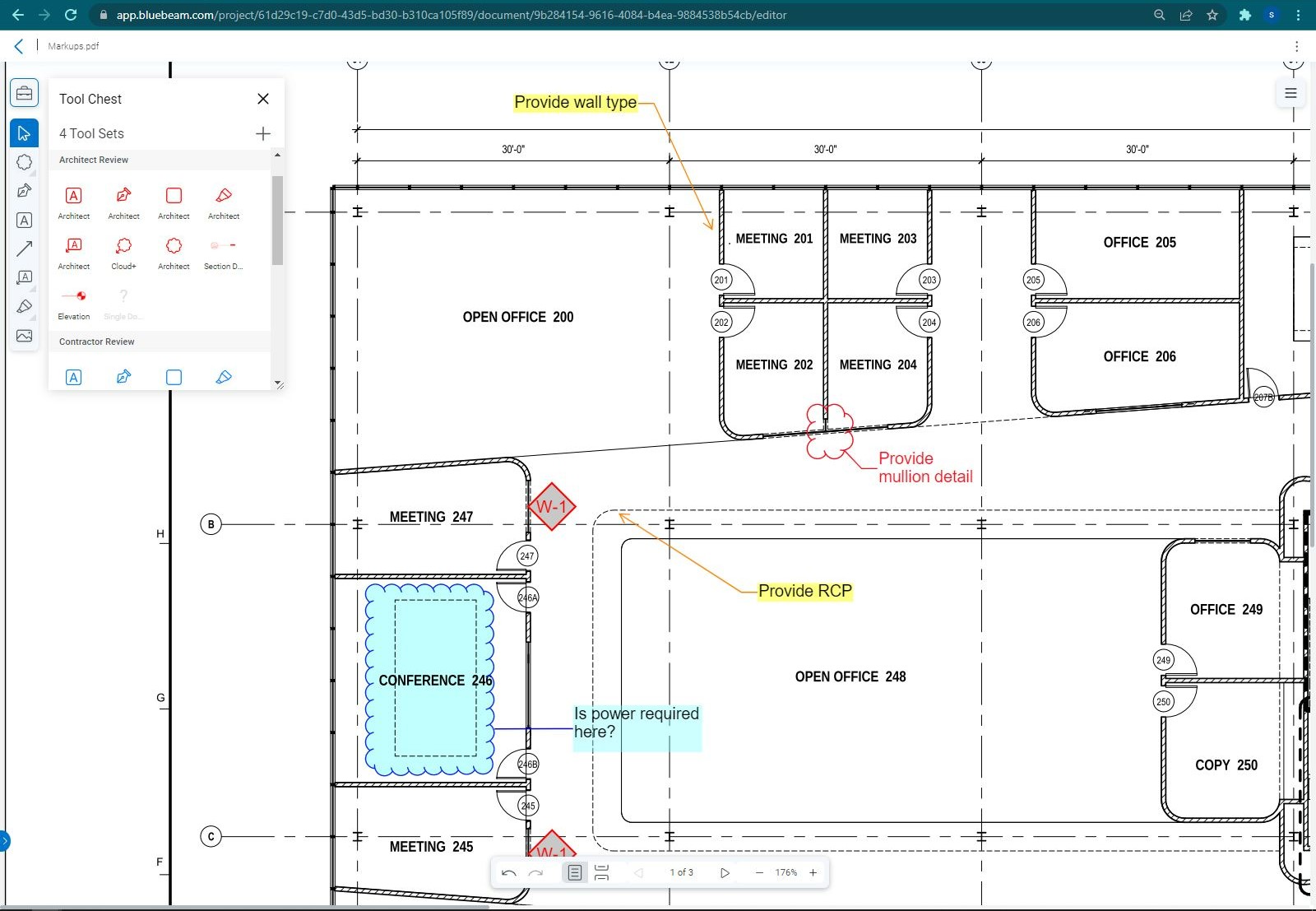
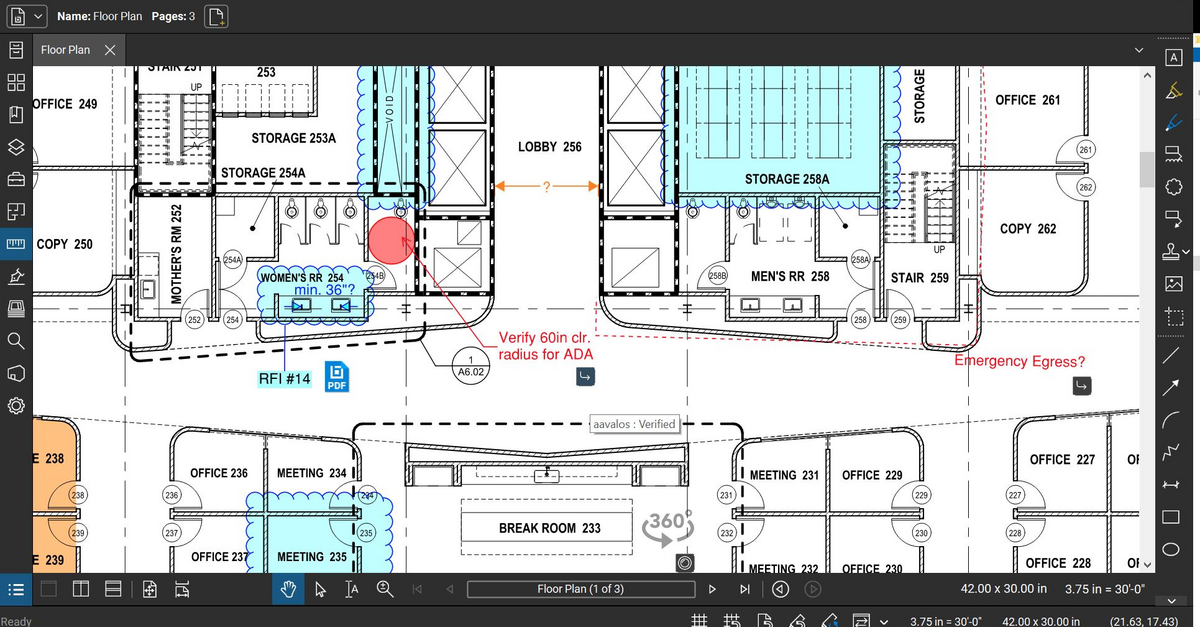
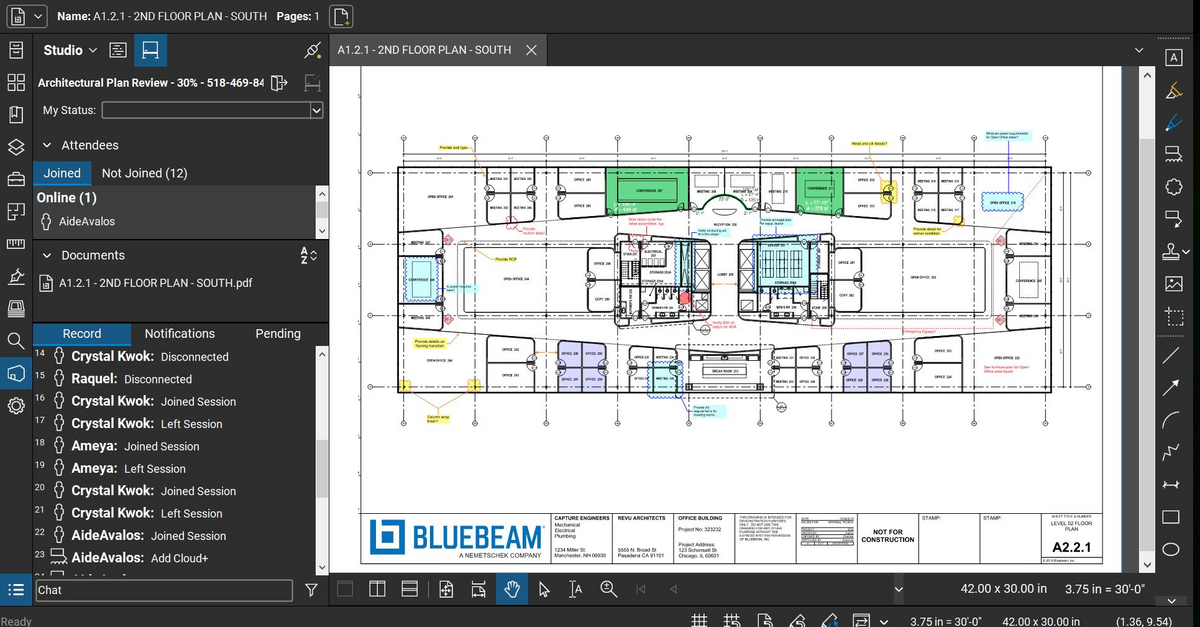
Bluebeam Revu is a PDF management, control, and editing tool. It enables collaboration and markup within shared documents across projects’ life cycles and has takeoff and bid creation capabilities.
$260
per year per user
Google Drive
Score8.7 out of 10
N/A
Google Drive is a cloud file storage, synchronization, and collaboration platform and service, that features Google Docs, Sheets, and Slides for document editing and presentation.
$6
per month
OneNote
Score7.8 out of 10
N/A
Microsoft's OneNote is a digital note-taking app, supporting photos, annotating, web page clipping, emailing, and synchronizing notes across devices.
N/A
Pricing
Bluebeam
Google Drive
OneNote
Editions & Modules
Basics
$260
per year per user
Core
$330
per year per user
Complete
$440
per year per user
Max
$590
per year per user
Basic
$6.00
per month
Business
$12.00
per month
Enterprise
Contact Vendor for Quote
per month
Microsoft OneNote
Free
Offerings
Pricing Offerings
Bluebeam
Google Drive
OneNote
Free Trial
Yes
Yes
No
Free/Freemium Version
No
Yes
Yes
Premium Consulting/Integration Services
Yes
No
No
Entry-level Setup Fee
No setup fee
No setup fee
No setup fee
Additional Details
—
Discounts are available for students, educators, and non profit organizations.
Safety and Project Manager in Corporate at Century Exteriors, Inc. (Construction, 11-50 employees)
Chose Bluebeam
We've used these other products in conjunction with Bluebeam mainly because Bluebeam lacks RFI/COR/PO/Mark-up/revision tracking, and doesn't handle punch lists or tasks.
A de minimis incentive was given to thank the reviewer for their time. The incentive was not used to bias or drive a particular response, nor was the incentive contingent on a positive endorsement. More Info
Verified User
Chose Bluebeam
Bluebeam is a diverse program with many functions and tools, whereas competitive programs only specialize in one or few tasks. Although there are many tools within the program, users can still quickly learn how to use the program to best fit their needs. There is always a help …
A de minimis incentive was given to thank the reviewer for their time. The incentive was not used to bias or drive a particular response, nor was the incentive contingent on a positive endorsement. More Info
General Superintendent in Professional Services at On Site Builders Inc (Construction, 11-50 employees)
Chose Bluebeam
I personally like the tools that Bluebeam offers over Acrobat and feel that, for my company, Bluebeam was much better suited. Scaling tools, markups, as-builts, RFI’s, submittal approval, and detail creation all really show its strength.
A de minimis incentive was given to thank the reviewer for their time. The incentive was not used to bias or drive a particular response, nor was the incentive contingent on a positive endorsement. More Info
Verified User
Chose Bluebeam
OnScreen: Bluebeam (BB) blows away On-Screen. BB has every feature On-Screen does and it can do way more.
Agtek: Bluebeam is a lot easier for take-offs when compared to Agtek's Material TakeOff module.
A de minimis incentive was given to thank the reviewer for their time. The incentive was not used to bias or drive a particular response, nor was the incentive contingent on a positive endorsement. More Info
Google
Verified User
Chose Google Drive
We are using Google Drive and other google products from their very first versions. We didn't feel any drawbacks to replace them.
Due to OneNote sync requirement we use MS OneDrive which we found we complex to use.
A de minimis incentive was given to thank the reviewer for their time. The incentive was not used to bias or drive a particular response, nor was the incentive contingent on a positive endorsement. More Info
Verified User
Chose Google Drive
Google Drive is the best in all aspects. It is affordable, secure, offers better features and most importantly, it enhances collaboration.
A de minimis incentive was given to thank the reviewer for their time. The incentive was not used to bias or drive a particular response, nor was the incentive contingent on a positive endorsement. More Info
Microsoft
Verified User
Chose OneNote
Google Drive has a great user interface in comparison to OneNote.
A de minimis incentive was given to thank the reviewer for their time. The incentive was not used to bias or drive a particular response, nor was the incentive contingent on a positive endorsement. More Info
Owner in Finance and Accounting at HighRoad Accounting (Accounting, 1-10 employees)
Chose OneNote
I tried organizing various online hard drive storage products like Dropbox, iCloud and Google Drive and One Drive. However, I like the visual aspects of OneNote when I save a document or webpage. It's simpler and I am able to know immediately if I have found the item I am …
A de minimis incentive was given to thank the reviewer for their time. The incentive was not used to bias or drive a particular response, nor was the incentive contingent on a positive endorsement. More Info
Business Analyst, PMO in Professional Services at Avtex Solutions, LLC (Telecommunications, 201-500 employees)
Chose OneNote
OneNote has much more structure and more ability to break out current notebooks/topics than Google Drive. This alone is the selling point of OneNote. Easy to show current notes vs. old notes.
A de minimis incentive was given to thank the reviewer for their time. The incentive was not used to bias or drive a particular response, nor was the incentive contingent on a positive endorsement. More Info
Principal Security Consultant in Information Technology at Insight (Information Technology and Services, 5001-10,000 employees)
Chose OneNote
OneNote was the best choice over Google Drive because Google keeps changing their products too often removing some features and adding others that we do not need. We also looked at self hosting with ownCloud but the ability to use OneNote on a multitude of devices and no …
A de minimis incentive was given to thank the reviewer for their time. The incentive was not used to bias or drive a particular response, nor was the incentive contingent on a positive endorsement. More Info
Verified User
Chose OneNote
Evernote worked really well for this - Better than OneNote, but no Pabbly integration which I was switching to. Google Keep is ok, but more for doing sticky-note type notes (even if big ones) rather than sorting a large number of notes. I've also used Nimbus Note - This …
A de minimis incentive was given to thank the reviewer for their time. The incentive was not used to bias or drive a particular response, nor was the incentive contingent on a positive endorsement. More Info
Verified User
Chose OneNote
Integration with other Microsoft Office products is much better with OneNote than any other note-taking tool. It's also crucial to have cloud-based syncing because I have used other products that only do local storage and you lose a lot of important information if that software …
A de minimis incentive was given to thank the reviewer for their time. The incentive was not used to bias or drive a particular response, nor was the incentive contingent on a positive endorsement. More Info
Verified User
Chose OneNote
Because many of our organizations use Windows and Microsoft Office suite as business tools, it makes sense to choose OneNote for notetaking and storing information. Other tools don't integrate as well with the Office desktop.
A de minimis incentive was given to thank the reviewer for their time. The incentive was not used to bias or drive a particular response, nor was the incentive contingent on a positive endorsement. More Info
Verified User
Chose OneNote
OneNote provides better integration into the Microsoft platform. It also excels over Evernote due to OneNote being ad-free and offline supported.
A de minimis incentive was given to thank the reviewer for their time. The incentive was not used to bias or drive a particular response, nor was the incentive contingent on a positive endorsement. More Info
Sr. Technical Lead in Information Technology at First American Financial Corporation (Real Estate, 10,001+ employees)
Chose OneNote
I had used IBM Doors for requirement gathering though a document repository. It was hard to maintain as we had to always download the latest docs on a local [drive]. OneNote overcame this issue.
A de minimis incentive was given to thank the reviewer for their time. The incentive was not used to bias or drive a particular response, nor was the incentive contingent on a positive endorsement. More Info
Verified User
Chose OneNote
I feel that OneNote is a good take on Evernote and even Google Keep which is not listed as far as cloud note taking abilities is concerned with some collaborative abilities. One would use OneNote as they would be more familiar with how MS products works as it is the staple …
A de minimis incentive was given to thank the reviewer for their time. The incentive was not used to bias or drive a particular response, nor was the incentive contingent on a positive endorsement. More Info
The program is great for editing construction drawings, stamping/approving official documents and overlaying revised documents to see design changes. You can use it as an estimating takeoff tool, estimating database, document control, cloud document storage, the list goes on! Bluebeam poses many applications for the user to utilize for the desired needs. There may be some other software that has one specific function that can perform the specific task better, but Bluebeam is a holistic program with many tools for use.
A de minimis incentive was given to thank the reviewer for their time. The incentive was not used to bias or drive a particular response, nor was the incentive contingent on a positive endorsement. More Info
It is possible to share files and folders with up to 200 email addresses, as well as with persons outside the company.Use the drop-down arrow to select who may see, comment on, or change the file or folder before sending out an invitation.I am very much impressed with this feature
In my opinion OneNote is a must for anyone who does business. It’s versatile, stable and sustainable. It can keep private information private - like passwords. It can be used for collaborative work - like standard operating procedures. It is fairly easy to use and far superior to pen and paper. When used for meeting notes, it can be flagged with icons that are searchable - like ideas or important items. You can even create Outlook tasks on the fly
A de minimis incentive was given to thank the reviewer for their time. The incentive was not used to bias or drive a particular response, nor was the incentive contingent on a positive endorsement. More Info
Once you set Bluebeam Revu as your default PDF handler, it launches immediately when clicking a PDF to open. The speed with which it opens documents is impressive.
Creating PDF's out of other documents, such as Word, Excel, JPG's, etc. is simple.
Digitally signing documents is a simple, secure process. You can keep your signature password-protected, yet still access it quickly.
The Bluebeam Revu mobile application ( I use the iOS version on an iPad Pro), is awesome. Not only does it handle PDF's like you would expect it to, it allows for effortless digital signing of documents on the fly. Nice to be able to quickly sign a document and email right back out from the tablet no matter where I am.
A de minimis incentive was given to thank the reviewer for their time. The incentive was not used to bias or drive a particular response, nor was the incentive contingent on a positive endorsement. More Info
Any user with access can store a file using different platforms like Android, IOS, Windows, or Ubuntu (Desktop version)
You can share files with any number of different users with different access rights or you can even keep it public by providing the access link and assign different rights for public access
You can open Excel/Word files using google software Sheets/Docs in the browser environment without having to install software like Microsoft Office etc on your Windows OS
A de minimis incentive was given to thank the reviewer for their time. The incentive was not used to bias or drive a particular response, nor was the incentive contingent on a positive endorsement. More Info
Because of its flexibility and ability to hold different types of content (text, images, tables), it is a great tool for collecting content from different resources and organizing it in one place.
Technical support analysts are using sections for their support case analysis; they paste pieces of logs, screen-shots, document their steps in troubleshooting etc., all in one section, to get the full picture yet stay organized.
The logic of content structure; Notebook>Section>Page>Paragraph, allows you to manage and collect all needed information by the areas of the user's responsibility. For example; each of my projects has its own section, in which each page is a task.
A de minimis incentive was given to thank the reviewer for their time. The incentive was not used to bias or drive a particular response, nor was the incentive contingent on a positive endorsement. More Info
If you have several tabs open and you try to drag one out for a side by side view then you do not have all the modification options and you have to combine them back together.
There is a lag time when hitting the print option.
There is also a lag time when opening files, sometimes I think the window is frozen.
I wish the basic version also had basic file editing, as in editing a document as Adobe does.
A de minimis incentive was given to thank the reviewer for their time. The incentive was not used to bias or drive a particular response, nor was the incentive contingent on a positive endorsement. More Info
Having a little bit more control and clarity over what is shared and how it is shared would be a useful improvement.
Could be more robust and flexible as far as assigning restrictions.
Google Sheets could be enhanced because Excel really is not there yet as a product with equal capabilities as there are still quite a few limitations to the functionality.
A de minimis incentive was given to thank the reviewer for their time. The incentive was not used to bias or drive a particular response, nor was the incentive contingent on a positive endorsement. More Info
The table editing tools are too simplistic and lack the features found in other Office products.
Some content loses its rich text formatting when being pasted into OneNote. A workaround is to paste the content first into Outlook or Word and then copy/pasting that into OneNote.
Microsoft is moving away from a local install of OneNote, which means notebooks have to be in the cloud in Office 2019. This will actually reduce the usefulness of OneNote in some environments and opens the door to competitor products.
Update: Microsoft has now announced that it will continue to support OneNote 2016 through 2023. https://techcommunity.microsoft.com/t5/Office-365-Blog/Your-OneNote/ba-p/954922
A de minimis incentive was given to thank the reviewer for their time. The incentive was not used to bias or drive a particular response, nor was the incentive contingent on a positive endorsement. More Info
Bluebeam is a powerful PDF viewer and mark-up tool. We are more familiar with it than Adobe Acrobat Pro or other viewers, and it has more features geared towards construction document managers than Acrobat Pro does.
A de minimis incentive was given to thank the reviewer for their time. The incentive was not used to bias or drive a particular response, nor was the incentive contingent on a positive endorsement. More Info
It's perfect for me. It keeps things saved and is easy to remove items if needed. Also, I very much enjoy the formatting options. Along with the integrations it has for SSO. Overall, this is the most user friendly system I have ever come across.
As this is not a compulsory tool in our organization, I would say all depends on the decision makers, however since this is a part of MS Office, I am sure we will have it for as long as we will possibly need it. However, I would not be so sure, if it was a separate product
I'm constantly finding that Bluebeam Revu does more than I knew it could. And when I find something that it can't do, I've found that Bluebeam truly listens to its user base and will work to incorporate any good suggestion when feasible.
A de minimis incentive was given to thank the reviewer for their time. The incentive was not used to bias or drive a particular response, nor was the incentive contingent on a positive endorsement. More Info
It's easy enough to use for computer users of all ages and skill levels. I am an advanced user, and I think the hardest part might be showing someone how to download and set up the app on their device if they weren't too familiar with computers, but overall it is very easy to understand.
A de minimis incentive was given to thank the reviewer for their time. The incentive was not used to bias or drive a particular response, nor was the incentive contingent on a positive endorsement. More Info
I find OneNote incredibly usable. I'm fairly middle of the road when it comes to tech savvy-ness. The platform was very easy to learn and explore. I like that OneNote is no clunky and offers a clean interface. This is important when it comes to deciding if a tool is usable for multiple people.
A de minimis incentive was given to thank the reviewer for their time. The incentive was not used to bias or drive a particular response, nor was the incentive contingent on a positive endorsement. More Info
A de minimis incentive was given to thank the reviewer for their time. The incentive was not used to bias or drive a particular response, nor was the incentive contingent on a positive endorsement. More Info
The documents load fairly quickly and also update in real time, especially given the fact that multiple people can be using it at once. The "Offline" feature works great to allow the user to make edits and access the document without access to the internet, and then sync changes later once they're back.
A de minimis incentive was given to thank the reviewer for their time. The incentive was not used to bias or drive a particular response, nor was the incentive contingent on a positive endorsement. More Info
Overall, I rate OneNote's performance highly. In general, notebooks, sections and pages load quickly. OneNote integrates with other apps and info ca easily be shared/copied to and from the tool to other tools. Moreover, Notebooks tend to sync quickly meaning shared notebooks are up to date almost immediately provided there are no syncing issues.
A de minimis incentive was given to thank the reviewer for their time. The incentive was not used to bias or drive a particular response, nor was the incentive contingent on a positive endorsement. More Info
Its hard for me to give a rating on this one as we rarely have to use the support feature for Bluebeam. However, when we have used it, they have been ultra supportive in helping us get exactly what we needed. I know another engineer was trying to figure out a feature and the rep gave a detailed tutorial on how to complete the task
A de minimis incentive was given to thank the reviewer for their time. The incentive was not used to bias or drive a particular response, nor was the incentive contingent on a positive endorsement. More Info
It takes a few days for customer support to get back to you. Although, I have not had to use support too often. Once you get an email back, they are very thorough and work hard to fix the problem quickly. It is a really great resource and a great way to get the help you need if you're stuck. A phone call also works quickly but you have to call during specific times.
Since it is part of Microsoft Office and used across the globe there are a lot of support options available. It's quickest to just do a google search which will have plenty of articles to help you since there are so many OneNote users but as an Office customer you also have access to Microsoft support and I have had good experiences with their support (probably because I'm with a large company who is a large customer to them).
A de minimis incentive was given to thank the reviewer for their time. The incentive was not used to bias or drive a particular response, nor was the incentive contingent on a positive endorsement. More Info
The effective google workspace using training that my organization received and was conducted by me (as a team lead of the ICT team) was mind-blowing and as a result, our staff is performing well in terms of using the application for their daily jobs than before. Now, in my institution, all teachers and all the administrative personnel are very much interested in cloud storage facilities, in previous my institution was afraid of losing all important documents in the cloud storage. But, after having received the training they are now realized that if anyone has only one google account then he or she can use 15GB of cloud storage freely and they are now happy because now it is not necessary for anyone to carry the traditional pen drive.
A de minimis incentive was given to thank the reviewer for their time. The incentive was not used to bias or drive a particular response, nor was the incentive contingent on a positive endorsement. More Info
It's an extremely easy software to implement, once you sign up for a google account you automatically have access to google drive with a set amount of storage space. The business or Google Suite accounts have more storage space than a regular free account, but setting up and accessing google drive is very easy in both cases
We feel there is not another program out there that would compare to Bluebeam at this current time. Some of the other programs out there do not include studio or the overlaying process which is one of our main uses. The ease of hyperlinking makes this product stand out the most.
A de minimis incentive was given to thank the reviewer for their time. The incentive was not used to bias or drive a particular response, nor was the incentive contingent on a positive endorsement. More Info
In short, Google Drive is better for independent users who store a normal amount of stuff. OneDrive makes more sense for businesses and teams that are doing heavy-duty storage or large-scale syncing. Realistically, though, most users will fall somewhere in between the two, where either platform would meet their needs.
I tried using Evernote and it is an equally usable tool, however, I prefer the interface and capabilities of OneNote. OneNote seems much easier to use and understand. I think that may primarily be because OneNote is a Microsoft application and I am very used to using Microsoft applications such as Word, Excel, etc. I also use OneNote to keep my grocery list. It does as good of a job as the grocery list applications out there, only I like the flexibility I have with OneNote and how I specifically do my shopping.
A de minimis incentive was given to thank the reviewer for their time. The incentive was not used to bias or drive a particular response, nor was the incentive contingent on a positive endorsement. More Info
A de minimis incentive was given to thank the reviewer for their time. The incentive was not used to bias or drive a particular response, nor was the incentive contingent on a positive endorsement. More Info
A major positive aspect is being able to take your computer home without taking the entire set of paper drawings. They have made it so easy to navigate a set of drawings that I can work at home using only the digital drawings.
Collaboration with owners and architects has been a great feature. Setting up a Bluebeam studio and having everyone get in and mark things up, then having the architect be able to go in and see what markups have been added, has made the constructability review process much much better.
Even when not working on drawings, Bluebeam is a very good tool for working with standard PDF documents. The markup tools are very easy to use.
The negative aspect is the takeoff function because some people would like estimators to use the Bluebeam takeoff because it would make their job easier down the road; however, the actual act of doing a full scale takeoff in Bluebeam would require much more time.
A de minimis incentive was given to thank the reviewer for their time. The incentive was not used to bias or drive a particular response, nor was the incentive contingent on a positive endorsement. More Info
OneNote has become our organizational standard method of taking electronic notes (though some still prefer pen and paper.) It has been a zero cost outlay due to its freely available nature.
Its integration with other Microsoft Office products makes it easy to share notes and content between products, allowing for easy collaboration where needed.
OneNote's integration with OneDrive ensures that individual's notes are always safe and secure, taking away the tedious responsibility of backup from the user, and makes it happen seamlessly in the background.
A de minimis incentive was given to thank the reviewer for their time. The incentive was not used to bias or drive a particular response, nor was the incentive contingent on a positive endorsement. More Info