Chose Bookafy
I used Calendly before and I like the Bookafy UI better... Also, we like the price structure more for what we get with Bookafy.

| Product | Rating | Most Used By | Product Summary | Starting Price |
|---|---|---|---|---|
 Bookafy | Small Businesses (1-50 employees) | Bookafy is an online appointment scheduling solution targeted at a variety of industries. The vendor’s value proposition is that their solution is simple to use, fully customizable, has an elegant user interface and can be embedded into the business user’s website. Support is available via phone, email or chat. | $9 per month | |
 Calendly | N/A | Calendly helps organizations globally automate the meeting lifecycle by removing the scheduling back and forth, with the goal of enabling companies to close deals, hire candidates faster, and build relationships. | $12 per month per seat | |
 Typeform | N/A | Typeform is online form and survey software, focused on high-quality visuals and user experience. Users can create surveys, registration forms, tests & quizzes, contests, tutorials, shopping carts, and contact forms, without needing to write code. Typeform offers freemium plan pricing. Their basic plan is free for one user; their Pro plan in $35/month for one user (includes logic jump, respondent notifications, calculator, custom thank you screen, hidden fields, payment fields, and 2GB file… | $30 *Per Month |
| Bookafy | Calendly | Typeform | ||||||||||||||||||||||
|---|---|---|---|---|---|---|---|---|---|---|---|---|---|---|---|---|---|---|---|---|---|---|---|---|
| Editions & Modules |
|
|
| |||||||||||||||||||||
| Offerings |
| |||||||||||||||||||||||
| Entry-level Setup Fee | No setup fee | No setup fee | No setup fee | |||||||||||||||||||||
| Additional Details | 30% discount available for annual pricing. | Monthly billing also available. | *For annual contract. | |||||||||||||||||||||
| More Pricing Information | ||||||||||||||||||||||||
| Bookafy | Calendly | Typeform | |
|---|---|---|---|
| Considered Multiple Products |  Bookafy  Rachael Ossovicki Professional Marketer Chose Bookafy Bookafy is more advanced and has more features that I need comparing to these other brands. Calendly is very basic while Bookfy offers more robust features. | Calendly  Jared DeLong Customer Success Manager Chose Calendly Assistant.to is a great tool, but Calendly's UI is much simpler and more powerful. With Assistant.to, you only have the ability to embed availability into an email, but with Calendly you actually have your own link to send people. They also have a Chrome extension and more …  Joshua Long Founder Chose Calendly It's much more flexible than ScheduleOnce or TimeTrade, allowing for numerous event types. Plus, it's cheaper than both of them, making it a no-brainer.  Bethany Chan Customer Success Manager Chose Calendly While Cirrus Insight provides similar features and functionality as Calendly, we're utilizing it for a number of other important needs as well, and Cirrus' scheduling feature is not as advanced as Calendly's for teams and does not accommodate as well for detailed/rigorous … | Typeform No answer on this topic |
| Bookafy | Calendly | Typeform | |||||||||||||||||||||||
|---|---|---|---|---|---|---|---|---|---|---|---|---|---|---|---|---|---|---|---|---|---|---|---|---|---|
| Survey Format & Appearance |
| ||||||||||||||||||||||||
| Survey Content |
| ||||||||||||||||||||||||
| Survey Logic |
| ||||||||||||||||||||||||
| Survey Reporting & Analytics |
| ||||||||||||||||||||||||
| Survey Administration & Security |
| ||||||||||||||||||||||||
| Survey Distribution |
|
| Bookafy | Calendly | Typeform | |
|---|---|---|---|
| Small Businesses |  vcita Score 9.0 out of 10 | vcita Score 9.0 out of 10 |  Square 9 Softworks Score 9.7 out of 10 |
| Medium-sized Companies |  LeanData Score 8.9 out of 10 | LeanData Score 8.9 out of 10 |  Qualaroo Score 7.0 out of 10 |
| Enterprises |  Zoom Workplace Score 8.4 out of 10 | Zoom Workplace Score 8.4 out of 10 |  Verint Voice of the Customer Score 9.3 out of 10 |
| All Alternatives | View all alternatives | View all alternatives | View all alternatives |
| Bookafy | Calendly | Typeform | |
|---|---|---|---|
| Likelihood to Recommend | 8.7 (5 ratings) | 9.5 (90 ratings) | 7.3 (49 ratings) |
| Likelihood to Renew | - (0 ratings) | 9.1 (2 ratings) | 10.0 (1 ratings) |
| Usability | - (0 ratings) | 10.0 (4 ratings) | 7.6 (13 ratings) |
| Support Rating | - (0 ratings) | 8.7 (32 ratings) | 5.7 (7 ratings) |
| Bookafy | Calendly | Typeform | |
|---|---|---|---|
| Likelihood to Recommend | Bookafy
 Juan R. Arroyo Yap Chief Clarity Officer | Calendly
 Tara Brueske Booking and Vocal Coaching | Typeform
|
| Pros | Bookafy
| Calendly
 Joe Natoli UX Consultant, Author + Speaker | Typeform
 Jamie Drahos Sr. Learning Solution Analyst |
| Cons | Bookafy
| Calendly
 Asiya Khan Consultant | Typeform
 Dave Becker Content Manager |
| Likelihood to Renew | Bookafy No answers on this topic | Calendly
| Typeform
|
| Usability | Bookafy No answers on this topic | Calendly
| Typeform
|
| Support Rating | Bookafy No answers on this topic | Calendly
| Typeform
|
| Alternatives Considered | Bookafy
Rachael Ossovicki Professional Marketer | Calendly
| Typeform
|
| Return on Investment | Bookafy
| Calendly
 Jose F. Gomez Director of Operations | Typeform
Bethany Chan Customer Success Manager |
| ScreenShots | Bookafy Screenshots 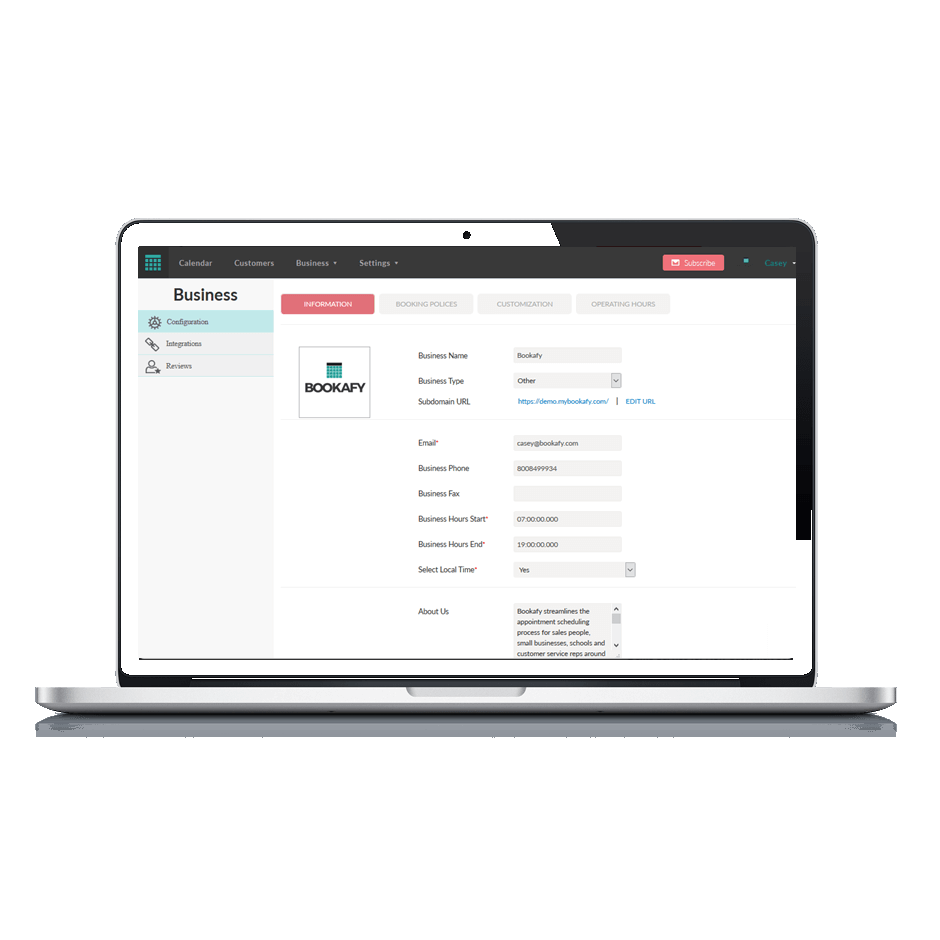    | Calendly Screenshots      |
