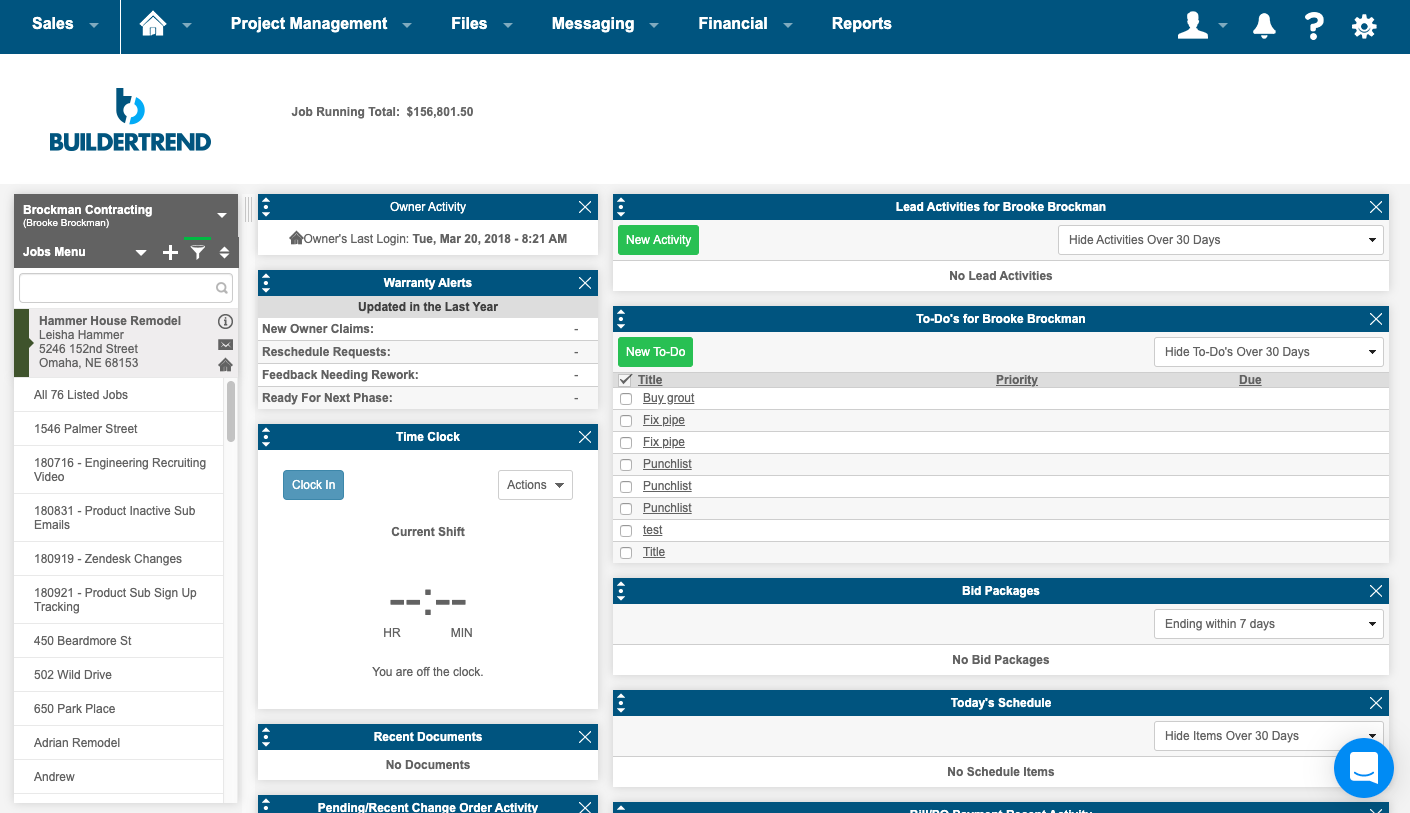
BuilderTrend is a construction management system. It includes functionality for pre-sale, project management, financial management, and customer management processes. It also provides mobile accessibility.
N/A
Procore
Score 8.7 out of 10
N/A
Procore is a project management software designed specifically for the construction industry. Procore is cloud-based and allows unlimited users per instance, so that construction team members and stakeholders can all access project information and documents.
N/A
Revit
Score 9.1 out of 10
N/A
Autodesk’s Revit is a Building Information Modelling (BIM) tool. It enables architectural, MEP, structural, and engineering design, and provides analysis to support iterative workflows
$350
per month
Pricing
Buildertrend
Procore
Revit
Editions & Modules
Core Subscription
Contact for quote
per year
Premium
Contact for quote
per month
Premium
Contact for quote
Custom Bundle
Custom Quote
annually
Monthly
$350
per month
1-Year
$2805
per year
3-Year
$8415
per 3 years
Offerings
Pricing Offerings
Buildertrend
Procore
Revit
Free Trial
No
No
Yes
Free/Freemium Version
No
No
No
Premium Consulting/Integration Services
Yes
No
No
Entry-level Setup Fee
No setup fee
No setup fee
No setup fee
Additional Details
—
Procore charges an upfront annual fee by product and based upon Annual Construction Volume (ACV) - the aggregate dollar value of the construction work across the customer's projects. Procore contracts include access for unlimited users, customer support, unlimited data storage, and product enhancements, at no additional cost.
Multi-year pools: Contract volume is set for the entire multi-year term and can be consumed at any time during that period to help smooth out variability in consumption.
Volume opt-in: Up-front contractual pricing is put in place for additional volume that might need to be added mid-term, to increase predictability of costs.
Renewal rate protection: Up-front setting of rates is locked now, so businesses can budget accordingly for future renewals and improve cost predictability in future years.
Pricing available for monthly, annual, or 3-year subscriptions. Longer subscriptions offer greater discounts.
ProCore is MUCH more expensive than BuilderTrend and the pricing model (making it based on revenue and modules) makes it too expensive for small sub-contractors.
BuilderTrend approached us recently and we were given a demo. Both of us agreed that BuilderTrend was more suited to home building. We're commercial builders so this wasn't a good option for us. We use Building Connected occasionally, just the free subscription and for bidding …
We've tried BuilderTrend in the past but it was not right for our organization. It didn't have the features we needed that would keep the team self-efficient. We tried Procore and it just fit. The setup was simple and we did not spend a lot of time onboarding the team. This is …
Procore seems much more professional - as well it should be for the cost. I won't get into the woes of Buildertrend, but while learning Procore was very intimidating, and recalling the steps, I think using the tools daily definitely helps get the hang of it. Having a team that …
Procore is my first step in using digitized construction management tools and software. Not sure anyone else offers what Procore does. I have used a recent competitor to the space, Buildertrend. While there are things I like about the software, it really showed me why …
We’ve used both—Procore and Autodesk Construction Cloud—and both have their respective strengths and weaknesses. If you're looking for design integration, especially if you're already using AutoCAD or Revit, Autodesk Construction Cloud is better. It’s seamless in the …
It's been over 10 years since we switched over to Procore, but I do remember that at the time Procore made it easier to link between different modules.
Verified User
Project Manager
Chose Procore
Procore is leaps and bounds better than any other product on the market. While there is room for improvement, the other programs out there are cumbersome to use or do not have all of the functionality that Procore has as of today. I have yet to see anything that stands up to …
Procore has a clearer user interface and a wider variety of tools than any program I've used. Procore also lives up to their name in terms of helpful and fast customer service. There is always a Procore rep. that is available to contact, making any problems just a mini hurdle.
We selected Procore because it manages to have the benefits of many programs on a single platform on both PC and mobile devices regardless of the number of users. It is also safe and reliable for informational use in the design and construction industry.
Procore's standard is a web-based program so you can use it anywhere at any time. Foundation is connected to a server and requires extra steps to access. I am currently using Procore because it is the required program at my company.
Procore is a powerful platform of cohesive tools that covers the vast majority of project management needs and does so in a relatively easy to use user interface.
Procore had the most robust set of features of all programs we tested. Practically we don't need EVERYTHING Procore provides but it was easy and scalable, and cloud based - all features which are important since many members of our company are on the road quite a bit. It was …
We've also looked at Sage300 Construction Software. Procore had the most appropriate functionality overall that we were looking for, although it's not perfect. The cost of Procore is also less than what some other software are charging, especially as far as integration and …
We spent over two years reviewing/testing several different project management software. Procore's versatility; its ease of on boarding and training and its app are what put it above all the others for us.
Prolog was used by my company prior to Procore. I had to learn Prolog after I already knew Procore and it felt like going back to the 1990s. I can't recommend highly enough.
Revit is one of the most powerful tools in the Architecture, Engineering and Construction Field. It is outmatched by none. There is definitely a learning curve, and it cannot be picked up by an average employee and learned without formal training. Revit can do more on the …
Revit's great for building a smart model that has a lot of information included in it. I actually prefer doing most of my 2D drawings in it as well instead of using AutoCAD. SketchUp however allows you to do more custom designs with ease and has less restrictions however the …
Buildertrend was made for a specific industry (building) and so I would recommend it to anyone in that industry, with the exception of Sales and Marketing. But for everything else from the financing to the permitting to the construction and all else, Buildertrend is exactly what our team has used and will ALWAYS use. Even with our decision to use other systems for Sales and Marketing, we have never given one thought to taking Buildertrend out of our process. We will always be with Buildertrend.
It works great for project management and putting all job-specific documents in one place. We are able to share drawings, submittals, and forms with our customers and subcontractors in a safe and reliable platform. However, getting reporting data is somewhat lacking, so if your business needs advanced options, you might try and find a better product.
Revit is very well suited to creating designs and construction documents for standard buildings. Buildings that need to utilize phasing in their construction process are also well suited to this software. Revit is not as well suited to buildings that have irregular shapes or components that need to be highly detailed.
Revit allows users to create real buildings and is very much rooted in making functional buildings.
Revit allows users to collaborate both within their own firms and with other types of firms as well. This is particularly useful for coordinating buildings between architecture and engineering firms.
Revit integrates fairly well with other programs such as AutoCAD and Sketchup. This allows us to bring in elements modeled in other programs into our revit models.
Onsite consultants. There is a demand for this service that is great enough to allow outside BuilderTrend Super-Users like me to partner with BuilderTrend and make this a reality.
As their company grows, their support needs to grow as well.
Provide incentives for Super Users that are helping BuilderTrend acquire new business. Advocates should be their best friend.
Versioning - Revit is not backwards compatible. This creates issues if you are working with people who are using older versions as you cannot save to a previous version. I understand why this is and I do not see this ever changing, however, Its very annoying.
Autodesk - They are the 800 pound gorilla in the industry. The lack of competition inhibits development and it seems Autodesk has put more effort into its BIM 360 platform and Revit development has suffered because of it. I would like to see better competition so Autodesk would step up its game.
We will undoubtedly renew Procore as it has proven itself to be a means to better track and improve upon our efficiency and communications between job sites and their project managers as well as all other departments. Procore has made an incredible impact on how we, as a company, do our job on all levels; it is one of our most powerful and effective resources.
We will almost certainly be renewing all of our current seats of Revit and will likely be adding seats as we look to get more and more of our staff trained and using Revit. The software is starting to become the standard for our projects as we move forward as more and more of our clients are requesting or accepting use of it
Its simple to use and intuitive. The level of support that we have from online videos, to access to customer support, and the ability to call anyone at anytime on the main line has been invaluable to utilize and not get stuck on something you don't know yet. We've never not had anyone that couldn't respond in time for us.
90% of Procore is very intuitive and any user can pick it up and go. There are a few elements, more so on the Financials side that need some prior knowledge of systems in order to understand how and why it functions as it does. Once this is understood, it flows effortlessly
It is a professional environment, but far from easy and overly complex in many places. The system is often too deep in settings and overrides (see Visibility/Graphics in combination with linked files, filters, color overrides and view templates). I don't really like the dialog-in-dialog interface and its spartan looks. But it works well overall if you know what you are doing.
If you are working in an area with little to no signal, Procore will still allow you to get in the system and use it fully and will then update once you are at a place with a strong enough signal. Whether it be with wifi or LTE cell phone reception.
Revit seems to always be available when I need it. I have not experiences an outage. There are occasions where we need our internal IT department to trouble shoot a file on our Revit dedicated server and that sometimes causes a delay however that is not a software access issue
Revit is a fairly graphics heavy piece of software. It is powerful in its capabilities but as a result it takes a lot of the graphics card, the memory, etc. For all that it can do and the specs of my computer I find it pretty good from a performance standpoint
I highly recommend. The only suggestion I have would be to offer a free trial. They do offer a 30 day money back guarantee. The price point isn't daunting if you have had a 100 % no strings attached/no effort to cancel or try to remember to get your money back - no strings attached chance to try out the product. Especially for such a big purchase decision, I think Buildertrend would see an incredible increase in sales. They have the value and companies just need a chance to see it first hand.
General Support for Project Management and Financials is consistent. The ERP support is never consistent and I do end up at times in a black hole. I have to continually reach out to get the issue resolved or get an update. The ERP support needs more of Procore's attention
Autodesk has always had a good support system in place. There is a massive user base for Revit, and there are thousands of forum threads and other discussions online about any and every problem that you could ever run into. For being such a large program with so many different options, there aren't many roadblocks or pitfalls that users can fall into.
Procore's Implementation Team does a great job of ensuring users are confident in using the system. They run through a process of training sessions based on the tools you have purchased, and lay ou ta plan to help the power users configure the tool to suit the company's needs. They provide useful resources for certifications, support and ongoing training as well.
The training was Revit Essentials and it was very beneficial. I would say that it is best to get the training right before you know you will be using Revit as learning the basis then applying what you learned immediately is the most effective and best value for your money.
Procore's certification program and focused how-to training videos allowed for easy training that did not feel overwhelming. The way the certification programs were broken up into small parts made it seem much less daunting to complete. The training feels focused and does not overload users with too much information all at once.
The online training is hit or miss. I feel that its better to be live to be able to pace and ask questions to a live person as you are learning hwo to do things. Its not natural to learn Revit especially if you know AutoCAD so my suggestion is the live training
Iron out your cost code list in your accounting software before you link with Procore. Once the link is established that list is more or less permanent. Review the permission matrix carefully. It controls so much. You want to ensure the information provided to your users adequate but you also want to protect your sensitive data. Procore Financials are organized in a total contract value style. Any markup or Profit will need to be sent somewhere on your budget. This may be significantly different than the Cost budgeting that many contractors do
Implementing Revit as your main drafting software (i.e. moving to BIM from CAD) may be a tough decision if you have learned drafting. It is a different way to approach and think about developing a project. However, if you are able to adapt to a new way of thinking and get used to it by working through a few projects than it is as efficient as CAD in most areas in general and will also be both better/worse in some areas
The program has outstanding customer service. With project scheduling, project management, financial management, customer management, and service management capabilities in a single suite, there's really not much this program can't do! Owners generally love the use of this software as well, giving them the ability to view daily logs, photos, schedules, etc.
Procore has a clearer user interface and a wider variety of tools than any program I've used. Procore also lives up to their name in terms of helpful and fast customer service. There is always a Procore rep. that is available to contact, making any problems just a mini hurdle.
Revit is used primarily for creation of contract documents and documents that need to be used to build in the field. Sketch Up is great for a quick concept sketch, but lacks the details that Revit has which are needed to construct. AutoCAD is a great tool for details as well, but does not have as many building capabilities as Revit.
While I am not directly involved with the deployment of Revit, it seems that our internal IT department has appreciated the ability to increase or decrease the number of seats. I have never had an issue with the deployment if and when needed, especially regarding the availability of a set
The prior year cost me roughly $4300, which was barely reasonable for my volume. Some clients liked the format, some hated it and didn't participate. In my experience, few subcontractors or suppliers embraced the program, severely limiting the effectiveness.
For the coming year the fees would have exceeded $17,000, far too much for a program with limited client, employee, and subcontractor appeal with as small a volume as I have.
Honestly, for the last year, I feel they've been a burning tire hung around my neck and I regret not cancelling them in early 2019, I'd have $10,000 more in my pocket and no significant negative impact.
I did appreciate the daily log as a way to report on progress, but less than half my clients made use of this option.
Though implementation of Revit is usually front heavy which means a lot of effort is put in at the front end of the project, the return of investment towards the remainder of the project is really good. All the effort in decisions made at the beginning of the project pays off with Revit incorporating all the building information in the model so the team can glean from this throughout the life of the project is a major plus.
A major negative is the many false assumptions that comes with using Revit on a project. Just like any other computer application, Revit is only a tool. It's only as good as the operators who implement this tool. Revit is not a cureall for fixing all the problems that still can come out throughout the life of a design & construction project.
A major positive for our office involving the use of Revit is the ability for our staff from multiple offices to work on the same project central file. We don't need to maintain an expensive server. With the addition of Collaboration for Revit the entire project can be stored in the cloud for our staff to access and complete the project faster than ever.