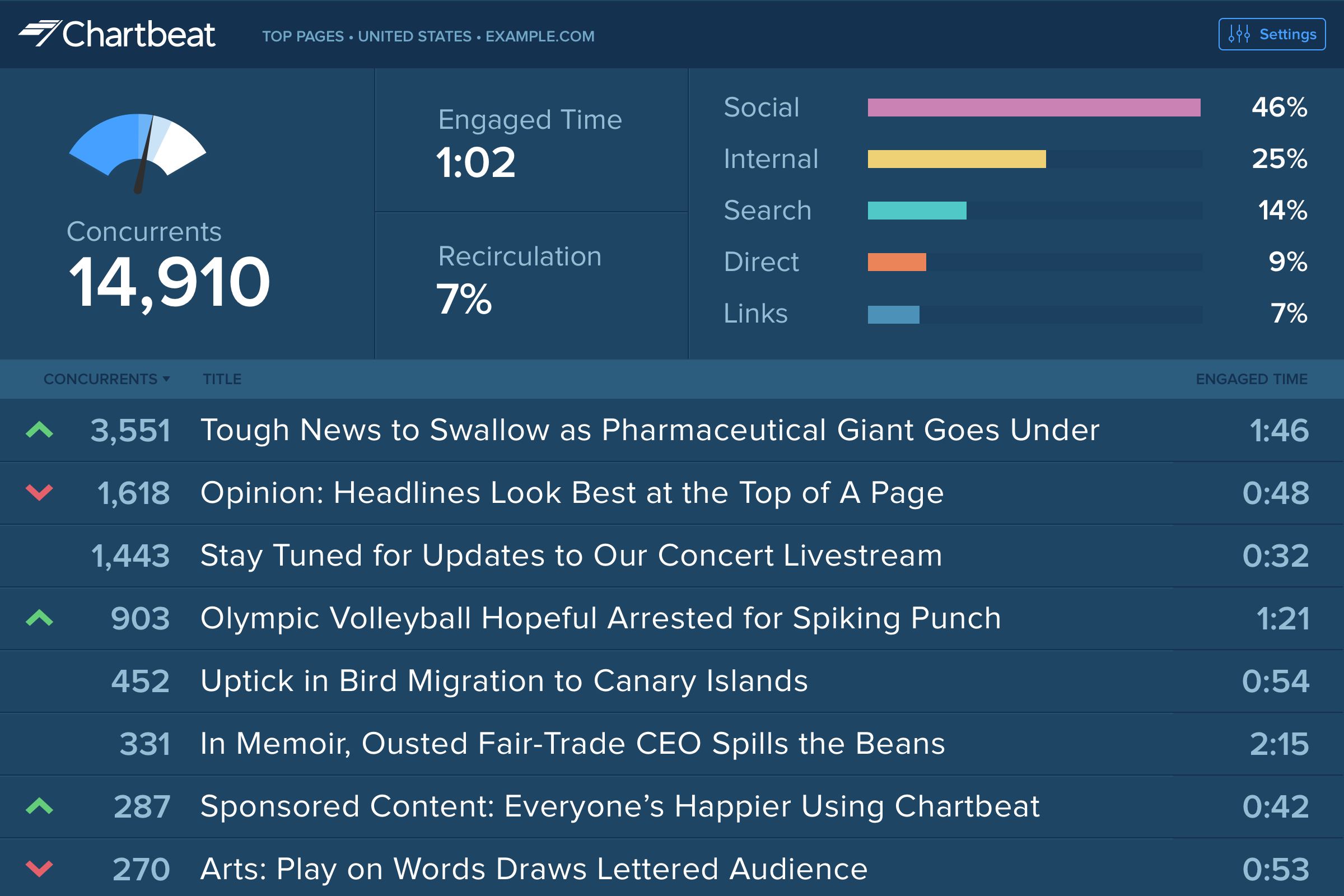
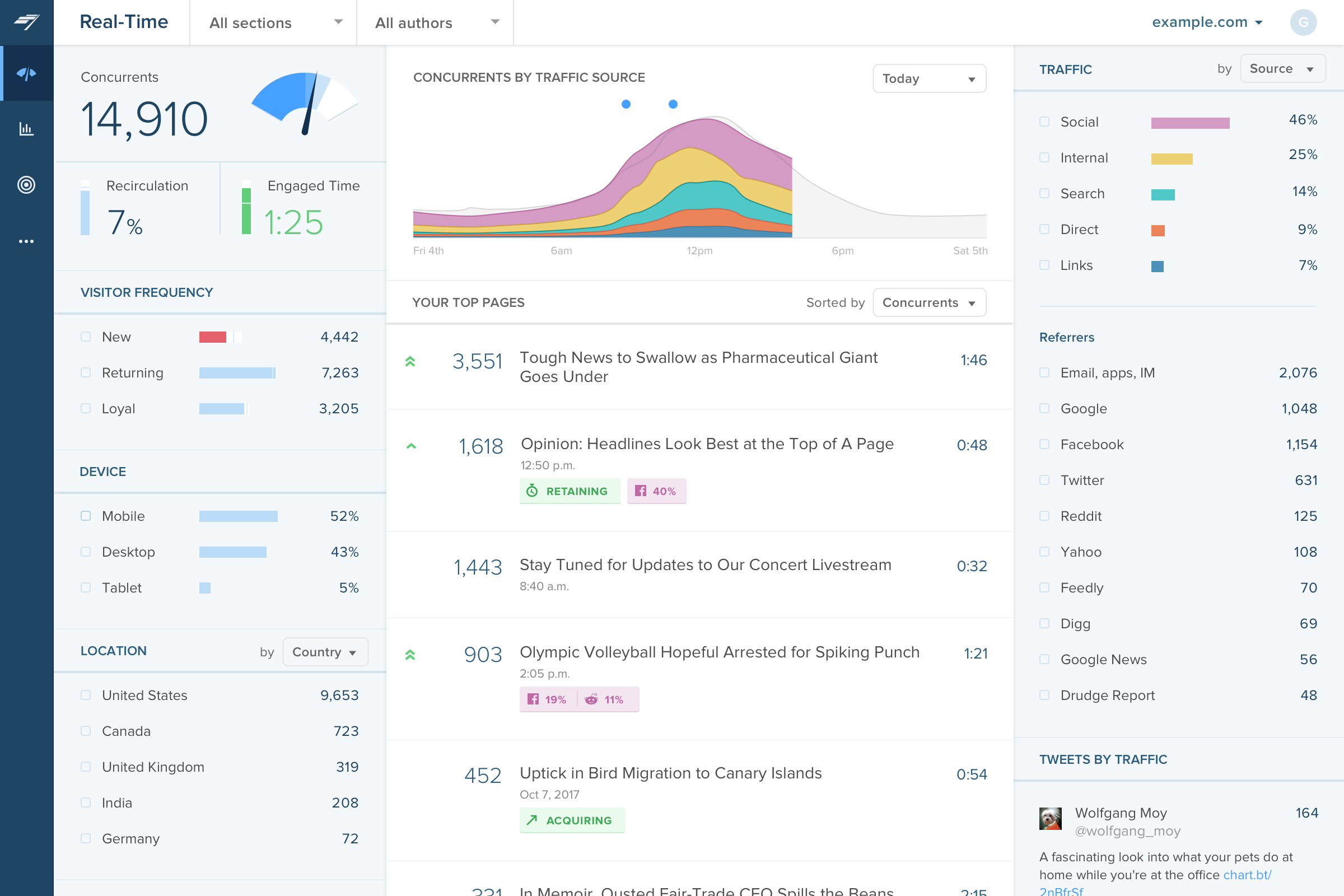
Chartbeat delivers real-time analytics, insights, and transformative tools for content teams around the world, to help improve audience engagement, inform editorial decisions, and increase loyalty.
N/A
Meltwater
Score 7.9 out of 10
N/A
Meltwater Media Intelligence platform is a set of public relations software tools for media monitoring, social media monitoring, and collecting brand insights. The four areas of functionality are Monitor, Analyze, Distribute, and Engage. (Note that this product combines features from the vendor Meltwater's former Buzz, Press, and News products.)
N/A
Parse.ly
Score 7.8 out of 10
N/A
Parse.ly is a content optimization platform for online publishers. It provides in-depth analytics and helps maximize the performance of the digital content. It features a dashboard geared for editorial and business staff and an API that can be used by a product team to create personalized or contextual experiences on a website.
$499
per month
Pricing
Chartbeat
Meltwater
Parse.ly
Editions & Modules
No answers on this topic
No answers on this topic
No answers on this topic
Offerings
Pricing Offerings
Chartbeat
Meltwater
Parse.ly
Free Trial
Yes
No
Yes
Free/Freemium Version
No
No
No
Premium Consulting/Integration Services
Yes
No
Yes
Entry-level Setup Fee
No setup fee
No setup fee
Required
Additional Details
Chartbeat pricing is based on monthly site page views. Discounts are applied to multi-year contracts. The Basic Plan includes the Real-time Dashboard, Historical Dashboard, Heads Up Display, Reports, Big Board, iOS and Android app, and Real-time API endpoints.
The Plus Plan includes all of the Basic Plan features, plus ONE of the following Premium features: Headline Testing, Advanced Queries, or Multi-Site View.
The Premium Plan includes all of the Basic Plan features, plus ALL Premium features: Headline Testing, Advanced Queries, Multi-Site View, and enterprise-level support and custom trainings.
In a previous job I had use of Parse.ly and, while at the time I thought it was a very useful tool, it wasn't as detailed as the Chartbeat metrics. Chartbeat gives you more insight into concurrents on your website at a given time, rather than just individual stories, and when …
Larger analytics suites like Google Analytics and Omniture simply do not provide the kind of real-time data that Chartbeat does. I have used Parse.ly which has some interesting real-time features as well; I would say Parse.ly is similar in terms of ease of use, though Chartbeat …
Other products like Chartbeat that I've used are Parse.ly, GA, and Omniture. Parse.ly is the only tool, in my opinion, that offers more real-time data, but the interface is lacking and isn't as intuitive as Chartbeat.
I used Parse.ly before I used Chartbeat. We shifted away from Parse.ly because it's social standing wasn't as good, it was mostly for site readership and we needed a bigger concentration on social media that Parse.ly couldn't provide. It's not listed, but we now use Social Flow …
Chartbeat is certainly better at visualizing content and segmenting the data all on one screen. We can filter by section, author, channel and more without leaving the main dashboard page. Combining properties together in roll up groups is another key feature. We're able to …
We love Meltwater for all the extra features, with the abilities to customize. A lot of other PR software doesn't allow for that kind of drill-down, so I really appreciate that from Meltwater.
When I referenced a Parse.ly competitor earlier in my review, I was referencing Chartbeat, the platform used in every newsroom I encountered before my current employer switched to Parse.ly. Both get the job done, but as I said earlier, whether it be reality or perception, Chartb…
Parse.ly is easier to understand with more detail that is relevant to the team. Google Analytics, while some parts of the business still use it in conjunction with Parse.ly, can be confusing with so many options to choose from. Chartbeat doesn't have as many features as …
Parse.ly was already used at my company when I started, we stayed because they'd done a lot of work on their end to make sure that our site's architecture was properly read in our system. We appreciated the work they put into making the system work for us. I did miss the …
Having used both Parse.ly and Chartbeat I personally just think Parse.ly is a better product. The UI is better and the features are more optimal and well thought out, again fitting publisher needs very well. In addition, whilst Chartbeat is certainly an improvement on GA in …
Parse.ly does pretty well compared to Chartbeat, particularly when it comes to historical information and analysis options that are easy for employees to use after some short training. The onboarding for Parse.ly is intuitive, and the scheduled reports take away basically all …
Parse.ly seems to be more user-friendly than Adobe and is on the same user-friendly level as Chartbeat. Chartbeat had features that I would love to see integrated into Parse.ly like an overlay feature that showed where website users were dropping from that page. Chartbeat also …
Parse.ly is easier to use and more self-explanatory than Google Analytics. The site essentially explains itself upon visiting it. Chartbeat was quite good but I believe Parse.ly provides more granular details on web traffic and gives the user more insights into how and why …
Firstly, I didn't make the business decision to use Parse.ly. I'm just an employee using it. However, the first thing you notice is the change in appearance. Parse.ly's dashboard looks far more complicated than Chartbeat's and the black, white, and green theme [are] not as …
Doesn't come with an integrated overlay like Chartbeat, but is more intuitive (just) than GA. Seems more accurate and detailed than Chartbeat but less than GA. It's my go-to for day-to-day traffic engagement but monthly I'm more likely to look at in-house GA-generated reports.
Verified User
Employee
Chose Parse.ly
Parse.ly provides clearer insights into what stories are performing strongly in real time. Its interface is more user-friendly and it is easy to compare different time periods, titles or author statistics. Chartbeat had a website overlay to show where readers are going on site, …
Verified User
Manager
Chose Parse.ly
Parse.ly is the most comprehensive interface and system.
Parsely has the best UI, best reports, best real-time data, and the best historical data that I've used. I'd never go back to any of the tools I've used before.
Verified User
Manager
Chose Parse.ly
One of the things users first say when they start with Parse.ly is how easy it is to navigate through a lot of data thanks to the design. Parse.ly also has several data points and metrics that their competitors do not track. The automated reporting also makes it much easier to …
As GA and AA are more general purpose digital analytics tools, they can be configured to do any type of web analytics tracking. However, Parse.ly is custom-made for editorial teams and newsrooms. Parse.ly is far more intuitive and easy to use. It's a fantastic tool for …
Verified User
Program Manager
Chose Parse.ly
It's not as powerful or reliable as Google Analytics (e.g. it's missing demographic data, and doesn't integrate with Google Search Console or AdWords), but it meets most of the basic requirements that we need. It's a difference user experience in general, and slightly more …
The main point of benefit is the realtime data. This is vital to our team as we are publishing a lot of content per day, so we have a busy homepage to manage and it's important to know which content is performing well. We also like to get an understanding as quickly as possible - which Chartbeat offers - of where traffic is coming from. Often we will see an example where a page is getting high traffic from Google, for example, and we know that might not need to be placed so prominently on the homepage because the traffic is arriving to us externally anyway. Without that depth of understanding what is performing best and why - updated immediately, unlike in Google Analytics now - our homepage would not be as well optimised for users coming to us direct
Meltwater is well-suited for agencies that have an engagement team who is looking to service a variety of client needs such as social media reporting, public relations outreach, and community management. If you're looking to have a platform serve just one need, you can still use Meltwater but will get more bang for your buck if you are needing a variety of tools.
Parse.ly is a great tool for publishers who want to track engagement and audience behaviour across websites. With Parse.ly, we can easily track metrics like pageviews, time spent on page, and scroll depth to see which content is resonating with our audience and optimize our content strategy accordingly. Our marketers found Parse.ly to be an excellent tool for tracking the effectiveness of our campaigns. We can use Parse.ly to track metrics like referral sources, conversion rates, and engagement by audience segment to see which channels and tactics are driving the most engagement and conversions.
Media research - you can search for relevant publications and journalists to add to your media list.
Earned media coverage - you can search for coverage of your brand and find news stories that also include data that may be useful (how many people did the story reach for example).
Building media lists - if you have no current existing list, you can build and export one in Excel for example.
Source of traffic needs improvement. Search and social make sense, but "internal" and "links" is a grey area. It would be helpful to define those with an organization and provide an information icon so users can easily remember what each of those buckets is tracking.
More ways to customize the real-time board. For example, with video content, that's great that I can see a user has started a video, but what is the completion rate, was that only on O&O or can that track Facebook, too?
Would like to see demo (age) information included as a way to slice the data so I can see what's working with my older and younger demo.
The dashboards are not user-friendly, customizable (color, font size, etc.), or worthy of presenting to a client. All of the insights from a dashboard get pulled from the platform and placed into a more client-friendly presentation.
Paywalls for certain publications connected to who-knows-what. DowJones racket limits media monitoring capabilities and results in manual searches for a growing number of publications.
TVeyes, the broadcast monitoring arm of the media monitoring capabilities, just needs TLC and to become more client-facing. Currently, the links produced to share clips look sketchy, and they have a relatively short shelf life.
I gave Chartbeat a 5 for a renewal rating, because, while it delivers clear and understandable content, Google Analytics also provides many of the same features for free. For a small to medium website, I believe it would be more cost effective to use Google Analytics. A website with a high amount of traffic, however, could merit spending the money on Chartbeat to maximize their potential.
Meltwater works well for our organization and has allowed us to meet our internal goals. We are always open to new products and services that may be able to provide similar or better features; however, our experience has been that many of Meltwater's competitors are not up to the task.
As an employee, this is difficult for me to comment as I am not directly funding or making these business decisions. However, it is a tool many get on with for surface level data that is useful to editorial teams.
I am able to "set it and forget it," keeping it up on my monitor for either constant checking or just keeping an eye on the numbers during the day. I'm also able to keep track of what times are perfect to post a story and which stories rack up the most traffic.
Once you get some basic training it's pretty easy to use. I would like to see training manuals, or instructional videos to help me explore features I'm not currently using.
The Parse.ly platform is very user-friendly and easy to use. User management is simple, and reporting setup only takes a few minutes. They provide very helpful documentation for implementing the scripts on your site and have great customer support to help with custom development such as implementing their content recommendation engine.
I have had limited experience of support for Chartbeat but whenever I have needed help it has been there. Recently there was an issue of seeing different forms of data in real time - app and otherwise effectively, and the issue was being clearly dealt with and communicated back to us.
Our account rep at Meltwater went dark for a long time. Then, a couple of weeks ago, our new account manager reached out to set up a meeting. Apparently, they had a big shakeup in the company, and there were some personnel changes. Our new account rep was great in discussing the platform's capabilities that were available to us and even offered to schedule a follow-up meeting with his technical team to introduce our new social media team members to the platform and how it could help them with their jobs.
I rate this question this way solely because I haven't requested any support. I feel where I will eventually get support would be when we take Parse.ly up on some training that is being offered. We are looking to do that at some point after the first of the year and when our schedules support it.
Omnilytics is more robust, detailed, and catered for an intermediate media user, while I think Chartbeat is a more user-friendly and beginner-oriented piece of technology. That being said, there is an impressive amount of lift for Chartbeat, and it's evident that simplicity is the key to using a software daily (which is absolutely the point in the content world).
I was looking for a full-service option. I did some research. What really sold me was the presentation. They offered products that were helpful, and I wasn’t even aware of them. It is more expensive than the other products that are out there, but you get more. The other companies are good, but Meltwater Media Intelligence is more full service.
Parse.ly does pretty well compared to Chartbeat, particularly when it comes to historical information and analysis options that are easy for employees to use after some short training. The onboarding for Parse.ly is intuitive, and the scheduled reports take away basically all of the inconvenience associated with regular metrics reviewing. But Chartbeat wins in its social audience tracking because it can source traffic to a specific social post, which can show you exactly how your audience is coming to your content and where you need to put your content to be sure you get that audience.
As a PR firm, we rely on the media databases that [Meltwater Media Intelligence Platform] supplies to deliver the media exposure that they expect from us.
We utilize their tracking of media hits for our overall reporting to our clients.
Both of these are advantageous in helping us to not only keep our existing clients happy but also to gain new clients (and, in turn - revenue), as well.
Sometimes in meetings our editorial director will point out stories that didn't perform well. To us, that means readers don't really care about the topic, so we'll pivot away from writing about that in the future. That might not be "business objectives" though.