Citrix Endpoint Management (formerly XenMobile), is a UEM and enterprise mobility management application for securing mobile applications and devices.
N/A
ManageEngine Endpoint Central
Score 9.0 out of 10
N/A
Desktop Central from ManageEngine is a client desktop management with patching, remote control, and configuration.
$795
per year per user
N-able N-central
Score 9.3 out of 10
N/A
MSPs
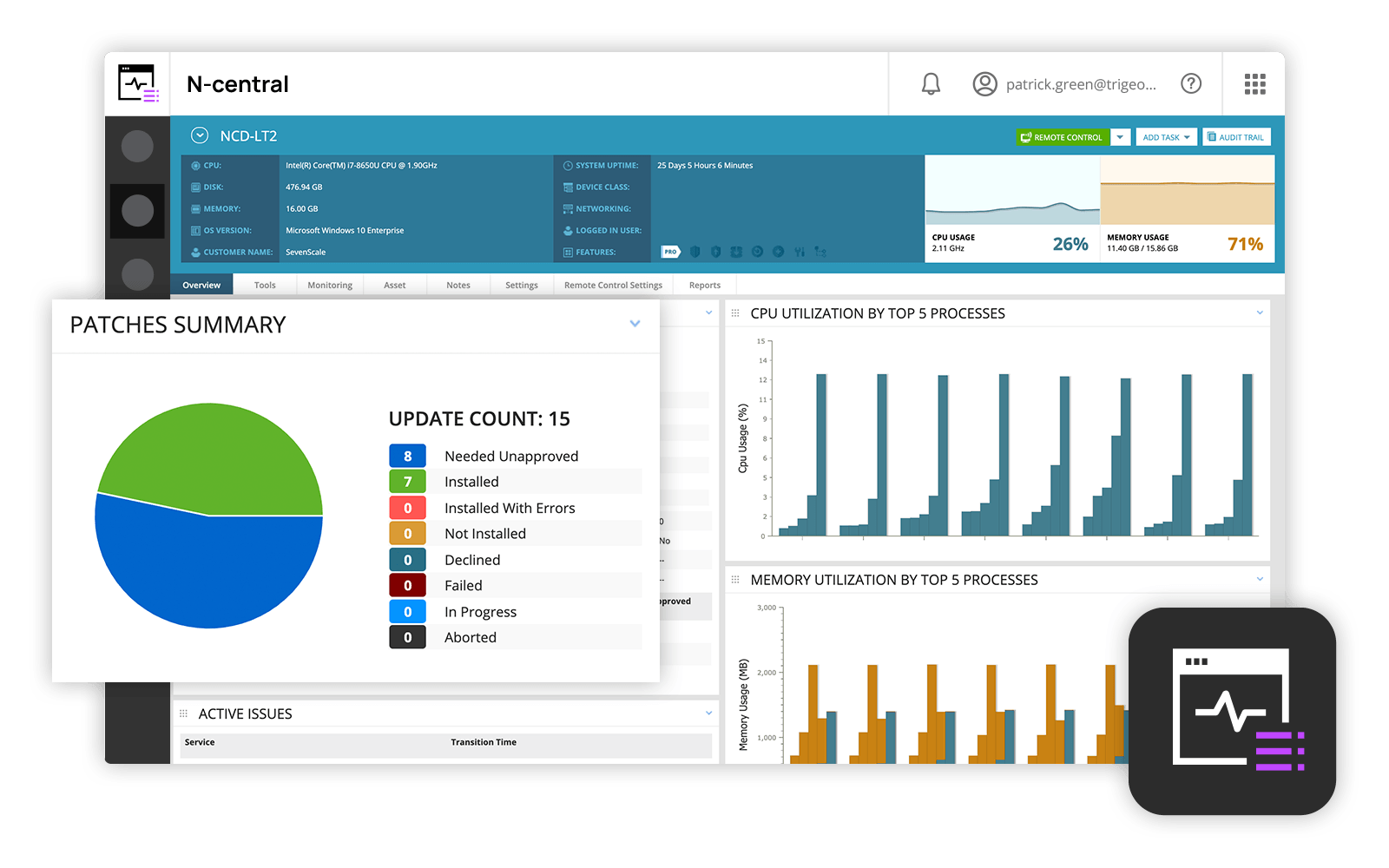
and IT professionals use N-able™ N-central® to monitor and manage devices and complex
networks remotely. N-central provides
visibility and efficiency as the user's needs scale. N-central can help users:
1. Proactively monitor everything on a customer network—not just servers
and workstations—and troubleshoot.
2. Stay on top of threats with features like MFA, antivirus, integrated endpoint
detection and response, data backup, disk encryption, email protection,…
N/A
Pricing
Citrix Endpoint Management
ManageEngine Endpoint Central
N-able N-central
Editions & Modules
No answers on this topic
No answers on this topic
No answers on this topic
Offerings
Pricing Offerings
Citrix Endpoint Management
ManageEngine Endpoint Central
N-able N-central
Free Trial
No
Yes
No
Free/Freemium Version
No
No
No
Premium Consulting/Integration Services
No
No
No
Entry-level Setup Fee
No setup fee
No setup fee
No setup fee
Additional Details
—
—
—
More Pricing Information
Community Pulse
Citrix Endpoint Management
ManageEngine Endpoint Central
N-able N-central
Considered Multiple Products
Citrix Endpoint Management
No answer on this topic
ManageEngine Endpoint Central
Verified User
Professional
Chose ManageEngine Endpoint Central
ManageEngine Endpoint Central outperformed N-Central with its user-friendly interface, robust security features, and seamless patch management. Its scalability and comprehensive endpoint protection convinced us, offering a superior balance of functionality and ease of use. …
I selected N-able N-central as I liked the idea of easy-to-work with pricing that integrates with other PSAs (specifically ConnectWise PSA aka Connectwise Manage). I did not succeed with that. I'd use any of the other tools instead. The integration is problematic as the default …
Verified User
Executive
Chose N-able N-central
Overall, for the Average MSP, none of the RMM solutions is going to be perfect, they will all have their strengths and weaknesses and N-Able is no exception. It is a great solution if you are looking for something that is not super cryptic to use and want something relatively …
This product is well suited for any healthcare organization, especially one privately owned by the providers. Many of our providers were displeased with our efforts to use a product that forced sandboxing of Exchange information. Therefore, we needed something that was flexible enough that sandboxing could be used where desired but still allowed native OS integration where necessary.
ManageEngine Endpoint Central is very well suited to most kind of patches, updates, and software deployments. It's able to quickly recognize and update third-party software whenever a new security vulnerability is discovered, and it's able to do this for you automatically. The remote connection and management features allow us to begin troubleshooting immediately once a user reports an issue, regardless of whether or not they're working on-campus or from home. A ticket that might have taken a few days to close out now takes no longer than a couple minutes. If you use Mac, the remote connection feature requires the user to allow Endpoint Central through their system's Security/Privacy settings. This step can be difficult for your less tech-savvy users. You can remotely and silently access a computer's task manager, registry, and command prompt, which is incredibly useful. This saves us a ton of time on having to contact the user and schedule a meeting. The only complaints I have about these management features are that the UI is a little bare bones, and it occasionally has minor problems with responsiveness.
N-Able is perfect for an MSP environment. It gives all the standard functionality an IT professional needs out of the box and can be configured to show almost anything required. For example, we have configured a dashboard to show when our backups need attention for each customer. This is achieved by running a small script on repeat via N-Central everyday/evening, and the result gives us information on the dashboard to help us identify exactly what is working and what needs looking into.
We set alerts when a devices gets low on disk space. That is automatic and creates a ticket in ME SDP. We are then able to Add space to a VM Desktop, and then go thru ManageEngine Endpoint Central to extend the drives so the entire process can be done without interruption to the end user.
Using the patch scans we can easily see what patches have been installed for all manufacturers not just Microsoft, without having to physically go to the device. It also allows us to choose which patches we want to push out and automate the process so we can be hands off, freeing up out time for other things.
Remote access to devices. This allows us to remotely make changes, not just via remote control but also make registry changes and clean up space without going to the device and without interruption to the end user.
Alerts. We have set up to get email alerts when new hardware is plugged into any computers. This lets us know if someone is bringing in un-authorized equipment (thumb drives, hubs, etc) to better manage what is/is not on our network.
Remote tasks - entry-level techs can run basic tasks without physically touching a piece of equipment.
Remote support - remote controlling user devices is easy and saves a lot of time with having to initiate a remote session.
Management of devices, particularly patch management and anti-virus management - you can automatically approve and deploy patches and schedule automatic AV scans.
issues with non apple, non samsung devices: if it is not setup with an apple or samsung phone, then the Certificate onboarding is a struggle/unable to be done.
user-pin setup: for a user to be onboarded, requiring a PIN; there is a self service way but it is clunky and users prefer to call in instead of trying to follow the 15 step process via PDF
if the certificate is ever lost, due to an upgrade via IOS or android, then the entire process [uninstall, reinstall] has to be done, which means downtime for the end user, and higher call volume when a service provider pushes an iOS update.
The remote CLI/PowerShell interfaces should support tab completion and command history like the real-world versions
Remote control could work better
Having a standalone application, even if just a Java app or something for the remote control/remote command line versus running it out of a web browser
Customer support just points to online guides and I feel they aren't helpful.
During the trial they turn on a lot of features. In my experience, if you play around with the features, they charge you for them. Keep this in mind if you move forward with N-Able - they will charge for "trialed" services.
In my experience, some services that you're being charged for can't be disabled or monitored by you or your team. You only see them on the monthly invoice.
In my opinion, the "Scripting Automation" doesn't provide value. You're either going to be writing your own batch or Powershell to make scripting work.
In my opinion, monitoring software deployments is painful.
The default monitoring template can't be duplicated, edited, or referenced. You'll find that the default monitors in an unusual way and will throw needless recurring alerts into your ticketing system. To avoid this, you need to create a template from scratch which takes many hours to set up.
In my opinion, they're more concerned about a quick buck than customer service. "Buyer beware" company.
ManageEngine is considered an excellent product due to its comprehensive suite of solutions for IT management, with ManageEngine Endpoint Central specifically excelling in endpoint management. The platform stands out for its user-friendly interface, robust features, and versatility in addressing diverse IT needs. It offers organizations a centralized solution for endpoint security, patch management, software deployment, and asset management
Overall we have liked our solar winds experience, however, as our company has grown to support larger enterprises, this product does not have the functionality that our teams need in order to fully support them. The lack of granularity with backups and lack of ability to support nutanix environments is slowly drawing us into the use of other tools.
The software's usability is what we expected. We knew what our organization needed and Citrix was able to meet our needs. The ability to have the apps on a mobile device has been a great plus and Citrix seems to have really developed a software based on the every day needs of the user.
I gave this rating because ManageEngine Endpoint Central is reliable, easy to use, and delivers strong value for money. It helps us save time through automation and effectively handles patching, remote support, application management, BitLocker security, and corporate data wipe. Although cloud DLP support is limited, the overall performance and stability fully justify the rating.
The user interface is fairly straight forward, with logic groupings for objects. I did not deploy this software, but am one of the daily administrators. Once you get the correct agent package (Which can be a challenge) the integration into AD is not bad. The UI could be more customized, but that may have been a design choice.
Overall the support from the customer service team has been good. They are very timely and expert in resolving the tickets. They have appropriate knowledge to resolve issues in all stages to development. They were up to the point during the implementation stage of the XenMobile, all queries were answered in time to help finish the deployment. The support for last three years has been extraordinary in helping us use XenMobile effectively and efficiently.
The immediate chat support is great and very helpful. However, if you need escalated support or have a deeper need that the chat tool can't help with, you will experience significant wait times and slow responses. The time zone difference becomes painful to the point of often just giving up.
Every time we have reached out to SolarWinds they are quick to respond, even offering support chat 24/7. Their support team is great and works with you to find solutions to issues. They have taken items we had issues with before and used those to create updates so that the issue is handled better in the future.
It seems that the services offered with the purchase change from what is covered to what is an additional cost. Somethings I thought we had ended up requiring an additional purchase if we wanted to continue using the feature.
With a zero trust solution for the entire digital workspace, you can continually monitor and assess session activities before, during, and after login. Reduce risk, gain more control over every session, and get deeper insights across your entire application landscape. To achieve this strong security posture across all environments, you need an application delivery solution that shares a common code base. This lets you implement consistent security policies across all your applications for comprehensive protection.
This works great. It is super easy to setup automated patching and the patching actually works. When using Solarwinds, we would have to regularly troubleshoot machines and figure out why they were not patching. This is not the case with ManageEngine Endpoint Central. We have seen a significant decrease in number of troubleshooting hours since moving.
Our version of SolarWinds was old and running on old hardware, but it was way easier to setup and do things with. It did not do everything N-able does such as patch management, or at least we didn't have a module to do so if one existed. However it definitely seemed easier to use and possibly more stable.
Specific ROI was on us avoiding purchasing company managed cell phones - one of the most important drivers
Makes on boarding, and especially offboarding remote users a heck of a lot easier w/the ability to wipe the container, even if not connected (via time setting)
Easy access to internal resources - no need for separate vpn, etc...
We have been able resolve and complete any requests which include things like software deployment or issues that include troubleshooting, much faster and more efficiently. This has had a sharp decrease in our response times and also time it takes to complete these requests or incidents.
The mobile device management features have allowed us to be able to have a much tighter grip on security. This means we have dramtically decreased our device vulnerabilities and risk of data breaches. This has saved us lots of time and money.
The remote features that are available have helped a lot with user's being able to work remotely and allow our organisation to sustain hybrid work. It means user's can still be as productive and IT support is as efficient no matter where the user is working.