ClickUp is a productivity platform that brings together work apps, data, and workflows. Also presented as a Converged AI Workspace, ClickUp eliminates work sprawl to provide context and a single place for humans and agents to work together. The platform currently boasts over 20 million users worldwide.
$0
per month per seat
MeisterTask
Score 8.9 out of 10
Small Businesses (1-50 employees)
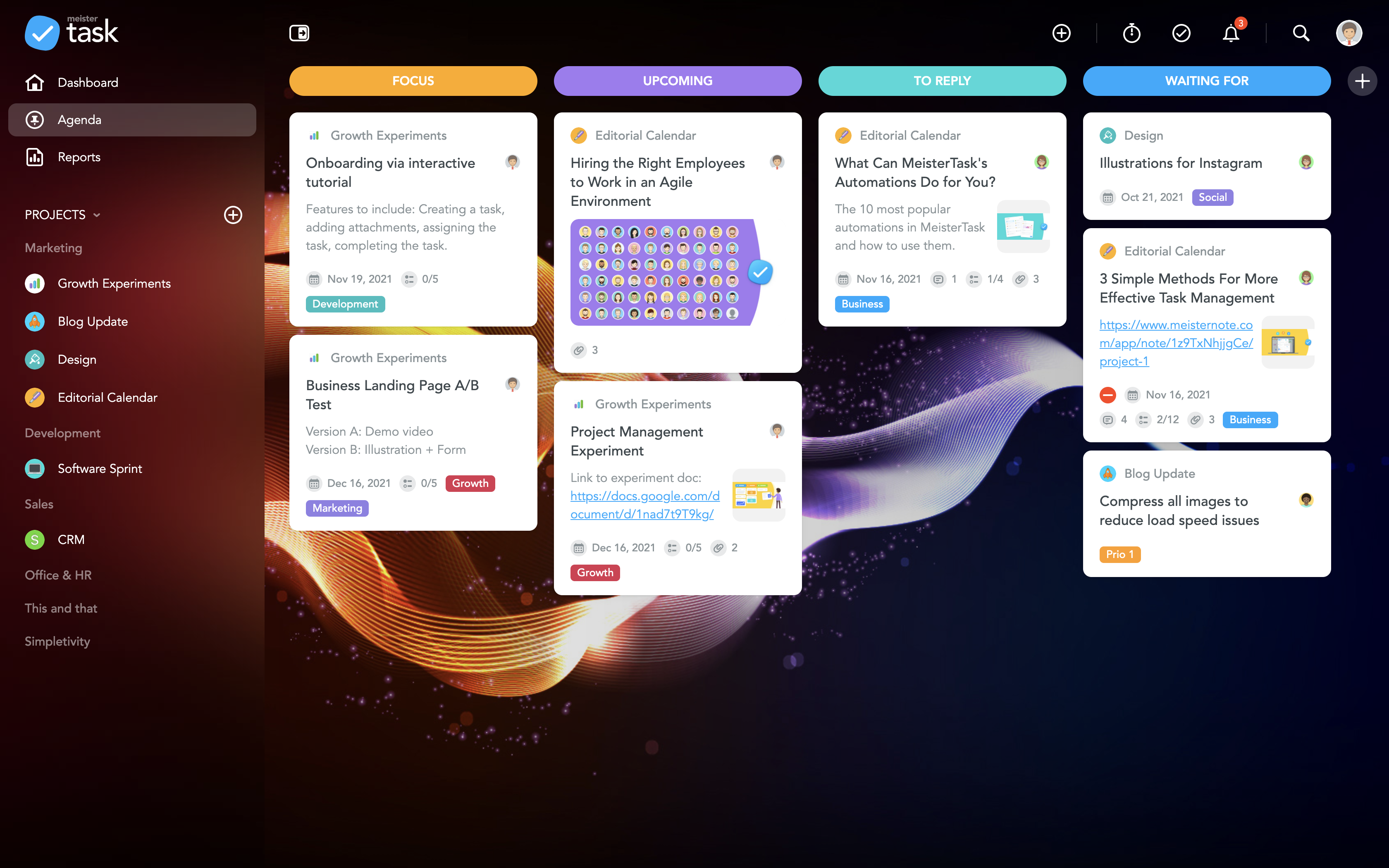
MeisterTask is a task management and collaboration tool that let teams manage tasks in a customizable environment. MeisterTask's project boards adapt to a team’s workflow, and is suitable for managing a variety of tasks from software sprints to editorial calendars. As opposed to only providing a tool that visualizes the work, MeisterTask automates recurring steps in users' workflows to help them work more efficiently and consistently.
MeisterTask is developed by…
$16
per month per user
Viewpoint Spectrum
Score 8.7 out of 10
N/A
Viewpoint Spectrum is a cloud-based construction ERP suite with project management, accounting, resource management, and reporting and analytics. Key features include workflow automation and collaboration tools, document imaging and sharing, cost estimating tools, and RFI management tools.
N/A
Pricing
ClickUp
MeisterTask
Viewpoint Spectrum
Editions & Modules
Unlimited
$10
per month per user
Business
$19
per month per user
Enterprise
Custom
Pro
$16
per month per user
Business
$32
per month per user
Enterprise
Custom
No answers on this topic
Offerings
Pricing Offerings
ClickUp
MeisterTask
Viewpoint Spectrum
Free Trial
Yes
No
No
Free/Freemium Version
Yes
Yes
No
Premium Consulting/Integration Services
Yes
No
No
Entry-level Setup Fee
No setup fee
No setup fee
No setup fee
Additional Details
Discount available for annual billing.
Discounts are available for education and non-profit organisations. 28% discount for annual pricing.
Prospective buyers may contact vendor directly for a price quote.
The reason we keep going back to ClickUp is for it's easy ability to overlap ALL work being done within our business without needing to change screens. We also choose ClickUp for it's chat functionality and now it's AI tools.
ClickUp is advanced enough to support power users and project management professionals, while flexible enough to allow users with fewer requirements to get the job done in the same tool, and the same space.
Meistertask seems like it was made for work, and it doesn’t hide its features amid complicated menus. The Mobile experience is one of the best I have used in task management. It integrates with other tools more widely via Zapier and various built-in ecosystem connections within …
Easy to use user interface, easy setup and probably the quickest setup of what I’ve tried. For what I need it to do it excels. The other platforms are more robust and feature packed, but that comes with more cost and setup time.
ClickUp is well suited to organize projects and communicate internally with teams members and externally with clients or vendors. If you need to track emails, any emails responded to from an email sent within ClickUp is automatically tracked within the task where it originated. It also works great for storing document files within projects and tasks and tracking multiple versions of documents created or copied within ClickUp
The best part about Meistertask is how dead simple it is, while still absolutely nailing what it needs to really get right. Meistertask makes task management dead simple for me and keeps the detail out of the way unless I specifically need it.
The Installation team is amazing. They provide clear guidance at the beginning of the process regarding what is expected and what needs to be done. The implementation manager follows up monthly with you to make sure you are on track and if you need additional help. They are very helpful and responsive in resolving issues.
Customization is huge for us! We do not have the aspects of standard project management, so having the ability to customize basically everything in ClickUp is amazing.
An outstanding free version of the software! We are a small nonprofit organization that cannot afford the robust levels of other software, so having access to SO MUCH for free is incredible.
The layout and organization of tasks, Spaces, folders, etc. is perfect. I love how I can see which task all of my subtasks belong to on my dashboard. And the option to change colors and icons for everything also really appeals to my obsessive brain.
The learning curve is really short compared to other software that is related to this.
It is very easy to manage several projects at the same time, thus saving time in the work process.
Managing the elements of the list is very comfortable since its interface allows everything to work in an orderly manner based on what I want to put as important for me.
It has versions that are adapted to any type of company or if you want to give a personal use because it also has an option based on what you want to do with MeisterTask.
Support isn't readily available. You can submit a ticket and wait days before it's picked up. Even critical issues (system outages) can wait an hour or two before someone responds.
Large companies will feel limited. This product wasn't designed to handle large amounts of data, and performance seems to slow when there are more than 80 concurrent users.
The new developments are limited. HR Management is less robust than a third-party product specializing in HR Management. Viewpoint Analytics is nowhere near as robust as Power BI or Tableau.
It has been a game-changer in terms of project tracking, as animation is a demanding product that requires multiple layers of analysis, revisions, tracking, scheduling, etc. ClickUp simplifies many approvals as anyone can easily add items, and you can tag the people who need to look at them.
Because for me, working with teams, ClickUp has provided a service that we longed for. Something that is non-complicated and easy to maneuver. We understand the learning curve can be steep, but we are willing to give the software a chance because it is everything we hoped it would be. However, leadership found the project works for our organization at this time. Moreover, we can customize to our needs.
There's a little bit of a learning curve, but once you've been working in the system for a while, it becomes second nature. I would say that out of all of the other software that I've personally used, Spectrum has been the easiest one to pick up and learn quickly
For over a year ClickUp was unavailable to us just twice for a couple of hours. I would say for a system this big and working globally that was a minor issue. They managed to fix all the issues within a couple hours and then it was back up and running perfectly fine.
The speed of ClickUp is average to be honest. This is one of the biggest flaws of the system, sometimes it's also lagging a little bit but we also have a lot of documents, lists etc. on our workspace. However, with the next version of ClickUp I've seen they are planning to increase the speed by almost 500%, probably by changing the technology, so I am more than looking forward to it.
For the most part the product is very reliable. Since we are hosted we sometimes have connectivity issues but I would say that is more our ISP than Spectrum.
I started using ClickUp when it was what most would consider a baby company. There were the occasional bugs that made working in ClickUp a little bit of a headache, but the support feature allowed me to chat with a real persona and communicate my issues. I would always get prompt support and someone willing to really help me, not just point me to FAQ pages. Not feeling like a number really makes a difference.
The support has recently changed. Last year, you could call in and get an immediate response. Now that doesn't seem possible unless you have an urgent situation with access to the software, payroll or payables. I have found that using chat or e-mail works nicely for the most part, but sometimes I feel it would be easier if someone from support would jump on our site and take a first-hand look rather than going back and forth
There are multiple guides on literally all of the functions you can find within the system, therefore it's easy to learn anything you'd really like to use, starting from project and people management, down to Gantts, mind maps, time tracking, inviting Clients as guests to work with you on the projects and so much more.
Our trainer was excellent and navigated the time zone differences expertly. She gave us test assignments to complete and was available for questions at any time.
Start small. Don’t try to build the most elaborate plans first. Resist the urge to get into Gantt charts if no one is used to them. Just get work written, add dates and assignees, and start getting used to it. If you did not use a work management tool before, you need to be gracious with yourself about the fact that you likely do not have the muscle memory for working this way yet. But you will get there.
And leverage people who know it if possible. Look for ClickUp experts and vendors. They can really supercharge your effectiveness at building the tool out and speed up the process.
I used Salesforce at my last job and would recommend ClickUp if utilizing the product for more than just sales. My last company tried using Salesforce for a number of other actions, such as department project tracking, client documentation, and outbound communication which did not work well. ClickUp is far better at managing multiple levels of organization within a company.
Meistertask seems like it was made for work, and it doesn’t hide its features amid complicated menus. The Mobile experience is one of the best I have used in task management. It integrates with other tools more widely via Zapier and various built-in ecosystem connections within the Meisterlabs space. If you need to get started simplifying your digital life, this can help.
I have previously used Sage Masterbuilder, another construction industry software. This has been a number of years ago. The company I am working for already had Spectrum and have been using it for as long as it has been around when it was known as Forefront. Based on conversations I've had with the personnel that were here at the time of purchase, Spectrum clicked off all the boxes they were looking for.
Scaling with ClickUp is superb. If you create a workflow best suited for your organization then it's all about creating new accounts and teaching the new employees the workflow you're using. It's that simple. There is no black magic when it comes to Clickup.
You can grant user specific access which is nice. Project managers do not need all the same modules as Accounting. But Accounting does need access to PM modules as well
MeisterTask saves me a lot of time in communicating about various tasks of a project. The activity chat feature lets me communicate with other members of my team without having to be in the same location as them, and increasing our productivity.
It has caused me to use some additional time though, and create a Gantt chart myself instead of being able to use a built-in feature.
MeisterTask is great for letting us organize and keep track of all aspects of a project and make sure each one gets done by its respective due date.