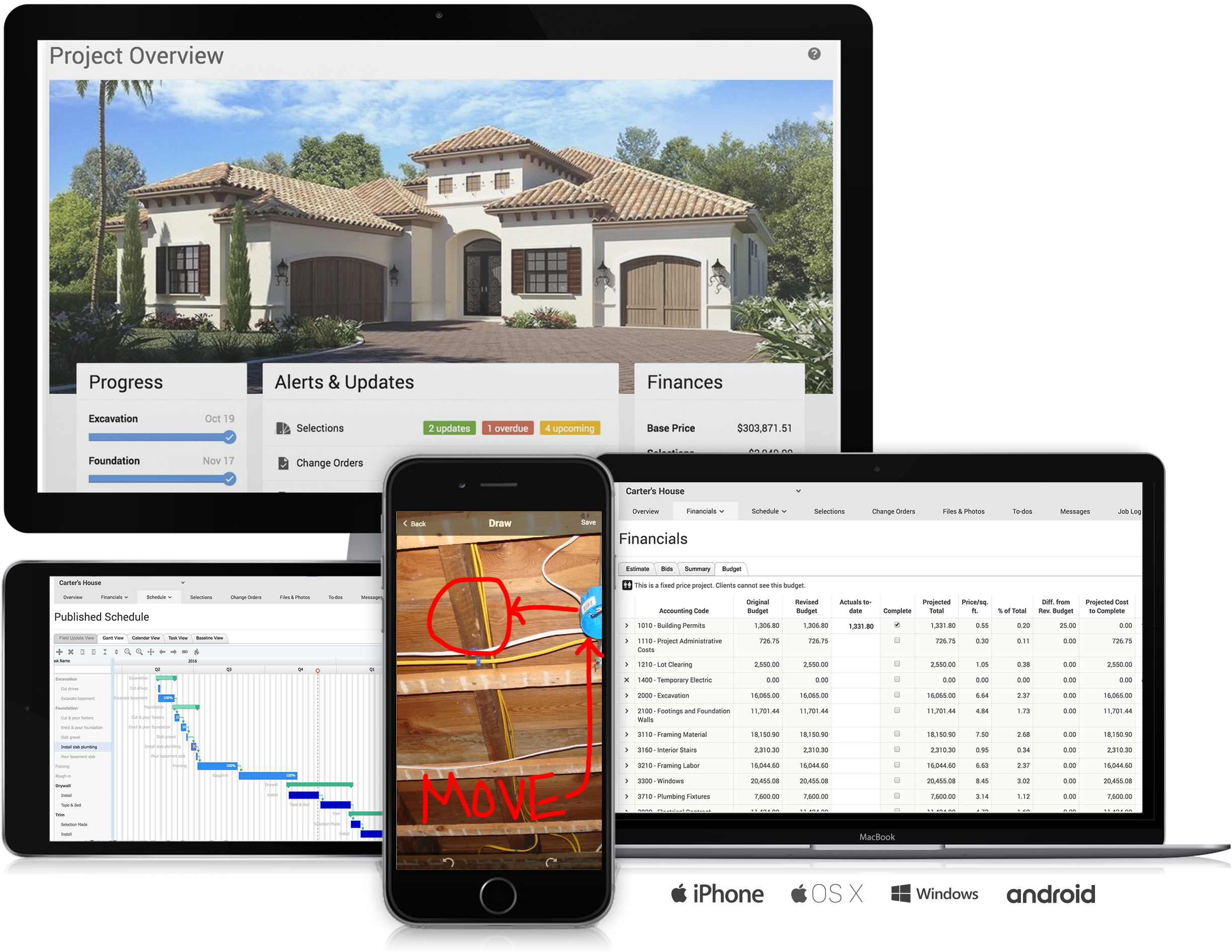
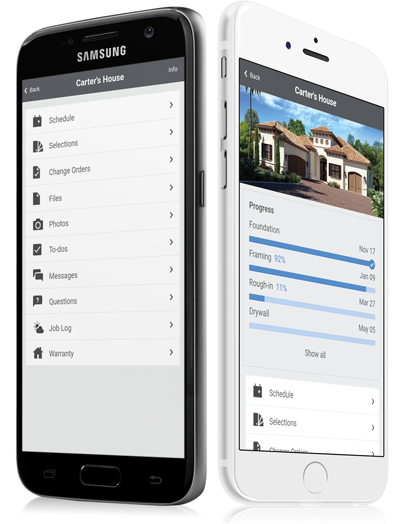
CoConstruct, from Buildertrend since the November 2021 acquisition, is a custom builder & remodeler software. It allows users to enter data once and have that information flow through the estimate, specs, selections, bids, proposals, change orders, and budgets, including to and from QuickBooks. In addition, CoConstruct includes scheduling and 3-way communication between builder, client, and trade partners. Everything is captured via email and texting. Login isn't required for…
$49
per month
Hive
Score 9.0 out of 10
N/A
Hive Technology offers their eponymous project management and process management application, providing integrations with many popularly used applications for productivity, cloud storage, and collaboration.
$24
per month per user
Wrike
Score 8.6 out of 10
Mid-Size Companies (51-1,000 employees)
Wrike is a project management and collaboration software. This solution connects tasks, discussions, and emails to the user’s project plan. Wrike is optimized for agile workflows and aims to help resolve data silos, poor visibility into work status, and missed deadlines and project failures.
$240
per year 2 users (minimum)
Pricing
CoConstruct
Hive
Wrike
Editions & Modules
Ramp
$49
per month
Plus 5
$299
per month
Plus 10
$399
per month
Plus 15
$499
per month
Free
$0
Lite
$24
per month per user
Growth
$34
per month per user
Pro
$59
per month per user
Elite
Contact Sales
Wrike Free
$0
per month per user
Wrike Team
$10
per month (billed annually) per user (2-15 users)
Wrike Business
$25
per month (billed annually) per user (5-200 users)
Apex
Request a quote
per month per user
Pinnacle
Request a quote
per month per user
Offerings
Pricing Offerings
CoConstruct
Hive
Wrike
Free Trial
No
Yes
Yes
Free/Freemium Version
No
Yes
Yes
Premium Consulting/Integration Services
No
No
Yes
Entry-level Setup Fee
No setup fee
No setup fee
No setup fee
Additional Details
CoConstruct pricing is based on active job sites that have client access online, which means it is adaptable to builders & remodelers businesses. This means that there are an unlimited amount of projects available for estimates and proposals, so that customers only pay when they win a contract. Also built into the pricing are a myriad of services: a dedicated implementation coach, free estimate & scheduling templates based on industry best practices from successful builders and the NAHB, unlimited storage and users, software branded with the customer's logo, unlimited amount of warranty projects, and unlimited phone & email support. The vendor offers a money-back guarantee that is good for the first 90 days of service.
A discount is offered for annual pricing.
Every premium plan begins with a 14-day trial period.
Wrike offered good ease of use while also providing top-tier Gantt chart
management. Wrike stood out with the design of their form submission, which enables conditional branching with custom fields and organization. Wrike also proved easier to create and manage tasks across …
Wrike has better integration and connectors with our actual stack. Also, the customization seems wider and more adaptable to our reality. Visually, both are great, but Wrike offer also has better customer support and services that are needed for a larger group like us. At the …
Having the ability to completely manage a project from start to finish with one app is super helpful. The time reporting feature (when it works correctly) is a nice added bonus as it allows employees to switch from one task to another on the same project or to another project and task with ease, aiding in the accounting process of the total project. This was helpful for running analytics to see where we were spending too much time on certain tasks, thus allowing us to assess any training needs.
Hive is a powerful tool for data analysis and management that is well-suited for a wide range of scenarios. Here are some specific examples of scenarios where Hive might be particularly well-suited: Data warehousing: Hive is often used as a data warehousing platform, allowing users to store and analyze large amounts of structured and semi-structured data. It is especially good at handling data that is too large to be stored and analyzed on a single machine, and supports a wide variety of data formats. Batch processing: Hive is designed for batch processing of large datasets, making it well-suited for tasks such as data ETL (extract, transform, load), data cleansing, and data aggregation.Simple queries on large datasets: Hive is optimized for simple queries on large datasets, making it a good choice for tasks such as data exploration and summary statistics. Data transformation: Hive allows users to perform data transformations and manipulations using custom scripts written in Java, Python, or other programming languages. This can be useful for tasks such as data cleansing, data aggregation, and data transformation. On the other hand, here are some specific examples of scenarios where Hive might be less appropriate: Real-time queries: Hive is a batch-oriented system, which means that it is designed to process large amounts of data in a batch mode rather than in real-time. While it is possible to use Hive for real-time queries, it may not be the most efficient choice for this type of workload. Complex queries: Hive is optimized for simple queries on large datasets, but may struggle with more complex queries or queries that require multiple joins or subqueries.Very large datasets: While Hive is designed to scale horizontally and can handle large amounts of data, it may not scale as well as some other tools for very large datasets or complex workloads.
I think that Wrike is customizable enough to fit most needs, so I would generally recommend it as a starting point to anyone that is looking for a project management tool. Some people on my team don't like it, but I think that is moreso due to lack of exposure than any flaws in the tool itself. I predominately taught myself many of the features, and I found it to be straightforward. There is lots of great documentation out there, plus the community forums are incredible helpful as well. Wrike might not be THE perfect tool for every single need, but I think that there would be very few situations where it would ultimately be incompatible with a team's workflow needs.
The integration of all aspects needed to run a remodeling company efficiently: project scheduling and management, financial planning and customer service. Since it’s an all-in-one suite and cloud-based, it enables our team to keep track of all our projects in real-time. Communication breakdown is the last thing we want, so being on the same page is not only desirable but makes for the best possible relationship with our clients.
Product education - We like how CoConstruct helps new users and get them to start using the tool right away. The dashboard resource materials are incredibly useful. We don’t have to spend a lot of time training new hires on the system and onboarding new clients.
Simplicity, it offers a clean environment without risking the outcome. An example of this are the timesheets that allow a fast way to keep track of progress
Interaction, the different options make it faster and easier to interact and collaborate in the development of a product. An example of this would be Hive Notes for meetings
The different visualisations it offers allow to explore the best ways to affront your projects. I really like the Gantt mappings view to understand who can be contacted at each point
Internal Communication - CoConstruct lacks the ability to tag-team members for internal communication using @mentions or any other means. This has been crippling for us and forced us to use alternative software for communicating among our team members.
Pipeline Management - CoConstruct's lead-tracking system feels clunky and hard to navigate and doesn't provide a pipeline view that's easy to navigate. We have moved our Pipeline Management outside of CoConstruct to make it easier for our sales team to track leads.
CRM - CoConstruct doesn't offer anything for customer follow-up after projects are completed. This, in addition to the lack of an effective pipeline system, has led to our decision to use Hubspot as our CRM. Moving projects into CoConstruct for Design and back our after Production.
I wish that Wrike had more drag and drop functionality that would be connected to assignee and also I wish that the finish date of a task would update to the date where you checked completed. It does not do that. Also finishing a task doesn't move the start date of the next task it "protects your time in that way", but our management team wants us to quickly see what we have down the pipeline rather than having to scroll down the list of upcoming tasks.
It's easy as pie to use. I don't have any issues and only the oldest, most un-tech savvy of coworkers on my team seems to have issues with it. It's quick to pick up, intuitive, and effective. I have no criticism for it.
Over two years of (almost) daily usage without outages. Don't remember any errors. I give it 9 only because some Wrike plugins (for online document edit) are based on NPAPI architecture. These types of plugins are being phased out in new browsers, and NPAPI plugins are disabled by default in recent versions of Chrome so you have to do some browser adjustments when you switch browsers or move to another computer.
Wrike tasks loads fine, but I hate clicking files and wait for a bit of time since it is powerpoint or word, Wrike assumes I want to open those on Wrike. My suggestion is to link it to office 365 so we do not need Wrike based decoder for PPTX and DOCX
The support staff is brilliant; they don't operate on Australian time, so you can't just dial up support when you need it. The response times are quick, and the staff is knowledgeable. They are also well versed in most of the differences between buildings in the US and the building in Australasia. Despite their funny accents and strange use of the English language, we get by just fine!
Our CSR is easily accessible and they have support built into the app itself. They also have a pretty robust support site. We also took advantage of the free trial and learned so much by putting Hive through the paces and figuring out the best way to mold it to our needs.
During my learning phase with Wrike, I initially struggled with setting up automation rules and request forms. However, Wrike support was always my go-to, resolving issues within seconds or minutes. Their assistance made the learning process much easier. My best experience was receiving step-by-step screenshots to follow, with the support team on standby until I was completely satisfied.
I love the Wrike training options. Wrike Discover has tons of courses, learning plans, certifications, etc. This is an area where Wrike definitely shines! I wish these resources were more in your face for new people, because it seems like a lot of coworkers didn't know all of this training was available to them.
There are a lot of bells and whistles in Wrike, and not all of it is easy or intuitive to understand once it's plopped in your lap. It's easier when there are a few choice people who understand Wrike as a platform and articulate it in such a way where it makes it easy to pass it along to others in the group
Products like Procore and PlanGrid are geared towards projects with huge projects teams, multiple stakeholders and dozens of subcontractors. CoConstruct can be used for projects big and small (value) and also with small project teams or large projects teams. For small partial renovation or addition projects CoConstruct is a good more cost effective option.
Hive is a bit different than Jira and Monday, which I used mostly. Overall does a great job managing project and helps with team communication. Removes dependency of asking team members for updates by going to conference rooms. With Hive, the team updates the status, and we can easily track it.
We use both monday.com and Wrike. While Monday does have a better user interface, Wrike allows us to have more visibility into tasks where multiple people are collaborating. And also to receive project brief-ins and requests for new projects. We use both differently and I would say for us Wrike is more the collaboration tool than the day to day individual task management tool - and it works great.
The sky is the limit for what can be done in Wrike. We started with 1 use case and within 5 months we migrated several key business practices over to Wrike because they were easier to manage. Use cases so far: process improvement, management review, corrective actions, maintenance requests, month-end financial closing, and document management. As we grow, it's easy to imagine putting even more into Wrike where it becomes a cornerstone for how we do business
Different teams (e.g., contracting, compliance, provider relations) can view updates in real time, comment directly on tasks, and escalate items when needed.
Wrike allows us to template the contracting process (from intake to signature) to ensure consistency across payers and reduce administrative overhead.
Leadership can see the status of negotiations at a glance, identify bottlenecks, and prioritize resources accordingly.