Conceptboard is a collaboration software built for teams of any size. Its primary features are project management, team whiteboards, integration into business workflows, and real-time collaboration.
N/A
Miro
Score 9.1 out of 10
N/A
Miro is the AI Innovation Workspace that brings teams and AI together to plan, co-create, and build the next big thing, faster. With the canvas as the prompt, Miro's collaborative AI workflows keep teams in the flow of work, scale shifts in ways of working, and drive organization-wide transformation.
$10
per month per user
Planview ProjectPlace
Score 8.3 out of 10
N/A
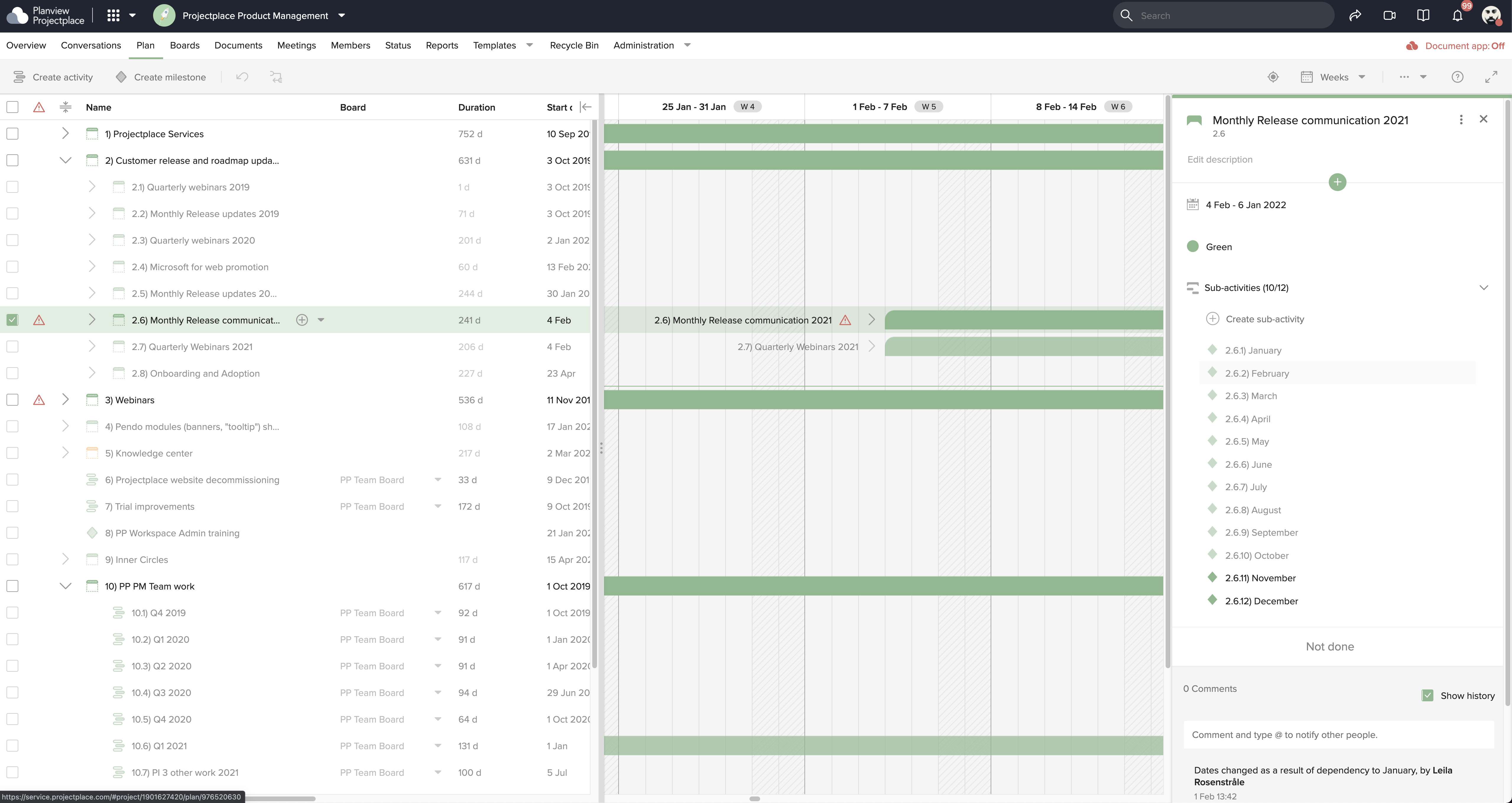
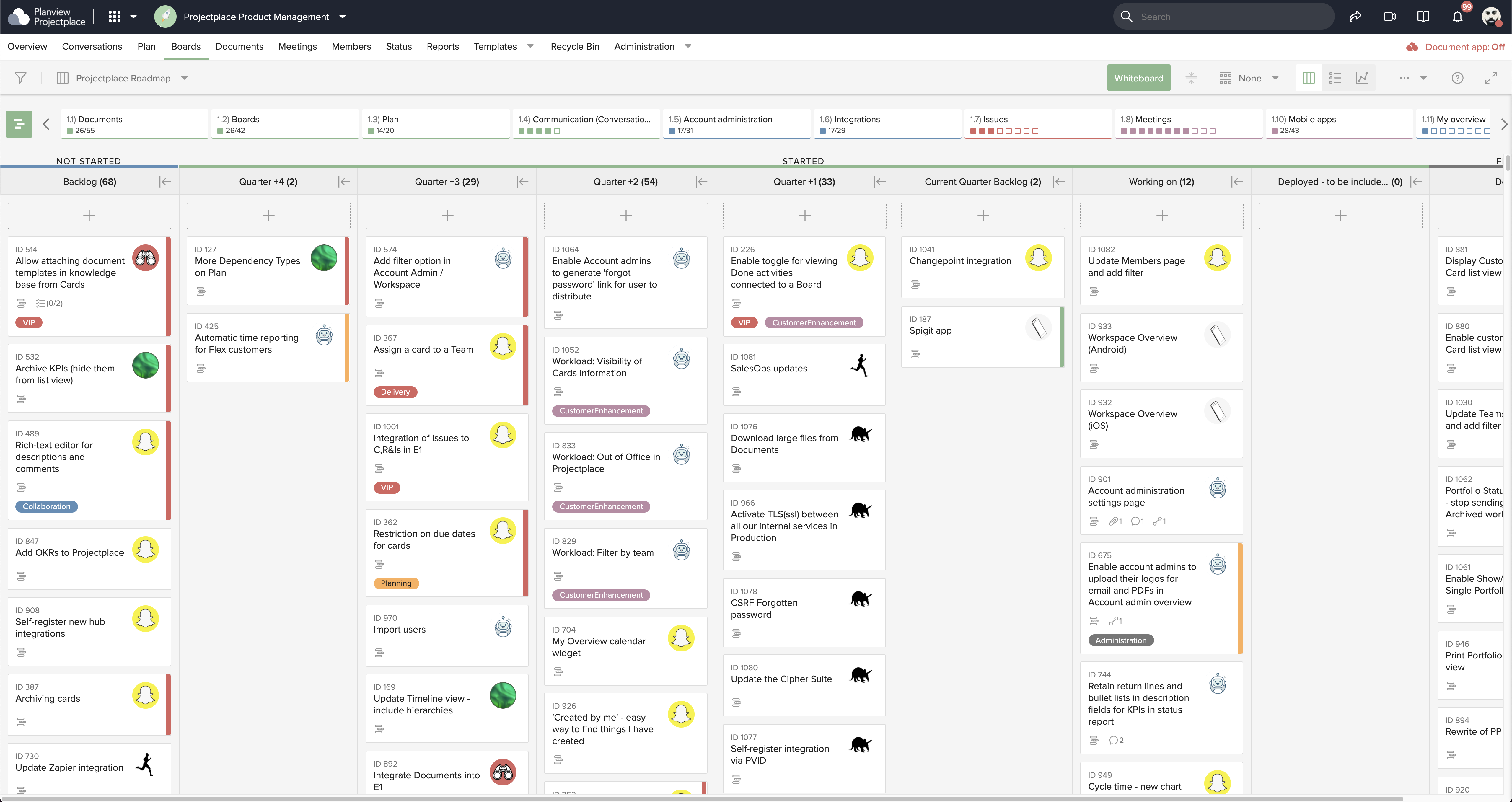
Projectplace is a collaborative work management solution. The vendor says the product is built with teams of all sizes and complexity in mind, from virtual teams of five to entire global enterprises with tens of thousands of active users. It is also designed to incorporate waterfall and agile workflows.
N/A
Pricing
Conceptboard
Miro
Planview ProjectPlace
Editions & Modules
No answers on this topic
1. Free - To discover what Miro can do. Always free
$0
2. Starter - Unlimited and private boards with essential features
$8
per month (billed annually) per user
3. Business - Scales collaboration with advanced features and security
$16
per month (billed annually) per user
4. Enterprise - For work across the entire organization, with support, security and control, to scale
contact sales
annual billing per user
No answers on this topic
Offerings
Pricing Offerings
Conceptboard
Miro
Planview ProjectPlace
Free Trial
No
Yes
Yes
Free/Freemium Version
No
Yes
No
Premium Consulting/Integration Services
No
No
Yes
Entry-level Setup Fee
No setup fee
Optional
No setup fee
Additional Details
—
Monthly billing also available at $10 per month for the Starter plan, or $20 for the Business plan.
Miro is a superior product with more capabilities and better suited for advanced users. We selected Conceptboard as a short-term solution that was low-cost compared to Miro but allowed users to create boards. Once users are versed in Conceptboard, they are better off using Miro …
Conceptboard provides an easy whiteboard with multi-functions, that aren't lagging while more people are working on it and that is easy to self-explain, while I faced lagging while using Miro. Conceptboard is just easy compatible in any business situation (in-office, Zoom …
I like ConceptBoard better than Miro. Miro also offers a similar virtual "whiteboard" but Conceptboard has a better UX and is easier (and more fun) to use.
I've used Figma extensively, and still do, for UX planning and design but have moved away from them for brainstorming. Figma…
Conceptboard has a very simple interface design. and stands out with a successful UX/UI design. can offer a rapid adaptation process for volatile employees and customers. While it has many features compared to its competitors, its interface is not complicated. However, some of …
Verified User
Consultant
Chose Conceptboard
ConceptBoard is a very solid solution that has been around since a long time. It allows to handle easily collaborative workshops and design sessions.
Conceptboard does not lag as compared to its other competitors. It is fast and easy to use and is very much considerable from the pricing point of view as well because of low cost monthly plans. It is simple and right on point with the latest updated tools which is what makes …
Initially, we selected Conceptboard due to its quick TAT with respect to integration and implementation. Also, it is a quite cheaper option as compared to its direct competitors. The main reason to select Conceptboard was - 1. The infinite canvas really helped with longer …
Conceptboard's user interface is a lot more intuitive, flexible, and easy to use. Real-time monitoring down to cursor movements is also something that Conceptboard has an edge on, as well as allowing for file attachments to which you can annotate or comment directly on the …
I first use the whiteboard program Conceptboard for teaching design classes. The program was recommended to me by a German colleague during my first quarter of online instruction. After piloting Conceptboard in three classes (freshman, sophomore, and senior level), I decided to …
We are currently using Conceptboard as our primary board platform. It can be confusing with so many different platforms and for the team to know where things are saved and documented. We still want to keep copies or final versions of our documents on our own servers.
Conceptboard: While useful for simple collaboration, it lacks the depth of features and polish Miro offers, especially for large, complex projects and advanced templates. Mural: Similar to Miro in many ways, but Miro feels more intuitive, has better integrations, and a wider …
Microsoft Whiteboard and Conceptboard were tested a couple of time, but didn't compare to Miro's speed, number of features and usability. Mural offers quite a similar set of features, having a slight advantage in the past - that gap has now been closed by introducing private …
Miro has many more features and tools than Conceptboard and Mural, and it is also more pleasant to use. Now, when I have to compare it to Freehand, it becomes a bit more difficult to find significant differences. Miro wins in having more templates, but Freehand had better …
at first Miro didn't send notification emails on every little change or comment, the way that Conceptboard did. however, i do find Miro to be user friendly like Conceptboard was. I would say that "follow all threads" on Miro should automatically be on for any board that you're …
We assessed these tools to gain a better understanding because they are excellent and have certain unique features. But in the end, we chose Miro since it offers all the features that ClickUp, Stormboard, and Conceptboard do. Additionally, it has a special feature that lets you …
Conceptboard was a useful tool, but I used it in my last organization. I was very satisfied with it for a very long time. Once I switched jobs, my current company was using Miro. So I started using it, and I must say that I am happy with its performance until now, but I do not …
Until recently Miro has handled multiple PDF imports much faster and more efficiently than other platforms. There are also much more opportunities for embedding links and organising content on the boards. Structuring Miro boards is somewhat easier than other platforms and the …
At the beginning of the pandemic, we had to quickly find a remote alternative to face-to-face workshops, especially for our agile teams. Due to the feature set, Miro and Mural quickly became the clear favorites. In retrospect, I can no longer say what ultimately tipped the …
Miro offers more features that help me improve the user experience for remote trainings. I perceive a faster speed of delivery of new features or improvement of existing ones.
Much easier to use, slicker, and much more features and options to work with. Easier to export/import frames and boards, which makes sit easier to use and collaborate on a daily basis.
It offers a simpler alternative that's easier to manage by the less tech-savvy people. I also think that Planview Projectplace has managed to keep the product updated compared to other project management tools. Miro is perhaps the one that comes to mind, but while evaluating, …
Well suited - 1. Whiteboarding, brainstorming, designing, workshops, etc. 2. Templates - Pretty good repository of ready-to-use templates esp for project management, agile, etc. Less appropriate - 1. Anything that requires integration with existing enterprising software - limitations like no integration with Jira, Asana, etc. 2. Embedding anything related to images, videos, etc. The embed is not very smooth, it lags, and sometimes straight out doesn't work 3. Image search - Many competitors provide this feature and hence Conceptboard lacks here
I often pull up Miro in situations where I need to organize notes and share collaborative spaces. It's so easy to bring people into these spaces and into our boards and collaborative projects, and that often ends up inspiring them to open their own Miro accounts. From experience, I know how easy it is to refer Miro to people, especially when they're working in teams or require a collaborative platform.
Planview ProjectPlace is a vibrant platform that manages all activities and schedules different roles based on their urgency, importance, and requests. Further, Planview ProjectPlace outlines the need for proper documentation with the aim of accurate referencing. Tasks are credibly shared, and proper reporting is enhanced to transform firms' work environment. ; Lastly, Planview ProjectPlace brings sustainable email integration for enterprises.
Great user interface that's very intuitive and easy to use. This is an important aspect of collaboration, brainstorming sessions often involve a lot of people coming from different functions who may not be too familiar with these tools
Allows users to see real-time changes and actions done by others from sticky notes/comments down to their cursor movements
Lets users add/attach files and annotate/comment on each directly on the board which skips the hassle of having to look at files using different programs/platforms and referencing on the board
Makes internal coordination between admin team and tutors extremely painless. It's like a single place where everyone can drop ideas, get updates and notes without loss of context which usually happens in long email threads.
Versioning and board history are handled very well, which drastically reduces the workload. They help me track how a policy or math guideline has evolved, and also make it easy to revert changes if something doesn't work.
Comments stick exactly where they are meant to, making internal reviews much clearer. Admins don't have to guess which note refers to which rule or section.
Exports are clean, so even non-Miro teammates get it instantly.
As a designer, I miss some more creative features. I can't even get really into designing small things (like paths). Many of my colleagues have already switched to the Figma board because it is possible there.
Things often get lost in the workflow, especially in teams. Working on the same file often leads to misunderstandings and can be frustrating. For example, if text is accidentally deleted and cannot be recovered, or if images become distorted.
The scale on the board is missing, which often leads to size differences.
Under the time tracking, it would be nice to have a set template that would load each week and not have to click a button to load the previous week's template.
Somehow making it more intuitive.
Having to add in each service line and each detail that I cover for every service line each week is a bit ridiculous.
Miro saves my day. I would spend at least 4x more time on documenting my projects and work without this tool. It support my day to day role and helps me be successful while saving my capacity. It is not only very easy to start working on it without additional training required, but also adapts to any use case that I might need to implement
We're committed now & have >50 users on Projectplace. All our projects are now tracked in the tool. We this investment of time & training, the cost of maintaining Projectplace is relatively low for the benefit. So we will renew, even if there are some idiosyncrasies in the tool & there are opportunities for improvement.
I use Miro almost every day in my work responsibilities. I sometimes need elaborate full workflows with multiple swimlanes and collaborative teams. Other times, I am in a meeting when other attendees are just confused about what the requirements mean in real life. I rely on Miro to do both tasks on the end of the spectrum. Whether I need to do comprehensive workflows or just align a team, Miro does the job.
Easy to use platform and provides the user with an amazing experience and straightforward tools that empower and help execute tasks with fast performances that allow quick and easy service delivery. Easy on implementation and get started immediately with enterprise-ready Planview Projectplace and start to connect with teams and departments at once.
I have not encountered events where Miro is not available. It is quite nice and reliable to be fair, even on my freemium version (startup) I don't have reliability issues. It does have sometimes where the screen refresh or "freezes" or "consumes a lot of data" and we have to rewind windows and the likes, this instances are very less
I took the loading quickly to be related to availability which I commented on before, so ditto with those comment on load time here. Although to reemphasize, Miro doesn't crash or just refuse to load like some other programs. The weak point of Miro for me is integration of files like Word, Excel, or PowerPoint (especially the later two). When you embed these, it gets slow, and complicated to bring them up while you're in the application.
We have never reached out to or contacted support because Miro's platform has been incredibly intuitive and user-friendly. The comprehensive resources available, such as tutorials, documentation, and community forums, have provided all the guidance we needed. The seamless integration with our existing tools and the reliability of the platform have ensured that we rarely encounter issues that require external assistance. This self-sufficiency has allowed us to focus more on our projects and collaboration without interruptions. Overall, our experience with Miro has been smooth and efficient, eliminating the need for additional support
I haven't needed to get in touch with support because the product is quite well structured and understandable. There were no issues initially when making payments or later for monthly payments. The project manager using the software is quite skilled in the software and has not needed much help. New licenses are easy to acquire, and there is no delay in getting them. I know there are several ways of support available, so that's a plus.
There was a series of webinars which Miro hosted with our organization that went over the basics, then progressively became more advanced with additional sections. The instructors were knowledgeable, and provided examples throughout the sessions, as well as answered peoples' questions. There was ample time and experience on the calls to cover a range of topics. The instructors were also very friendly and sociable, as well as honest. Of course Miro isn't a "God-tool" that does absolutely everything, but the instructors were aware and emphasized the strengths where Miro had them and sincerely accepted feedback.
Easy to learn, Miro has a series of videos on YouTube that effectively taught this program to my team members and me. The program is drag-and-drop and works excellently. People pick up on how to use it efficiently, and it's great for organizing ideas more freely. This product is more challenging for some older audiences who are not accustomed to using a touchpad, but for most, it was very easy to use.
Miro is a superior product with more capabilities and better suited for advanced users. We selected Conceptboard as a short-term solution that was low-cost compared to Miro but allowed users to create boards. Once users are versed in Conceptboard, they are better off using Miro which has more integration, better capabilities, and is overall a more complete product.
I use both for different things really. Figma is better for design and prototype applications with coding being enabled in Figma (which isn't part of Miro's tools). As I said earlier, I use other programmes when there is a lack in Miro, in this case the coding element. Also Miro is better suited for BAU, so I can utilise this by bringing part of the business into using it. Figma isn't collaborative enough for this purpose. Miro overall has a better user experience
[In my experience] Jira is more refined, better looking, and easier to become familiar with. Also, the massive market share of Jira helps in consultancy as you can switch between clients easily. Projectplace has many powerful tools but so does Jira, and Jira integrates with our suite of software much easier compared to Projectplace.
Maybe is possible now so... Could be useful to manage in some way source code for the projects? not to edit so when we make solutions with different components in MIro, maybe each component could redirect to the source code of this component
I can say that this tool is unique since its impact on our work team has been one of the best we have ever had since it allows us to exchange ideas in one place through boards, which is more fun with the video call function
[We have the] ability to support remote work through projects that scale across multiple groups
We have large-scale quarterly projects, so the ability to save and duplicate project templates are helpful for us to keep track of tasks down to the specific card