
Roy Maultasch
Project Manager
Chose Pivotal Tracker

| Product | Rating | Most Used By | Product Summary | Starting Price |
|---|---|---|---|---|
 ConnectWise PSA | Small Businesses (1-50 employees) | ConnectWise PSA (formerly Manage) is a business management platform for companies that sell, service, and support technology. The platform is cloud-based and integrates automation, help desk and customer service, sales, marketing, project management, and business analytics. It is the hub of the ConnectWise suite. | $35 Per Tech Per Month | |
 Pivotal Tracker | N/A | Pivotal Tracker is a project management program primarily for software developers. It is built from the ground up to facilitate the agile development cycle, and is optimized for structuring projects in sprints, or “stories.” The solution is now owned and supported by VMware, and is part of the Pivotal / Tanzu product line up. | N/A | |
 Trello | N/A | Trello from Atlassian is a project management tool based on a Kanban framework. Trello is ideal for task-management in a to-do list format. It supports sharing boards and cards across users or teams. The product offers a free version, and paid versions add greater automation, collaboration, and administrative control. | $6 per month per user |
| ConnectWise PSA | Pivotal Tracker | Trello | ||||||||||||||||||||||
|---|---|---|---|---|---|---|---|---|---|---|---|---|---|---|---|---|---|---|---|---|---|---|---|---|
| Editions & Modules |
| No answers on this topic |
| |||||||||||||||||||||
| Offerings |
| |||||||||||||||||||||||
| Entry-level Setup Fee | No setup fee | No setup fee | No setup fee | |||||||||||||||||||||
| Additional Details | — | — | A discount is offered for annual billing and for larger numbers of users. | |||||||||||||||||||||
| More Pricing Information | ||||||||||||||||||||||||
| ConnectWise PSA | Pivotal Tracker | Trello | |
|---|---|---|---|
| Considered Multiple Products |  ConnectWise PSA No answer on this topic | Pivotal Tracker Roy Maultasch Project Manager Chose Pivotal Tracker  Pablo Iván García Camou Software Engineer Chose Pivotal Tracker In my opinion, Trello is more of a pretty UI than a agile tracker. So, if you have a technical team where you want to increase efficiency, I would go with Pivotal Tracker.  Kyle Taylor Senior Drupal Developer Chose Pivotal Tracker  Brad Henderson Co-Founder Chose Pivotal Tracker  Willian Molinari Backend Engineer Chose Pivotal Tracker We selected Pivotal Tracker because it is highly opinionated about the process. It worked quite well for what we were expecting from it. Other software we tried were much more flexible, so we could implement our own process there.  Craig Comperatore Project Manager II Chose Pivotal Tracker We selected Pivotal Tracker because of its simple, elegant workflow. This is the ideal; it's where we want to be. So we continue to improve, and as we get better, we get more out of the software. The other software products we evaluated were too complex, and we found that …  Sergio Iacobucci Product Manager Chose Pivotal Tracker I wasn't part of the selection process.  Wesley Wong Senior Product Manager - Mobile Chose Pivotal Tracker Overall I have found that I prefer using Pivotal over all the competitors I've tried. There are certain aspects of the other products which I do like but as a whole Pivotal does a better job. My one request is that I feel it is very much a web app and the other products have …  Andrew Barnett JavaScript Developer Chose Pivotal Tracker Compared to Rally the tool seems more accessible because or the suite of apps available. It also feels more polished and stable than Rally. It definitely has more tools and features but again it can be overkill for a smaller team or project. |  Trello  Michael Sypes Programmer Analyst Chose Trello Trello is very good for communicating plans between developers and management. It's much better than my memories of Pivotal Tracker, tries to provide better tools for agile methodology, but I found it rather difficult to use well. For initial planning within our team we use … |
| ConnectWise PSA | Pivotal Tracker | Trello | |||||||||||||||||||||||||||||||||||||||||||||||||||||||||||||||
|---|---|---|---|---|---|---|---|---|---|---|---|---|---|---|---|---|---|---|---|---|---|---|---|---|---|---|---|---|---|---|---|---|---|---|---|---|---|---|---|---|---|---|---|---|---|---|---|---|---|---|---|---|---|---|---|---|---|---|---|---|---|---|---|---|---|
| Incident and problem management |
| ||||||||||||||||||||||||||||||||||||||||||||||||||||||||||||||||
| Self Help Community |
| ||||||||||||||||||||||||||||||||||||||||||||||||||||||||||||||||
| Multi-Channel Help |
| ||||||||||||||||||||||||||||||||||||||||||||||||||||||||||||||||
| Project Management |
| ||||||||||||||||||||||||||||||||||||||||||||||||||||||||||||||||
| Agile Development |
| ||||||||||||||||||||||||||||||||||||||||||||||||||||||||||||||||
| Professional Services Automation |
|
| ConnectWise PSA | Pivotal Tracker | Trello | |
|---|---|---|---|
| Small Businesses |  Agiloft Service Desk (discontinued) Score 9.0 out of 10 |  GitLab Score 8.9 out of 10 |  Kintone Score 9.7 out of 10 |
| Medium-sized Companies | Agiloft Service Desk (discontinued) Score 9.0 out of 10 |  Planview AgilePlace Score 7.7 out of 10 | Kintone Score 9.7 out of 10 |
| Enterprises |  Front Score 9.2 out of 10 | Planview AgilePlace Score 7.7 out of 10 | Planview AgilePlace Score 7.7 out of 10 |
| All Alternatives | View all alternatives | View all alternatives | View all alternatives |
| ConnectWise PSA | Pivotal Tracker | Trello | |
|---|---|---|---|
| Likelihood to Recommend | 8.5 (144 ratings) | 8.0 (32 ratings) | 9.3 (223 ratings) |
| Likelihood to Renew | 7.6 (25 ratings) | 10.0 (1 ratings) | 9.9 (6 ratings) |
| Usability | 8.7 (36 ratings) | 6.0 (1 ratings) | 9.3 (61 ratings) |
| Availability | 8.0 (4 ratings) | - (0 ratings) | 10.0 (1 ratings) |
| Performance | 1.0 (7 ratings) | - (0 ratings) | 10.0 (1 ratings) |
| Support Rating | 5.3 (27 ratings) | 8.0 (9 ratings) | 9.9 (81 ratings) |
| In-Person Training | - (0 ratings) | - (0 ratings) | 10.0 (1 ratings) |
| Online Training | 5.0 (8 ratings) | - (0 ratings) | - (0 ratings) |
| Implementation Rating | 1.0 (5 ratings) | - (0 ratings) | 8.0 (2 ratings) |
| Configurability | 1.0 (1 ratings) | - (0 ratings) | 5.0 (1 ratings) |
| Ease of integration | 1.0 (2 ratings) | - (0 ratings) | - (0 ratings) |
| Product Scalability | 1.0 (7 ratings) | - (0 ratings) | 10.0 (1 ratings) |
| Vendor post-sale | 1.0 (1 ratings) | - (0 ratings) | 10.0 (1 ratings) |
| Vendor pre-sale | 10.0 (1 ratings) | - (0 ratings) | - (0 ratings) |
| ConnectWise PSA | Pivotal Tracker | Trello | |
|---|---|---|---|
| Likelihood to Recommend | ConnectWise
 Jeremy Herman Security Engineer | VMware by Broadcom
| Atlassian
 Ellen Valdez, CMP Event Manager |
| Pros | ConnectWise
 Alissa Levanway Purchasing Agent | VMware by Broadcom
| Atlassian
|
| Cons | ConnectWise
 Ali Gaeta Manager of Managed Services | VMware by Broadcom
Craig Comperatore Project Manager II | Atlassian
 Nick Butler Trainer and coach |
| Likelihood to Renew | ConnectWise
 Delano Collins Chief Information Officer | VMware by Broadcom
| Atlassian
 Sahr Saffa CXO |
| Usability | ConnectWise
 Wes Jensen Chief Anxiety Eliminator | VMware by Broadcom
| Atlassian
|
| Reliability and Availability | ConnectWise
| VMware by Broadcom No answers on this topic | Atlassian
|
| Performance | ConnectWise
 David Pavuk Director of Compliance and Efficiency | VMware by Broadcom No answers on this topic | Atlassian
|
| Support Rating | ConnectWise
 Jennifer Henney Systems Analyst | VMware by Broadcom
 Angela Goldsmith, PMP Director of Systems Development | Atlassian
 Jared DeLong Onboarding & Services Manager |
| In-Person Training | ConnectWise No answers on this topic | VMware by Broadcom No answers on this topic | Atlassian
|
| Online Training | ConnectWise
 Graham Green Commercial Manager | VMware by Broadcom No answers on this topic | Atlassian No answers on this topic |
| Implementation Rating | ConnectWise
| VMware by Broadcom No answers on this topic | Atlassian
 Raylene Wall Owner |
| Alternatives Considered | ConnectWise
 Stephen Muenstermann President/CEO | VMware by Broadcom
 Brian Dunk Director of Technology | Atlassian
 Courtney Wolf Founder |
| Scalability | ConnectWise
 Nicolas Poague NOC/Design Technician | VMware by Broadcom No answers on this topic | Atlassian
|
| Professional Services | ConnectWise No answers on this topic | VMware by Broadcom No answers on this topic | Atlassian
|
| Return on Investment | ConnectWise
 Daren Anderson, MSIS President | VMware by Broadcom
Brad Henderson Co-Founder | Atlassian
|
| ScreenShots | ConnectWise PSA Screenshots 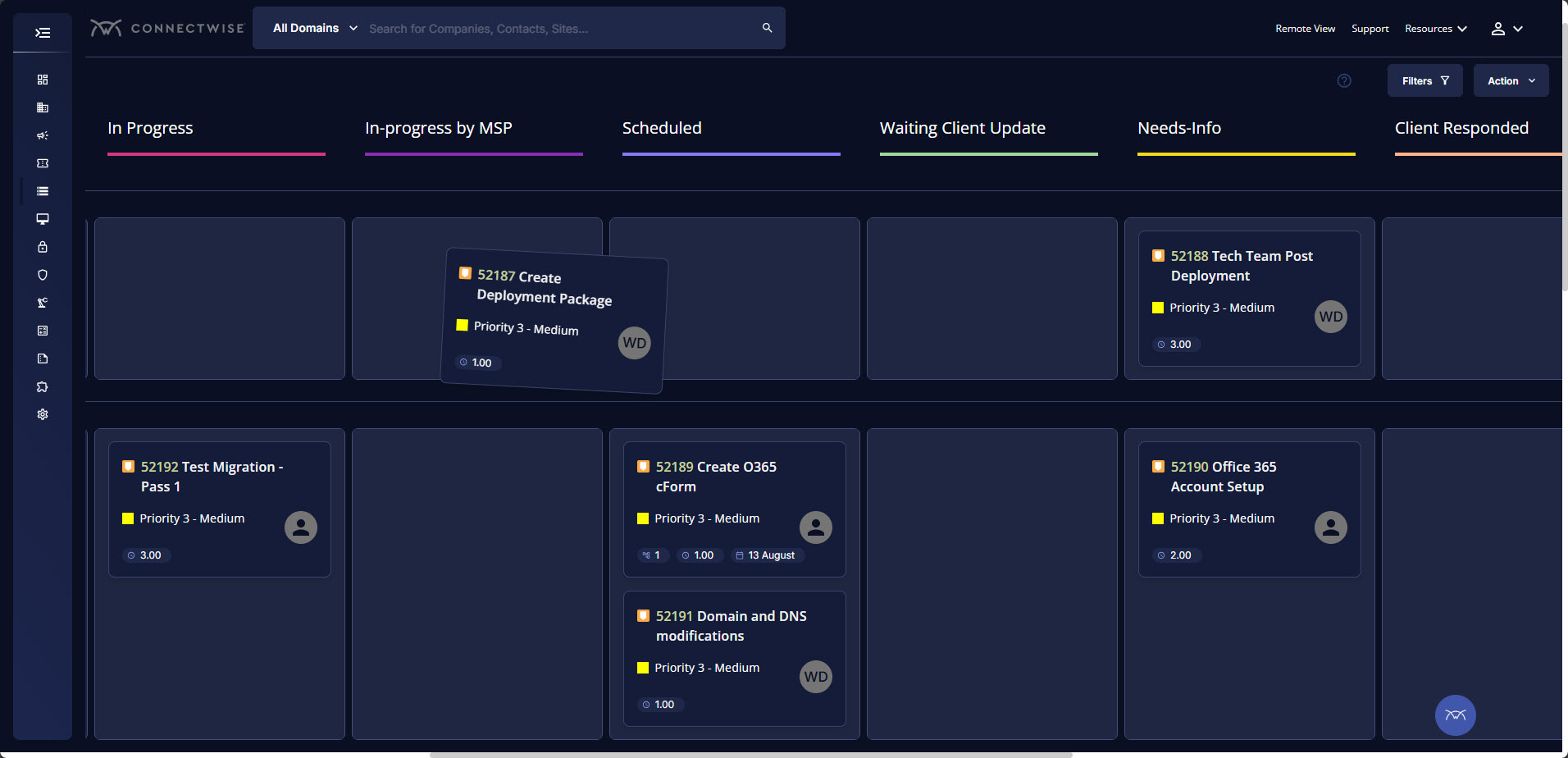 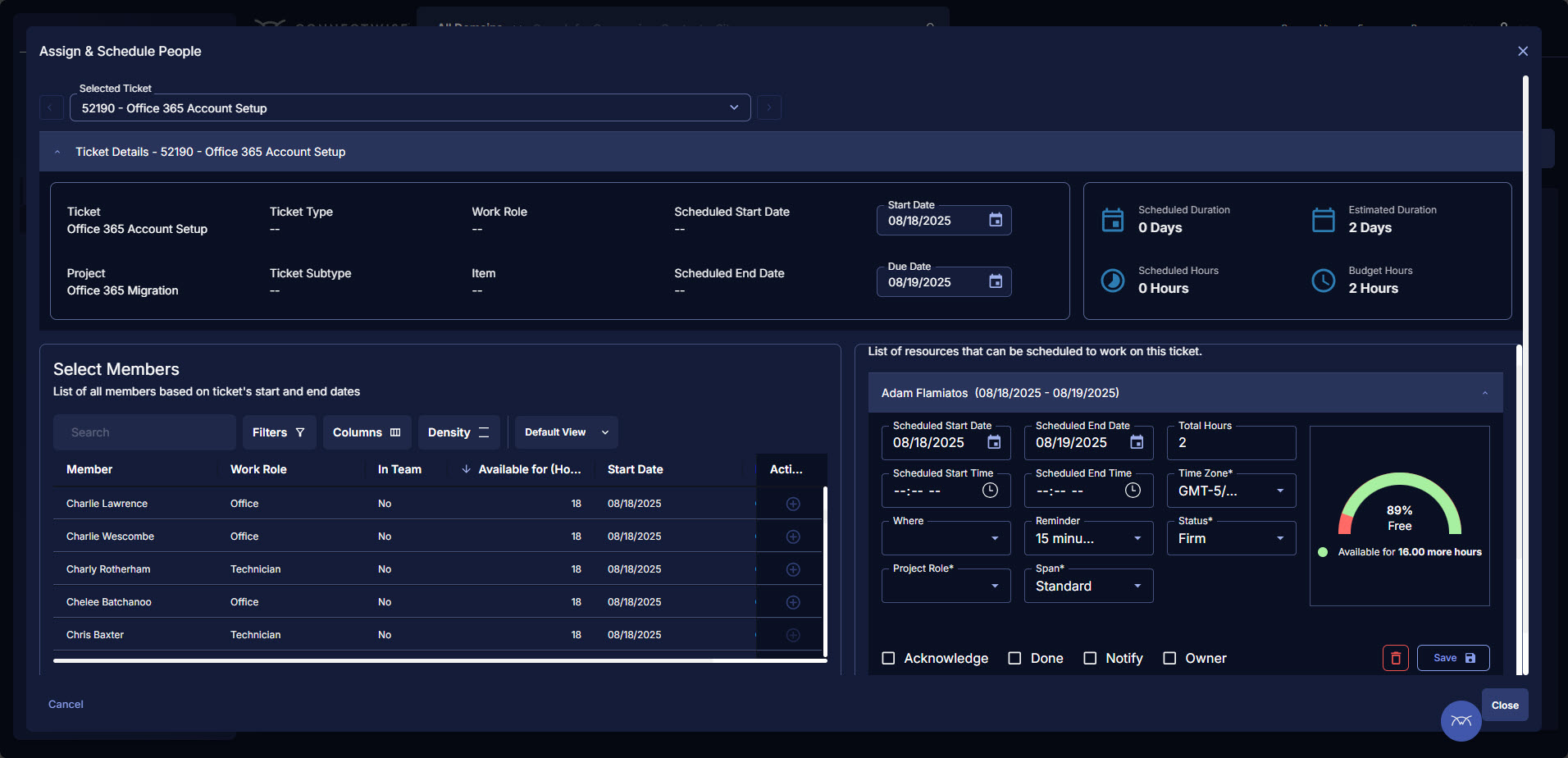 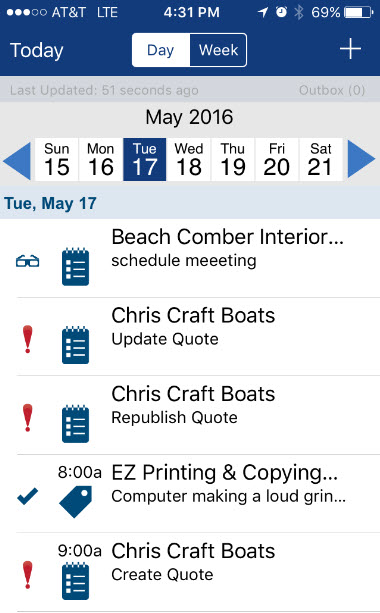 |