Fuze vs. GoTo Meeting

Overview
ProductRatingMost Used ByProduct SummaryStarting Price
Fuze
Score 8.2 out of 10
Enterprise companies (1,001+ employees)
Fuze is a cloud-based unified communications platform that includes IP PBX voice service, video conferencing, and collaboration tools such as content sharing and instant messaging capabilities. It also integrates with a wide range of popular CTI, CRM, and click-to-call solutions.
$15
per month
GoTo Meeting
Score 8.5 out of 10
N/A
From GoTo (formerly LogMeIn), GoToMeeting is an online meeting, desktop sharing, and video conferencing software that enables users to connect via the internet. It hosts a suite of online meeting tools, including real-time screen sharing and integrated audio.
$12
per month
Pricing
FuzeGoTo Meeting
Editions & Modules
US Outbound
$0.02
Per Minute
Fuze Meetings
$15
Per User/Per Month
Professional
$12.00
Per Organizer / Per Month for 150 Participants [billed annually]
Business
$16.00
Per Organizer / Per Month for 250 Participants [billed annually]
Enterprise
Custom Pricing
3,000 Participants
Offerings
Pricing Offerings
FuzeGoTo Meeting
Free Trial
NoYes
Free/Freemium Version
NoNo
Premium Consulting/Integration Services
YesYes
Entry-level Setup FeeRequiredNo setup fee
Additional DetailsPricing available by monthly or annual subscription, with discounts for annual commitments.
More Pricing Information
Community Pulse
FuzeGoTo Meeting
Considered Both Products
Fuze
Chose Fuze
GoToMeeting is another solution we have. It has more vision on others' meetings, you can reassign meetings to someone’s manager, etc. I haven’t used either extensively enough to compare them appropriately.
Chose Fuze
Overall, Fuze is better organized, easier to navigate and faster to get up and running that GoToMeeting was. I strongly prefer Fuze from both an end user and also administrators perspective.
Chose Fuze
Although Skype and GoToMeeting are great products in their own right, I feel that Fuze has a more professional look and is more intuitive to use and navigate than other products. I feel that Fuze is more suited for business purposes and seems less like an instant messenger.
Chose Fuze
Teams and Slack where our predecessors to Fuze. Fuze is miles beyond both because the others lack the BPX integration to make them fully-featured. Teams did have a cleaner interface, and Slack did have a better team chat with replies and grouping. Overall, I think the loss of …
Chose Fuze
8x8 has a solid platform, an all in one solution, and great support. We chose Fuze over 8x8 based on cultural fit and the clear desire to continue to build and to innovate at Fuze. That matches well with the modernization and transformation we're undertaking within our business …
Chose Fuze
Zoom is probably a more reliable solution for Video Conferencing as the user interface is about as easy to use, but with the added benefit of being able to connect to nearly any type of system from newer Lifesize Icon units, to older Polycom systems, to the ancient SIP systems …
Chose Fuze
Fuze voice is better amongst all I have used up to now. Video Conferencing is also very good. It has all the options available which are needed for a meeting, chat, recording, sharing etc.
GoTo Meeting

No answer on this topic

Features
FuzeGoTo Meeting
Cloud PBX
Comparison of Cloud PBX features of Product A and Product B
Fuze
5.5
111 Ratings
36% below category average
GoTo Meeting
-
Ratings
Hosted PBX5.178 Ratings00 Ratings
Multi-level Interactive Voice Response (IVR)6.073 Ratings00 Ratings
User templates5.060 Ratings00 Ratings
Call reports6.192 Ratings00 Ratings
Directory of employee names5.1107 Ratings00 Ratings
Call Management
Comparison of Call Management features of Product A and Product B
Fuze
6.5
107 Ratings
23% below category average
GoTo Meeting
-
Ratings
Answering rules7.099 Ratings00 Ratings
Call recording6.089 Ratings00 Ratings
Call park7.073 Ratings00 Ratings
Message alerts6.193 Ratings00 Ratings
VoIP system collaboration
Comparison of VoIP system collaboration features of Product A and Product B
Fuze
7.1
91 Ratings
11% below category average
GoTo Meeting
-
Ratings
Video conferencing7.077 Ratings00 Ratings
Audio conferencing7.190 Ratings00 Ratings
Mobile apps
Comparison of Mobile apps features of Product A and Product B
Fuze
8.0
103 Ratings
2% above category average
GoTo Meeting
-
Ratings
Mobile app for iOS8.094 Ratings00 Ratings
Mobile app for Android8.077 Ratings00 Ratings
Performance & Compatibility of Online Events Software
Comparison of Performance & Compatibility of Online Events Software features of Product A and Product B
Fuze
-
Ratings
GoTo Meeting
8.1
406 Ratings
3% above category average
High quality audio00 Ratings8.8406 Ratings
High quality video00 Ratings8.7399 Ratings
Low bandwidth requirements00 Ratings7.0374 Ratings
Mobile support00 Ratings8.0321 Ratings
Screen Sharing
Comparison of Screen Sharing features of Product A and Product B
Fuze
-
Ratings
GoTo Meeting
8.2
397 Ratings
3% above category average
Desktop sharing00 Ratings8.2397 Ratings
Whiteboards00 Ratings8.1271 Ratings
Online Meetings / Events
Comparison of Online Meetings / Events features of Product A and Product B
Fuze
-
Ratings
GoTo Meeting
8.1
398 Ratings
1% below category average
Calendar integration00 Ratings8.0354 Ratings
Meeting initiation00 Ratings8.4385 Ratings
Integrates with social media00 Ratings7.7197 Ratings
Record meetings / events00 Ratings8.1361 Ratings
Slideshows00 Ratings8.1311 Ratings
Online Events Collaboration
Comparison of Online Events Collaboration features of Product A and Product B
Fuze
-
Ratings
GoTo Meeting
8.2
367 Ratings
2% above category average
Live chat00 Ratings8.3357 Ratings
Audience polling00 Ratings8.1260 Ratings
Q&A00 Ratings8.4284 Ratings
Online Events Security
Comparison of Online Events Security features of Product A and Product B
Fuze
-
Ratings
GoTo Meeting
8.1
367 Ratings
0% above category average
User authentication00 Ratings8.0329 Ratings
Participant roles & permissions00 Ratings8.2353 Ratings
Confidential attendee list00 Ratings8.2289 Ratings
Best Alternatives
FuzeGoTo Meeting
Small Businesses
CloudTalk
CloudTalk
Score 7.5 out of 10
ClickMeeting
ClickMeeting
Score 9.5 out of 10
Medium-sized Companies
CloudTalk
CloudTalk
Score 7.5 out of 10
JioMeet
JioMeet
Score 9.8 out of 10
Enterprises
Cisco Business Edition 7000 (discontinued)
Score 9.0 out of 10
Webex Meetings
Webex Meetings
Score 8.7 out of 10
All AlternativesView all alternativesView all alternatives
User Ratings
FuzeGoTo Meeting
Likelihood to Recommend
8.0
(116 ratings)
8.2
(441 ratings)
Likelihood to Renew
7.7
(20 ratings)
7.5
(51 ratings)
Usability
7.1
(12 ratings)
5.0
(35 ratings)
Availability
8.9
(3 ratings)
9.1
(2 ratings)
Performance
8.0
(3 ratings)
9.1
(2 ratings)
Support Rating
7.4
(88 ratings)
7.6
(52 ratings)
In-Person Training
8.0
(2 ratings)
-
(0 ratings)
Online Training
9.0
(2 ratings)
7.3
(3 ratings)
Implementation Rating
8.0
(111 ratings)
8.9
(8 ratings)
Configurability
8.7
(3 ratings)
4.5
(2 ratings)
Ease of integration
8.0
(3 ratings)
3.0
(1 ratings)
Product Scalability
7.8
(3 ratings)
9.0
(1 ratings)
Vendor post-sale
8.6
(3 ratings)
4.0
(1 ratings)
Vendor pre-sale
8.0
(3 ratings)
10.0
(1 ratings)
User Testimonials
FuzeGoTo Meeting
Likelihood to Recommend
Fuze
Fuze has way more capability than we need for our small office so it might be best suited for large installations, call centers, and complex environments. Our office is small and our needs [are] minimal, so when we need support we are challenged to understand the support person due to our lack of technical sophistication. We sometimes feel like we should switch to a solution more geared for consumers or SOHO. Nevertheless, Fuze provides reliable service at [a] reasonable cost that meets our needs, and because support is rarely needed we are happy with them most of the time, i.e. when support isn't needed.
Read full review
GoTo (formerly LogMeIn)
I provide regular training as a big portion of my job. There is weekly training with an infinite number of users in attendance on any given date—GoTo Meeting is not the best option for this because I would have to mute users as they join the meeting. However, I also provide frequent training sessions to a small number of users that feature more individualized content, and having them able to mute/unmute at will is a better fit for a smaller group with in-depth materials.
Read full review
Pros
Fuze
  • Support Team - the best I have ever worked with. They help 24/7 on any issue I could come across. Usually it is an item I could fix myself and they fix it and show me how to fix the same issue if I have it in the future.
  • Contact Center - We do Commercial Collections involving Sales and Collections. We have 50 people on the phone at one time. Contact Center lets a Manager listen live and gives help if the rep needs help selling or collecting.
  • Pandemic 2020 - without Fuze we would have been unable to work for 3 months. They saved our "rears" since we already had all their services up and running for years.
Read full review
GoTo (formerly LogMeIn)
  • Excellent audio and video quality.
  • Functional and easy-to-use screen-sharing feature for product demonstrations and presentations.
  • Possibility of recording meetings that we can later review and share with those who could not attend.
  • Possibility of managing the microphone of the participants in host mode so as not to disturb the entire event.
Read full review
Cons
Fuze
  • Desktop application stability and compatibility with certain hardware.
  • Better installation - Per-user and per-computer installs sometimes compete with one another and/or upgrades fail to install.
  • [The] desktop app is not best for touchscreen-enabled devices due to lack of ability to scroll through messages using a finger or stylus.
Read full review
GoTo (formerly LogMeIn)
  • We occasionally experience slow performance during screen sharing.
  • The help center should have detailed tutorials on commonly asked FAQs and also to initially set up the profile.
  • One of my initial thoughts regarding recordings was to edit them in the future when the product changes.
Read full review
Likelihood to Renew
Fuze
Fuze is a solid application that is a great asset to the business for our sales staff to make daily calls to clients and candidates. Managers can monitor call data and times to keep up to date with team performance, as well as monitor calls for users on their team. The Fuze/MS Teams integration is an exciting prospect that would be very beneficial to us as a business, for seamless integration between the 2 platforms.
Read full review
GoTo (formerly LogMeIn)
We used other software like goto meetings but found it best because of its user friendly interface and easy interfacing. It helped us in COVID and now we can say we are depending on it and love it. We recommend it to our friends company and they are also using it. It is very affordable and easy to integrate with system
Read full review
Usability
Fuze
Fuze was built with the end-user in mind. It was built to have a common interface on mobile and desktop. Fuze Web is new, and it also has the exact same interface as the desktop and mobile, and they are still working on the ability to make phone calls from the browser itself, currently it can do meetings just fine. Everything about Fuze was built with the end-user in mind.
Read full review
GoTo (formerly LogMeIn)
The simplicity of GoToMeetings desktop, mobile, and web-based applications make it a very robust and user-friendly meeting solution. At times, it may be more complex than needed, but it is nice to have so many features that can be used if needed. Once installed, it is very easy to use and navigate.
Read full review
Reliability and Availability
Fuze
We've had a few outages over the past year. More than other vendors I've used. They usually have outages fixed within an hour. The downside is they do not provide root cause of outages. If they do at takes them at least a month to get it to you
Read full review
GoTo (formerly LogMeIn)
This application has always been available. Never an issue
Read full review
Performance
Fuze
Since Fuze runs across multiple devices and platforms they really strived to make a lightweight interface that is optimized for phone calls, chat, and collaboration. The web client loads fast, the chat is always up-to-date, phone calls arrive on-time. The desktop client is the most feature rich and basically it just adds desktop sharing functionality as well as VoIP for calling, and the mobile client doesn't consume a lot of battery, and it stays running to get phone calls, chats, and can do meetings over Wifi, Cellular Data, or Cellular voice.
Read full review
GoTo (formerly LogMeIn)
This application is fast. Loads fast, no stall
Read full review
Support Rating
Fuze
Our experience with Fuze support has been overall very positive. Their technicians seem to be well trained and able to handle a variety of requests and issues without unnecessary delays or extensive troubleshooting. Fuze allows enough customer access to avoid the need to call support for every little issue but is ready to assist when issues are beyond our capabilities to resolve.
Read full review
GoTo (formerly LogMeIn)
When we have issues, they seem to respond quickly and do everything they can to help us. They have even tried to find other ways we could get more use out of their product, or improve the way we are currently using it. Overall, their support has been fairly good for us.
Read full review
In-Person Training
Fuze
At many of our sites with more than 50 users, Fuze sent someone onsite to train. This worked surprisingly well, as the trainer allowed the users to set the pace and answered TONS of questions. Fuze has a very streamlined training process, their staff is very professional, very knowledgeable and very engaging.
Read full review
GoTo (formerly LogMeIn)
No answers on this topic
Online Training
Fuze
Fuze has vast amounts of training videos and guides on how to use its products and services. There are literally endless-hours of training and I often point end-users to a particular video which addresses the specific needs of the user, for example: how to check voicemail. Or, how to share your desktop, etc.
Read full review
GoTo (formerly LogMeIn)
No answers on this topic
Implementation Rating
Fuze
Personally, I didn't have any trouble getting started with Fuze. It was installed on my computer on my first day and I was good to go! Little to no hiccups. I was not with the company when they first adapted Fuze so I can not speak to the implementation as a whole.
Read full review
GoTo (formerly LogMeIn)
It was very easy and self-explanatory.
Read full review
Alternatives Considered
Fuze
Fuze was far more expensive and more complicated to set up. Our current platform took a few days to set up with SSO. Our contact center took a bit longer but works amazingly.
Read full review
GoTo (formerly LogMeIn)
Many times, it seems like GoTo Meeting requires less bandwidth to run. We noticed with a few test machines that if you have over twenty video streams, this product could handle the load better than if we used Microsoft Teams and had many video streams.
Read full review
Scalability
Fuze
Fuze does have scalability limits but most of that is how many end-points they can put on a virtual PBX, or VCX as they call them, I THINK its limit is somewhere between 2,000 and 5,000, but we've not had issues with that because we have put users into various VCXs some by location, some by department or function. Either way, we have 7,000 currently deployed, and are going to end up with over 15,000 when we are done, Fuze is VERY scalable.
Read full review
GoTo (formerly LogMeIn)
No answers on this topic
Return on Investment
Fuze
  • We receive constant negative feedback from mangers about the system not functioning correctly. (This is mainly due to lack of support from Fuze)
  • This has had a positive impact in that the system is cheaper and we are missing less calls due to the functionality of the system.
Read full review
GoTo (formerly LogMeIn)
  • Any collaboration app these days are now a great addition for those organizations which have more than one office and they need to collaborate with each other.
  • GoTo Meeting can contribute to cost savings by reducing the need for extensive travel, accommodation, and related expenses associated with in-person meetings especially in case like us as we have multiple branches.
Read full review
ScreenShots

GoTo Meeting Screenshots

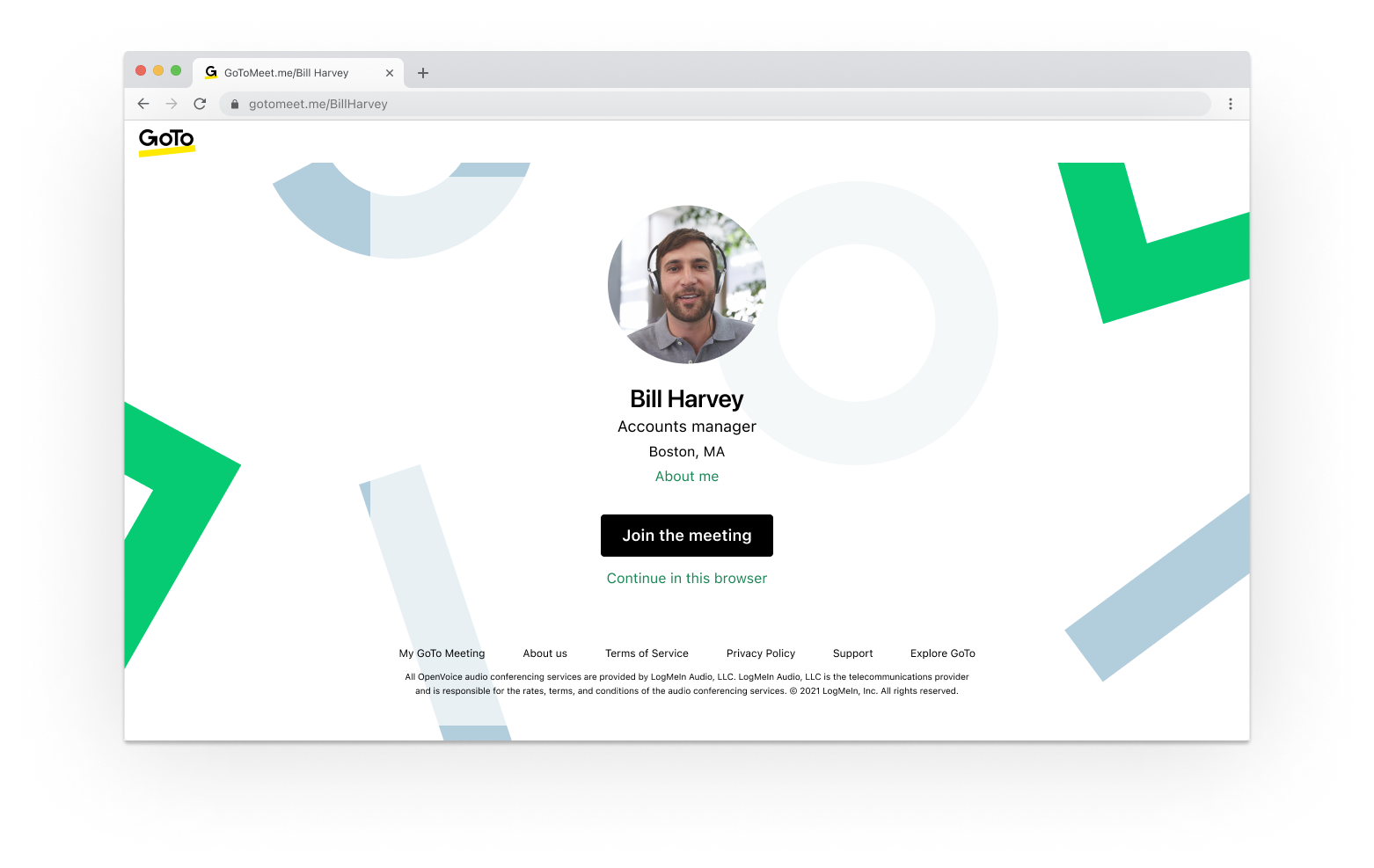
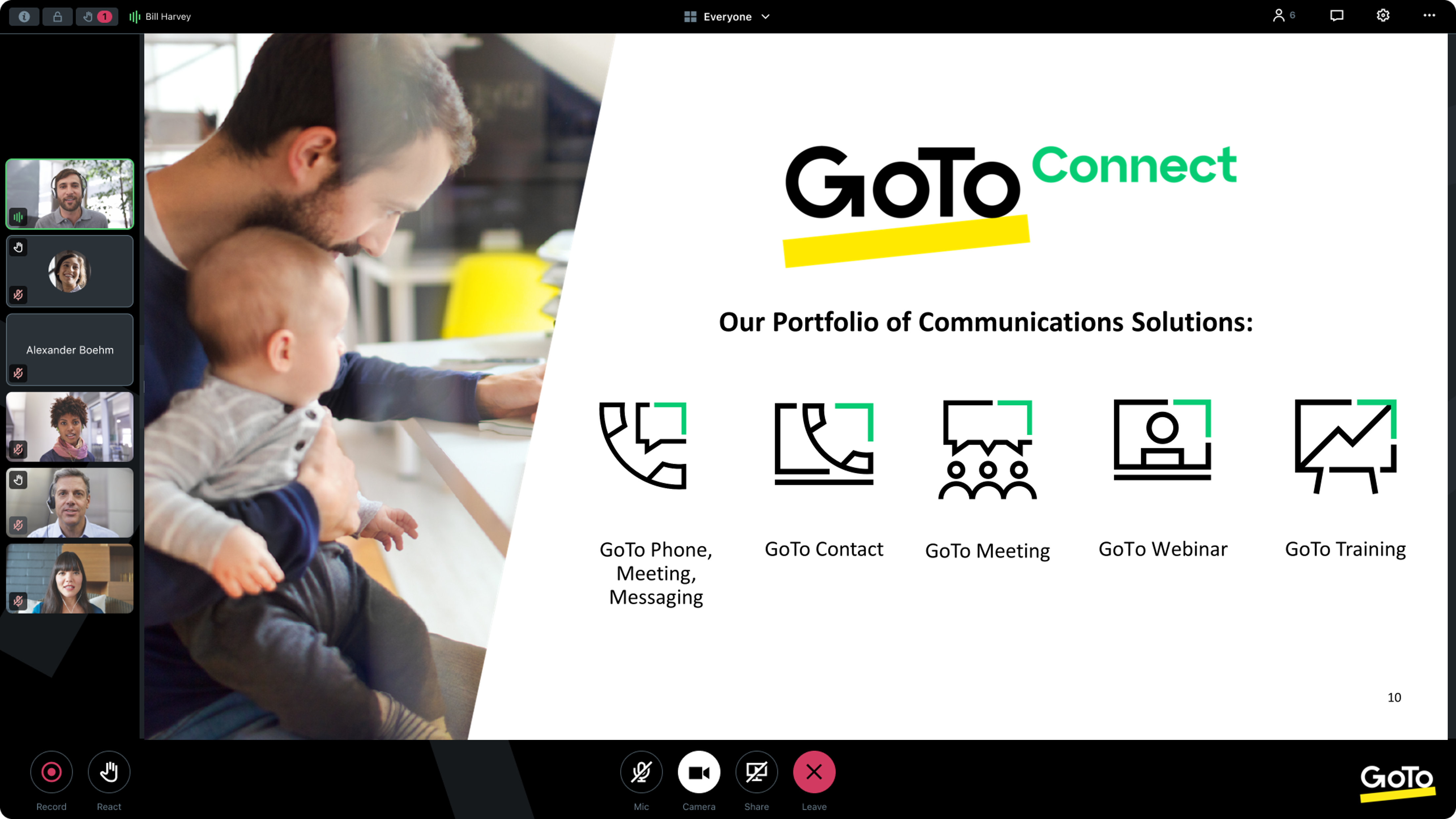
Screenshot of GoTo App - Create Meeting (Out of Session)Screenshot of GoTo App - Join Meeting (Out of Session)Screenshot of GoTo App - Meeting (In Session)Screenshot of GoTo App - Mobile Meetings (Out of Session)Screenshot of GoTo App - Screen Share Meeting (In Session)