
Nile Livingston
Founder
Chose GanttPRO
TeamGantt is much better. TeamGantt has a beautiful, modern design. TeamGantt has better user interface. GanttPRO isn't human-centric.

| Product | Rating | Most Used By | Product Summary | Starting Price |
|---|---|---|---|---|
 GanttPRO | N/A | GanttPRO is a project planning tool based on a Gantt chart approach. It visualizes all tasks along a timeline, and it supports resource management, collaboration within teams, and importing and exporting projects onto 3rd party programs. | $8.90 per user per month | |
 TeamGantt | N/A | TeamGantt is a project management solution built to provide users with gantt chart software through online deployment. | $59 per month per manager | |
 Webex App | N/A | The Webex App brings together Webex Calling, Meetings, and Messaging into a single application, fostering collaboration and unlocking more productive ways to work. | $0 user/month |
| GanttPRO | TeamGantt | Webex App | ||||||||||||||||||||||
|---|---|---|---|---|---|---|---|---|---|---|---|---|---|---|---|---|---|---|---|---|---|---|---|---|
| Editions & Modules |
|
|
| |||||||||||||||||||||
| Offerings |
| |||||||||||||||||||||||
| Entry-level Setup Fee | No setup fee | No setup fee | Optional | |||||||||||||||||||||
| Additional Details | — | 20% discount for annual pricing. | — | |||||||||||||||||||||
| More Pricing Information | ||||||||||||||||||||||||
| GanttPRO | TeamGantt | Webex App | |
|---|---|---|---|
| Considered Multiple Products |  GanttPRO Nile Livingston Founder Chose GanttPRO TeamGantt is much better. TeamGantt has a beautiful, modern design. TeamGantt has better user interface. GanttPRO isn't human-centric.  Nicholas Naclerio Senior Business Developer Chose GanttPRO GanttPRO is just simple, easy and straightforward. It's one of the easiest programs to use as opposed to other gantt chart software. The interface is so easy to use. It is incomparable to other similar options.  Ralph Klein Guevarra PHP Developer Chose GanttPRO I think it doesn't have any competition right now as GanttPro is the best out there that I've personally used. If there are any, there is none that I know of. I also think that it will last long in this status and will surely last a long time holding the top 1 spot on my list.  Cassie Tucker Luge Crew Chose GanttPRO I chose GanttPro over Team Gantt as I was not able to get the layout I desired on Team Gantt. Once I had a bit of practice on GanttPro, I also found it slightly more user-friendly than Team Gantt, which helps a lot when you are new to this!  nurul zayanah zolkafli Website Developer Chose GanttPRO GanttPro is much easier to use.  Manoel Carvalho Gerente de TI Chose GanttPRO In addition to offering the same features of desktop tools. GanttPRO brings online features that allow us to collaborate. No complications regarding access.  Jessica Daniel Program Manager and Student Chose GanttPRO All of the other platforms I tried were too complex and were very confusing from the moment I logged in. It was unclear as to where you even start, or how the platform was set up. With GanttPRO, I was creating everything I needed for my school projects in moments.  Liudmila Vasilyeva Analyst Chose GanttPRO Out of all the options that provide Gantt charts I like GanttPro the best because it is very user-friendly and easy to navigate. | TeamGantt  Carol Aleman Software Engineering Manager Chose TeamGantt Clarizen One was not keeping some important features. TeamGantt offers a spotless perspective on the Gantt diagram and
outwardly is ideal to see who is chipping away at what assignments by the bar.
However, what leads me to buy this product is its sharing abilities. This joined …  Kurt Martin Director of Software Development Chose TeamGantt TeamGantt is geared towards creating a project, tasks and timelines. It literally took me just a few hours to create an entire project the first time I used it. I found it much more user-friendly than other online tools such as Smartsheet (which is a one-size fits all type of …  Patrick Stephens Director Of Communications Chose TeamGantt TeamGantt was the most familiar name amongst them all. Because I had also used TeamGantt before, it was easier to bring this one is above the others. They all have their perks, but I felt that TeamGantt had that ease of use and familiarity which gave them the edge over the …  Daniel Montemayor Instructor / Research Chose TeamGantt Smartsheet has a less intuitive interface, planning complex projects gets very cumbersome very quickly, and the overall aesthetic of the reports is of lower quality compared to TeamGantt. |  Webex App  Vaibhav Madaan Flutter Developer Chose Webex App Just better  Suraj Pipariya Senior Data Analyst Chose Webex App Webex app is being adopted in our manufacturing organization from decade and they are very habitual to use Webex rather than using other new app. Instant chat, file sharing, video calls or even setup meetings are so up to mark and simple that users across organization are using …  Sandesh Pasari Marketing manager Chose Webex App Webex is faster and easier than other tools. |
| GanttPRO | TeamGantt | Webex App | |||||||||||||||||||||||||||||||||||||||||||||||||||||||||||||||||||
|---|---|---|---|---|---|---|---|---|---|---|---|---|---|---|---|---|---|---|---|---|---|---|---|---|---|---|---|---|---|---|---|---|---|---|---|---|---|---|---|---|---|---|---|---|---|---|---|---|---|---|---|---|---|---|---|---|---|---|---|---|---|---|---|---|---|---|---|---|---|
| Project Management |
| ||||||||||||||||||||||||||||||||||||||||||||||||||||||||||||||||||||
| Professional Services Automation |
| ||||||||||||||||||||||||||||||||||||||||||||||||||||||||||||||||||||
| Communication |
| ||||||||||||||||||||||||||||||||||||||||||||||||||||||||||||||||||||
| File Sharing & Management |
|
| GanttPRO | TeamGantt | Webex App | |
|---|---|---|---|
| Small Businesses |  Stackby Score 8.9 out of 10 | Stackby Score 8.9 out of 10 | Stackby Score 8.9 out of 10 |
| Medium-sized Companies |  InEight Score 8.2 out of 10 | InEight Score 8.2 out of 10 |  Troop Messenger Score 9.8 out of 10 |
| Enterprises | InEight Score 8.2 out of 10 | InEight Score 8.2 out of 10 |  HCL Connections Score 9.0 out of 10 |
| All Alternatives | View all alternatives | View all alternatives | View all alternatives |
| GanttPRO | TeamGantt | Webex App | |
|---|---|---|---|
| Likelihood to Recommend | 8.4 (0 ratings) | 9.0 (0 ratings) | 8.6 (0 ratings) |
| Likelihood to Renew | - (0 ratings) | - (0 ratings) | 8.4 (0 ratings) |
| Usability | 10.0 (0 ratings) | - (0 ratings) | 8.8 (0 ratings) |
| Availability | - (0 ratings) | - (0 ratings) | 9.2 (0 ratings) |
| Performance | - (0 ratings) | - (0 ratings) | 7.6 (0 ratings) |
| Support Rating | 10.0 (0 ratings) | 9.3 (0 ratings) | 8.7 (0 ratings) |
| In-Person Training | - (0 ratings) | - (0 ratings) | 9.0 (0 ratings) |
| Online Training | - (0 ratings) | - (0 ratings) | 8.2 (0 ratings) |
| Implementation Rating | - (0 ratings) | - (0 ratings) | 7.0 (0 ratings) |
| Configurability | - (0 ratings) | - (0 ratings) | 7.2 (0 ratings) |
| Ease of integration | - (0 ratings) | - (0 ratings) | 8.6 (0 ratings) |
| Product Scalability | - (0 ratings) | - (0 ratings) | 8.1 (0 ratings) |
| Vendor post-sale | - (0 ratings) | - (0 ratings) | 8.5 (0 ratings) |
| Vendor pre-sale | - (0 ratings) | - (0 ratings) | 8.6 (0 ratings) |
| GanttPRO | TeamGantt | Webex App | |
|---|---|---|---|
| Likelihood to Recommend |
|
Carol Aleman Software Engineering Manager |
 Pratap Mattaparthi Digital Engineer Trainee |
| Pros |
 Clarissa Chong Student |
Patrick Stephens Director Of Communications |
 Meredith Wheeler Design Engineer |
| Cons |
 Kevin McLaughlin Student Assistant |
|
 Matej Praprotnik Assistant Director |
| Likelihood to Renew | No answers on this topic | No answers on this topic |
|
| Usability |
| No answers on this topic |
 Duc Minh Nguyen President |
| Reliability and Availability | No answers on this topic | No answers on this topic |
 Jeremy Shupick Network Administrator |
| Performance | No answers on this topic | No answers on this topic |
 Carlos Delgado Barcia Technical Support Specialist |
| Support Rating |
Ralph Klein Guevarra PHP Developer |
Kurt Martin Director of Software Development |
 Guhan Dhandapani Associate Consultant |
| In-Person Training | No answers on this topic | No answers on this topic |
 Halil Bilal Çelik Infrastructure Senior Specialist |
| Online Training | No answers on this topic | No answers on this topic |
 Abderrahim Benslimane Consultant Cisco Instructor |
| Implementation Rating | No answers on this topic | No answers on this topic |
Jeremy Shupick Network Administrator |
| Alternatives Considered |
|
|
|
| Scalability | No answers on this topic | No answers on this topic |
Jeremy Shupick Network Administrator |
| Return on Investment |
|
Kurt Martin Director of Software Development |
 Ronit Jain Mechanical Design Engineer |
| ScreenShots | GanttPRO Screenshots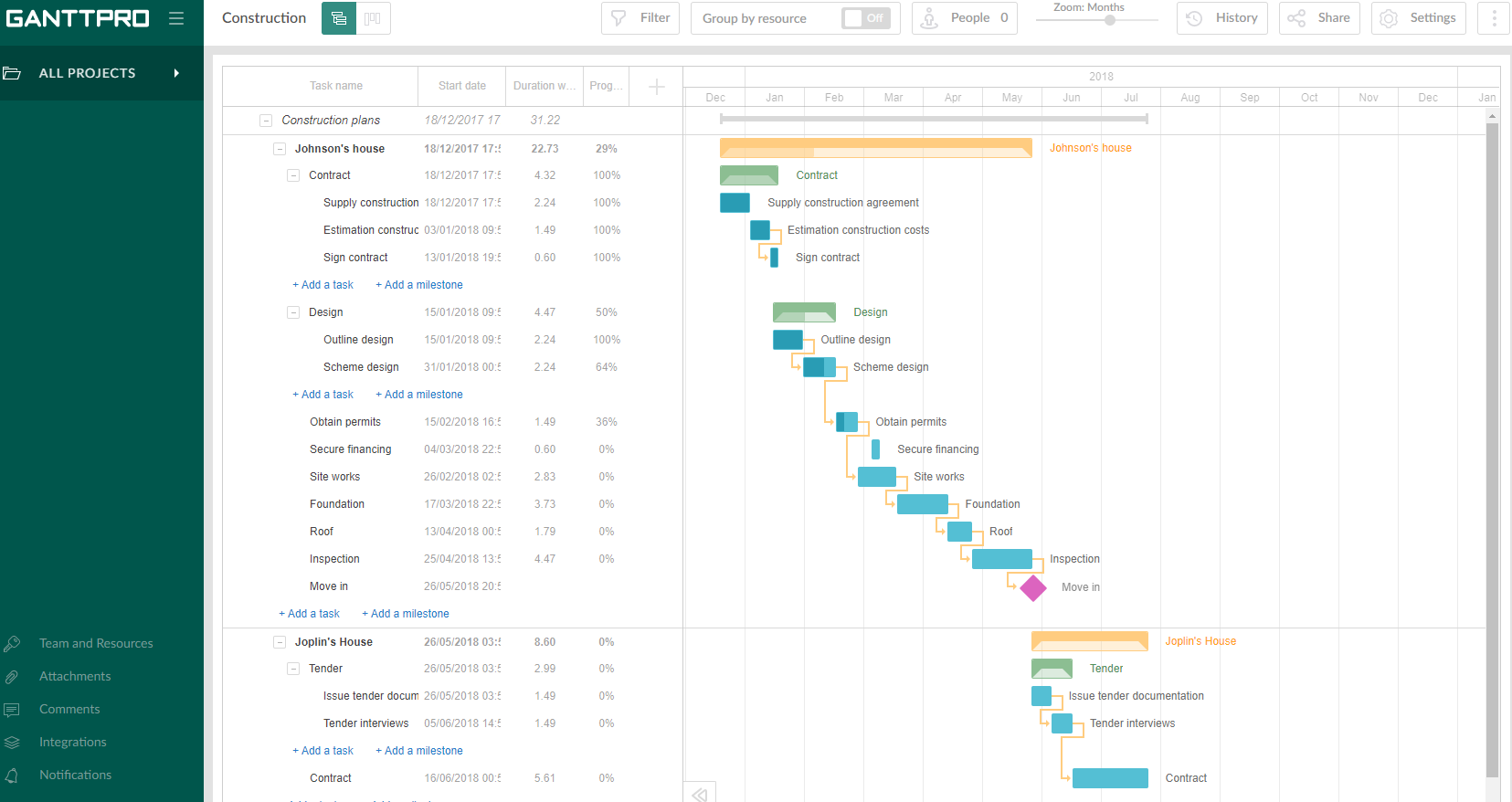  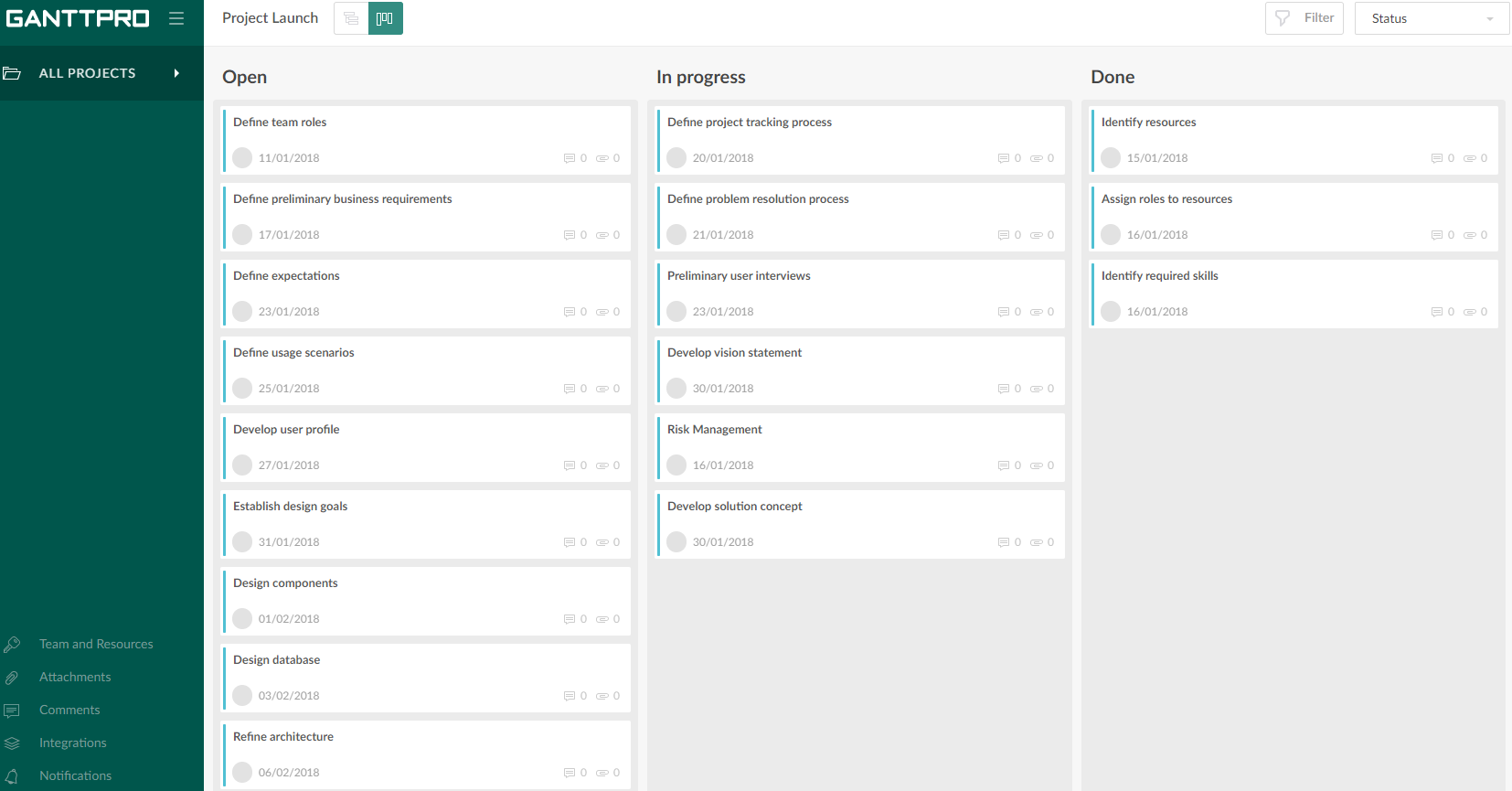  |