Harvest is used to track time, gain insights from past projects, and get paid for work. Dedicated apps and integrations with popular tools like Asana and Slack allow Harvest to fit into a team’s workflow.
A selection of visual reports are offered to keep projects running smoothly and an organization's team supported. Harvest also helps to turn a team’s tracked time and expenses into professional nvoices and collect payment quickly with integrated online payments.
$13.75
per month per seat
Paymo
Score 9.0 out of 10
N/A
Paymo is a collaborative work management platform that helps track team progress, collaborate in context, and make smarter decisions. It acts as a single source of truth, where project planning, resource scheduling, file proofing, time tracking, and billing feed into each other to co-exist under the same roof.
$0
Up to 10 users
UKG Workforce Central (discontinued)
Score 5.1 out of 10
N/A
UKG Workforce Central (formerly Kronos Workforce Central) was a suite of HR Management offerings targeted mainly at enterprise customers with larger-scale and more complex HR and workforce management issues. The product is discontinued.
N/A
Pricing
Harvest
Paymo
UKG Workforce Central (discontinued)
Editions & Modules
Harvest Pro
$13.75
per month per seat
Harvest Premium
$17.50
per month per seat
Free
$0
Up to 10 users
Small Office
$11.95
per user/per month
Business
$18.95
per user/per month
No answers on this topic
Offerings
Pricing Offerings
Harvest
Paymo
UKG Workforce Central (discontinued)
Free Trial
Yes
Yes
No
Free/Freemium Version
Yes
Yes
No
Premium Consulting/Integration Services
No
No
Yes
Entry-level Setup Fee
No setup fee
No setup fee
Required
Additional Details
20% discount for annual billing on Pro and Premium plans.
Harvest is ideally suited for a variety of scenarios, particularly in the realms of freelance or consulting work, where accurate hour tracking for billing is crucial. It excels in small to medium businesses managing team projects, allowing for effective resource allocation and time management across multiple concurrent projects. For budgeting and forecasting, Harvest provides valuable data, aiding in accurately estimating the duration and cost of future projects based on past data. It's also highly beneficial for remote or distributed teams, thanks to its cloud-based platform that facilitates seamless coordination. Additionally, its detailed reporting features enhance client transparency, fostering trust through clear communication of time spent on projects. However, Harvest may be less suitable for larger enterprises with complex integration needs or specialized industries requiring more niche features. Small startups or individuals on tight budgets might find the cost challenging, especially if they don't fully utilize all its features. Lastly, for those needing only basic time tracking, simpler or free tools might be more appropriate, making Harvest an unnecessary expenditure for basic needs.
Beautiful interface throughout, easy setup, most natural progressions are fluid and easy to use. Browser functionality allows us to use it cross-platform. Very reasonable pricing model as well. We have had a little trouble using Paymo for the entire creative process to have proofs reviewed and approved. Also, have to use external forms to have work submitted from campus.
This product was marketed to us as a school and several schools in our area use the program. However, the implementation team we were set-up with had limited school experience and we are still working on the best way to do some of the timekeeping issues where I know that could have been handled better. That being said from a payroll and reporting side it has been great to capture so much data (at times almost too much) and have the system do automatic allocations of salaries and general ledger reports. The reporting takes some getting used to, but overall I've been able to run reports to see and track just about anything I want. Our employees also love the self service compared to our previous products where they can make W4, direct deposit and other updates on their own without having to get HR involved.
Offers several options on using the tool, for example, you can use the app on your phone, the app for desktop, or simply have the website open.
The timer integrates with other platforms. For example, our team uses Asana as our project management tool. Now, in real-time, I can know which projects my team is working on and whether we're implementing good time management strategies to meet our goals.
The summary break downs are wonderful! You can view an individual's hours as well as project hours. There are even notifications you could receive when your team is getting close to reaching the allotted time for a client's project.
The ability to code exactly what time I worked on a project enables me to bill clients more accurately and within different minimums, which besides more accurately tracking time, this has been extremely helpful as I negotiate contracts for services and offer different deals with potential clients. Some are billed to the minute, some in 15-minute minimums, and some in 20-minute blocks.
The live reports are great, showing time spent in the minimums that I've set, while also including as much detail as I wish to share.
I've now started just writing my notes into the tracker, which are then carried into the live reports - this eases my needing to send logs to clients, as well as helping me to keep projects on track.
I personally feel like timekeeping is very well thought out and has some powerful tools built in. There is a bit of a learning curve but with strategically placed SMEs we were able to get the use and functionality we needed out of the system.
Workforce planning has been crucial in planning operational support in our retail and customer service centers. It is also editable and modifiable as needed.
I’m still trying to figure out how tasks best associate to a specific project. There’s a couple different places to edit that and I’m a little confused as to best practice.
Does not integrate into basecamp which is our project management system
It would be really helpful if on the timer tool, they asked you to switch projects when you stop the timer, so it could fill that time in right away for you.
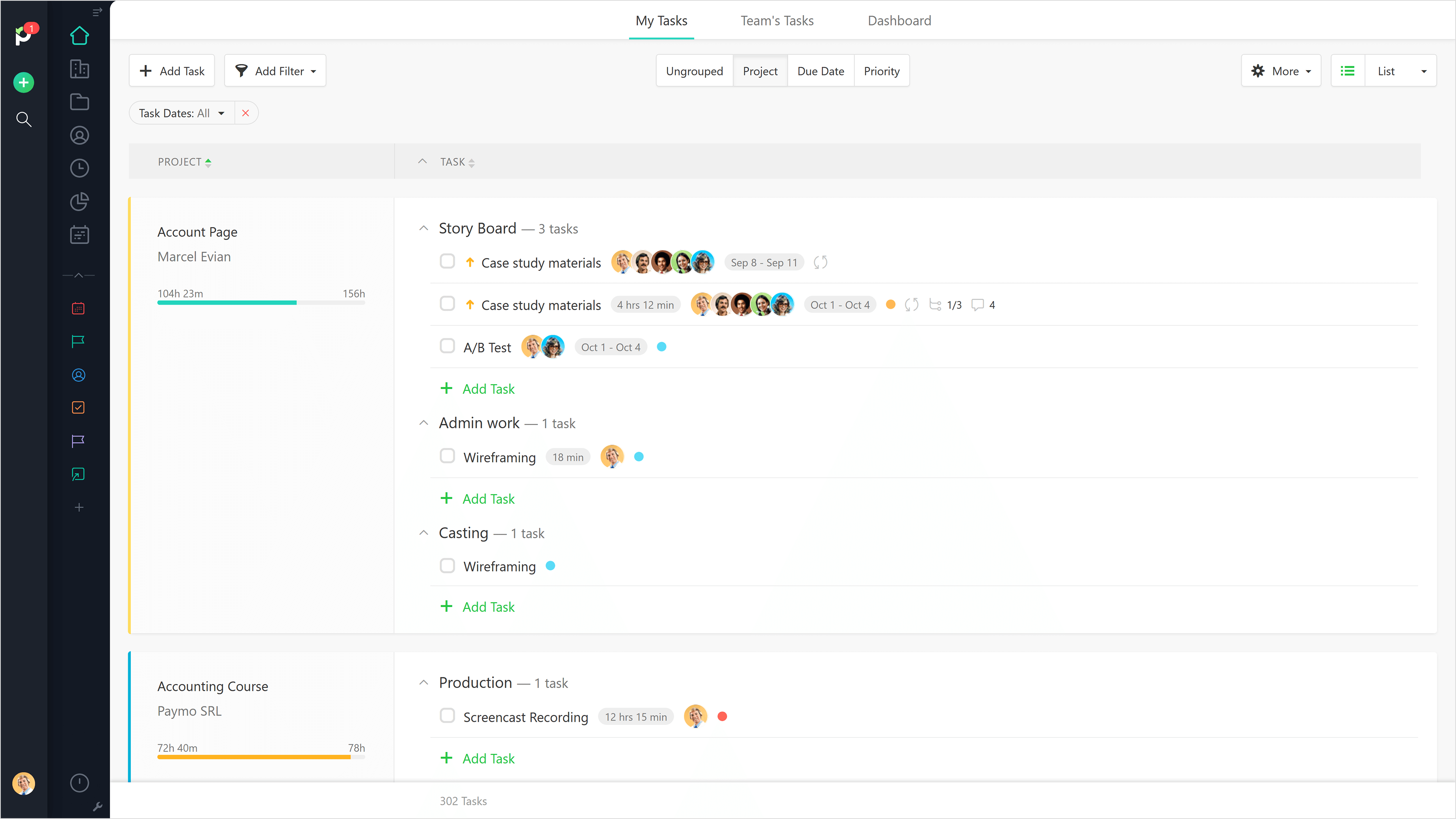
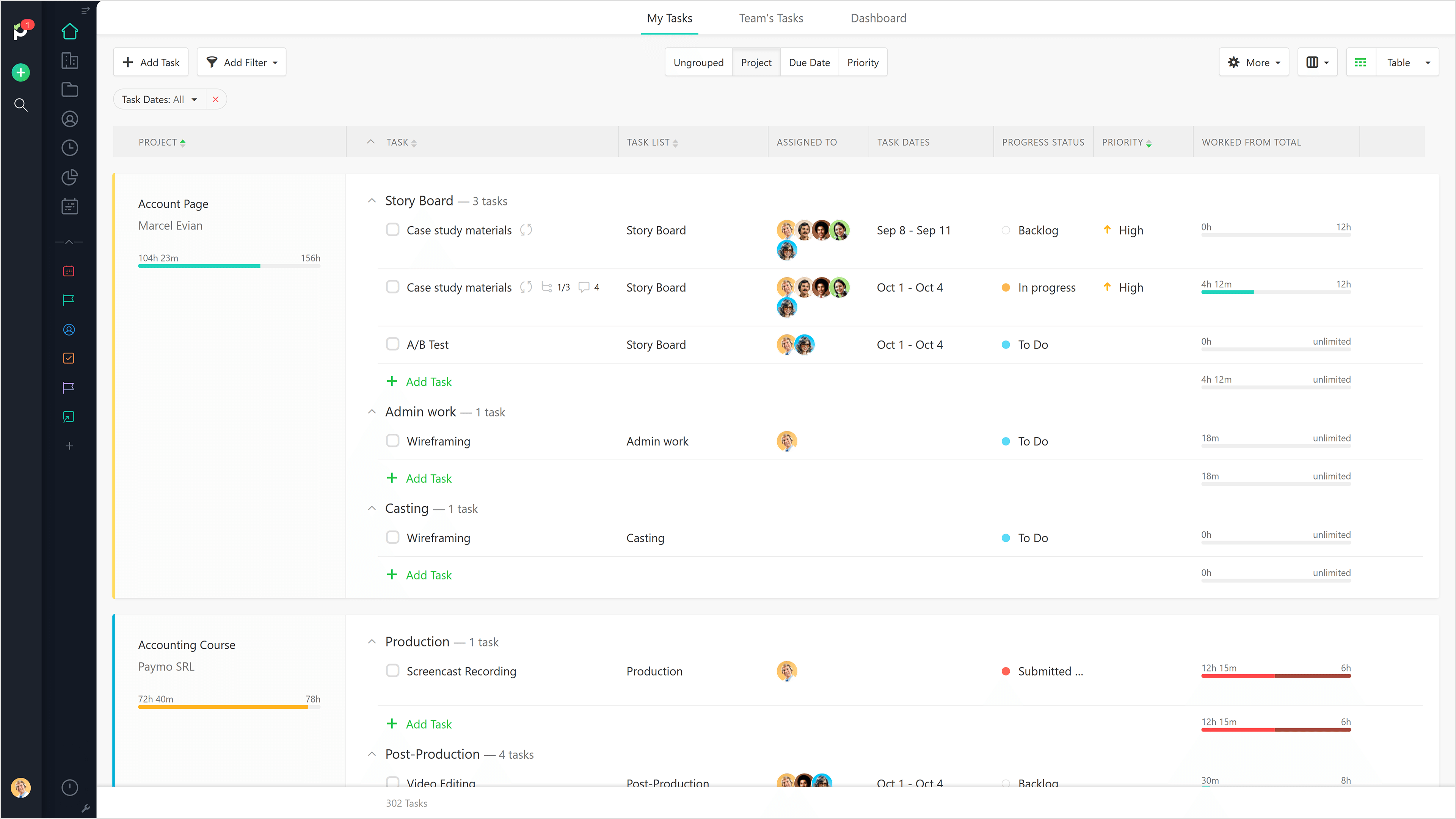
I never use the 'My Tasks' because I don't fully understand how to integrate it to be useful to what our purposes are in Paymo. Some Youtube tutorials might be helpful
Now that the system is installed and operational, the "pain is gone"...therefore we see no reason to change to a different application. There is no functionality that is missing from the system that would drive us to consider another solution at this time. Maintenance support from Kronos is sufficient and updates occur regularly.
Again, just a minor compatibility issues using with other platforms such as Basecamp, but it does do everything promised. The only downfall we have found is having to create a job in both platforms and then connecting them later vs being able to create a project once and having them automatically connect.
It is a complete, a bit overambitious app but with many features that are needed. I didn't need most of the features but managed to make the most of the two I was using. Also, I think it is a well-rounded app and I am considering moving some team collab there.
They're very responsive and do their best to answer whatever questions we've had. Sometimes, the question or request we've made is for a feature that doesn't yet exist, however in most cases those features have been built later and did eventually address our need.
Good! Fast, excellent, speedy responses. They always wanted to know why and how they could improve on something (good on receiving feedback, too). Not that they were much needed, but my limited experience with them is good; they were really keen to understand what the problem was really about and how they could help with it.
Having no experience with Kronos prior to using it in March 2016, their customer service team taught me how to use it the right way after my initial training at work. I am well-versed in data analysis using Excel and Access primarily, so once I discovered that Kronos had a reporting feature built in, I've used the feature quite a few times to help our properties evaluate their production costs and make good labor decisions. I give Kronos a 10 because once a person takes the time to learn how to use the software, they'll realize that Kronos is far more effective than most, and gives users more ways to access their information where and when they want to.
Harvest is significantly better than Jira. I think Jira's is not originally intended to be used as a time logging/management system, but we had been previously using it as that. It was much clunkier, and many employees had a difficult time using it as a user interface goes. Harvest is much more user friendly and has simplified the daily time-logging process for everyone in our office
We still use Trello and Slack, but Basecamp and HubSpot are too much for our operation to manage or integrate. Paymo is missing some of the tracking features of HubSpot and isn't as universally used as Basecamp but we've been with them for 8 years and they seem to know what matters most to their user base
Kronos and Dayforce are the two timekeeping systems I’ve worked with in recent years. Kronos feels a little more comprehensive and is my primary timekeeping tool both for myself as well as my staff. Kronos is a great tool for a wide range of shifts, working locations, and pay codes. In this context, I would pick Kronos over Dayforce. On the opposite side, Dayforce is extremely user-friendly and has a “cleaner” user interface if that is a contributing factor for anyone. Also, for managers who oversee large teams (30-50 team members) then Dayforce is a bit more simple to approve time cards, hours, and leave. Kronos is a bit clunky with all the clicks, and managing large teams of hourly employees would be a huge time suck to go in to review/approve all.
Gives me more accurate time that I've spent on projects compared to older methods I've used.
Has data that I can pull together, for example my boss wanted to know the percentage of time I'd spent working on projects for one client compared to everything else - I was able to give them an accurate percentage.
Forces you to stay on top of jobs, which can lengthen the time to complete something
Kronos is much more expensive than the previous systems we were using, so at this point the ROI is negative. The idea is that it will allow us to scale and grow the company more easily so time will tell if that is the case.