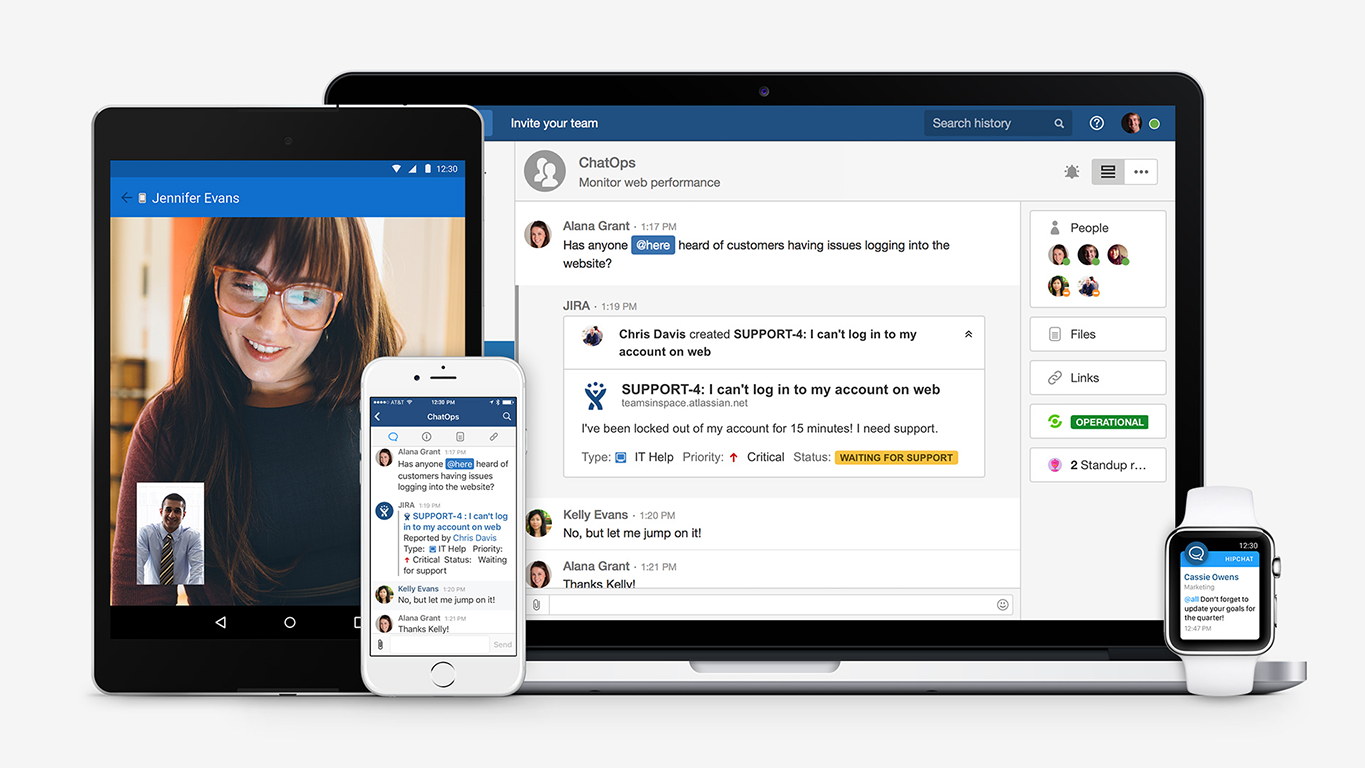
Hipchat was discontinued by Atlassian. Users are being migrated to Slack.
N/A
Sococo
Score 10.0 out of 10
N/A
Sococo is a remote collaboration tool with integrations with third-party applications such as Google Docs, Atlassian JIRA, and Box.
$14.99
per month per seat
Pricing
HipChat (discontinued)
Sococo
Editions & Modules
No answers on this topic
Sococo
$14.99 or $13.99 if paid annually
per month per seat
Sococo Unlimited
$24.99
per month per seat
Offerings
Pricing Offerings
HipChat (discontinued)
Sococo
Free Trial
Yes
No
Free/Freemium Version
Yes
No
Premium Consulting/Integration Services
Yes
No
Entry-level Setup Fee
No setup fee
No setup fee
Additional Details
—
Sococo pricing plan includes a 10 seat minimum and 500 minutes per seat per month. Additional minutes price at $5 per 1,000 minutes. Sococo unlimited include a 100 seat minimum with unlimited minutes per seat per user.
More Pricing Information
Community Pulse
HipChat (discontinued)
Sococo
Considered Both Products
HipChat (discontinued)
No answer on this topic
Sococo
Verified User
Engineer
Chose Sococo
I prefer Sococo over Lync/Skype for a few reasons. I feel the user interface is slicker, better voice clarity, easier to hop between calls. And, all call members can go to a common chat room on their own accord instead of one person trying to invite everybody. I also feel that …
WebEx Meetings, Skype for Business, and Google Hangouts all require that you create some sort of "call event" that people can join or leave. Sococo gives you the ability to seamlessly move between meetings within one app and also provide a status of available or unavailable, or …
We tried Sococo as means of gamifying a natively remote office. It does the job but the tool suffers from a lack of integrations. You will run out of free minutes very quickly and the additional charges are too high to make business sense.
HipChat is very stable and reliable. I have never had issues with not being able to connect or being able to communicate with others on HipChat.
HipChat integrates quite well with other applications, such as Jira and Stash. This is a main selling point for my team. It provides a convenient feed of actions on a JIRA story or Stash pull request.
HipCat does a good job of allowing 1-1 and group chats. It is simple to start a new conversation and it is easy to hold a group conversation and keep track of who is in the room.
I like how HipChat has away/here/on mobile statuses. This makes it easy to see if a person is available to be contacted.
Visual layout - the virtual office visible was very helpful because it made the organization feel closer and as a whole, much more connected. Further, you can group departments in your layout, so it gave a good visual understanding of who was part of each 'department/team.'
Sound - the sound quality was good overall in meetings, and I liked the realistic sounds for opening and closing an office, etc. It allowed for a real office feel, and this is especially important since a lot of companies offer the option to work from home now - this removes the 'disconnect' that usually exists when working from home.
Communication options - it allowed for multiple ways to communicate and places to communicate - i.e., in the auditorium, lunchroom, conference room, or a smaller room. Very realistic and a variety in that sense.
Mobile app is not very responsive on iOS. Sometimes connection to Hipchat servers is taking too long even on good networks.
Both mobile and desktop versions have no alphabetical or recent sorting for groups and chat rooms.
Video and audio calls are pretty useless, they're slow and not always work.
The whole user interface is simple but very outdated - apparently Atlassian didn't focus too much on Hipchat even though they tried in the last 2 years.
The app itself had a pleasant if not generic interface. As a user experience expert and engineer I can say the interface is fairly intuitive if not bland. It does what you expect it to do and it's available on iOS and Android devices. If I recall it was generally pretty light weight in terms of installation size.
HipChat support is good . Responds in timely manner when ever we have raised the request via email , phone and gives us continue update on the request .Though most of the questions are answered by HipChat FAQs , but they can still improve it and add more to the knowledge base .
Sococo didn't seem to have a strong support line. In comparison to other products, such as Microsoft Teams, it did not regularly check in with us. There should be opportunities to give feedback on the quality of the program periodically and if we had any issues. Sometimes, Sococo would crash, and we would 'restart it' but not know why it happened.
We tried a lot of chat clients before choosing HipChat. The Skype for Business UI on the Mac side was 5 years old and terrible. Mac users hated the app including our CTO. Cisco Jabber was expensive to license and maintain; Skype was open to the public which took time away due to users dealing with spam and could allow viruses and malware. HipChat being a closed product, centrally managed and available to try without an upfront investment was perfect for our environment. All our Agile teams have their own room, chat and can communicate with others quickly and easily.
I prefer Sococo over Lync/Skype for a few reasons. I feel the user interface is slicker, better voice clarity, easier to hop between calls. And, all call members can go to a common chat room on their own accord instead of one person trying to invite everybody. I also feel that it's easier to share one's screen and swap between different shared screens with Sococo.
Actually I never shared of HipChat using with more than 25 persons in team simultaneously, but I believe it can be scaled for much largest collaboration teams. At least it works flawlessly for us, with transparent integration with Jira, and I am not see any reasons for some troubles for work at big scale.
HipChat has increased the effiency with which I am able to communicate with my coworkers, particularly those who work out of other offices. Having a light, portable messaging solution has been beneficial for checking in on small things without the need to send emails or schedule phone calls.
Morning meetings are much simpler with sococo than without. Small powwows with coworkers to work out little bugs are also a lot more enticing since setup is essentially nonexistent.
It might be argued that the cost of sococo isn't worth the benefits of simplicity and ease of use.