It is very well suited as a messaging tool, where one needs to communicate quickly to a colleague the status of a particular task or an update to the work. This is especially useful for field work where the field team can report the work done and any additional resources required. We have faced issues when virtual meetings are held for a team of 10+ members with a lot of drop-offs and poor quality of reception (audio & video). While some may be attributed to poor internet connection, we do not face the same issue when using Zoom meetings. This area requires strengthening.
HipChat is very stable and reliable. I have never had issues with not being able to connect or being able to communicate with others on HipChat.
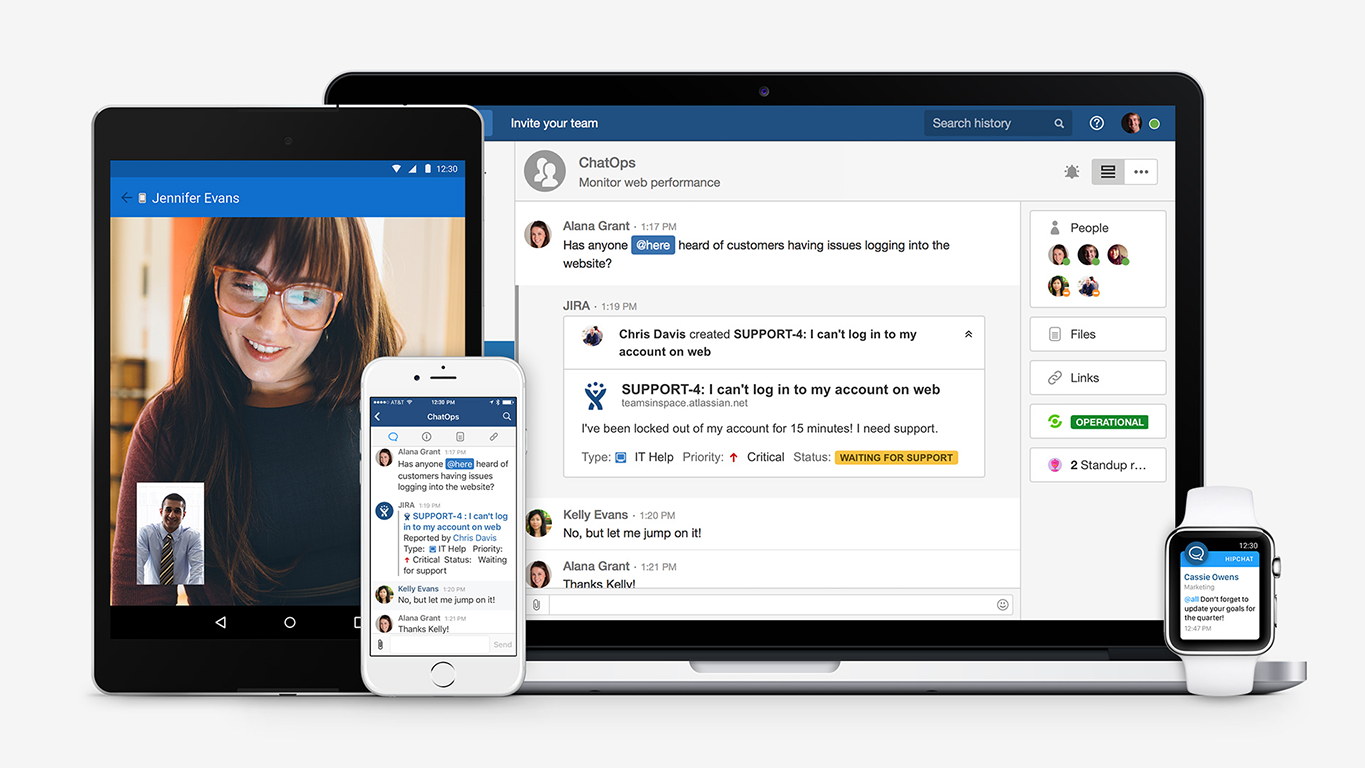
HipChat integrates quite well with other applications, such as Jira and Stash. This is a main selling point for my team. It provides a convenient feed of actions on a JIRA story or Stash pull request.
HipCat does a good job of allowing 1-1 and group chats. It is simple to start a new conversation and it is easy to hold a group conversation and keep track of who is in the room.
I like how HipChat has away/here/on mobile statuses. This makes it easy to see if a person is available to be contacted.
Mobile app is not very responsive on iOS. Sometimes connection to Hipchat servers is taking too long even on good networks.
Both mobile and desktop versions have no alphabetical or recent sorting for groups and chat rooms.
Video and audio calls are pretty useless, they're slow and not always work.
The whole user interface is simple but very outdated - apparently Atlassian didn't focus too much on Hipchat even though they tried in the last 2 years.
Initial set up can be a little daunting if you aren't a tech-savvy person. For large organizations, this might not matter since you would have a dedicated IT team that will handle it (as we did) but if you are a small business owner looking to set this up yourself, I imagine it would take some trial and error to get working.
Zoho Cliq has become an integral part of our daily business. Every single member of our team who has a job involving a computer has an active Zoho Cliq license and uses the tool continuously throughout the day. It cuts down on meetings and allows the team to feel very connected to one-another even though we are distributed geographically.
The app itself had a pleasant if not generic interface. As a user experience expert and engineer I can say the interface is fairly intuitive if not bland. It does what you expect it to do and it's available on iOS and Android devices. If I recall it was generally pretty light weight in terms of installation size.
Easy to use Larger File sharing like videos, audios, even zip files Make internal group calls Multiple channel creation sharing development scripts is also easy
It's available 24X7. We have never faced any serious issues with the connectivity. Whenever we faced issues, it has been traced to a browser issue or Windows app issue or a mobile issue.
HipChat support is good . Responds in timely manner when ever we have raised the request via email , phone and gives us continue update on the request .Though most of the questions are answered by HipChat FAQs , but they can still improve it and add more to the knowledge base .
Excellent support. Online training and supporting videos, and resources are more than sufficient to get started. Moreover, their support channel, especially the chat window, is very helpful and provides an instant solution to all our queries. For any complicated issue, they always get back by email with the solution and on occasions even call back.
Implementation is very simple and easy. Create a Zoho account (free or paid), send/ receive an invite, log in, verify your credentials and get started. Admin would have created the channels for you, and you start contributing. The entire process is smooth, and you can get started within minutes. The Admin has to work at the backend, initially, and decide on the permissions for the individual and the team and set up permissions for access to other applications too. This needs to be planned out, tested and implemented.
We tried a lot of chat clients before choosing HipChat. The Skype for Business UI on the Mac side was 5 years old and terrible. Mac users hated the app including our CTO. Cisco Jabber was expensive to license and maintain; Skype was open to the public which took time away due to users dealing with spam and could allow viruses and malware. HipChat being a closed product, centrally managed and available to try without an upfront investment was perfect for our environment. All our Agile teams have their own room, chat and can communicate with others quickly and easily.
Functionality wise Zoho Chat fairs pretty well against the other options. I still use all the other options as I need to be flexible in how I communicate with clients. It is the integration into the ZohoCRM & Cliq that puts Zoho Chat above the others and is why I try to encourage clients to move across to the app
Actually I never shared of HipChat using with more than 25 persons in team simultaneously, but I believe it can be scaled for much largest collaboration teams. At least it works flawlessly for us, with transparent integration with Jira, and I am not see any reasons for some troubles for work at big scale.
The system works perfectly well. At times, we have faced issues with the desktop application - it doesn't start, or takes time to start, or even logs off on its own. However, the browser as well as the mobile application work perfectly well, and we have never faced issues with them
HipChat has increased the effiency with which I am able to communicate with my coworkers, particularly those who work out of other offices. Having a light, portable messaging solution has been beneficial for checking in on small things without the need to send emails or schedule phone calls.
our business save time and improve communication. We noticed a 20% faster response time to customer issues because team members can communicate instantly.
reduced our internal email clutter, saving about 10 hours a week for staff who used to spend time sorting through emails.