iContact is an email marketing solution that was acquired by Vocus in 2012. The product is integrated with Facebook and Twitter and is aimed at SMBs with unlimited sending as a key feature.
$14
per month
Infor CRM
Score6 out of 10
N/A
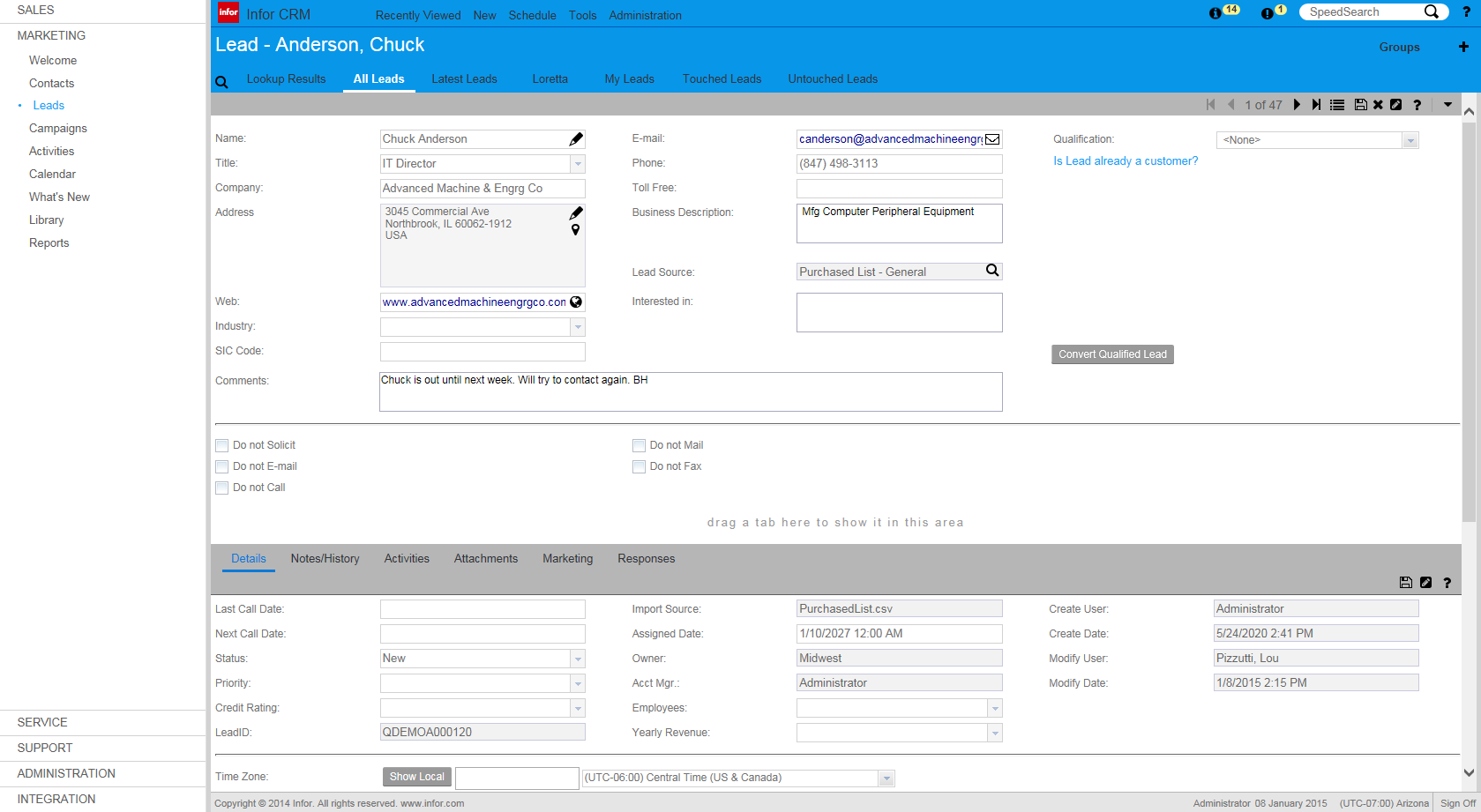
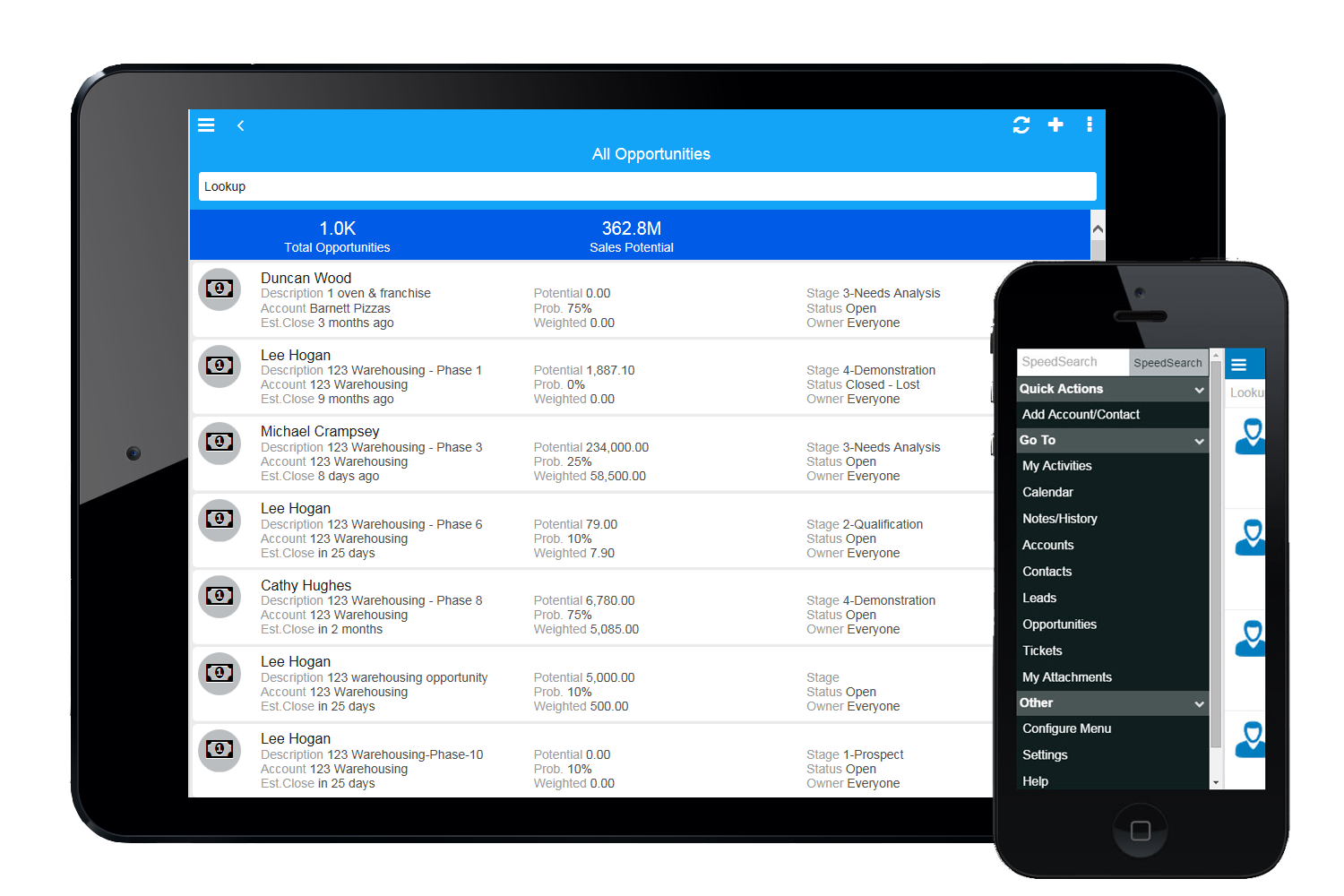
Infor CRM delivers tools for individuals, teams, and companies focused on increasing sales performance and the insights to optimize sales, marketing, and service strategy and execution. Infor CRM provides sales teams with rich customer information from interactions and transactions across the business and accommodates the modern flexible workforce with multiple access methods. Robust process automation capabilities enable efficiencies and the application of best practices across sales…
N/A
Pricing
iContact
Infor CRM
Editions & Modules
1500 Users
$15.00
per month
2500 Users
$25.00
per month
5000 Users
$45.00
per month
No answers on this topic
Offerings
Pricing Offerings
iContact
Infor CRM
Free Trial
No
Yes
Free/Freemium Version
Yes
No
Premium Consulting/Integration Services
No
Yes
Entry-level Setup Fee
No setup fee
No setup fee
Additional Details
—
—
More Pricing Information
Features
iContact
Infor CRM
Email & Online Marketing
Comparison of Email & Online Marketing features of iContact and Infor CRM
Feature
iContact
6.6
26 Ratings
20% below category average
Infor CRM
-
Ratings
WYSIWYG email editor
7.024 Ratings
00 Ratings
Dynamic content
7.021 Ratings
00 Ratings
Ability to test dynamic content
5.021 Ratings
00 Ratings
Landing pages
7.014 Ratings
00 Ratings
A/B testing
5.017 Ratings
00 Ratings
Mobile optimization
7.021 Ratings
00 Ratings
Email deliverability reporting
7.025 Ratings
00 Ratings
List management
8.025 Ratings
00 Ratings
Triggered drip sequences
6.015 Ratings
00 Ratings
Reporting & Analytics
Comparison of Reporting & Analytics features of iContact and Infor CRM
Feature
iContact
8.0
26 Ratings
5% above category average
Infor CRM
-
Ratings
Dashboards
8.026 Ratings
00 Ratings
Standard reports
8.025 Ratings
00 Ratings
Custom reports
8.015 Ratings
00 Ratings
Pre-Send Testing
Comparison of Pre-Send Testing features of iContact and Infor CRM
Feature
iContact
7.0
1 Ratings
15% below category average
Infor CRM
-
Ratings
URL Validation
7.01 Ratings
00 Ratings
Link Tracking
7.01 Ratings
00 Ratings
Image Validation
7.01 Ratings
00 Ratings
Inbox Display
7.01 Ratings
00 Ratings
Email Accessibility Tools
7.01 Ratings
00 Ratings
Spelling and Grammar Check
7.01 Ratings
00 Ratings
Spam Testing
7.01 Ratings
00 Ratings
Email Previews
7.01 Ratings
00 Ratings
Sales Force Automation
Comparison of Sales Force Automation features of iContact and Infor CRM
Feature
iContact
-
Ratings
Infor CRM
7.8
9 Ratings
0% below category average
Customer data management / contact management
00 Ratings
8.48 Ratings
Workflow management
00 Ratings
10.07 Ratings
Territory management
00 Ratings
5.46 Ratings
Opportunity management
00 Ratings
8.46 Ratings
Integration with email client (e.g., Outlook or Gmail)
00 Ratings
5.48 Ratings
Contract management
00 Ratings
5.74 Ratings
Quote & order management
00 Ratings
7.34 Ratings
Interaction tracking
00 Ratings
10.08 Ratings
Channel / partner relationship management
00 Ratings
10.08 Ratings
Customer Service & Support
Comparison of Customer Service & Support features of iContact and Infor CRM
Feature
iContact
-
Ratings
Infor CRM
8.3
4 Ratings
8% above category average
Case management
00 Ratings
10.03 Ratings
Call center management
00 Ratings
5.03 Ratings
Help desk management
00 Ratings
10.03 Ratings
Marketing Automation
Comparison of Marketing Automation features of iContact and Infor CRM
Feature
iContact
-
Ratings
Infor CRM
2.5
8 Ratings
102% below category average
Lead management
00 Ratings
3.97 Ratings
Email marketing
00 Ratings
1.06 Ratings
CRM Project Management
Comparison of CRM Project Management features of iContact and Infor CRM
Feature
iContact
-
Ratings
Infor CRM
4.2
7 Ratings
59% below category average
Task management
00 Ratings
7.17 Ratings
Billing and invoicing management
00 Ratings
3.61 Ratings
Reporting
00 Ratings
2.15 Ratings
CRM Reporting & Analytics
Comparison of CRM Reporting & Analytics features of iContact and Infor CRM
Feature
iContact
-
Ratings
Infor CRM
4.2
8 Ratings
58% below category average
Forecasting
00 Ratings
3.64 Ratings
Pipeline visualization
00 Ratings
7.05 Ratings
Customizable reports
00 Ratings
2.18 Ratings
Customization
Comparison of Customization features of iContact and Infor CRM
Feature
iContact
-
Ratings
Infor CRM
8.6
9 Ratings
12% above category average
Custom fields
00 Ratings
10.09 Ratings
Custom objects
00 Ratings
7.07 Ratings
Scripting environment
00 Ratings
7.24 Ratings
API for custom integration
00 Ratings
10.06 Ratings
Security
Comparison of Security features of iContact and Infor CRM
Feature
iContact
-
Ratings
Infor CRM
10.0
8 Ratings
17% above category average
Single sign-on capability
00 Ratings
10.06 Ratings
Role-based user permissions
00 Ratings
10.06 Ratings
Social CRM
Comparison of Social CRM features of iContact and Infor CRM
Feature
iContact
-
Ratings
Infor CRM
3.5
2 Ratings
73% below category average
Social data
00 Ratings
4.02 Ratings
Social engagement
00 Ratings
3.02 Ratings
Integrations with 3rd-party Software
Comparison of Integrations with 3rd-party Software features of iContact and Infor CRM
Feature
iContact
-
Ratings
Infor CRM
2.9
4 Ratings
89% below category average
Marketing automation
00 Ratings
3.04 Ratings
Compensation management
00 Ratings
2.71 Ratings
Platform
Comparison of Platform features of iContact and Infor CRM
I would only recommend it if someone was a small business. I think they are the best suited for companies who will send out a coupon or offer here and there. The most recent updates made it more complicated to use for more complicated processes. It is easy to train someone on the program, and so quick to learn. But I would also only stick to the simpler things. I also think the colorful templates are great, and show great creativity. But again, it is hard to justify recommending the program when it isn't WYSIWYG.
A de minimis incentive was given to thank the reviewer for their time. The incentive was not used to bias or drive a particular response, nor was the incentive contingent on a positive endorsement. More Info
If you have a mobile workforce, it likely wouldn't be as appropriate (keep in mind we're using the desktop client, and have very limited experience with the web app). It is well suited if your business needs lots of custom processes- find a good vendor. We utilize SimpleSoft out of Ohio, and they have been excellent. Key question: think about where your business is going to be in 5-10 years, and will this CRM solution be able to grow with us?
A de minimis incentive was given to thank the reviewer for their time. The incentive was not used to bias or drive a particular response, nor was the incentive contingent on a positive endorsement. More Info
Contact management. iContact is really great for entering all your contact. You are able to put them onto different lists, and let them choose which lists they would like to be a part of as well. There are many data fields provided to fill in information.
Emailing. We use the email feature at least once a month. They are always improving and adding new features, which is very helpful in presenting content in a new and exciting way to our readers. There are many options with remade templates and themes, or you can add your own.
Insights. It is really helpful being able to have the data to see what is working and what isn't. It is nice to be able to go back and see how things went in the past compared to now. Opens, clicks, shares, etc.
A de minimis incentive was given to thank the reviewer for their time. The incentive was not used to bias or drive a particular response, nor was the incentive contingent on a positive endorsement. More Info
Saleslogix functionality can be managed to a very granular level for each individual using it. Within the users profile you can restrict access to modules, remove write permission, remove export privileges, etc.
Saleslogix has one of the best sync engines I have ever seen. If you allow your outside sales reps to have their own database, they can modify customer record while off line and when they do have internet access they can sync changes in both directions. This functionality works great when you have inside and outside sales staff covering the same territory.
Saleslogix can be customized using Visual Basic Code syntax. This is a positive aspect as well as a negative. Our existing Saleslogix is so customized that if we were to upgrade to 8.0 it would cost us over $20k to redo some of the customizations. Upgrades are frequently incompatible with customizations.
A de minimis incentive was given to thank the reviewer for their time. The incentive was not used to bias or drive a particular response, nor was the incentive contingent on a positive endorsement. More Info
InforCRM has made dramatic improvements in the web client though in some cases it has been painfully slow to get the most needed things updated. An example is the slow speed of the web client. The newest update is supposed to fix this.
The web client does not autosave, so users have to remember to hit the 'save' button at each screen. This is the biggest complaint of users going from the desktop client to the web client.
I personally would like to see data panes (account, contact, etc.) with the capability to set up a different view for each team and/or security level that would access the data.
A de minimis incentive was given to thank the reviewer for their time. The incentive was not used to bias or drive a particular response, nor was the incentive contingent on a positive endorsement. More Info
iContact has been a quick and easy way to send any announcements and news directly to email and social media subscribers. Its tracking and reporting capabilities turn a simple email into a marketing campaign that can be used as a tool to efficiently gauge reader response and customer satisfaction, and ultimately to reach potential customers. The consistency and excellent customer service is what makes this program a pleasant experience.
Because we've already made the investment in the original on-premise version, the cost per user is relatively low. The product has grown with us and we can now choose a LAN or Web client version and host the site internally, giving us total control of our data. The iPhone and iPad versions allow the sales team quick access in the field and the voice-to-text option is quite handy. SalesLogix doesn't require that our technology stack be constantly up to date which again, keeps our cost down. They are always making enhancements to the product and we can choose to update/upgrade when those enhancements appeal to us enough to justify adding the service pack.
I rate iContact as an easy to use program due to its user friendly dashboard and user interface. Most companies of small to medium size do not have a dedicated marketer, therefore it is someone multitasking who may or may not have this kind of experience. iContact makes it relatively simple and can actually expand one's knowledge in the area of business promotion.
A de minimis incentive was given to thank the reviewer for their time. The incentive was not used to bias or drive a particular response, nor was the incentive contingent on a positive endorsement. More Info
A de minimis incentive was given to thank the reviewer for their time. The incentive was not used to bias or drive a particular response, nor was the incentive contingent on a positive endorsement. More Info
iContact is regularly up and running. Only once has it been unavailable for maintenance, which is to be expected and even desired for optimal performance when needed.
They have always been responsive to any issues or concerns that have arisen with our account. Our customer account manager participates in our monthly county-wide communicators meetings via telephone to ensure that we are getting the most from the service. He also analyzes our lists to help us weed out inactive contacts.
A de minimis incentive was given to thank the reviewer for their time. The incentive was not used to bias or drive a particular response, nor was the incentive contingent on a positive endorsement. More Info
A de minimis incentive was given to thank the reviewer for their time. The incentive was not used to bias or drive a particular response, nor was the incentive contingent on a positive endorsement. More Info
I didn't have a say in the decision because I wasn't with the company at the time. I listed HubSpot here because I know we used it in conjunction with iContact for email automation, but HubSpot Email was only recently built-out to the point where it is today. Now, iContact and HubSpot are no longer integrated.
We selected INFOR CRM over Salesforce simply because it was affordable and didn't have so many 'bells & whistles' that Salesforce has that we were not using. We didn't realize that the compatibility with upgrades were going to be such an issue.
A de minimis incentive was given to thank the reviewer for their time. The incentive was not used to bias or drive a particular response, nor was the incentive contingent on a positive endorsement. More Info
iContact stays the same with the number of users added or taken away. It certainly remains reliable despite increased usage, and so, can be considered scaleable in that aspect.
A de minimis incentive was given to thank the reviewer for their time. The incentive was not used to bias or drive a particular response, nor was the incentive contingent on a positive endorsement. More Info
A de minimis incentive was given to thank the reviewer for their time. The incentive was not used to bias or drive a particular response, nor was the incentive contingent on a positive endorsement. More Info