InEight's modular project controls software connects complex project data to improve visibility and delivery in capital construction.
N/A
Navisworks
Score 9.3 out of 10
N/A
Autodesk's Navisworks is a 3D model and construction project review and coordination software allowing the user to combine design and construction data into a single model, and identify and resolve clash and interference problems before construction.
$135
per month
Procore
Score 8.7 out of 10
N/A
Procore is a project management software designed specifically for the construction industry. Procore is cloud-based and allows unlimited users per instance, so that construction team members and stakeholders can all access project information and documents.
N/A
Pricing
InEight
Navisworks
Procore
Editions & Modules
No answers on this topic
Navisworks Simulate - Monthly
$135
per month per user
Navisworks Manage - Monthly
$335
per month per user
Navisworks Simulate - Yearly
$1,080
per year per user
Navisworks Manage - Yearly
$2,670
per year per user
Navisworks Simulate - 3 Year
$3,240
3 years per user
Navisworks Manage - 3 Year
$8,010
3 year per user
Custom Bundle
Custom Quote
annually
Offerings
Pricing Offerings
InEight
Navisworks
Procore
Free Trial
No
Yes
No
Free/Freemium Version
No
No
No
Premium Consulting/Integration Services
No
No
No
Entry-level Setup Fee
No setup fee
No setup fee
No setup fee
Additional Details
InEight offers a modular, integrated project controls platform. Because the InEight platform covers the entire construction lifecycle, customers purchase the software based on their specific needs – purchasing stand-alone products, a bundle of products, or the entire platform. As a result, the pricing will vary depending on the specific product, number of users and length of contract. Once InEight has identified the highest impact areas, they offer potential customers a custom proposal. The options they consider include:
Per user pricing: typically annual subscriptions.
Revenue-based: using a percentage of the customer’s revenue.
Project-based: software use dedicated to a specific project or program of work.
—
Procore charges an upfront annual fee by product and based upon Annual Construction Volume (ACV) - the aggregate dollar value of the construction work across the customer's projects. Procore contracts include access for unlimited users, customer support, unlimited data storage, and product enhancements, at no additional cost.
Multi-year pools: Contract volume is set for the entire multi-year term and can be consumed at any time during that period to help smooth out variability in consumption.
Volume opt-in: Up-front contractual pricing is put in place for additional volume that might need to be added mid-term, to increase predictability of costs.
Renewal rate protection: Up-front setting of rates is locked now, so businesses can budget accordingly for future renewals and improve cost predictability in future years.
InEight is more robust than the other services I have used. I think it does a better job of rolling up a massive amount of individual user data into one complete project progress report. I like that most of our clients also use it, which makes collaboration easier. I think it …
InEight is perfect for our work in Heavy Civil construction. Some of the other products are designed for different workflows and industries. We chose InEight specifically because it was related to the construction industry. Procore is incredibly comprehensive, and we just don't …
The two items that set InEight apart was the estimating module with the ability to track cost to the exact estimate line item and the ability to export manhours to payroll. The other software's were either lacking or deficient in these items.
Navisworks does not have a mobile app or internal issue tracking but it integrates well with other apps. It's easier to navigate and run clash detection. The desktop program is more robust and offers more functionality.
Navisworks is the go-to system for 3D BIM/MEP coordination. I don't know of many other options that are standardized/uniformly recognized as the base system in 3D coordination.
I have not used a lot of other software to compare Navisworks to but Revit is probably the closest to what Navisworks does. Revit is a lot more focused on the model creation and Navisworks is a bit more well equipped for reviewing and analyzing an already created model. Some of …
It can integrate many different types of file formats of all types of design including architectural, structural, interior, MEP. It has good ability to make walk through videos and make it inclusion with the timeline. Clash detection is the main feature which sets it apart from …
It's been over 10 years since we switched over to Procore, but I do remember that at the time Procore made it easier to link between different modules.
Procore was the first platform we witnessed that appeared to be designed by, or at least in tandem, with construction professionals. The tool itself fits in with how construction operations staff currently do their work and require minimal training in order to roll-out. We also …
Procore was our first dive into field-to-office software. We have not tested or demoed any of the products listed above but these have been the other "big players" that we have heard of other companies in our are using.
It's definitely a good tool for progress tracking, as well as time tracking. The ability to forecast quantities provide an even better scenario, closer to the reality, supporting even change management. The change management is also a good method, besides the fact of rework if you think in the whole process of issue creation, promoting to PCO, promote to CCO, execute the issue, move to change in controls, and so on... just now I think having all in a single place would minimize the manual work and maybe increase the engagement on it. About a negative point, I'd use a feature that appears to be in all modules. It's pretty much a cosmetic, but it impact in the productivity, a lot. For all fields you will fill with information, whenever your mouse hover over it, a tooltip appears, impeding you to continue, so you have to walk around, click in a place that's not being covered by that tooltip, go back to your keyboard and continue... again, it's a cosmetic, but having this in a Monday, with a full job to plan, claim quantities, and whatever else, it's annoying.
Navisworks is a key tool if doing any 3D model coordination with other trades. It will allow you to view your model content with others to know for certain that your design is accurate and can be assembled. Navisworks also comes with a lot of additional tools to make this process easy.
It works great for project management and putting all job-specific documents in one place. We are able to share drawings, submittals, and forms with our customers and subcontractors in a safe and reliable platform. However, getting reporting data is somewhat lacking, so if your business needs advanced options, you might try and find a better product.
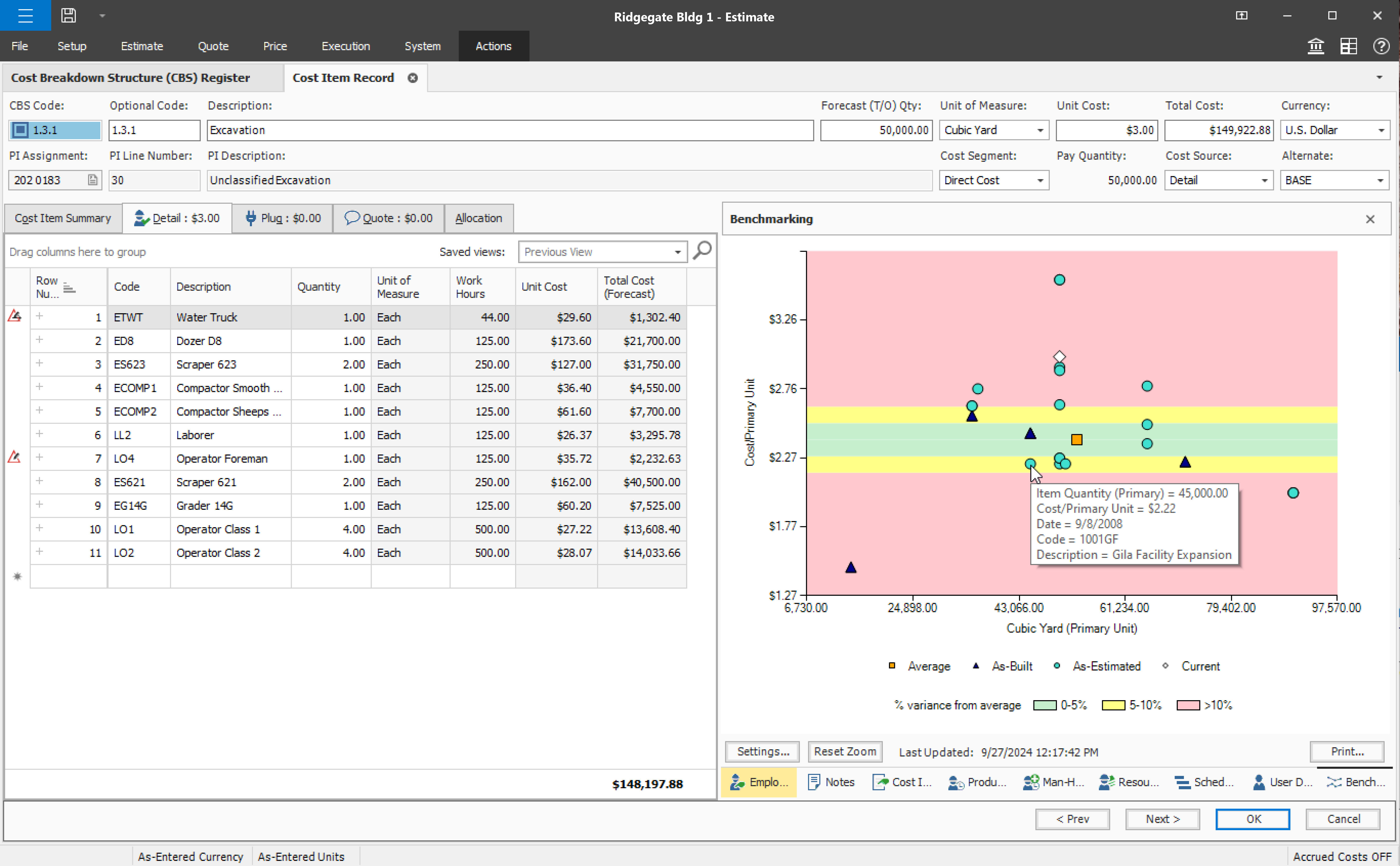
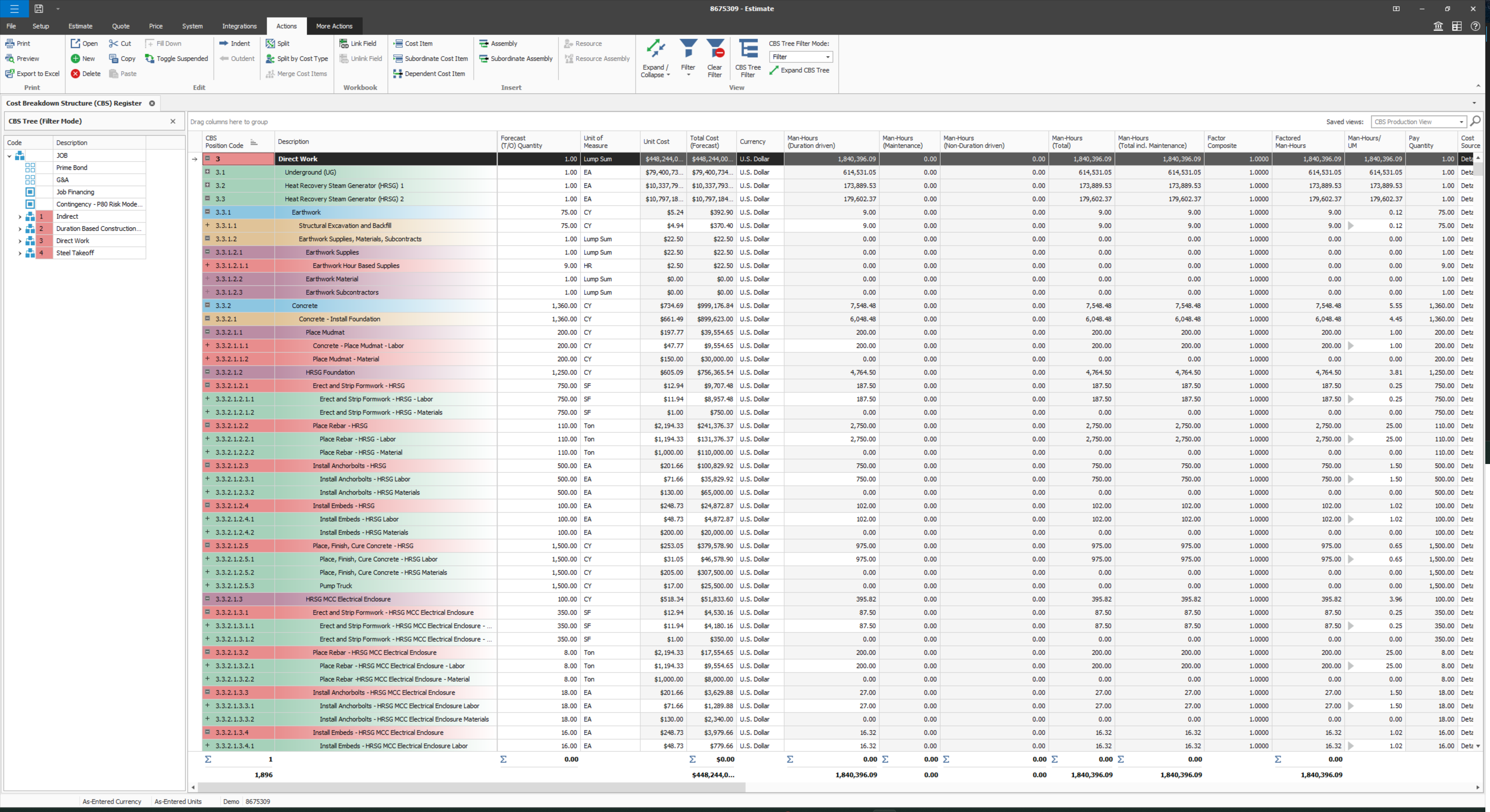
User defined views and descriptions for all screens.
Customizable ribbons to provide an efficient use of the software.
Multiple layers/dependents to allow for an extreme drill down of the work and the ability to roll up to a more useful level for upper management review.
You can bid the work as you would build it, in detail.
Provide a simpler version (cliff notes) of the knowledge database
Offer versions of InEight for smaller companies, i.e. less than 20 emplyees, under $5M in revenue
When an estimate is complete, offer a dialog box to ask if the job was won, lost, or still in progress. We tend to leave most of our estimates in the bidding column. This is a user error, but the prompt would be helpful.
A link to BIM 360 Model Coordination is a serious shortcoming. It used to be easy to link to models loaded to BIM 360 Glue for more in depth clash detection.
I would have liked the ability to export a simulation created in Navisworks to 3DS Max for a more immersive animation with decent material mapping and better animation tools.
I would like to be able to view/create BIM 306 Docs/Field issues directly in Navisworks. In the current workflow we have to use other file formats to work within BIM 360. It would be more productive to be able to navigate the model through Navisworks and to create viewpoints and issues from within Navisworks.
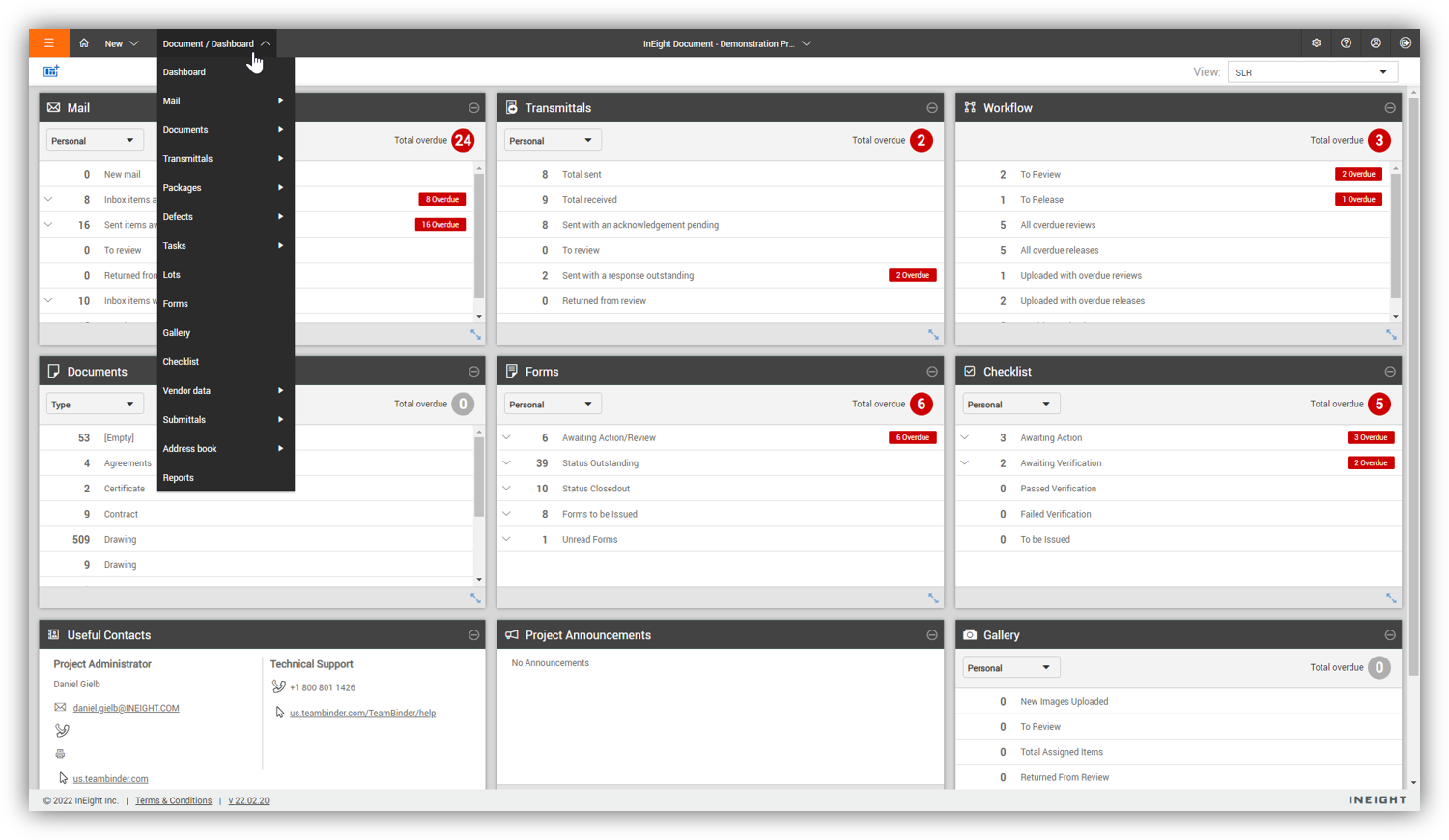
Some features with InEight's TeamBinder are worthy of single use, however the review feature and subsequent revision and version numbering could be improved. We will be aiming to roll out the package to encompass our internal documentation in the near future and will be in a better position to judge the usability after that point in time.
We will undoubtedly renew Procore as it has proven itself to be a means to better track and improve upon our efficiency and communications between job sites and their project managers as well as all other departments. Procore has made an incredible impact on how we, as a company, do our job on all levels; it is one of our most powerful and effective resources.
I would give it an 8 out of 10 because the software can be a bit cumbersome to new users. It also takes a long time to set up the library and input all of your companies needs so that the software will provide the level of service required to estimate projects. However, once the software is set up it is a powerful tool. We only use a portion of what the software is capable of delivering
90% of Procore is very intuitive and any user can pick it up and go. There are a few elements, more so on the Financials side that need some prior knowledge of systems in order to understand how and why it functions as it does. Once this is understood, it flows effortlessly
If you are working in an area with little to no signal, Procore will still allow you to get in the system and use it fully and will then update once you are at a place with a strong enough signal. Whether it be with wifi or LTE cell phone reception.
We are new to the use of the system, and so far, we have not reached out for any support. The only support we have requested so far is the development of a training program that involves other staff - some are to learn the use of the program, and some are for informational purposes in understanding the capabilities of InEight.
Autodesk owns Navisworks, and it seems to have a pretty good support network. A lot of the troubleshooting or support information is provided through an online database, so you most likely would not be getting any personal attention with your issues. Since there are so many users for Navisworks, there is a lot of information on the web.
General Support for Project Management and Financials is consistent. The ERP support is never consistent and I do end up at times in a black hole. I have to continually reach out to get the issue resolved or get an update. The ERP support needs more of Procore's attention
Procore's Implementation Team does a great job of ensuring users are confident in using the system. They run through a process of training sessions based on the tools you have purchased, and lay ou ta plan to help the power users configure the tool to suit the company's needs. They provide useful resources for certifications, support and ongoing training as well.
Procore's certification program and focused how-to training videos allowed for easy training that did not feel overwhelming. The way the certification programs were broken up into small parts made it seem much less daunting to complete. The training feels focused and does not overload users with too much information all at once.
Since the original inception, I have been required to overhaul the system so that it is more user friendly and combines both aspects of our business, documentation and drawings. Being able to control revision and version numbering has been a key struggle that only staff training has been able to mark this as complete.
Iron out your cost code list in your accounting software before you link with Procore. Once the link is established that list is more or less permanent. Review the permission matrix carefully. It controls so much. You want to ensure the information provided to your users adequate but you also want to protect your sensitive data. Procore Financials are organized in a total contract value style. Any markup or Profit will need to be sent somewhere on your budget. This may be significantly different than the Cost budgeting that many contractors do
We looked at HCSS and Bid 2 Win but chose Ineight due to the fact that it seemed more user friendly, plus I had used it at a former company when it was available from the Grantlun Corporation and was very familiar with it in its ease of use and reliability.
Navisworks is a master tool if we want to do any 3D model coordination with any trade of a building. It allows us to view our model content with all elements to visualize and understand for certain where our design stands in terms of accuracy and how all things can be assembled on site. Navisworks also comes with a lot of additional tools to make BIM process easy.
Procore has a clearer user interface and a wider variety of tools than any program I've used. Procore also lives up to their name in terms of helpful and fast customer service. There is always a Procore rep. that is available to contact, making any problems just a mini hurdle.
InEight is a good system that has scaled nicely as the company has grown. the tools are still readily available and applicable for our larger scope of work. It has kept up with the growth of the company very nicely