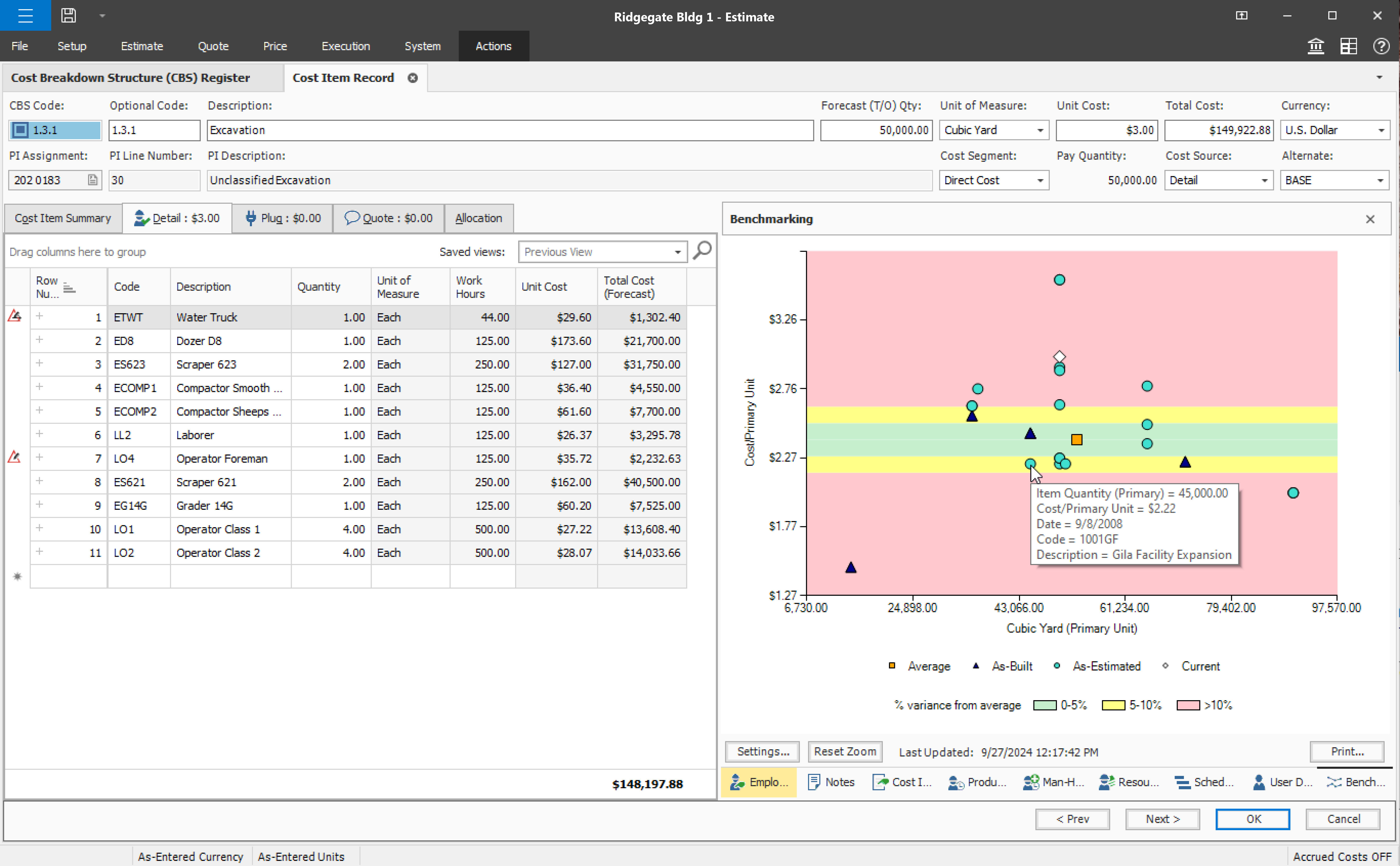
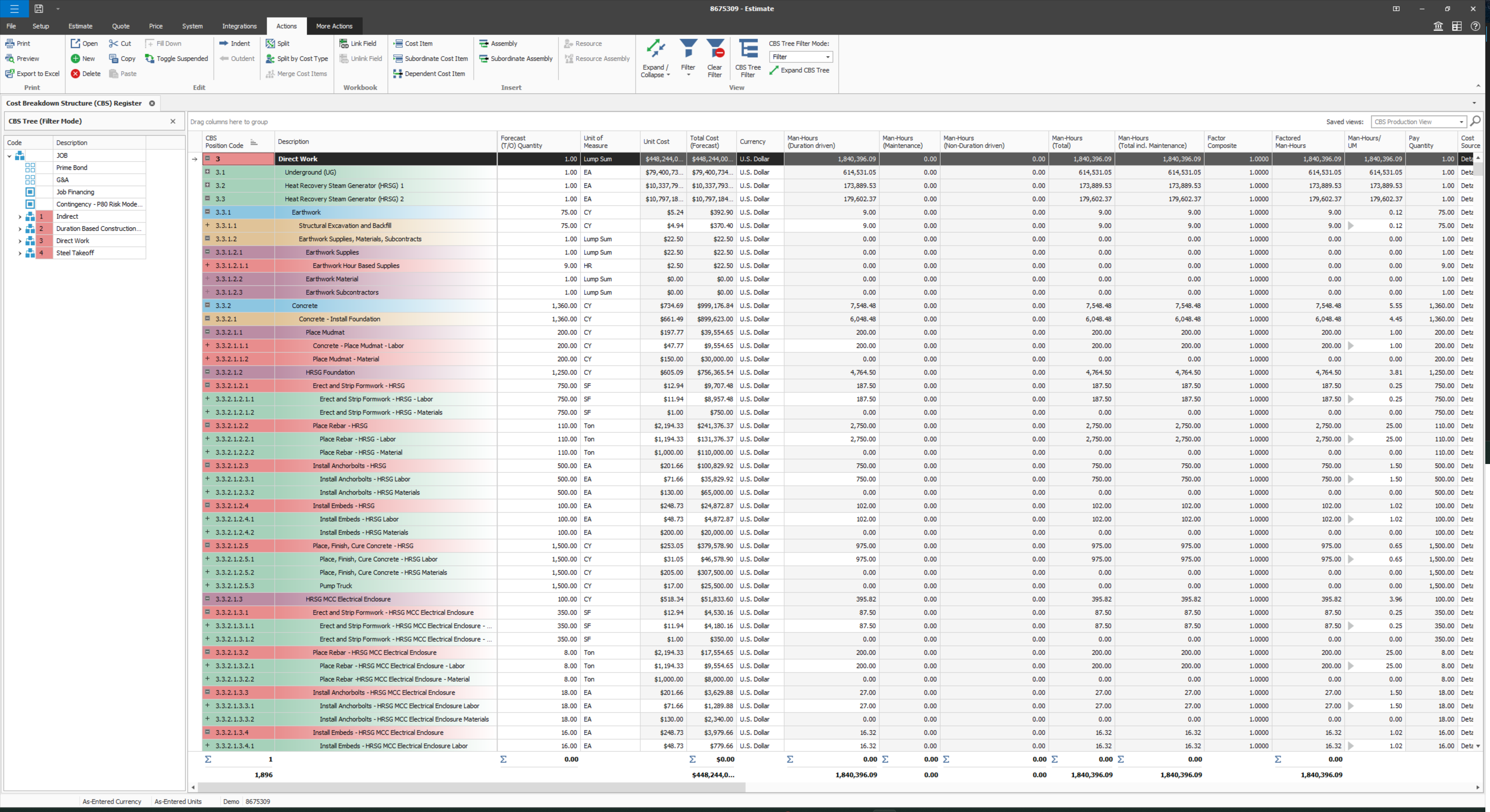
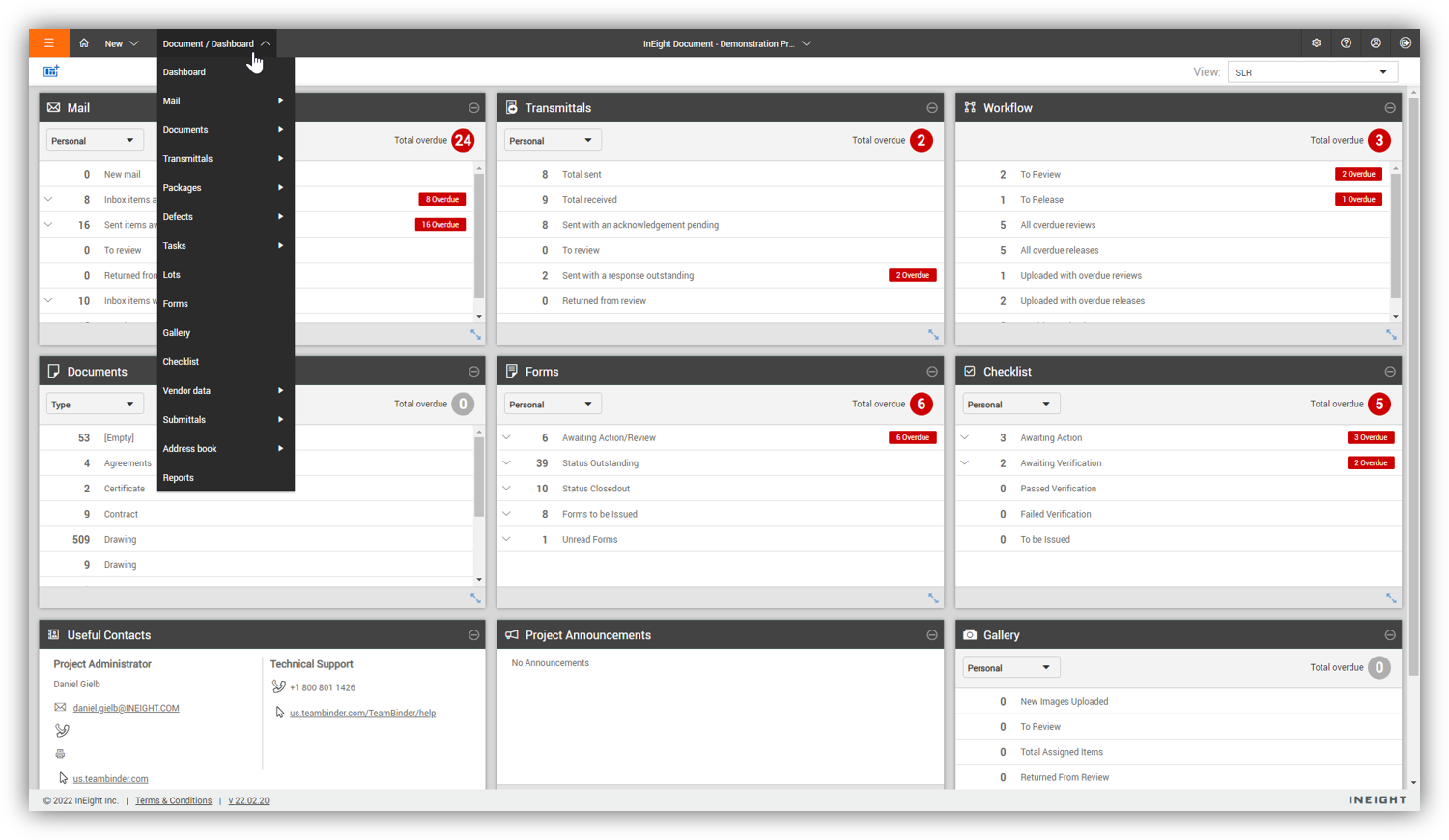
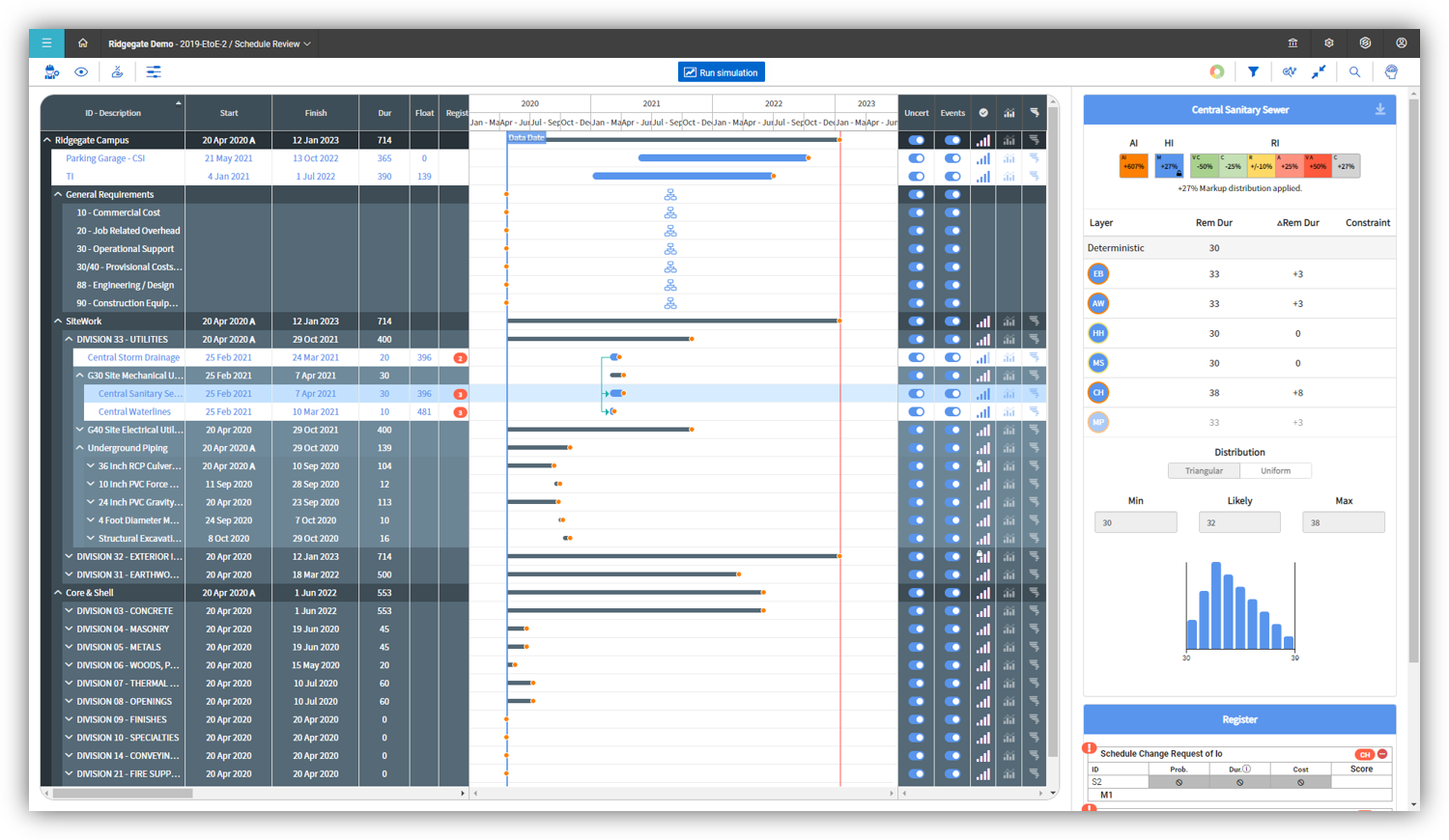
InEight's modular project controls software connects complex project data to improve visibility and delivery in capital construction.
N/A
Smartsheet
Score 8.4 out of 10
N/A
Smartsheet is an online project management and collaboration tool. It includes automated alerts, instantaneous updating and sharing across team members, resource management, nested tasks organized in a hierarchy, a Gantt chart view, exportable and automated reports, and integration with email.
$12
per month per user (up to 10 users)
Zoho Projects
Score 9.3 out of 10
N/A
Zoho Project is online project management and planning software that provides project teams with a web-based collaborative environment. Zoho Projects can also include a bug tracking module specifically design to support software development project. It is integrated with other Zoho products including Zoho CRM.
$5
per month per user
Pricing
InEight
Smartsheet
Zoho Projects
Editions & Modules
No answers on this topic
Pro
$12
per month per user (up to 10 users)
Business
$24
per month per user (3 user minimum)
Enterprise
Contact Sales
Advanced Work Management
Contact Sales
Free
$0
Premium
$5
per month per user
Enterprise
$10
per month per user
Project Plus
Contact Sales
Offerings
Pricing Offerings
InEight
Smartsheet
Zoho Projects
Free Trial
No
Yes
Yes
Free/Freemium Version
No
No
Yes
Premium Consulting/Integration Services
No
No
Yes
Entry-level Setup Fee
No setup fee
No setup fee
Optional
Additional Details
InEight offers a modular, integrated project controls platform. Because the InEight platform covers the entire construction lifecycle, customers purchase the software based on their specific needs – purchasing stand-alone products, a bundle of products, or the entire platform. As a result, the pricing will vary depending on the specific product, number of users and length of contract. Once InEight has identified the highest impact areas, they offer potential customers a custom proposal. The options they consider include:
Per user pricing: typically annual subscriptions.
Revenue-based: using a percentage of the customer’s revenue.
Project-based: software use dedicated to a specific project or program of work.
Smartsheet is less user-friendly and more like a spreadsheet tool. Community Building (in the case of Smartsheet) is not encouraged within a millennial staffed company.
Zoho Projects is far superior as a project management tool compared to the simple ones we investigated. The pricing was very competitive to the market and the free trial helped out with our proof of concept. Compared to Workfront, you get similar functionality but at a …
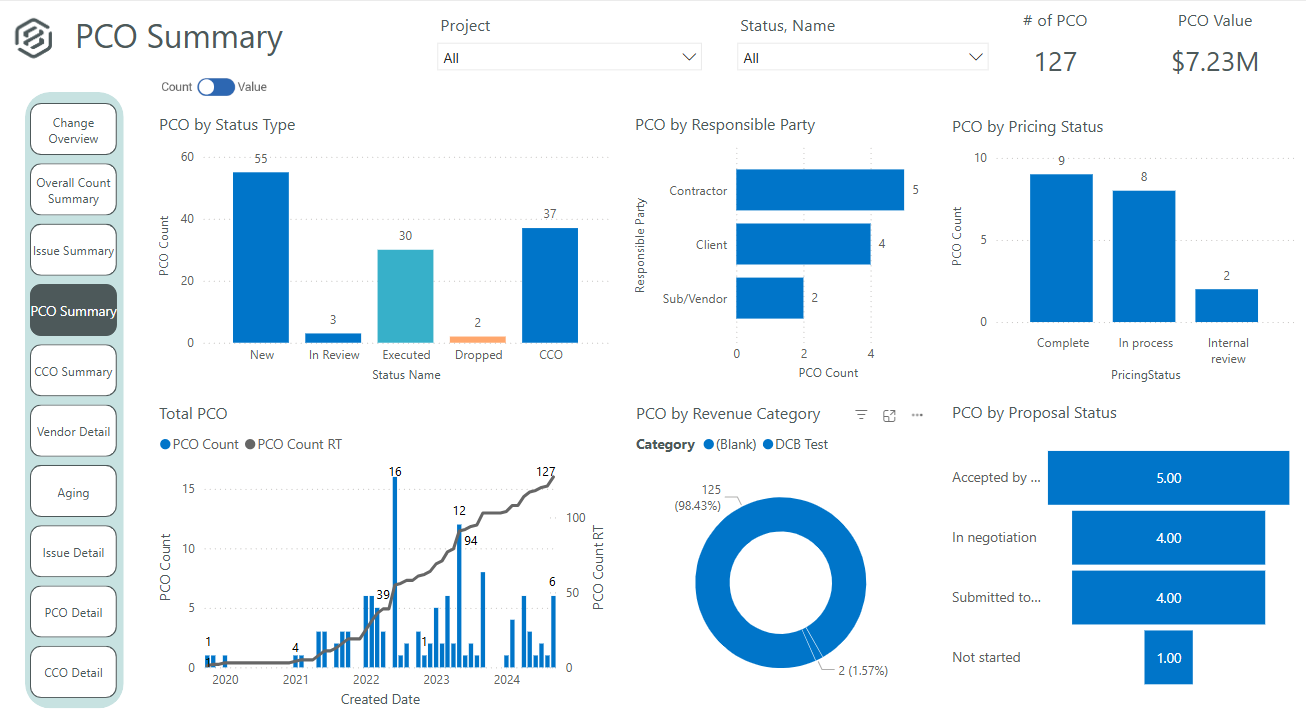
It's definitely a good tool for progress tracking, as well as time tracking. The ability to forecast quantities provide an even better scenario, closer to the reality, supporting even change management. The change management is also a good method, besides the fact of rework if you think in the whole process of issue creation, promoting to PCO, promote to CCO, execute the issue, move to change in controls, and so on... just now I think having all in a single place would minimize the manual work and maybe increase the engagement on it. About a negative point, I'd use a feature that appears to be in all modules. It's pretty much a cosmetic, but it impact in the productivity, a lot. For all fields you will fill with information, whenever your mouse hover over it, a tooltip appears, impeding you to continue, so you have to walk around, click in a place that's not being covered by that tooltip, go back to your keyboard and continue... again, it's a cosmetic, but having this in a Monday, with a full job to plan, claim quantities, and whatever else, it's annoying.
Smartsheet shines for collaboration. When you have multiple people involved with planning events Smartsheet makes it easy to share and collaborate. For instance, multiple people can be in Smartsheet working at the same time. Also setting permissions for exactly those who need to know is quite easy with Smartsheet. For data analytics and general spreadsheet purposes Excel is better but for project management and event planning Smartsheet is superior
My work involves projects of 5-15 people with numerous projects running simultaneously. Prior to Zoho, I did not have a central location from which to view all project statuses at once. Zoho looks to provide this and also looks like it will deliver. I am anxious to see how our organization's use of it develops. At this time, I feel I am likely to recommend Zoho Projects because my organization has made great software decisions in the past so I have a level of trust already that the research has been done that Zoho is the best solution for our line of work.
User defined views and descriptions for all screens.
Customizable ribbons to provide an efficient use of the software.
Multiple layers/dependents to allow for an extreme drill down of the work and the ability to roll up to a more useful level for upper management review.
You can bid the work as you would build it, in detail.
Its hard to overstate the value of familiarity. Being able to use a tool that has some familiarity takes away the time needed to train and orient employees on a new tool and allows an organization to hit the ground running.
Smartsheet covers most of the basics of a project management tool, the usual tasks, milestones and project viewing options.
For data viewing, you get multiple data viewing options including a calendar view (good for marketing teams and those who work around scheduling), Kanban, Gaant etc
We use it to manage our sales orders as there are lots of moving parts which are necessary to get client orders done properly.
I use it anytime I have a new idea I want to put into motion. As I can create a list for brainstorming, feedback, specific actions necessary in order to test and or implement the idea.
Unrelated to business, it's a great way to plan travel in order to make sure you don't forget those important things like passport, flight arrangement, client meeting confirmation, and meeting prep as far as what specific documents or things do you need to bring with you.
And since everyone is on the go and expected to keep up with work, the mobile/tablet app makes it a breeze to keep up, work on, and create new projects.
Provide a simpler version (cliff notes) of the knowledge database
Offer versions of InEight for smaller companies, i.e. less than 20 emplyees, under $5M in revenue
When an estimate is complete, offer a dialog box to ask if the job was won, lost, or still in progress. We tend to leave most of our estimates in the bidding column. This is a user error, but the prompt would be helpful.
Smartsheet set up is similar to Excel, yet when you upload an Excel file, things like conditional formatting are lost. Smartsheet has its own conditional formatting, and you have to reinstate the rules. It would be great if those would apply automatically once a file is uploaded
Some Smartsheet management and access rules can take some tweaking to work properly. This may be a case of offering more info to admins so they can apply these better and with more efficiency
Some features with InEight's TeamBinder are worthy of single use, however the review feature and subsequent revision and version numbering could be improved. We will be aiming to roll out the package to encompass our internal documentation in the near future and will be in a better position to judge the usability after that point in time.
It definitely meets our needs as far as organizing and archiving our tasks and files. As we train more staff to view it, I see opportunities for more improvement, which I am sure this program can handle. I look forward to seeing continued improvement from Smartsheet on their capabilities and functionality.
I've reviewed about 8 other project management solutions and Zoho Projects is the best I've seen without being overly complicated. Zoho Projects keeps getting better! Recent new enhancements makes it even easier to navigate. There are new keyboard shortcuts that cut my time way down. The tools are very easy to use.
I would give it an 8 out of 10 because the software can be a bit cumbersome to new users. It also takes a long time to set up the library and input all of your companies needs so that the software will provide the level of service required to estimate projects. However, once the software is set up it is a powerful tool. We only use a portion of what the software is capable of delivering
Smartsheet is very easy to learn. However, while I have been able to pick it easily, Microsoft Excel and Project super users that I have trained on Smartsheet get bogged down in the differences and can find it frustrating. Explaining the differences ahead of time and why Smartsheet is being chosen instead of a different software seems to counteract those reactions
Zoho Project has been very user-friendly. As a small business, we have a diverse group of people with varying skill sets. This platform has been easy for our team to learn, implement, and succeed with. The mobile version is also very handy for our team.
We are new to the use of the system, and so far, we have not reached out for any support. The only support we have requested so far is the development of a training program that involves other staff - some are to learn the use of the program, and some are for informational purposes in understanding the capabilities of InEight.
I give this rating because it fills a niche in the market. MS Project scares many away from proper task management but there are limited tools our there, especially cloud-based that are mobile-friendly. Smartsheet fills this market gap, especially for small to medium-sized businesses. IT is not fair to compare it to MS Project, but fairer to see what gaps it fills.
Although it might lack intuitiveness, once you get a hang of how Zoho Projects works, you can do a LOT. The impact good project management has on profitability is huge, and it has helped not only improve communication and coordination when working on a project, but more importantly have adequate tracking of time, due dates and potential bottle necks
Since the original inception, I have been required to overhaul the system so that it is more user friendly and combines both aspects of our business, documentation and drawings. Being able to control revision and version numbering has been a key struggle that only staff training has been able to mark this as complete.
It's absolutely paramount to take a few minutes to actually play with the software. It's nearly impossible to do anything wrong or make a mistake which cannot be fixed easily. Under the help menu is Live Training option. After you familiarize yourself with the commands, watch the live training for some in depth understanding of how to make the software fit your needs perfectly.
We looked at HCSS and Bid 2 Win but chose Ineight due to the fact that it seemed more user friendly, plus I had used it at a former company when it was available from the Grantlun Corporation and was very familiar with it in its ease of use and reliability.
Jira and Redmine are much more robust and technologically advanced project management solutions. I enjoy using either when managing a very large project. However, I prefer to use Smartsheet for my smaller to medium sized projects. As for Google Drive - I would say that Google sheets and Smartsheet are almost identical in my opinion when it comes to functionality. Personally I prefer to manage smaller projects via Google Drive, but it is a personal preference!
Zoho Projects provides a more limited set of functionality and customization options than other task/bug trackers on the market, but what it lacks in functionality it makes up for in ease of use. It probably has 80-90% of the features of its competitors but takes about a third of the time to get up and running and realizing value.
InEight is a good system that has scaled nicely as the company has grown. the tools are still readily available and applicable for our larger scope of work. It has kept up with the growth of the company very nicely
We needed a system to organize our growing business, so anything was better than what we had, which was nothing.
Recording time spend is a huge reason for using project software. It has made me aware of the tasks that are taking too long and where we are not being profitable as a company.
It has kept our team accountable for what needs to get completed and when projects are not in motion or completed timely. It's helpful to know in order to get billing out faster.