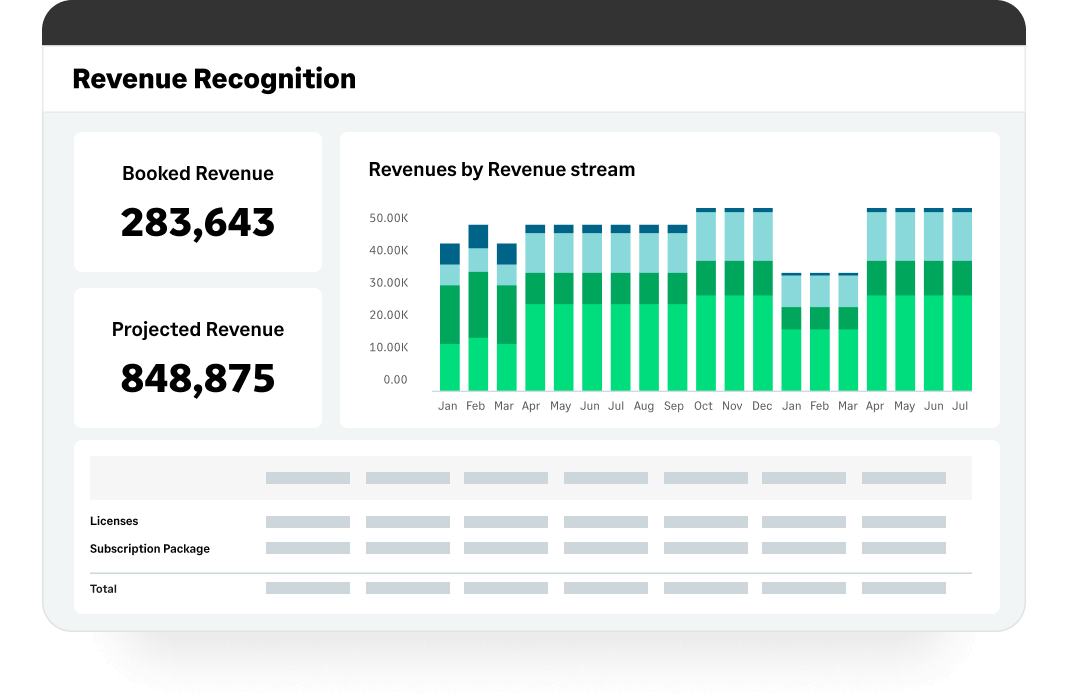
Sage Intacct is a cloud ERP system targeted at high-growth small and medium-sized businesses. Intacct includes applications for core financials and accounting, purchasing, order management, and financial reporting and business intelligence. It also integrates with 3rd party software like Salesforce.
N/A
Vista
Score8.2 out of 10
N/A
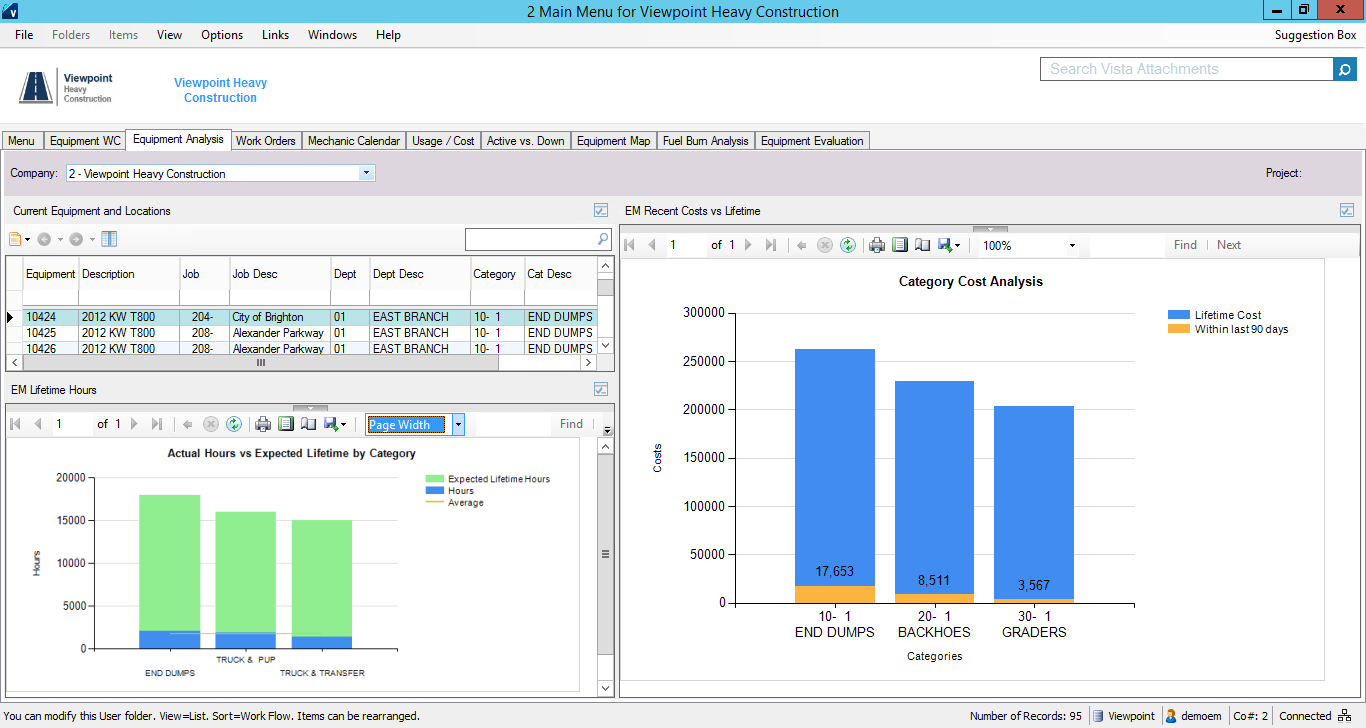
Viewpoint’s Vista is a construction accounting software. Vista’s core accounting features include accounts receivable and payable, general ledger, payroll and time management, and cash management. It also provides tools for document management, including document templates and reporting.
N/A
Pricing
Sage Intacct
Vista
Editions & Modules
No answers on this topic
No answers on this topic
Offerings
Pricing Offerings
Sage Intacct
Vista
Free Trial
No
No
Free/Freemium Version
No
No
Premium Consulting/Integration Services
Yes
No
Entry-level Setup Fee
No setup fee
No setup fee
Additional Details
Must contact sales team for pricing.
Prospective buyers may contact Viewpoint directly for a price quote.
It depends on the scale and nature of the organisation, but for a business like ours, i.e. a medium sized business with several entities operating in more than one location with different currencies, I think it is a very good fit. It is relatively easy to get to grips with and provides a good level of functionality.
A de minimis incentive was given to thank the reviewer for their time. The incentive was not used to bias or drive a particular response, nor was the incentive contingent on a positive endorsement. More Info
The company has made a commitment to the use of the Vista products and continue to move forward trying to implement more with the Vista HR Management. From timekeeping to onboarding in the near future we strive to look for better ways to utilize the products for our accounting and payroll purposes.
A de minimis incentive was given to thank the reviewer for their time. The incentive was not used to bias or drive a particular response, nor was the incentive contingent on a positive endorsement. TR verified that a representative sample of customers was invited. More Info
Excellent roll-up reporting of various categories of expenses across multiple depts. Data is not siloed when we want to find all revenue sources across business entities, for example, or even down to details such as what is spent on "discretionary" expense elements.
Coding nomenclature is flexible and makes sense across business areas. Again, this allows for both more effective capture of data and with reporting slices and iterations.
Sage Intacct's open architecture (availability of APIs and already existing hooks) has made integration with other system tool-sets easier than we would ever have thought.
A de minimis incentive was given to thank the reviewer for their time. The incentive was not used to bias or drive a particular response, nor was the incentive contingent on a positive endorsement. TR verified that a representative sample of customers was invited. More Info
A de minimis incentive was given to thank the reviewer for their time. The incentive was not used to bias or drive a particular response, nor was the incentive contingent on a positive endorsement. TR verified that a representative sample of customers was invited. More Info
Their payroll module is terribly slow and very clunky.
Job costing parameters are very strict and limited.
Each module interface has too many forms and screens.
There is too much flexibility regarding where to put information into the system. There isn't one place to do anything, which creates confusion for staff.
A de minimis incentive was given to thank the reviewer for their time. The incentive was not used to bias or drive a particular response, nor was the incentive contingent on a positive endorsement. More Info
Sage Intacct is continuously evolving and increasing it's functionalities. I am excited to attend conferences to learn what is in the roadmap for future releases. Additionally, using Sage Intacct allows me grow as a professional, I am really enjoy the knowledge that I have within the product to be able to share my experiences.
A de minimis incentive was given to thank the reviewer for their time. The incentive was not used to bias or drive a particular response, nor was the incentive contingent on a positive endorsement. More Info
It is extremely customizable and tracks so many complicated costs very well, more-so than other construction software programs out there that we've used in the past. It is also not an easy program to use for those even slightly not comfortable with a computer. The help sections/knowledge base could be better organized and updated more. It is a very powerful software program for our business and we rely on it hugely to see how our projects are running in real-time.
A de minimis incentive was given to thank the reviewer for their time. The incentive was not used to bias or drive a particular response, nor was the incentive contingent on a positive endorsement. More Info
The ease of use as a seasoned user is wonderful; however, new users struggle to adapt to the program efficiently. Better training videos--all in one location--would be beneficial. The use of a "sandbox" environment is a great tool for new employees or for the fiscal department to test certain journal entries or other transactions to verify accuracy of data.
A de minimis incentive was given to thank the reviewer for their time. The incentive was not used to bias or drive a particular response, nor was the incentive contingent on a positive endorsement. TR verified that a representative sample of customers was invited. More Info
I think that Vista's is an easy program to use very user friendly with lots of help features to allow the user to fix an issue without having to put a support call into Vista. The reporting and exporting capability's are strong.
A de minimis incentive was given to thank the reviewer for their time. The incentive was not used to bias or drive a particular response, nor was the incentive contingent on a positive endorsement. TR verified that a representative sample of customers was invited. More Info
There has only been one occurrence where Sage Intacct was not available to me, however I had already been working a number of hours trying to get a project completed. It honestly allowed me to step back and take a much needed break.
A de minimis incentive was given to thank the reviewer for their time. The incentive was not used to bias or drive a particular response, nor was the incentive contingent on a positive endorsement. More Info
Only issue is when there is an upgrade - it takes several times to get back logged in. Otherwise no issues with getting on to the program. We are set up on lap top or on the remote desk top. Works 90% of the time
As fas as integration is concerned I don't feel this slows Sage Intacct down at all. However, sometimes I do feel it takes some larger reports more time to load due to all the detail. As well as, I "move very fast" in my motions so sometimes I double click on fuctions too quickly and the system seems to think that I have a duplicate request.
A de minimis incentive was given to thank the reviewer for their time. The incentive was not used to bias or drive a particular response, nor was the incentive contingent on a positive endorsement. More Info
No issue downloading the reports - I do find sometimes it is easier to export and save than it is to print to a pdf. Options on the different reports not consistent. You can print a couple projects on the JC Contract Status Report - but you have to do each project for the JC Cost by contract item - when neither one is a drill down - not a big deal
Only a few times have we had to reach out to support, and every time we did, we received a relatively quick response and a solution was found fairly quickly. Only once was there an issue that took longer than a week to resolve, but it still did eventually get solved.
A de minimis incentive was given to thank the reviewer for their time. The incentive was not used to bias or drive a particular response, nor was the incentive contingent on a positive endorsement. TR verified that a representative sample of customers was invited. More Info
When privately owned, it was very good, then dropped when owned by Bane Capital Investments. Now that it has been bought by Trimble and has a home, support is back up again. Response time is better than most software companies, and the information provided is good. They have Chat support for quick answers, and a good Knowledge Base and video libraries.
I have taken in person training classes at several of the annual Sage Intacct user conferences. It is very interactive and the trainers are very easy to follow and understand. They are great at getting everyone in the class involved. They also make sure everyone has learned to task before moving to a new one.
A de minimis incentive was given to thank the reviewer for their time. The incentive was not used to bias or drive a particular response, nor was the incentive contingent on a positive endorsement. More Info
The free training is very minimal. For what we pay for the service, I would like more training. We end up training new users in-house because the provided free training is not nearly comprehensive enough. That being said, the training provided, for the material covered, was adequate and relevant for the given topics.
A de minimis incentive was given to thank the reviewer for their time. The incentive was not used to bias or drive a particular response, nor was the incentive contingent on a positive endorsement. TR verified that a representative sample of customers was invited. More Info
Excellent training! They keep you on track to insure your implementation is going as planned. There are ample ways to receive additional training and training can be provided by position type. If you put on the effort, the training is there.
I would not use a thrid party administrator to implement your system, especially if you are going to be modifying the system at all. Use Intacct implementors as they will be able to better support you on any issues that come up after you go live.
A de minimis incentive was given to thank the reviewer for their time. The incentive was not used to bias or drive a particular response, nor was the incentive contingent on a positive endorsement. More Info
The trainer Viewpoint sent did not understand the processes, he only knew where the modules were located. He had no understanding of the actual process itself.
A de minimis incentive was given to thank the reviewer for their time. The incentive was not used to bias or drive a particular response, nor was the incentive contingent on a positive endorsement. More Info
We evaluated Sage Intacct alongside many other options, but Blackbaud and NetSuite were the frontrunners. They all were cloud-based and capable systems, but for our team, Sage Intacct was the clearer choice for a few reasons. First, usability. Our team has varying levels of accounting experience, and Sage felt more intuitive across those different levels. The others could be powerful, but it also felt like it required more technical depth to navigate day-to-day, which was a concern for a small team. Second, functionality out of the box. Sage Intacct had more of what we needed built in without requiring a significant number of add-ons, which kept the solution simpler and the pricing more predictable. Third, nonprofit fit. Sage Intacct is purpose-built for organizations like ours, and that showed in the functionality available and the system's overall design. And finally, our implementation partner, RSM, was well-versed in Sage Intacct and gave us confidence that we would have the right support behind us. That partnership was part of the overall value of choosing Sage.
A de minimis incentive was given to thank the reviewer for their time. The incentive was not used to bias or drive a particular response, nor was the incentive contingent on a positive endorsement. More Info
I personally have not used another ERP system other than Viewpoint Vista. I am sure there are others out there, but from listening to my managers experiences before Great Basin Industrial implemented Viewpoint, the other options were less superior to what Viewpoint offers. I think if you are looking for an ERP system in the construction industry, then Viewpoint is the way to go
A de minimis incentive was given to thank the reviewer for their time. The incentive was not used to bias or drive a particular response, nor was the incentive contingent on a positive endorsement. TR verified that a representative sample of customers was invited. More Info
A de minimis incentive was given to thank the reviewer for their time. The incentive was not used to bias or drive a particular response, nor was the incentive contingent on a positive endorsement. More Info
A de minimis incentive was given to thank the reviewer for their time. The incentive was not used to bias or drive a particular response, nor was the incentive contingent on a positive endorsement. More Info
For a small business - this program is well used in the accounting and operations. The two different work plans are set up for success. Alot of the programs we do not use - but like the reports that are generated - one disadvantage if you do not know crystal reports you cannot edit your form to meet your needs so there is a lot of printing different several forms to get all the information you need.
A de minimis incentive was given to thank the reviewer for their time. The incentive was not used to bias or drive a particular response, nor was the incentive contingent on a positive endorsement. More Info
Positive - It runs better than our old software when we all work together, rather than having to sign off on each other and deal with syncing issues.
Negative - It's not as easy to go back to fix an amount, a date, etc. Sometimes, a very small mistake needs to be corrected by voiding and redoing the entire transaction.
We can successfully sync other software we use with Intacct! It reduces workload when things are automated.
A de minimis incentive was given to thank the reviewer for their time. The incentive was not used to bias or drive a particular response, nor was the incentive contingent on a positive endorsement. TR verified that a representative sample of customers was invited. More Info
Not sure I can speak to this as the company moved to Viewpoint before I began here. I think it is helpful for the Project Management and Superintendent staff to easily review how specific job items went, which we do in the PM contract drilldown analysis
A de minimis incentive was given to thank the reviewer for their time. The incentive was not used to bias or drive a particular response, nor was the incentive contingent on a positive endorsement. More Info