Jotform Enterprise is a digital workspace productivity tool that provides a platform for organizations. The aim of Jotform Enterprise is to give companies an easy-to-navigate tool that makes reaching out to customers, collaborating with coworkers, and collecting e-signatures and data a more seamless process. Jotform Enterprise strives to enable companies to make data-driven decisions without compromising when it comes to quality and security. It doesn’t matter what type of…
$0
Optimal
Score 9.1 out of 10
N/A
Optimal Workshop, a company in New Zealand, offers their suite of user research tools on a subscription basis, including the Treejack information architecture tool, OptimalSort card sorting test, Chalkmark first-click testing, and other tools.
$2,388
per year
Webtrends Analytics
Score 4.4 out of 10
N/A
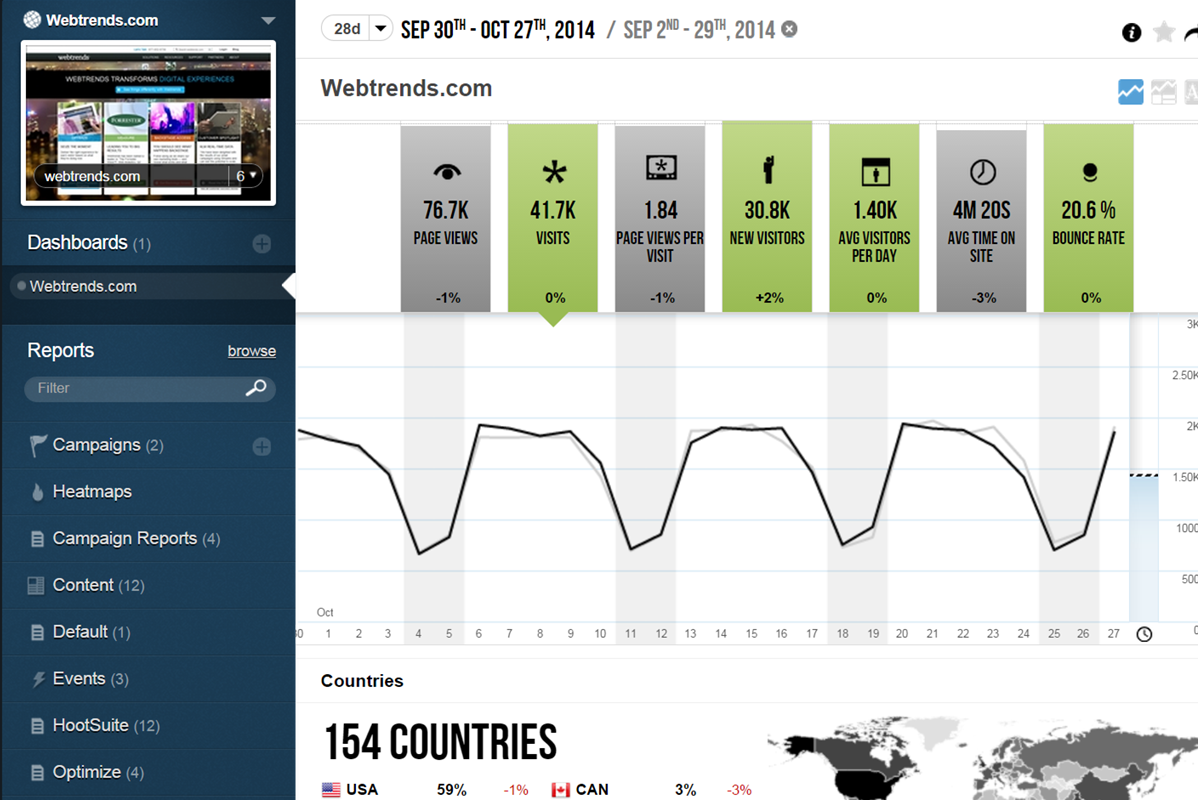
WebTrends provides an enterprise web analytics platform and, according to Forrester, has a strong focus on support for mobile and social channels and a very open platform. Webtrends competes directly with Adobe Site Catalyst, IBM Coremetrics. and comScore DigitalAnalytix.
N/A
Pricing
Jotform
Optimal
Webtrends Analytics
Editions & Modules
Free
$0.00
Bronze
$34.00
Monthly
Silver
$39.00
Monthly
Gold
$99.00
Monthly
Enterprise
Custom
Starter
$2388
per year
Enterprise
Custom
No answers on this topic
Offerings
Pricing Offerings
Jotform
Optimal
Webtrends Analytics
Free Trial
Yes
No
No
Free/Freemium Version
Yes
No
No
Premium Consulting/Integration Services
No
No
No
Entry-level Setup Fee
No setup fee
No setup fee
No setup fee
Additional Details
—
—
—
More Pricing Information
Community Pulse
Jotform
Optimal
Webtrends Analytics
Features
Jotform
Optimal
Webtrends Analytics
Survey Format & Appearance
Comparison of Survey Format & Appearance features of Product A and Product B
Jotform
7.9
163 Ratings
1% below category average
Optimal
-
Ratings
Webtrends Analytics
-
Ratings
Survey templates
8.6139 Ratings
00 Ratings
00 Ratings
Themes
7.5147 Ratings
00 Ratings
00 Ratings
Custom logo/branding
7.6153 Ratings
00 Ratings
00 Ratings
Survey Content
Comparison of Survey Content features of Product A and Product B
Jotform
9.0
150 Ratings
6% above category average
Optimal
-
Ratings
Webtrends Analytics
-
Ratings
Changes to live survey
9.1126 Ratings
00 Ratings
00 Ratings
Question design help
9.1124 Ratings
00 Ratings
00 Ratings
Multiple question types
8.7147 Ratings
00 Ratings
00 Ratings
Survey Logic
Comparison of Survey Logic features of Product A and Product B
Jotform
9.4
126 Ratings
12% above category average
Optimal
-
Ratings
Webtrends Analytics
-
Ratings
Survey logic flexibility
9.4126 Ratings
00 Ratings
00 Ratings
Survey Reporting & Analytics
Comparison of Survey Reporting & Analytics features of Product A and Product B
Jotform
8.3
153 Ratings
3% above category average
Optimal
-
Ratings
Webtrends Analytics
-
Ratings
Response tracking
8.0144 Ratings
00 Ratings
00 Ratings
Data export
9.0146 Ratings
00 Ratings
00 Ratings
Standard reports
7.8132 Ratings
00 Ratings
00 Ratings
Custom reports
8.2124 Ratings
00 Ratings
00 Ratings
Analytics
8.6114 Ratings
00 Ratings
00 Ratings
Survey Administration & Security
Comparison of Survey Administration & Security features of Product A and Product B
Jotform
9.1
127 Ratings
5% above category average
Optimal
-
Ratings
Webtrends Analytics
-
Ratings
Access controls
9.1123 Ratings
00 Ratings
00 Ratings
Compliance
9.1116 Ratings
00 Ratings
00 Ratings
Survey Distribution
Comparison of Survey Distribution features of Product A and Product B
We use it for mostly community surveys and I absolutely prefer it over any other survey program out there. It is easy to create, easy to understand and easy to navigate. I love the QR code option it creates for you to share your form/ survey with others. It really is the best out there!
Optimal Workshop is great for UX testing for those with a budget to do so. This may be a little on the expensive side for smaller businesses, but definitely not anything crazy expensive. The insights that you get out of these tests are invaluable and can be the difference between launching a site and succeeding/failing.
Scenarios 1. If you want to use web server log files as input to your web analytics, then Webtrends will provides a good product, with great ease of implementation. Don't even think about being cheap on hardware, and make sure Webtrends runs on real servers, not in a VM environment. 2. If you want to use Data Tagging, similar to Google Analytics or Site Catalyst, Webtrends has a powerful product, just be prepared to pay. 3. If you are new to Web Analytics, but it is the strategic direction, start with Webtrends on Premises. Questions to Ask 1. What are you trying to accomplish? 2. Can you place a dollar value on the benefit that you expect/need from Webtrends? 3.Can you live with Webtrends running SaaS?
Tree Testing - it is a very simple and easy to use system, that provides the data needed from a tree test
Card sorting - provides a system for users to participate in navigation menu layouts. We looked into several options, but this seemed very intuitive for users.
Control privacy, data sharing and competitive industrial knowledge using Webtrends on premises
Great control over custom reports, custom dimensions and metrics
Flexible tool which allows multiple methods of data capture. To my knowledge it was the first tool with a Tag Builder / Tag Management function built in via a supporting website.
The recruitment panelists are not professional, nor do they take the tasks seriously. You are going to get a lot of bad data.
They are HQ'd outside the US and must have a small team because the customer service is the absolute WORST I've experienced in their industry.
They pride themselves on documentation, but when they fail to document something they blame the customer for the mistake.
There are way too many limitations with the tool after you launch, limited integrations, and poor survey questionnaire options. The tool itself is far too basic for most sites, especially B2B.
The big downside, the elephant in the room, is that it does not (as of right now) have on-demand segmenting, drilldowns, etc. You have to think of what you want in advance and create those reports then analyze some data. This is huge. You can, of course, re-analyze old data after creating new reports but you still have to wait. (This deficiency may become obsolete with the release of Webtrends Explore later this month (May 2014).)
It has fewer mature integrations with other products and databases than competitors do, although I'm told it works with SharePoint better than anything else does.
Its attribution modeling capability is behind Google Analytics'. In my humble opinion, this could be changed quickly if Webtrends would make some tweaks to its standard visitor history files (i.e. preserve the order in which past visits were sourced beyond the single most recent one, rather than storing all those past sources as a randomized list).
It doesn't incorporate statistical tests, confidence intervals, or statistical associations. However, this same criticism can be applied to its competitors (other than A/B Testing products). It's a tabulation program, as they all are. In this respect, web analytics tools as a group are relatively primitive. Sorry to bring this up as a criticism of Webtrends but it's my pet peeve about the whole industry and I just have to say it. (p.s. take advantage of the heavy-duty Webtrends Scheduled Export functionality to get really granular data that you can feed to a stats program to get significances.)
Although the documentation, help screens, phone support and the knowledge base have improved tremendously in recent years, there is still a pretty steep learning curve because it is different from the tools that entry-level users may have already been exposed to. This can be a shock and many users are alienated at first because they just don't get some of the fundamentals at first. I'd like to see much better help screens that are thoroughly interlinked with the KB and documentation. Having superb online support would make a world of difference with the adoption of this basically powerful tool.
I would be willing to try Webtrends again AFTER some research from other users. I would need to see that users mention better and faster customer support on questions and issues that arise while using the software. The software is capable of vast and incredible things, but if it isnt properly set up and supported during use, it is just a big hassel and waste of everyones time and money.
As a seasoned user who relies on seamless online forms for a multitude of purposes, I can confidently attest that JotForm has not only simplified the form creation process but has also elevated it to new heights.JotForm's interface is a masterpiece of intuitive design. Even if you're a newcomer to the world of online form creation, the platform's user-friendly layout will have you crafting professional-grade forms in no time.
I would rate Optimal Workshop's overall usability 9 out of 10 due to several key factors. Firstly, the platform has a user-friendly interface makes navigation straightforward, even for first-time users. The tools and features are well-organized, ensuring users can quickly find what they need without unnecessary complexity. Secondly, the platform is highly intuitive, meaning users can easily understand how to perform tasks without extensive guidance. This is supported by clear and concise instructions throughout the application, reducing the learning curve significantly.
Additionally, the learnability of Optimal Workshop is exceptional. New users can become proficient in a short amount of time, thanks to its well-thought-out design and helpful onboarding materials. Even more advanced features are presented in a way that feels approachable and manageable. Finally, the platform supports a seamless workflow, allowing users to focus on their research or tasks rather than struggling with the software. These qualities collectively make Optimal Workshop a reliable and efficient tool for many projects, justifying its high usability rating.
If I could give it a 0, I would. Not having an intuitive user interface made it impossible to convince non-analytic business users to use the tool on their own. Even as a seasoned analyst, frequent calls were needed to get what should be simple tasks done. Account managers don't understand the tool either, and have to refer you to technical support
The v9 admin interface and v10 reporting interface work as well as expected, but have a tendency to be pokey, especially for bulky reports and whenever you're connected to wifi. I much prefer using the REST API for all reporting for this reason, which simply dumps out the data and doesn't bother with the user interface.
I honestly have not used the support feature with Jotform. From what I can see when I look information up, everything I want to do something that I can't figure out myself it seems to not be a possible solution or edit that Jotform is currently capable of.
We’ve never had to use much of their support services since the platform is very easy to use, we have however needed to transfer ownership between team members due to people leaving or other circumstances. Under those situations, the support offered to us has been been very quick and efficient and we never had to nudge them much to get the job done.
I once went on to Twitter to ask for help from my network of analytics people, and Webtrends themselves responded. They have been an excellent partner in making sure that their product is being used to the best of it's ability and I greatly appreciate that. Both Omniture and Google Analytics, do not have that level of support over social media
The in-person training was comprehensive enough to get you started, but I strongly recommend having a more experienced person when beginning with the tool.
Webtrends provides several free webinars over the course of the year, many of which I would expect to pay for. The people providing the webinars seem to have a good feel for real-world application of the product.
the most valuable things that Jotform give free trial, so the resistant users can get the experiences of the easiness and more handling to the digital things
Careful planning and patience. Use a non-public test site to fine tune tags and reporting. Despite best laid plans, there will be surprises when you collect the data, run the analysis and begin generating reports using the tool. Perform a tag audit to ensure tags fire as desired.
Typeform is better hands down [in my opinion]. It's not even a comparison as [I feel] JotForm doesn't work properly and [from my experience I think] their support is very problematic. I would suggest using Typeform or using GravityForms as an alternative to JotForm. Whatever you do, [I feel you shouldn't] depend on JotForm for something that is important to your business or research project.
For the price as it is very convenient for first-time beginners, its intuitiveness both for the one who is designing the activities and for those who have to interact with them. The fact that it collects and gathers the data into insights of the overall responses collected by all users.
Webtrends has its work cut out for itself considering you have the behemoth Google Analytics and Google Analytics Premium having a strong offering and brand recognition for the price of free. After reviewing the paid service I'd suggest you start off with GA as a cheaper alternative that is just as robust, if not much more flexible in regards to the reporting and goal tracking needs for our company.
It saved me time. Within minutes I was able to create and share forms to collect demographic data.
While struggling to use another software, I thought of Jotform and it was able to assist me with collating the data I had to confirm results previously obtained.
I could not easily identify what new information was provided in a resubmission by a respondent.
Webtrends has had a positive impact on site visitation because it allowed us to understand the sources by domain for site traffic and find out ways to increase visits from those domains.
Webtrends has also allowed us to understand areas of optimization on the site, which has had a positive impact on the overall user journey on the site, likely leading to longer site duration and engagement.