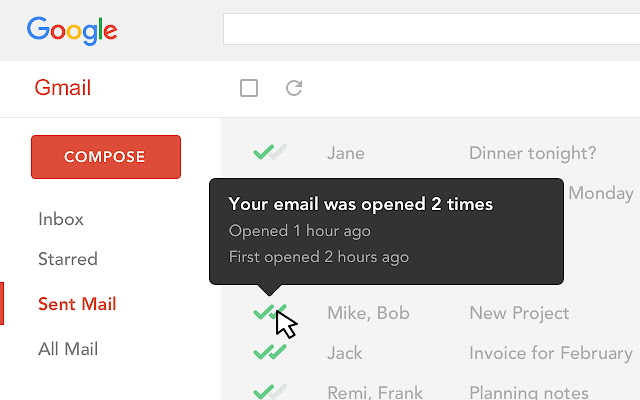
Mailtrack is a free email tracker for Gmail, boasting over 1,5 million active users. The vendor states users will Ffollow up with more accuracy, find out the moment emails have been read, track the…
N/A
Nimble
Score 7.7 out of 10
N/A
Nimble is a social customer relationship management (CRM) system with features such as contact management and data-driven analytics.
$15
per month
Yesware
Score 8.3 out of 10
N/A
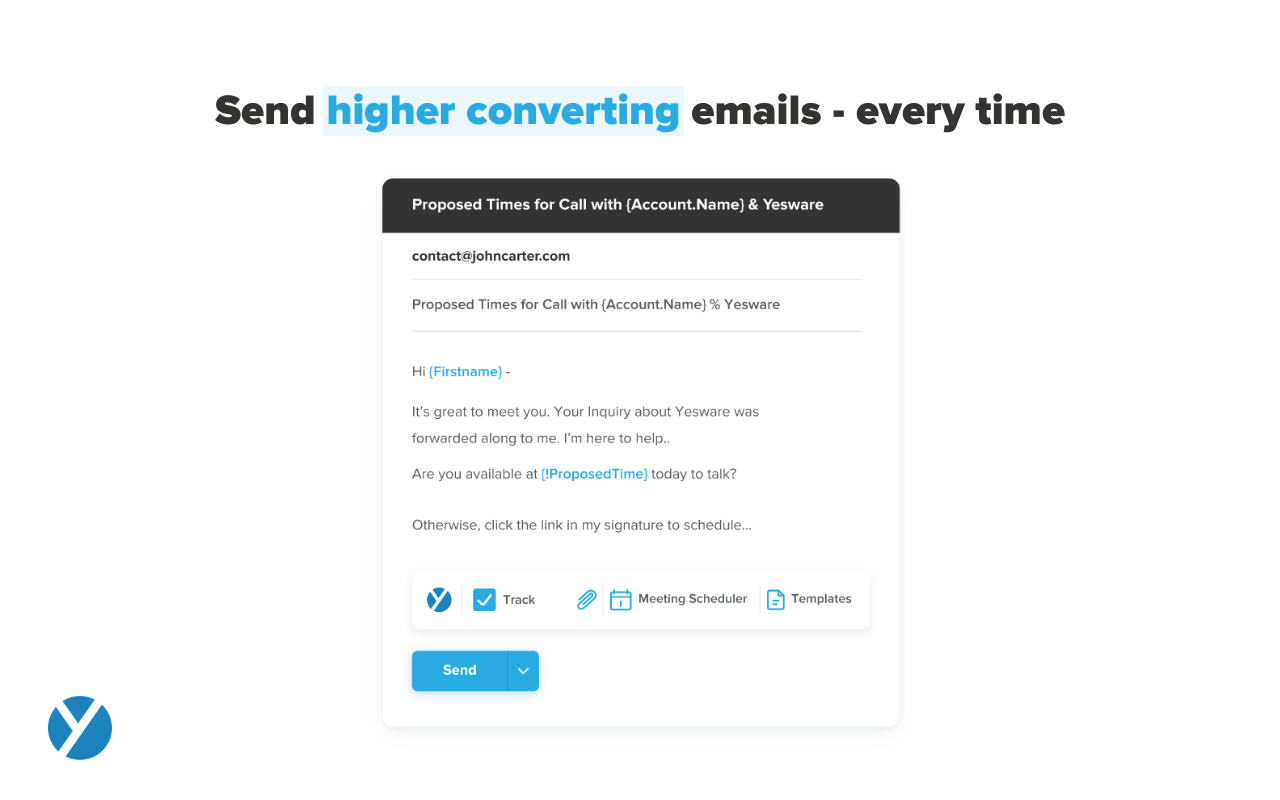
Yesware, from Vendasta since the October 2022 acquisition, is a service for salespeople that helps them close deals faster. An email service tracks email, templates responses and syncs to CRM.
$19
per month
Pricing
Mailtrack
Nimble
Yesware
Editions & Modules
No answers on this topic
Business
$19.00
Per User Per Month
Pro
$19
per month
Premium
$45
per month
Enterprise
$85
per month
Offerings
Pricing Offerings
Mailtrack
Nimble
Yesware
Free Trial
No
Yes
Yes
Free/Freemium Version
Yes
No
Yes
Premium Consulting/Integration Services
No
No
Yes
Entry-level Setup Fee
No setup fee
No setup fee
No setup fee
Additional Details
—
—
Annual plans save up to 23%.
More Pricing Information
Community Pulse
Mailtrack
Nimble
Yesware
Considered Multiple Products
Mailtrack
Verified User
Consultant
Chose Mailtrack
MailTrack is free to use in its limited use case, which is why it was it was selected before any other products at an individual capacity. It's super easy to use and I find it very accurate in doing what it's supposed to do. It's like the Apple of mail tracking, it just works. …
Mailtrack is great for tracking emails if you do not want to pay for larger more complicated tools that do the same thing. If you already love your system but just want to add some convenient read tracking, that's exactly what this is for. If you have a system that doesn't work well, I would take the time to evaluate alternatives that also include read tracking (Salesforce for example). This also applies if you're trying to use this for large outbound sales emails - there are a lot of applications that have email tracking built in (Outreach.io is a great example) so it may just be worth switching your whole system.
This tool is suitable for all sizes of organizations since it has the capacity to manage customer relations in the best possible way. Its features like task management, reports, social collaboration, and forecasting are always considered important for CRM and they all work without causing any trouble. But its Reports need to be more elaborate and its interface should be made easier and less tricky.
It works for my company and my problems. If you need a Sales CRM you can go for higher-end products that will give you what Yesware gives along with other stuff. Wherein we had specific problems we wanted to solve. -We needed a solution for a smaller team within our bigger sales team. -We needed a solution to be easy to use point and click and did not require any setup. -We needed to have a better solution to YAMM.
Tracking open rates, link click rates, and reply rates. This allows us to compare different templates in order to see which allows for the most interactions and meetings set directly from email engagement.
Seeing exactly when someone opens an email and whether it is in their normal location. Also if they are opening on a mobile device versus a computer to be able to organize the set up of the email in a more beneficial way.
Being able to save Templates for Mail Merges to avoid the duplication of effort that other mass email systems utilize.
The ability to unwrap iframe embeds on email (e.g. if I send a Vimeo link over email, have that video thumbnail show and link out to a video)
Removing recipients from a campaign. If my ruleset is to remove a contact from a sequence after he/she replies, sometimes a person will reply from another email and Yesware doesn't recognize it. (e.g. if I add jeff@amazon.com to my campaign and jeff.bezos@amazon.com replies to my thread, Yesware will still send an email to jeff@amazon.com unless he is manually removed)
It's truly a great system if you get it for the right reasons. Don't expect it to do everything a mid market organization would require but for any small business or mid to large organizations which would like to integrate to it for the social insights capabilities this is a leading solution which can add value immediately
I like the product, but due to the limitations I don't love it. I'm curious to revisit other options, particularly in lieu of Yesware's recent price increases (although I'm on a legacy plan). Some of my challenges to be browser related (I'm on an older computer) -- I'll have to see how things go when I receive my new computer. If the glitches (especially with regard to tracking accuracy and send later feature) go away, I'd be much more inclined to renew
I would rate Mailtrack's overall usability as a ten out of ten. The reasons for this are actually quite simple. For now, only I have been using Mailtrack. However, looking at the rather easy to use characteristics Mailtrack has to offer, I would not hesitate to recommend it to the rest of my colleagues.
The platform has more advantages and positives as compared to challenges or negatives in comparison to other comparable products and platforms available in the marketplace. It was extremely easy to get started with the initial deployment which makes the choice much clearer. Finally its tight integration not just with Microsoft O365 suite, but also with [the] most popular social media platforms available makes it a very favorable platform in its domain.
Yesware is easy to setup and get connected in existing systems. We were able to get started sending the day we puchased our subscription because of the addon for Gmail and easy connection to our CRM. It's also very easy to use in the day to day, kicking off campaigns and seeing their status to as about as easy as it gets. I have not concerns about usability
I didn't really need to use the customer support but the fact that they proactively make the installation process so easy by providing step by step instructions with videos and everything is kind of pro-active customer support that is needed. Good for them because at the end of the day, it's everyone's dream to use a product that they don't need support for.
It was productive to be able to access remote support sessions from nimble employees, whom we decided to contact to have one of the features mentioned above explained to us. They were methodical and easy to explain solutions, so we recommend them for any kind of doubt.
Because it deserves this rating. The features and functionality provided are great. Our Sales team is very satisfied with this software as it integrates very well with our other software like Outlook, Salesforce, etc. Yesware provides great follow up with customers, which is essential for sales. Meeting scheduling is also flawless.
There's a free tier. Obviously, there are other things to love, like notifications about your email being read, the fact that if an email hasn't been responded to in some time it gets bumped up. The fact that if other people have Mailtrack you will actually get notified who read your email. But the fact that there is a free tier is HUGE.
Nimble has proven to be a positive and well-respected application within our company for setting us up for success at building personal and meaningful associations with decision makers. It has been a significant reason why we have gained acceptance and trust from those who we have introduced ourselves to over time. The ability to feel a true understanding of our prospects and customers as real human beings with unique interests and common aspirations opens up doors of valuable conversation. The other options that were reviewed and considered provided many of the common ways from the past that stored CRM information. This method was much more of a static representation of the real interactions made between a company or salesperson with the prospects and customers. Nimble has brought back what should never have been lost - being like neighbors who spoke to each other about more things than just business.
All of these tools do what Yesware does, and more; but Yesware does the follow-up email portion best, in my experience. It is reasonably priced and is regularly adding new functionality to make it a sticky license for us to have. Yesware does not have predictive analytics or a particularly strong dialer solution, but it does provide team-wide and template efficacy tracking, and a basic dialer.
I'm currently using the free version so my investment was time spent downloading the browser extension. I would say it's worth the investment because I can make more value through each email by finding the right time to send replies or know when is the exact time I should follow up.
Knowing when an email is read multiple times helps me know the importance of the content in my email.
The paid version allows Mailtrack to tell you which recipient read the email if there was more than 1.
Time-Saving is one of the biggest ROIs for me. 30-60 minutes a day means I can focus on more marketing, sales, or client work.
A soft ROI is in better contact relationships. People are often impressed that I follow-up after meetings, and especially when they say to contact them in 6 months or next year.
I think net positive ROI from generating meetings that lead to closed deals. Ultimately very difficult to quantify the ROI since it is essentially automating a lot of the manual prospecting done by BDRs/AEs - so ROI is likely higher than just that quantifiable number around deals closed.