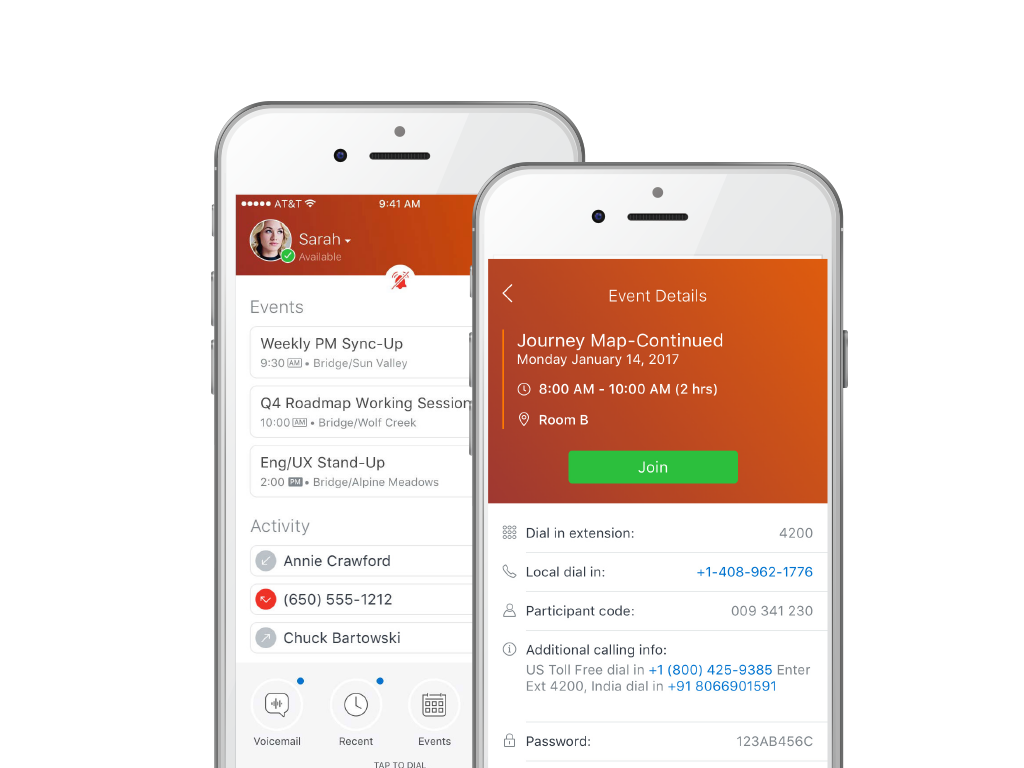
MiCloud Connect is a business communications solution for contact centers that includes features like IP PBX telephony service, desk phones, softphone, and collaboration tools. It is integrable with other business communication technology, including Microsoft Outlook and CRM software.
$20.99
per user/per month
Vonage Business Communications
Score 8.5 out of 10
N/A
Vonage Business Cloud is a communication solution aimed at small-midsize companies. It integrates with third party applications, and includes IP-PBX capabilities, video conferencing, and collaboration tools. Pricing starts at $19.99 per month and increases with the amount of phone lines needed.
$19
per month per extension
Pricing
MiCloud Connect
Vonage Business Communications
Editions & Modules
Essentials
$20.99
per user/per month
Premier
$26.59
per user/per month
Elite
$38.49
per user/per month
Mobile
$19.99
per month per extension
Premium
$29.99
per month per extension
Advanced
$39.99
per month per extension
Offerings
Pricing Offerings
MiCloud Connect
Vonage Business Communications
Free Trial
No
No
Free/Freemium Version
No
No
Premium Consulting/Integration Services
No
No
Entry-level Setup Fee
No setup fee
No setup fee
Additional Details
—
—
More Pricing Information
Community Pulse
MiCloud Connect
Vonage Business Communications
Considered Both Products
MiCloud Connect
Verified User
Director
Chose MiCloud Connect
Mitel has a great phone service product. The user interface for phone service, and the admin portal is extremely easy to use. Ultimately, it was presented that the conferencing solutions in a unified communication plan were more capable then reality. In comparison to other …
Mitel is excellent at allowing me as a user to setup up custom call routing in response to rapidly changing work flows. If I need to work from home for a period due to medical or other reasons, logging into Mitel and setting my office phone to ring through to my home or cell is quick and simple. Changing back is just as quick.
Vonage Business Communications excels in scenarios requiring seamless remote work, such as virtual teams and remote workers. It's also ideal for businesses needing reliable disaster recovery solutions. However, it may be less appropriate for very small businesses with minimal communication needs or those with limited budgets, as the comprehensive features might be more than necessary.
With separate systems and two locations we used to have to fake the system into 4 digit dialing by forwarding all remote extensions to DIDs. Now with Shortel extended to the remote location we have true 4 digit dialing.
The Shortel desktop application makes managing calls and call routing a breeze for even our most novice users.
The extension can only have three devices which is difficult if you work in multiple locations. Your cell phone is one of the three, so you really only get two. I have three office locations that I work out of and it would be nice to have my extension at each.
Although the price is higher than some of the other Hosted systems out there, the value is definitely worth a renewal. Everything is relative: there are some companies out there who need phones, but don't necessarily care how they work, the functionality/features available/durability etc., they just care that they have phones that make and receive calls. There are other companies that are completely reliant on phones and certain functionality that is provided by the system. There are even some companies who are straight up dependent on the phone system and are losing tons of money anytime they are down, ShoreTel is the perfect fit for theSMB client who sees value in a solid,robust, reliable and high functioning phone system
I have not used a wide array of communication software, but this far ShoreTel/MiCloud has been the simplest and easiest to get into. My work employs several temps at certain points throughout the year, and they use this piece of software frequently, and new hires seem to have little to no issue using this software. Additionally, this is our primary telephone communication infrastructure, and I have yet to encounter any issues when signed in and regularly using it handling external calls to our department.
I thought it had very practical and useful usability. It has a clean and simple interface with large fonts that make it easy to read. It isn't particularly difficult, although figuring out some operations may be a bit challenging. For the most part though, it isn't very difficult to use
The system has gone down on us MULTIPLE times. We asked them to move us to a different cluster. Shoretel declined. Basically we had problems or outages every month of the year from June 2012 to date. Our old phone system was just that: OLD, no bells or whistles. But it was up every day and I never had to think about it much until it was time for an upgrade. That's how I want Shoretel to be. I want it so reliable that I never have to think about it.
Even though the system uses a lower bandwidth connection we have experienced a higher call quality than our previous system which required a T1 line and back up broadband connection.
ShoreTel Sky's support is amazing. The only reason why I didn't give it a 10 is that we still need to contact them for stuff that we should be able to do, for ourselves, within the management portal. I know their portal is being worked on, so hopefully they will get the "little things" included for self-management.
We hardly have any issues with it to where we need to call them. There was a point where our connections across the board were terrible and it held us up in production quite a bit but since then things have been pretty simple and streamlined.
I attended the first ShoreTel installer class in Austin,TX. It was a week of intensive study with a live lab and having hands on experience made the class worthwhile. I have taken all of the sales courses and remaining technical courses either online or self study to keep costs down. I send my techs to the first installer course in Austin as I feel it gives them a solid foundation and most of teh other courses they have taken have been online.
The training identified some things M5 (ShoreTel's cloud division) could provide, however it was only using it every day and asking the Shoretel support several questions that I got the hang of it. The training was able to highlight functions but I did not learn how to use the phone from the training.
Each of our locations has a dedicated ShoreTel router and managed QoS. With full management, it provides us a breath of space and bandwidth to use our resources in other means. Strongly consider the managed solution as you have to maintain more technical issues when hosting with your ISP. You have to make sure your ISP can provide you the best service for voice and data. Plug and 'hope' doesn't work with just routing your phones over any Internet connection....especially when your handsets run int he 100's
Aptela. I chose M5 (ShoreTelSky) because their platform puts call quality first. Their system also uses Cisco endpoints, which are very compatible with the rest of my Cisco network. I also liked the fact that ShoreTelSky uses the internet only as a backup for transport; I use MPLS as my primary connectivity.
We believe Vonage Business Cloud is best for our organization over the AT&T and the Verizon platforms for several reasons including price, ease of use, connectivity, and other options. Since we have implemented this solution along with newer Polycom phones, we have had very few issues with our phones or our phone platform.
I believe that ShoreTel can be used by a minimum company size of about 25 to almost any size of a company and this can be achieved while the company grows, hence makes it pretty scalable when required. For companies which are smaller in size i.e. smaller than 25, I am not sure how useful it would be, it may be depending upon the type of business
At my branch alone, we are saving over $500 a month using Shoretel Sky versus the phone company we were using before them.
Shoretel Sky has increased customer service by allowing our employees to easily transfer a call to the proper department or branch no matter where they are located instead of giving the caller a phone number to call.
Most of our locations did not have caller ID before Shoretel Sky. That feature has increased employee efficiency because when they know who is calling before they answer allows them to professionally greet their caller and have their info up on their computer as they answer.
Cut down phone hardware expense since the soft phone is free and easier to use.
Text is becoming a more important and effective way to reach clients. Some will not answer a call or accept voicemail but respond quickly to text messages.
Allows me to work from anywhere with smart phone app saving hours at work.